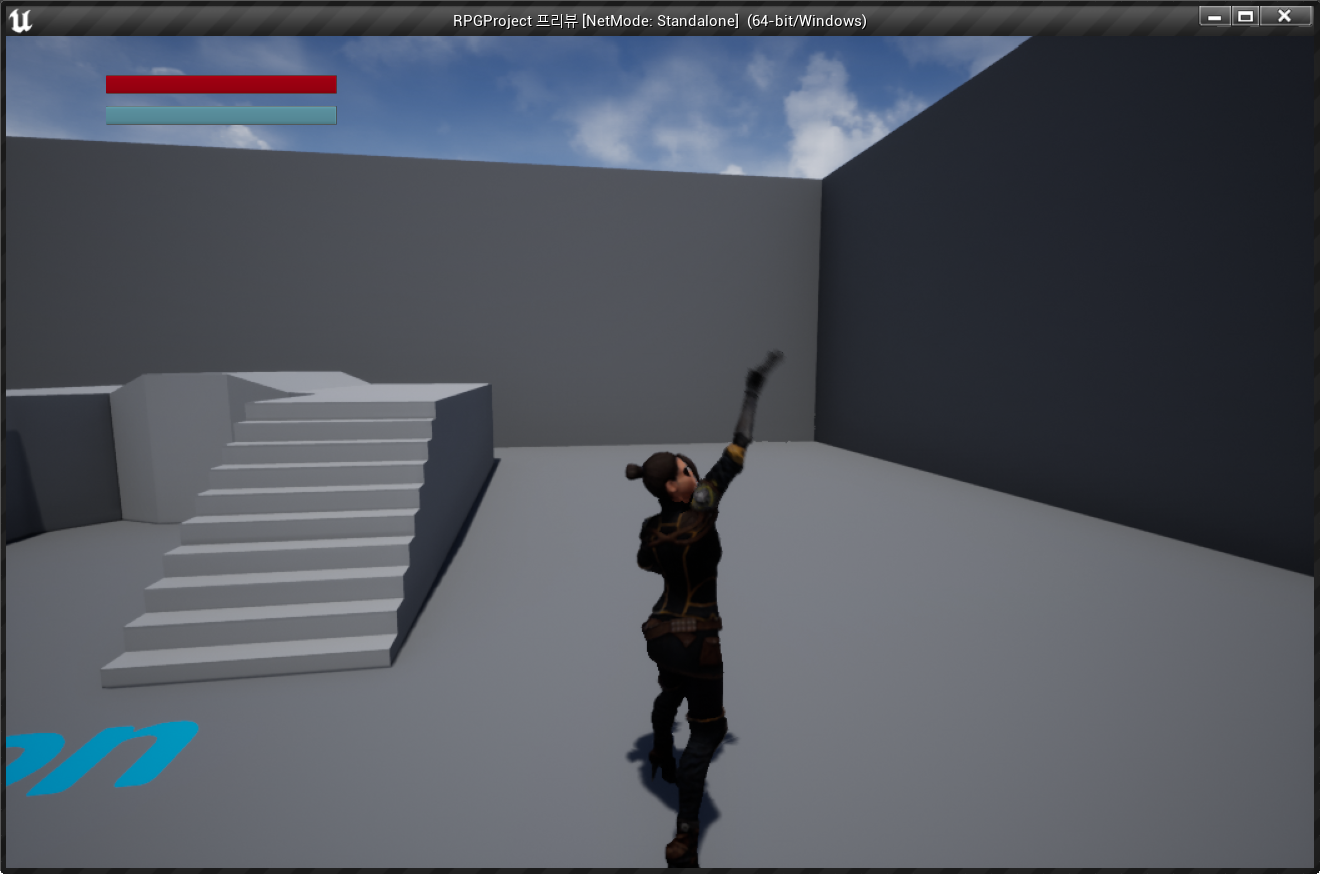
UE4 - Creating a RPG #4 - Creating The Spell Casting State
Today's Lesson: Creating The Spell Casting State
Summary
1. We take a look at how we can setup a spell casting state for our character, going over how we set up some blueprint to tell the engine when we should be casting and when to go into the spell casting state.
2. We also go over how we can bind that spell casting state to a key on our keyboard, testing out a basic ability system.
✅ Casting One Hand Animation 구현
◼️ In Character Blueprint <ThirdPersonCharacter>
- New variable: Casting1H
type: bool
//1H's meaning: one hand
// 캐릭터의 Casting One Hand Animation을 제어할 변수
◼️ In Animation Blueprint <Eve_BP> - Event Graph
- New Node: 시퀀스
시퀀스 노드 추가 전
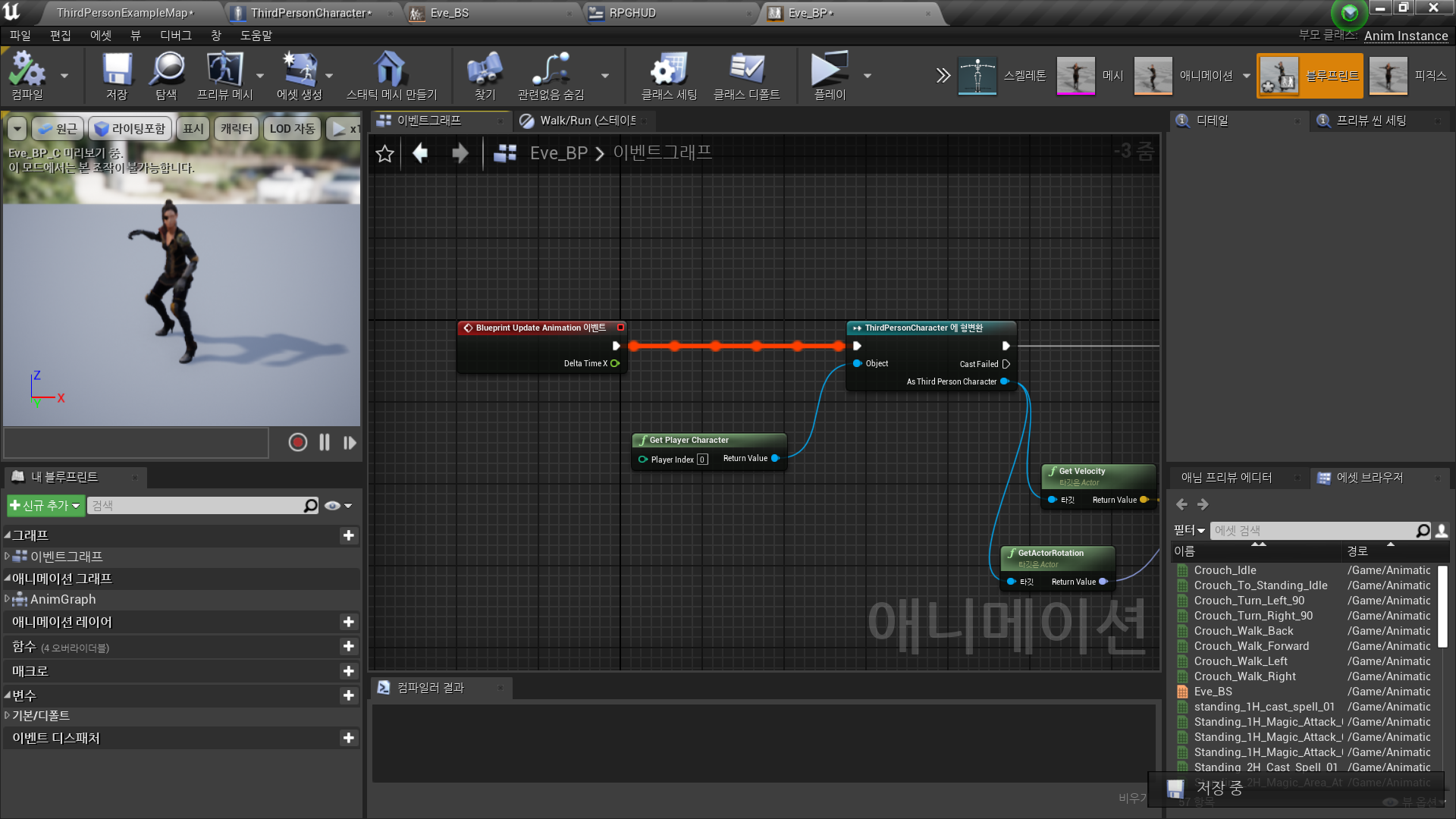
시퀀스 노드 추가 후
As ThirdPersonCharacter → Get Casting1H → 변수로 승격 Casting1H
ThirdPersonCharacter 블루 프린트의 Casting1H 값과 동기화
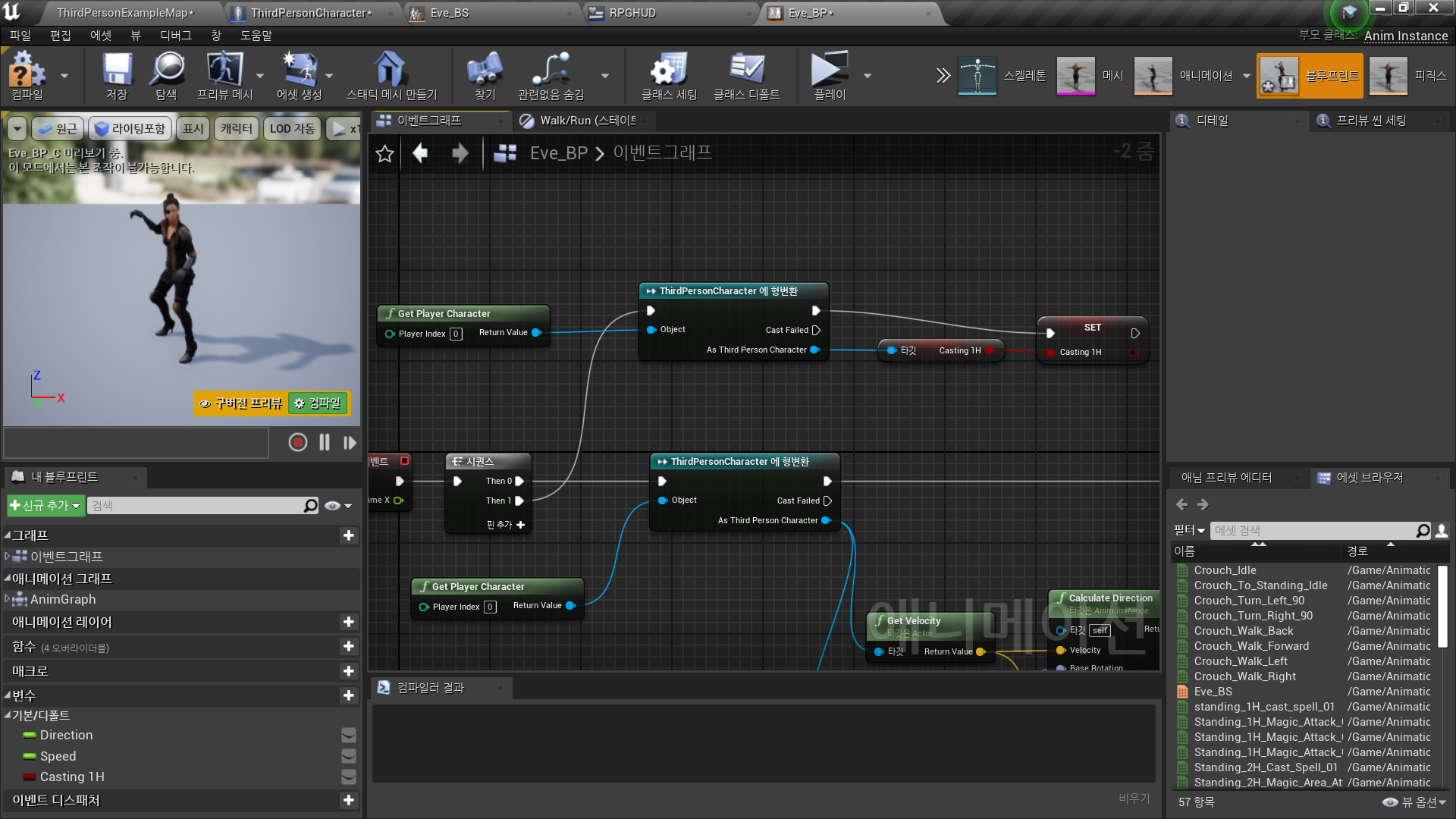
◼️ In Animation Blueprint <Eve_BP> - Anim Graph
- New State: Casting1H
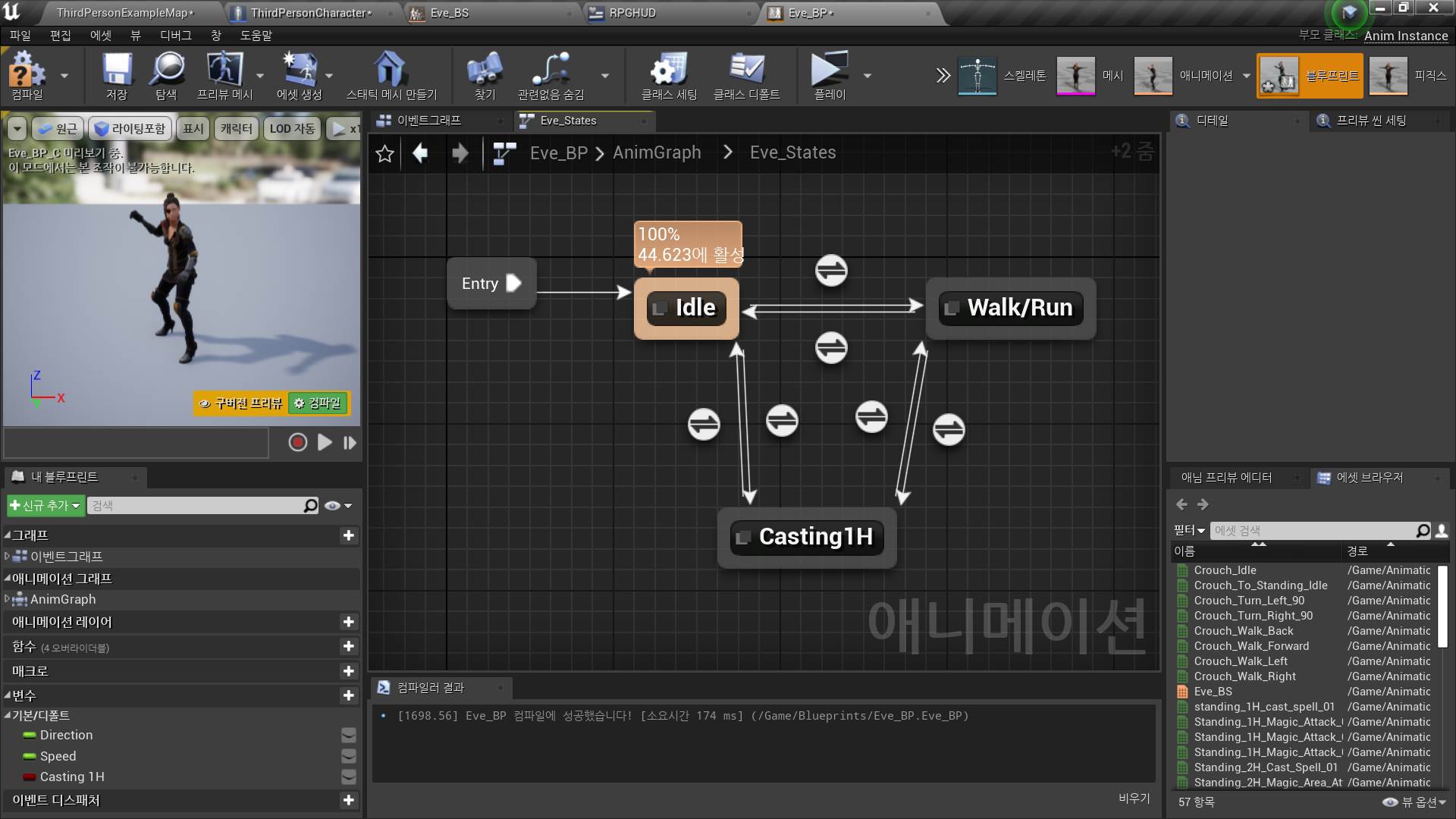
- Transition: Idle → Casting1H
New Node: Equal Boolean
// Casting1H 변수가 true인 경우 Enter
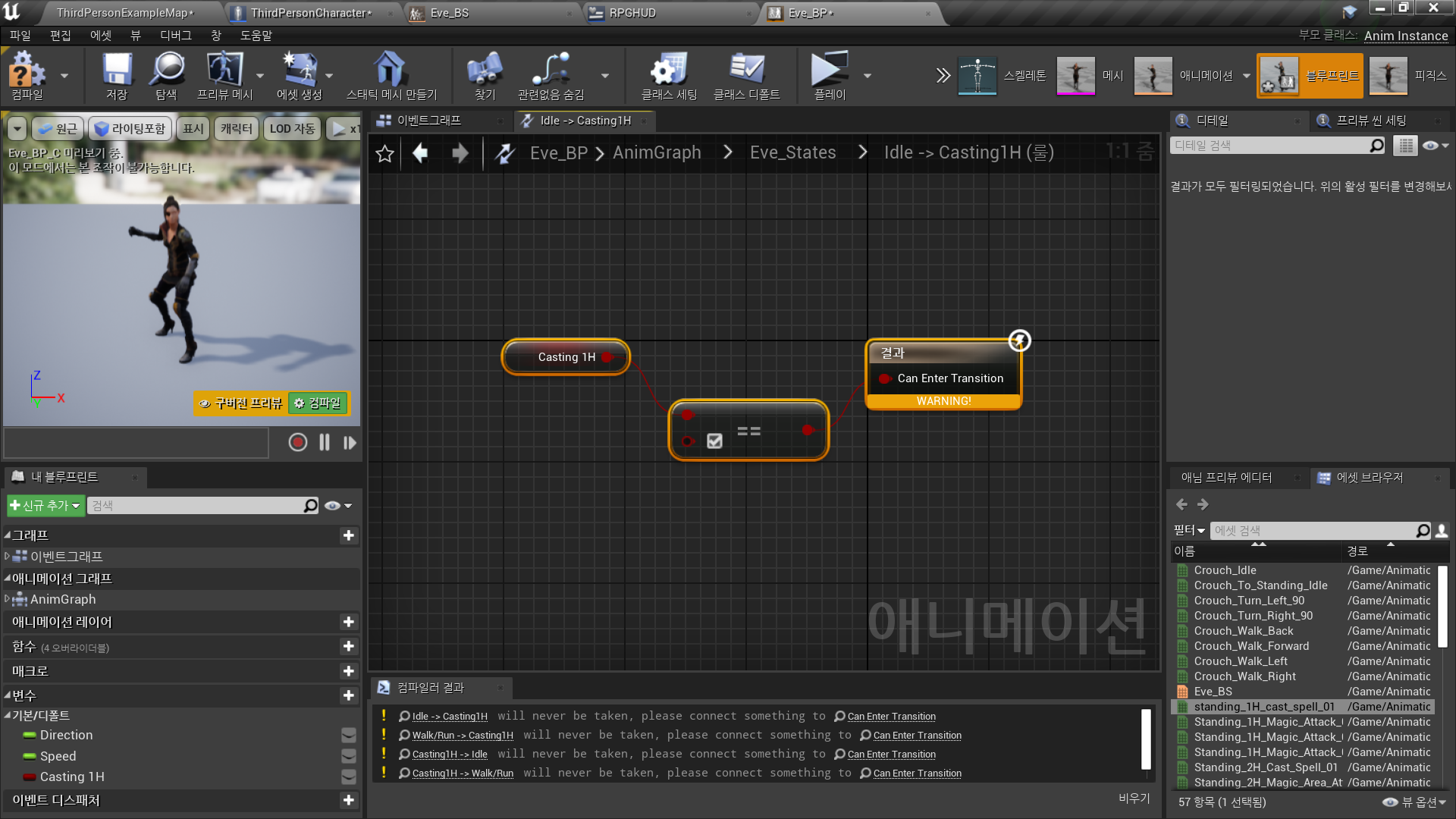
- Transition: Walk/Run → Casting1H
// Casting1H 변수가 true인 경우 Enter
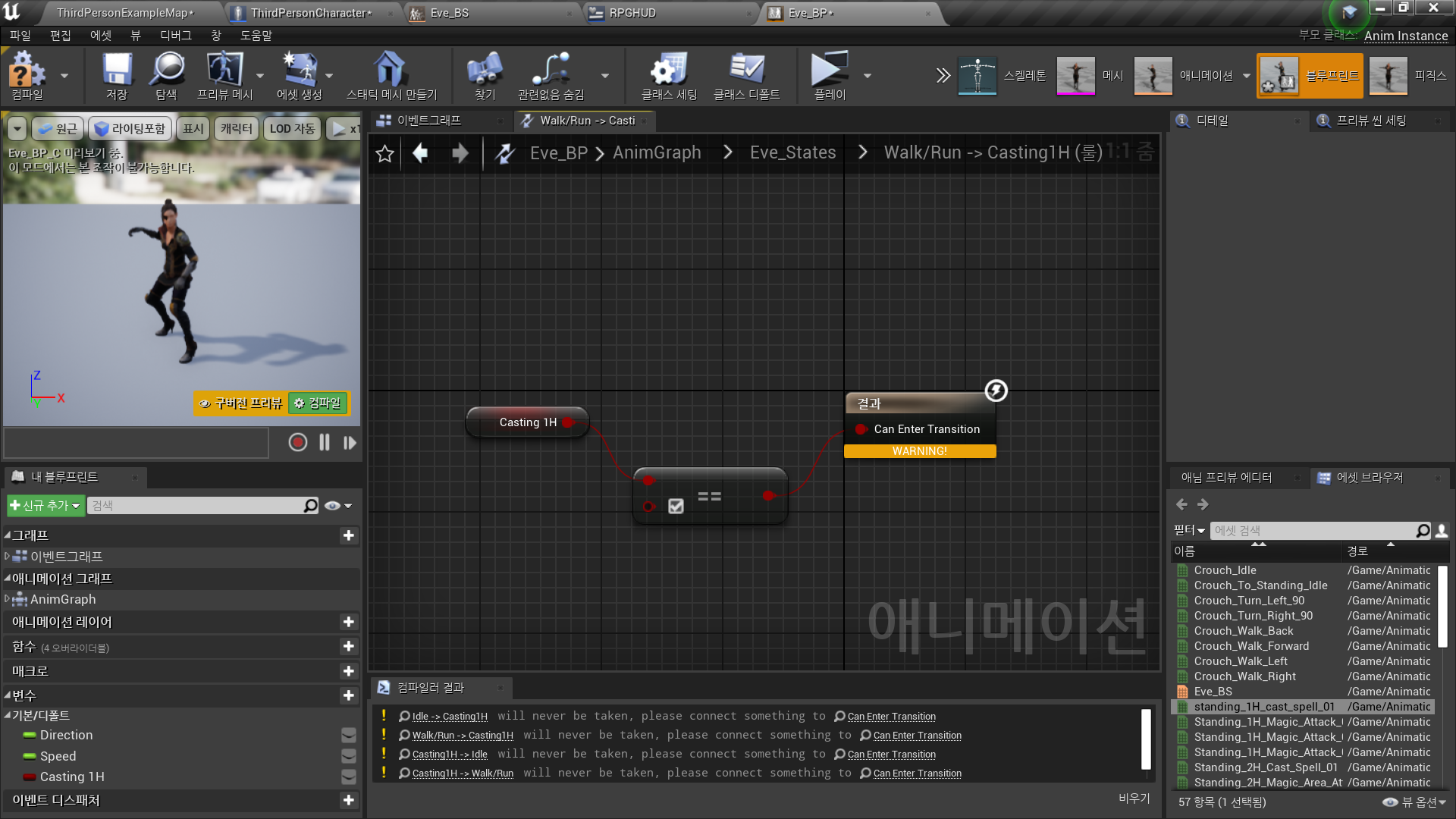
- Transition: Casting1H → Idle
// Casting1H 변수가 false인 경우 Enter
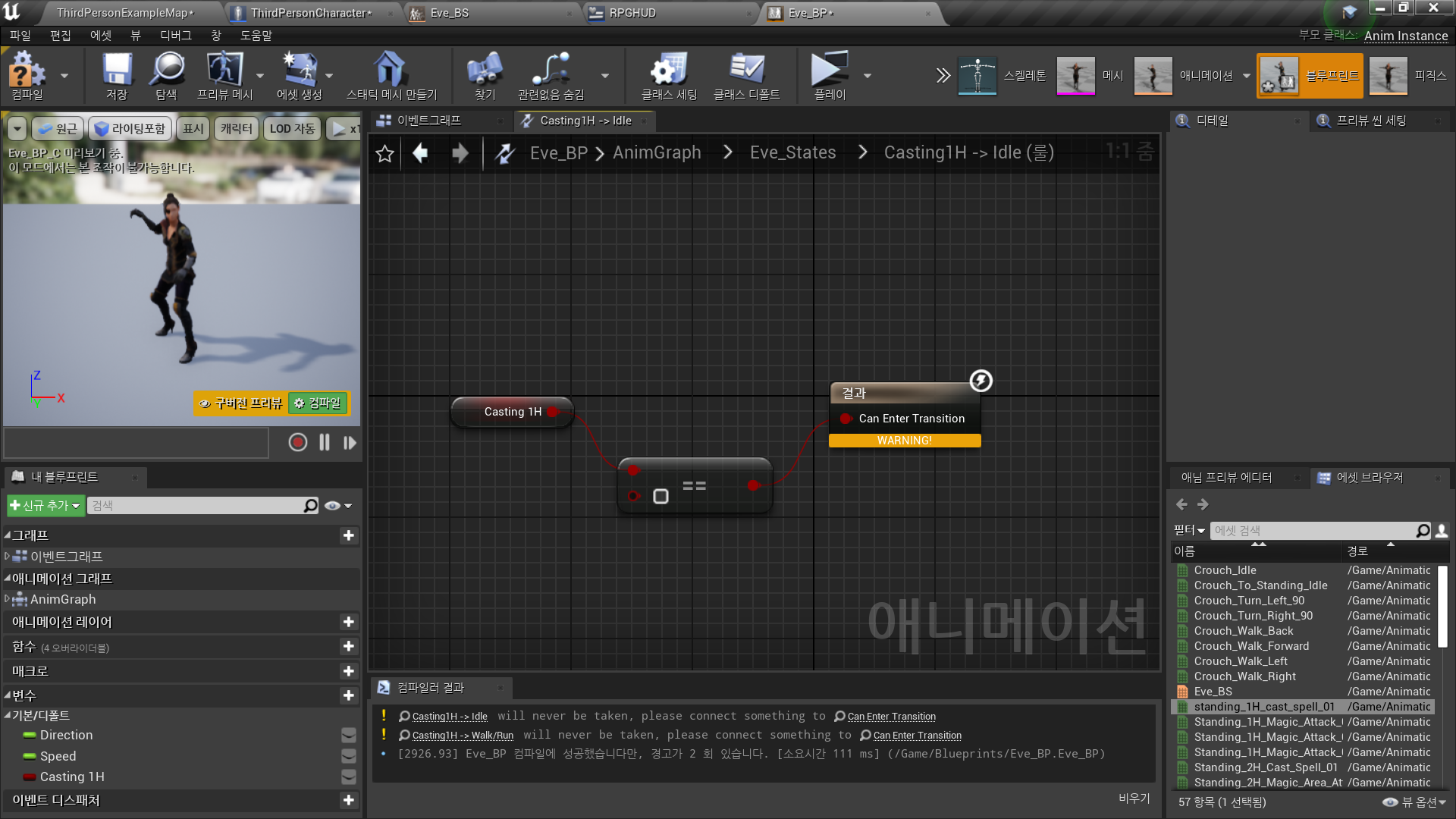
- Transition: Casting1H → Walk/Run
// Casting1H 변수가 false인 경우 Enter
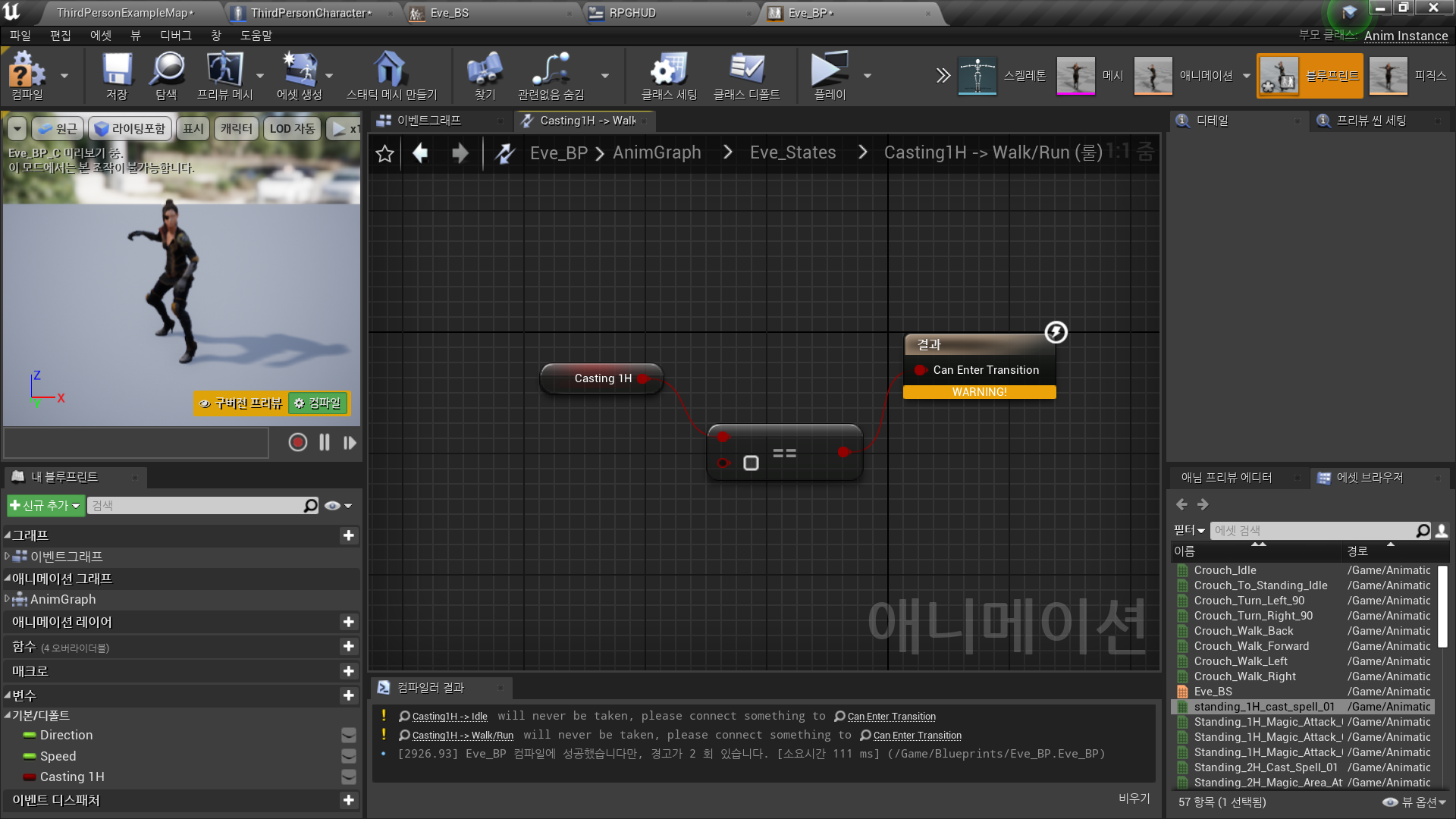
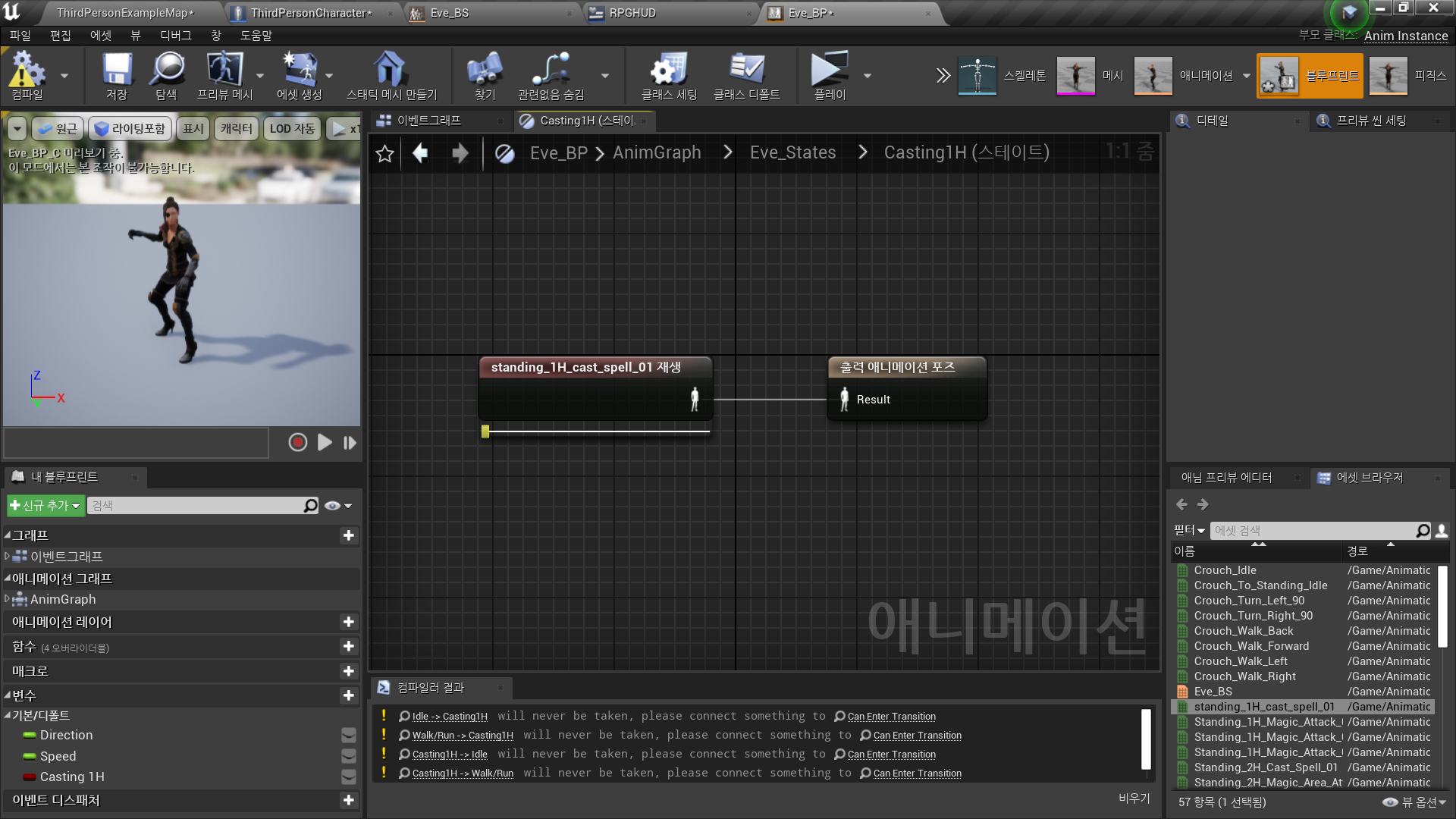
- Casting1H State
Animation 설정
✅ Spell Casting Input 설정
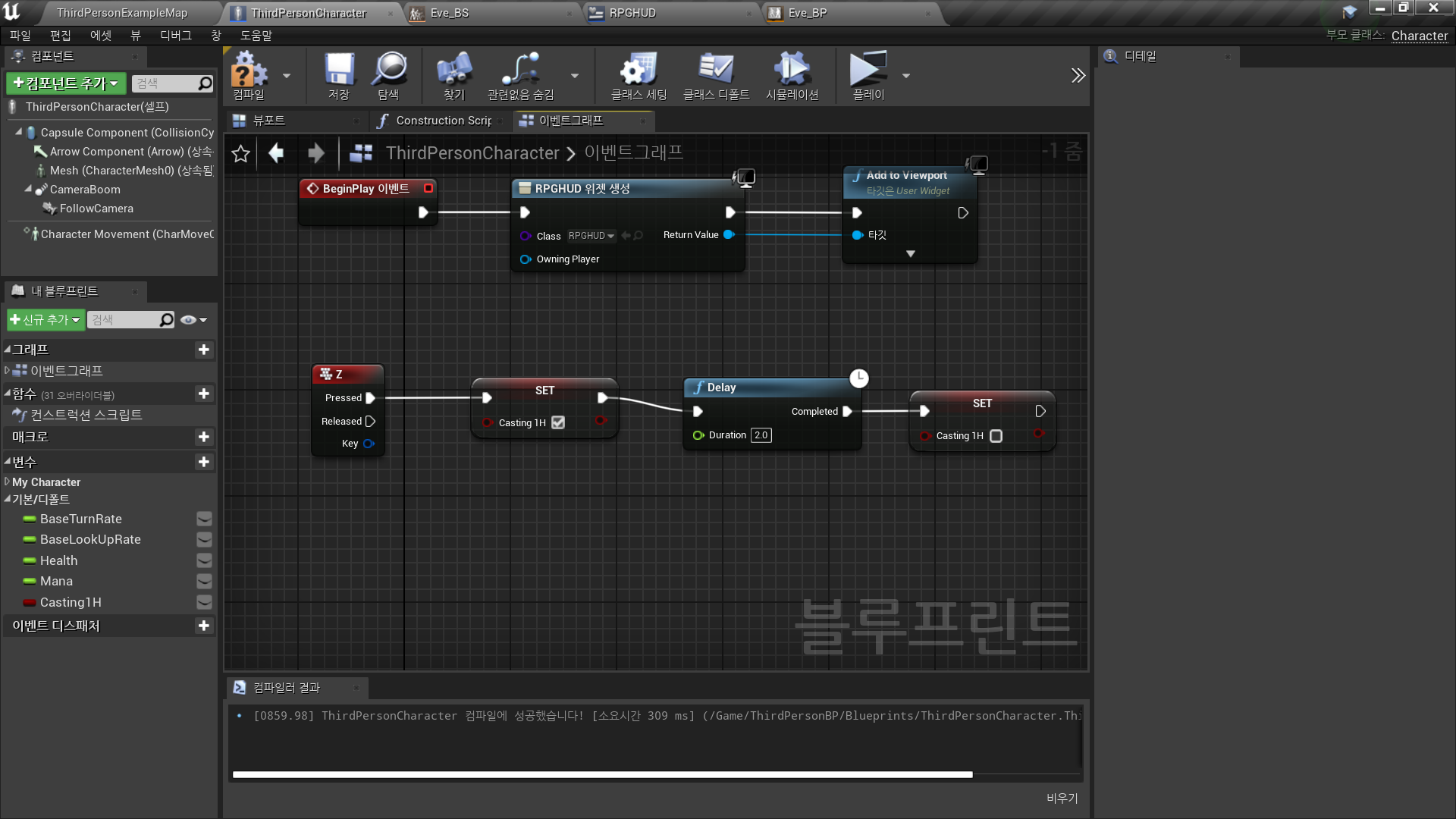
◼️ In Character Blueprint <ThirdPersonCharacter> - Event Graph
- New Node: Keyboard Event 'Z'
- Input Z → Set Casting1H true → New Node: Delay
//애니메이션 플레이 시간 동안 딜레이 - Delay → Set Casting1H false
✅ Make Animation Smoother
◼️ In Blend Space <Eve_BS>
- In Horizontal Axis, Vertical Axis
- Interpolation Time(보간 시간): 1Interpolation Time(보간 시간)의 역할
- 입력 값이 갑자기 변화할 때, 애니메이션 간 전환이 너무 빠르게 이루어지면 부자연스러워 보일 수 있습니다.
- Interpolation Time은 입력 값의 변화를 일정 속도로 보간(Interpolation)하여 부드럽게 애니메이션이 전환되도록 만듭니다.
예: 캐릭터 속도가 0에서 600으로 빠르게 변할 경우, 보간 시간을 설정하면 갑작스러운 변화 대신 점진적으로 전환됩니다.
어떻게 작동하는가?
- Blend Space에서 현재 입력 값(Current Value)과 목표 입력 값(Target Value) 사이의 값을 보간하여, 애니메이션이 천천히 목표 상태로 전환되도록 합니다.
- 보간 시간이 0으로 설정되면 즉각적으로 전환이 이루어지며, 시간이 길수록 전환이 느려집니다.
✅ Result
- Spell Casting Animation