https://www.codelatte.io/courses/java_programming_basic/5T45PAUJSXLOZ7DA
코드라떼님의 강의 <메모장을 만들어보자>를 참고해 만들어보았다.
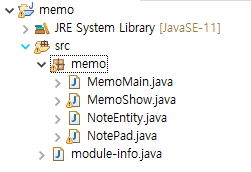
↑ 프로젝트 구성!
<원본 코드와 달라진 점>
1. MemoShow 클래스를 NotePad의 자녀 클래스로 상속받아 NotePad의 메서드를 불러올 수 있게 만들었다.
2. NotePad의 특정 메모 보여주기 부분의 String headLine의 번호를 selectedNumber로 설정해 입력한 번호와 동일한 메모를 출력된다는 것을 좀 더 직접적으로 보여주었다.
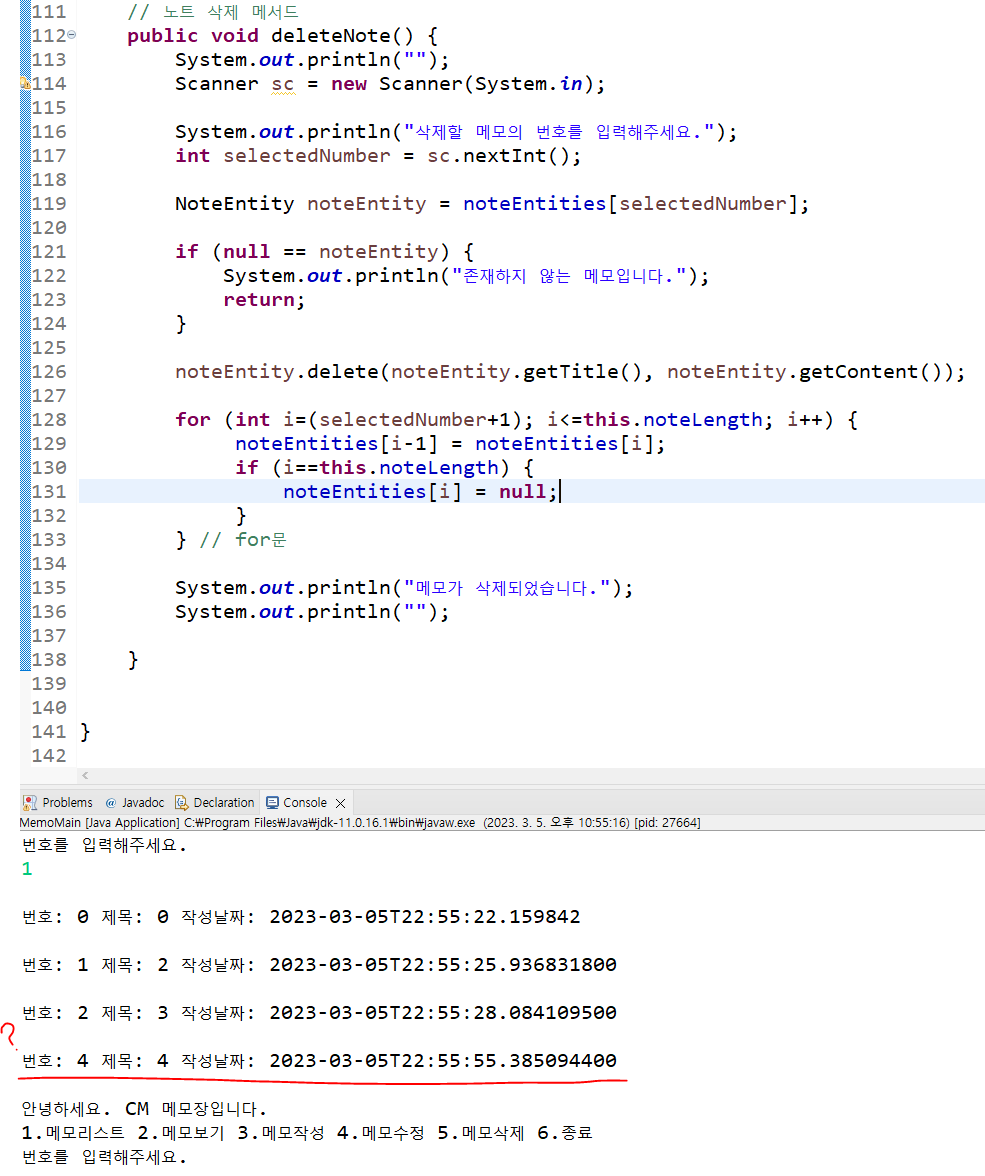
3. 강의에는 없던 삭제 메서드를 직접 만들어보았다. 새 메모를 추가하면 노트 배열의 마지막에 들어가는 방식이기에 특정 메모를 삭제하면 그냥 그 메모만 삭제되는 것이 아니라 그 다음 번호부터 숫자를 1씩 낮춰 보여지도록 만들었다.
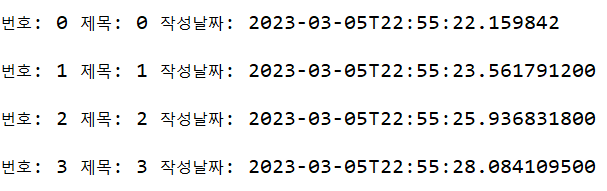
↑ 원래 번호와 제목이 동일하게 만들어진 메모장에서 1번 메모를 삭제했다.
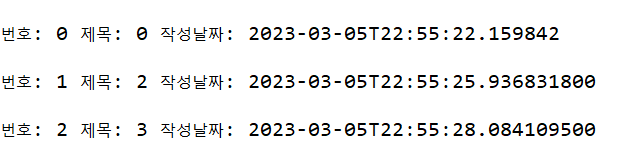
↑ 1번을 삭제하자 그 다음 번호(2번)부터 숫자가 하나씩 준 것을 확인할 수 있다.
<수정할 점>

메모를 삭제 후 새 메모를 추가할 때 숫자가 건너뛴 채 추가되는 문제가 있어서 그 점을 수정하고 싶다.
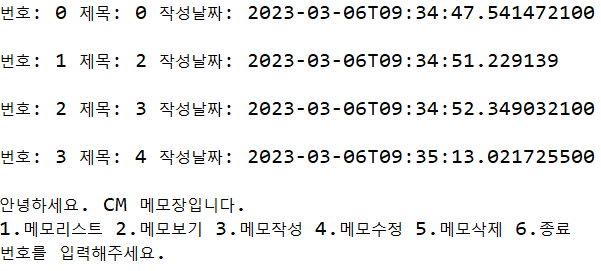
- 230306 해결했다! 노트 삭제 메서드에 this.noteLength -= 1;를 추가하면 노트의 총 길이가 하나 줄고, 노트 추가 메서드는 this.noteLength++(노트의 최대 길이 +1)에 메모를 추가하므로 자연스레 번호를 건너뛰지 않고 메모를 삭제할 수 있다.
MemoMain 클래스 코드
package memo;

public class MemoMain {
	public static void main(String[] args) {

		MemoShow ms = new MemoShow();

		ms.run();

	}
}
MemoShow 클래스 코드
package memo;

import java.util.Scanner;

public class MemoShow extends NotePad{

	NotePad np = new NotePad();

	public void run() {
		while(true) {

			Scanner sc = new Scanner(System.in);

			System.out.println("안녕하세요. CM 메모장입니다.");
			System.out.println("1.메모리스트 2.메모보기 3.메모작성 4.메모수정 5.메모삭제 6.종료");
			System.out.println("번호를 입력해주세요.");

			int selectedNumber = sc.nextInt();

			if (selectedNumber == 1) {
				// 메모리스트
				np.printAllNotes();
			} else if (selectedNumber == 2) {
				// 메모보기
				np.printNote();
			} else if (selectedNumber == 3) {
				// 메모작성
				np.AddNote();
			} else if (selectedNumber == 4) {
				// 메모수정
				np.updatedNote();
			} else if (selectedNumber == 5) {
				// 메모삭제
				np.deleteNote();
			} else if (selectedNumber == 6) {
				// 종료
				break;
			} else {
				System.out.println("번호를 다시 입력해주세요.");
			}

		} // while

	} // run()

}
NoteEntity 클래스 코드
package memo;

import java.time.LocalDateTime;

public class NoteEntity {

	private String title; // 제목
	private String content; // 내용
	private LocalDateTime lastUpdatedDatetime; // 최종수정일
	// LocalDateTime : 날짜/시간을 가공하도록 도와주는 객체


	private NoteEntity(String title, String content) {
		this.title = title;
		this.content = content;
		this.lastUpdatedDatetime = LocalDateTime.now();
	}

	// NoteEntity에 private를 적용해놨기에 생성을 하려면 newInstance 메서드를 사용해야 한다.
	static NoteEntity newInstance(String title, String content) {
		return new NoteEntity(title, content);
	}

	// 메모 수정
	void update(String content) {
		this.content = content;
		this.lastUpdatedDatetime = LocalDateTime.now();
		// 호출 시점, 현재 날짜/시간을 가지고 있는 LocalDateTime 인스턴스를 반환한다.
	}

	String getTitle() {
		return title;
	}

	String getContent() {
		return content;
	}

	LocalDateTime getLastUpdatedDatetime() {
		return lastUpdatedDatetime;
	}

}
NotePad 클래스 코드
package memo;

import java.util.Scanner;

public class NotePad {

	// for문으로 메모장의 개수만큼 반복해야 하므로 noteLength라는 변수를 만들어 0으로 초기화한다.
	private int noteLength = 0;
	private final NoteEntity[] noteEntities;
	private final int NOTE_SIZE = 20;

	public NotePad() {
		this.noteEntities = new NoteEntity[NOTE_SIZE];
	}

	// 메모 전체보기
	public void printAllNotes() {
		System.out.println("");
		if ( this.noteLength == 0) {
			System.out.println("작성된 메모가 없습니다. \n");
			return;
		}

		for (int i=0; i<this.noteLength; i++) {
			if (noteEntities[i] == null) {
				continue;
			}
			NoteEntity noteEntity = noteEntities[i];

			String headLine = String.format("번호: %d 제목: %s 작성날짜: %s \n",i,noteEntity.getTitle(),noteEntity.getLastUpdatedDatetime());

			System.out.println(headLine);

		} // for문

	} // printAllNotes()

	// 특정 메모 보여주기
	public void printNote() {
		System.out.println("");
		Scanner sc = new Scanner(System.in);

		System.out.println("확인할 메모의 번호를 입력해주세요.");
		int selectedNumber = sc.nextInt();

		NoteEntity noteEntity = noteEntities[selectedNumber];

		if (null == noteEntity) {
			System.out.println("작성된 메모가 없습니다.");
			System.out.println("");
			return;
		}
		System.out.println("");
		String headLine = String.format("번호: %d 제목: %s \n",selectedNumber,noteEntity.getTitle());
		System.out.println(headLine);
		System.out.println(noteEntity.getLastUpdatedDatetime());
		System.out.println(noteEntity.getContent());
		System.out.println("");

	} // printNote()

	// 노트 추가 메서드
	public void AddNote() {
		System.out.println("");
		if (NOTE_SIZE == this.noteLength) {
			System.out.println("메모가 꽉찼습니다.");
			System.out.println("");
			return;
		}

		Scanner sc = new Scanner(System.in);

		System.out.println("제목을 작성해주세요.");
		String title = sc.nextLine();

		System.out.println("본문을 작성해주세요.");
		String content = sc.nextLine();

		noteEntities[this.noteLength++] =
				NoteEntity.newInstance(title, content);

		System.out.println("메모가 작성되었습니다.");
		System.out.println("");

	} // AddNote()

	// 노트 수정 메서드
	public void updatedNote() {
		System.out.println("");
		Scanner sc = new Scanner(System.in);

		System.out.println("수정하실 메모의 번호를 입력해주세요.");
		int selectedNumber = Integer.parseInt(sc.nextLine());

		System.out.println("본문을 작성해주세요.");
		String content = sc.nextLine();

		NoteEntity noteEntity = noteEntities[selectedNumber];

		if (null == noteEntity) {
			System.out.println("존재하지 않는 메모입니다.");
			return;
		}
		noteEntity.update(content);

		System.out.println("메모가 수정되었습니다.");
		System.out.println("");

	} // updatedNote()

	// 노트 삭제 메서드
	public void deleteNote() {
		System.out.println("");
		Scanner sc = new Scanner(System.in);

		System.out.println("삭제할 메모의 번호를 입력해주세요.");
		int selectedNumber = sc.nextInt();

		NoteEntity noteEntity = noteEntities[selectedNumber];

		if (null == noteEntity) {
			System.out.println("존재하지 않는 메모입니다.");
			return;
		}

		for (int i=(selectedNumber+1); i<=this.noteLength; i++) {
			 noteEntities[i-1] = noteEntities[i];
			 if (i==this.noteLength) {
				 noteEntities[i] = null;
			 }
		} // for문

		this.noteLength -= 1;

		System.out.println("메모가 삭제되었습니다.");
		System.out.println("");

	}

}

백엔드 지망 학부생