Unity 환경 설정
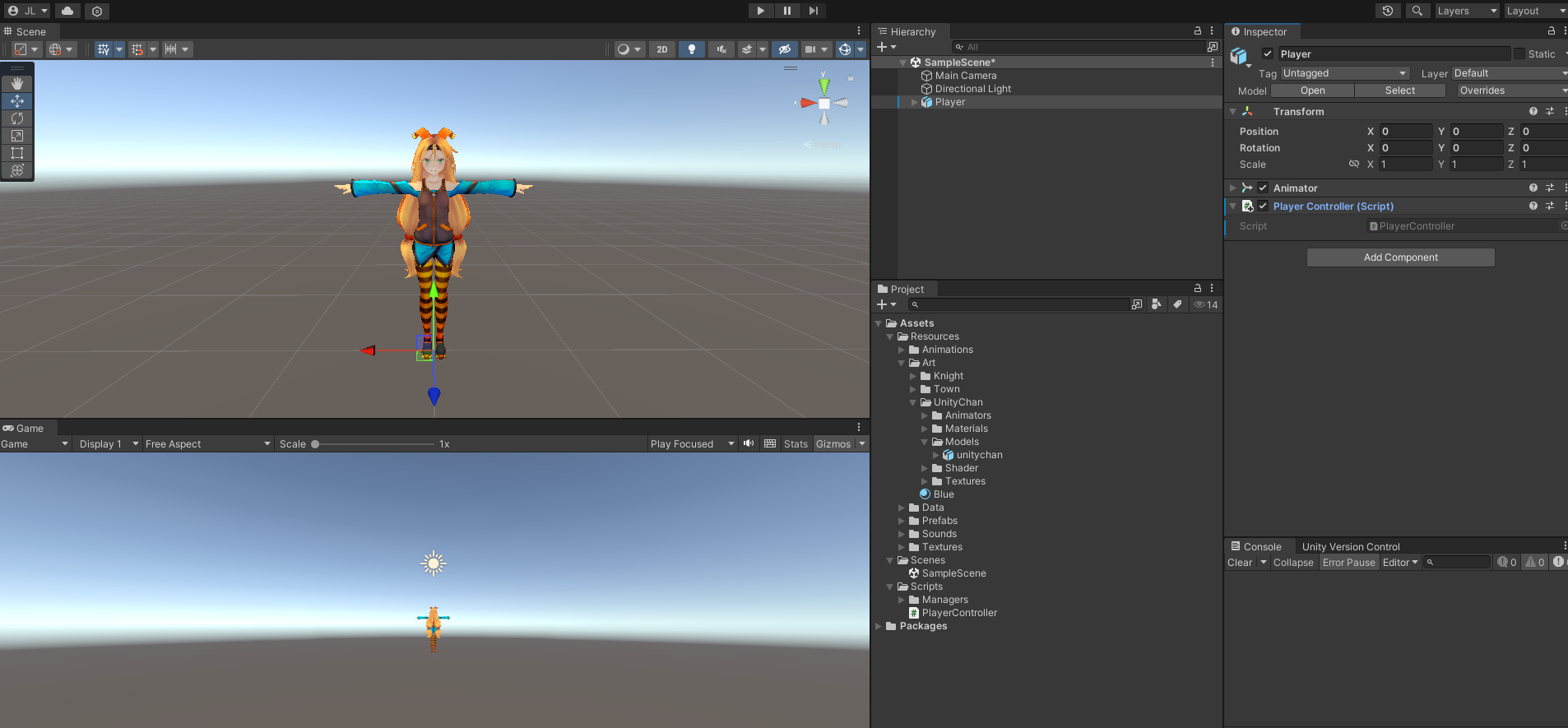
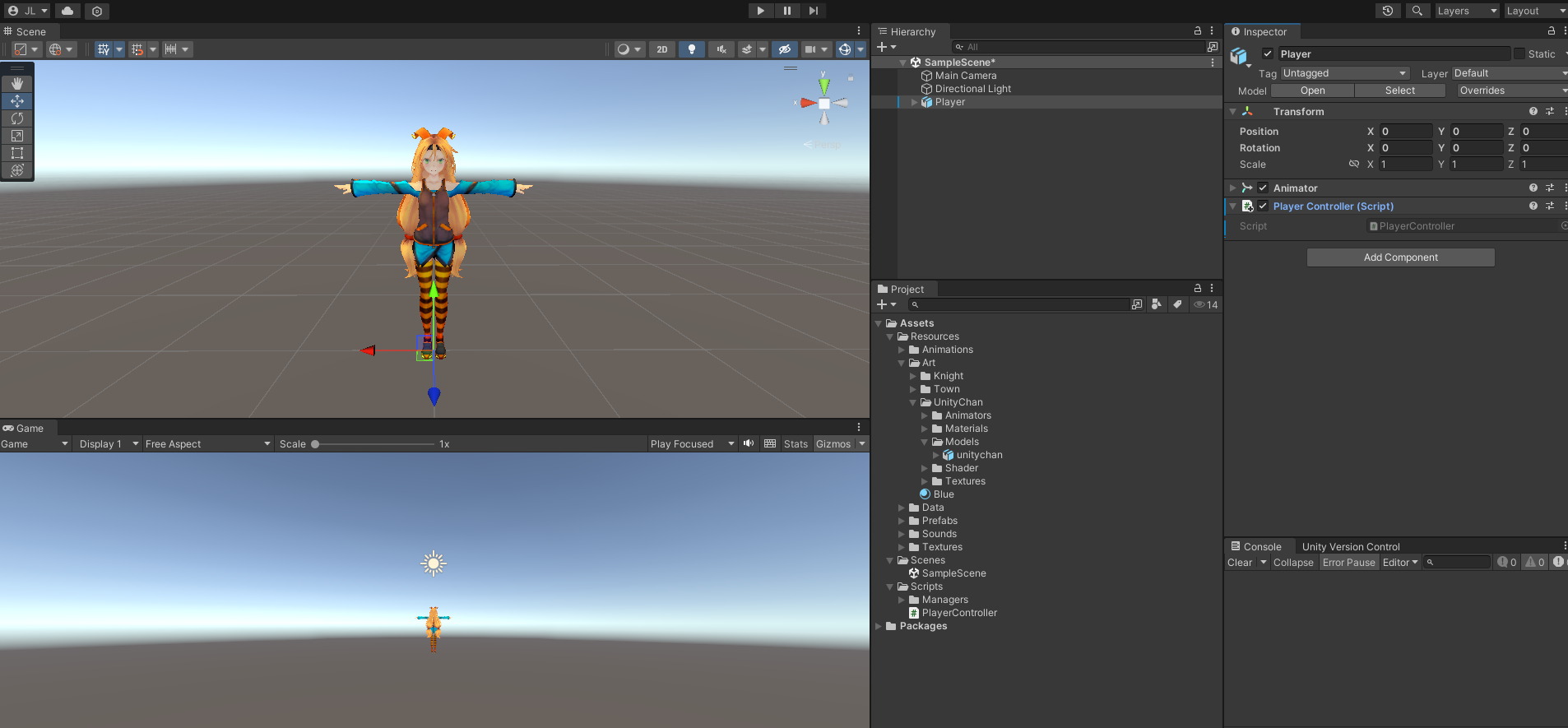
1. Hierarchy
SampleScene아래에는Main Camera,Directional Light, 그리고Player라는 객체가 있습니다.- Player는 씬에 배치된 캐릭터로,
Transform컴포넌트를 포함하고 있으며, 작성한PlayerController스크립트가 연결되어 있습니다.
2. Inspector
Player오브젝트의Transform컴포넌트는 위치(Position), 회전(Rotation), 스케일(Scale)을 정의합니다.Animator컴포넌트가 추가되어 있으며, 캐릭터 애니메이션 동작을 제어할 수 있습니다.- PlayerController (Script):
- 해당 컴포넌트는 Unity 프로젝트 내 작성된 C# 스크립트인
PlayerController를 통해 캐릭터의 동작을 제어합니다.
- 해당 컴포넌트는 Unity 프로젝트 내 작성된 C# 스크립트인
3. Project
- Assets/Resources:
Animations,Art,Models등 여러 폴더 구조가 있습니다.UnityChan관련 데이터가Materials,Models,Textures로 나뉘어 관리되고 있습니다.
- Scripts 폴더:
PlayerController.cs스크립트가 포함되어 있습니다.
C# 코드
PlayerController.cs
public class PlayerController : MonoBehaviour
{
    // Start is called before the first frame update
    void Start()
    {
        // 게임 시작 시 한 번 실행되는 초기화 메서드
    }

    // Update is called once per frame
    void Update()
    {
        // 키보드 입력에 따라 캐릭터 이동
        if (Input.GetKey(KeyCode.W)) // 'W' 키가 눌리면
        {
            transform.position += new Vector3(0.0f, 0.0f, 1.0f); // 캐릭터가 z축 방향으로 이동
        }
        if (Input.GetKey(KeyCode.S)) // 'S' 키가 눌리면
        {
            transform.position -= new Vector3(0.0f, 0.0f, 1.0f); // 캐릭터가 z축 반대 방향으로 이동
        }
        if (Input.GetKey(KeyCode.A)) // 'A' 키가 눌리면
        {
            transform.position -= new Vector3(1.0f, 0.0f, 0.0f); // 캐릭터가 x축 반대 방향으로 이동
        }
        if (Input.GetKey(KeyCode.D)) // 'D' 키가 눌리면
        {
            transform.position += new Vector3(1.0f, 0.0f, 0.0f); // 캐릭터가 x축 방향으로 이동
        }
    }
}
세부 분석
-
클래스 상속:
PlayerController는MonoBehaviour를 상속받아 Unity의 게임 오브젝트 스크립트로 동작합니다.
-
Start 메서드:
- Unity의 생명주기(Lifecycle)에서 게임이 시작될 때 한 번 호출됩니다.
- 현재는 빈 상태로, 초기화 작업을 수행하도록 확장할 수 있습니다.
-
Update 메서드:
- Unity의 생명주기에서 매 프레임 호출됩니다.
- 키 입력을 감지하여 캐릭터 이동을 구현합니다.
-
키 입력과 이동 로직:
Input.GetKey(KeyCode.X)를 사용해 특정 키보드 입력을 감지합니다.transform.position을 직접 수정해 캐릭터를 이동시킵니다.- 예:
W키 입력 시z축 양의 방향으로 이동. - 각각의 방향키(
W,A,S,D)에 맞게Vector3를 더하거나 뺍니다.
- 예:
- 이동 로직은 단순히 좌표를 변경하는 방식으로 구현되었으며, 현재는 속도나 부드러운 움직임(예: 물리 기반)이 적용되지 않았습니다.

李家네_공부방