☁️ Skeleton
🔎 Skeleton?
- 캐릭터를 animate하는 가장 유명한 방식이다.
- articulated body가 rigid component(bone과 joint)로 구성되어있다.
- vertex마다 animation을 모두 정의하기는 힘들기 때문에 mesh 전체를 움직이는 뼈대를 기준으로 animation을 정의하고, 얘를 따라서 움직이도록 한다.
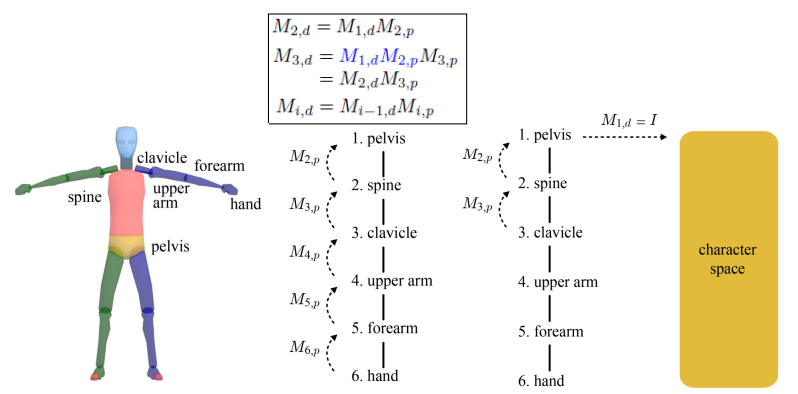
- default pose에 skeleton을 끼워맞춰졌을 때, bone마다 matrix가 만들어진다 =
🔎 Skeletal hierarchy
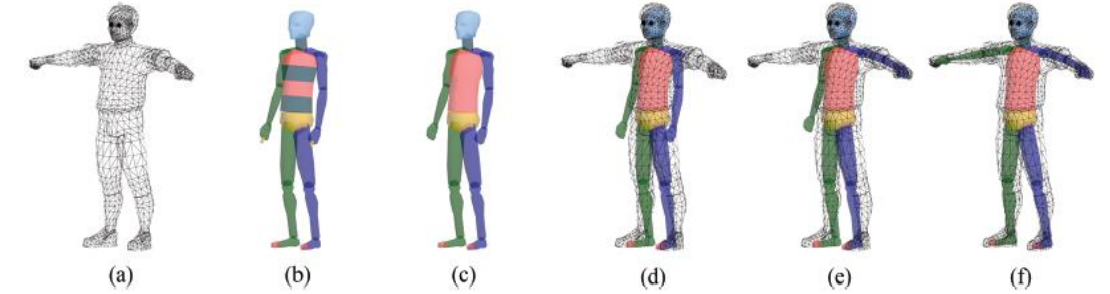
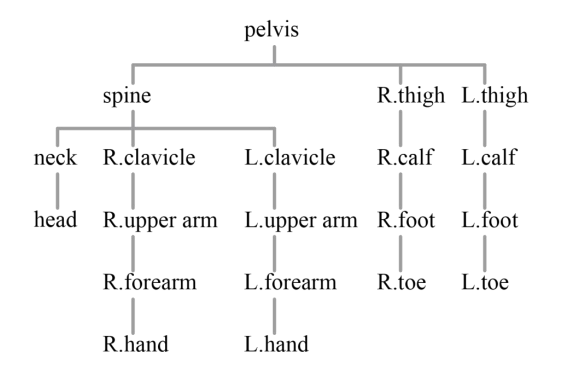
- 모든 노드는 최대 1개의 부모만 가진다. child에는 제한 X
- parent가 움직이면 모든 child에게 영향을 준다. 역은 성립 X
- pelvis : normally root node
☁️ Skeletal Animation
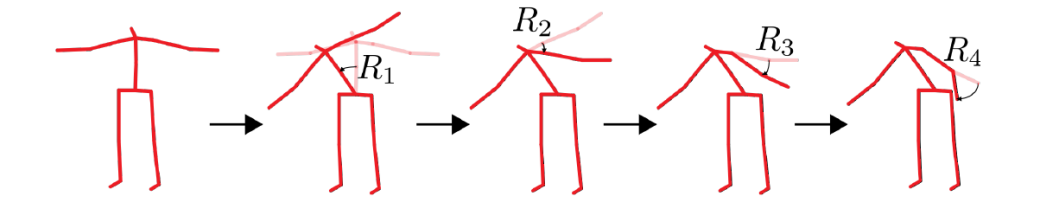
- 각 bone은 각자의 local motion을 가지고, 가동범위의 제한이 있다.
☁️ Space Change between Bones
character animation을 하기 위해서는 character to bone transform이 필요하다.
- character의 모든 vetex들은 character-space에 정의되어있다.
- 문제는 캐릭터가 관절체 애니메이션을 하기 때문에 각각의 뼈가 독립적으로 움직인다.
- 그래서 각각의 vertex를 bone space로 보내서 bone에 따라 움직일 수 있도록 한다.
🔎 Joints
- bone들은 joint로 연결되어 있다.
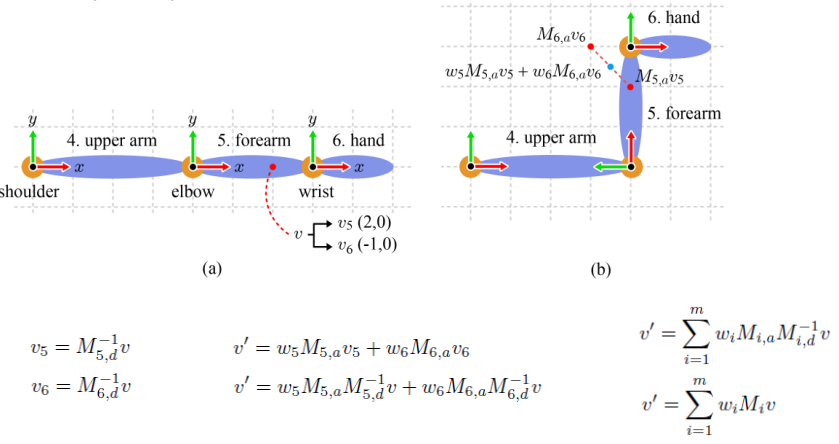
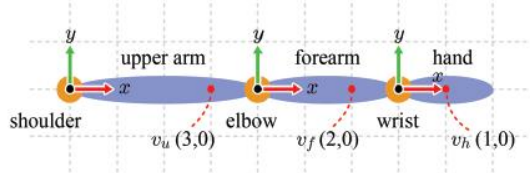
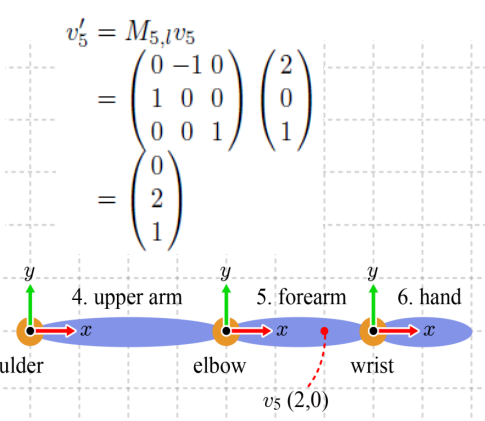
- 아래 예시에서 는 forearm의 object space (bone space) 위에 있다.
- 처음에 모든 vertices의 default pose는 캐릭터의 object space (character space)에 위치한다 (root 기준)
- 모든 vertex default pose는 character space에서 bone space로 transform 되어야 한다.

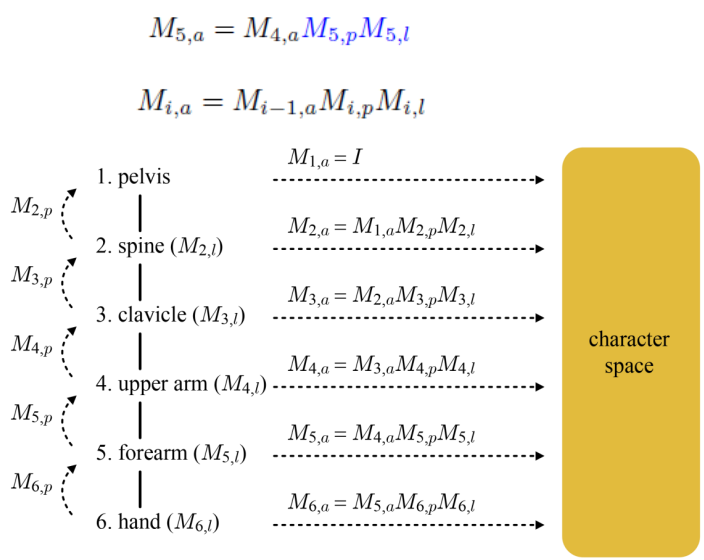
🔎 Bone-to-character transform
= parent를 찾아 절차적으로 transform 해주면 된다.
- Example - hand 위의 의 character space 위치를 찾아보자
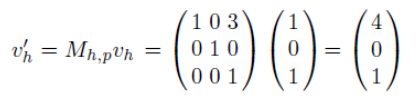
- hand의 parent인 forearem의 space로 transform
= elbow를 기준으로 (4,0)
= = i-th bone에서 parent까지의 거리
- forearem의 parent인 upperarem의 space로 transform
= shoulder을 기준으로 (8,0)

- 이런식으로 root까지 transform 해주면 된다.
Bone-to-character transform
= i-th bone에서 parent까지의 거리
= i-th bone의 default pose
🔎 Character Space to Bone Space
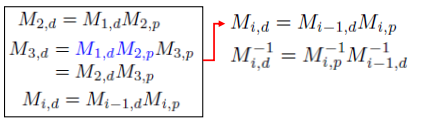
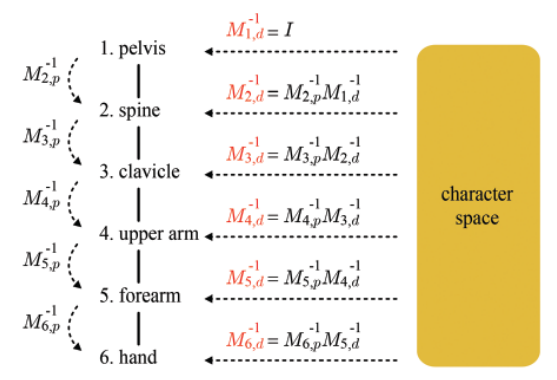
Character-to-Bone transform
- 의 Inverse를 구하려면 의 Inverse가 필요하다.
- top - down traversal을 통해서 모든 bone의 Inverse를 구할 수 있다.
☁️ Forward Kinematics
🔎 For the character rendering
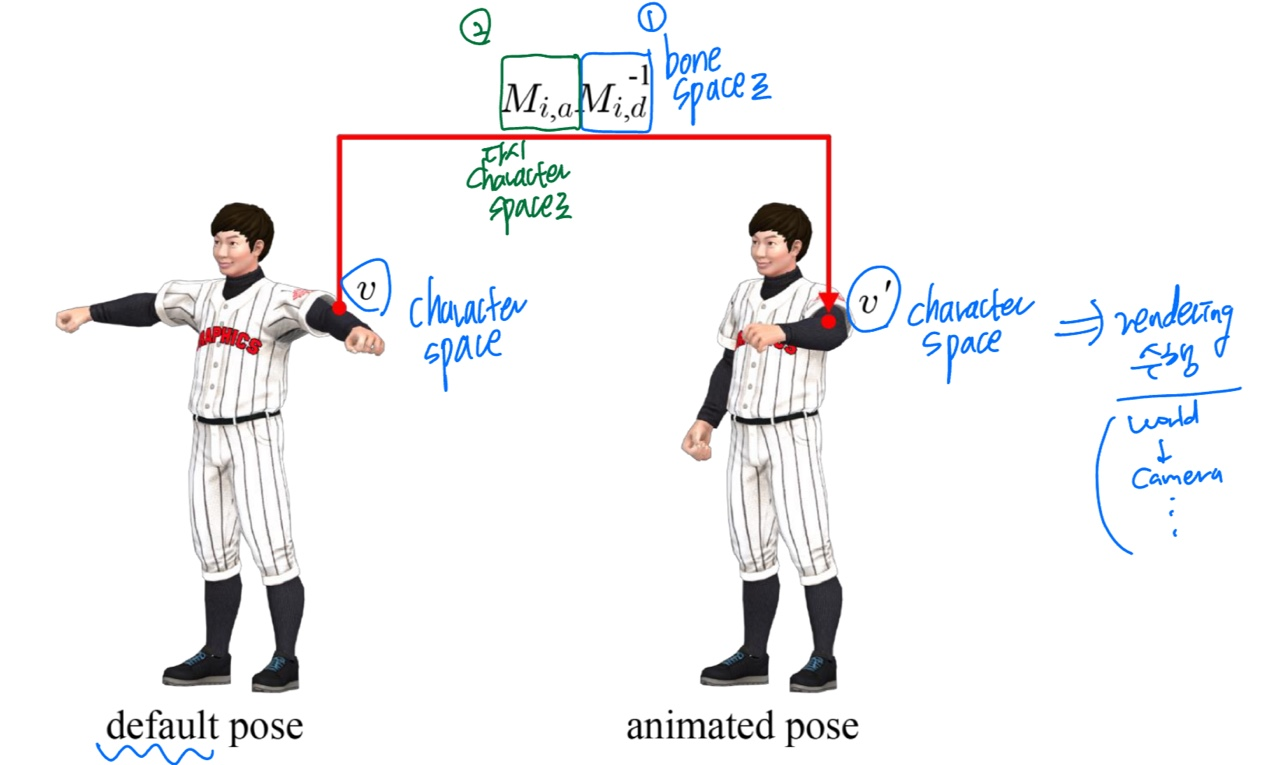
- animation을 위해서는 bone space로 보냈지만, rendering을 위해서는 다시 character space로 돌아와야한다.
역할
1. animating ex) i번 bone space에 변환이 된 vertex를 animation 시킴
2. transform to character space
역할
- 뼈의 회전을 정의

- animated vertices들은 character space로 다시 transfome 되어야 한다.
- = v5를 다시 character space로 transform
- = default 상태(회전 전)에서 forearm 기준 위치
- = deault 상태에서 upper arm 기준 위치

🔎 The transform from the bone space to the character space
🔎 Default pose vs. animated pose
☁️ Skinning
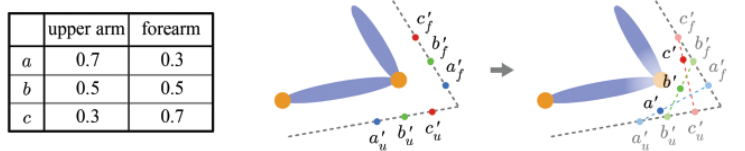
= vertex가 어떤 bone에 영향을 받는지 결정 -> 여러 bone에게 영향을 나눠 받자
- a,b,c는 charactor space에 있다
- animation 수행 -> a,b,c는 bone-space로 변환되었다가 다시 c.s로 돌아옴 = a',b',c'
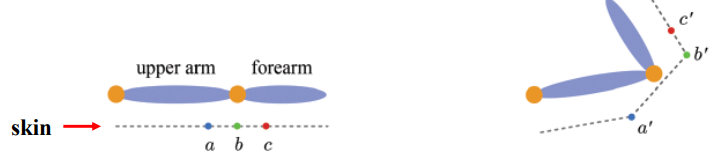
- weight를 고려해서 blending하자! 여러 bone에 영향을 받도록 하자.
= forearm 과 상대적인 위치를 이용해서 계산
= upper arm 과 상대적인 위치를 이용해서 계산 = 위 경우에서 a'와 동일