-
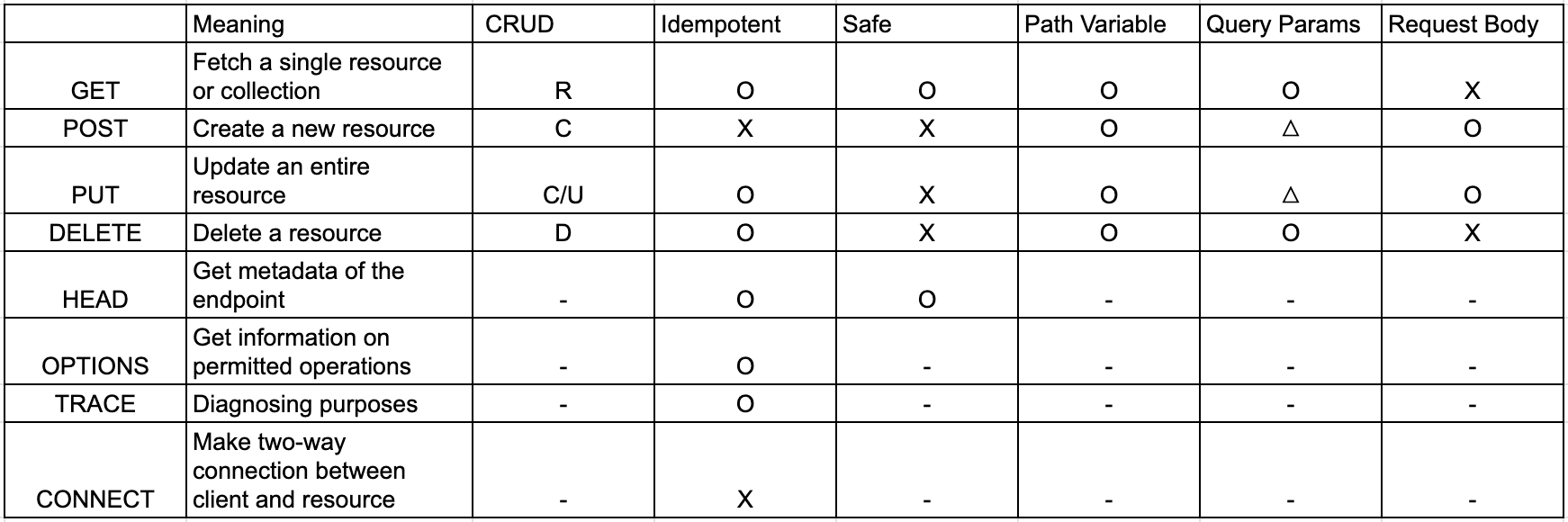
In the GET post, we only passed parameters through URIs. This methodology has some disadvantages,
- Limited data size (URI has length limits)- Less secure for sensitive data (Data in URIs is often logged by web servers, proxies ..)
- Reduced readability with many parameters
- Data structure limitations
-
In POST method, we can use HTTP body, and by default any method annotated with @PostMapping receives parameters through a class.
-
Class to receive parameters
@Data
@AllArgsConstructor
@NoArgsConstructor
public class BookRequest {
    private String name;

    private String number;

    private String category;
}- POST method
@RestController
@RequestMapping(path = "/api")
public class PostApiController  {

    @PostMapping("/post")
    public void post(
            @RequestBody BookRequest bookRequest
    ){
        System.out.println(bookRequest);
    }
}
URI used: http://localhost:8080/api/post
//json body:
{
"name": "Spring Boot",
"number": "100",
"category": "JAVA"
}
//Result:
BookRequest(name=Spring Boot, number=100, category=JAVA)- There are cases where snake case is used in the body sent by the client. For example,
@Data
@AllArgsConstructor
@NoArgsConstructor
public class UserRequest {
    private String userName;
    private Integer userAge;
    private String email;
}- The json body:
{
  "userName": "Choi Seunghwan",
  "userAge": 15,
  "email": "choi12345@gmail.com"
}- POST method:
    @PostMapping("/user")
    public void user(
            @RequestBody
            UserRequest userRequest
    ){
        System.out.println(userRequest);
}- The above code and json body logs the following:
UserRequest(userName=Choi Seunghwan, userAge=15, email=choi12345@gmail.com)- But if the client side uses the following json(in snake case), the POST method will be unable to map the parameters accordingly.
{
  "user_name": "Choi Seunghwan",
  "user_age": 15,
  "email": "choi12345@gmail.com"
}
//hence the following result:
UserRequest(userName=null, userAge=null, email=choi12345@gmail.com)
In this case, we can do:
import com.fasterxml.jackson.databind.PropertyNamingStrategies;
import com.fasterxml.jackson.databind.annotation.JsonNaming;
import lombok.AllArgsConstructor;
import lombok.Data;
import lombok.NoArgsConstructor;

@Data
@AllArgsConstructor
@NoArgsConstructor
@JsonNaming(PropertyNamingStrategies.SnakeCaseStrategy.class) //maps snake_case to camelCase
public class UserRequest {
    private String userName;
    private Integer userAge;
    private String email;
}- Then, for the json body below:
{
  "user_name": "Choi Seunghwan",
  "user_age": 15,
  "email": "choi12345@gmail.com"
}

//we can get the desired outcome:
UserRequest(userName=Choi Seunghwan, userAge=15, email=choi12345@gmail.com)