
Ansible 팩트란?
Ansible에서 Node에 맞게 동적으로 할당되는 변수들을 의미한다. 해당 하는 노드의 OS, IP Hostname 다양한 정보를 변수로 저장하게된다
호스트에 대한 모든 종류의 세부정보를 변수에 저장한다
팩트 사용법
Ansible Playbook yaml파일 작성시 gather_facts: 라는 항목이 존재한다. no yes 옵션이 존재하는데 no로 정의할경우 해당 노드의 정보를 수집하지 않아서 playbook을 실행시에 빠른속도로 진행된다. yes라면 노드의 정보를 수집하게된다.
- name: print out operating system
  hosts: all
  gather_facts: True # No 로하면 수집을 하지 않는다.
  task:
	- debug: var=ansible_distribution
호스트에 대한 모든 팩트를 확인 하고 싶다면 ansible [hostname] -m setup 명령어를 사용한다.

host_var
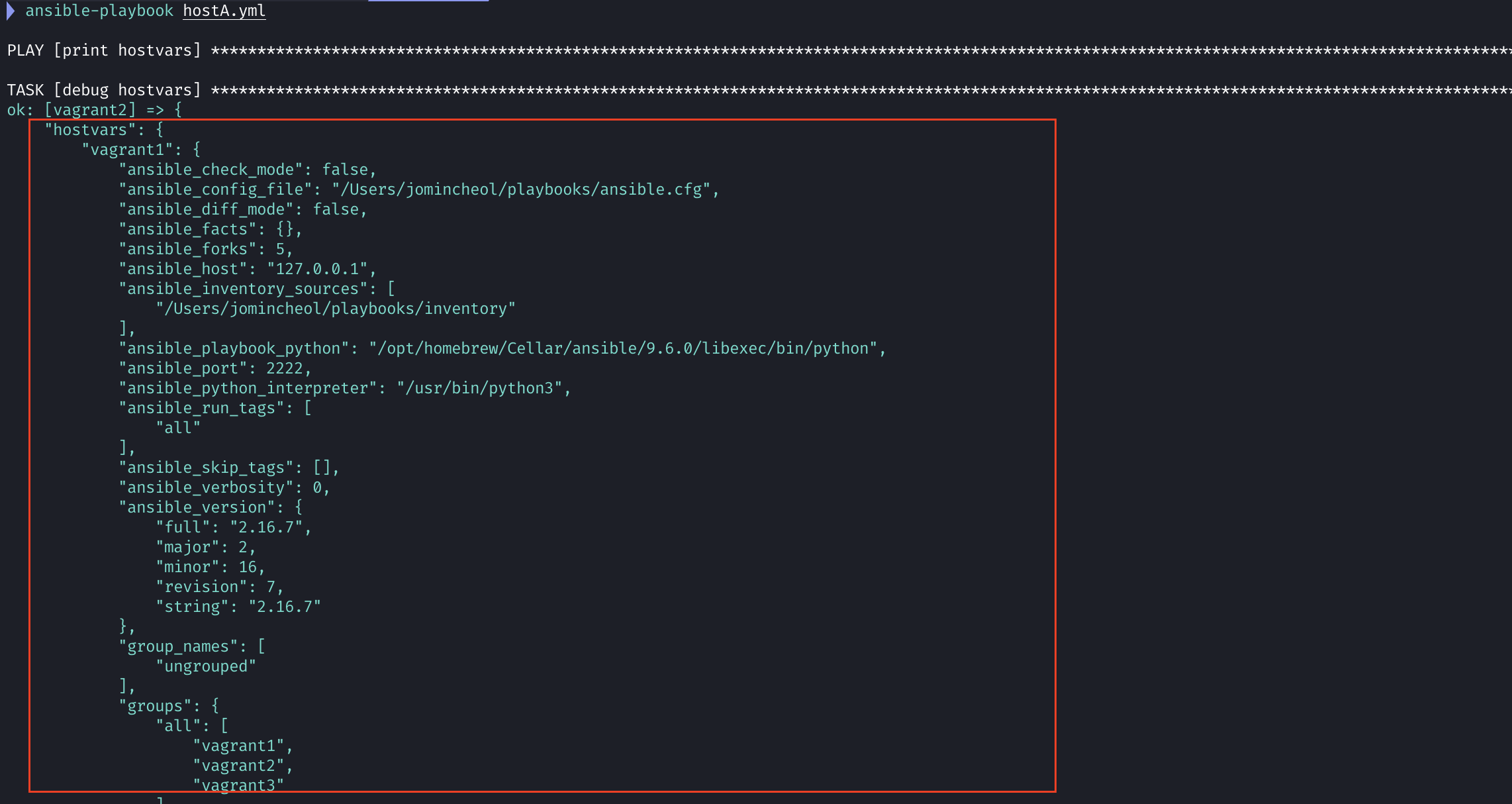
hostvars 는 ansible 플레이북 내에서 다른 호스트의 변수를 참조할 때 사용하는 특별한 변수이다. hostvars는 현재 playbook에 정의된 모든 호스트의 변수를 딕셔너리 형태로 제공한다
- name: "print hostvars"
  hosts: vagrant2
  gather_facts: no
  tasks:
    - name: debug hostvars
      debug: var=hostvars
다음으로 정의된 yaml 파일 playbook을 실행시켜보면 hostvars라는 항목에 많은 변수들이 들어있는 모습을 확인 할수 있다.
inventory_hostname
inventory_hostname이란 ansible playbook에서 각 호스트를 식별하는 특별한 변수이다.
- name: "print hostvars"
  hosts: vagrant2
  gather_facts: no
  tasks:
    - name: debug hostvars
      debug: var=hostvars[inventory_hostname]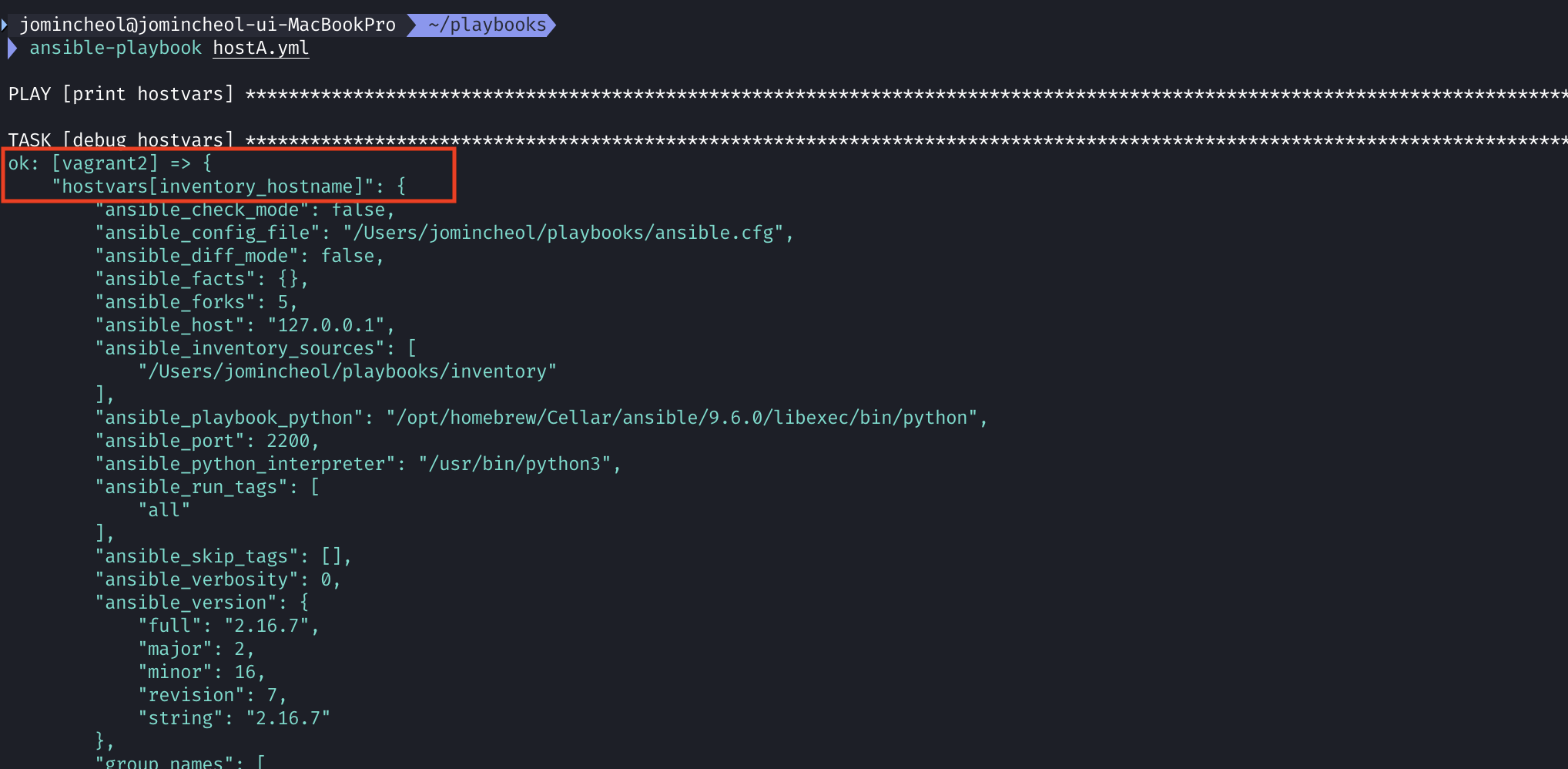
명령어에서 변수 설정
ansible-playbook example.yaml -e var=value 커맨드로 지정된 변수는 가장 우선순위가 높다
---
- name: pass a message on the command line
  hosts: localhost
  vars:
    greeting: "you didn't specify a message"
  tasks:
    - name: output a message
      debug: msg="{{ greeting }}"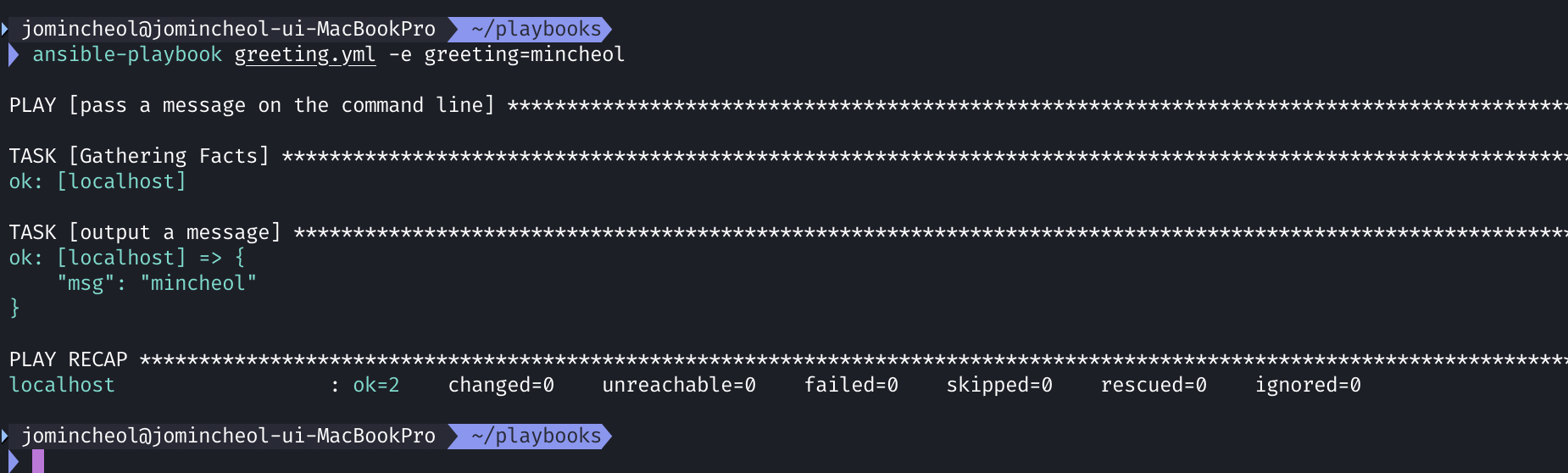
그룹 변수
[webservers:vars]
ntp_server=ntp.example.com
proxy=proxy.example.com
그룹 변수 파일
그룹 변수 파일은 특정 그룹에 속한 모든 호스트에 적용되는 변수를 정의하는 파일이다. Ansible 인벤토리 디렉토리에 group_vars 폴더 안에 그룹명과 동일한 이름으로 파일을 생성 관리한다
inventory/
  group_vars/
    webservers.yml
    databases.yml
ntp_server: ntp.example.com
proxy: proxy.example.com
호스트 변수 파일
호스트 변수 파일은 특정 호스트에만 적용되는 변수를 정의하는 파일이다. Ansible 인벤토리의 host_vars 폴더 안에 호스트명과 동일한 이름으로 파일을 생성하여 관리한다.
inventory/
  host_vars/
    web1.yml
    web2.yml
# inventory/host_vars/web1.yml
ansible_host: 192.168.1.101
http_port: 80
web1 호스트에만 ansible_host 와 http_port 변수가 적용됨