파일 입출력
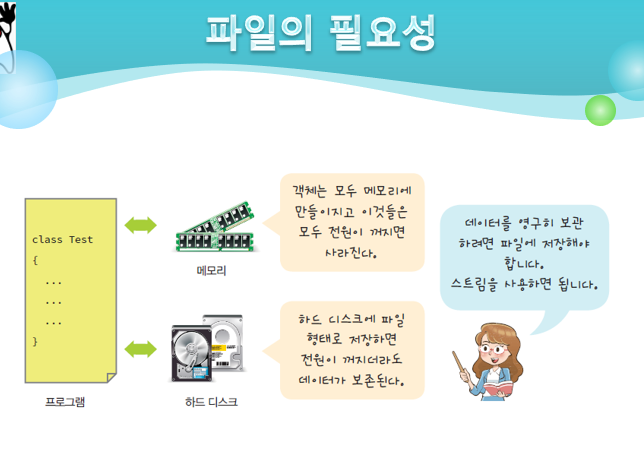
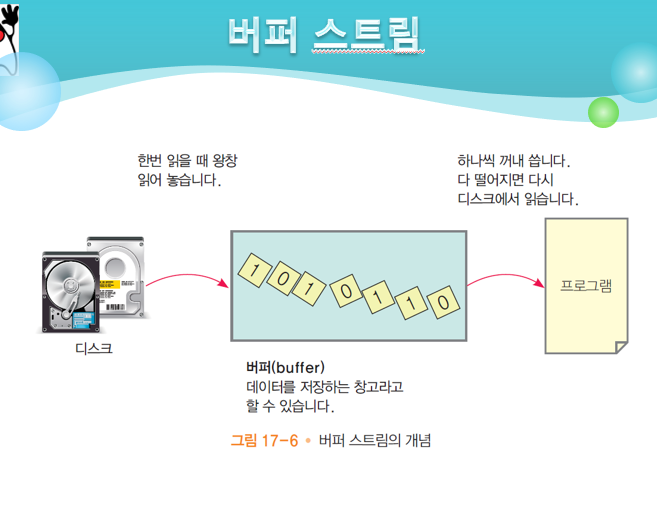
메모리 : 휘발성 저장공간
하드디스크 : 비휘발성 저장공간
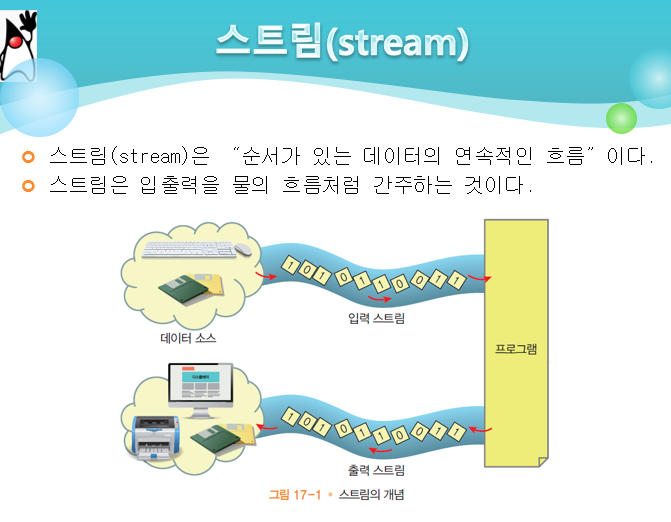
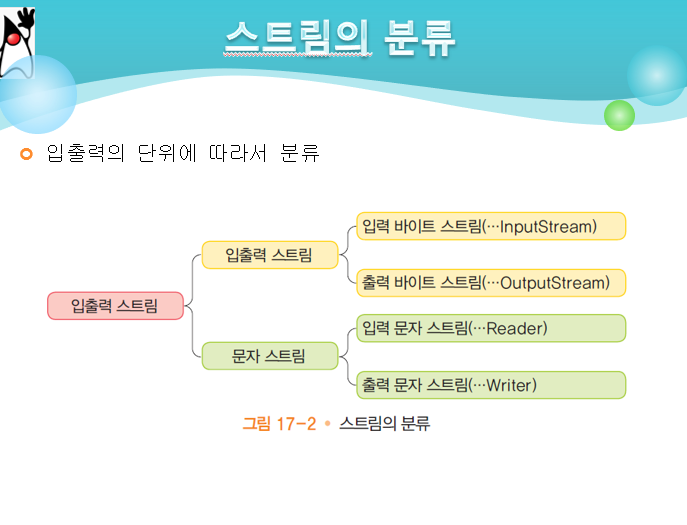
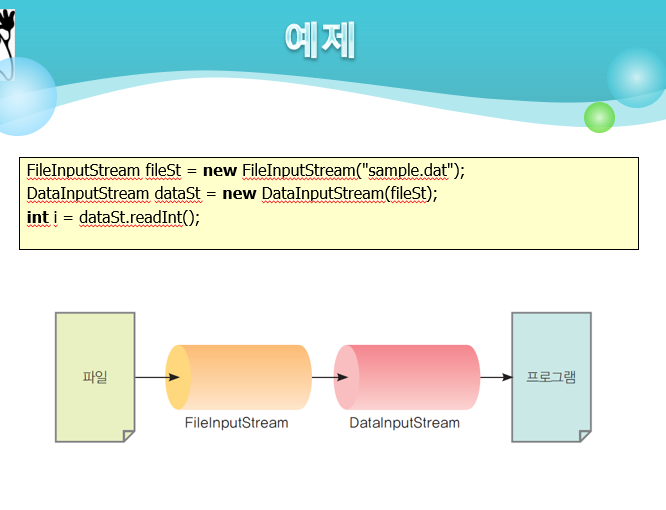
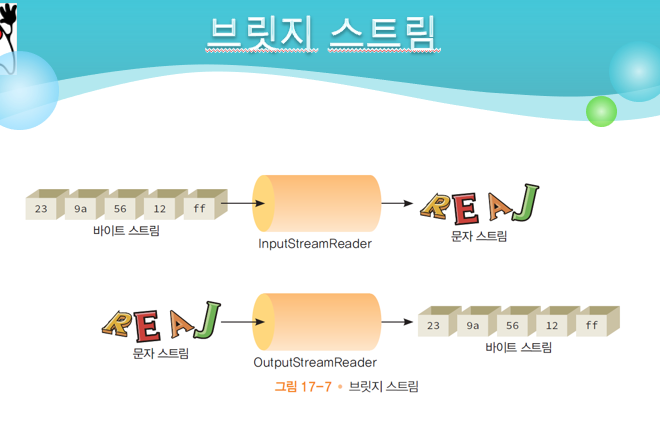
입출력 byte 스트림 / 입출력 문자 스트림
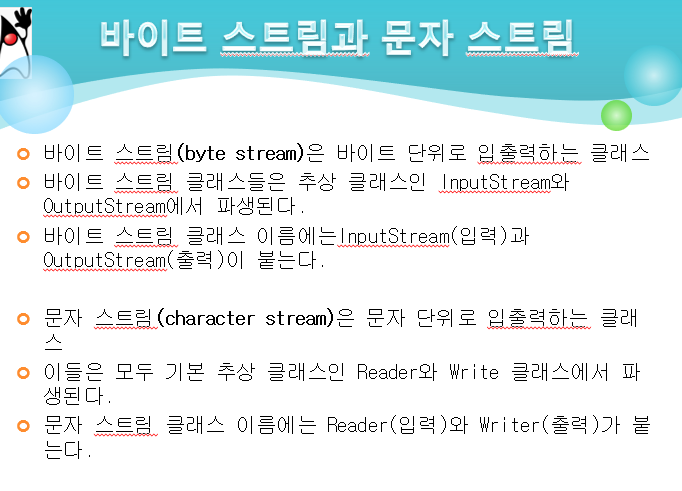
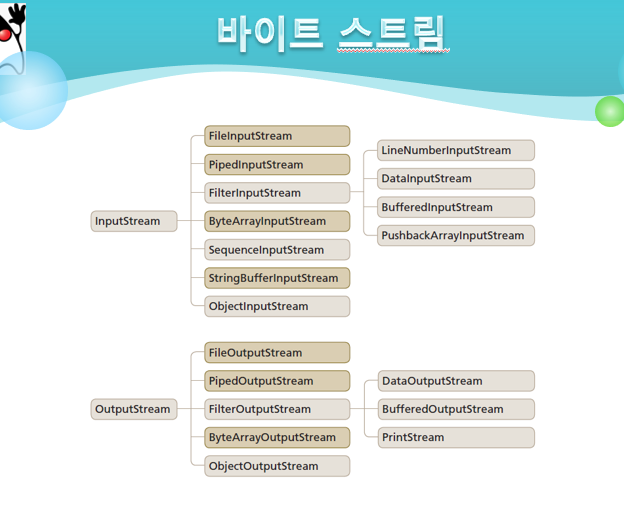
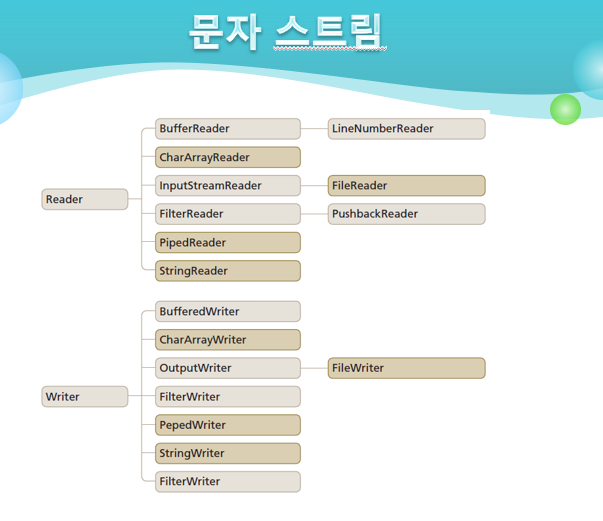
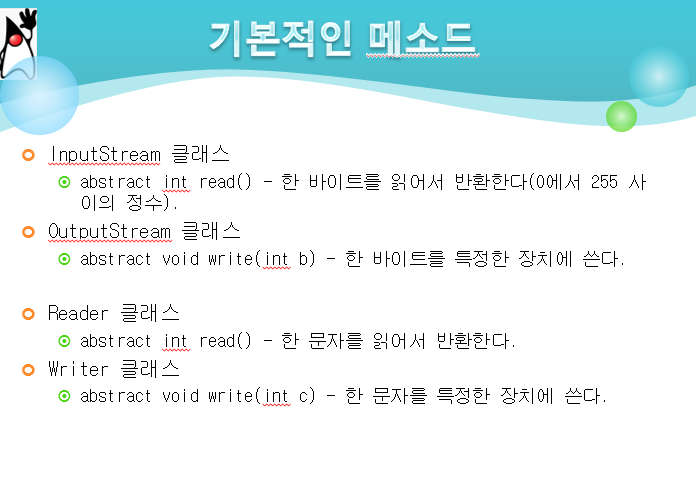
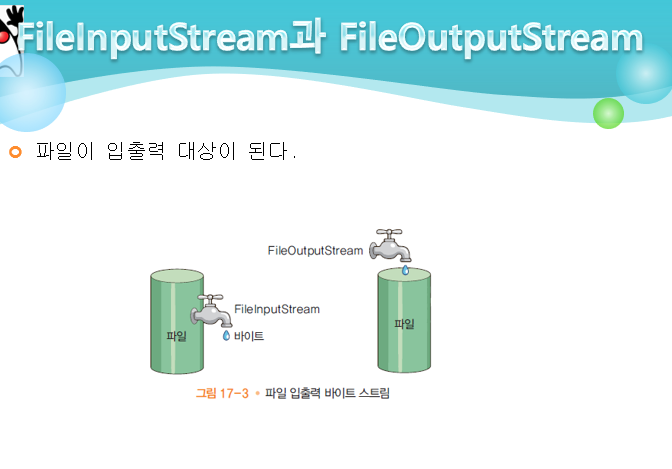
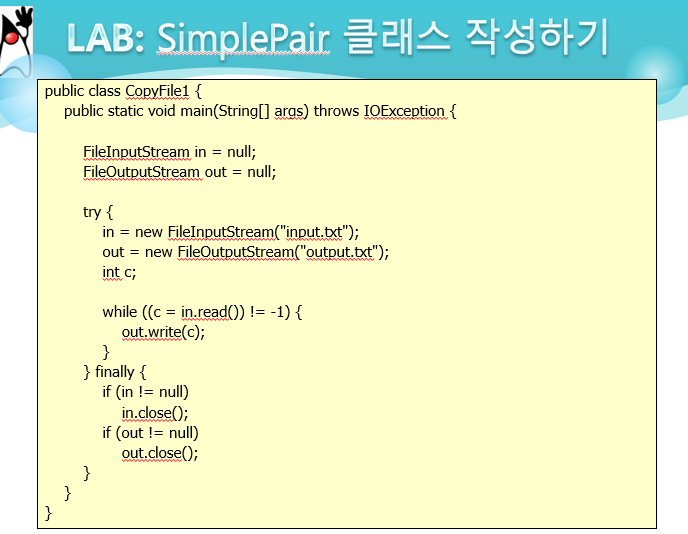
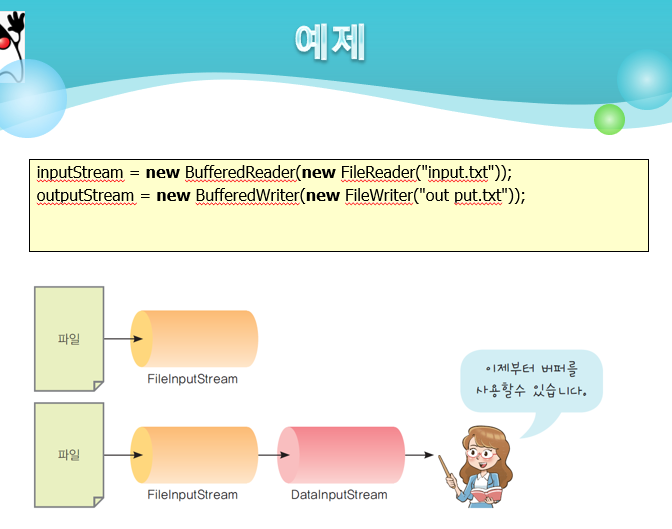
input/output stream 객체를 생성해서 사용.
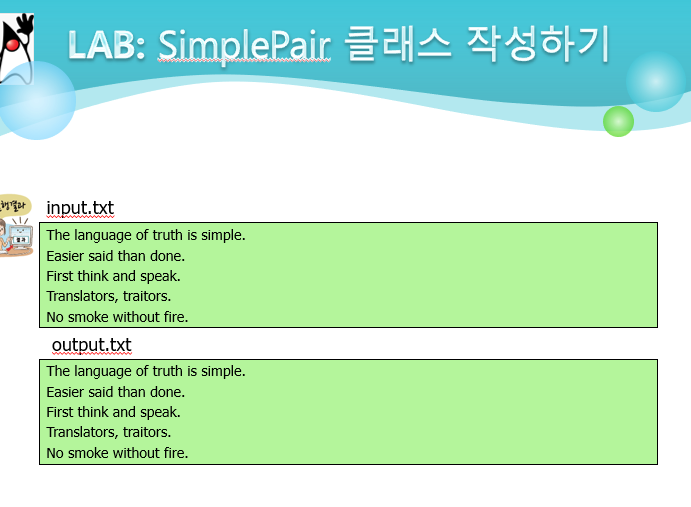
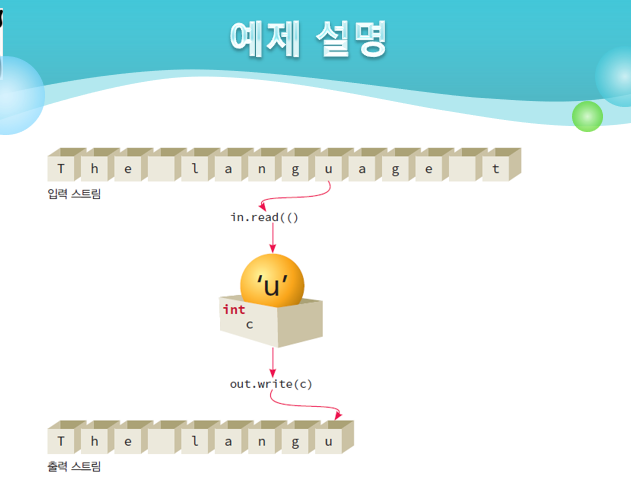
input.txt 의 파일의 내용을 program 을 통해 output.txt 에 다시 쓰는 과정
(파일 복사)
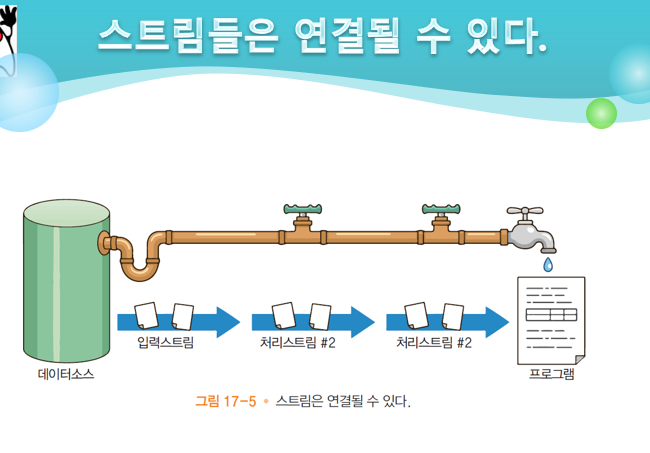
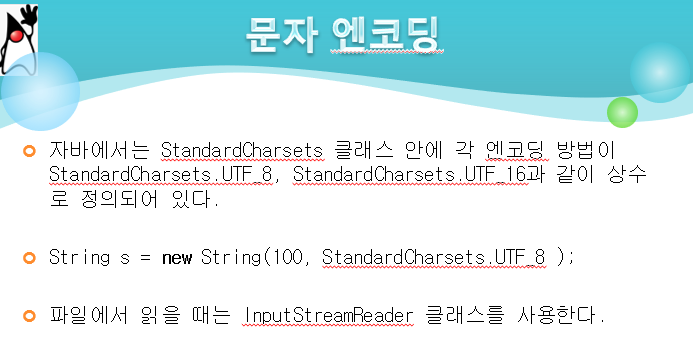
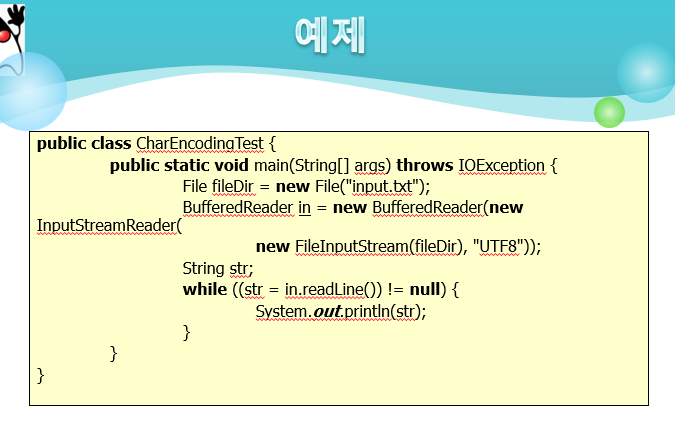
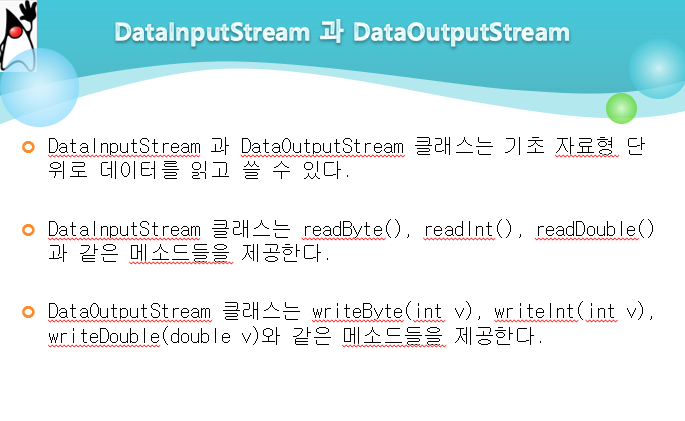
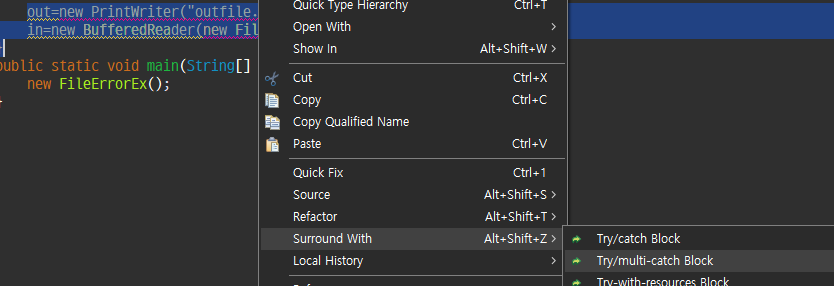
여러 줄 예외처리하기 (multi-catch block)
package com.tech.gt003;

import java.io.BufferedReader;
import java.io.FileNotFoundException;
import java.io.FileReader;
import java.io.PrintWriter;

public class FileErrorEx {
	private int[] list;
	private static final int SIZE=10;

	public FileErrorEx() {
		list=new int[SIZE];
		for (int i = 0; i < list.length; i++) {
			list[i]=i;
		}

		writeList();
	}
	private void writeList() {
		PrintWriter out=null; // 출력도구
		BufferedReader in=null; // 입력도구

		try {
			out=new PrintWriter("outfile.txt");
			in=new BufferedReader(new FileReader("outfile2.txt"));

			for (int i = 0; i < 11; i++) {
				list[i]=i;
			}
			System.out.println("정상실행");

		} catch (FileNotFoundException e) {
			System.out.println("예외발생 파일없음");
			e.printStackTrace();
		} catch (ArrayIndexOutOfBoundsException e) {
			System.out.println("인덱스 오버 예외발생");
			e.printStackTrace();
		} finally {
			System.out.println("finally block");
		}
	}
	public static void main(String[] args) {
		new FileErrorEx();
	}

}
결과
정상실행
finally block
예외발생 파일없음
java.io.FileNotFoundException: outfile2.txt (지정된 파일을 찾을 수 없습니다)
at java.base/java.io.FileInputStream.open0(Native Method)
at java.base/java.io.FileInputStream.open(FileInputStream.java:211)
at java.base/java.io.FileInputStream.<init>(FileInputStream.java:153)
at java.base/java.io.FileInputStream.<init>(FileInputStream.java:108)
at java.base/java.io.FileReader.<init>(FileReader.java:60)
at day011/com.tech.gt003.FileErrorEx.writeList(FileErrorEx.java:26)
at day011/com.tech.gt003.FileErrorEx.<init>(FileErrorEx.java:18)
at day011/com.tech.gt003.FileErrorEx.main(FileErrorEx.java:44)
finally block인덱스 오버 예외발생
java.lang.ArrayIndexOutOfBoundsException: Index 10 out of bounds for length 10
at day011/com.tech.gt003.FileErrorEx.writeList(FileErrorEx.java:29)
at day011/com.tech.gt003.FileErrorEx.<init>(FileErrorEx.java:18)
at day011/com.tech.gt003.FileErrorEx.main(FileErrorEx.java:44)
finally block예외 발생 상황
사용자 입력오류 : 사용자가 숫자입력을 문자로 입력한 경우
장치오류 : 네트워크 고장, 디스크 고장
코드오류 : 입력 코드 오류, 인덱스 번호
가위바위보 게임에 그림 넣기
package com.tech.gt004;

import java.awt.BorderLayout;
import java.awt.Dimension;
import java.awt.GridBagLayout;
import java.awt.GridLayout;
import java.awt.Image;
import java.awt.Toolkit;
import java.awt.event.ActionEvent;
import java.awt.event.ActionListener;
import java.util.Random;
import java.util.Scanner;

import javax.swing.ButtonGroup;
import javax.swing.ImageIcon;
import javax.swing.JButton;
import javax.swing.JFrame;
import javax.swing.JLabel;
import javax.swing.JPanel;
import javax.swing.JTextField;

public class GBBGame2 extends JFrame implements ActionListener {
	private JButton scissors, rock, paper;
	private JTextField text1, text2;
	private JPanel topPanel, centerPanel, bottomPanel;
	private String user = "";
	private String com = "";
	private String result = "";

	Image image1,image2,image3;
	Image changeimg1,changeimg2,changeimg3;
	ImageIcon[] img;

	public GBBGame2() {
		setSize(1200, 500);
		setDefaultCloseOperation(JFrame.EXIT_ON_CLOSE);
		setTitle("GBBGame");
		setLayout(new BorderLayout());

		text1 = new JTextField();
		text1.setEditable(false);
		text1.setColumns(40);

		topPanel = new JPanel();
		topPanel.add(text1);
		add(topPanel, "North");

		img=new ImageIcon[3];
		img[0]=new ImageIcon("scissors.png");
		img[1]=new ImageIcon("rock.png");
		img[2]=new ImageIcon("paper.png");

		scissors = new JButton("가위");
		rock = new JButton("바위");
		paper = new JButton("보");

		scissors.setIcon(img[0]);
		rock.setIcon(img[1]);
		paper.setIcon(img[2]);

		scissors.addActionListener(this);
		rock.addActionListener(this);
		paper.addActionListener(this);

		centerPanel = new JPanel();
		centerPanel.add(scissors);
		centerPanel.add(rock);
		centerPanel.add(paper);
		add(centerPanel,"Center");
		centerPanel.setLayout(new GridLayout(1, 3));

		text2 = new JTextField();
		text2.setEditable(false);
		text2.setColumns(40);
		bottomPanel = new JPanel();
		bottomPanel.add(text2);
		add(bottomPanel, "South");

		setVisible(true);
	}

	@Override
	public void actionPerformed(ActionEvent e) {
		Random ran=new Random();
		int cNum=ran.nextInt(3)+1;

		if(e.getSource()==scissors) {
			user="가위";
			if(cNum==1) {
				com="가위";
				result="무승부";
			}else if(cNum==2) {
				com="바위";
				result="컴퓨터 승리";
			}else if(cNum==3) {
				com="보";
				result="유저 승리";
			}
		} else if(e.getSource()==rock) {
			user="바위";
			if(cNum==1) {
				com="가위";
				result="유저 승리";
			}else if(cNum==2) {
				com="바위";
				result="무승부";
			}else if(cNum==3) {
				com="보";
				result="컴퓨터 승리";
			}
		} else if(e.getSource()==paper) {
			user="보";
			if(cNum==1) {
				com="가위";
				result="컴퓨터 승리";
			}else if(cNum==2) {
				com="바위";
				result="유저 승리";
			}else if(cNum==3) {
				com="보";
				result="무승부";
			}
		}
		text1.setHorizontalAlignment(JLabel.CENTER);
		text2.setHorizontalAlignment(JLabel.CENTER);
		text1.setText("유저 : "+user+", 컴퓨터 : "+com);
		text2.setText("결과 : "+result);

	}

	public static void main(String[] args) {
		new GBBGame2();
	}
}
결과
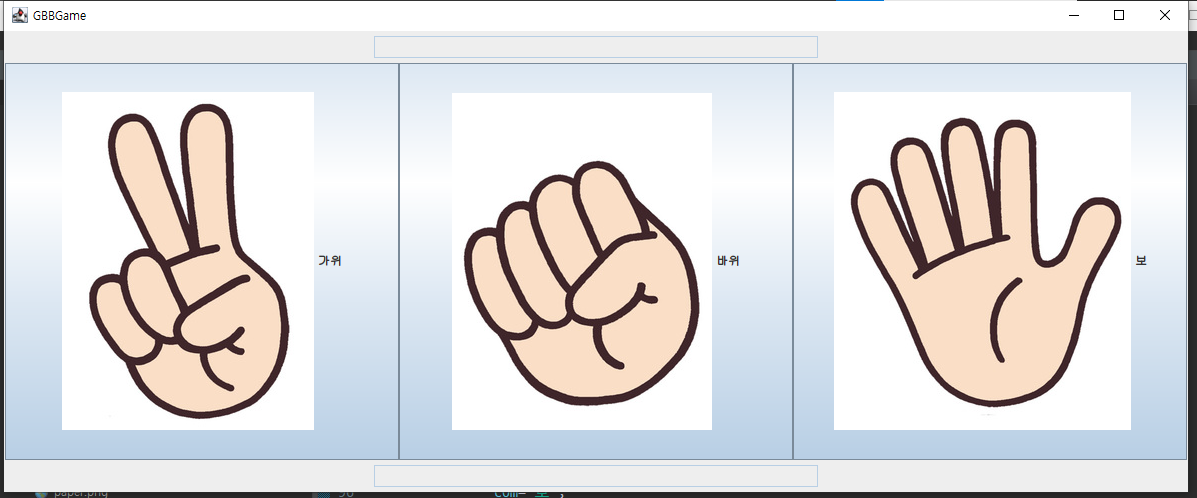
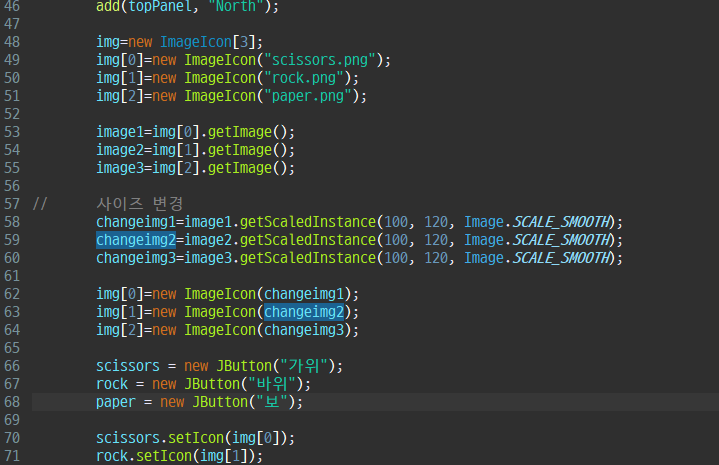
icon size 조정하기
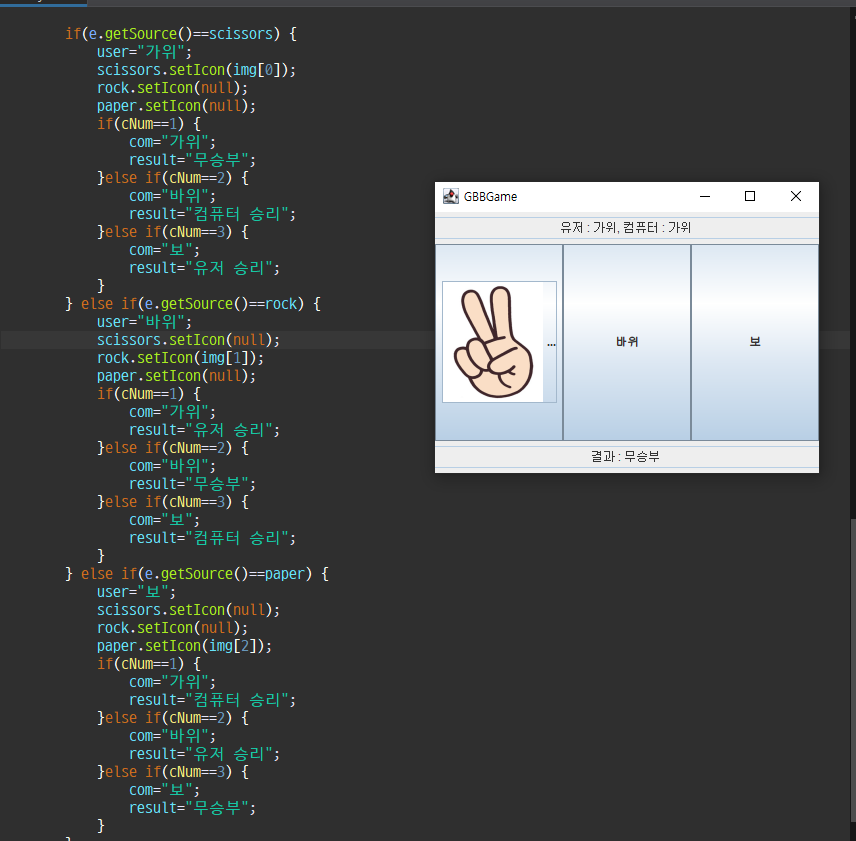
가위바위보 중 누른것만 이미지 보이게 하기
package com.tech.gt005.io;

import java.io.IOException;

public class InputStreamEx {
	public static void main(String[] args) throws IOException {
		System.out.println("String 입력");
		int r=0;
		while ((r=System.in.read())!=-1) { // 입력값이 없을때까지 loop
			System.out.println("입력값=");
			if(r!=10 && r!=13) {
				System.out.println(r);
			}
			System.out.println("의 아스키코드값 : "+r);
		}
		System.out.println("bye~~~~~");
	}
}
결과
a
입력값=
97
의 아스키코드값 : 97
입력값=
의 아스키코드값 : 13
입력값=
의 아스키코드값 : 10
package com.tech.gt005.io;
import java.io.BufferedReader;
import java.io.BufferedWriter;
import java.io.FileReader;
import java.io.FileWriter;
import java.io.IOException;
import java.util.Date;
public class FinallyExceptionEx {
public static void main(String[] args) {
FileReader fr = null;
FileWriter fw = null;
BufferedReader br = null;
BufferedWriter bw = null;
Date d = null;
try {
// 입력도구
fr = new FileReader("inSchool.txt");
br = new BufferedReader(fr);
// 출력도구
fw = new FileWriter("outSchool.txt", false);
bw = new BufferedWriter(fw);
String s=null;
d=new Date();
// 파일복사
long start=d.getTime();
System.out.println("현재시간:"+start);
while((s=br.readLine())!=null) { // 라인단위로 읽기
bw.write(s);
bw.newLine();
}
d=new Date();
long end=d.getTime();
System.out.println("복사시간 : "+(end-start));
} catch (IOException e) {
// TODO Auto-generated catch block
e.printStackTrace();
} finally {
//자원회수
if(br!=null) {try {br.close();} catch (Exception e2) { }}
if(br!=null) {try {fr.close();} catch (Exception e2) { }}
if(br!=null) {try {bw.close();} catch (Exception e2) { }}
if(br!=null) {try {fw.close();} catch (Exception e2) { }}
}
}
}결과
현재시간:1704268384310
복사시간 : 0
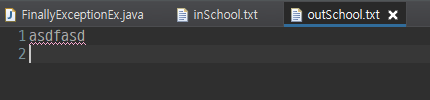
시간 단위는 ms, 내용이 많으면 복사시간이 늘어난다.
Linux 미션
없음
나머지 시간은 카카오오븐 작업
대충 작업중인 키오스크 디자인
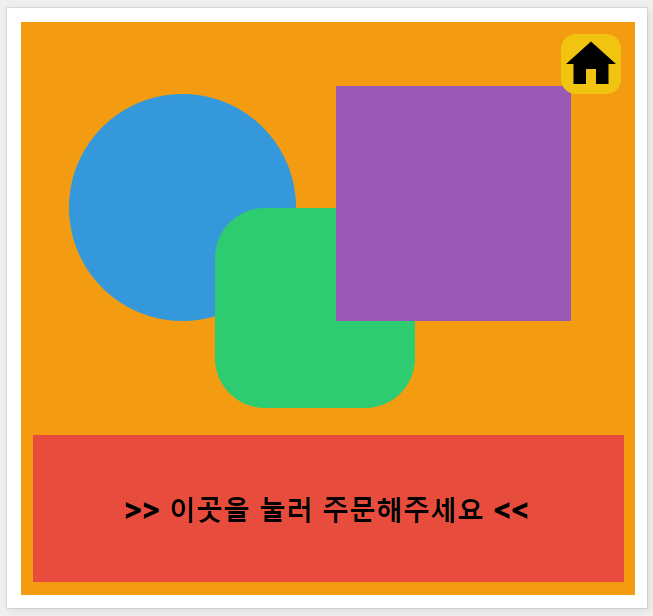
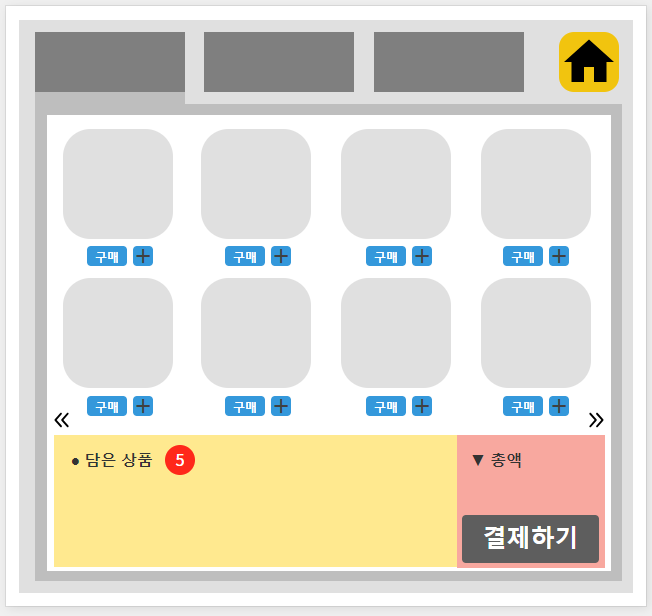
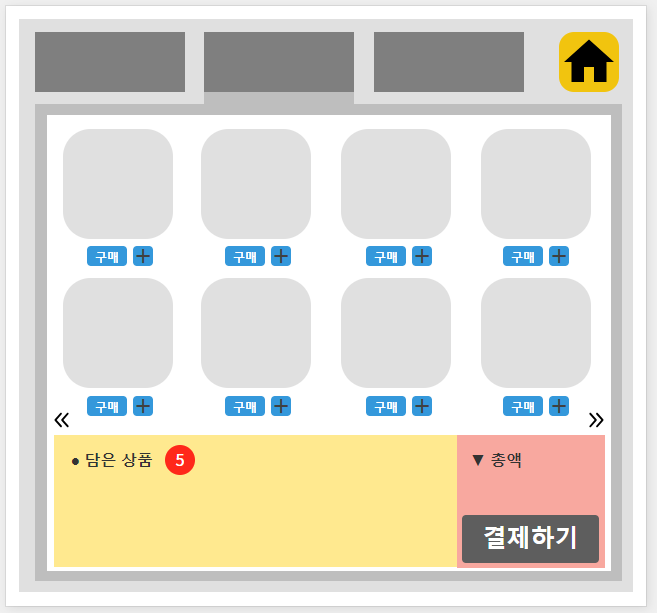
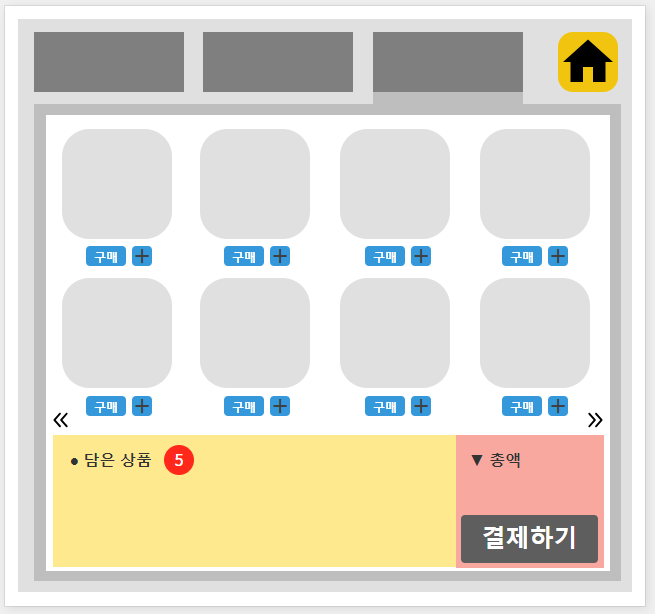
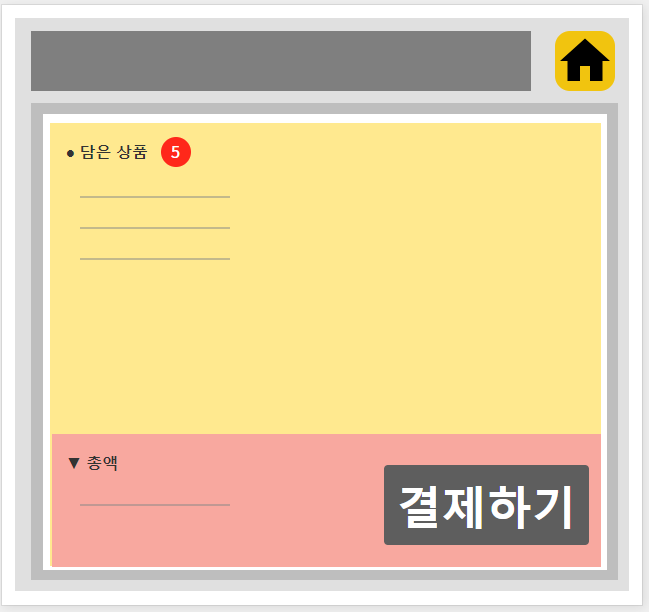
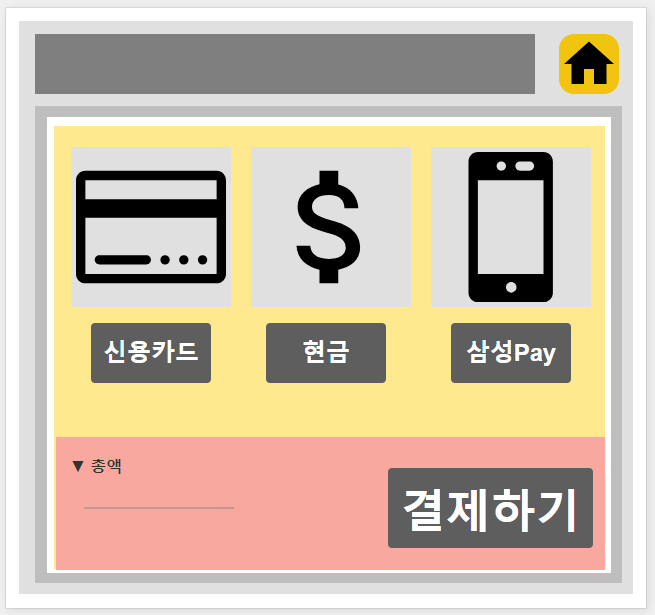
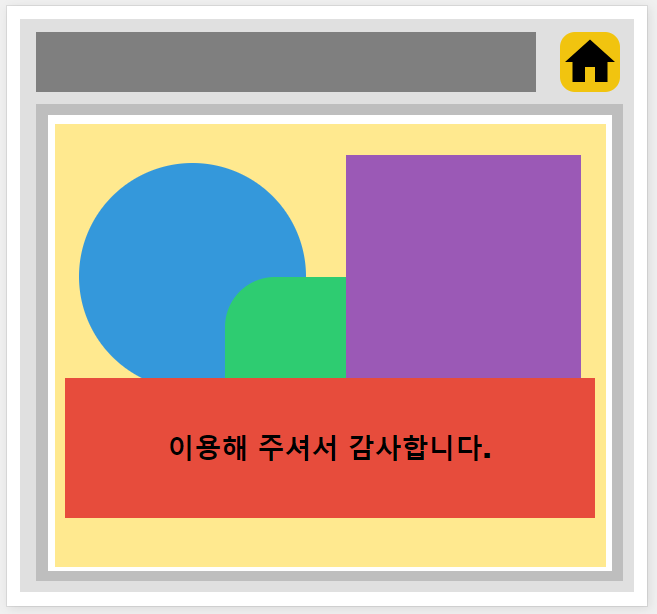
대략 이런 느낌으로 할 예정

개발자 준비의 준비준비중..