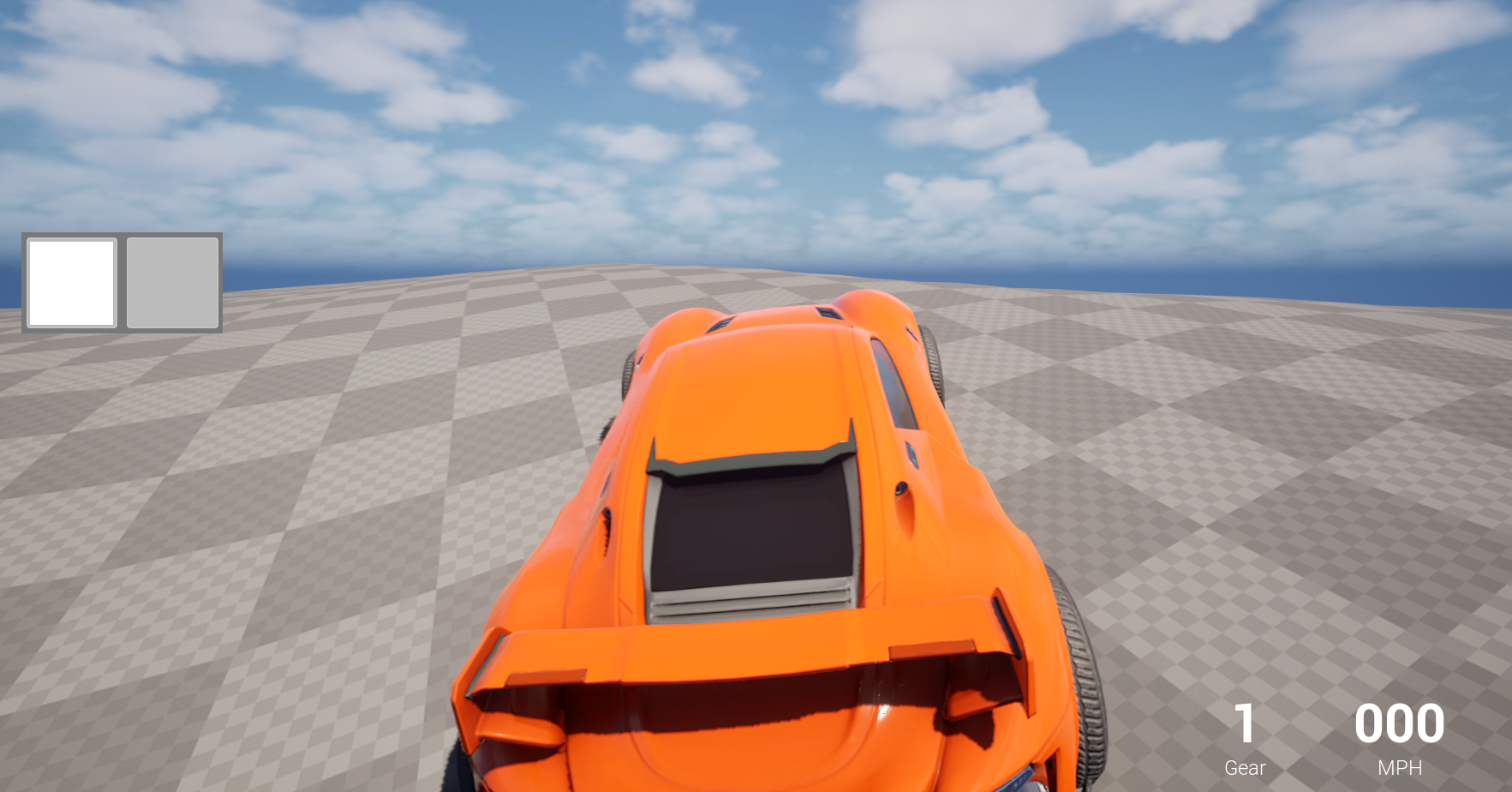
오늘은 레이싱 게임 중 아이템전을 위해 아이템을 일시 보관하여 사용 할 수 있는 인벤토리 시스템을 만들었다.
인벤토리 컴포넌트를 플레이어 컨트롤러에 연결시키고
인벤토리에서 작동하는 함수들(아이템 획득, 아이템 사용) 로직도 인벤토리 컴포넌틍에 구현하였다.
기존 아이템 랜덤박스를 위해 사용한 아이템 데이터 테이블을 기반으로 아이템 ID를 불러와 인벤토리에 저장되는 방식을 취했다.
// V12InventoryComponent.h

#pragma once

#include "CoreMinimal.h"
#include "Components/ActorComponent.h"
#include "Engine/DataTable.h"
#include "V12InventoryComponent.generated.h"

DECLARE_DYNAMIC_MULTICAST_DELEGATE(FOnInventoryUpdated);

USTRUCT(BlueprintType)
struct FInventorySlot
{
	GENERATED_BODY()

	UPROPERTY(EditAnywhere, BlueprintReadOnly, Category = "Inventory Slot")
	FName ItemID;
};

UCLASS( ClassGroup=(Custom), meta=(BlueprintSpawnableComponent) )
class V12_THE_GAME_API UV12InventoryComponent : public UActorComponent
{
	GENERATED_BODY()

public:
	UV12InventoryComponent();

protected:
	virtual void BeginPlay() override;

public:
	UPROPERTY(EditAnywhere, BlueprintReadOnly, Category = "Inventory")
	TArray<FInventorySlot> Items;

	UPROPERTY(EditDefaultsOnly, Category = "Inventory")
	int32 InventoryCapacity = 2;

	UPROPERTY(EditDefaultsONly, Category = "Inventory | UI")
	TSubclassOf<UUserWidget> InventoryWidgetClass;

	UPROPERTY(BlueprintReadOnly, Category = "Inventory | UI")
	UUserWidget* InventoryWidget;

	UPROPERTY(EditDefaultsOnly, BlueprintReadOnly, Category = "Inventory | Data")
	UDataTable* ItemsDataTable;

	UPROPERTY(BlueprintAssignable, Category = "Inventory")
	FOnInventoryUpdated OnInventoryUpdated;

	UFUNCTION(Server, Reliable, BlueprintCallable, Category = "Inventory")
	void AddItem(FName ItemID);

	UFUNCTION(BlueprintCallable, Category = "Inventory")
	void UseItem(int32 SlotIndex);

};
// V12InventoryComponent.cpp
#include "Items/V12InventoryComponent.h"
#include "Blueprint/UserWidget.h"
UV12InventoryComponent::UV12InventoryComponent()
{
PrimaryComponentTick.bCanEverTick = false;
}
void UV12InventoryComponent::BeginPlay()
{
Super::BeginPlay();
Items.SetNum(InventoryCapacity);
if (InventoryWidgetClass)
{
APlayerController* PlayerController = Cast<APlayerController>(GetOwner()->GetInstigatorController());
if (PlayerController)
{
InventoryWidget = CreateWidget<UUserWidget>(PlayerController, InventoryWidgetClass);
}
}
}
void UV12InventoryComponent::AddItem_Implementation(FName ItemID)
{
if (ItemID == NAME_None)
{
return;
}
for(int32 i = 0; i < Items.Num(); i++)
{
if (Items[i].ItemID == NAME_None)
{
Items[i].ItemID = ItemID;
OnInventoryUpdated.Broadcast();
if (GEngine)
{
FString const Msg = FString::Printf(TEXT("아이템 저장! 슬롯 %d : %s"), i + 1, *ItemID.ToString());
GEngine->AddOnScreenDebugMessage(-1, 5.f, FColor::Green, Msg);
}
return;
}
}
if(GEngine)
{
GEngine->AddOnScreenDebugMessage(-1, 5.f, FColor::Red, TEXT("슬롯이 가득 찼습니다!"));
}
}
void UV12InventoryComponent::UseItem(int32 SlotIndex)
{
if (!Items.IsValidIndex(SlotIndex))
{
GEngine->AddOnScreenDebugMessage(-1, 5.f, FColor::Red, TEXT("사용할 아이템이 없습니다!"));
return;
}
FName const ItemIDToUse = Items[SlotIndex].ItemID;
if(ItemIDToUse == NAME_None)
{
return;
}
if(ItemIDToUse == "SB")
{
APlayerController* PC = Cast<APlayerController>(GetOwner()->GetInstigatorController());
if (PC)
{
if(GEngine)
{
GEngine->AddOnScreenDebugMessage(-1, 5.f, FColor::Yellow, TEXT("부스터 아이템 사용!"));
}
Items[SlotIndex].ItemID = NAME_None;
}
}
else if (ItemIDToUse == "ST")
{
APlayerController* PC = Cast<APlayerController>(GetOwner()->GetInstigatorController());
if (PC)
{
if(GEngine)
{
GEngine->AddOnScreenDebugMessage(-1, 5.f, FColor::Yellow, TEXT("스파이크 트랩 아이템 사용!"));
}
Items[SlotIndex].ItemID = NAME_None;
}
}
OnInventoryUpdated.Broadcast();
}인벤토리를 표시하기 위한 위젯도 생성하였다.
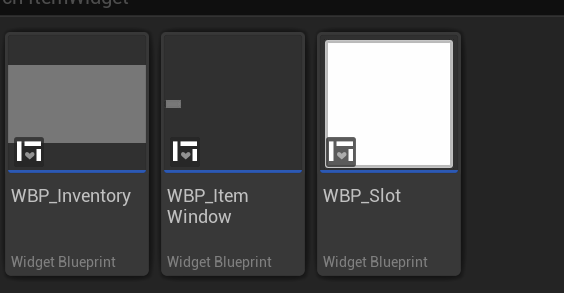
로직이 어느 정도 구현되었지만 문제점이 몇 가지 발생하였다.
- 위젯에 아이템 아이콘이 정상적으로 표시 되지 않는 현상
- 아이템 사용 로직(인벤토리 컴포넌트 내부 구현)이 호출되지 않는 현상
해당 현상을 주말 동안 해결해봐야 할 것 같다.

🕹️🎮🍱✈️📸 안녕하세요! 게임개발에 도전하고 있습니다!