기사 링크 가져오기




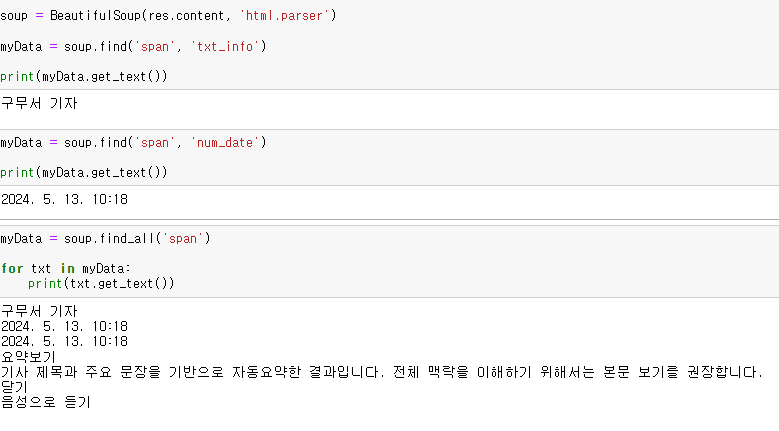
구무서 기자 텍스트와 날짜를 가져오고 span태그 모두 출력해보자
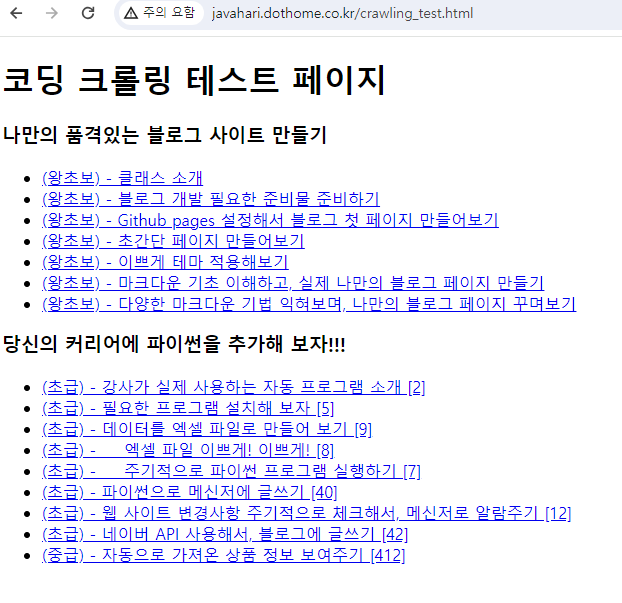
무료 도메인에 들어가보자
전체 텍스트를 출력해보자
=============================코드=============================
import requests
from bs4 import BeautifulSoup

res = requests.get('http://javahari.dothome.co.kr/crawling_test.html')

soup = BeautifulSoup(res.content, 'html.parser')

titles = soup.find_all('li', 'course')

for title in titles:
    print(title.get_text())
=============================실행=============================
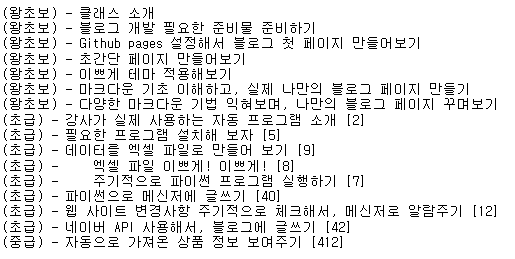
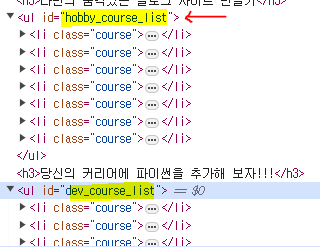
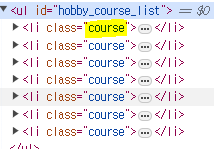
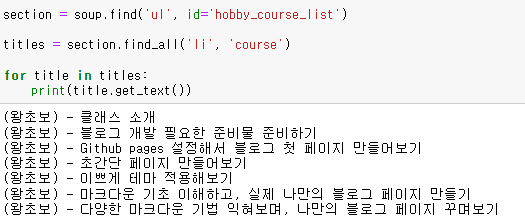
id = 'hobby_course_list" 의 li태그의 course만 가져오고 싶을 시
아래의 id = "dev_course_list"의 li태그의 course만 가져오고 싶을 시
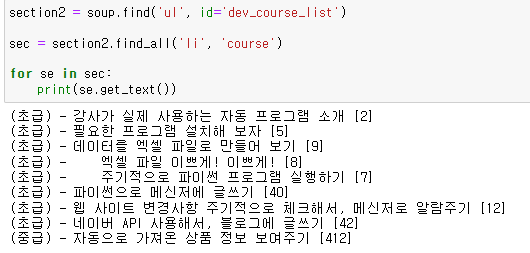
텍스트 옆의 [2] 를 없애보자!
'[' 를 기준으로 잘라내기! => split() 활용
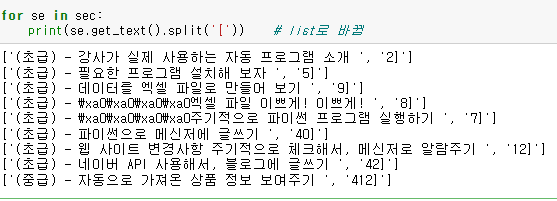
0번째 인덱스가 필요함
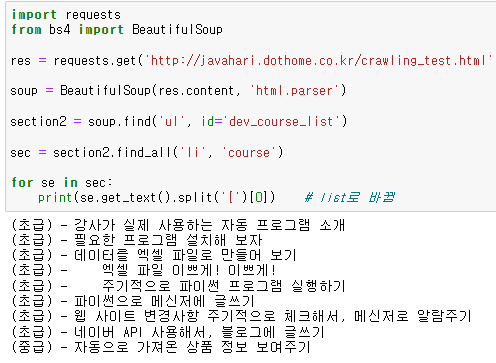
대괄호 안의 숫자가 사라진 것을 확인할 수 있음!
이번에는 '-'을 기준으로 나누어보자
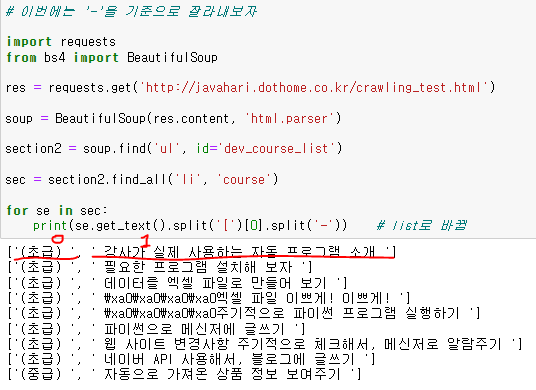
1번째 인덱스가 필요함
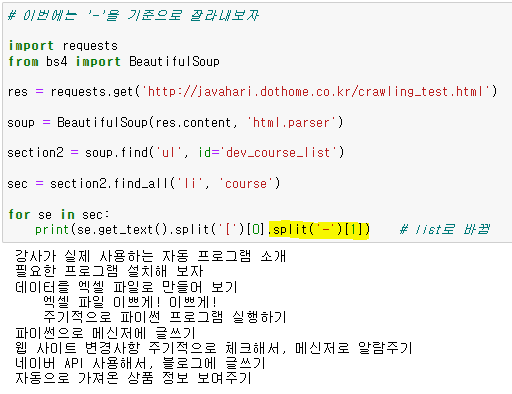
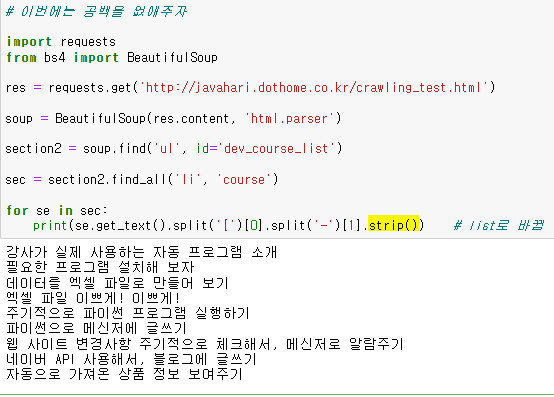
이제 공백을 없애주자!
split() 이용
이번에는 각 줄마다 번호를 매겨주자
enumerate() 함수
: 기본적으로 인덱스와 원소로 이루어진 튜플(tuple)을 만들어 줌
따라서 인덱스와 원소를 각각 다른 변수에 할당하고 싶으면 언팩킹을 해주면 됨
=============================코드=============================
# 이번에는 각 줄마다 번호를 매겨주자

import requests
from bs4 import BeautifulSoup

res = requests.get('http://javahari.dothome.co.kr/crawling_test.html')

soup = BeautifulSoup(res.content, 'html.parser')

section2 = soup.find('ul', id='dev_course_list')

sec = section2.find_all('li', 'course')

for index, se in enumerate(sec):
    print(index+1, '.', se.get_text().split('[')[0].split('-')[1].strip())    # list로 바뀜
=============================실행=============================
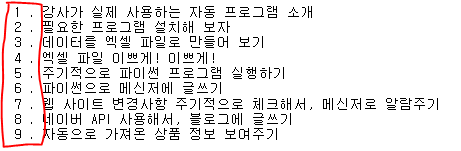
숫자열을 문자열로 바꿔주면 숫자 옆 '.'이 붙게됨
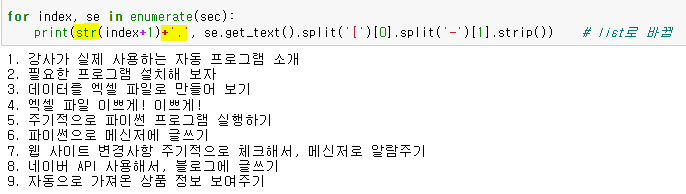
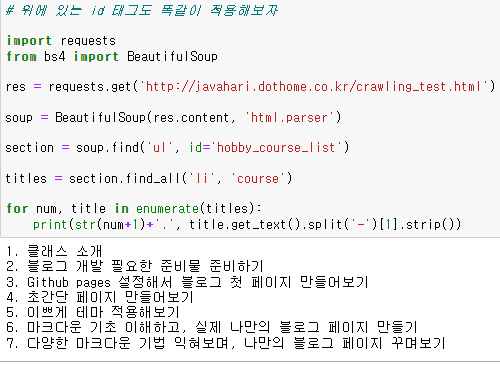
id='hobby_course_list'에도 위와 같이 적용해보자
split('-')을 기준으로 잘라내기