custom hook
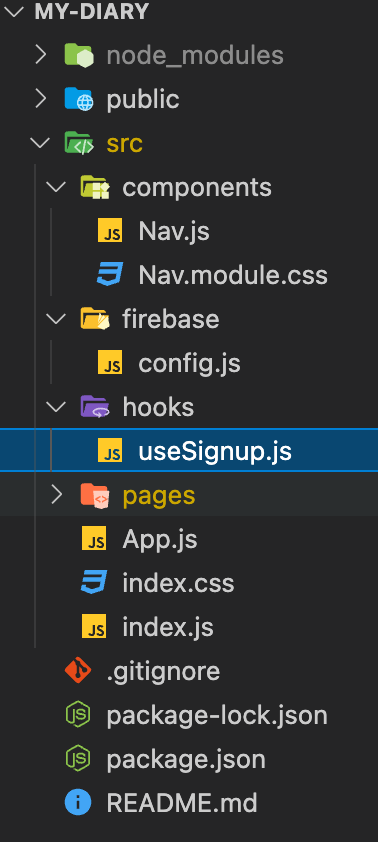
hooks 폴더 생성 > 만들고자하는 hook파일 생성 (useSignup.js)
< 회원가입 hook >
createUserWithEmailAndPassword(auth, email, password)
  .then((userCredential) => {
    // Signed in
    const user = userCredential.user;
    // ...
  })
  .catch((error) => {
    const errorCode = error.code;
    const errorMessage = error.message;
    // ..
});- update profile 기본 코드
import { getAuth, updateProfile } from "firebase/auth";
const auth = getAuth();
updateProfile(auth.currentUser, {
  displayName: "Jane Q. User", photoURL: "https://example.com/jane-q-user/profile.jpg"
}).then(() => {
  // Profile updated!
  // ...
}).catch((error) => {
  // An error occurred
  // ...
});
hook으로 만들면 어디서든 가져다 쓸 수 있음!
- signup
import styles from './Signup.module.css'
import { useState } from 'react';
// 만든 hook 가져오기
import { useSignup } from '../../hooks/useSignup';

export default function Signup() {
    const [email, setEmail] = useState('');
    const [password, setPassword] = useState('');
    const [displayName, setDisplayName] = useState('');
    const { error, isPending, signup } = useSignup();

    const handleData = (event) => {
        if (event.target.type === 'email') {
            setEmail(event.target.value);
        } else if (event.target.type === 'password') {
            setPassword(event.target.value);
        } else if (event.target.type === 'text') {
            setDisplayName(event.target.value);
        }
    }

    const handleSubmit = (event) => {
        event.preventDefault();
        console.log(email, password, displayName);
        signup(email, password, displayName);
    }

    return (
        <form className={styles.login_form} onSubmit={handleSubmit}>
            <fieldset>
                <legend>로그인</legend>
                <label htmlFor='myEmail'>email : </label>
                <input type='email' id='myEmail' required value={email} onChange={handleData}></input>

                <label htmlFor='myPassWord'>password : </label>
                <input type='password' id='myPassWord' required value={password} onChange={handleData}></input>

                <label htmlFor='myNickName'>nickname : </label>
                <input type='text' id='myNickName' required value={displayName} onChange={handleData}></input>

                <button type='submit' className={styles.btn}>회원가입</button>
            </fieldset>
        </form>
    )
}
회원가입을 하면..
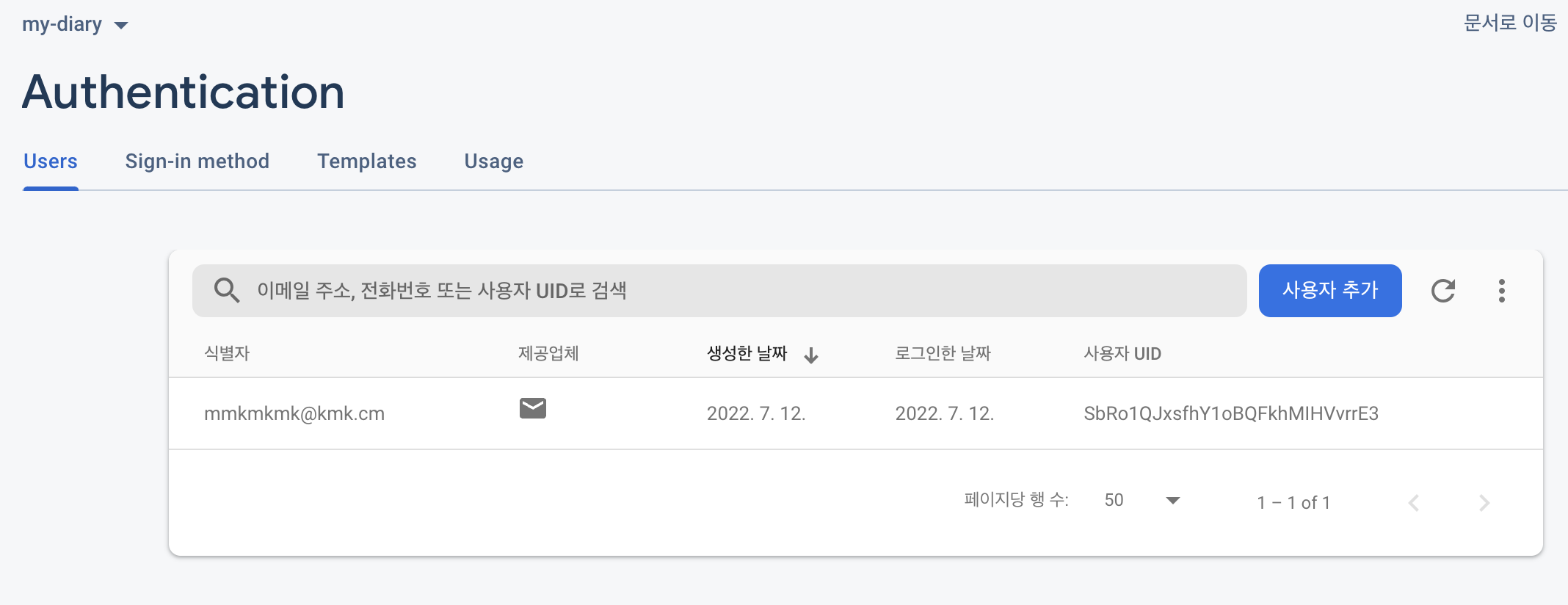
등록이 되어있는 것을 알 수 있다.
< 로그아웃 hook >
- signout 기본코드
import { getAuth, signOut } from "firebase/auth";

const auth = getAuth();
signOut(auth).then(() => {
  // Sign-out successful.
}).catch((error) => {
  // An error happened.
});
< 로그인 hook >
- signin 기본코드
import { getAuth, signInWithEmailAndPassword } from "firebase/auth";

const auth = getAuth();
signInWithEmailAndPassword(auth, email, password)
  .then((userCredential) => {
    // Signed in
    const user = userCredential.user;
    // ...
  })
  .catch((error) => {
    const errorCode = error.code;
    const errorMessage = error.message;
  });
아기 개발자