처음 시작하는 Infrastructure as Code: AWS & 테라폼을 수강하며 정리한 내용입니다.
IGW & NAT Gateway
- IGW와 NAT Gateway 연결에 따라서, Public 서브넷과 Private 서브넷이 결정됨
- Pubilc 서브넷의 인스턴스는 인터넷에 바로 아웃바운드 트래픽을 전송할 수 있음
- Public 서브넷에 있는 인스턴스들은 각자 고유한 Public IP를 가짐
- Private 서브넷의 인스턴스는 Public 서브넷에 있는 NAT Gateway를 통해서 인터넷에 액세스
- Priavte 서브넷에 있는 인스턴스들은 NAT Gateway가 가지고 있는 동일한 Elastic IP를 통해 나가게 됨
- NAT Gateway가 인터넷과 통신할 때는 IGW를 통하게 됨
- NAT Gateway는 반드시 고정 IP(Elastic IP)를 가져야 하며, Private 서브넷에서 보내는 모든 요청이 외부로 나갈 때는 내부 IP가 아닌 고정 IP를 사용
테라폼으로 IGW 생성
- 이전에 만든
vpc.tf파일에 IGW 리소스를 이어서 작성
resource "aws_vpc" "main" {
  cidr_block = "10.0.0.0/16"

  tags = {
    Name = "terraform-101"
  }
}

resource "aws_subnet" "public_subnet" {
  vpc_id = aws_vpc.main.id
  cidr_block = "10.0.0.0/24"

  availability_zone = "ap-northeast-2a"

  tags = {
    Name = "terraform-101-public-subnet"
  }
}

resource "aws_subnet" "private_subnet" {
  vpc_id = aws_vpc.main.id
  cidr_block = "10.0.10.0/24"

  tags = {
    Name = "terraform-101-private-subnet"
  }
}

resource "aws_internet_gateway" "igw" {
  vpc_ic = aws_vpc.main.id

  tags = {
    Name = "terraform-101-igw"
  }
}
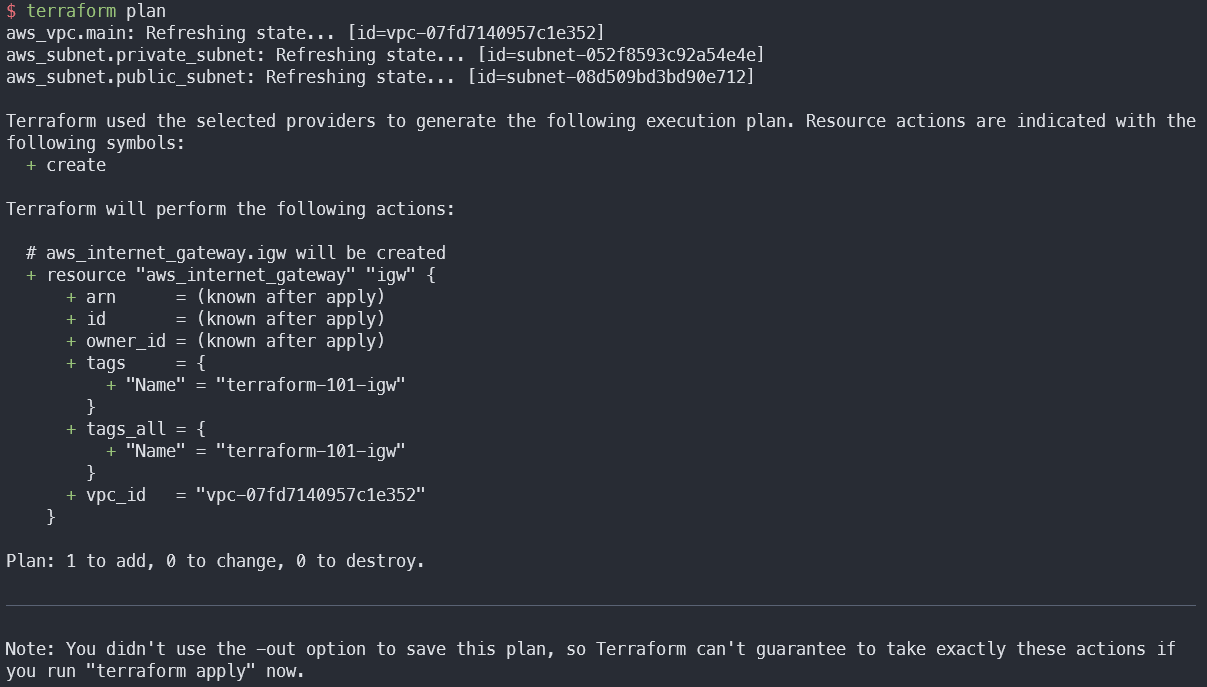
terraform plan으로 변경될 사항 확인
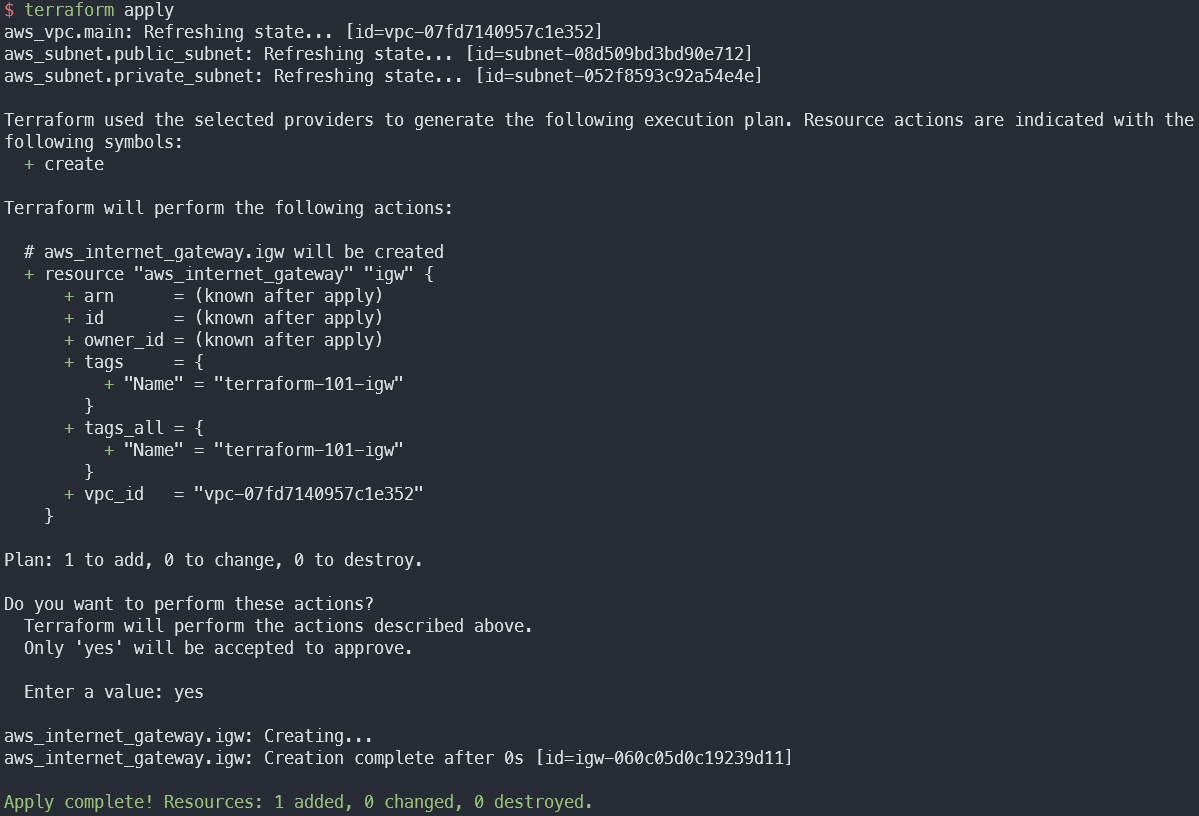
terraform apply로 변경될 사항 적용
테라폼으로 NAT Gateway 생성
vim.tf파일에 Elastic IP와 NAT Gateway 리소스 작성- NAT Gateway는 Public 서브넷에 위치해야 함
resource "aws_eip" "nat" {
  domain = "vpc"

  lifecycle {
    create_before_destroy = true
  }
}

resource "aws_nat_gateway" "nat_gateway" {
  allocation_id = aws_eip.nat.id

  subnet_id = aws_subnet.public_subnet.id

  tags = {
    Name = "terraform-NATGW"
  }
}-
terraform plan명령어 실행
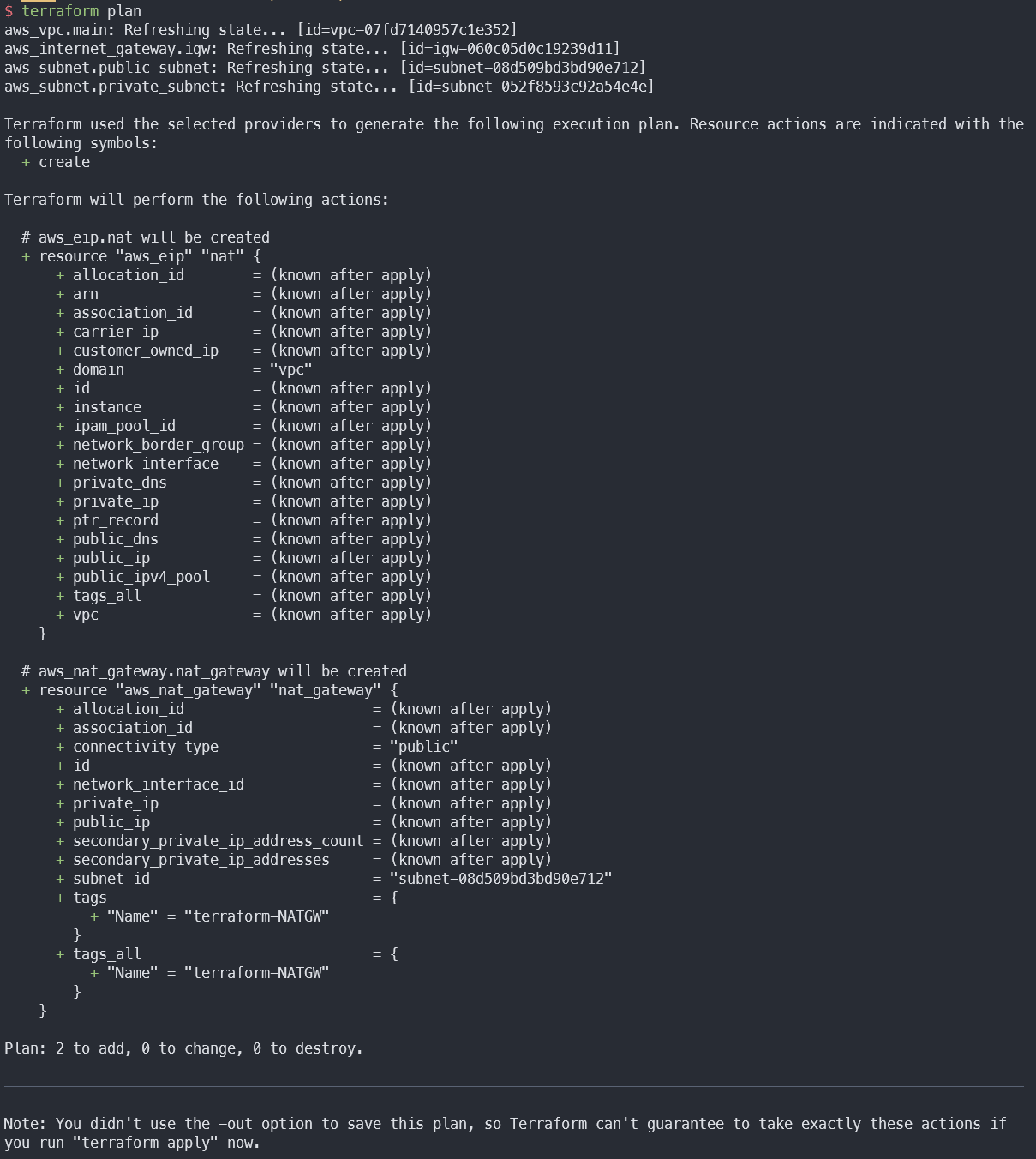
-
terraform apply명령어 실행
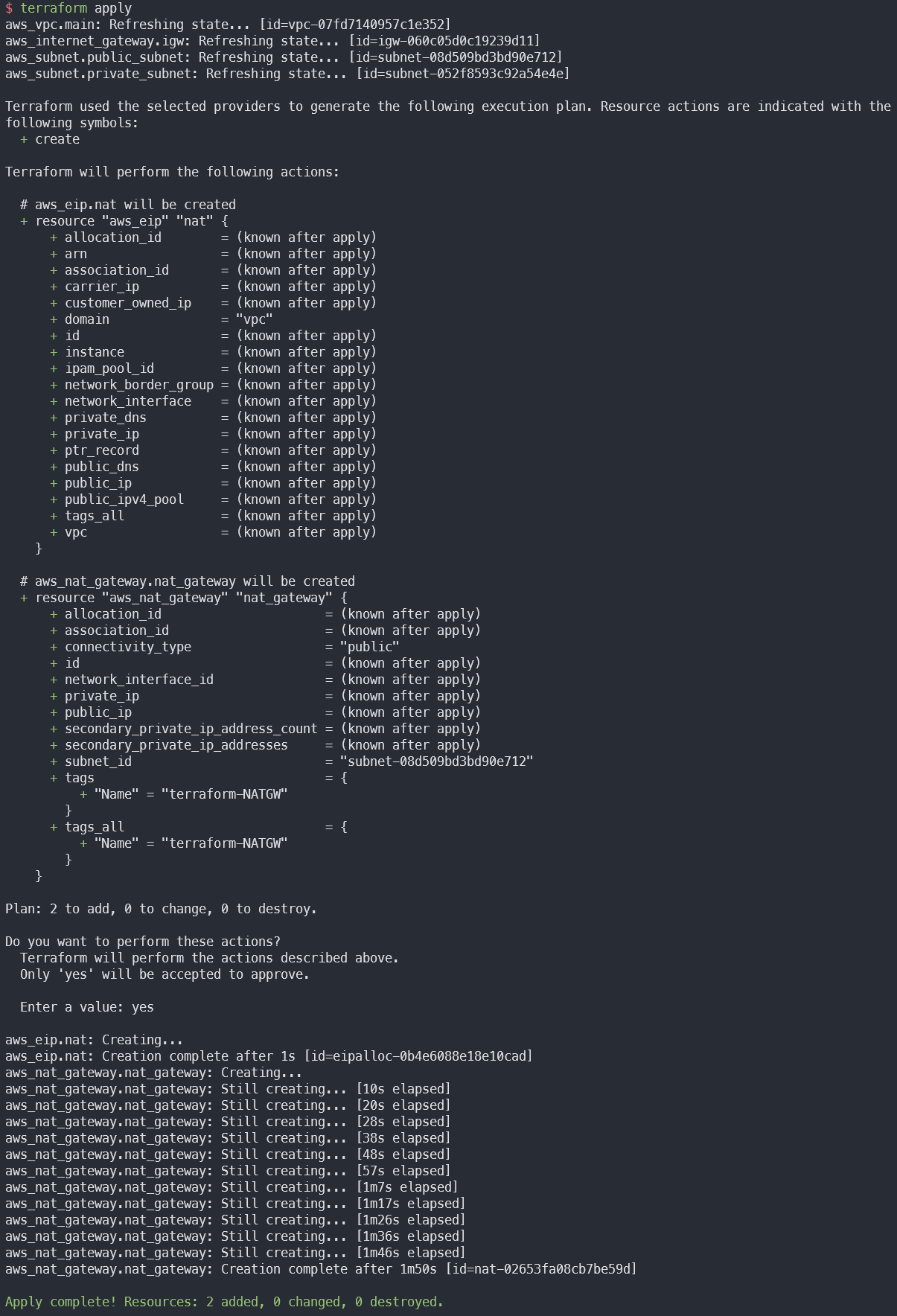
-
주의사항: NAT Gateway는 비용이 발생하는 서비스여서 AWS 등록된 결제 수단으로 비용이 청구될 수 있음
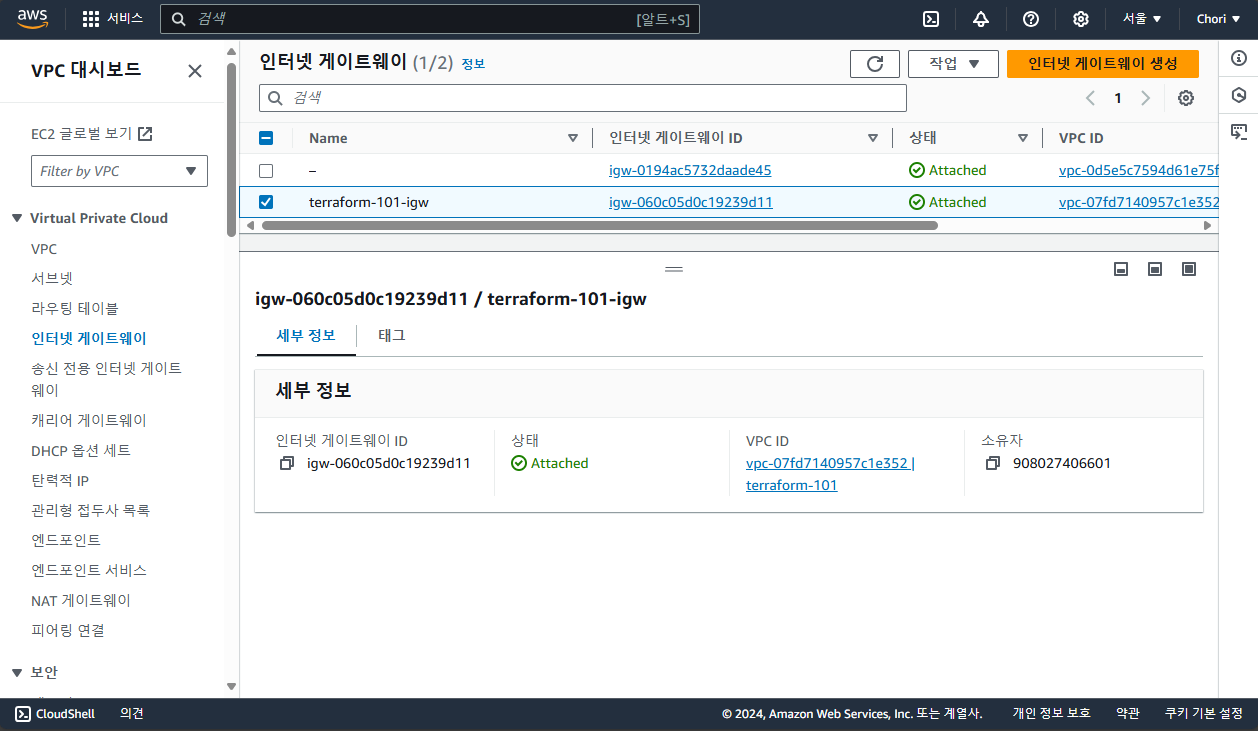
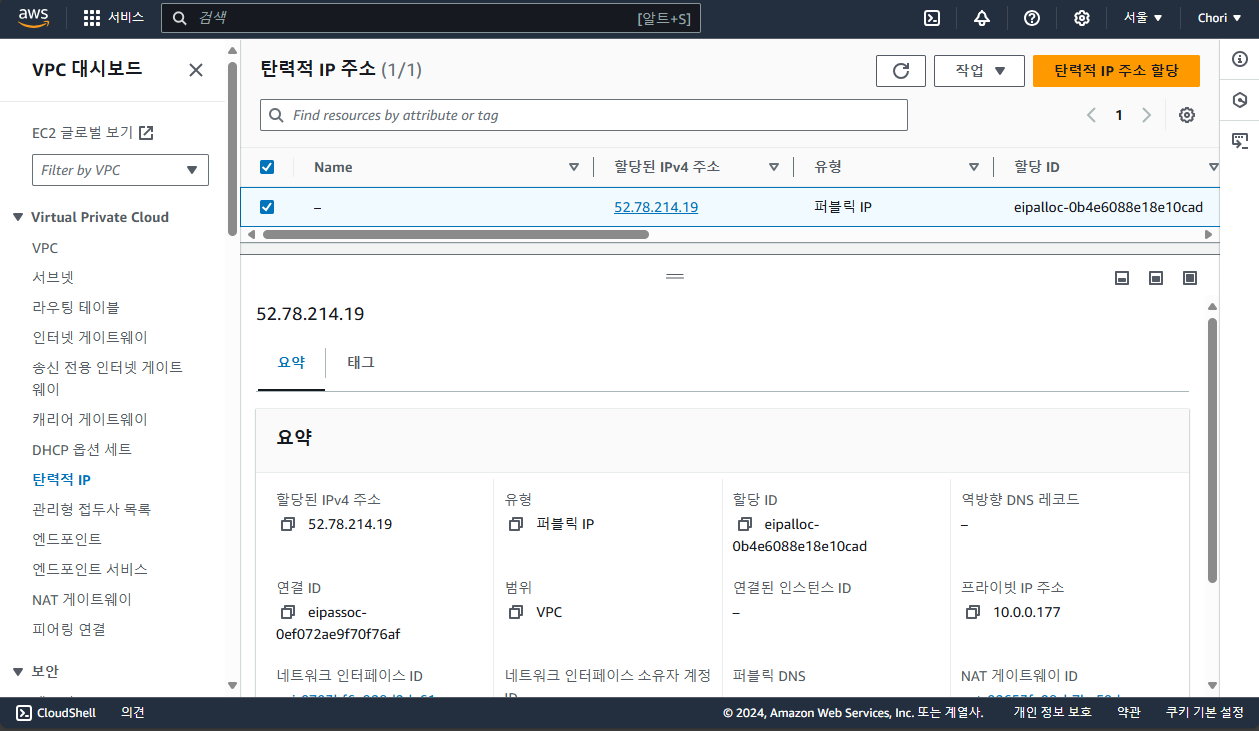
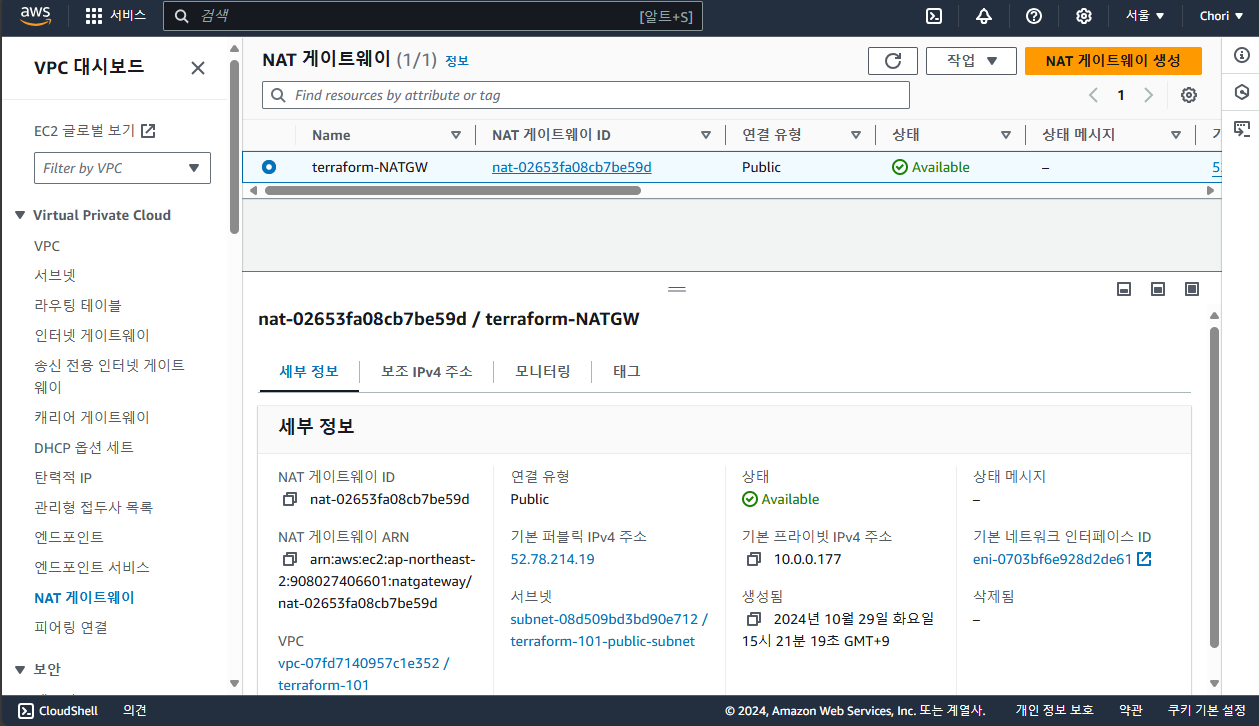
AWS 콘솔에서 생성한 리소스 확인
- IGW
- Elastic IP
- NAT Gateway

전부인 것처럼, 전부가 아닌 것처럼