처음 시작하는 Infrastructure as Code: AWS & 테라폼을 수강하며 정리한 내용입니다.
Route Table 개념
- 네트워크 트래픽이 어디로 갈 것인지에 대한 라우팅 규칙의 집합
테라폼으로 Route Table 생성
vpc.tf파일에 Route Table 리소스를 이어서 작성- Public Route Table과 Private Route Table 작성
resource "aws_route_table" "public" {
  vpc_id = aws_vpc.main.id

  tags = {
    Name = "terraform-101-rt-public"
  }
}

resource "aws_route_table" "private" {
  vpc_id = aws_vpc.main.id

  tags = {
    Name = "terraform-101-rt-private"
  }
}
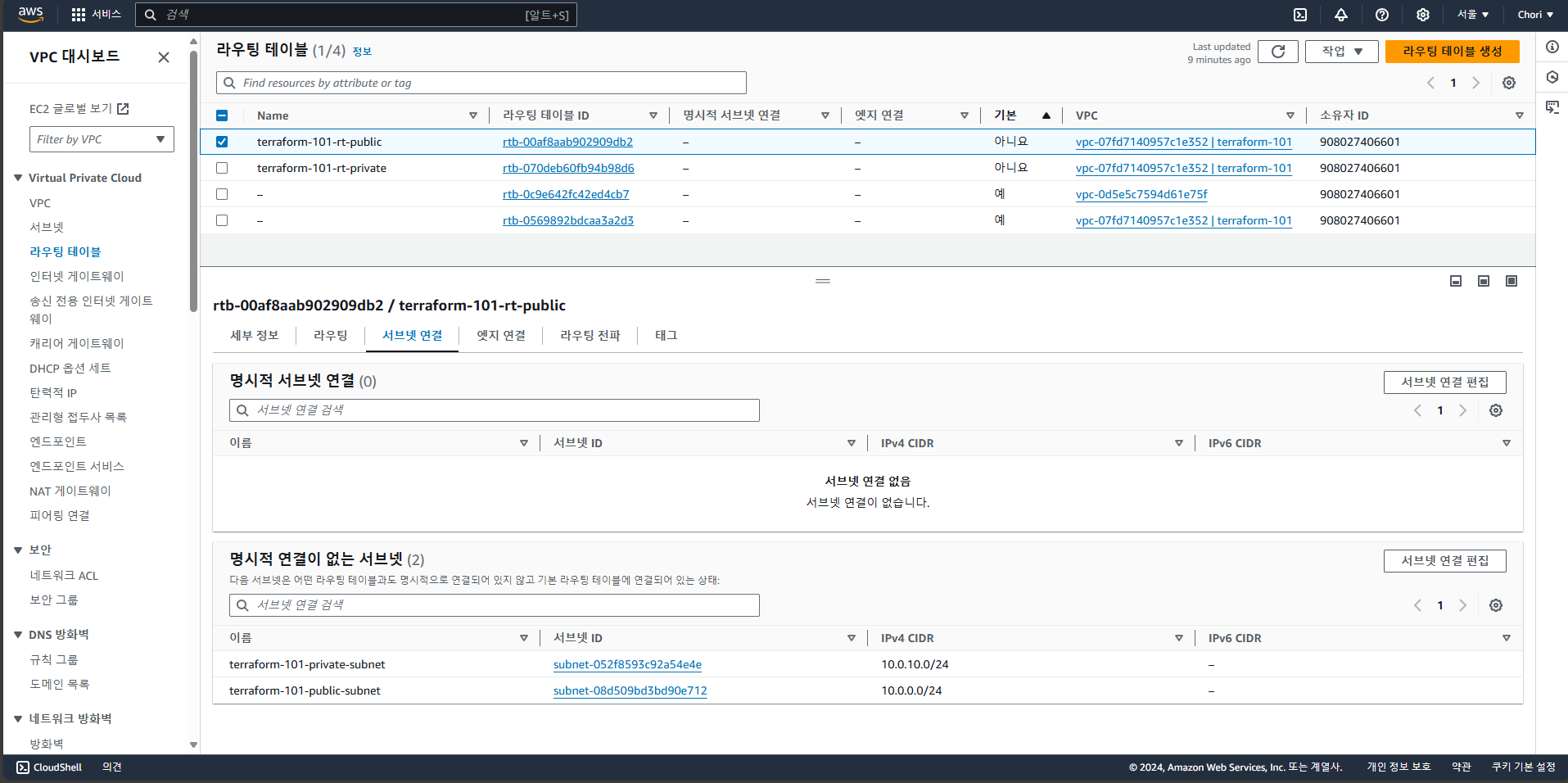
terraform plan으로 확인 후terraform apply로 리소스 생성- AWS 콘솔에서 Public Route Table과 Private Route Table이 생성된 것을 확인
- 아직 연결된 서브넷은 없음
Route Table과 서브넷 연결
- Route Table을 만들고 나서 어느 서브넷을 어느 Route Table에 연결할지에 대한 association을 해야 함
- Public Route Table은 Public 서브넷에, Private Route Table은 Private 서브넷에 연결
vpc.tf파일에 association 내용 추가
 resource "aws_route_table" "public" {
   vpc_id = aws_vpc.main.id

   tags = {
     Name = "terraform-101-rt-public"
   }
 }

resource "aws_route_table_association" "route_table_association_public" {
  subnet_id = aws_subnet.public_subnet.id
  route_table_id = aws_route_table.public.id
}

resource "aws_route_table" "private" {
  vpc_id = aws_vpc.main.id

  tags = {
    Name = "terraform-101-rt-private"
  }
}

resource "aws_route_table_association" "route_table_association_private" {
  subnet_id = aws_subnet.private_subnet.id
  route_table_id = aws_route_table.private.id
}
terraform plan으로 확인 후terraform apply로 적용- AWS 콘솔에서 서브넷이 연결된 것을 확인할 수 있음
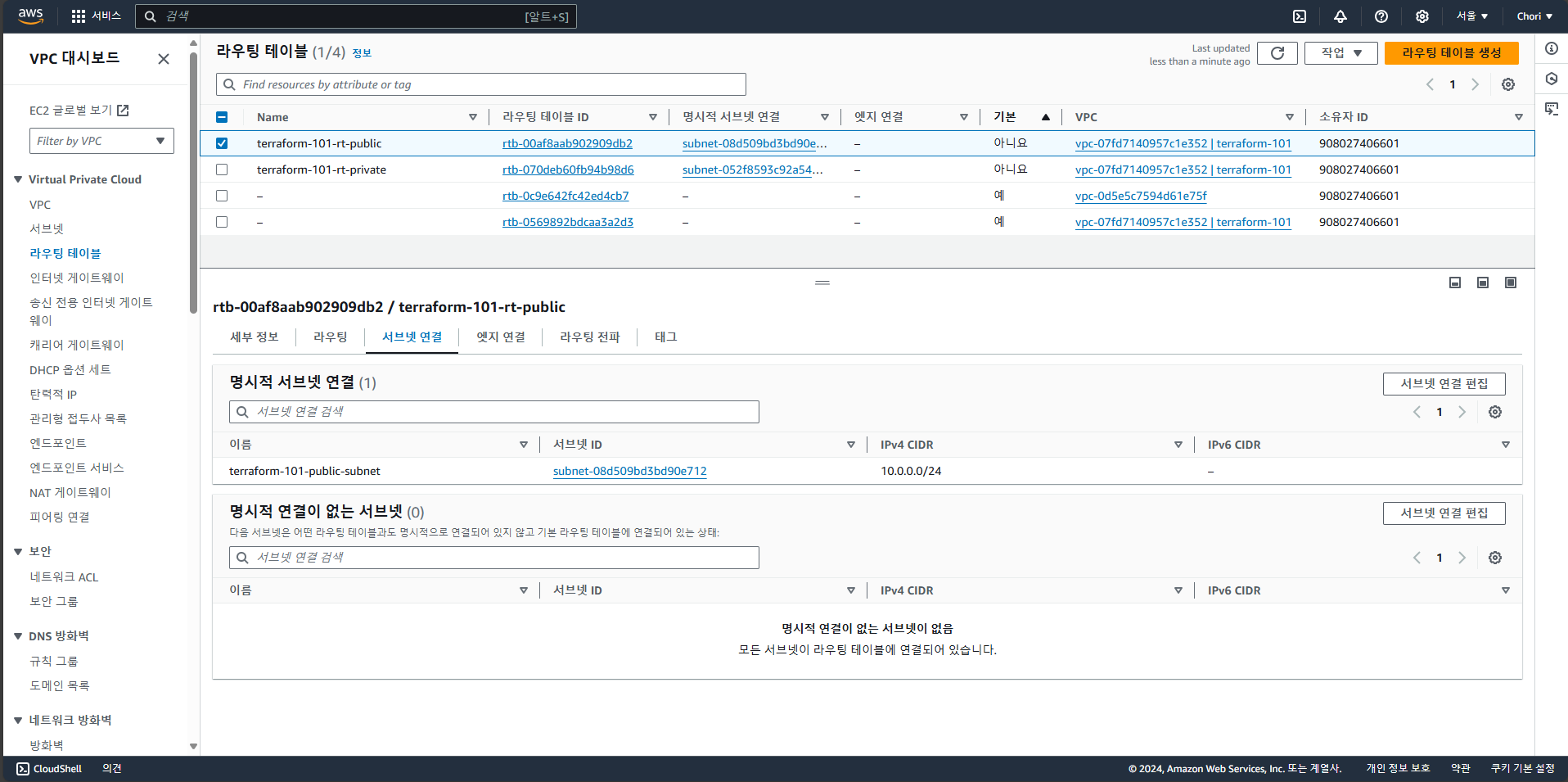
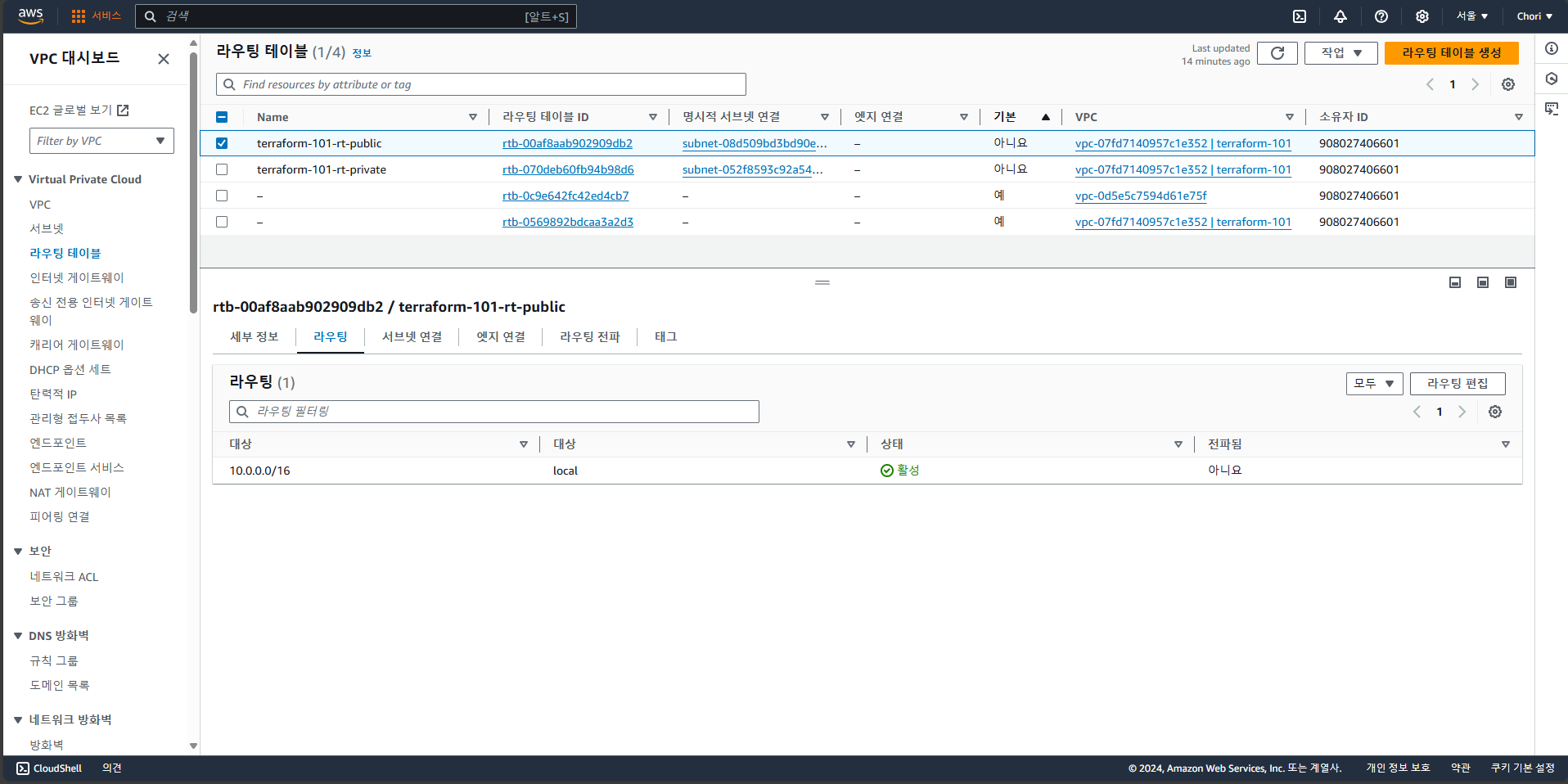
- 아직 Route Table 규칙은 없음
Route Table의 규칙 설정
- Route Table의 규칙을 Route Table 리소스 안에 작성할 수 있음(inner rule 방식)
0.0.0.0/0에 대해 IGW로 연결, 이를 통해 Public 서브넷이 제 역할을 할 수 있게 됨
resource "aws_route_table" "public" {
  vpc_id = aws_vpc.main.id

  route {
    cidr_block = "0.0.0.0/0"
    gateway_id = aws_internet_gateway.igw.id
  }

  tags = {
    Name = "terraform-101-rt-public"
  }
}
terraform plan으로 확인 후terraform apply로 적용- AWS 콘솔에서 새로운 Route Table 규칙이 생긴 것을 확인할 수 있음
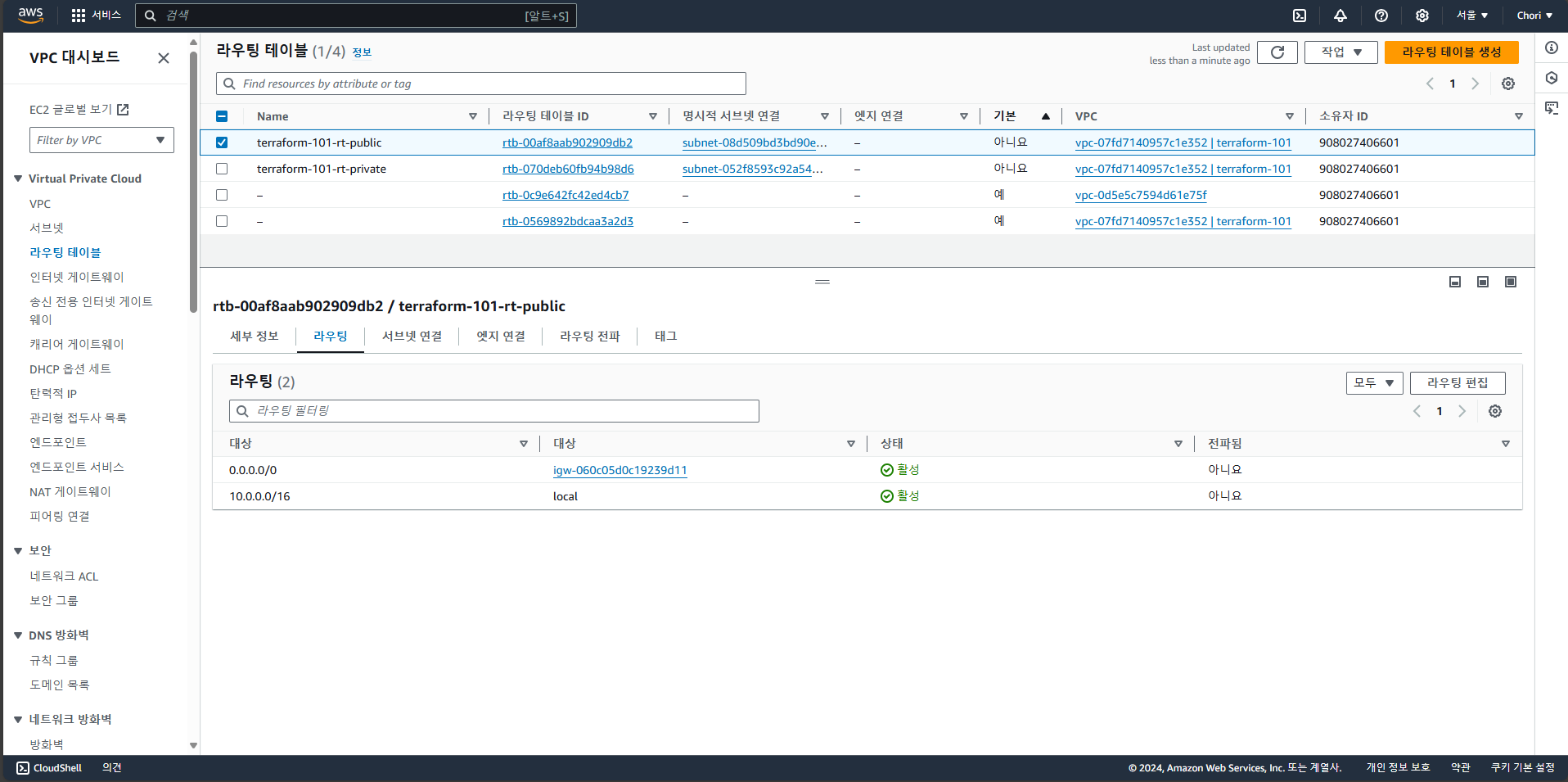
- Private Route Table에는 NAT Gateway 관련 규칙 추가
- Route Table 규칙을 Route Table 리소스 밖에서 만들 수도 있음
- inner rule을 쓰는 것보다 리소스를 바깥으로 빼는 것이 확장성이 더 좋음(권장하는 방식)
resource "aws_route" "private_nat" {
  route_table_id = aws_route_table.private.id
  destination_cidr_block = "0.0.0.0/0"
  nat_gateway_id = aws_nat_gateway.nat_gateway.id
}
terraform plan으로 확인 후terraform apply로 적용- AWS 콘솔에서 새로운 Route Table 규칙이 생긴 것을 확인할 수 있음
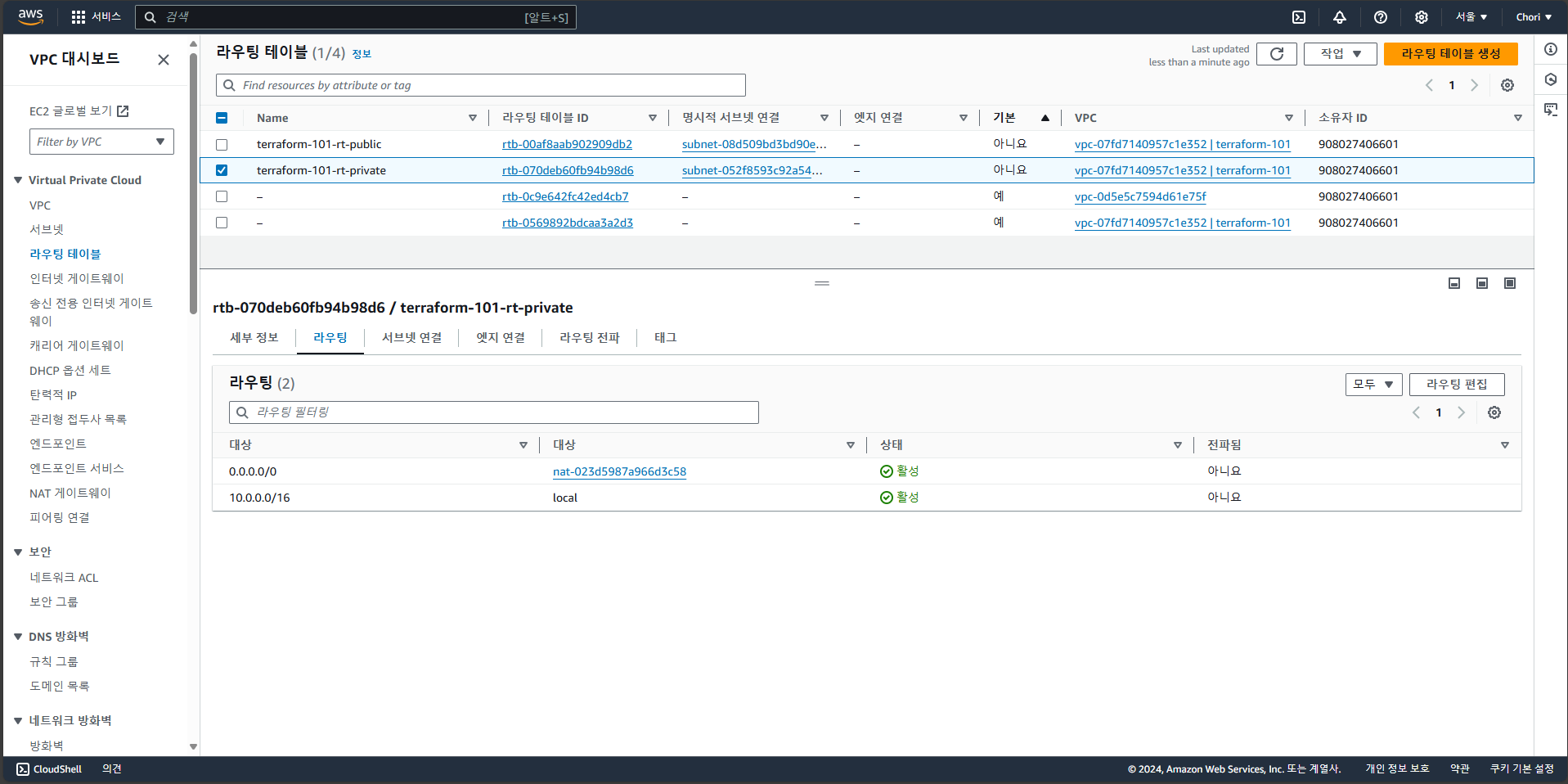
콘솔에서 변경한 사항 감지하기
- AWS 콘솔에서 Route Table의 규칙을 수정
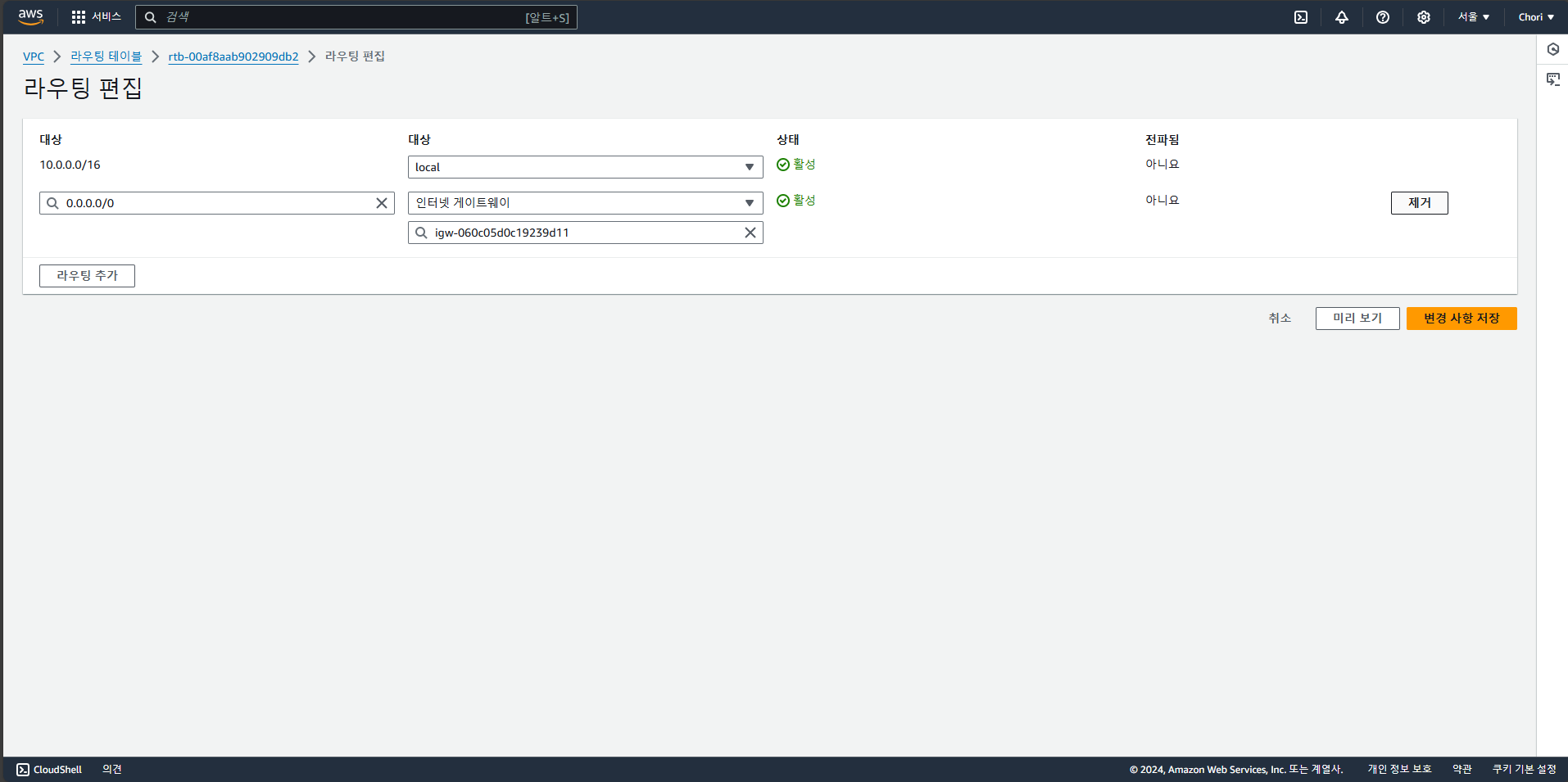
- 테라폼 코드로 생성했던 규칙을 제거
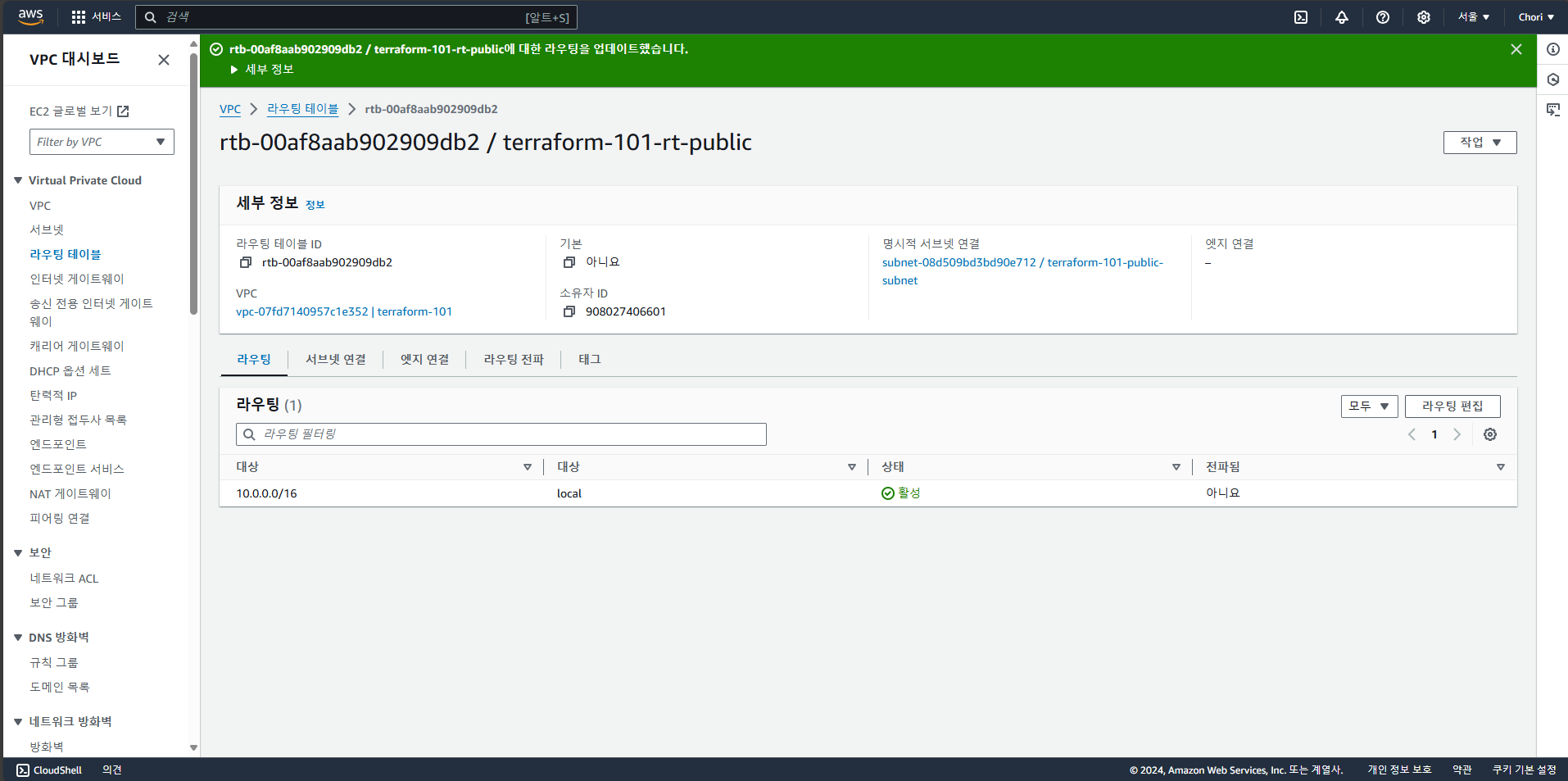
- 규칙이 지워진 상태에서
terraform plan명령어를 입력하면 다시 규칙을 추가할 것이라고 표시됨
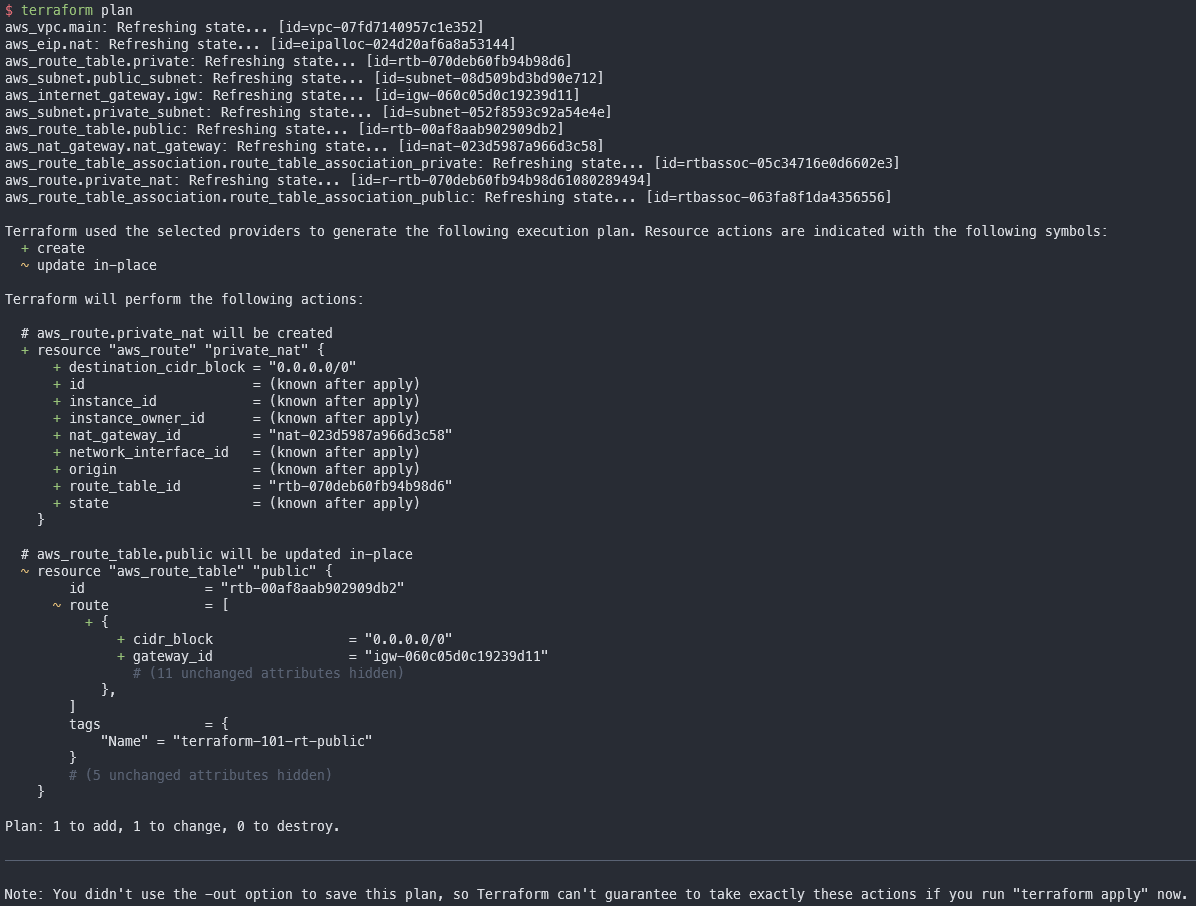
- 테라폼은
plan이나apply명령어를 입력할 때 실제 리소스를 검사 - 누군가가 콘솔에서 직접 리소스를 수정하면 테라폼 코드로 만든 리소스에 한해서 변경사항을 알 수 있음
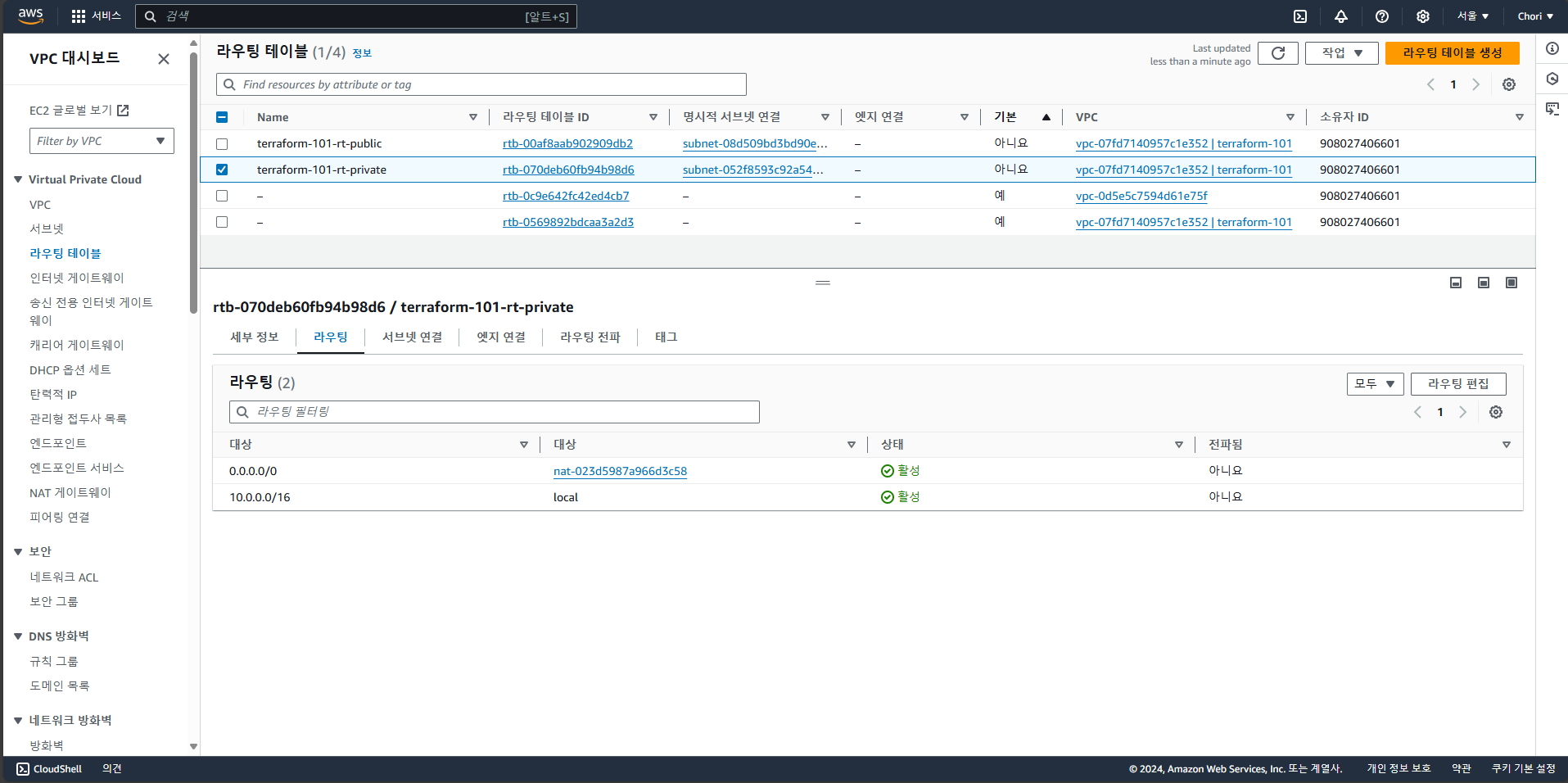
terraform apply로 다시 리소스를 생성- Route Table 규칙이 다시 생긴 것을 AWS 콘솔에서 확인 가능

전부인 것처럼, 전부가 아닌 것처럼