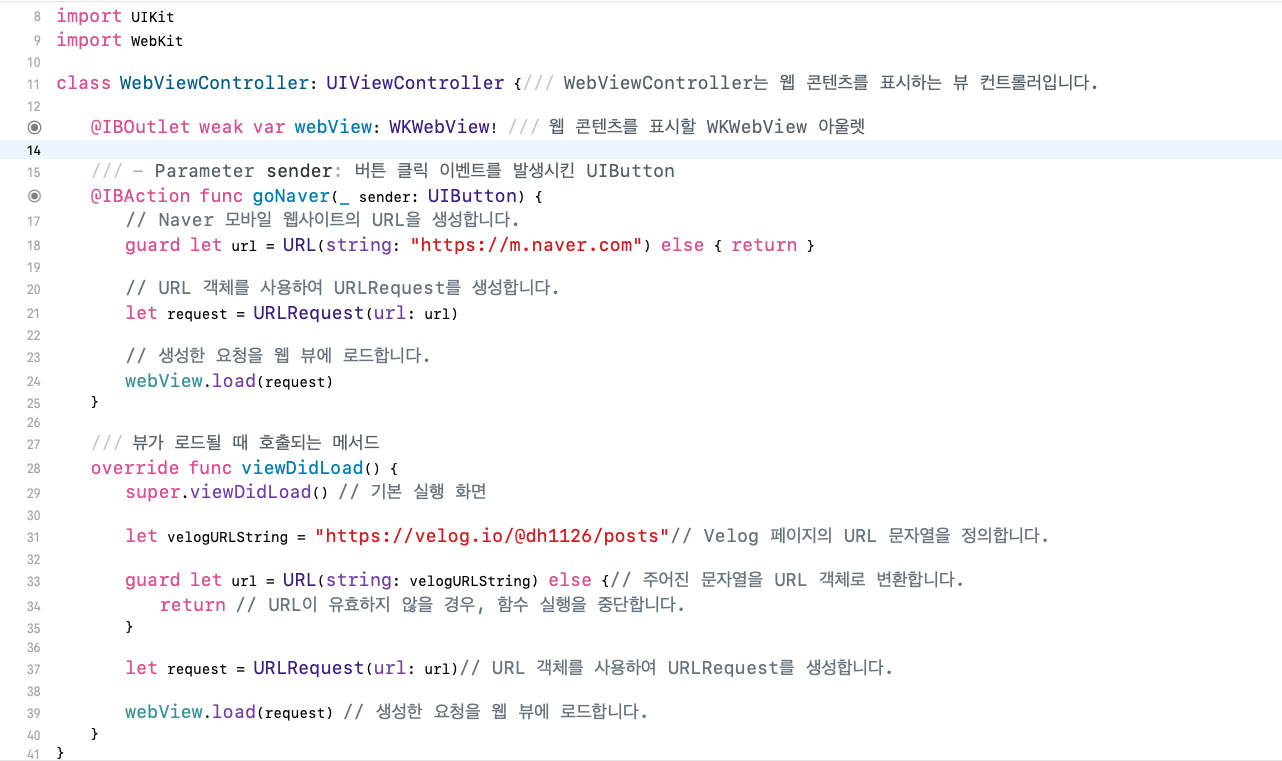
출처 : SmileHan - iOS프로그래밍 기초
Xcode에서 특정 swift 파일을 지울 때
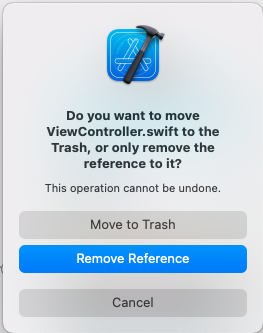
Move to Trash로 해야 완전히 지워진다
Remove Reference로 하면 파일은 남아있음 (완전히 지우려면 Finder에서 해당 위치의 파일을 지워줘야 함)
중요!
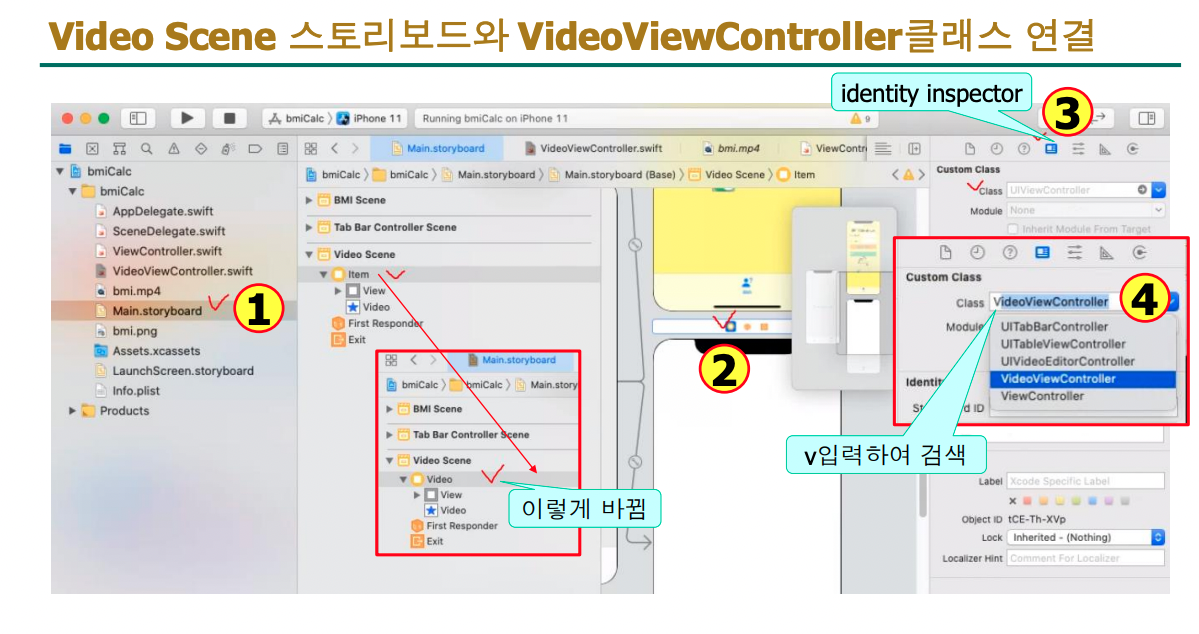
ViewController 파일을 새로 만들 때 주의사항
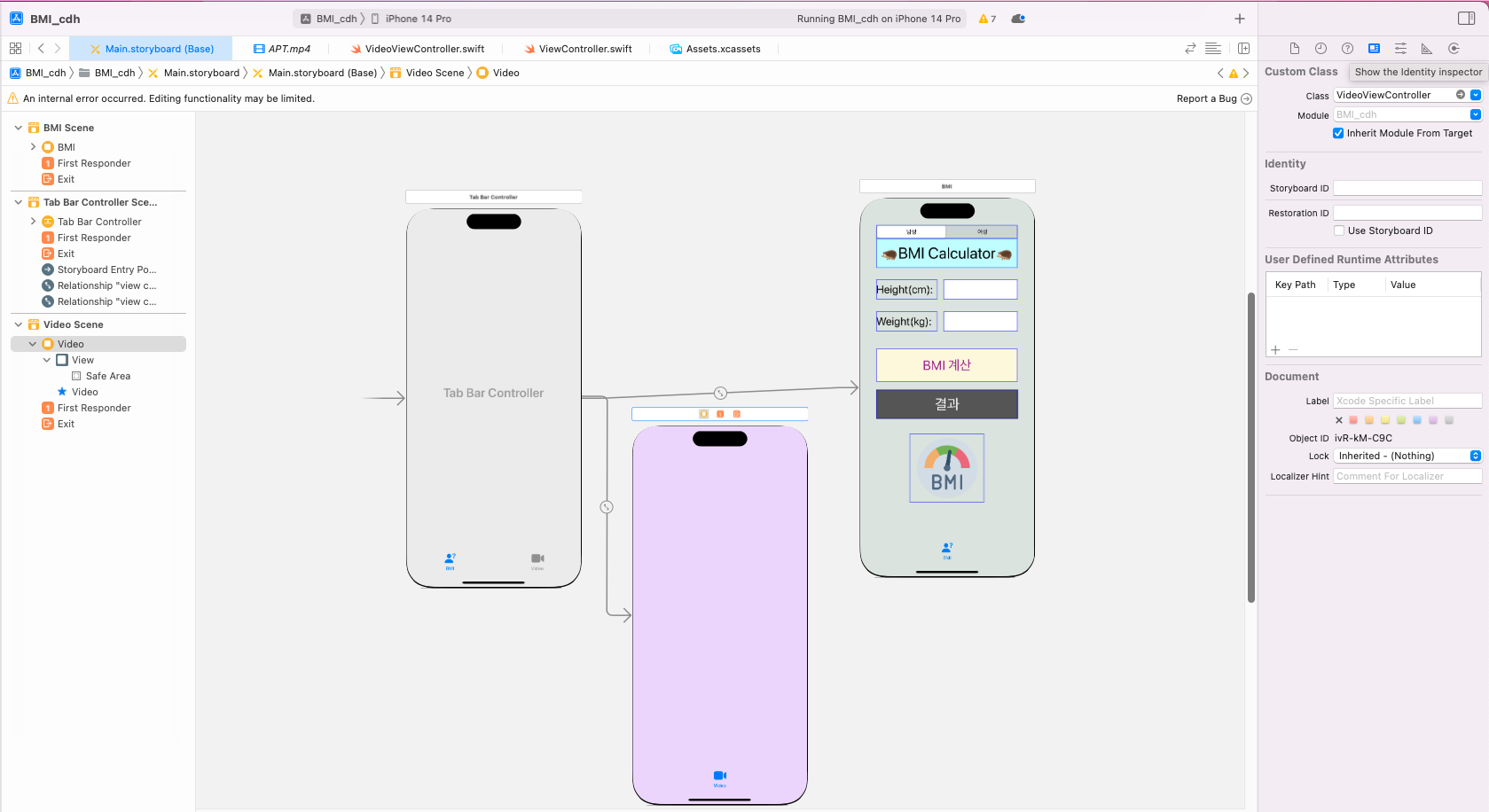
파일을 새로 만들었다면 해당하는 Scene의 identity inspector에서 반드시 연결을 해줘야 된다
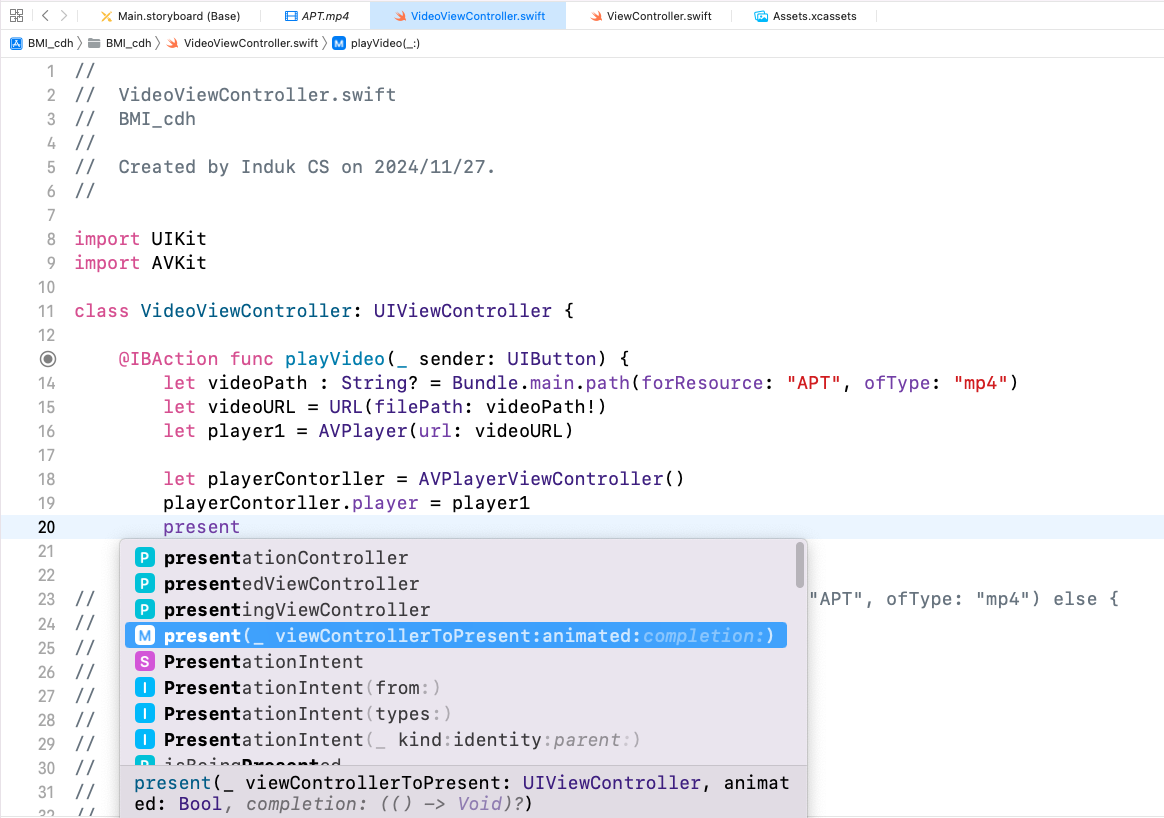
중요! present 메서드
특정 뷰 컨트롤러를 화면에 모달 형식으로 표시하는 메서드
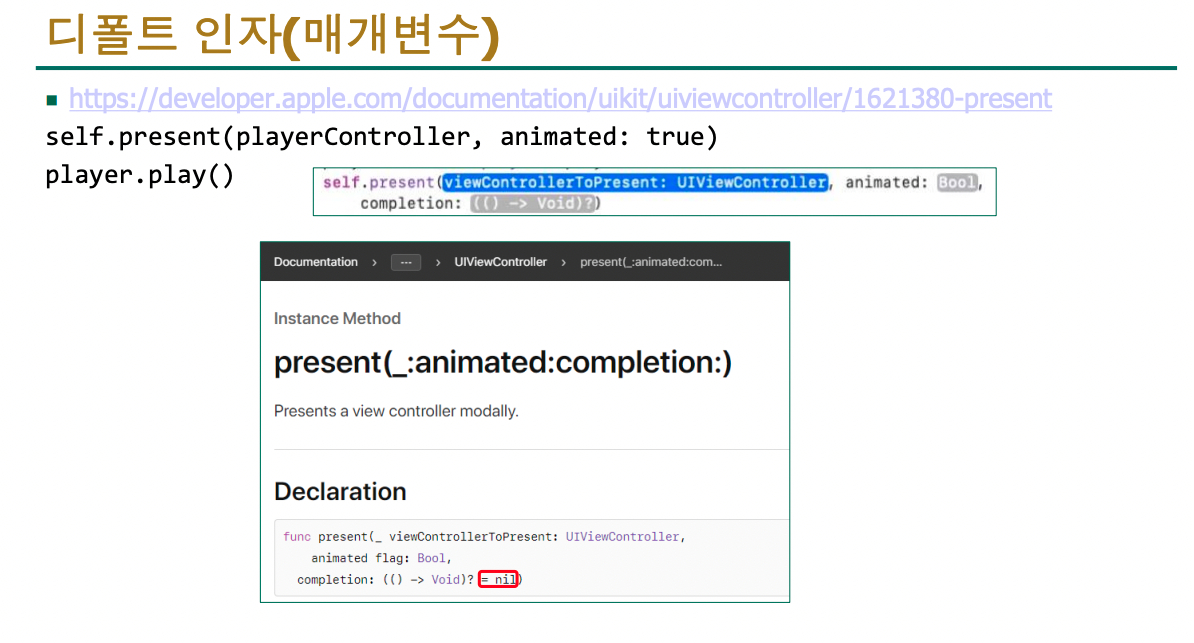
ChatGPT 에게 물어보기
self.present(playerController, animated: true)는 현재 뷰 컨트롤러에서 다른 뷰 컨트롤러를 모달로 표시하는 메서드입니다.
구성 요소:
self: 현재의 뷰 컨트롤러를 나타냅니다.
present(_:animated:): 새로운 뷰 컨트롤러를 화면에 표시하는 메서드입니다.
첫 번째 매개변수 playerController: 표시할 뷰 컨트롤러 (AVPlayerViewController).
두 번째 매개변수 animated: true: 화면 전환 시 애니메이션 효과를 적용.
동작:
self.present를 호출하면 playerController가 현재 화면 위에 모달 형식으로 나타납니다.
모달: 새로운 뷰 컨트롤러가 현재 뷰를 덮는 방식으로 표시됩니다.
animated: true는 화면 전환이 부드럽게 이루어지도록 애니메이션 효과를 활성화합니다.
예:
사용자는 기존 화면에서 비디오를 재생하는 새로운 화면으로 이동하게 됩니다.
뒤로 돌아가려면 보통 "닫기" 버튼을 눌러야 합니다.
쉽게 말해, present는 "다른 화면을 불러와서 보여주는 역할"을 합니다.
가장 기본적인 AVPlayer를 사용한 비디오 재생 코드
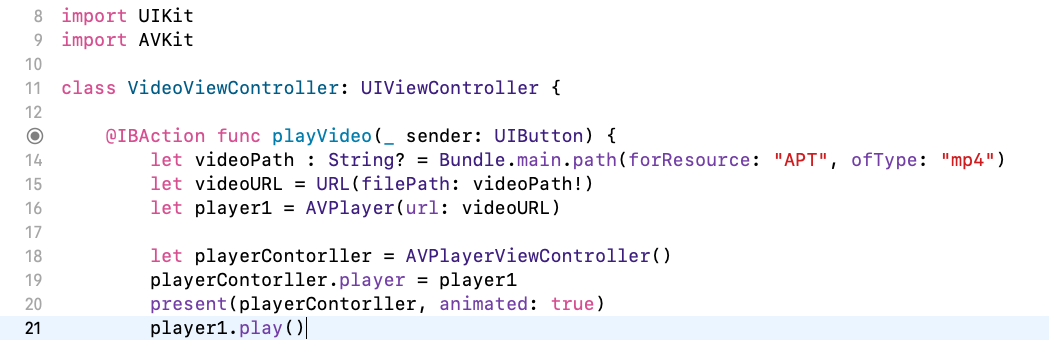
import UIKit
import AVKit

class VideoViewController: UIViewController {

    @IBAction func playVideo(_ sender: UIButton) {
        let videoPath : String? = Bundle.main.path(forResource: "APT", ofType: "mp4")
        let videoURL = URL(filePath: videoPath!)
        let player1 = AVPlayer(url: videoURL)

        let playerContorller = AVPlayerViewController()
        playerContorller.player = player1
        present(playerContorller, animated: true)
        player1.play()
        }
}
수정 후 (guard let 추가)
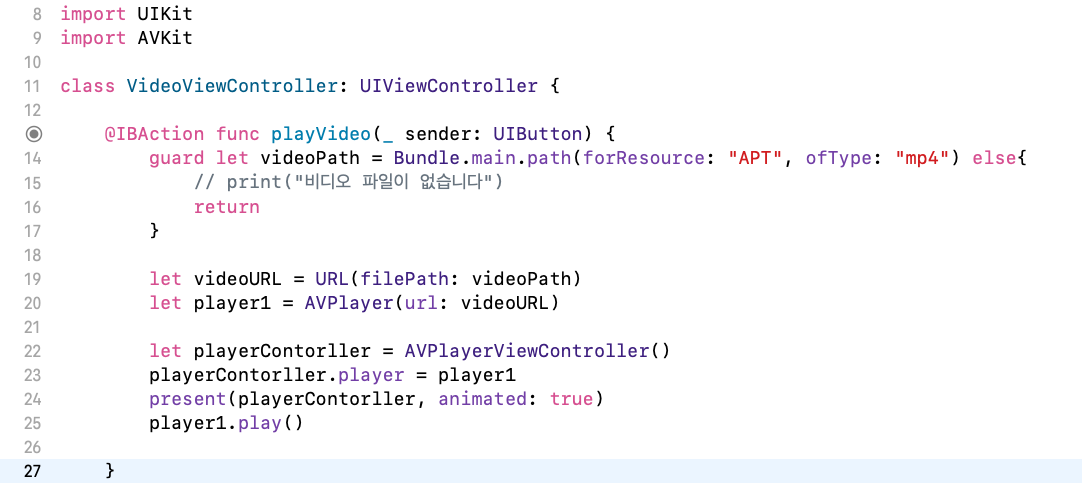
import UIKit
import AVKit

class VideoViewController: UIViewController {

    @IBAction func playVideo(_ sender: UIButton) {
        guard let videoPath = Bundle.main.path(forResource: "APT", ofType: "mp4") else{
            // print("비디오 파일이 없습니다")
            return
        }

        let videoURL = URL(filePath: videoPath)
        let player1 = AVPlayer(url: videoURL)

        let playerContorller = AVPlayerViewController()
        playerContorller.player = player1
        present(playerContorller, animated: true)
        player1.play()
    }
}
마지막 두 줄대로 하면 비디오 컨트롤러가 뜨기 전에 비디오가 뜨는 경우가 생길 수 있다
present(_:animated:completion:)
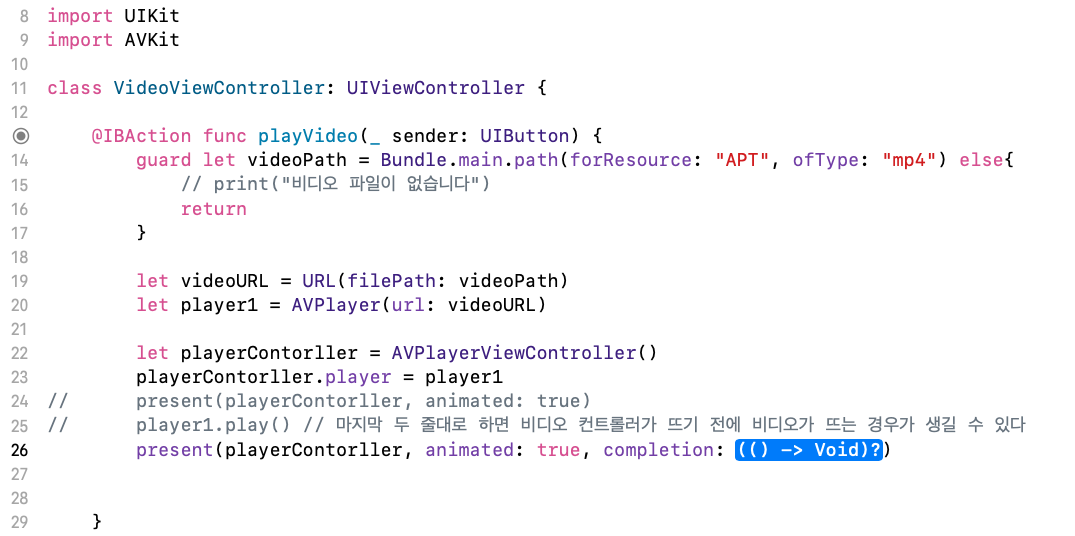
새로운 뷰 컨트롤러를 모달로 표시하며, 표시가 완료된 후 실행할 추가 작업을 정의할 수 있는 메서드
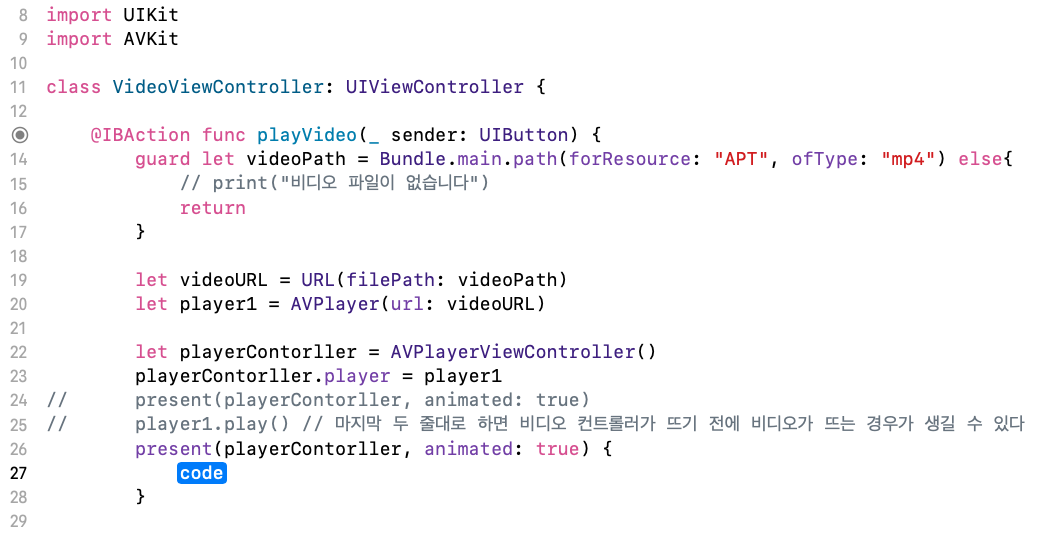
파란 부분에서 Enter키 입력 후
아래 경우로 입력을 했을 때 비디오 컨트롤러가 뜨기 전에 비디오가 뜨는 경우를 없앨 수 있다
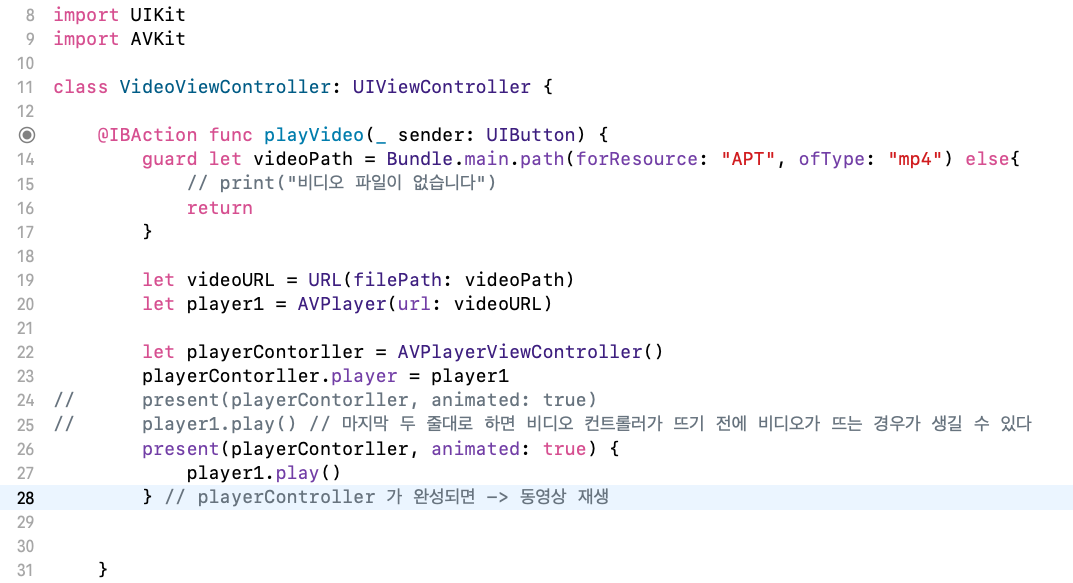
playerController 가 완성되면 -> 동영상 재생
present 소스의 차이점들
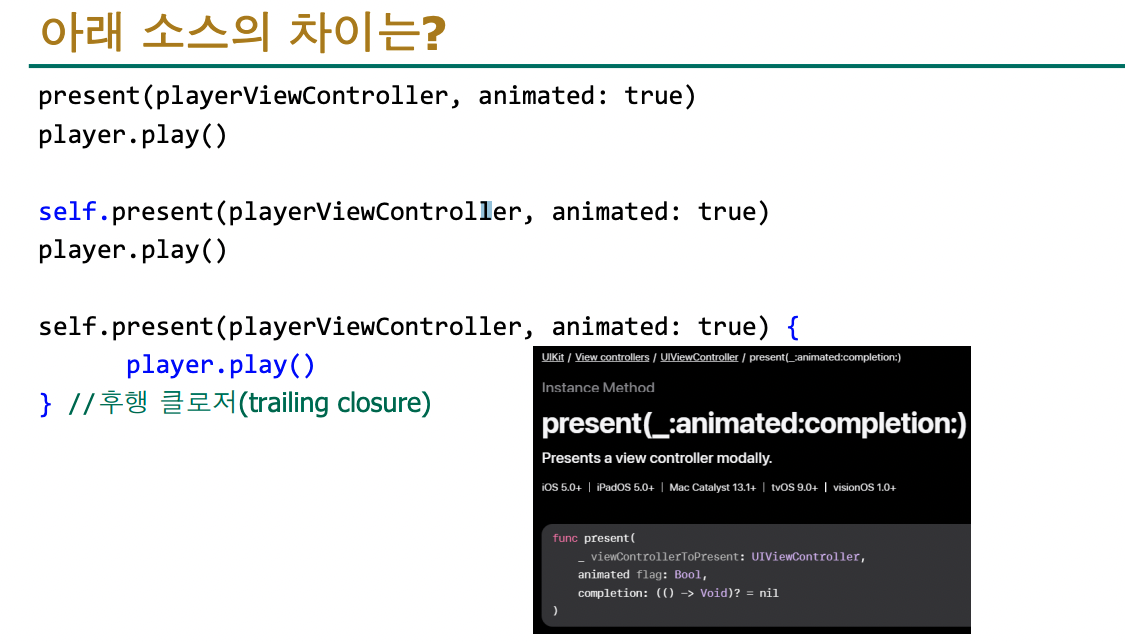
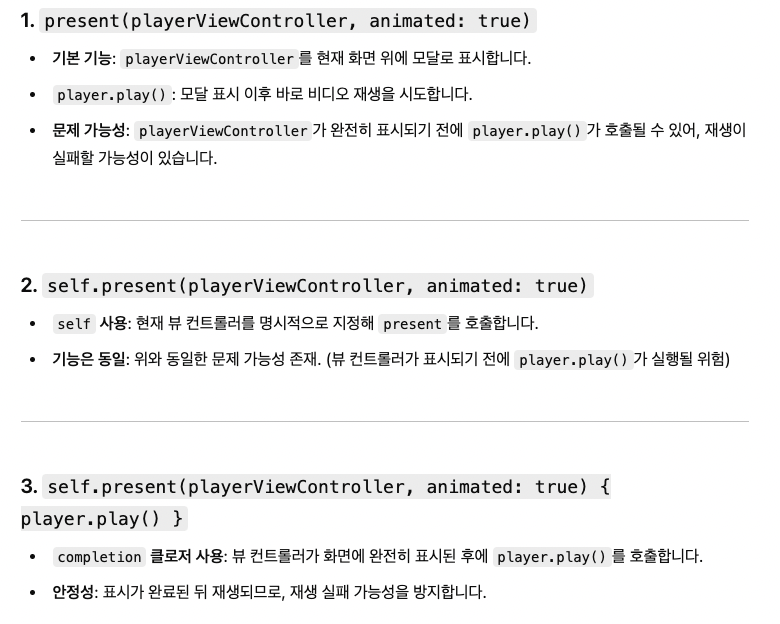
1, 2번: 표시와 재생 순서를 명확히 보장하지 못함
3번: 뷰 컨트롤러 표시가 완료된 뒤 재생이 보장됨. 가장 안정적인 방법
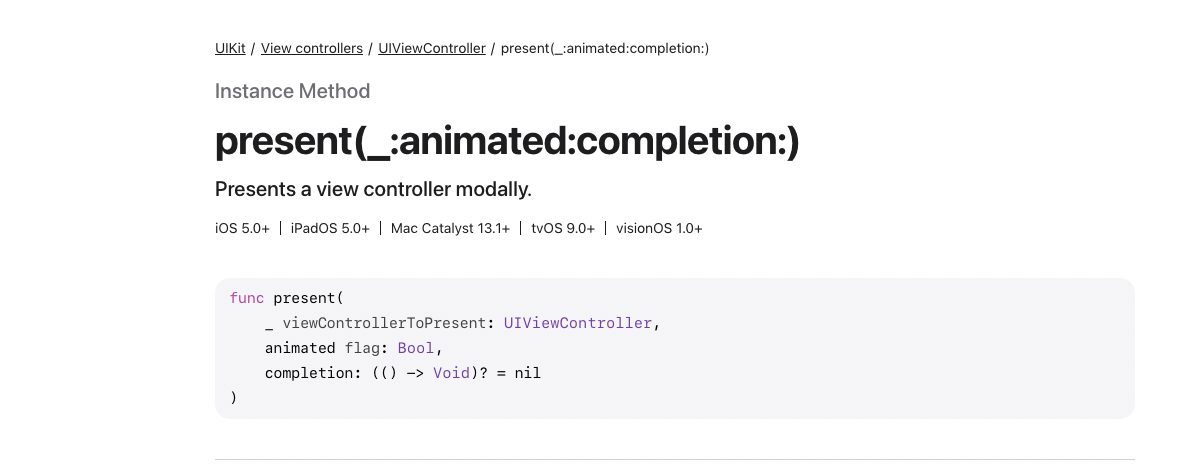
맨 위에 위치 참고
최종코드
import UIKit
import AVKit

class VideoViewController: UIViewController {

    @IBAction func playVideo(_ sender: UIButton) {
        guard let videoPath = Bundle.main.path(forResource: "APT", ofType: "mp4") else{
            // print("비디오 파일이 없습니다")
            return
        }

        let videoURL = URL(filePath: videoPath)
        let player1 = AVPlayer(url: videoURL)

        let playerContorller = AVPlayerViewController()
        playerContorller.player = player1
//      present(playerContorller, animated: true)
//      player1.play() // 마지막 두 줄대로 하면 비디오 컨트롤러가 뜨기 전에 비디오가 뜨는 경우가 생길 수 있다
        present(playerContorller, animated: true) {
            player1.play()
        } // playerController 가 완성되면 -> 동영상 재생


    }
}
Xcode에서 내장하고 있는 Web View
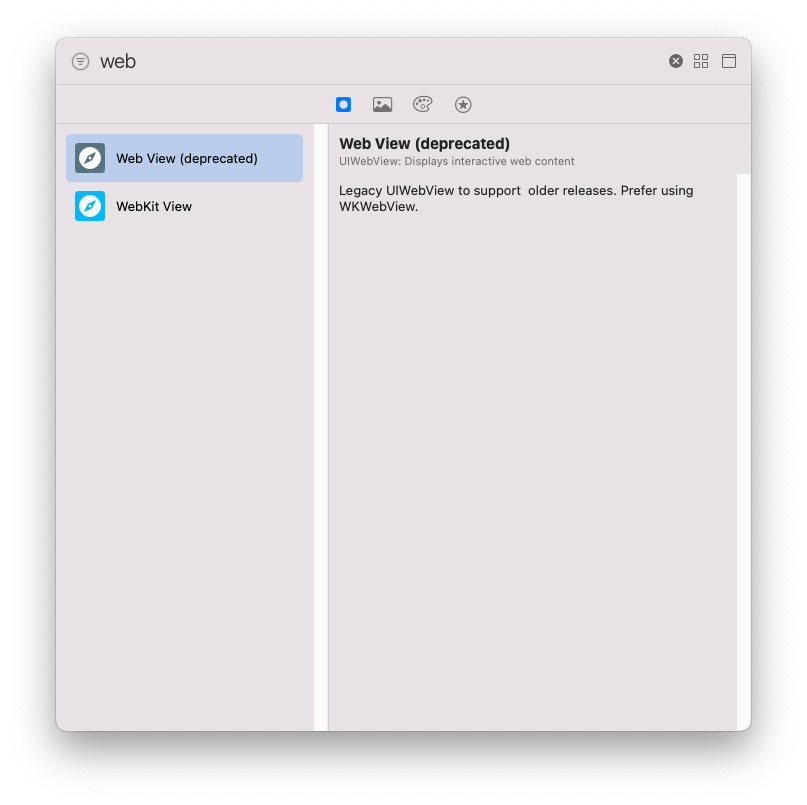
deprecated - 권장하지 않음
Legacy - 옛날의, 구닥다리 라는 뜻
아래 걸로 선택
URLRequest
https://developer.apple.com/documentation/foundation/urlrequest
https://developer.apple.com/documentation/foundation/urlrequest/2011457-init
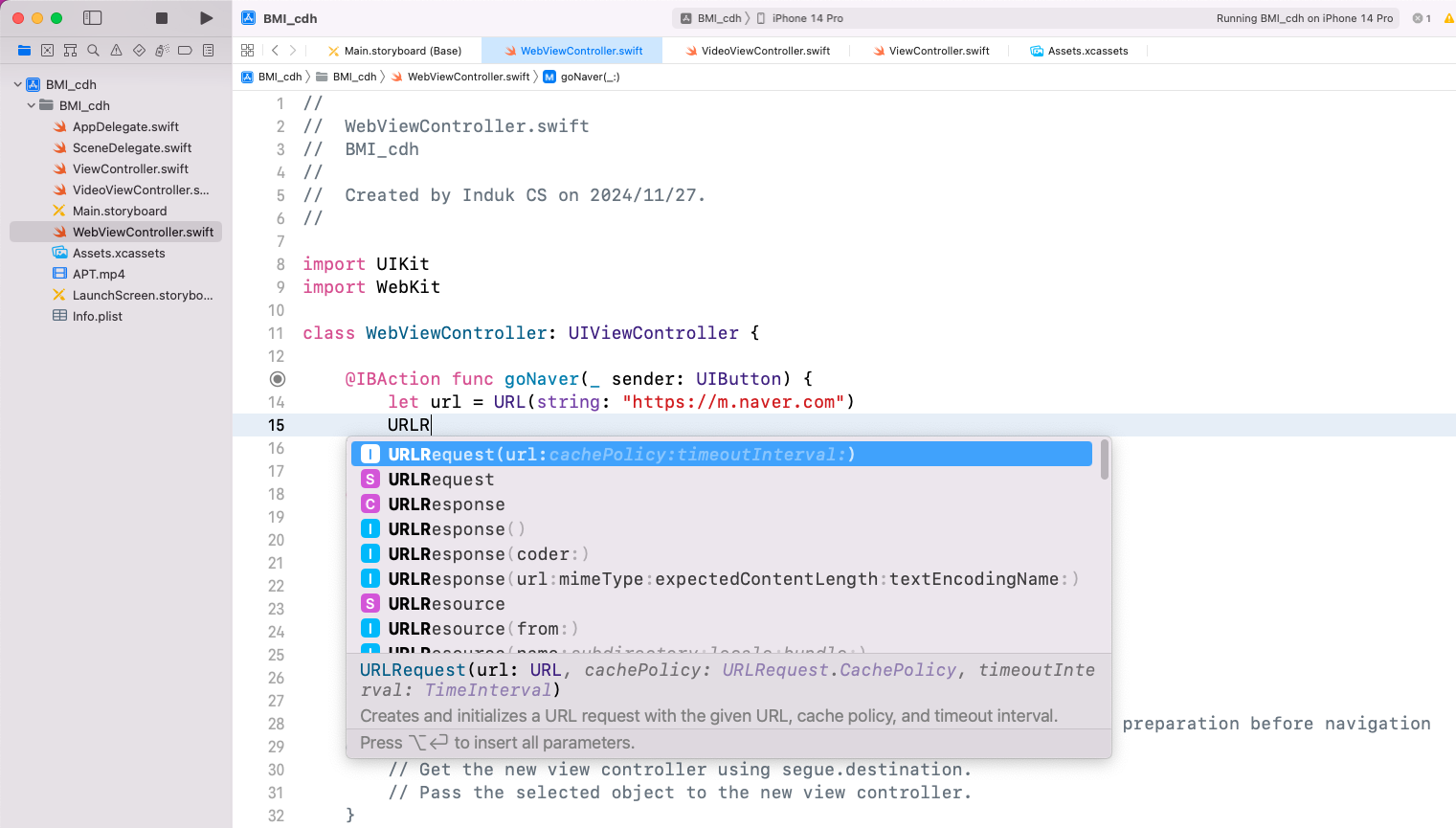
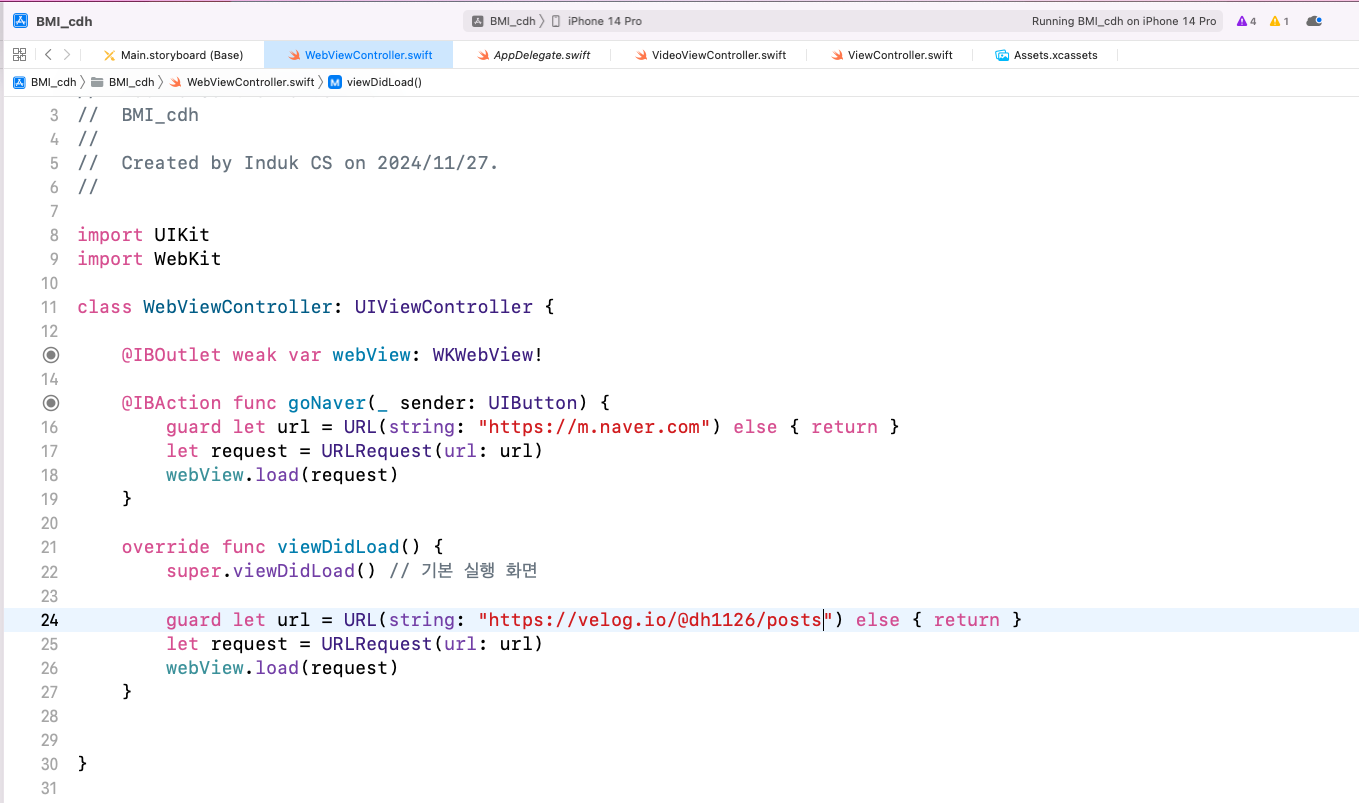
중간 코드 (리팩토링 전)
리팩토링 후 코드
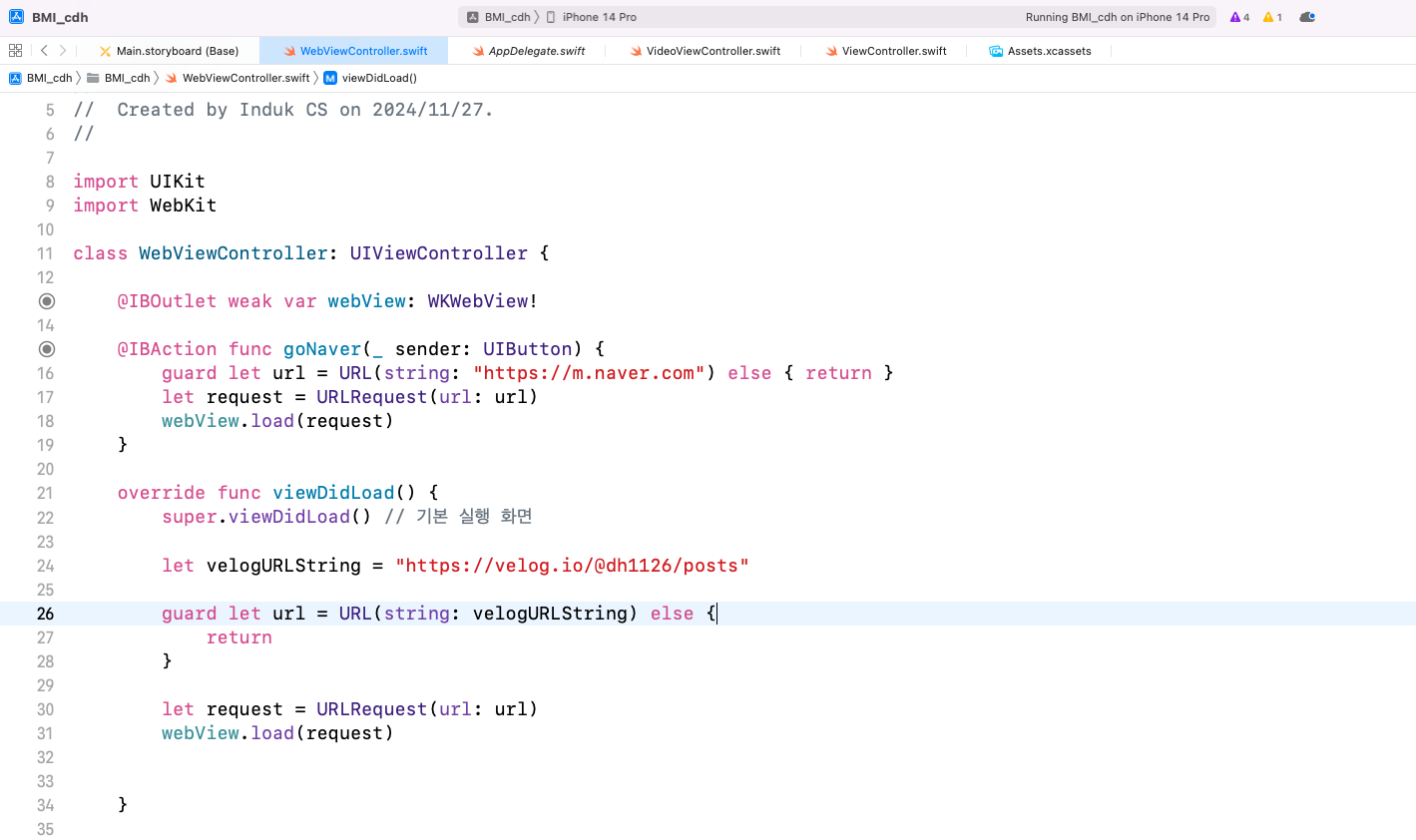
문서화한 최종 코드