
흠.. 안눌러볼거같은데?
내 포폴 사이트는 Cloudflare page로 만들어져서, 누가 들어왔는지, 누가 접속했는지 모른다.
어? 생각해보니까 fetch하면 끝 아닌가?
맞다! 서버가 아닌 html+css+js 페이지여도, 여전히 js는 작동한다.
그리고 cloudflare는 pages 말고도 workers를 지원하기에,
요청이 들어오면 내 텔레그램 챗봇이 알림을 보낸다.
엔드포인트 코드
제발 토큰값 환경변수나 Secret으로 입력할것, 평문으로 입력하면 죽어도 책임못짐
자바스크립트가 아니어도 상관없다. 파이선이 더 편하면 파이선으로
export async function onRequest(context) {
  const { request, env } = context;

  // OPTIONS 요청 (CORS) 처리
  if (request.method === 'OPTIONS') {
    return new Response(null, {
      status: 200,
      headers: {
        'Access-Control-Allow-Origin': '*',
        'Access-Control-Allow-Methods': 'POST, OPTIONS',
        'Access-Control-Allow-Headers': 'Content-Type',
      },
    });
  }

  // POST 요청만 허용
  if (request.method !== 'POST') {
    return new Response('Method not allowed', { status: 405 });
  }

  try {
    const data = await request.json();

    // 환경변수에서 텔레그램 정보 가져오기
    const BOT_TOKEN = env.TELEGRAM_BOT_TOKEN;
    const CHAT_ID = env.TELEGRAM_CHAT_ID;

    // 환경변수 확인
    if (!BOT_TOKEN || !CHAT_ID) {
      return new Response(JSON.stringify({
        success: false,
        error: '텔레그램 봇 설정이 누락되었습니다. 환경변수를 확인해주세요.',
        debug: {
          hasToken: !!BOT_TOKEN,
          hasChatId: !!CHAT_ID
        }
      }), {
        status: 500,
        headers: {
          'Content-Type': 'application/json',
          'Access-Control-Allow-Origin': '*'
        }
      });
    }

    // 전송할 메시지 구성
    const message = data.message || '새로운 알림이 있습니다!';
    const userInfo = {
      ip: request.headers.get('CF-Connecting-IP') || '알 수 없음',
      userAgent: data.userAgent || '알 수 없음',
      country: request.cf?.country || '알 수 없음',
      timestamp: new Date().toLocaleString('ko-KR', { timeZone: 'Asia/Seoul' })
    };

    const telegramMessage = `🔔 포트폴리오 방문 알림!

📝 메시지: ${message}
🇰🇷 국가: ${userInfo.country}
🕒 시간: ${userInfo.timestamp}`;

    // 텔레그램 API 호출
    const telegramResponse = await fetch(
      `https://api.telegram.org/bot${BOT_TOKEN}/sendMessage`,
      {
        method: 'POST',
        headers: {
          'Content-Type': 'application/json'
        },
        body: JSON.stringify({
          chat_id: CHAT_ID,
          text: telegramMessage
        })
      }
    );

    const telegramResult = await telegramResponse.json();

    if (telegramResponse.ok) {
      return new Response(JSON.stringify({
        success: true,
        message: '텔레그램으로 알림이 전송되었습니다! 🎉',
        telegramResponse: telegramResult
      }), {
        status: 200,
        headers: {
          'Content-Type': 'application/json',
          'Access-Control-Allow-Origin': '*'
        }
      });
    } else {
      throw new Error(`텔레그램 API 오류: ${telegramResult.description || '알 수 없는 오류'}`);
    }

  } catch (error) {
    return new Response(JSON.stringify({
      success: false,
      error: error.message
    }), {
      status: 500,
      headers: {
        'Content-Type': 'application/json',
        'Access-Control-Allow-Origin': '*'
      }
    });
  }
}
포트폴리오 사이트에 추가할 Fetch문 함수
window.addEventListener('load', function() {
            // 3초 후에 전송 (페이지 완전 로드 대기)
            setTimeout(sendVisitorNotification, 3000);
        });

        async function sendVisitorNotification() {
            try {
                const response = await fetch('본인의_엔드포인트로_바꿔주세요', {
                    method: 'POST',
                    headers: { 'Content-Type': 'application/json' },
                    body: JSON.stringify({
                        message: '🎯 포트폴리오에 새로운 방문자가 있습니다!',
                        userAgent: navigator.userAgent,
                        url: window.location.href,
                        referrer: document.referrer || '직접 접속',
                        screenSize: `${screen.width}x${screen.height}`,
                        language: navigator.language,
                        timestamp: new Date().toISOString()
                    })
                });

                const result = await response.json();
                if (result.success) {
                    console.log('✅ 방문자 알림이 텔레그램으로 전송되었습니다.');
                } else {
                    console.log('❌ 알림 전송 실패:', result.error);
                }
            } catch (error) {
                console.log('⚠️ 알림 전송 중 오류:', error.message);
            }
        }
텔레그램 봇 만들기
https://blog.naver.com/lifelectronics/223198582215
해당 블로그를 참고하자. Botfather와 함께라면 금방 만들수있다.
이렇게 추가해두면..
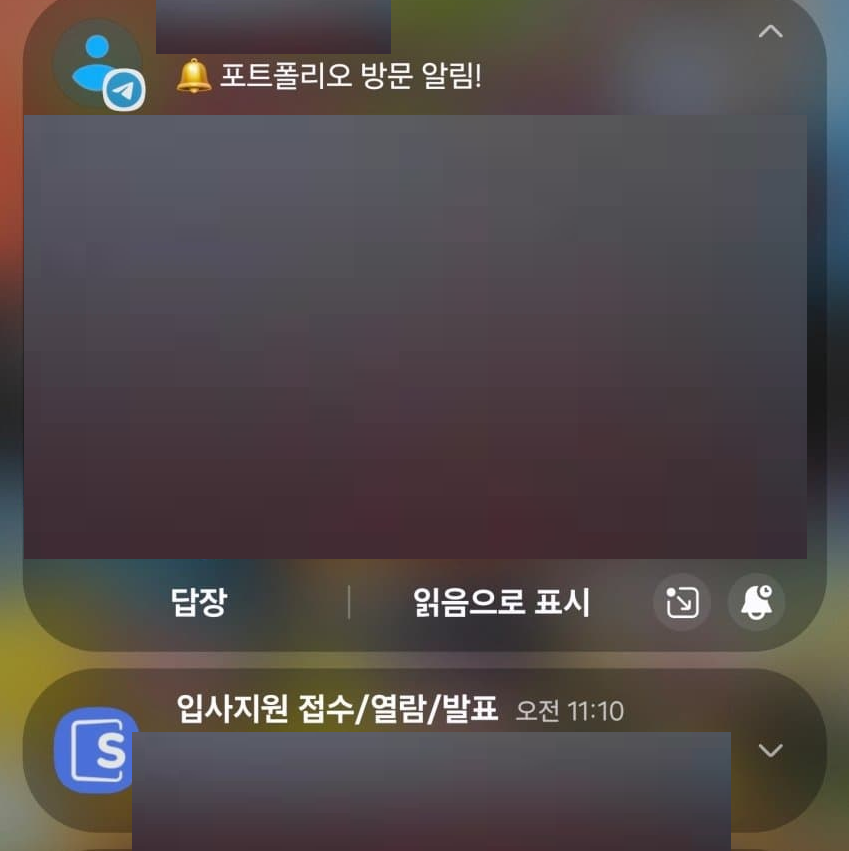
짜잔! 인사담당자가 내 지원서를 읽었다는 알림이 오는걸 볼 수 있다.
솔직히 별로 안눌러볼줄 알았는데, 생각보다 많은 사람들이 포트폴리오를 방문했다.
언제나 눌러주셔서 감사할 따름이다.
다음은 텔레그램 id만 입력하면 본인의 텔레그램으로 알림을 보내주는 스크립트를 배포해보겠다.

박치기공룡의 개발일지