1. 구현 목표
해상도 버튼 같은 예시로, 버튼을 눌렀을 때 버튼이 스크롤바처럼 슬라이딩 하는 방식의 구현을 고민함.
2. 설계 방식
UI 구조를 다음과 같이 설계함.
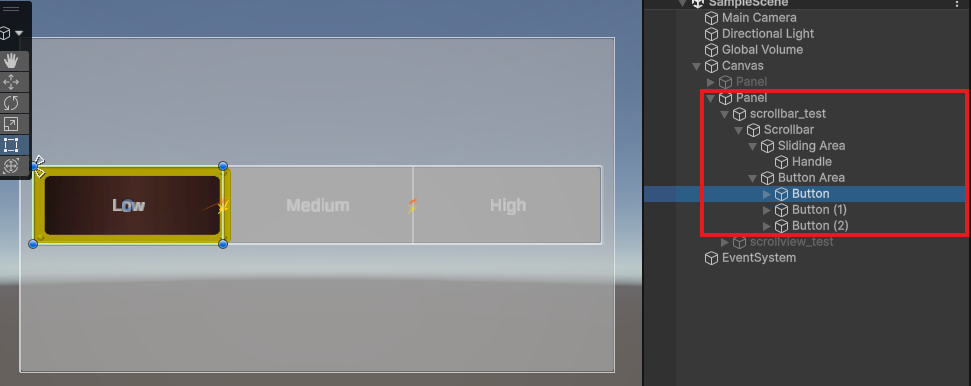
스크립트는 아래와 같이 Lerp를 활용하여 이동하는 연출을 시도함.
현재는 간단한 버전만으로 구현해 보았으며, 버튼 개수에 따라 핸들 위치를 자동 계산하는 방식을 도입 가능할 것 같음.
using UnityEngine;
using UnityEngine.UI;
using System.Collections;

public class ScrollbarButtonUI : MonoBehaviour
{
    [SerializeField] private Button[] _buttons;
    [SerializeField] private Scrollbar _scrollbar;

    private float[] _handlePos = { 0, 0.5f, 1 };
    private float _currentPos = 0;

    private float _duration = 0.2f;
    private bool _isPlaying = false;

    private Coroutine _coroutine;

    public void OnClickButton(int index)
    {
        if (index < 0 || index > _buttons.Length - 1)
            return;

        if (_isPlaying)
            return;

        if (_coroutine != null)
            StopCoroutine(_coroutine);

        _coroutine = StartCoroutine(ScrollCoroutine(index));
    }

    IEnumerator ScrollCoroutine(int index)
    {
        _isPlaying = true;

        float start = _currentPos;
        float end = _handlePos[index];

        float time = 0f;

        while (time < _duration)
        {
            time += Time.deltaTime;

            float t = time / _duration;
            _scrollbar.value = Mathf.Lerp(start, end, t);

            yield return null;
        }

        _scrollbar.value = end;
        _currentPos = end;

        _isPlaying = false;
        _coroutine = null;
    }
}
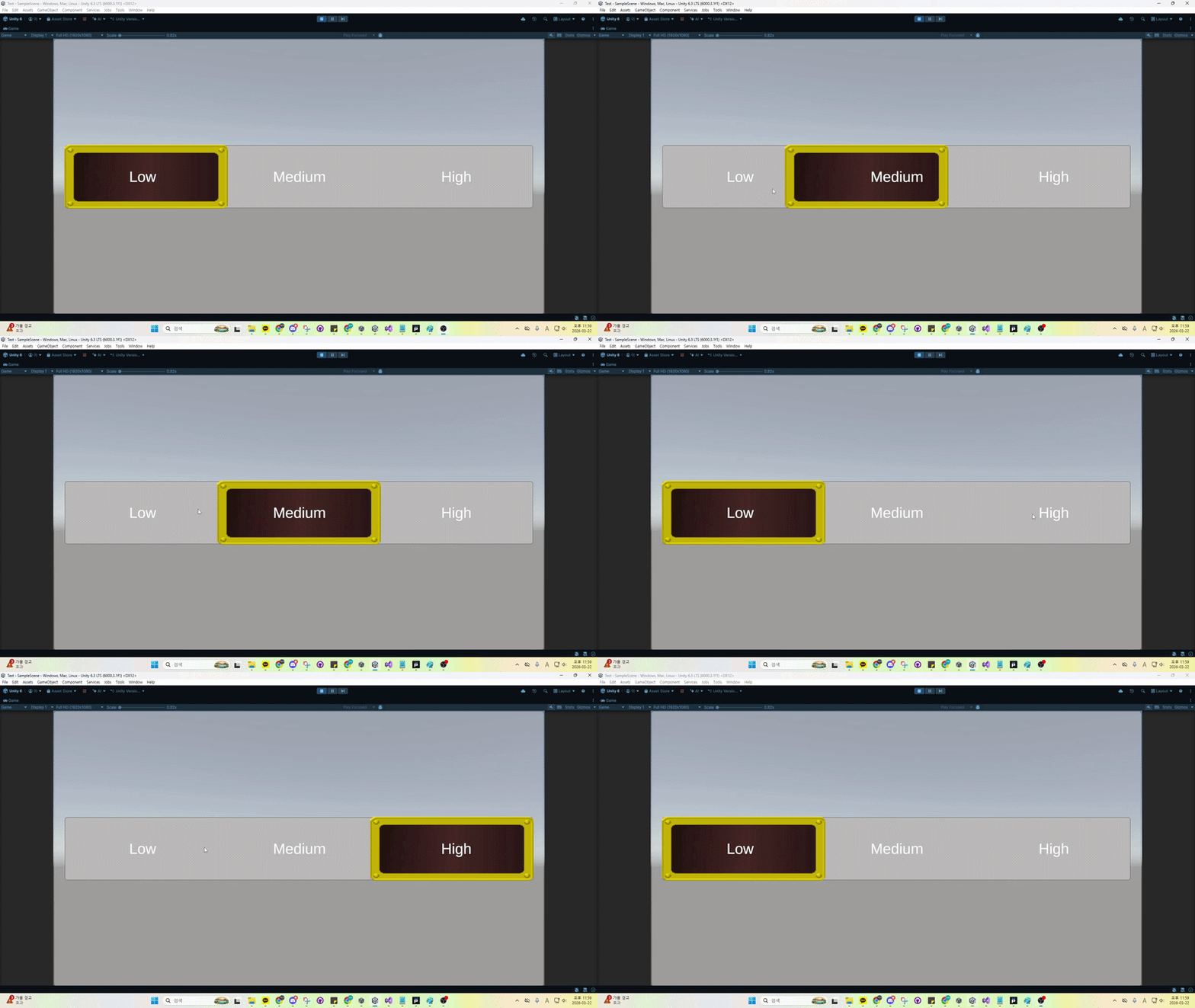
3. 결과

게임 개발을 위한 화력 태우기