
1. output 정보 변경
- 기존 output 정보에서 기존에
'dist'로 설정해준 부분을'docs'로 변경 후 다시 번들링 해준다.
module.exports = {
    output: {
        path: path.resolve(__dirname, 'docs'),  // 이 부분을 기존 'dist'에서 'docs'로 바꿔준다.
        filename: 'app.bundle.js',
    },
};
2. Github setting
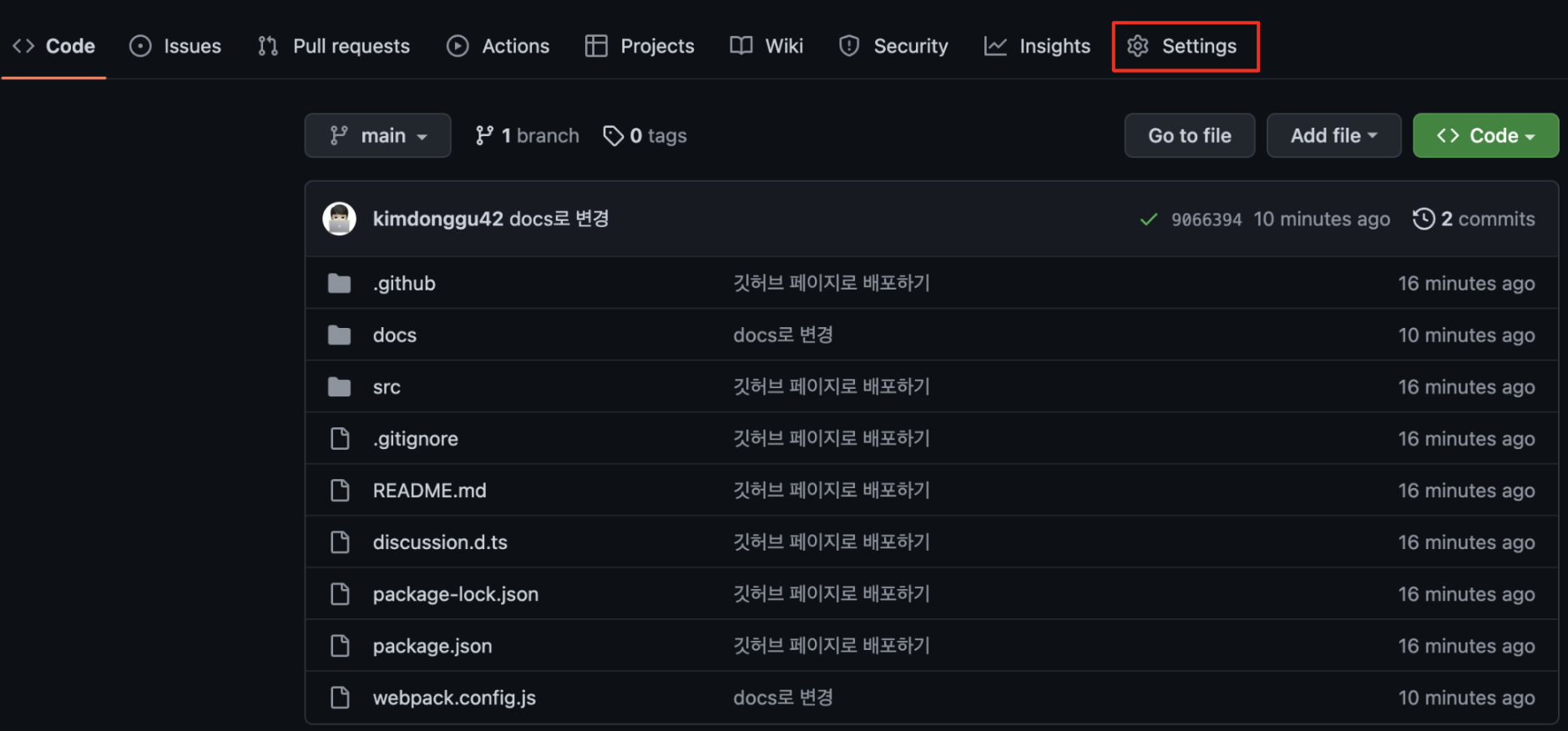
- commit한 Github repository 페이지에서 setting으로 들어간다.
3. Github Pages
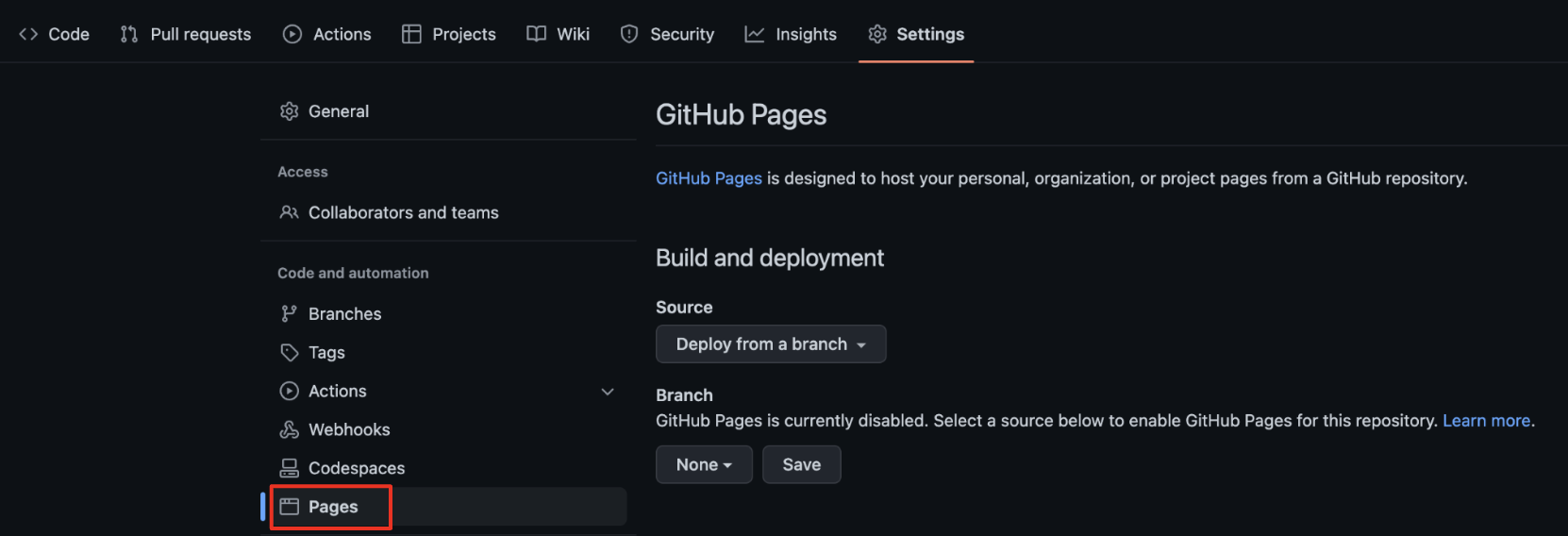
- setting에서 좌측 메뉴 중 Code and automation 카테고리의 Pages로 들어간다.
4. Branch 옵션 변경
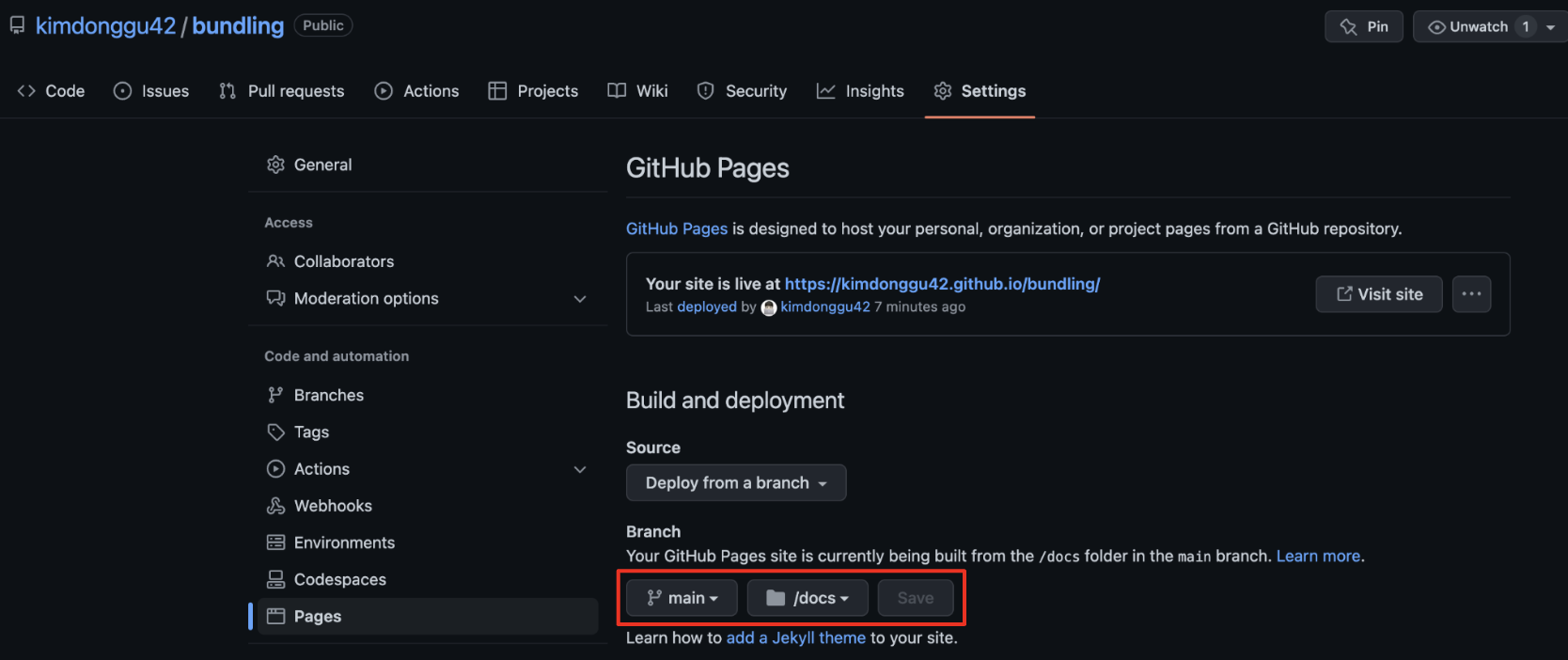
- 기본적으로 옵션이 none으로 되어 있는데 현재 branch로 바꾸고, root를
/docs로 변경후 Save한다.
5. 배포
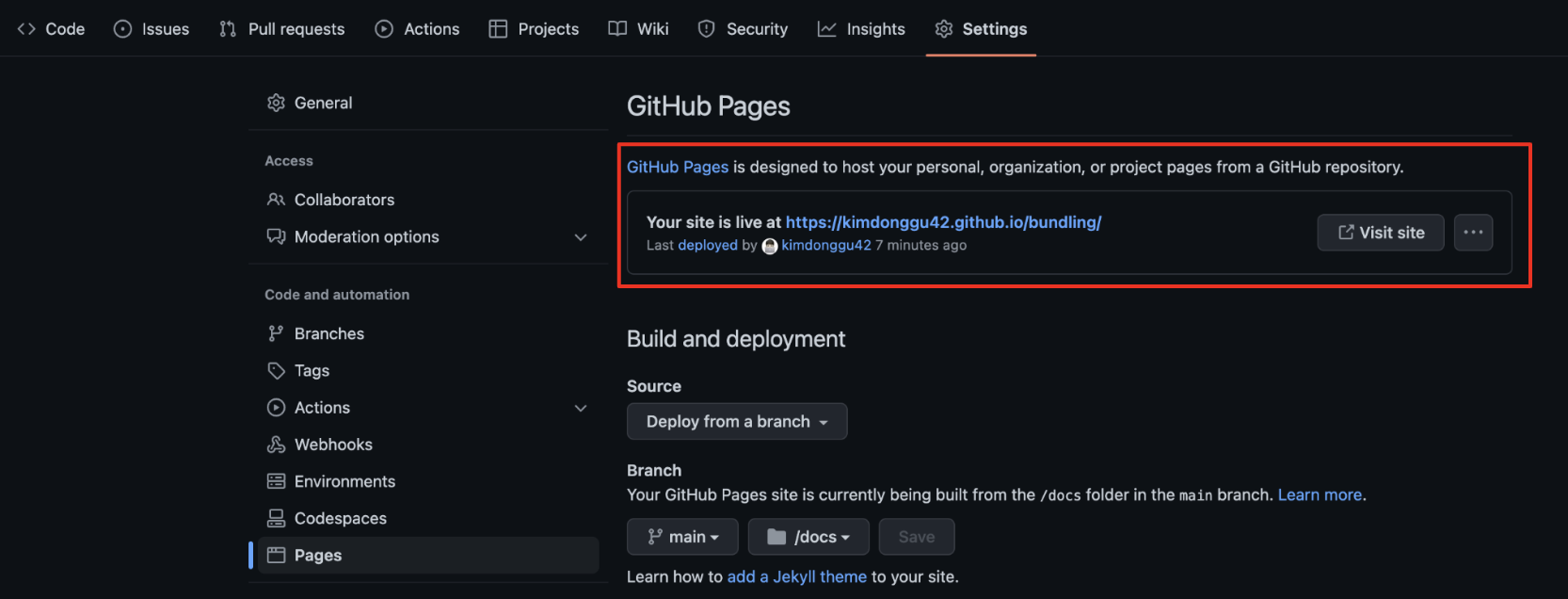
5. Published 준비가 되면 안내와 함께 URL이 나타난다. (Published가 될 때까지 약간 시간이 걸린다.)
GitHub Pages 공식문서

FE Developer