[기능 구현] - Youtube API로 정보 불러오기
1. 기능 구현의 필요성
- 유튜브가 접근하기 쉽고 콘텐츠가 제일 방대하다고 생각이 들어 유튜브 API를 이용하여 콘텐츠 정보를 불러오도록 구현하고자 했다.
2. API 발급
- 먼저 유튜브 API를 발급받은 다음 API KEY를
.env파일에 넣어서 관리해 주었다.

3. 기능 구현
1) 컨텐츠 정보 가져오기
- 유튜브 URL을 잘 보면 아래와 같이
v=으로 시작하는 부분이 있는데 이것이 해당 콘텐츠의 ID다.

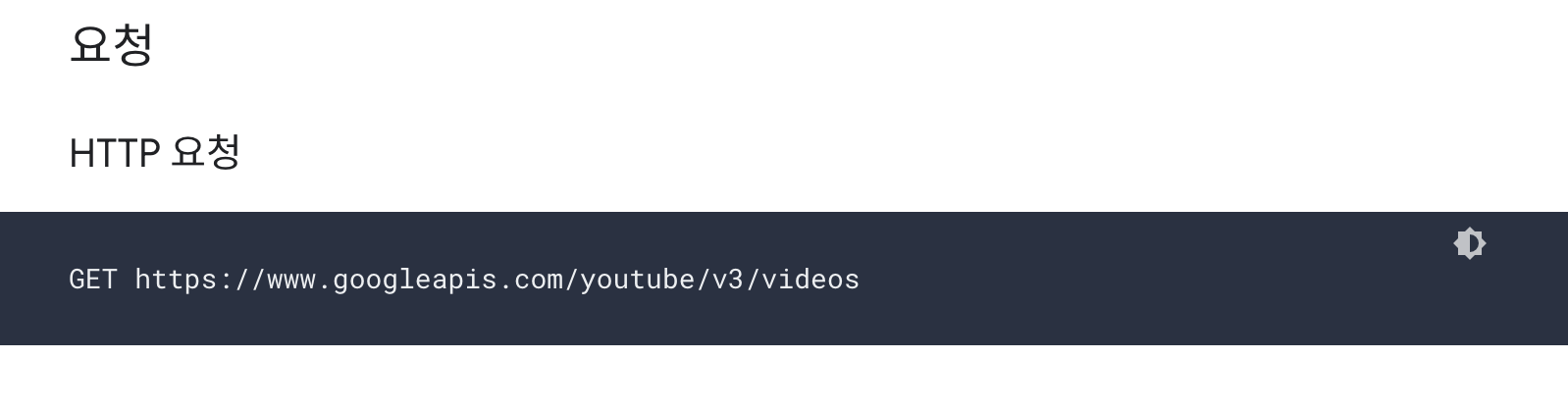
- 이제 요청을 하려면 아래의 API로 요청해야 하는데
videos다음에 쿼리스트링으로 id와 먼저 발급받은 key 값을 변수로 넣어준다.
const getYoutubeData = async (id: any) => {
  try {
    const res =
      await axios.get(`https://www.googleapis.com/youtube/v3/videos?id=${id}&key=${process.env.REACT_APP_YOUTUBE_API_KEY}
    &part=snippet`);
    return res.data.items[0]?.snippet;
  } catch (err) {
    console.error(err);
  }
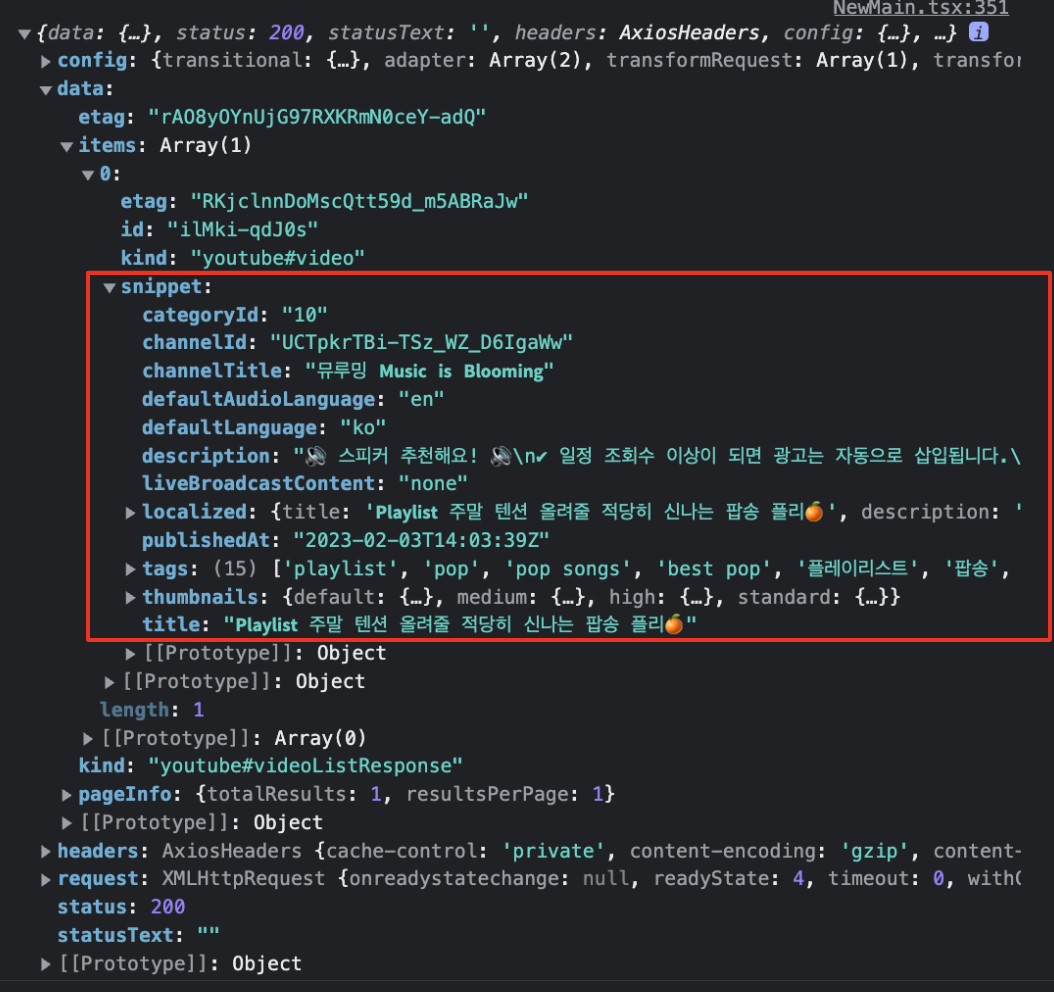
};- 이렇게 불러온 콘텐츠의 정보(response)를 console에서 보면 data -> 0 -> snippet 객체 안에 쌓여 있는 것을 볼 수 있다. 여기서 우리가 필요한 정보는 snippet 안에 들어있다.
2) url 필터링 하기
-
사용자가 해당 유튜브의 전체 url을 복사 붙여넣기 하면 우리는 id 부분만 필터링해서 받아와야 한다.
-
정규식을 이용하여 id 부분만 필터링해서 가져온다.
const filteredUrlId = (allUrl: string) => {
  if (allUrl.indexOf("/watch") > -1) {
    const arr = allUrl.replaceAll(/=|&/g, "?").split("?");
    return arr[arr.indexOf("v") + 1];
  } else if (allUrl.indexOf("/youtu.be") > -1) {
    const arr = allUrl.replaceAll(/=|&|\//g, "?").split("?");
    return arr[arr.indexOf("youtu.be") + 1];
  } else {
    return;
  }
};
3) 플레이리스트에 추가하기
-
1개의 플레이리스트에
channelId,title,thumbnails,url4개의 데이터가 필요하기 때문에 각각 객체에 담아서 추가해 주는 방식으로 구현했다. -
먼저 플레이리스트의 4가지 데이터를 담을 빈 객체를 만들어주고, 필터링 한 id를 변수에 저장해 준다.
const musicInfo: PlaylistData = {};
let urlId = filteredUrlId(newUrl);-
그리고 필터링 한 id에서 정보를 불러온다. 여기서
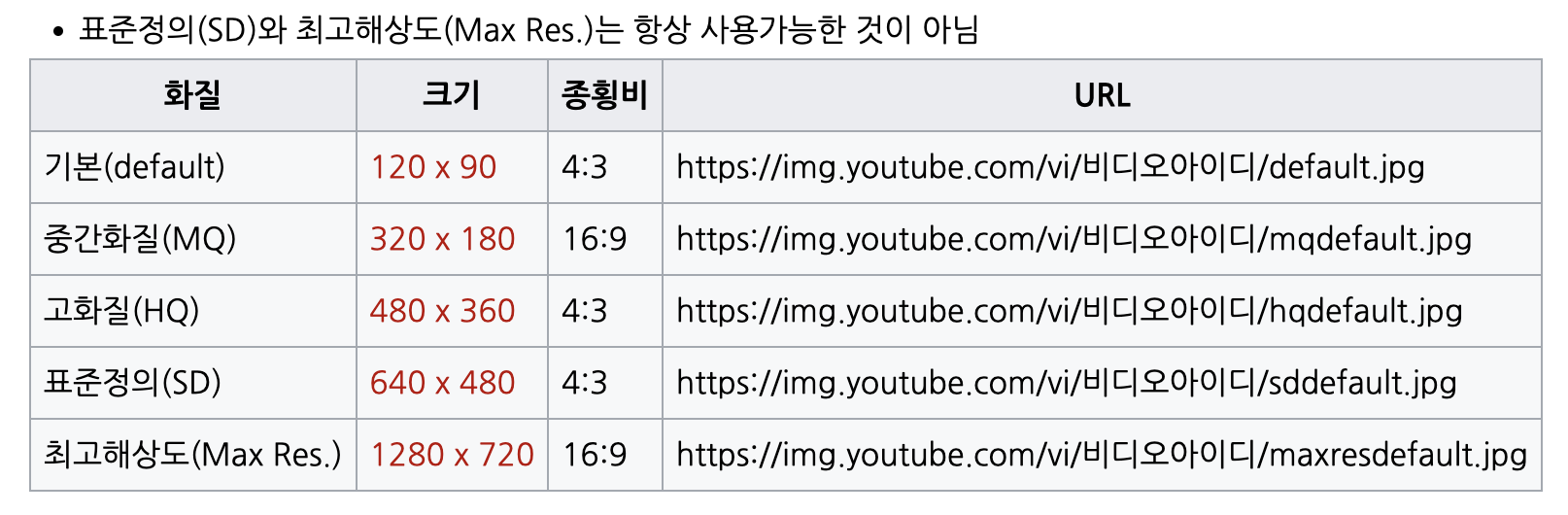
thumbnail에 if문을 사용한 이유는 고화질의 썸네일의 해상도 때문이다. -
고해상도인
maxres의 경우 없는 콘텐츠도 있기 때문에 없는 경우 일반 해상도의mediume으로 불러오도록 했다. -
4개의 데이터를 객체에 저장했다면 1개의 컨텐츠가 담긴 객체를 플레이리스트 배열에 앞에서부터 추가해 준다.
const res = await getYoutubeData(urlId);

musicInfo.channelId = res.channelId;
if (res.thumbnails.maxres) {
  musicInfo.thumbnail = res.thumbnails.maxres.url;
} else {
  musicInfo.thumbnail = res.thumbnails.medium.url;
}
musicInfo.title = res.title;
musicInfo.url = newUrl;

setNewPlayList((value) => [...value, musicInfo]);
setNewUrl("");
썸네일 해상도 차이
maxres해상도가 없는 컨텐츠
maxres해상도가 있는 컨텐츠


- 플레이리스트 추가 전체 코드
const [newPlayList, setNewPlayList] = useState<PlaylistData[]>([]);
const [newUrl, setNewUrl] = useState<string>("");

// input에 등록한 Url 정보 불러오는 함수
const getYoutubeData = async (id: any) => {
  try {
    const res =
      await axios.get(`https://www.googleapis.com/youtube/v3/videos?id=${id}&key=${process.env.REACT_APP_YOUTUBE_API_KEY}
  &part=snippet`);
    console.log(res);
    return res.data.items[0]?.snippet;
  } catch (err) {
    console.error(err);
  }
};

// 전체 url을 입력받은 후 id만 필터링하는 함수
const filteredUrlId = (allUrl: string) => {
  if (allUrl.indexOf("/watch") > -1) {
    const arr = allUrl.replaceAll(/=|&/g, "?").split("?");
    return arr[arr.indexOf("v") + 1];
  } else if (allUrl.indexOf("/youtu.be") > -1) {
    const arr = allUrl.replaceAll(/=|&|\//g, "?").split("?");
    return arr[arr.indexOf("youtu.be") + 1];
  } else {
    return;
  }
};

// 불러온 데이터를 플레이리스트 배열에 추가하는 이벤트 핸들러
const addPlayList = async () => {
  const musicInfo: PlaylistData = {};
  let urlId = filteredUrlId(newUrl);

  const res = await getYoutubeData(urlId);

  musicInfo.channelId = res.channelId;
  if (res.thumbnails.maxres) {
    musicInfo.thumbnail = res.thumbnails.maxres.url;
  } else {
    musicInfo.thumbnail = res.thumbnails.medium.url;
  }
  musicInfo.title = res.title;
  musicInfo.url = newUrl;

  setNewPlayList((value) => [...value, musicInfo]);
  setNewUrl("");
};
4. 유효성 검사
- 위의 코드만으로도 플레이리스트는 정상적으로 추가된다. 하지만 사용자가 똑같은 플레이리스트를 중복으로 등록하는 경우, 콘텐츠 id가 유효한 id가 아닌 경우와 같은 상황을 처리를 해주어야 사용자 경험에 있어 불편을 줄일 수 있을 것이다.
1) 중복된 플레이리스트 체크
-
새로 추가할 리스트의 url과
newPlayList에 담겨있는 리스트들의 url 중 동일한 url이 있을 경우urlId를 "sameUrl"로 바꾸고 플레이리스트 추가를 제한하는 방식으로 구현해 보았다. -
newPlayList를 map으로 순회하면서newPlayList에 있는 url과 현재 사용자가 추가한 url이 담겨있는 statenewUrl의 url이 동일하다면urlId를 "sameUrl"로 바꾼다. -
그리고
urlId가 "sameUrl"일 경우 이미 추가한 플레이리스트라는 alert을 return 한다.
newPlayList.map((value) => {
  if (value.url === newUrl) {
    urlId = "sameUrl";
  }
});
if (urlId === "sameUrl") {
  return toast.error("이미 추가한 플레이리스트 입니다.");
}
2) url 유효성 검사
- 사용자가 올바르지 않은 url을 입력한 경우(콘텐츠 id가 없거나 잘못된 id일 경우) 정보를 불러오지 못할 것이므로 정보를 불러왔다면
check변수의 값을true로 바꿔주고true인 경우에만 플레이리스트 배열에 추가해 준다.
let check = false;
const res = await getYoutubeData(urlId);

if (res) {
  check = true;
  musicInfo.channelId = res.channelId;
  if (res.thumbnails.maxres) {
    musicInfo.thumbnail = res.thumbnails.maxres.url;
  } else {
    musicInfo.thumbnail = res.thumbnails.medium.url;
  }
  musicInfo.title = res.title;
  musicInfo.url = newUrl;
} else {
  return toast.error("url을 다시 확인해 주세요.");
}

if (check) {
  setNewPlayList((value) => [...value, musicInfo]);
  setNewUrl("");
}- 유효성 검사 과정을 추가한 플레이리스트 추가 전체 코드
const addPlayList = async () => {
  // 플레이리스트 등록 개수 제한(리스트가 20개 이상일 경우 alert 발생)
  if (newPlayList.length >= 20) {
    return toast.error("플레이리스트는 최대 20개까지만 등록 가능합니다.");
  }

  const musicInfo: PlaylistData = {};
  let urlId = filteredUrlId(newUrl);

  newPlayList.map((value) => {
    if (value.url === newUrl) {
      urlId = "sameUrl";
    }
  });
  if (urlId === "sameUrl") {
    return toast.error("이미 추가한 플레이리스트 입니다.");
  }

  let check = false;
  const res = await getYoutubeData(urlId);

  if (res) {
    check = true;
    musicInfo.channelId = res.channelId;
    if (res.thumbnails.maxres) {
      musicInfo.thumbnail = res.thumbnails.maxres.url;
    } else {
      musicInfo.thumbnail = res.thumbnails.medium.url;
    }
    musicInfo.title = res.title;
    musicInfo.url = newUrl;
  } else {
    return toast.error("url을 다시 확인해 주세요.");
  }
  if (check) {
    setNewPlayList((value) => [...value, musicInfo]);
    setNewUrl("");
  }
};
FE Developer