
0. 전체구조
[Browser]
↓
[Frontend (Nginx /usr/share/nginx/html)]
↓ /api/
[Nginx Reverse Proxy]
↓
[FastAPI + Uvicorn :8000]
↓
[MySQL (AWS RDS)]
1.프론트 연결
1-1.
-
npm install
-
npm run build
-
node module 생성!

- scp로 복사
scp -i ~/Downloads/KSB06-powermvp.pem -r dist ubuntu@3.19.143.145:/home/ubuntu/- 서버에서 nginx html 경로로 복사
서버 접속
ssh -i ~/Downloads/KSB06-powermvp.pem ubuntu@<nginx_ec2_ip>
sudo -inginx 정적 경로로 이동
cd /usr/share/nginx/html- nginx 설정 (React SPA + 도메인)
sudo nano /etc/nginx/conf.d/default.confsevername에 도메인 추가, location에 try_files $uri $uri /index.html
server {
    listen       80;
    server_name  ksbmaster.store www.ksbmaster.store;

    #access_log  /var/log/nginx/host.access.log  main;

    location / {
        root   /usr/share/nginx/html;
        index  index.html index.htm;
        try_files $uri $uri/ /index.html;

    }

    #error_page  404              /404.html;

    # redirect server error pages to the static page /50x.html
    #
    error_page   500 502 503 504  /50x.html;
    location = /50x.html {
        root   /usr/share/nginx/html;
    }

    # proxy the PHP scripts to Apache listening on 127.0.0.1:80
    #
    #location ~ \.php$ {
    #    proxy_pass   http://127.0.0.1;
    #}

    # pass the PHP scripts to FastCGI server listening on 127.0.0.1:9000
    #
    #location ~ \.php$ {
    #    root           html;
    #    fastcgi_pass   127.0.0.1:9000;
    #    fastcgi_index  index.php;
    #    fastcgi_param  SCRIPT_FILENAME  /scripts$fastcgi_script_name;
    #    include        fastcgi_params;
2.백엔드 연결
2-1.진행 순서 요약
- 파이썬 서버접속
 ssh python2b
sudo apt update- 깃에서 파이썬 프로젝트 다운로드
git clone https://github.com/yhj0904/testfast.git- 깃에서 파이썬 프로젝트 다운로드
- 파이썬 프로젝트 폴더로 이동(cd testfast)
- 파이썬 가상환경 다운(python3 -m
) - 가상환경 접속
cd testfast
python3 -m venv venv
source venv/bin/activate
pip install -r requirements.txt- 유비콘 실행
uvicorn app.main:app --host 0.0.0.0 --port 8000터미널 새로 열어서 curl
curl -I http://10.250.12.240:8000/api/products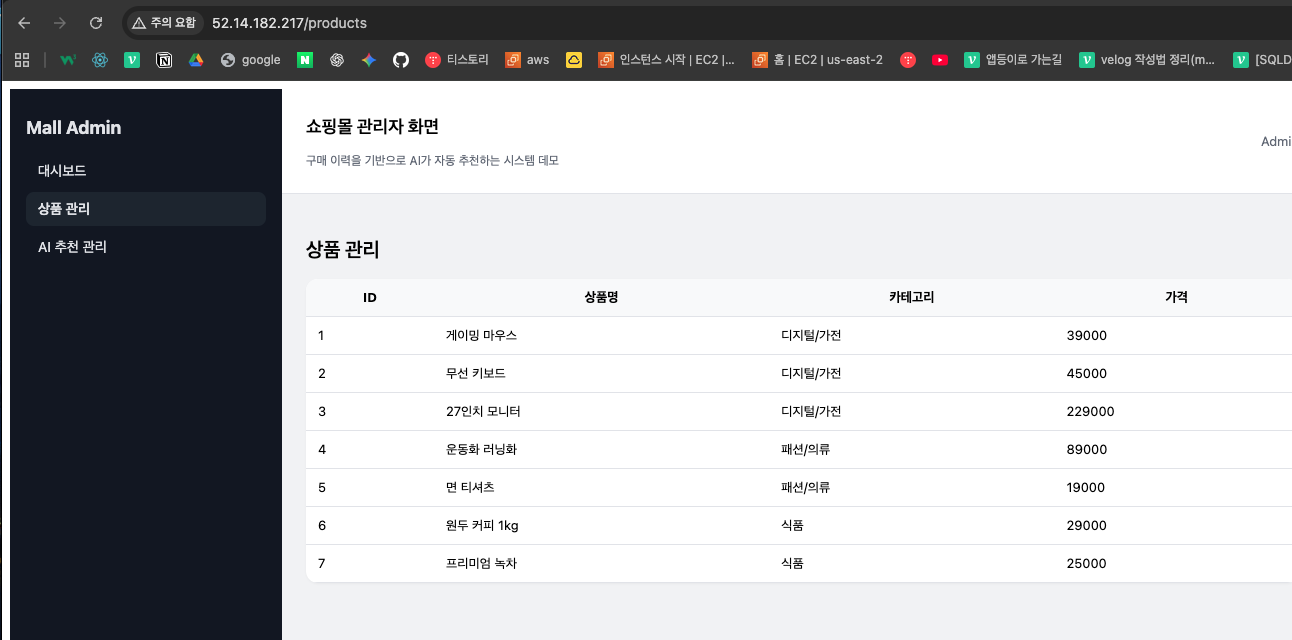
3. 문제해결
문제 1. NumPy 버전 충돌
에러
Requires-Python >=3.11
numpy==2.3.x
해결
numpy==2.2.6문제 2. MySQL 접속 불가
sqlalchemy랑 load_dotenv() DB_PORT = os.getenv("DB_PORT", "3306") 이렇게 3개 바꿔준다.
database.py 수정 `
``database.py
import os
from sqlalchemy import create_engine
from sqlalchemy.orm import sessionmaker, declarative_base
from dotenv import load_dotenv
load_dotenv()
DB_HOST = os.getenv("DB_HOST")
DB_PORT = os.getenv("DB_PORT", "3306")
DB_NAME = os.getenv("DB_NAME")
DB_USER = os.getenv("DB_USER")
DB_PASSWORD = os.getenv("DB_PASSWORD")
mysql+pymysql://user:password@localhost:3306/shopdb
MYSQL_URL = f"mysql+pymysql://{DB_USER}:{DB_PASSWORD}@{DB_HOST}:{DB_PORT}/{DB_NAME}"
engine = create_engine(MYSQL_URL, echo=False, future=True)
SessionLocal = sessionmaker(autocommit=False, autoflush=False, bind=engine)
Base = declarative_base()
def get_db():
db = SessionLocal()
try:
yield db
finally:
db.close()
### 해결 핵심 (중요)


```bash
pip install python-dotenv
문제 3. 환경변수 설정
- 파일명:
.env - 위치:
~/testfast/.env
export DB_HOST="sb-db.cvyqi8umo4d2.us-east-2.rds.amazonaws.com"
export DB_PORT="3306"
export DB_USER="admin"
export DB_PASSWORD="wjsansrk1!"
export DB_NAME=shopdb
문제 5. 엔드포인트 복사 오류
원인
export DB_HOST="sb-db.cvyqibumo4d2.us-east-2.rds.amazonaws.com"
8이 b로 복사됐었음
export DB_HOST="sb-db.cvyqi8umo4d2.us-east-2.rds.amazonaws.com
문제 4. DB 연결안됨
8000번 포트로 해야함 8080으로 해서 실행이 안됐음
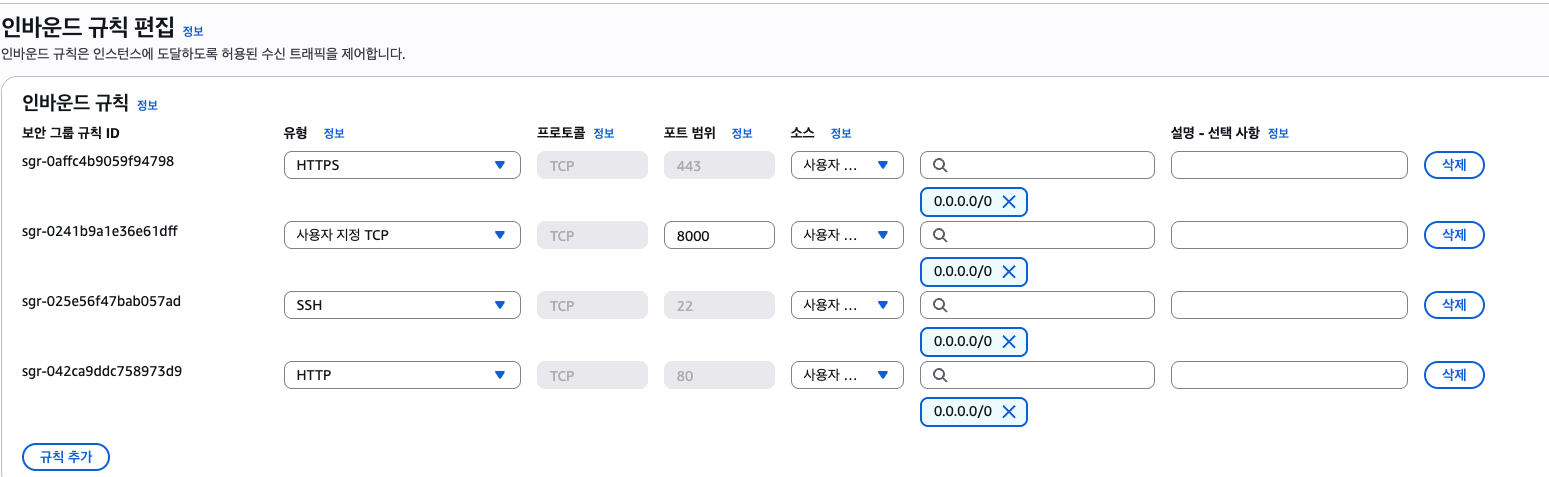
5. Nginx 설정 (최종)
server {
    listen 80;
    server_name ksbmaster.store www.ksbmaster.store;

    root /usr/share/nginx/html;
    index index.html;

    location / {
        try_files $uri $uri/ /index.html;
    }

    location /api/ {
        proxy_pass http://10.250.12.240:8000/;
        proxy_set_header Host $host;
        proxy_set_header X-Real-IP $remote_addr;
        proxy_set_header X-Forwarded-For $proxy_add_x_forwarded_for;
        proxy_set_header X-Forwarded-Proto $scheme;
    }
}
sudo nginx -t
sudo systemctl reload nginx6. 최종 성공 확인
FastAPI 직접 확인
curl http://127.0.0.1:8000/docs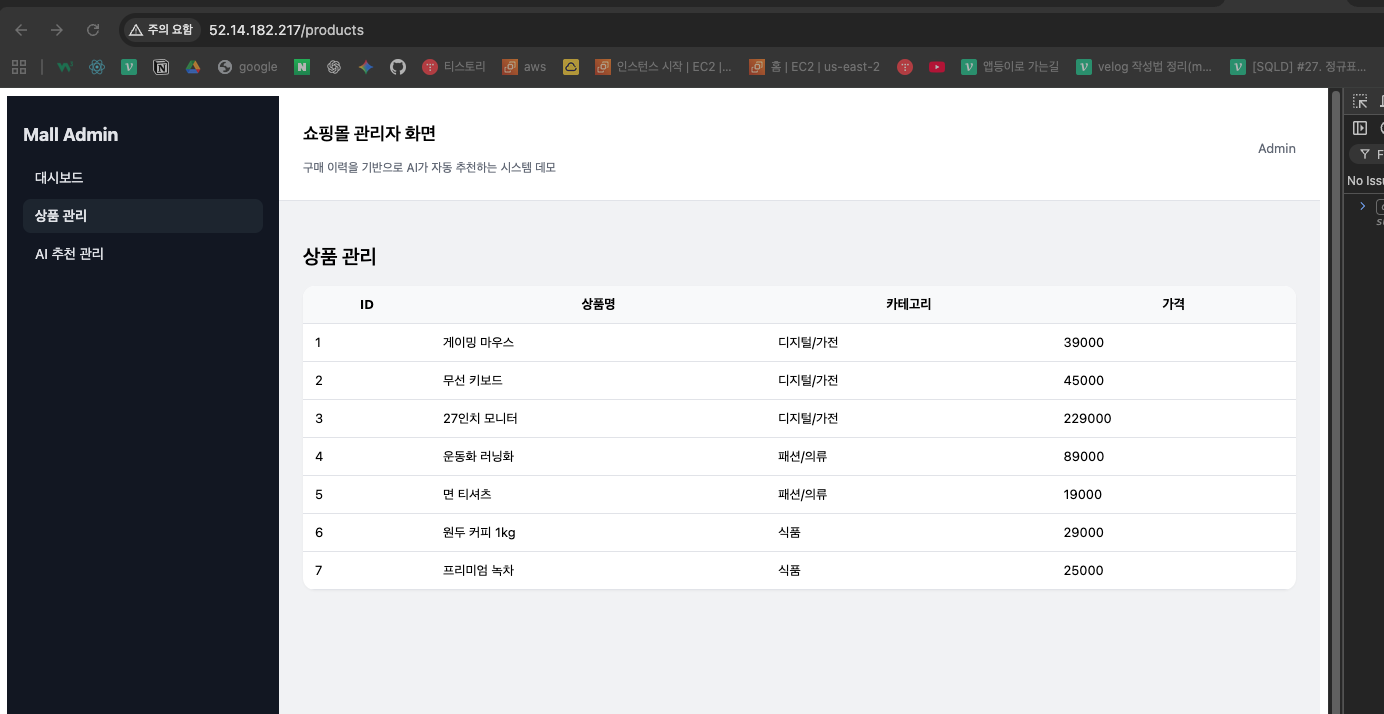
브라우저
http://ksbmaster.store/api/docs