참조형객체를 어느정도 정리했다 싶었더니 this 관문이 열렸다^^...
나만 어려운걸까...
오늘의 TIL 주제는 call, this, bind이다.
this가 자동으로 부여되는 상황일 때 이 규칙을 깨고 별도의 값을 저장하는 방식인 "명시적 바인딩"에 대해 알아보자
명시적 this 바인딩
01. call
- 호출 주체인 함수를 즉시 실행하는 명령어이다.
- 모든 함수에서 사용할 수 있으며,
this를 특정값으로 지정할 수 있다.
명시적 this 안 하고 출력하기
const mike = {
    name: "Mike",
};

const tom = {
    name: "Tom",
};

function showThisName() {
    console.log(this.name);
}

// 결과출력
showThisName();
이렇게 코드를 작성하고 함수를 실행하면 콘솔창에는 아무것도 뜨지 않는다.
그 이유는 함수만 띨롱! 실행하면 참조할 this값이 없어 "전역객체"를 참조한다. (this가 window/global)
call 명령어 사용하기
작성법
func.call(thisArg[, arg1[, arg2[, ...]]])- 함수 뒤에
.call을 사용하고this로 사용할 객체를 넘긴다. - 해당 함수가 주어진 객체의 메소드인 것처럼 사용할 수 있게 된다.
thisArg: this로 사용할 값arg1,arg1... : 매개변수를 추가하면 이를 호출하는 함수로 전달된다.
showThisName.call(mike); // Mike
showThisName.call(tom); // Tom
.call 명령어를 사용해서 위처럼 작성해주어야 우리가 원하는 값을 얻을 수 있다.
call 명령어 예시
const mike = {
    name: "Mike",
};

const tom = {
    name: "Tom",
};

function update(birthYear, occupation) {
    this.birthYear = birthYear;
    this.occupation = occupation;
};
console.log('----call 출력값 입니다.----')

update.call(mike, 2000, 'teacher');
console.log(mike);

update.call(tom, 2010, 'student');
console.log(tom);
다른 예시로 update 함수를 만들고 이 함수는 매개변수로 birthYear, occupation을 받는다.
이 함수에 call을 사용해서 this를 mike로 지정했다.
✅ 콘솔창 확인

우리가 입력한 매개변수까지 잘 입력된 걸 확인할 수 있다.
02. apply
apply는 바로 앞에서 본 call과 완전 똑!같!다!
⭐️ 단, apply 는 매개변수를 배열 형태로 넘겨주는게 포인트이다.
apply 명령어 사용하기
작성법
func.apply(thisArg, [argsArray]);- 함수 뒤에
.call을 사용하고this로 사용할 객체를 넘긴다. - 해당 함수가 주어진 객체의 메소드인 것처럼 사용할 수 있게 된다.
thisArg: this로 사용할 값arg1,arg1... : 매개변수를 추가하면 이를 호출하는 함수로 전달된다.
apply 명령어 예시
//
// 중복 코드 생략
//

update.apply(mike, [2000, 'teacher']);
console.log(mike);

update.apply(tom, [2010, 'student']);
console.log(tom);
✅ 콘솔창 확인
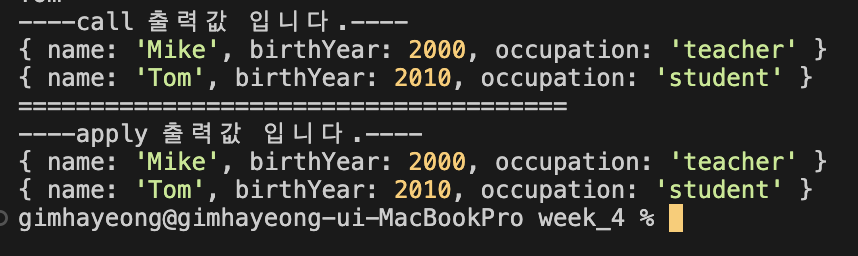
똑같은 코드로 call과 apply만 바꿔서 출력했을 때 동일하게 나오는 걸 볼 수 있다.
call과 apply 더 알아보기
배열의 예시로 두 명령어를 조금 더 사용해보자
nums 이라는 배열의 최대, 최소값을 구하는 예시이다.
const nums = [3, 10, 1, 6, 4];

// spread 연산자로 최대, 최소 구하기
const minNum = Math.min(...nums);
const maxNum = Math.max(...nums);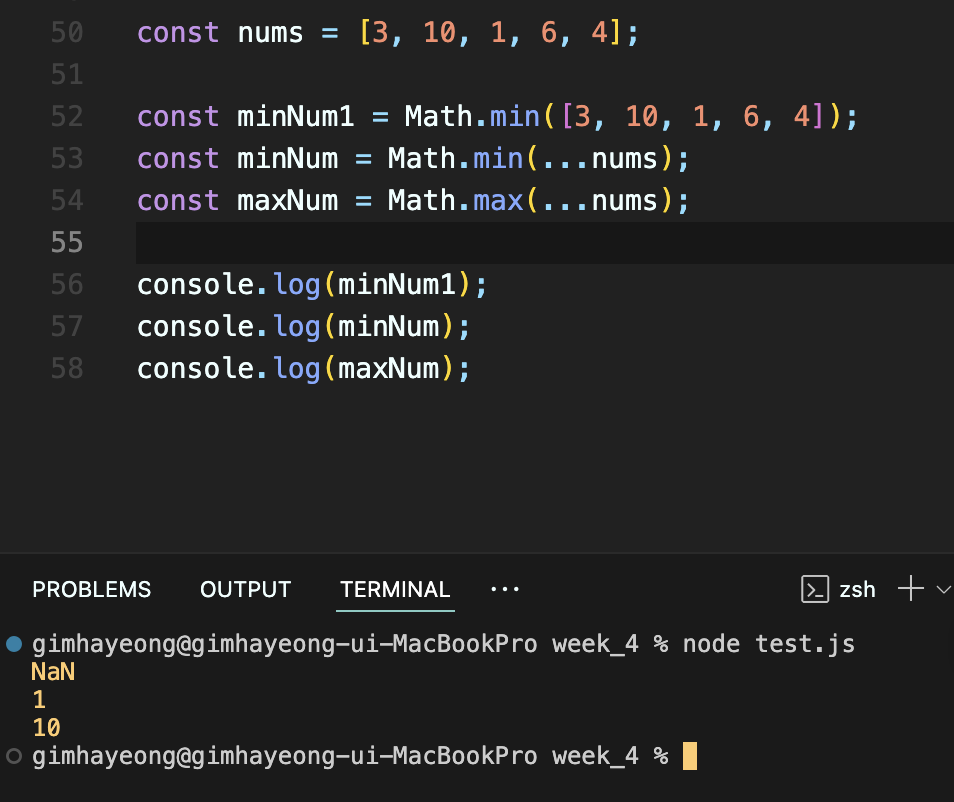
숫자 배열에 바로 Math메소드를 사용해서 콘솔을 확인하면 NaN값이 나온다.
그래서 숫자 배열을 변수에 담고 spread를 사용해서 콘솔을 보면 위 코드처럼 최대, 최소값을 구할 수 있다.
이를 call 과 apply를 활용해서 써보면
const nums = [3, 10, 1, 6, 4];

// spread 연산자로 최대, 최소 구하기
const minNum = Math.min.apply(null, nums);
// = Math.min.apply(null, [3, 10, 1, 6, 4])

const maxNum = Math.max.call(null, ...nums);
// = Math.max.call(null, ...nums)
이렇게 쓸 수 있다.
nums가 배열이기 때문에 이 경우에는 apply를 사용하는게 간편하지만, call을 사용해서 써야할 경우 spread 연산자를 활용하면 똑같이 값을 얻을 수 있다.
🔍 여기서 null이 궁금할 수 있는데 원래는 이 자리에 this 객체를 써주지만 위 예시의 Math 메소드는 this가 필요하지 않기 때문에 null을 적어준 것이다. (null이라고 적어도 되고 아무거나 써도 된다)
03. bind
마지막 bind는 즉시 실행하는 call apply와 달리 즉시 호출하지 않고 넘겨받은 this나 인수들을 새로운 함수를 반환하는 메소드다.
⭐️ 함수에 this 를 '미리' 적용하고, 쓰고싶을 때 부분 적용한다.
apply 명령어 사용하기
작성법
func.bind(thisArg[, arg1[, arg2[, ...]]])bind 명령어 예시
const mike = {
    name: "Mike",
};

function update(birthYear, occupation) {
    this.birthYear = birthYear;
    this.occupation = occupation;
};

const updateMike = update.bind(mike);
// 항상 this를 mike로 받는 함수

updateMike(1998, 'teacher');
console.log(mike);
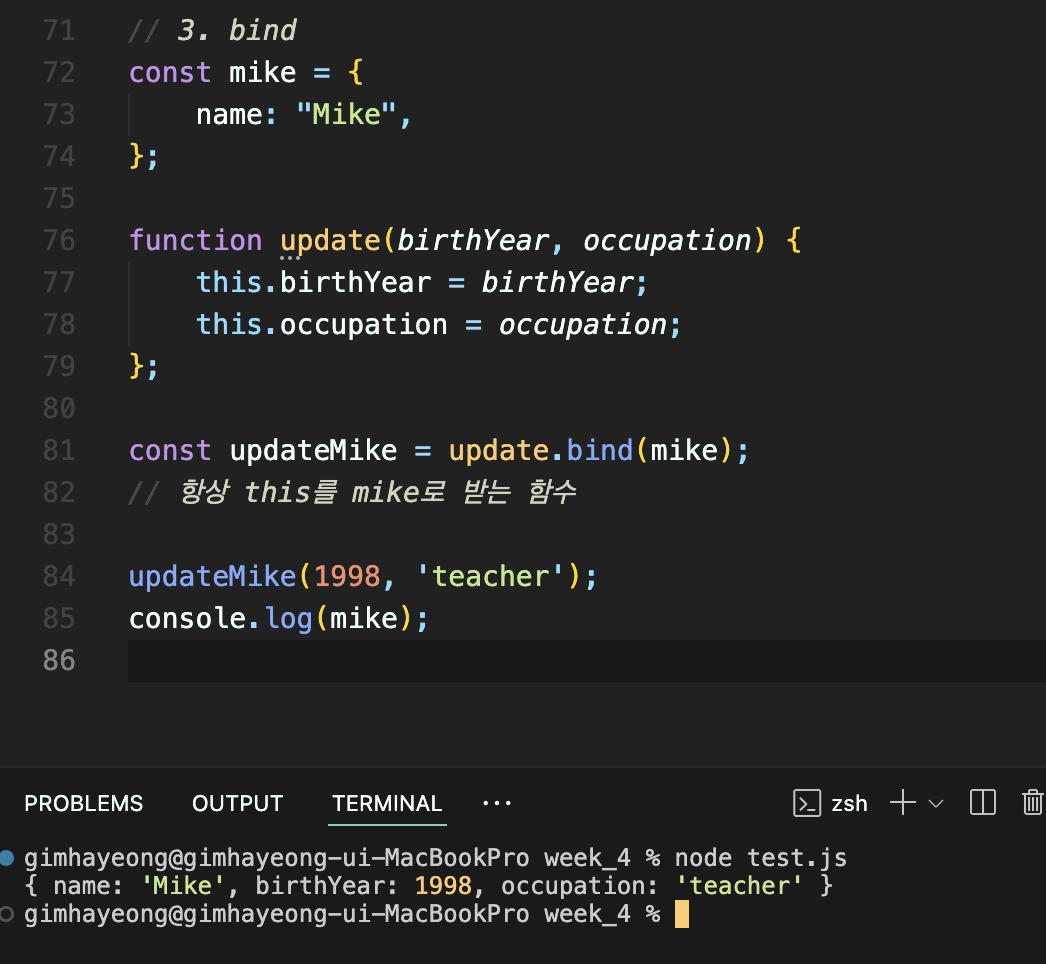
조금 전에 본 update 함수에 적용해보자.
updateMike는 항상mike객체를this로 받는 함수이다.- 이 함수에 매개변수를 넣고 콘솔을 확인한다.
- 이미
updateMike에this를 넣어놓았기 때문에apply나call처럼 뒤에this를 적지 않는다.
✅ 콘솔창 확인
04. 실전예제로 복습,정리하기
👩🏻💻 바인딩 없이 바로 함수 출력한 경우
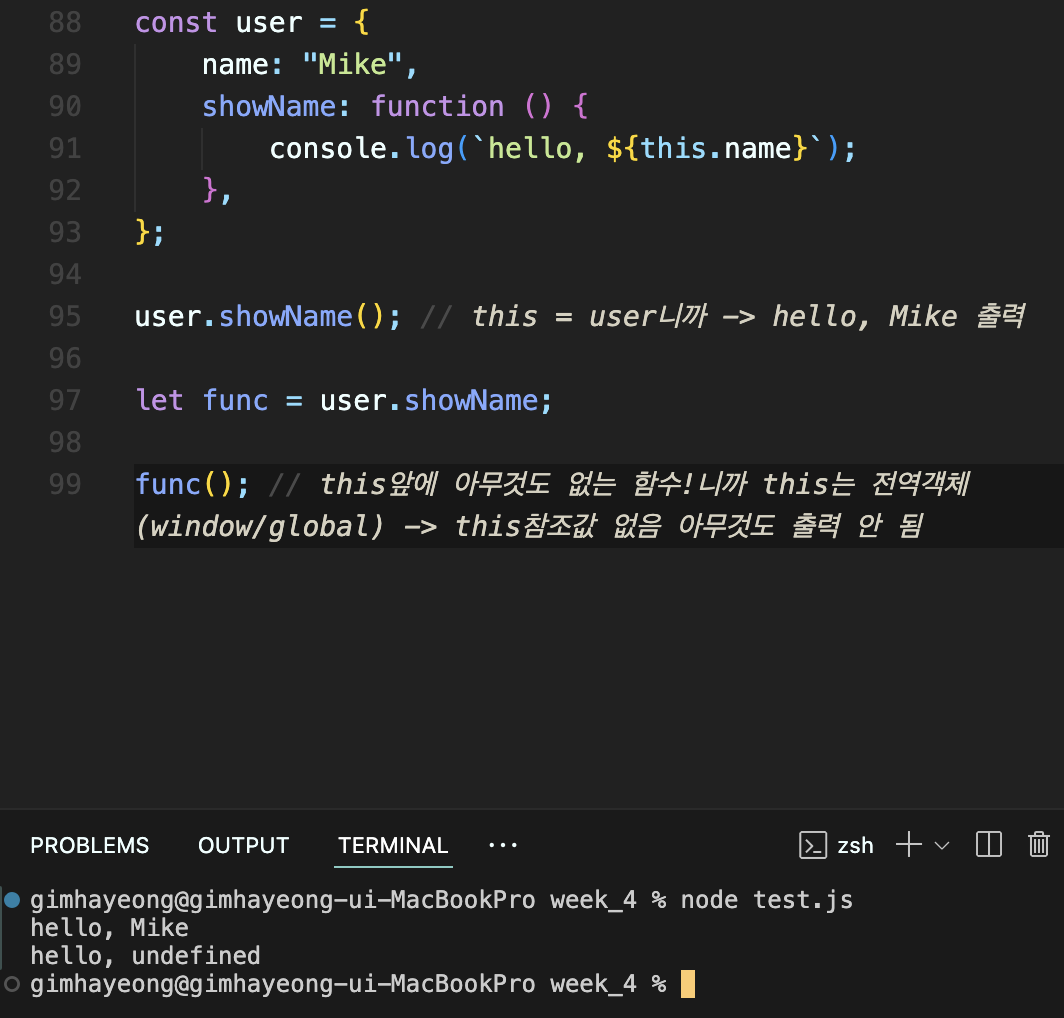
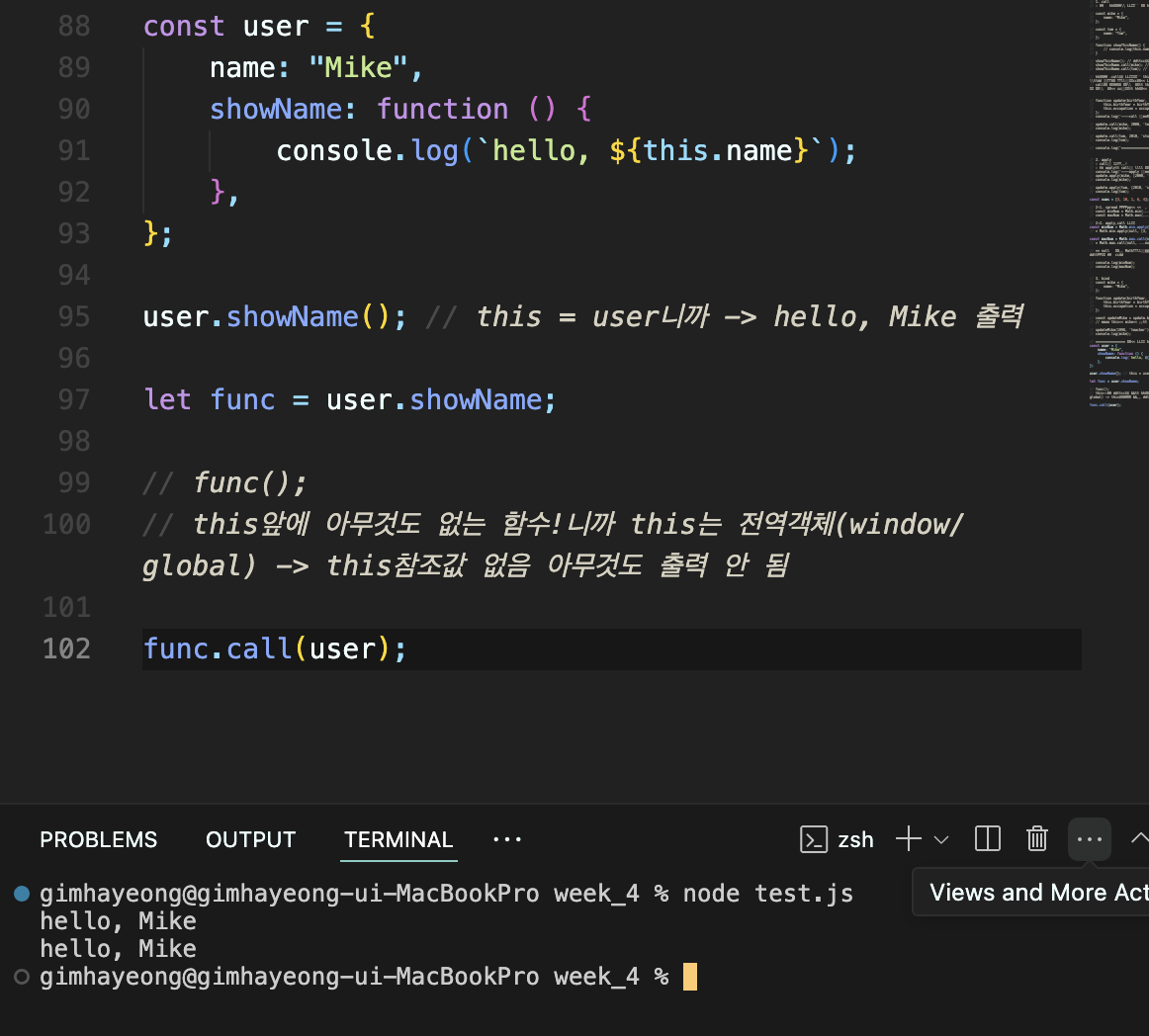
주석으로도 설명을 달아놓긴 했지만 복습차원으로 다시 적어보면
user.showName()에서 this는 user를 참조하므로 콘솔에 "hello, Mike"가 출력된다. (95번째줄)
하지만 func()라는 함수를 바로 출력하면 이 함수에서 this는 전역객체(window/global)을 참조해서 Mike가 출력되지 않는다.
👩🏻💻 call, apply 사용한 경우

func 함수에 call,apply를 쓰면 정상적으로 출력된다.
👩🏻💻 bind 사용한 경우
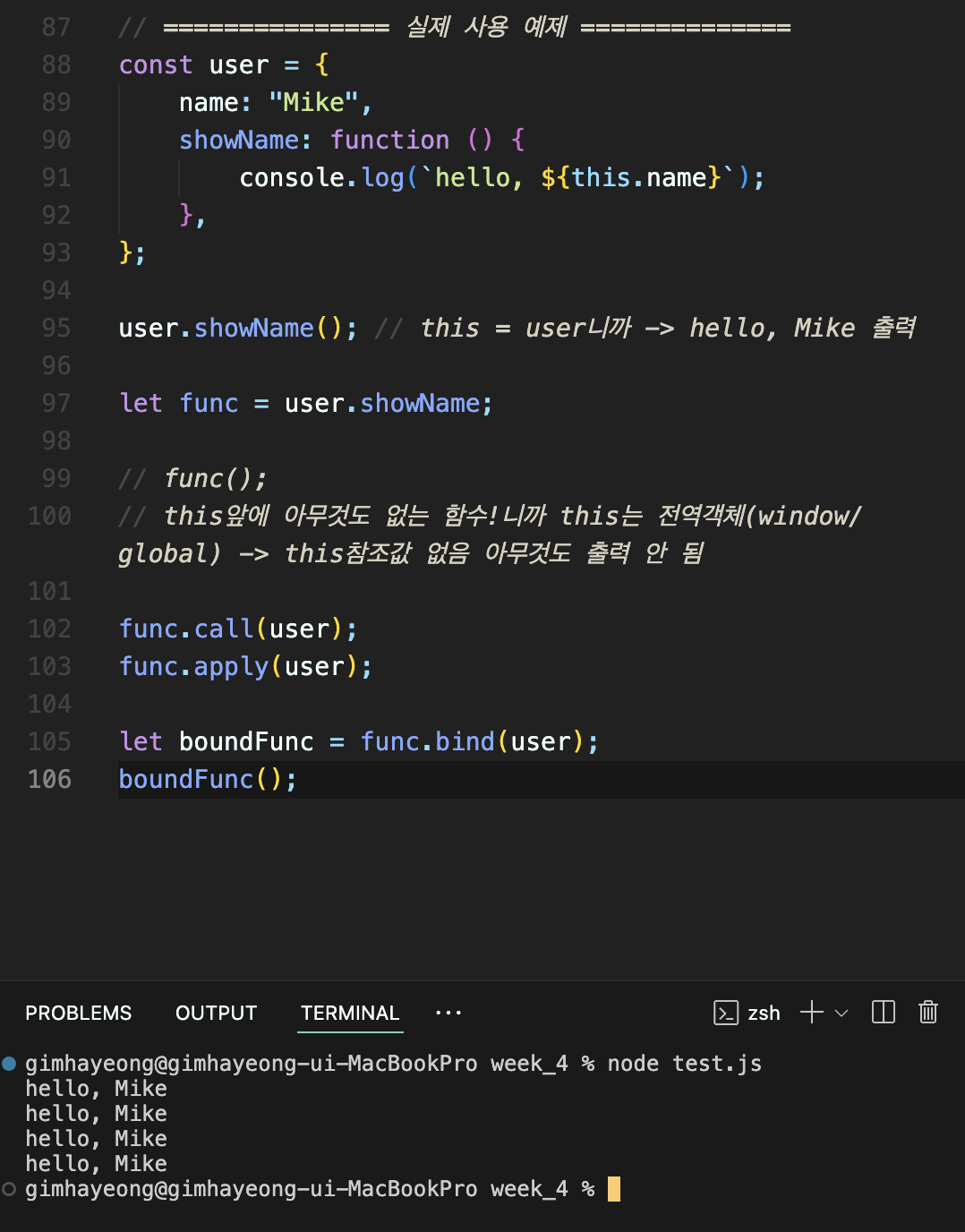
boundFunc 라는 변수에 바인드로 묶어둔 this를 담아두고 호출할 때마다 사용할 수 있도록 만들었다.
콘솔 출력값을 보면 똑같이 'hello, Mike'가 나온 걸 볼 수 있다.
방식은 다르지만 결과값은 모두 'hello, Mike'를 나타내고 있다.👏
전체코드
const user = {
    name: "Mike",
    showName: function () {
        console.log(`hello, ${this.name}`);
    },
};

user.showName(); // this = user니까 -> hello, Mike 출력

let func = user.showName;

// func();
// this앞에 아무것도 없는 함수!니까 this는 전역객체(window/global) -> this참조값 없음 아무것도 출력 안 됨

func.call(user); //-> hello, Mike 출력
func.apply(user); //-> hello, Mike 출력

let boundFunc = func.bind(user);
boundFunc();//-> hello, Mike 출력
출처