NVIDIA Data Center GPU Manager(DCGM)는 대규모 GPU 서버 환경을 위한 오픈소스 관리 도구로, NVIDIA가 데이터 센터 내 GPU 상태와 성능을 효율적으로 모니터링하고 관리할 수 있도록 설계한 소프트웨어이다. DCGM은 각 GPU의 상태와 성능 지표를 실시간으로 파악해 문제를 조기에 발견하고 해결할 수 있도록 돕는 역할을 한다.
DCGM을 사용하는 주 목적은 GPU 상태 모니터링이다. GPU의 온도, 전력 소모, 메모리 사용량, 연산 부하와 같은 주요 상태 지표를 실시간으로 수집하여, 각 GPU가 안정적인 상태를 유지하고 있는지 지속적으로 확인할 수 있다. 이로 인해 장애 발생 전에 문제를 예측하고 예방하는 데 효과적이다. 물론 장애가 발생한 후에도 어떤 디바이스에서 문제가 발생하였는지 식별할 수 있는 지표도 제공된다.
시작하기
Step 1. dcgm-exporter 실행
일반 서버에서는 단순히 아래와 같은 명령어로 dcgm-ecporter를 실행할 수 있다.
# Ubuntu 20.04
$ docker run -d --gpus all --restart=unless-stopped -p 9400:9400 --name=dcgm-exporter nvcr.io/nvidia/k8s/dcgm-exporter:3.2.3-3.1.6-ubuntu20.04
# Ubuntu 22.04
$ docker run -d --gpus all --restart=unless-stopped -p 9400:9400 --name=dcgm-exporter nvcr.io/nvidia/k8s/dcgm-exporter:3.3.8-3.6.0-ubuntu22.04
Step 2. Prometheus 수집
global:
  scrape_interval: 10s
  scrape_timeout: 10s
  evaluation_interval: 2m

scrape_configs:
  - job_name: 'DCGM'
    metrics_path: '/metrics'
    scheme: 'http'
    static_configs:
      - targets: ['*.*.*.*:*']
        labels:
          service: 'gpu'
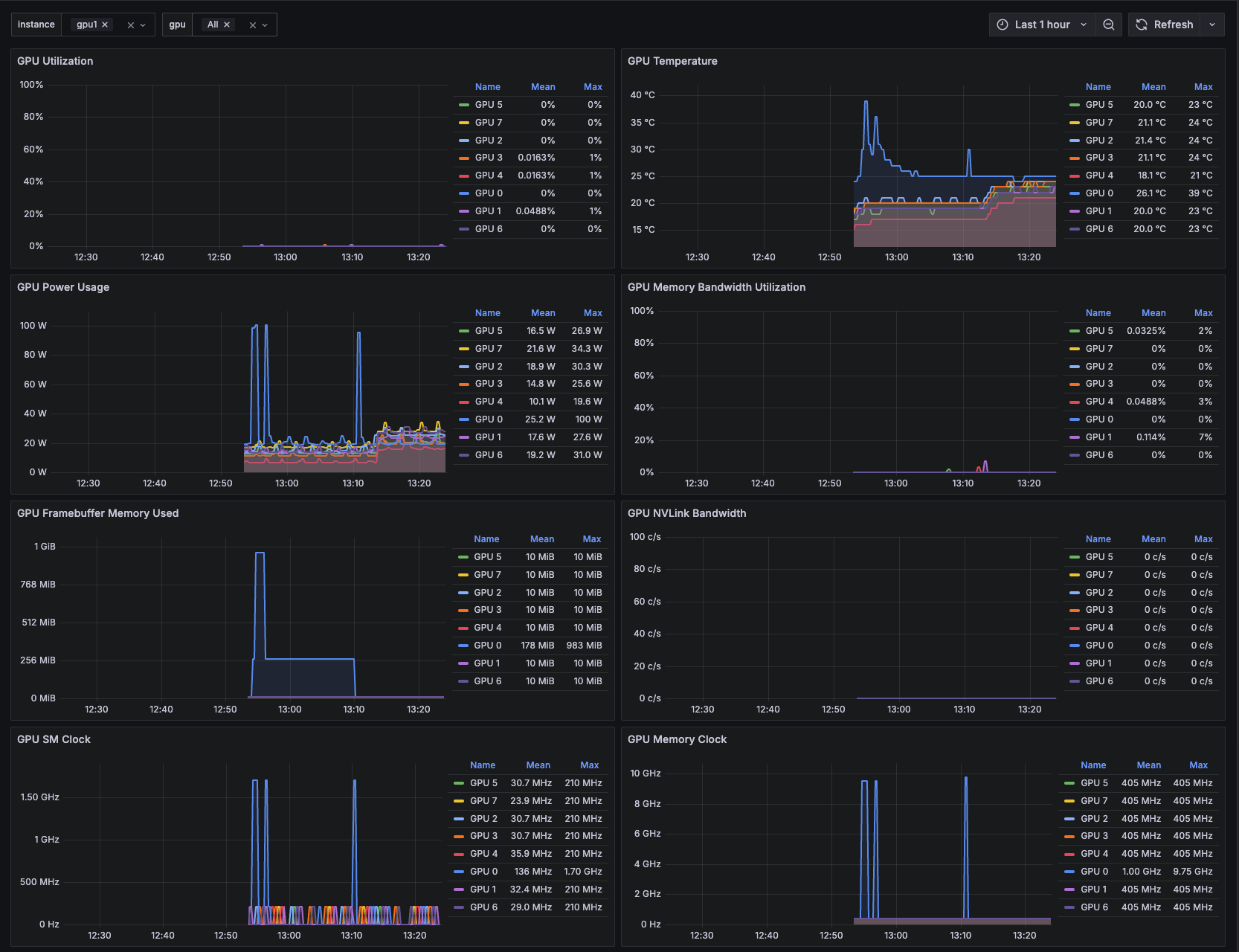
Step 3. Grafana 연동
https://grafana.com/grafana/dashboards/15117-nvidia-dcgm-exporter/
Trouble Shooting
dcgm-exporter 컨테이너를 실행했을 때 아래와 같은 에러가 발생할 수 있다.
docker: error response from daemon: could not select device driver "" with capabilities: [[gpu]].이러한 같은 에러가 발생하는 이유는 Docker에서 GPU를 정상적으로 인식하지 못해서 이다.
이는 Nvidia Container Toolkit 설치로 간단하게 해결할 수 있다.
$ distribution=$(. /etc/os-release;echo $ID$VERSION_ID) \
   && curl -s -L https://nvidia.github.io/nvidia-docker/gpgkey | sudo apt-key add - \
   && curl -s -L https://nvidia.github.io/nvidia-docker/$distribution/nvidia-docker.list | sudo tee /etc/apt/sources.list.d/nvidia-docker.list
$ sudo apt-get update && sudo apt-get install -y nvidia-container-toolkit
$ sudo systemctl restart docker
Reference

🖥️