결과
스와이퍼 효과를 적용한다.
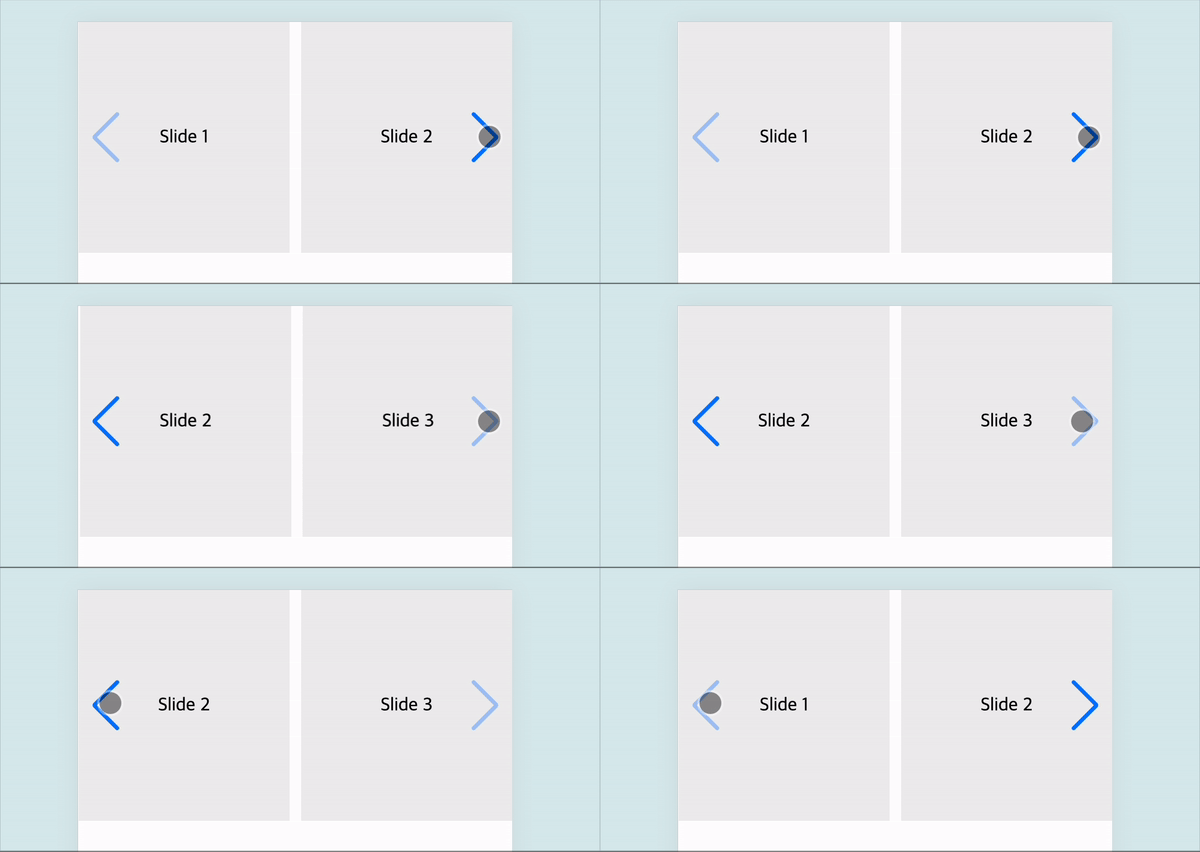
코드
<!DOCTYPE html>
<html lang="ko">
<head>
    <meta charset="UTF-8">
    <meta name="viewport" content="width=device-width, initial-scale=1.0">
    <title>Swiper Example</title>
    <link rel="stylesheet" href="https://cdn.jsdelivr.net/npm/swiper@11/swiper-bundle.min.css"/>
    <script src="https://cdn.jsdelivr.net/npm/swiper@11/swiper-bundle.min.js"></script>

    <style>
        html, body { margin:0; }

        .swiper-slide { height:200px; display: flex; justify-content: center; align-items: center; background-color: #eeeeee; }
    </style>
</head>
<body>
    <div class="swiper">
        <div class="swiper-wrapper">
            <div class="swiper-slide">Slide 1</div>
            <div class="swiper-slide">Slide 2</div>
            <div class="swiper-slide">Slide 3</div>
        </div>

        <div class="swiper-pagination"></div>

        <div class="swiper-button-prev"></div>
        <div class="swiper-button-next"></div>
  </div>

<script>
    const swiper = new Swiper('.swiper', {
        slidesPerView: 2, // 한 번에 보여줄 슬라이드 수
        spaceBetween: 10, // 슬라이드 간 간격
        navigation: {
            nextEl: '.swiper-button-next',
            prevEl: '.swiper-button-prev',
        },
    });
</script>

</body>
</html>
관련페이지

겪은 이슈를 공유합니다.