개요
chat gpt plugin을 활용하여 '공항의 챗봇 서비스'라는 역할을 부여하고 상황에 맞게 답변을 주는챗봇 서비스를 구현하였는데, api key가 git hub에 그대로 노출이 되면서 api key가 유효하지 않게 되어, 챗봇 서비스 실행시에 오류를 발생시켰다.
민감한 정보들은 깃허브의 추적당하지 않도록 ignore파일에 명시해놓고, 로컬에서 각자 설정하는 방식으로 하되, 현재는 개인 설정 할 것은 아니므로 아래와 같이 수정하는 방법에 대해서 알아보고 원래 상태로 돌려서 프로젝트 git clone시에 문제가 없도록 하자!

설정하는 법
api key에 대한 설정 파일을 만들기
key="새롭게 생성한 api key 정보 입력하기"apiInfo.properties 설정 파일을 빈으로 등록하기
<!-- root-context.xml -->
<util:properties id="apiInfo" location="classpath:kr/or/ddit/util/apiInfo.properties" />
챗봇 서비스에서 api key를 그대로 작성하지 않고, 해당 설정파일에서 가져다 쓰기
@Slf4j
@Component
public class Chatbot {

	@Value("#{apiInfo.key}")
    private String apiKey;

    // 이하 코드 생략...
해당 프로퍼티 파일은 git에 안올라가도록 .gitignore에 추가
### Eclipse ###
apiInfo.properties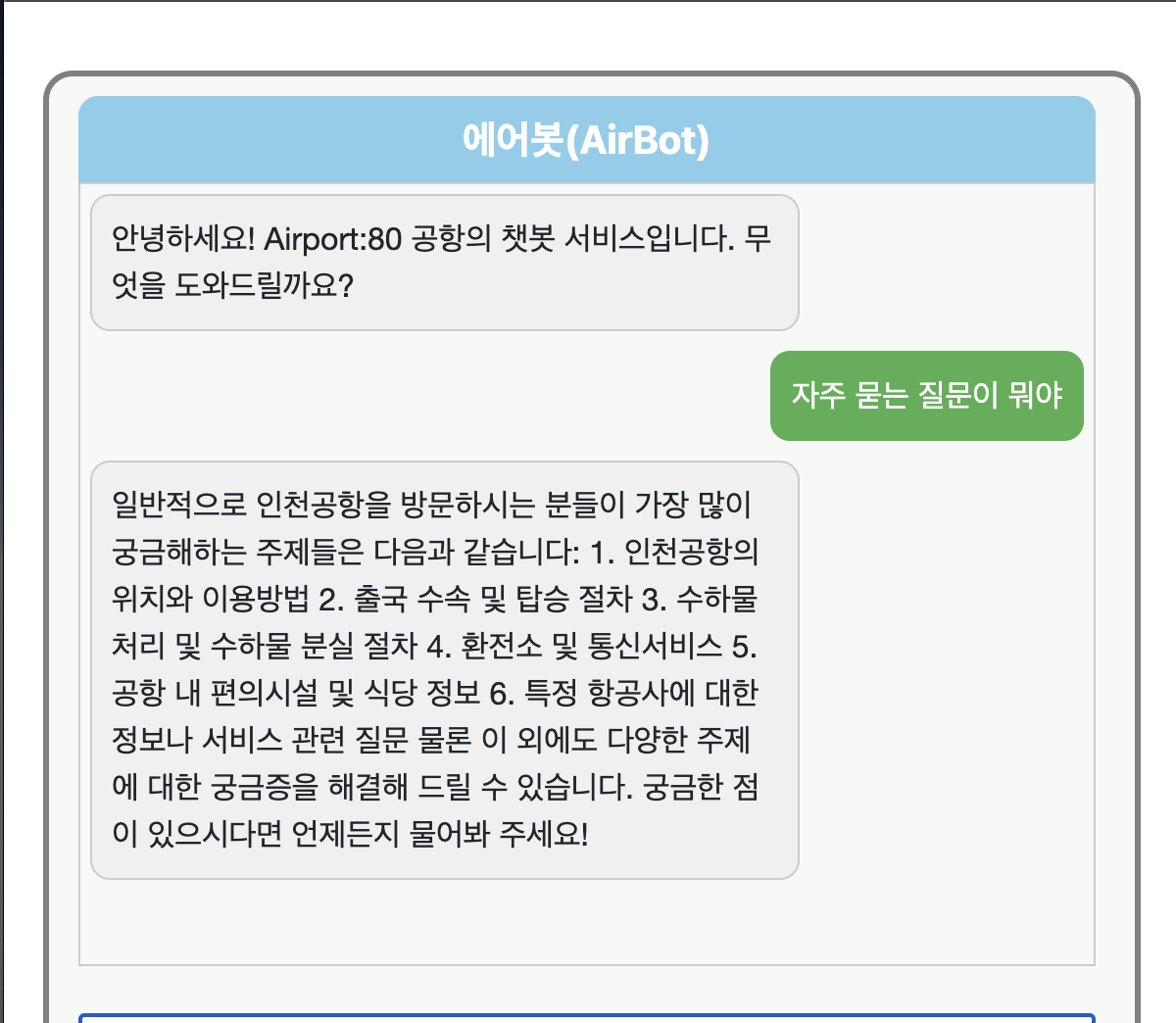
정상적으로 잘 출력되는 것을 확인할 수 있고, 깃허브 저장소에는 api key정보가 올라가지 않았다.
Chatbot Code
package kr.or.ddit.common.chat.util;

import com.fasterxml.jackson.core.JsonProcessingException;
import com.fasterxml.jackson.databind.JsonNode;
import com.fasterxml.jackson.databind.ObjectMapper;

import lombok.extern.slf4j.Slf4j;

import java.io.BufferedReader;
import java.io.InputStreamReader;
import java.io.OutputStream;
import java.io.Serializable;
import java.net.HttpURLConnection;
import java.net.URL;
import java.nio.charset.StandardCharsets;
import java.util.*;

import org.springframework.beans.factory.annotation.Value;
import org.springframework.core.io.Resource;
import org.springframework.stereotype.Component;

@Slf4j
@Component
public class Chatbot {

    private String apiEndpoint;

	@Value("#{apiInfo.key}")
    private String apiKey;

    private List<Message> conversation;
    public Chatbot() {
        // API 엔드포인트 및 API 키 설정
        this.apiEndpoint = "https://api.openai.com/v1/chat/completions";
        // this.apiKey = "sk-Yy****";
        this.conversation = new ArrayList<>();
        conversation.add(new Message("system", "Airport:80은 인천공항을 모티브로 하는 공항 챗봇 서비스입니다."));
        conversation.add(new Message("system", "우리는 고객들에게 Airport:80 공항과 관련된 다양한 정보를 제공하고 도움을 드릴 준비가 되어 있습니다."));
        conversation.add(new Message("system", "어떤 정보를 원하시나요?"));
        conversation.add(new Message("system", "혹시 항공편 정보를 원하신다면 항공일정 링크를 보여줘"));
    }

    // API 요청 보내기
    public  String sendRequest(String userInput) {

        // 사용자 입력받아서 대화에 저장
        conversation.add(new Message("user", userInput));

        try {
            // 요청 헤더 설정
            Map<String, String> headers = new HashMap<>();
            headers.put("Authorization", "Bearer " + apiKey);
            headers.put("Content-Type", "application/json");

            // 요청 본문(JSON 형식)
            String requestBody = "{\"model\": \"gpt-3.5-turbo\", \"messages\": " + Message.toJsonArray(conversation) + "}";

            System.out.println("RequestBody: " + requestBody);
            // HTTP 요청 보내기
            URL url = new URL(apiEndpoint);
            HttpURLConnection connection = (HttpURLConnection) url.openConnection();
            connection.setRequestMethod("POST");
            for (Map.Entry<String, String> entry : headers.entrySet()) {
                connection.setRequestProperty(entry.getKey(), entry.getValue());
            }
            connection.setDoOutput(true);

            try (OutputStream os = connection.getOutputStream()) {
                byte[] input = requestBody.getBytes(StandardCharsets.UTF_8);
                os.write(input, 0, input.length);
            }

            // 응답 읽기
            int responseCode = connection.getResponseCode();
            if (responseCode == 200) {
                try (BufferedReader br = new BufferedReader(new InputStreamReader(connection.getInputStream(), StandardCharsets.UTF_8))) {
                    StringBuilder response = new StringBuilder();
                    String responseLine;
                    while ((responseLine = br.readLine()) != null) {
                        response.append(responseLine.trim());
                    }
                    String apiResponse = response.toString();

                    // JSON 파싱
                    ObjectMapper objectMapper = new ObjectMapper();
                    JsonNode jsonResponse = objectMapper.readTree(apiResponse);

                    // choices 배열에서 첫 번째 메시지의 content 추출
                    String assistantResponse = jsonResponse.get("choices").get(0).get("message").get("content").asText();

                    // API 응답을 대화에 추가
                    conversation.add(new Message("assistant", assistantResponse));
                    // 챗봇 응답 리턴
                    return assistantResponse;
                }
            } else {
                // 오류 응답 처리
                try (BufferedReader br = new BufferedReader(new InputStreamReader(connection.getErrorStream(), StandardCharsets.UTF_8))) {
                    StringBuilder errorResponse = new StringBuilder();
                    String errorLine;
                    while ((errorLine = br.readLine()) != null) {
                        errorResponse.append(errorLine.trim());
                    }
                    log.error("HTTP 요청 실패, 응답 코드: {}", responseCode);
                    log.error("오류 메시지: {}", errorResponse.toString());
                }
            }
        } catch (Exception e) {
            throw new RuntimeException(e);
        }
        return "";
    }

    // 대화 메시지 클래스
    static class Message implements Serializable {
        String role;
        String content;

        public String getRole() {
            return role;
        }

        public void setRole(String role) {
            this.role = role;
        }

        public String getContent() {
            return content;
        }

        public void setContent(String content) {
            this.content = content;
        }

        Message(String role, String content) {
            this.role = role;
            this.content = content;
        }

        // 대화 메시지를 JSON 배열로 변환
        static String toJsonArray(List<Message> messages) {
            ObjectMapper objectMapper = new ObjectMapper();
            String json = null;
            try {
                return objectMapper.writeValueAsString(messages);
            } catch (JsonProcessingException e) {
                e.printStackTrace();
                return null;
            }
        }

    }
}