맵핑이란 데이터의 타입과 형식을 정해주는 것 입니다.
이번 예제인 classesRating_mapping.json파일을 확인하면 mapping이 뭔지 확인할 수 있다.
less classesRating_mapping.json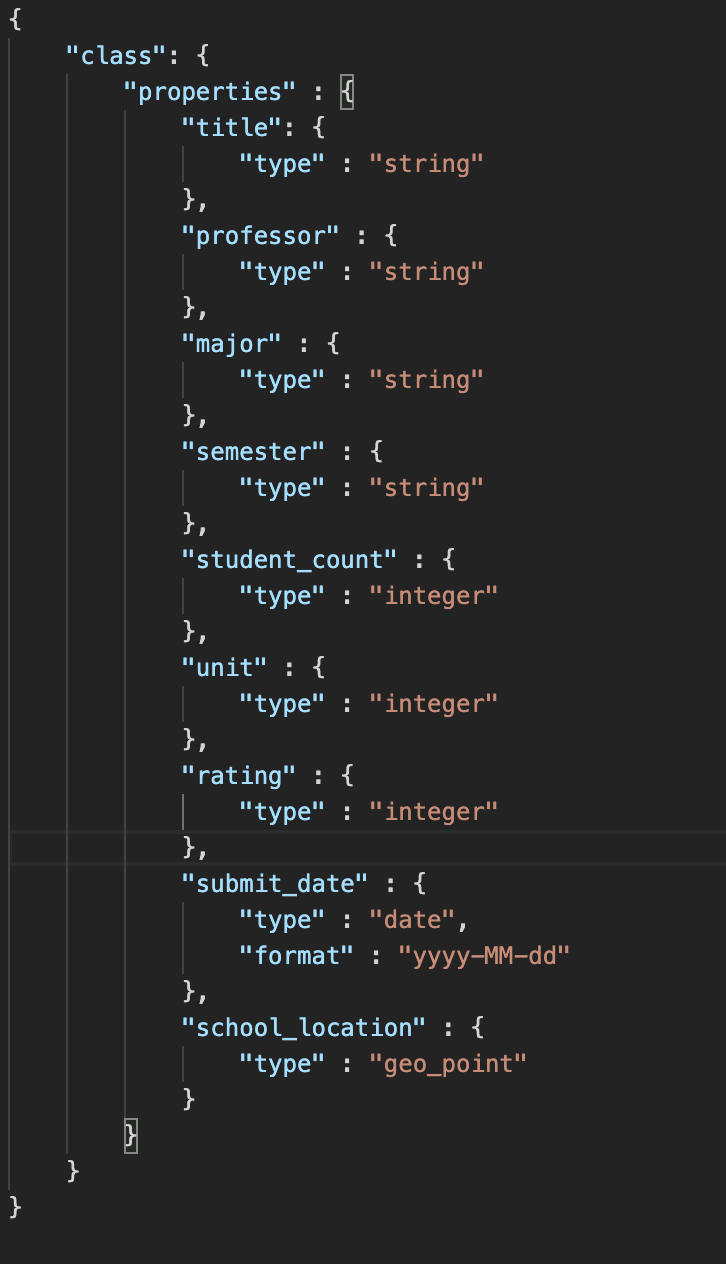
예를 들어, submit_date 부분을 보면 유형은 "date",format은 “yyyy-MM-dd”로 정해져 있는 것을 볼 수 있는데,이렇게 정해주는 것이 바로 맵핑이다.
그렇다면 맵핑을 왜 할까?
바로 Kibana 에서 시각화를 할 때 이용하기 위해서이다.
이렇게 숫자나 날짜 등을 정해줘야 나중에 kibana에서 시각화를 할 때 분류를 할 수 있게 된다.
이제 맵핑에서 index를 만들어 보자.
우선 아래 명령어로 빈 index를 생성한다.
curl -XPUT 'http://localhost:9200/classes'
classRating_mapping.json 파일을 put해서 맵핑한다. 이때 _mapping 함수를 이용한다.
curl -XPUT -H "Content-Type: application/json" http://localhost:9200/classes/class/_mapping?include_type_name=true -d @classesRating_mapping.json참고: elasticsearch 6.0부터는 String type이 text type로 대체된다. 맵핑할 경우 include_type_name 옵션을 true로 설정해줘야함

만든 index를 확인해 보자.
curl -XGET 'http://localhost:9200/classes?pretty=true'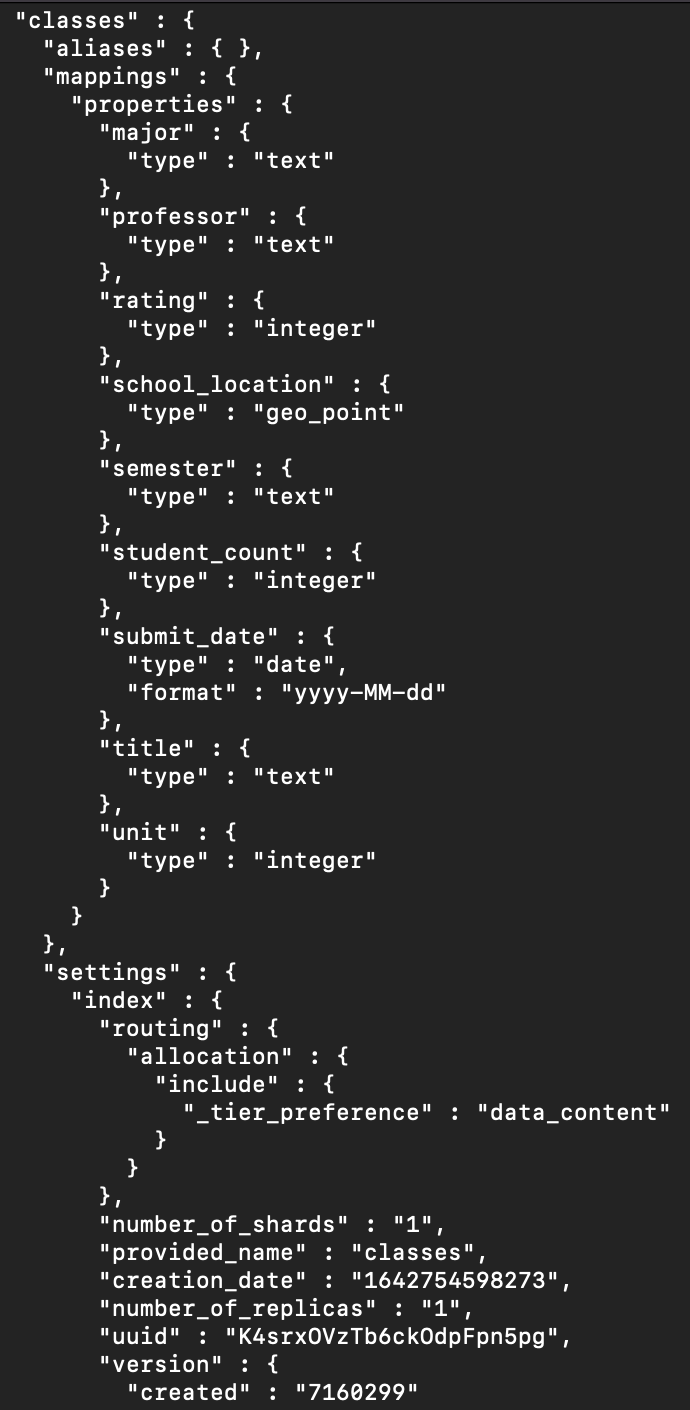
아까 올렸던 파일을 mapping이 끝난 index에 올려보자
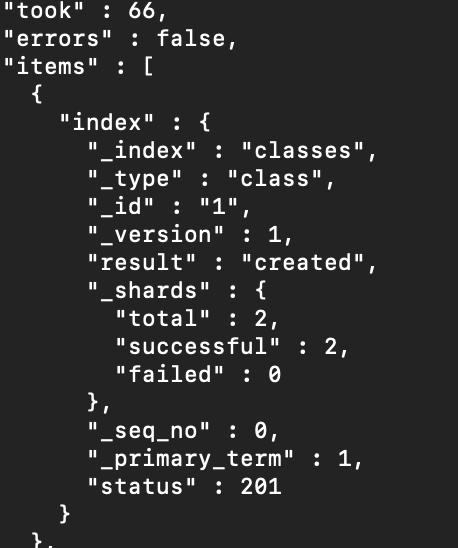
만든 index를 확인해보자
curl -XGET 'http://localhost:9200/classes/class/1?pretty=true'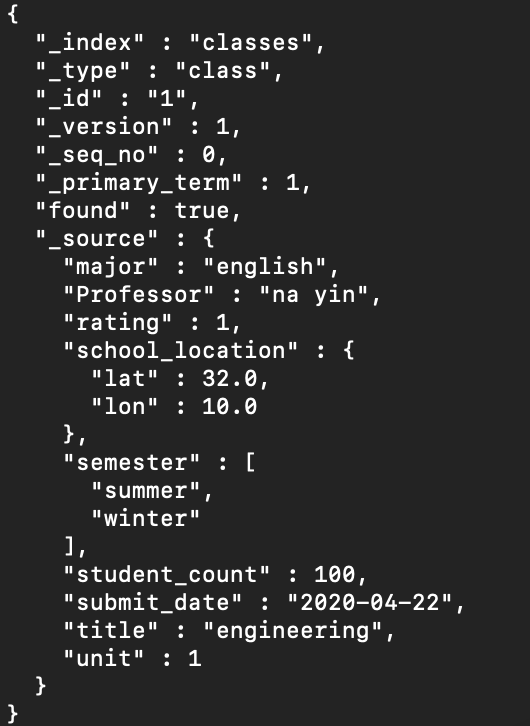

미니 개발자의 개발 일기