1. EC2에 Nginx 설치하기
- Squid Shell에 입력할 명령어
yum search nginx(설치할 nginx 찾기)
sudo yum install nginx(sudo 권한으로 nginx 설치)
sudo service nginx status(실행 중인지 아닌지 알 수 있음)
sudo service nginx start(nginx 실행시킨다)
netstat -tnl | grep 80(열린 포트 확인 (80만))
2. AWS EC2 보안그룹 설정 변경
- AWS EC2 > 보안 > 인바운드 규칙 편집 > 기존의 8080포트를 80으로 변경한다.

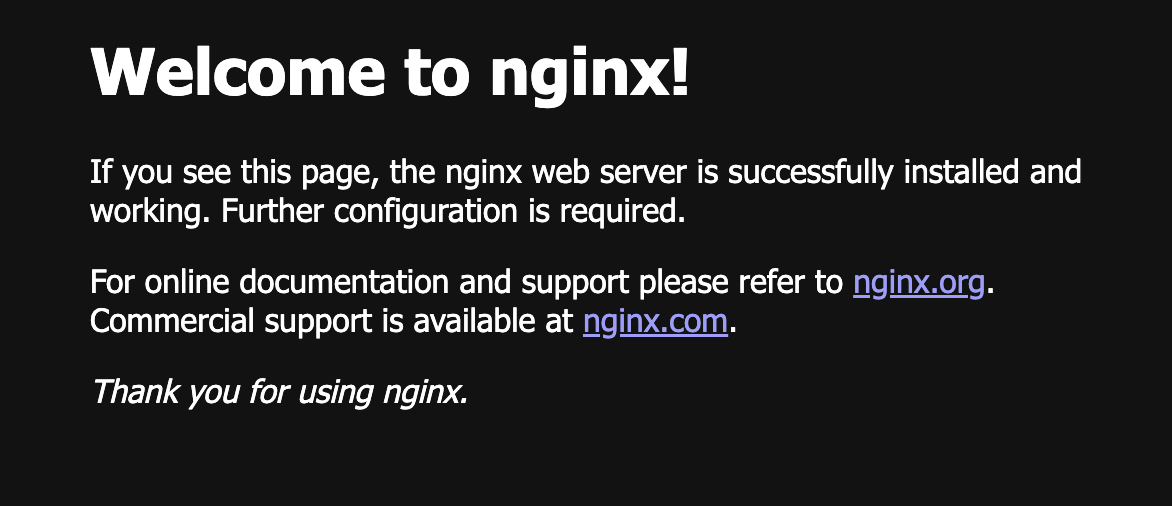
- chrome 링크창에 EC2 퍼블릭 IPv4 DNS를 입력하면 아래와 같은 창이 뜬다!
3. Proxy 설정하기
3-1. /etc/nginx/conf.d 아래에 .conf 설정파일 생성하기
sudo vi /etc/nginx/conf.d/pf.conf(sudo 권한으로 생성한다)
3-2. 생성한 pf.conf파일에 다음 코드를 붙여넣는다.
- server_name에 EC2 퍼블릭 IPv4 DNS를 적기
- location 뒤에 프로젝트의 context-root 적기
server {
    listen       80;
    server_name  (ipv4_public_dns);

    charset UTF-8;
    access_log  /var/log/nginx/pf/pf.access.log;
    error_log   /var/log/nginx/pf/pf.error.log;

    location /pf {
        proxy_redirect off;
        proxy_set_header X-Real-IP $remote_addr;
        proxy_set_header X-Forwarded-For $proxy_add_x_forwarded_for;
        proxy_set_header Host $http_host;
        proxy_set_header X-Scheme $scheme;
        proxy_set_header X-NginX-Proxy true;
        proxy_pass http://127.0.0.1:8080/pf;
    }

    location ~ /\.ht {
        deny  all;
    }
}
i(insert 모드)
esc(insert 모드 해제하기)
:wq(저장하고 나가기)
nginx -t(설정파일 검사)
sudo service nginx reload(설정파일 적용 위해 reload)
❗️에러 발생 - 1❗️
nginx: [alert] could not open error log file: open() "/var/log/nginx/error.log" failed (13: Permission denied)
cd /var/log/nginx
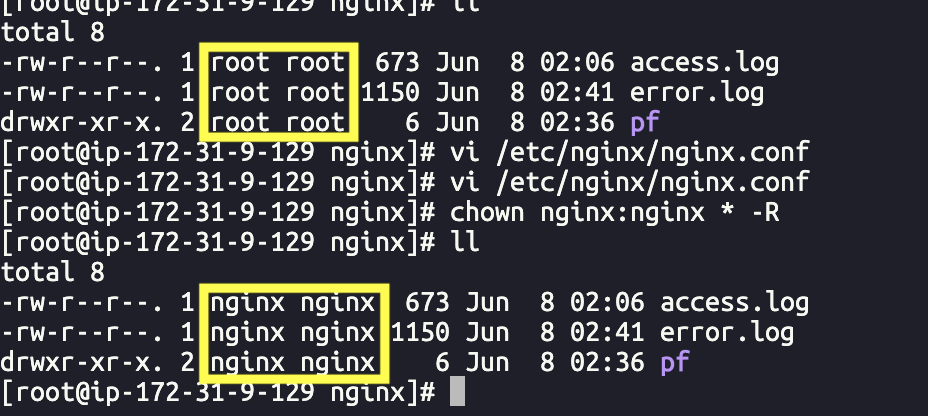
ll
- /var/log/nginx/ 소유자 변경하기
sudo chown nginx:nginx /var/log/nginx/* -R
(chown : 파일 소유권 변경하는 명령어, -R : 하위폴더 모두 다)
sudo su(root 권한으로 실행)
⭐️ root 권한은 위험! 확인만 하기!
chown nginx:nginx -R /var/log/nginx
nginx -t (설정파일 검사)
❗️에러 발생 - 2❗️
nginx: [emerg] could not build server_names_hash, you should increase server_names_hash_bucket_size: 64
nginx: configuration file /etc/nginx/nginx.conf test failed
vi /etc/nginx/nginx.conf
- 크기 변경하기
http {
.....
access_log;
server_names_hash_bucket_size 128;
.....
}
nginx -t (설정파일 검사)
❗️에러 발생 - 3❗️
nginx: [emerg] open() "/var/log/nginx/pf/pf.access.log" failed (2: No such file or directory)
(폴더가 없어서 발생)
cd /var/log/nginx/
ll -al(폴더가 없는 것 확인)
mkdir pf(폴더 만들기)
ll -al(확인)
nginx -t
exit(root 권한 해제하기)
sudo service nginx reload