Web Project Day 2 Start!
Actually, it's not real day 2.
I'm not used to writing, so I'm constantly behind in posting...
For now, I'm making the front-end part.
At the start, I thought it'll take 1-2 days. (How Silly I am...)
I stuck the HTML part for 3 days!
-
Implementing UI Design with HTML
In the previous post, I was done with UI Design.
So next step, I have to implement this with HTML.
I wanted to use Zeplin for translating Design files to HTML and CSS.
But it wasn't that easy. Zeplin only transfers simple components and I had to fix the detail(Autually Almost 80%!)
I was confused about units (like px, %, vh..), it took about a whole day to adjust the component's length!
Each HTML tags have a different feature so I googled most of them. -
Write JavaScript
I have made simple web pages in Python and NoSQL.
At that time, I just follow the lecture so it was so easy to make a web page.
But now I have to do it all by myself, the language changed to Java, and the whole steps were chaos. I made this before connecting the DB server, some part doesn't work but I couldn't find the problem. So I just delete all files and restart the whole part...
(That's the way to grow up as a developer!)
<Problem + Solution>
1. cannot find image file
An error message occurred that the file path was created using IDE's auto-completion function, but finding the file continuously failed.
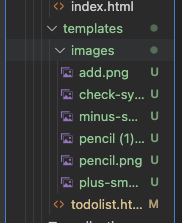
<div class="lists" th:each="comp : ${comps}">
        <span class="checkbox"></span>
        <img class="check" src="/src/main/resources/templates/images/check-symbol.png" alt="check">
        <div class="content" th:text="${comp.content}"></div>
        <img class="edit" src="images/pencil.png" alt="edit button">
      </div>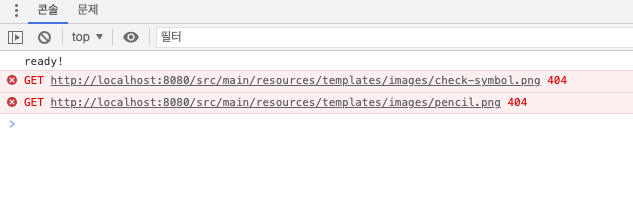
I googled this error message, they said to move image files to the directory where the HTML file was placed, but the error wasn't solved.
I struggled with this error for 2 days, and I read a comment that the file path starts at the 'static' directory. So I moved image files to the 'static' directory.
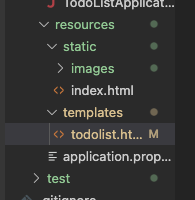
<div class="lists" th:each="comp : ${comps}">
        <span class="checkbox"></span>
        <img class="check" src="images/check-symbol.png" alt="check">
        <div class="content" th:text="${comp.content}"></div>
        <img class="edit" src="images/pencil.png" alt="edit button">
      </div>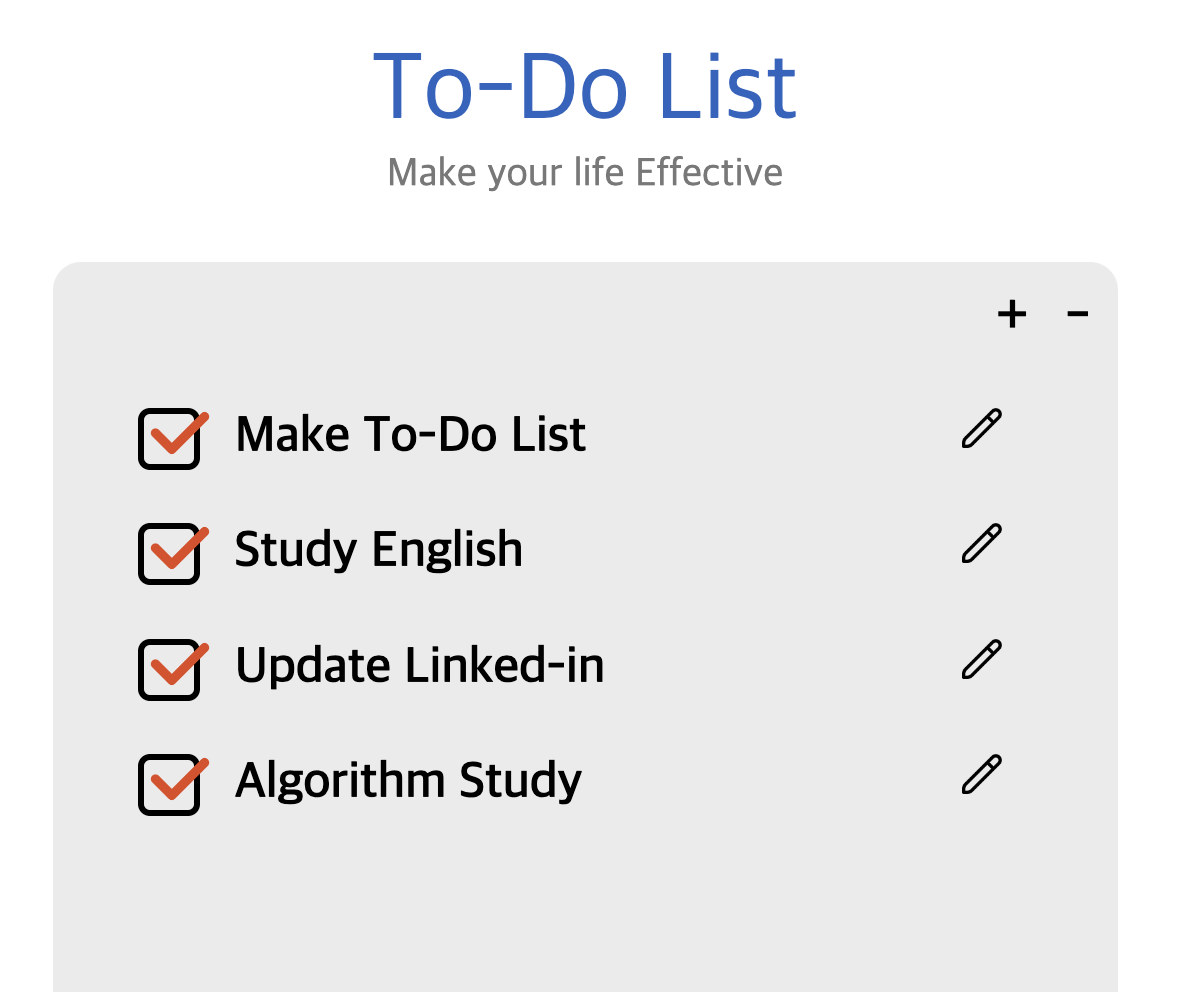
.... Feel empty
What have I done so far!
Remember : The file path starts at the 'static' directory!
- JavaScript didn't work
Next, I want to pop a message up and write it down in the console for checking the code.
But the $(document).ready() didn't work, onclick method didn't work...
I spent almost half a day. I opened the project's code I wrote before and compare it with Todo List's code.
<script src="//code.jquery.com/jquery-3.7.0.min.js"></script>This line is about including Jquery.