주변 플레이어 검색
ObjectManager
  public GameObject Find(Func<GameObject, bool> condition)
    {
        foreach (GameObject go in _objects)
        {
            if (condition.Invoke(go))
                return go;
        }

        return null;
    }
MonsterController
 IEnumerator CoSearch()
    {
        // 플레이어가 계속 이동하니까 1초마다 계속 search

        while(true)
        {
            yield return new WaitForSeconds(1);

            if (_target != null)
                continue;

            _target = Managers.Obj.Find((go) =>
            {
                PlayerController pc = go.GetComponent<PlayerController>();
                if (pc == null)
                    return false;

                Vector3Int dir = (pc.CellPos - CellPos);
                if(dir.magnitude > _searchRange)
                    return false;

                return true; // 올바른 타겟
            });
        }
    }
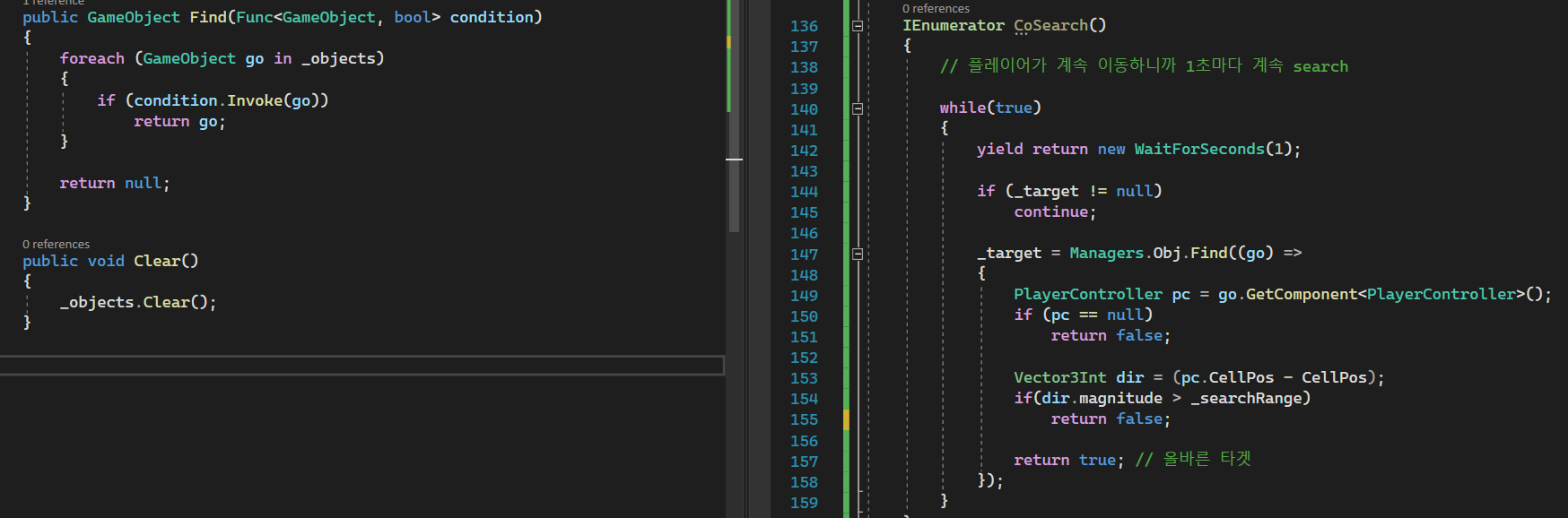
몬스터가 플레이어를 찾기 위해 CoSearch() 코루틴 함수를 만들고 1초마다 검색하도록 한다.
플레이어를 찾기 위해 GameObject 타입의 _target 변수를 선언해주고 아직 타겟을 찾지 못했으면 ObjectManager의 Find()함수를 호출해주는데 매개변수는 GameObject 하나와 반환형이 bool 타입인 Func를 넘겨주도록 하는 Find() 함수를 만들어주었다.
게임 상에 존재하는 게임 크리쳐들을 순회(_objects)하면서 Find함수를 호출할 때 람다로 정의해준 함수를 호출해준다. _objects에서 꺼내온 게임 오브젝트를 넘겨주면서 만약 그 오브젝트가 플레이어 컨트롤러, 즉 플레이어가 아니라면 false를 리턴해서 그 다음 오브젝트를 순회하고 만약 플레이어라면 플레이어의 위치와 몬스터의 위치를 빼줌으로써 거리를 가져오고, 미리 정의해둔 _searchRange(5.0f) 보다 작을 경우 일정 거리 안에 플레이어가 위치한 상태라는 뜻이므로 true를 반환하여 _target을 플레이어로 갱신해준다.
타겟으로 이동
protected override void MoveToNextPos()
    {
        Vector3Int destPos = _destCellPos;
        if (_target != null)
            destPos = _target.GetComponent<CreatureController>().CellPos;

        List<Vector3Int> path = Managers.Map.FindPath(CellPos, destPos, ignoreDestCollision: true);

        // 1인 경우 제자리, 0인 경우 길을 찾지 못함 || 처음에는 플레이어가 거리 안에 있었는데 갑자기 엄청 멀어진 경우
        // ignoreDestCollision : 목적지에 오브젝트가 있더라도 충돌로 인식하지 않도록 함
        if (path.Count < 2 || (_target != null && path.Count > 10))
        {
            _target = null;
            State = CreatureState.Idle;
            return;
        }

        Vector3Int nextPos = path[1];

        Vector3Int moveCellDir = nextPos - CellPos;

        if (moveCellDir.x > 0)
            Dir = MoveDir.Right;
        else if (moveCellDir.x < 0)
            Dir = MoveDir.Left;
        else if (moveCellDir.y > 0)
            Dir = MoveDir.Up;
        else if (moveCellDir.y < 0)
            Dir = MoveDir.Down;
        else
            Dir = MoveDir.None;

        if (Managers.Map.CanGo(nextPos) && Managers.Obj.Find(nextPos) == null)
            CellPos = nextPos;
        else
            State = CreatureState.Idle;
    }
타겟이 존재한다면 destPos를 _target의 CellPos로 갱신시켜준다. 경로 찾기에는 A* 알고리즘이 사용되는데 해당 알고리즘에 대해선 추후 포스팅하도록 하겠다.
어쨌든 path를 받아오면 그 안에 플레이어까지 가는 여러 좌표들이 들어있는데, [0]이 현재 위치이고 [1]이 그 다음 위치이기 때문에 [1]을 nextPos로 정해주면 된다.
MoveToNextPos() 함수는 아래와 같이 CreatureController에서 호출이 되는데 nextPos를 정해주고 몬스터가 nextPos 위치의 셀로 거의 도착을 할 때 즈음 다시 A* 알고리즘을 호출하여 플레이어의 위치를 찾는 식으로 동작한다.
 protected virtual void UpdateMoving()
    {
        Vector3 destPos = Managers.Map.CurrentGrid.CellToWorld(CellPos) + new Vector3(0.5f, 0.5f);
        Vector3 moveDir = destPos - transform.position;

        float dist = moveDir.magnitude;
        if (dist < _speed * Time.deltaTime)
        {
            transform.position = destPos;
            MoveToNextPos();
        }
        else
        {
            transform.position += moveDir.normalized * _speed * Time.deltaTime;
            State = CreatureState.Moving;
        }
    }
Skill AI
목표
몬스터가 플레이어를 감지하고 쫓아가서 스킬을 써서 공격하도록 해보자
MonsterController
 protected override void MoveToNextPos()
    {
        Vector3Int destPos = _destCellPos;
        if (_target != null)
        {
            destPos = _target.GetComponent<CreatureController>().CellPos;

            Vector3Int dir = destPos - CellPos;
            if(dir.magnitude <= _skillRange && (dir.x == 0 || dir.y == 0)) // 일직선 상에 있을때만 공격
            {
                Dir = GetDirFromVec(dir);
                State = CreatureState.Skill;

                if(_rangedSkill)
                    _coSkill = StartCoroutine("CoStartShootArrow");
                else
                    _coSkill = StartCoroutine("CoStartPunch");
                return;
            }
        }

        ...
    }
스킬 사용 범위 내에 플레이어가 존재하고, x 또는 y 축으로 일직선 상에 위치할 때만 방향을 틀고 공격하도록 하면 된다.
코루틴 함수는 PlayerController에 이미 정의한 함수를 거의 그대로 가져왔다.
