headless, statefulset service를 만들어야함.
✅ Redis 클러스터란?
- Redis는 일반적으로 Master-Slave 구조지만,
- Redis Cluster 모드는 데이터를 샤딩(분산 저장)하고 자동 failover 기능까지 지원
- 3개 이상의 master와 최소 3개 slave를 붙이는 6개 이상의 노드 구성이 일반적
🔧 Kubernetes에 Redis Cluster 구성 개요
1. StatefulSet 사용
- Redis는 각 인스턴스가 고유한 ID와 persistent storage가 필요하므로 StatefulSet을 사용
- 각 Redis 노드가 pod 이름으로 서로 통신하게 해야 해서 Headless Service가 필요
먼저 네임스페이스 생성
kubectl create namespace redis-clusterHeadless Service 생성
sudo vi redis-headless-svc.yamlredis-headless-svc.yaml
apiVersion: v1
kind: Service
metadata:
  name: redis
  namespace: redis-cluster
spec:
  ports:
    - port: 6379
  clusterIP: None  # Headless
  selector:
    app: redis
kubectl apply -f redis-headless-svc.yamlredis-statefulset.yaml
# redis-statefulset.yaml
apiVersion: apps/v1
kind: StatefulSet
metadata:
  name: redis
  namespace: redis-cluster
spec:
  serviceName: "redis"
  replicas: 6
  selector:
    matchLabels:
      app: redis
  template:
    metadata:
      labels:
        app: redis
    spec:
      containers:
        - name: redis
          image: redis:7.2
          command:
            - redis-server
            - "--cluster-enabled"
            - "yes"
            - "--cluster-config-file"
            - "nodes.conf"
            - "--cluster-node-timeout"
            - "5000"
            - "--appendonly"
            - "yes"
          ports:
            - containerPort: 6379
          volumeMounts:
            - name: data
              mountPath: /data
  volumeClaimTemplates:
    - metadata:
        name: data
      spec:
        accessModes: ["ReadWriteOnce"]
        storageClassName: gp3 <= redis의 pvc
        resources:
          requests:
            storage: 1Gi
kubectl apply -f redis-statefulset.yaml6개의 redis-0~redis-5 파드가 Running 되는지 확인
kubectl get pods -n redis-cluster문제발생!!!
redis pod가 하나 밖에 없음.

원인 분석
원인을 보니 redis-0이 생성되고 Pending → Bound으로 되어야만 다음 redis-1이 생성된다.
pending인 파드의 상세를 확인해봤다.
kubectl describe pod redis-0 -n redis-cluster로그를 내리다 보니 Event 부분에 에러를 확인할 수 있었다
Events:
  Type     Reason            Age    From               Message
  ----     ------            ----   ----               -------
  Warning  FailedScheduling  3m59s  default-scheduler  0/3 nodes are available: pod has unbound immediate PersistentVolumeClaims. preemption: 0/3 nodes are available: 3 Preemption is not helpful for scheduling.
pod has unbound immediate PersistentVolumeClaims 라는 로그를 확인할 수 있었다.
혹시 PV를 생성해주지 않아서 문제가 발생하는지 확인해봤다.
스토리지 클래스가 존재하지 않았고, 이로 인해 Bound를 못하는 문제였다.

문제요약
- Redis StatefulSet은 각 Pod마다 PersistentVolumeClaim(PVC)을 요청했지만,
- PVC를 자동으로 처리해줄 StorageClass + Provisioner가 없었음
- 그래서 Redis 파드가
Pending상태에서 계속 멈춤
문제 해결
스토리지 클래스를 생성해주기 위해 yaml 작성
sudo vi local-storageclass.yamllocal-storageclass.yaml
# local-storageclass.yaml
apiVersion: storage.k8s.io/v1
kind: StorageClass
metadata:
  name: manual
provisioner: kubernetes.io/no-provisioner
volumeBindingMode: WaitForFirstConsumer
하지만 여전히 문제가 해결되지 않았다.
로컬 스토리지가 계속 프로비저닝 되지 않고 있다고 생각해 다른 방법을 찾았다.
local-path-provisioner 설치 + StorageClass 설정
local-path-provisioner 설치
kubectl apply -f https://raw.githubusercontent.com/rancher/local-path-provisioner/master/deploy/local-path-storage.yamllocal-path-storage 네임스페이스에 스토리지 프로비저너 Pod를 설치해줌
확인
kubectl get pods -A | grep local-path
# local-path-provisioner-xxxxx  1/1  Running
local-path StorageClass를 기본값(default)으로 설정
kubectl patch storageclass local-path -p \
  '{"metadata": {"annotations":{"storageclass.kubernetes.io/is-default-class":"true"}}}'
이 설정이 있어야 StatefulSet이 자동으로 PVC를 만족시키고 PV를 생성할 수 있다.
기존 잘못된 리소스들 삭제 (manual 기반 PVC 등)
kubectl delete statefulset redis -n redis-cluster
kubectl delete pvc --all -n redis-cluster
수정된 Redis StatefulSet YAML 재적용
YAML 내부에서 아래와 같이 반드시 설정돼야 함:
storageClassName: local-path그 후 적용:
kubectl apply -f redis-statefulset.yaml결과 확인
kubectl get pods -n redis-cluster
# redis-0 ~ redis-5: 모두 Running

kubectl get pvc -n redis-cluster
# 모두 Bound

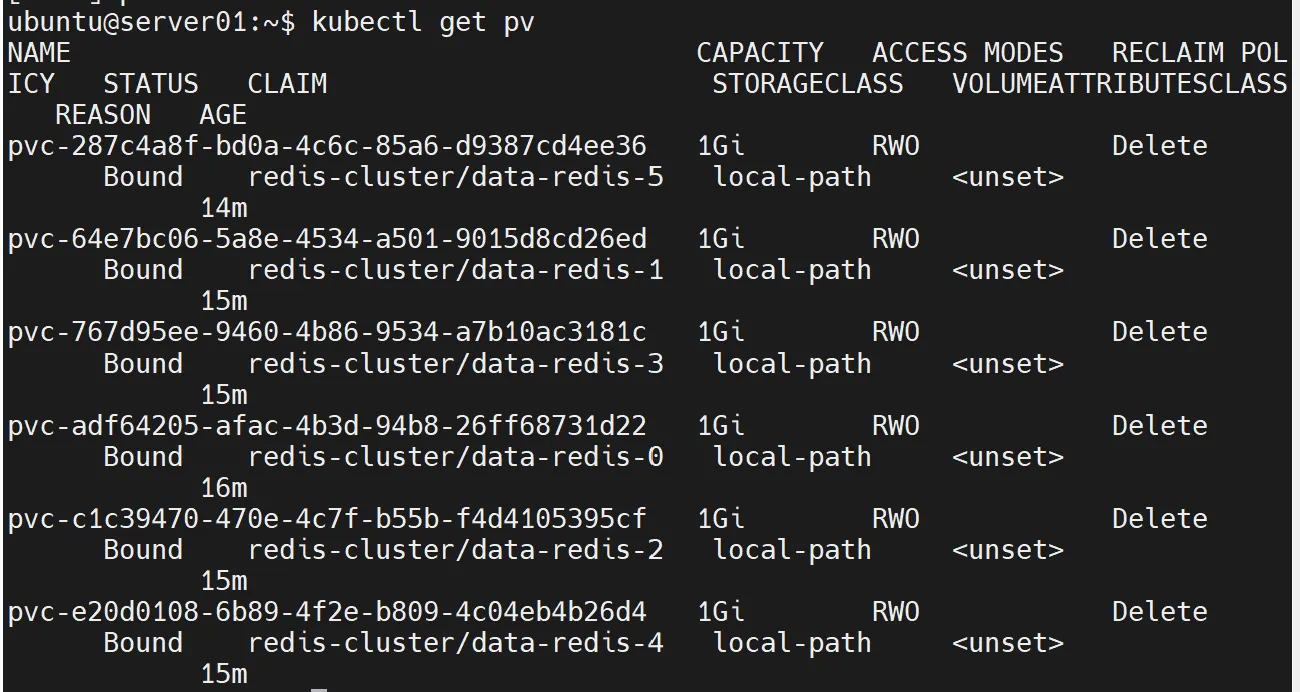
kubectl get pv
# PV도 자동 생성됨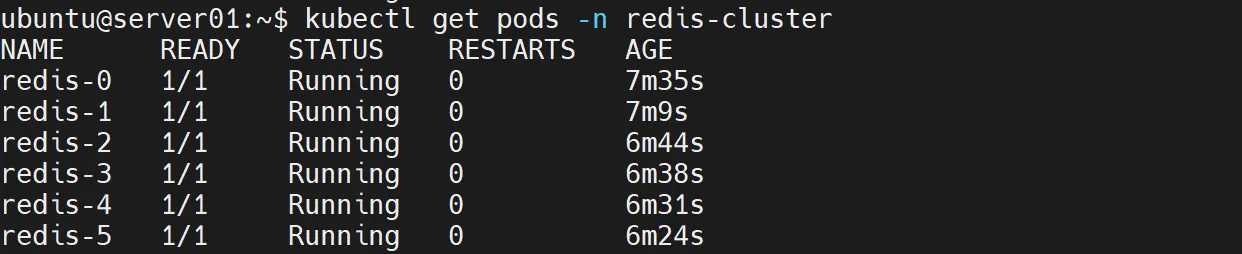
클러스터 구성
이제 모든 redis 파드가 bound 되었으니 클러스터를 구성해주자.
아래 명령어는 자동으로 마스터-슬레이브 쌍으로 클러스터를 구성해주는 명령어이다.
kubectl exec -n redis-cluster -it redis-0 -- redis-cli --cluster create \
  redis-0.redis:6379 redis-1.redis:6379 redis-2.redis:6379 \
  redis-3.redis:6379 redis-4.redis:6379 redis-5.redis:6379 \
  --cluster-replicas 1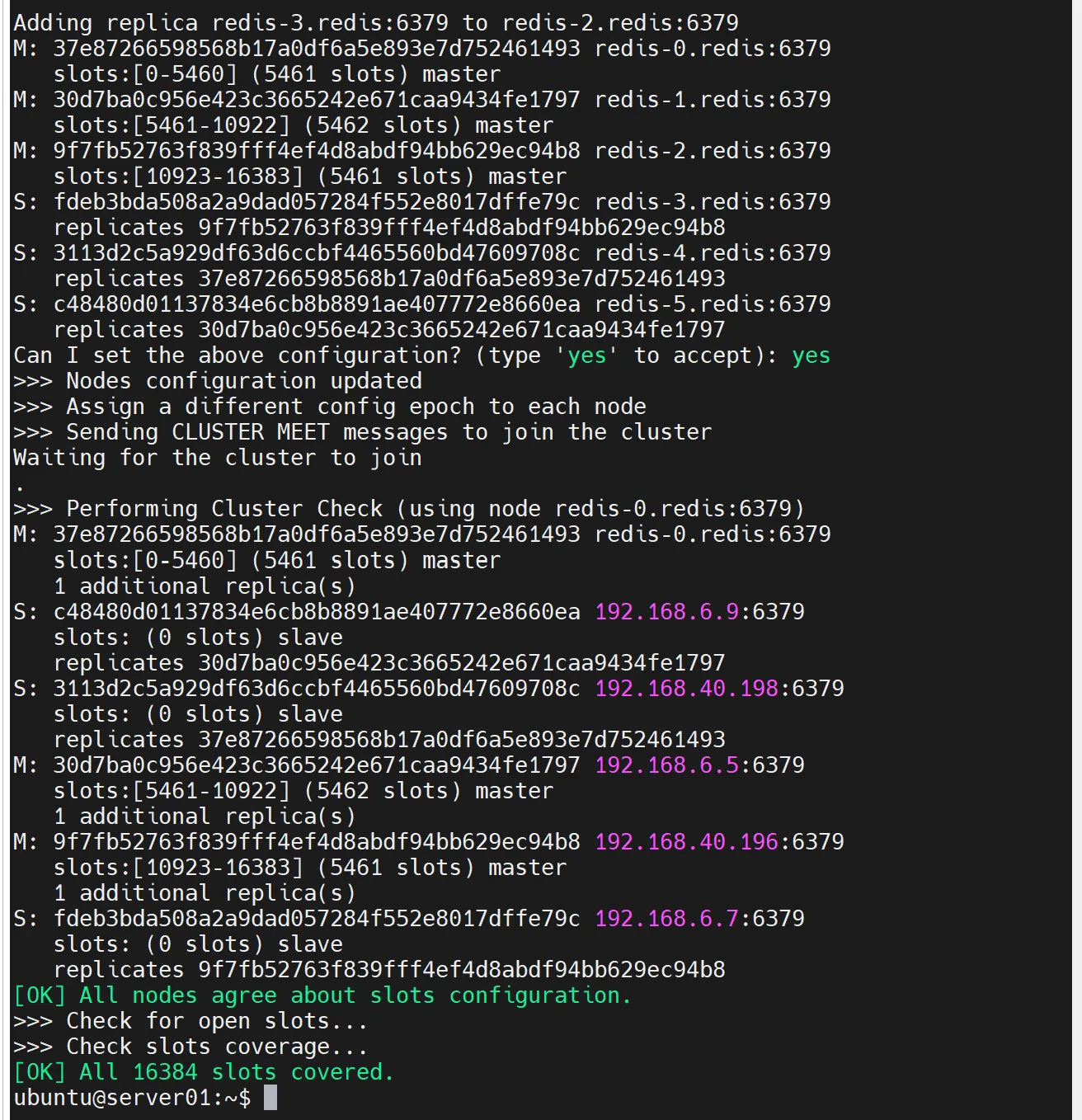
클러스터 확인
kubectl exec -it redis-0 -n redis-cluster -- redis-cli -c127.0.0.1:6379> cluster nodes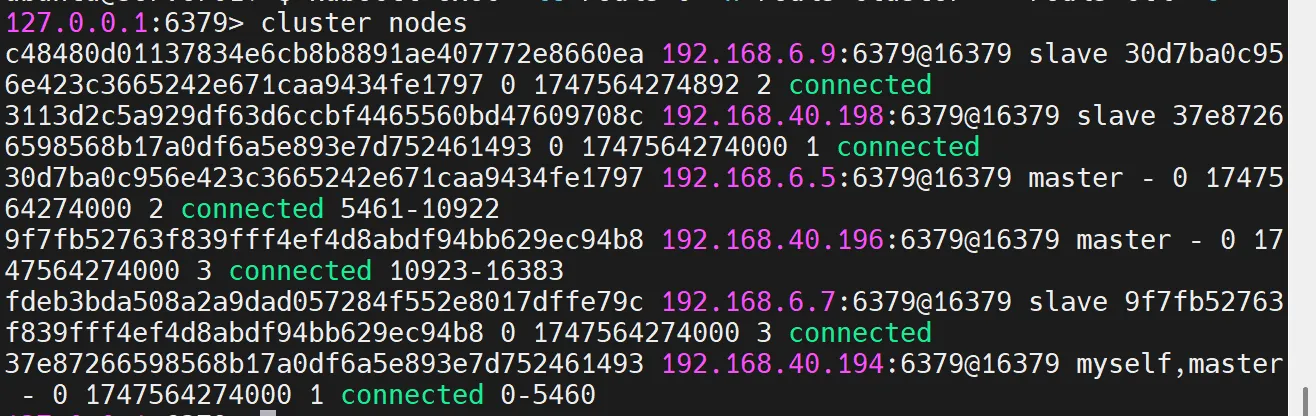
cluster info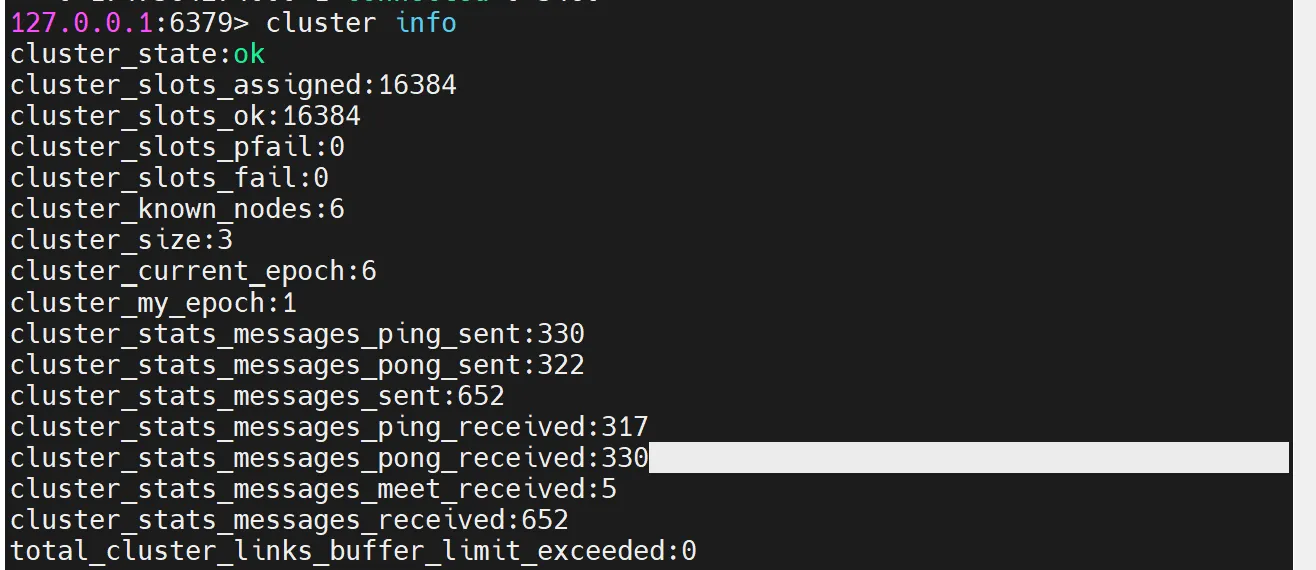
cluster slots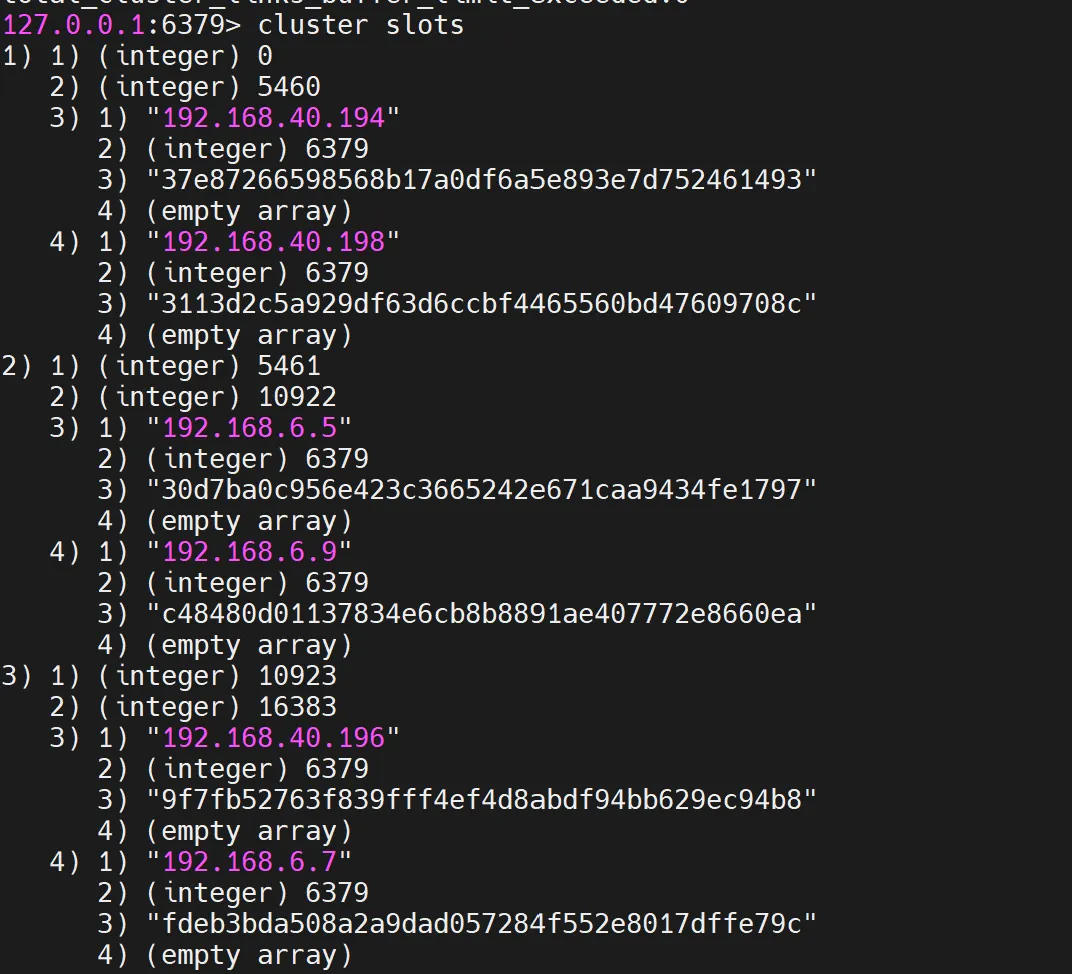
하지만 지금 레디스 클러스터는 Multi-AZ 레벨로 고가용성이 구축되어 있는 것이 아니다. 추후 EKS에서 구축하도록 하자.
