TextField
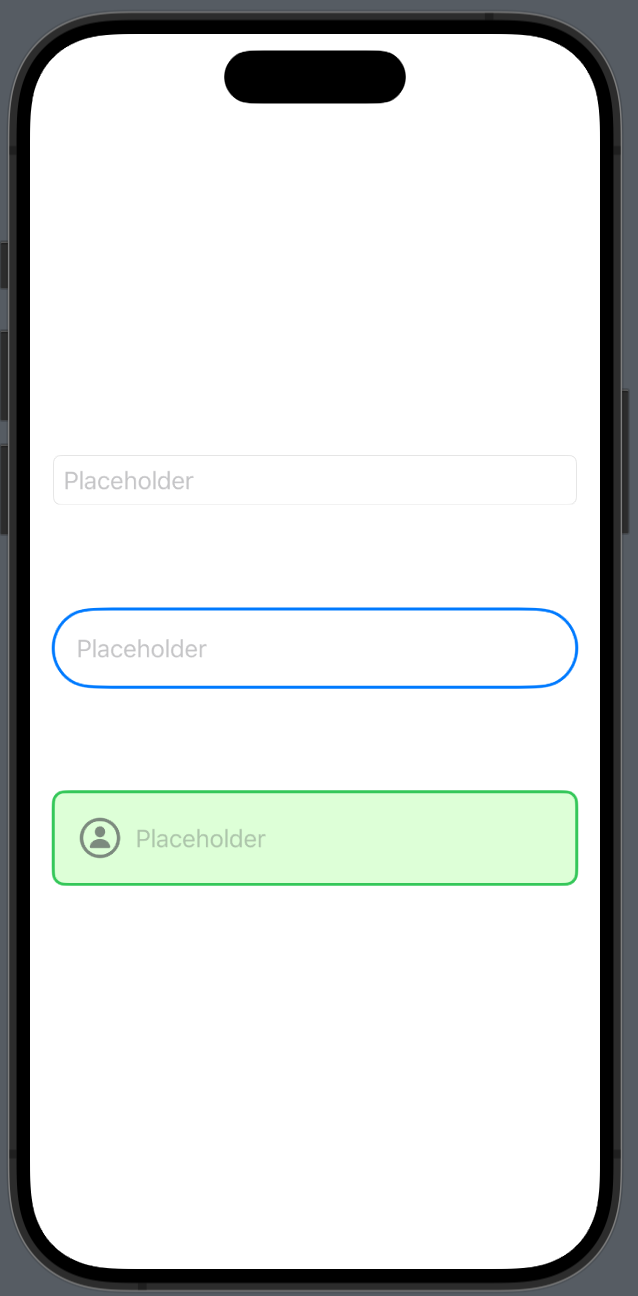
- textFieldStyle()로 텍스트필드 스타일을 바꿀수 있다
struct TextField: View {
    @State private var text = ""

    var body: some View {
        VStack(spacing: 40.0) {
            TextField("Placeholder", text: $text)
                .textFieldStyle(RoundedBorderTextFieldStyle())
                .padding()

            TextField("Placeholder", text: $text)
                .padding()
                .background(Capsule().stroke(Color.blue, lineWidth: 2))
                .padding()

            HStack {
                Image(systemName: "person.circle")
                    .font(.title)
                    .foregroundColor(.secondary)
                TextField("Placeholder", text: $text)
                    .foregroundColor(.red)
            }
            .padding()
            .background(RoundedRectangle(cornerRadius: 8).stroke(Color.green, lineWidth: 2))
            .background(RoundedRectangle(cornerRadius: 8).fill(Color("TextBackground")))
            .padding()
        }
    }
}
TextField
SecureField
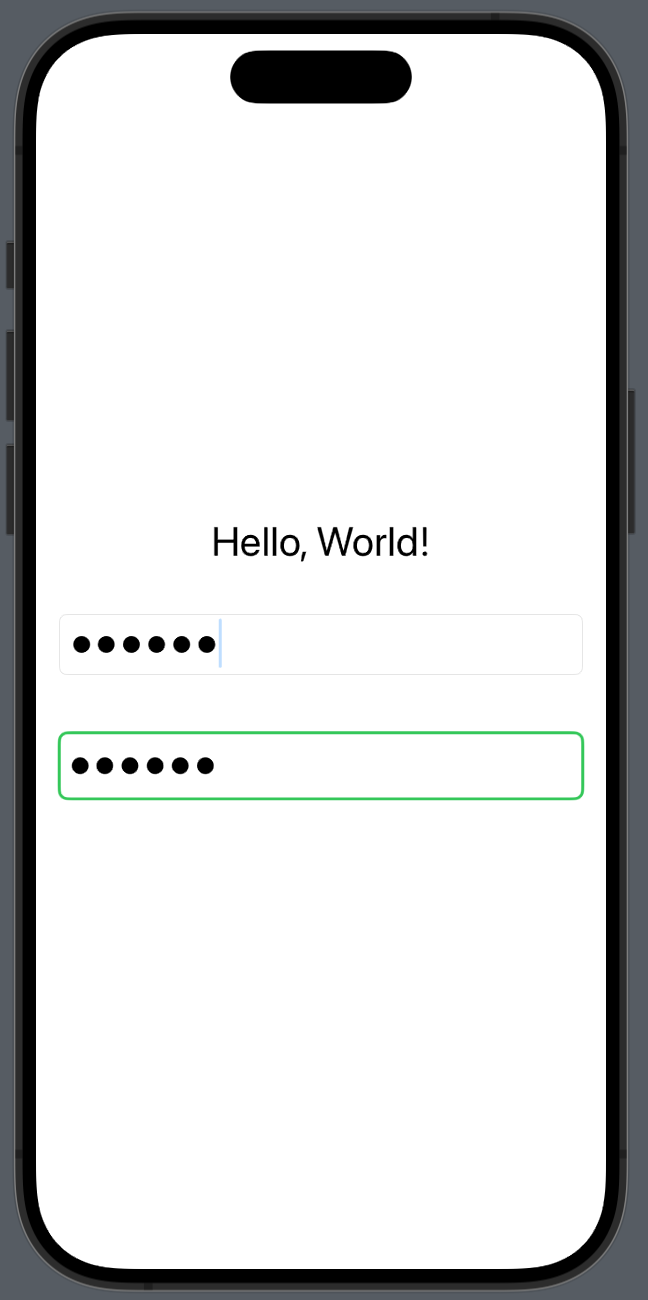
- textFieldStyle()로 텍스트필드 스타일을 바꿀수 있다
struct SecureField: View {
    @State private var password = ""

    var body: some View {
        VStack {
            Text("Hello, World!")
            SecureField("password", text: $password)
                .textFieldStyle(RoundedBorderTextFieldStyle())
                .padding()
            SecureField("password", text: $password)
                .padding(6)
                .background(RoundedRectangle(cornerRadius: 6)
                                .stroke(Color.green, lineWidth: 2))
                .padding()
        }
        .font(.title)
    }
}
SecureField
TextEditor
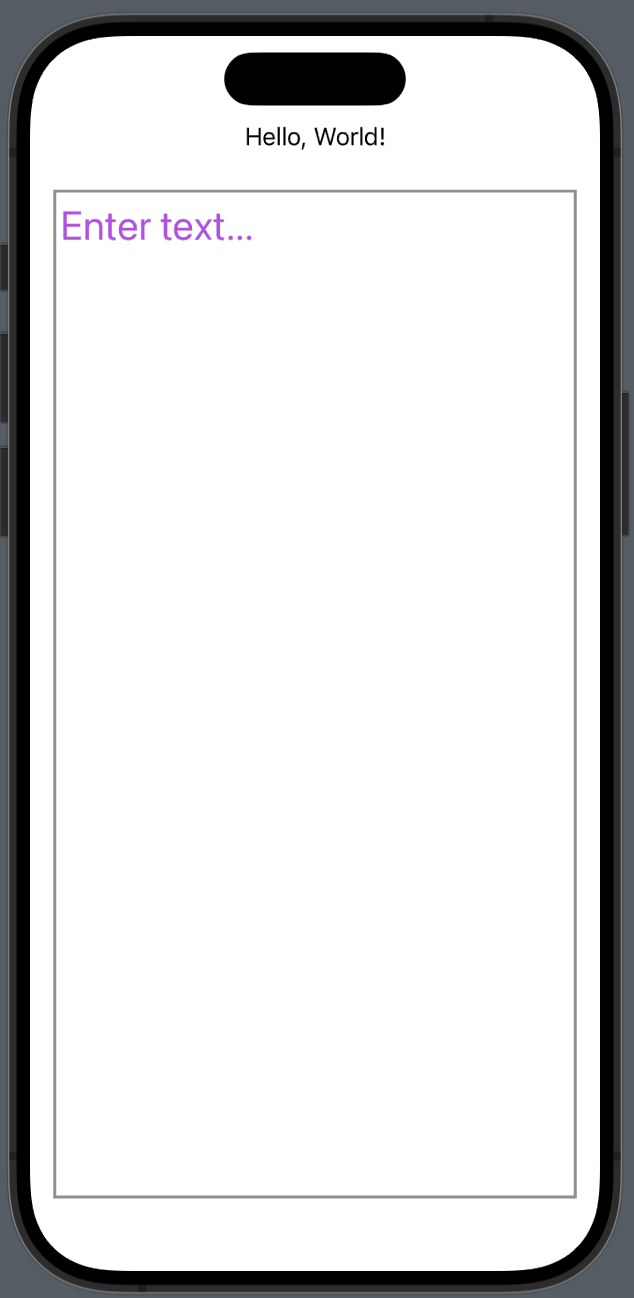
-
textEditor의 background변경 불가능
-
.border로 테두리 만들기 가능
struct TextEditor: View {
    @State private var text = "Enter text..."

    var body: some View {
        VStack {
            Text("Hello, World!")

            TextEditor(text: $text)
                .font(.title)
                .foregroundColor(.purple)
                .border(Color.gray, width: 2)
                .background(Color.gray)
                .padding()
        }
    }
}
TextEditor
- TextEditor는 placeholder를 지원하지않는다.

iOS, Spring developer