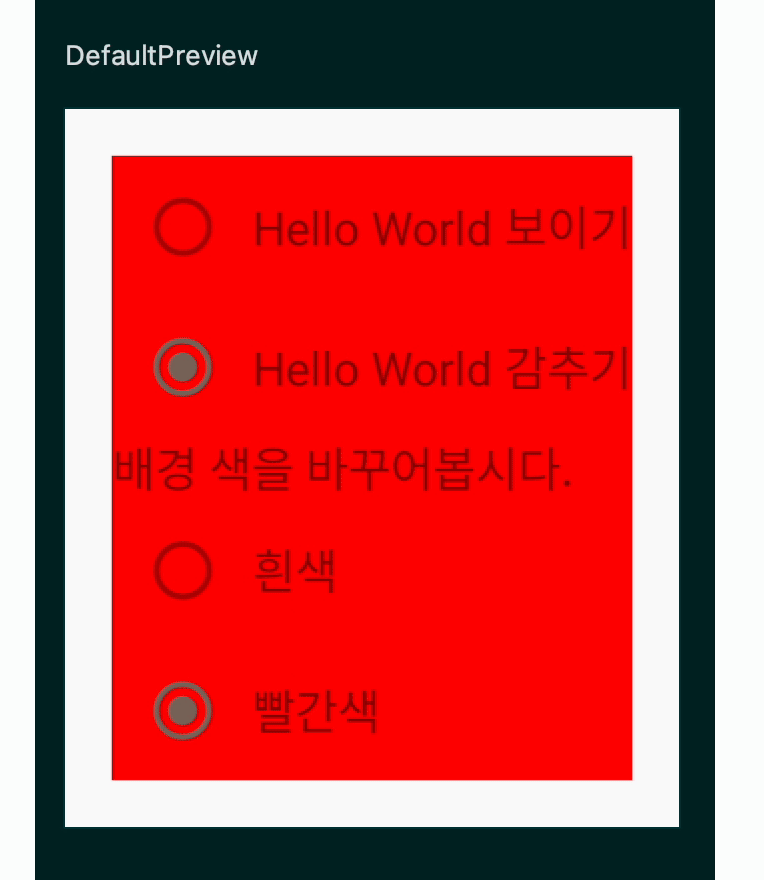
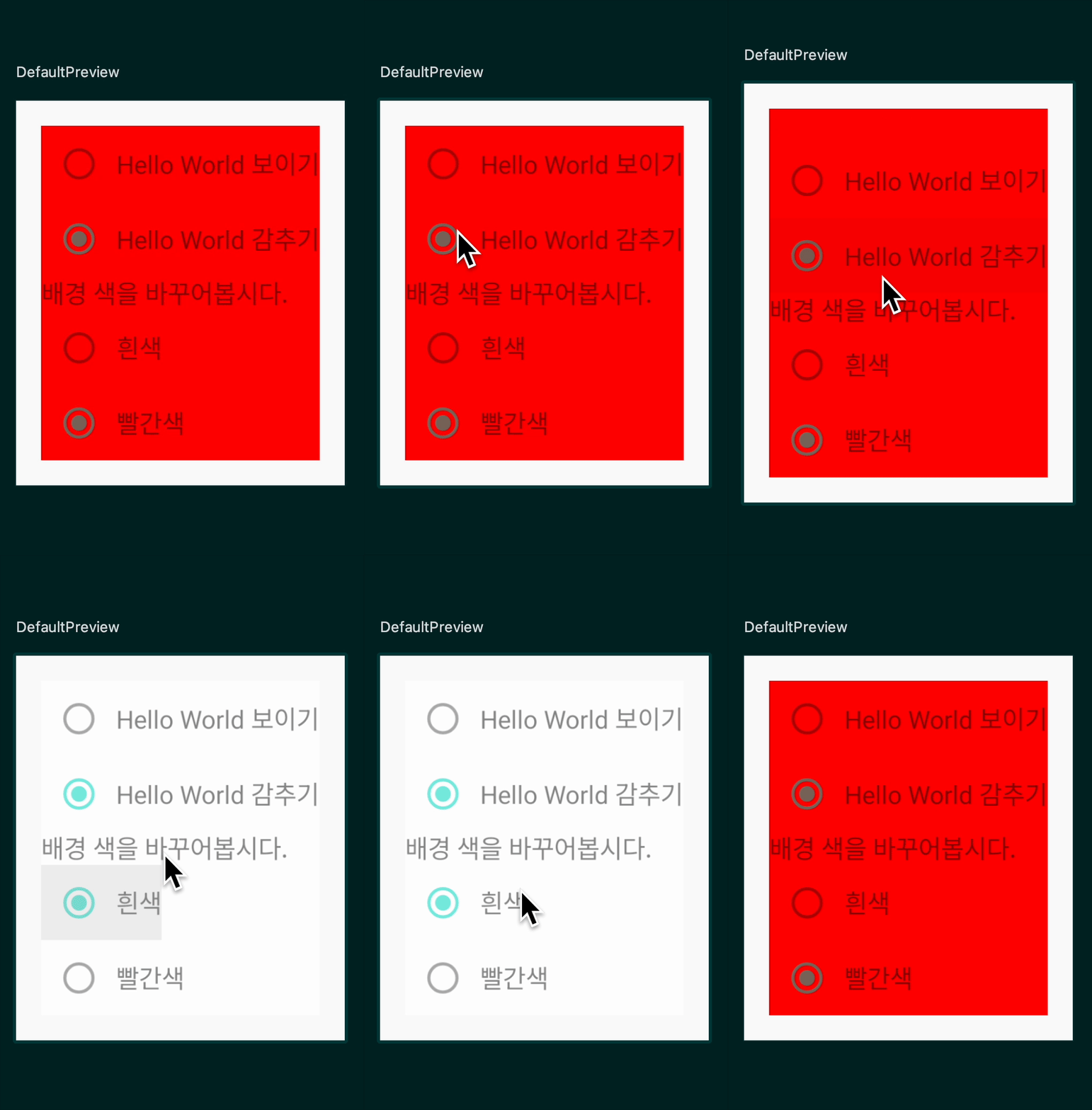
package kr.co.fastcampus.part1.chapter4_14

import android.os.Bundle
import androidx.activity.ComponentActivity
import androidx.activity.compose.setContent
import androidx.compose.animation.*
import androidx.compose.animation.core.animateFloatAsState
import androidx.compose.foundation.background
import androidx.compose.foundation.clickable
import androidx.compose.foundation.layout.Column
import androidx.compose.foundation.layout.Row
import androidx.compose.foundation.layout.fillMaxSize
import androidx.compose.foundation.layout.padding
import androidx.compose.foundation.selection.selectable
import androidx.compose.material.MaterialTheme
import androidx.compose.material.RadioButton
import androidx.compose.material.SnackbarDefaults.backgroundColor
import androidx.compose.material.Surface
import androidx.compose.material.Text
import androidx.compose.runtime.*
import androidx.compose.ui.Alignment
import androidx.compose.ui.Modifier
import androidx.compose.ui.draw.alpha
import androidx.compose.ui.graphics.Color
import androidx.compose.ui.tooling.preview.Preview
import androidx.compose.ui.unit.dp
import kr.co.fastcampus.part1.chapter4_14.ui.theme.AnimationTheme

class MainActivity : ComponentActivity() {
    override fun onCreate(savedInstanceState: Bundle?) {
        super.onCreate(savedInstanceState)
        setContent {
            AnimationTheme {
                // A surface container using the 'background' color from the theme
                Surface(
                    modifier = Modifier.fillMaxSize(),
                    color = MaterialTheme.colors.background
                ) {
                    AnimationEx()
                }
            }
        }
    }
}

@Composable
fun AnimationEx() {
    var helloWorldVisible by remember { mutableStateOf(true) }
    var isRed by remember { mutableStateOf(false) }

//    val backgroundColor = Color.LightGray
    // 단계 4: `backgroundColor`를 `animateColorAsState`로
    // 변경하세요.
    // `targetValue`는 `isRed`에 따라 `Color`를 설정합니다.
    val backgroundColor by animateColorAsState(
        targetValue = if (isRed) Color.Red else Color.White
    )

    val alpha by animateFloatAsState(
        targetValue = if (helloWorldVisible) 1f else 0.5f
    )


    Column(
        modifier = Modifier.padding(16.dp)
            .background(backgroundColor)
            .alpha(alpha)
    ) {
//        Text(text = "Hello World!")

        // 단계 1: `Text`를 `AnimatedVisibility`로 감싸고 `visible`을
        // `helloWorldVisible`로 지정해봅시다.
        AnimatedVisibility(
            visible = helloWorldVisible,
            enter = expandHorizontally() + fadeIn(),
            exit = shrinkHorizontally() + fadeOut()
        ) {
            Text(text = "Hello World!Hello World!")
        }

        // 단계 2: `enter` 파라미터를 바꾸어봅시다.
        // 예:
        // `expandHorizontally()`
        // `scaleIn()`
        // `slideInHorizontally()`
        // `fadeIn()`

        // 단계 3: `enter` 값을 덧셈으로 결합해봅시다.
        // `exit`도 적절한 값을 설정해봅시다.
        Row(
            Modifier.selectable(
                selected = helloWorldVisible,
                onClick = {
                    helloWorldVisible = true
                }
            ),
            verticalAlignment = Alignment.CenterVertically
        ) {
            RadioButton(
                selected = helloWorldVisible,
                onClick = { helloWorldVisible = true }
            )
            Text(
                text = "Hello World 보이기"
            )
        }

        Row(
            Modifier.selectable(
                selected = !helloWorldVisible,
                onClick = {
                    helloWorldVisible = false
                }
            ),
            verticalAlignment = Alignment.CenterVertically
        ) {
            RadioButton(
                selected = !helloWorldVisible,
                onClick = { helloWorldVisible = false }
            )
            Text(
                text = "Hello World 감추기"
            )
        }

        Text(text = "배경 색을 바꾸어봅시다.")

        Row(
            Modifier.selectable(
                selected = !isRed,
                onClick = {
                    isRed = false
                }
            ),
            verticalAlignment = Alignment.CenterVertically
        ) {
            RadioButton(
                selected = !isRed,
                onClick = { isRed = false }
            )
            Text(
                text = "흰색"
            )
        }

        Row(
            Modifier.selectable(
                selected = isRed,
                onClick = {
                    isRed = true
                }
            ),
            verticalAlignment = Alignment.CenterVertically
        ) {
            RadioButton(
                selected = isRed,
                onClick = { isRed = true }
            )
            Text(
                text = "빨간색"
            )
        }
    }
}

@Preview(showBackground = true)
@Composable
fun DefaultPreview() {
    AnimationTheme {
        AnimationEx()
    }
}
모두 이루어져라