출처) 인프런 스프링 입문 강의
스프링 웹 개발은 크게 3가지 방식이 있음
- 정적 컨텐츠: 그냥 문서 그대로
- MVC와 템플릿 엔진: 정적 컨텐츠와 달리 서버에서 HTML을 변형해서 내려주는 방식
- API: json 형태로 주는 방식
정적 컨텐츠
공식 문서의 Static content 참고
src/main/resources/static 폴더에 html 파일 생성

애플리케이션 돌리고
http://localhost:8080/hello-static.html
주소로 들어가면 내용 그대로 올라간 것을 확인할 수 있음

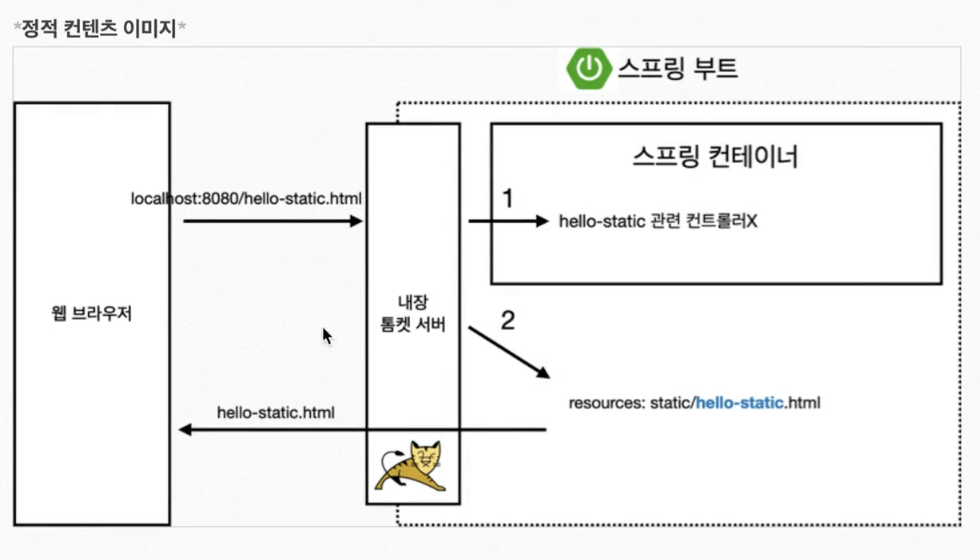
1. 웹브라우저에서 링크 입력
2. 톰켓 서버가 받고 스프링 부트가 매핑된 컨트롤러가 있는지 확인 -> 없음
3. 스프링부트가 내부 resources/static 안에 해당 파일이 있는지 확인하고 반환
MVC와 템플릿 엔진
MVC = Model, View, Controller
이전에는 View에 모든걸 다 시켰는데, 지금은 화면을 그리는데 집중하고 Controller, Model은 내부적인걸 처리하는 것에 집중함
package hello.hellospring.contoller;

import org.springframework.stereotype.Controller;
import org.springframework.web.bind.annotation.GetMapping;
import org.springframework.ui.Model;
import org.springframework.web.bind.annotation.RequestParam;


@Controller
public class HelloController {

    @GetMapping("hello")
    public String hello(Model model){
       model.addAttribute("data", "hello!!");
       return "hello";
    }
    // 추가된 코드 -----------------------------------
    @GetMapping("hello-mvc")
    public String helloMvc(@RequestParam("name") String name, Model model){
        model.addAttribute("name", name);
        return "hello-template";
    }
    // --------------------------------------------

}
HelloController에 hello-mvc 추가
@RequestParam을 사용해서 파라미터로 받아서 사용할 수 있음
파라미터를 hello-template 안의 "name" 이라는 키 값으로
넘겨주겠다는 뜻
이후
src/main/resources/templates에 hello-template.html 추가
<!DOCTYPE html>
<html xmlns:th="http://www.thymeleaf.org">
<body>
<p th:text="'안녕하세요. ' + ${name}"> hello! empty</p>
</body>
</html>
태그 안에 있는 텍스트의 경우 파일 자체를 열었을 때 그냥 나오는 텍스트 (서버없이 돌릴 때) html이 템플릿 엔진에서 사용된다면 굳이 적지 않아도 됨 서버를 돌리면 text안의 값으로 대체됨 이 상태에서 http://localhost:8080/hello-mvc 주소로 들어가면 name을 안줬기 때문에 오류가 남 오류 메시지를 확인해보면 "name"을 안줬다고 나와있음

command + p 버튼을 눌러서 파라미터 확인해보면
required가 나오는데, required의 경우 디폴트가 true 이므로 무조건 값을 넣어줘야됨
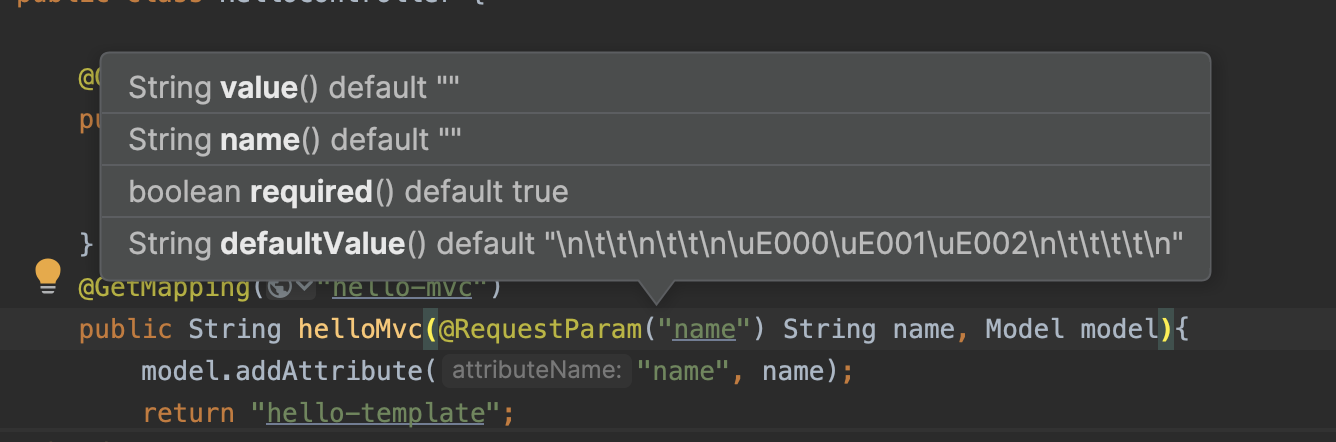
그래서 다시 url에 name 값을 넣어서 확인해보겠음
http의 get 방식임
http://localhost:8080/hello-mvc?name=채원
이렇게 넣어보면 ~

내 이름 나왔다 🥹
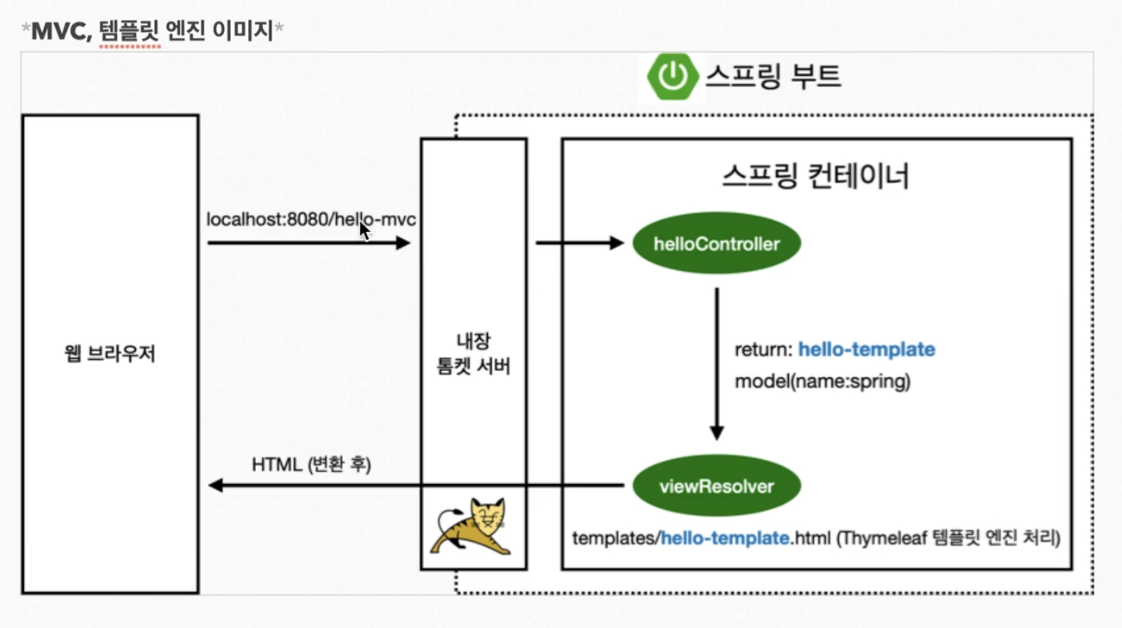
- 웹 브라우저에서 http://localhost:8080/hello-mvc 를 넘김
- 톰켓 서버 거쳐서 스프링 받음 HelloController 내부에 매핑되는 helloMvc 메서드 확인 후 호출, hello-template을 리턴함
- viewResolver에서 templates 내부에서 hello-template와 이름 같은 html 파일을 찾아서 Thymeleaf 템플릿 엔진한테 랜더링 요청 ~~
- HTML으로 변환 후 보여짐
API
데이터를 그대로 내려주는 방식
위 MVC 방식과 다르게 리턴 값 그대로 내려줌 별도 템플릿 생성 X
    @GetMapping("hello-string")
    @ResponseBody
    public String helloString(@RequestParam("name") String name){
        return "hello" + name;
    }
HelloController에 코드 추가함
위와 다르게 html 템플릿 생성하지 않았고 파라미터로 받은 name을 리턴함
꼭 추가해야할 것은 @ResponseBody
이후 http://localhost:8080/hello-string?name=채원 으로 접속하면
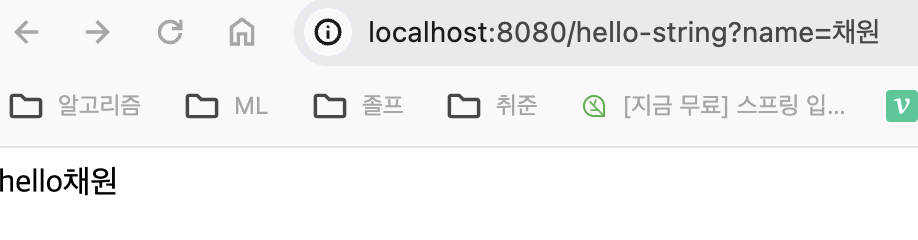
이런식으로 뜨는데 html을 확인해보면?
그냥 리턴한 텍스트 그 자체임

텍스트 자체를 주는 경우는 거의 없음
객체를 주는 API 예시
 @GetMapping("hello-api")
    @ResponseBody
    public Hello helloApi(@RequestParam("name") String name){
        Hello hello = new Hello();
        hello.setName(name);
        return hello;
    }
    static class Hello{
        private String name;
        public String getName(){
            return name;
        }
        public void setName(String name){
            this.name = name;
        }
    }
Hello 객체를 넘겨주는 hello-api
http://localhost:8080/hello-api?name=채원 로 접속하면
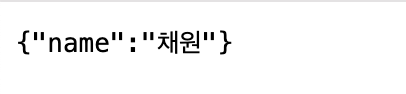
json 형태로 주는 것을 확인할 수 있음
과거에는 XML (html 코드) 형식으로 줬으나, 지금은 거의 json 방식으로 통일됨
json으로 반환하는게 디폴트임
+) getter and setter == 자바빈 표준 방식 == 프로퍼티 접근 방식
ctrl + enter 키 누르면 아래처럼 선택할 수 있는데
get
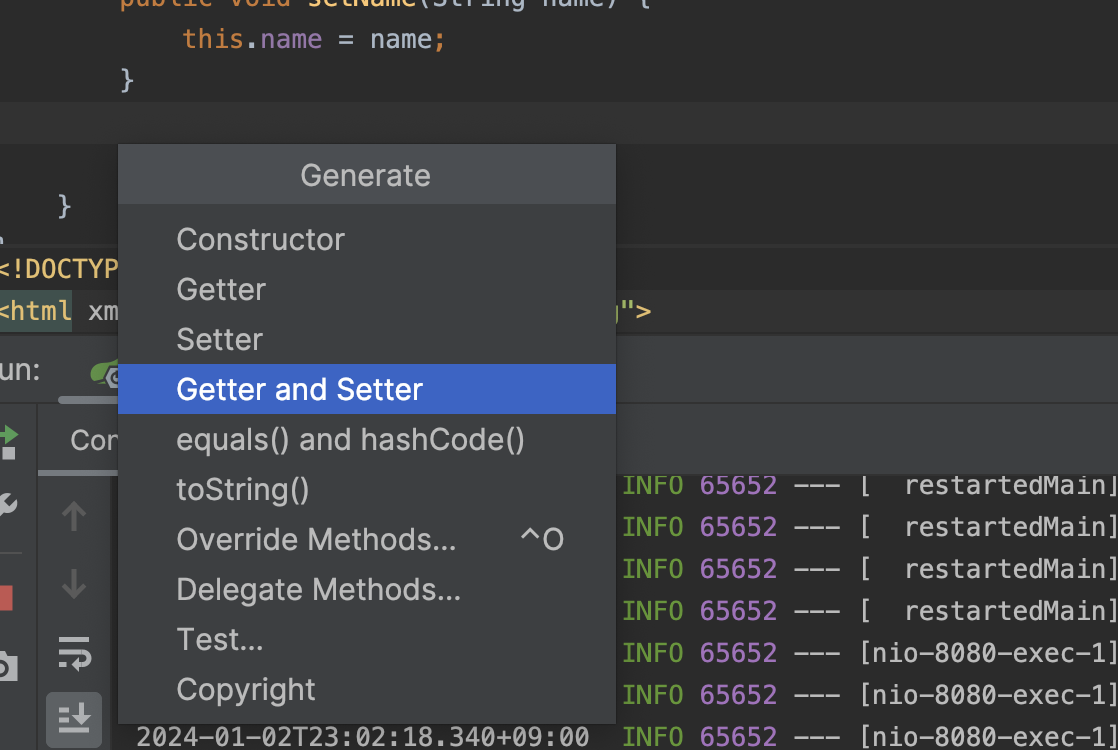
이렇게 누르면 getName, setName이 생성됨
Hello 객체에서 name은 private이므로 접근할 때 public인 get, set 메서드를 통해 접근해야됨
@ResponseBody 작동원리
1. 웹브라우저 localhost:8080//hello-api 입력 -> 톰켓 서버가 받아서 스프링에 던짐
2. 스프링이 받았는데 hello-api가 있음 + @ResponseBody라는게 붙어있으면
-> HTTP 응답에 객체로 넘김 -> 객체를 json으로 바꿔서 반환
3. HttpMessageConverter (기존에는 viewResolver)
단순 문자 -> StringHttpMessageConverter
객체 -> MappingJackson2HttpMessageConverter
에 의해서 바뀌어서 반환됨
jackson = 객체를 json으로 바꾸는 라이브러리, 스프링에 기본으로 사용됨
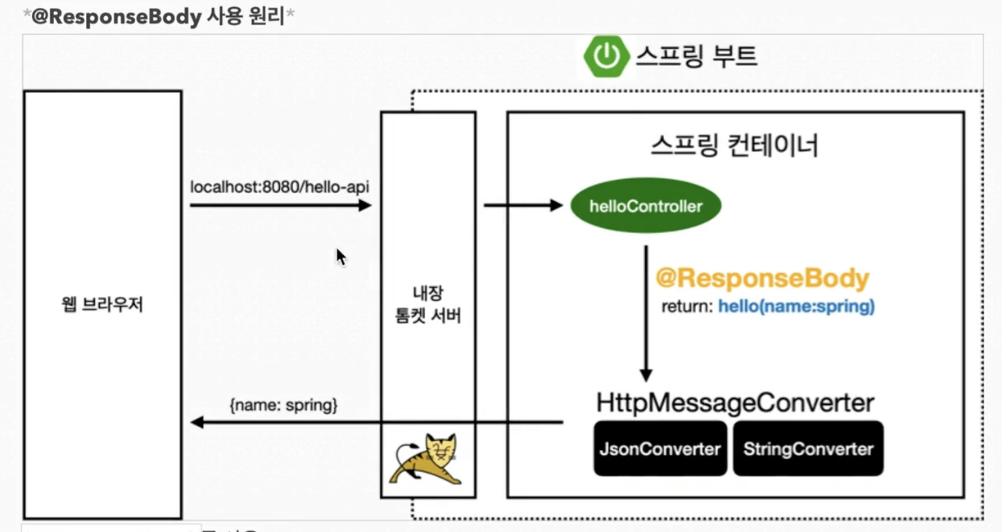
만약 http에서 특정 형태로 반환을 해달라는 요청이 들어오면, 특정 컨버터가 작동해서 변환후 반환 해줌 (ex. XML)