0. 들어가며

해당 스터디는 크리스찬 E. 포스타가 발행한 istio in action 책에 대해 Istio Hands-on-Study를 진행하며 공부한 내용을 정리합니다.
해당 스터디를 진행해주신 CloudNetaStudy 팀 분들에게 감사하단 말씀을 전합니다.
1. 개념 정리
Service Mesh 등장 배경
- MSA 아키텍처 환경의 시스템에 대한 전체 모니터링에 대한 어려움
- 운영 시 시스템 장애나 문제가 발생할 때 병목 구간 찾기 어려움
- 내부망 진입점에 역할을 하는 Gateway 경우 모든 동작 처리에 따라 무거워 지거나, 내부망 내부 통신 제어는 어려운 한계점이 존재
Service Mesh??
- 서비스 간 통신을 가능하게 하는 사전 구성된 애플리케이션 서비스로, 애플리케이션 수명 주기 전반에 걸쳐 데이터와 일관성을 공유
- 데이터 플레인과 컨트롤 플레인으로 구성된 아키텍처를 말하는데, 여기서 데이터 플레인은 애플리케이션 계층 프록시를 사용해 애플리케이션 대신 네트워킹 트래픽을 관리하고 컨트롤 플레인은 프록시를 관리
- 서비스 프록시는 애플리케이션 간의 중개자 역할을 하며, 컨트롤 플레인이 전달한 설정에 따라 네트워킹 동작에 영향을 준다.
Service Mesh 기본 원리
- 기본 통신 환경 - 애플리케이션 끼리 직접 통신
 출처 : Istio Hands-on Study 1기
- 애플리케이션 수정 없이, 모든 애플리케이션 통신 사이에 Proxy를 둠
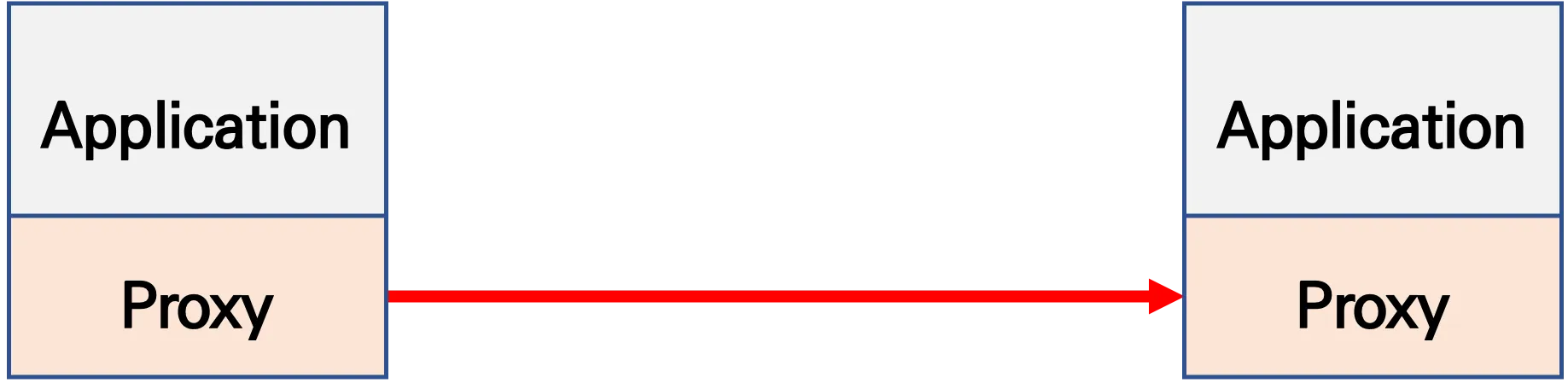 출처 : Istio Hands-on Study 1기
- Proxy 통신은 ControlPlane을 두고 중앙에서 관리하는 방향으로 진행
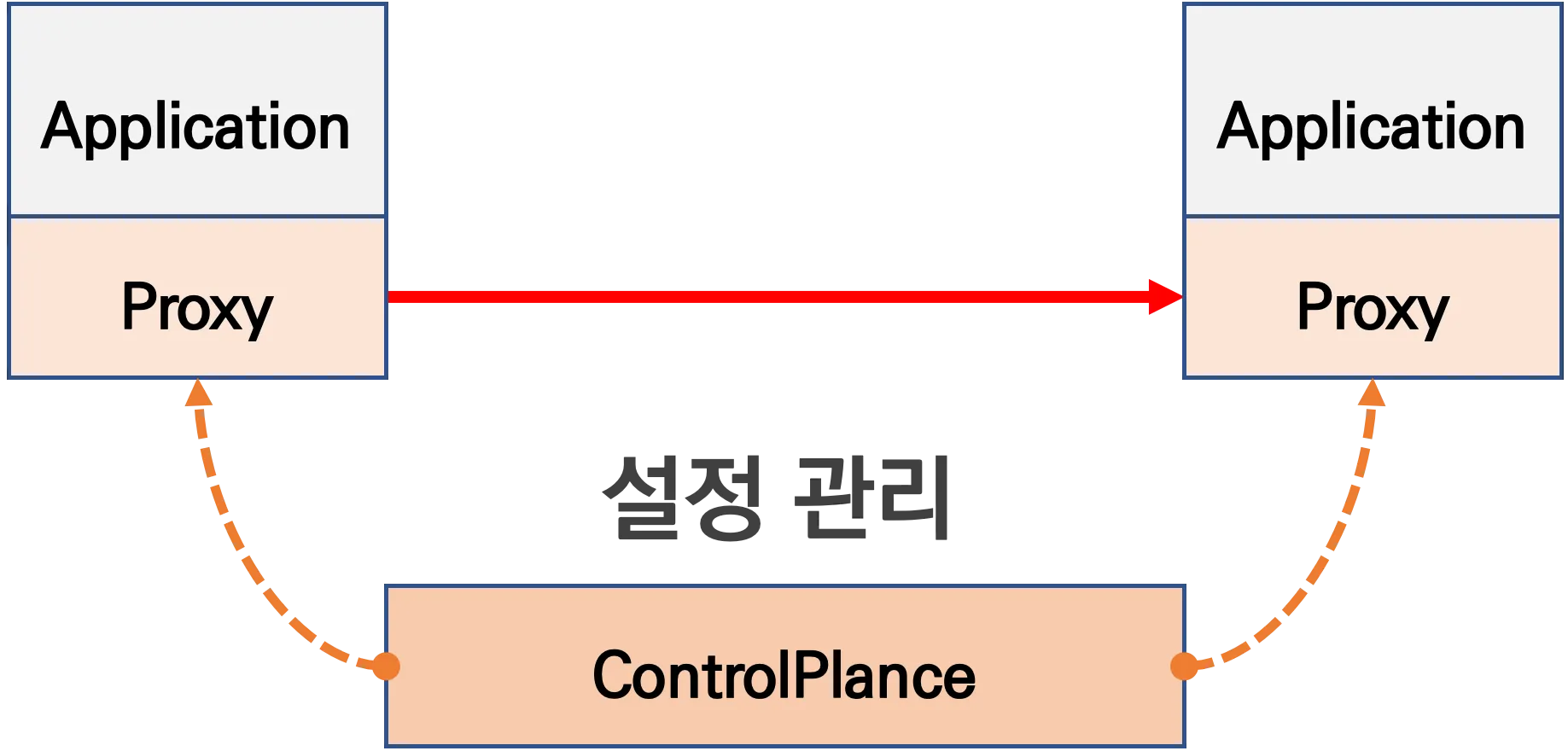 출처 : Istio Hands-on Study 1기
Service Mesh 구성 요소
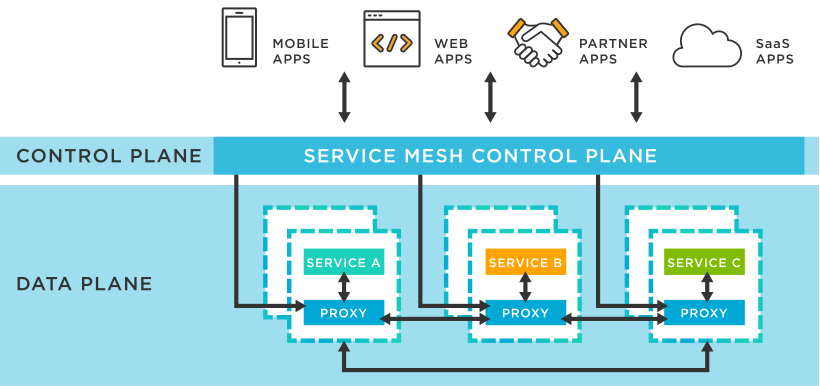 출처 : tibco
-
Data Plane
- 트래픽 라우팅: 요청을 적절한 서비스 인스턴스로 전달
- 보안 처리: mTLS를 통한 암호화 및 인증을 제공
- 로깅 및 모니터링: 트래픽 데이터를 수집하여 관측성을 향상
- 장애 대응: 서킷 브레이커, 재시도, 타임아웃 등의 기능을 통해 서비스의 복원력을 높인다.
-
Control Plane
- 구성 관리: 트래픽 정책, 보안 설정, 라우팅 규칙 등을 정의하고 배포
- 서비스 디스커버리: 새로운 서비스 인스턴스를 자동으로 감지하고 등록
- 정책 적용: 인증 및 권한 부여 정책을 설정하여 보안을 강화
- 관측성 제공: 메트릭, 로그, 트레이싱 데이터를 수집하여 시스템 상태를 모니터링
Service Mesh 주요 기능
-
Traffic Management
- 라우팅 제어: 요청을 버전별 서비스로 분기 (예: Canary, Blue-Green 배포)
- 로드 밸런싱: 서비스 간 트래픽을 균등하게 분산
- 재시도, 타임아웃, 서킷 브레이커 설정 가능
-
Security
- mTLS (Mutual TLS): 서비스 간 통신 암호화 및 상호 인증
- 정책 기반 접근 제어 (RBAC): 서비스 간 허용된 통신만 허용
-
Observability
- 메트릭 수집: Prometheus 등을 통한 요청 지연, 성공률 등의 지표 수집
- 트레이싱: Jaeger, Zipkin으로 서비스 간 호출 흐름 추적
- 로깅: 서비스 간 통신 로그 기록 및 분석
-
정책 제어 및 자동화
- 서비스 디스커버리: 동적으로 서비스 위치 파악
- 구성 분리: 애플리케이션 로직과 네트워크 정책을 분리
- 서비스 간 흐름 정책 정의: YAML 등으로 구성 가능
Service Mesh 장/단점
[장점]
- 복잡성 감소 및 개발 효율성 향상
- 네트워크 통신 로직을 애플리케이션 코드에서 분리하여 개발자가 비즈니스 로직에 집중할 수 있다.
- 보안 강화
- 서비스 간 통신에 mTLS(mutual Transport Layer Security)를 적용하여 데이터 암호화와 인증을 자동화
- 트래픽 관리 및 제어
- 동적 라우팅, 로드 밸런싱, 재시도, 타임아웃, 서킷 브레이커 등의 기능을 제공하여 트래픽 흐름을 세밀하게 제어
- 관측 가능성(Observability) 향상
- 서비스 간 호출에 대한 메트릭 수집, 로깅, 분산 트레이싱 등을 통해 시스템의 상태를 모니터링하고 문제를 신속하게 진단 가능
[단점]
- 리소스 사용 증가
- 각 서비스 인스턴스마다 사이드카 프록시가 추가되므로 CPU와 메모리 사용량이 증가
- 네트워크 지연 시간 증가
- 모든 서비스 통신이 프록시를 거치게 되어 네트워크 홉이 추가되며, 이로 인해 지연 시간이 발생
- 운영 복잡성 증가
- 서비스 메쉬의 도입과 관리는 추가적인 운영 오버헤드를 발생시키며, 특히 초기 설정과 모니터링에 대한 복잡성이 증가
- 학습 곡선(Steep Learning Curve)
- 서비스 메쉬는 비교적 새로운 기술로, 팀이 이를 효과적으로 사용하기 위해서는 추가적인 학습과 경험이 필요
Istio Service Mesh??
- Google, IBM, Lyft가 2016년에 설립한 오픈소스 서비스 메시
- Istio는 서비스 간 트래픽을 제어·보호하고, 통신을 관찰할 수 있도록 도와주는 인프라 계층
Istio Service Mesh 구성요소
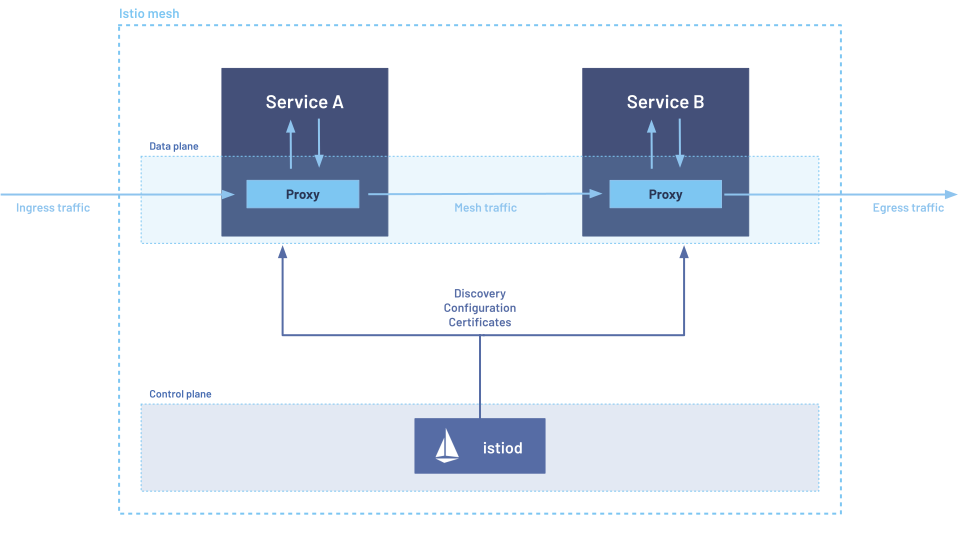 출처 : istio
[데이터 플레인]
- 각 서비스 앞에 Evony Proxy를 서비스 옆에 사이드카 형식으로 배포
- 서비스로 나가는 트래픽을 실제로 전달하고, 수집하고, 제어함
[컨트롤 플레인]
- 정책 적용, 서비스 디스커버리, 인증, 트래픽 라우팅 제어 등의 제어 기능 수행
istiod는 Istio Service Mesh 1.5 버전 부터 등장한 기능이며 이전 버전에선pilot,citadel,galley,mixer의 개별 컴포넌트로서 존재했음- istiod
컴포넌트 역할 PilotEnvoy 프록시에 라우팅, 정책 정보 전달 (서비스 디스커버리, 트래픽 관리) CitadelmTLS를 위한 인증서 발급 및 관리 Galley설정 검증 및 변환, 구성을 수집 Mixer정책 판단, 텔레메트리 수집 (1.5 버전 부턴 비활성화, 1.8 버전 부턴 해당 기능 제거)
Istio 첫걸음
설치 및 기본 사용
Kind 설치
-
Docker Desktop 설치 - Link
-
kind 필수 툴 설치
# Install Kind
brew install kind
kind --version

# Install kubectl
brew install kubernetes-cli
kubectl version --client=true

## kubectl -> k 단축키 설정
echo "alias =kubecolor" >> ~/.zshrc

# Install Helm
brew install helm
helm version
-
권장한 유용 툴 설치
# 툴 설치
brew install krew
brew install kube-ps1
brew install kubectx

# kubectl 출력 시 하이라이트 처리
brew install kubecolor
echo "alias kubectl=kubecolor" >> ~/.zshrc
echo "compdef kubecolor=kubectl" >> ~/.zshrc

# krew 플러그인 설치
kubectl krew install neat stern
-
kubeconfig 세팅
# 클러스터 배포 전 확인
docker ps

# Create a cluster with kind
kind create cluster

# 클러스터 배포 확인
kind get clusters
kind get nodes
kubectl cluster-info

# 노드 정보 확인
kubectl get node -o wide

# 파드 정보 확인
kubectl get pod -A
kubectl get componentstatuses

# 컨트롤플레인 (컨테이너) 노드 1대가 실행
docker ps
docker images

# kube config 파일 확인
cat ~/.kube/config
혹은
cat $KUBECONFIG # KUBECONFIG 변수 지정 사용 시

# nginx 파드 배포 및 확인 : 컨트롤플레인 노드인데 파드가 배포 될까요?
kubectl run nginx --image=nginx:alpine
kubectl get pod -owide

# 노드에 Taints 정보 확인
kubectl describe node | grep Taints
Taints:             <none>

# 클러스터 삭제
kind delete cluster

# kube config 삭제 확인
cat ~/.kube/config
혹은
cat $KUBECONFIG # KUBECONFIG 변수 지정 사용 시
Kind로 k8s 배포 (version 1.23.17)
- 클러스터 배포전 확인
docker ps
- 환경 변수 지정
export KUBECONFIG=~/.kube/config
- cluster 생성
git clone https://github.com/AcornPublishing/istio-in-action
cd istio-in-action/book-source-code-master

kind create cluster --name myk8s --image kindest/node:v1.23.17 --config - <<EOF
kind: Cluster
apiVersion: kind.x-k8s.io/v1alpha4
nodes:
- role: control-plane
  extraPortMappings:
  - containerPort: 30000 # Sample Application (istio-ingrssgateway)
    hostPort: 30000
  - containerPort: 30001 # Prometheus
    hostPort: 30001
  - containerPort: 30002 # Grafana
    hostPort: 30002
  - containerPort: 30003 # Kiali
    hostPort: 30003
  - containerPort: 30004 # Tracing
    hostPort: 30004
  - containerPort: 30005 # kube-ops-view
    hostPort: 30005
  extraMounts:
  - hostPath: /Users/bkshin/IdeaProjects/istio-study/istio-in-action/book-source-code-master *# 각자 자신의 pwd 경로로 설정*
    containerPath: /istiobook
networking:
  podSubnet: 10.10.0.0/16
  serviceSubnet: 10.200.1.0/24
EOF
- 배포 확인
kind get nodes --name myk8s
docker ps -a
- 노드에 기본 툴 설치
docker exec -it myk8s-control-plane sh -c 'apt update && apt install tree psmisc lsof wget bridge-utils net-tools dnsutils tcpdump ngrep iputils-ping git vim -y'
kube-ops-view 설치
- kube-ops-view 설치
helm repo add geek-cookbook https://geek-cookbook.github.io/charts/
helm install kube-ops-view geek-cookbook/kube-ops-view --version 1.2.2 --set service.main.type=NodePort,service.main.ports.http.nodePort=30005 --set env.TZ="Asia/Seoul" --namespace kube-system
- 배포 확인
kubectl get deploy,pod,svc,ep -n kube-system -l app.kubernetes.io/instance=kube-ops-view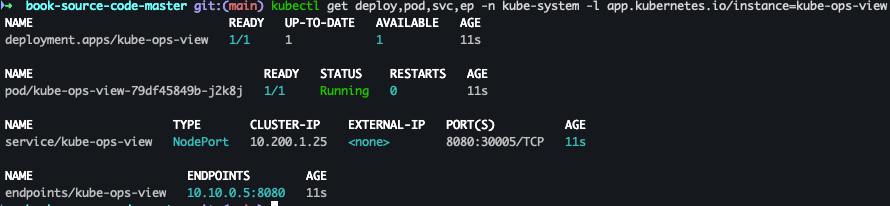
- 사이트 접속 - Link
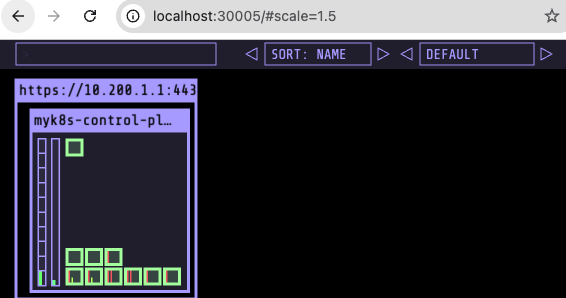
metrics-server 설치
- 설치
helm repo add metrics-server https://kubernetes-sigs.github.io/metrics-server/ helm install metrics-server metrics-server/metrics-server --set 'args[0]=--kubelet-insecure-tls' -n kube-system - 설치 확인
kubectl get all -n kube-system -l app.kubernetes.io/instance=metrics-server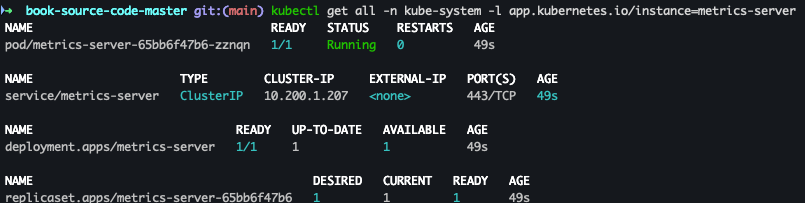
Istio 설치
-
Istio 설치 구성요소
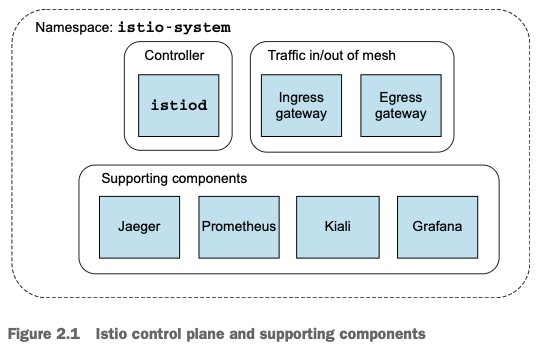 출처 : Istio Hands-on Study 1기
- myk8s-control-plane 진입
docker exec -it myk8s-control-plane bash
- 코드파일 마운트 확인
tree /istiobook/ -L 1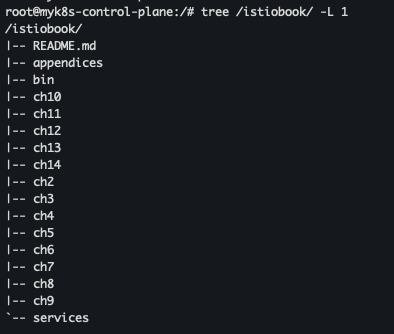
- istioctl 설치
export ISTIOV=1.17.8
echo 'export ISTIOV=1.17.8' >> /root/.bashrc

curl -s -L https://istio.io/downloadIstio | ISTIO_VERSION=$ISTIOV sh -
tree istio-$ISTIOV -L 2 # sample yaml 포함
cp istio-$ISTIOV/bin/istioctl /usr/local/bin/istioctl
istioctl version --remote=false
- default 프로파일 컨트롤 플레인 설치
istioctl x precheck # 설치 전 k8s 조건 충족 검사
istioctl profile list
istioctl install --set profile=default -y
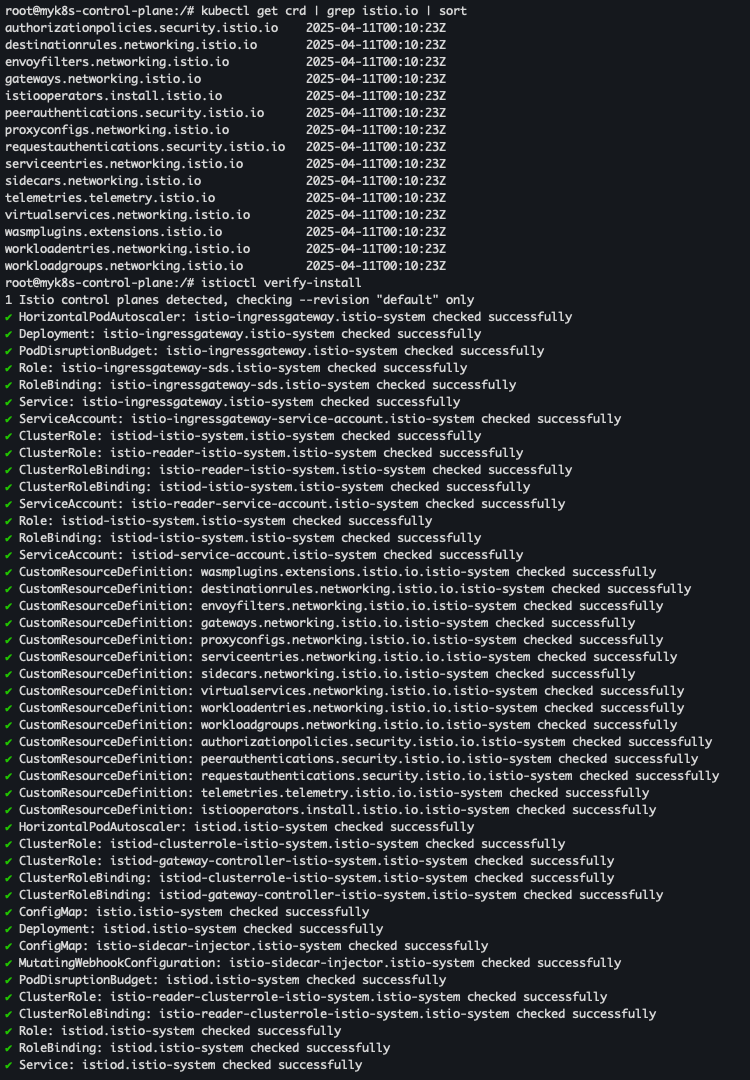
- istiod, istio-ingressgateway, crd 설치 확인
kubectl get all,svc,ep,sa,cm,secret,pdb -n istio-system
kubectl get crd | grep istio.io | sort
istioctl verify-install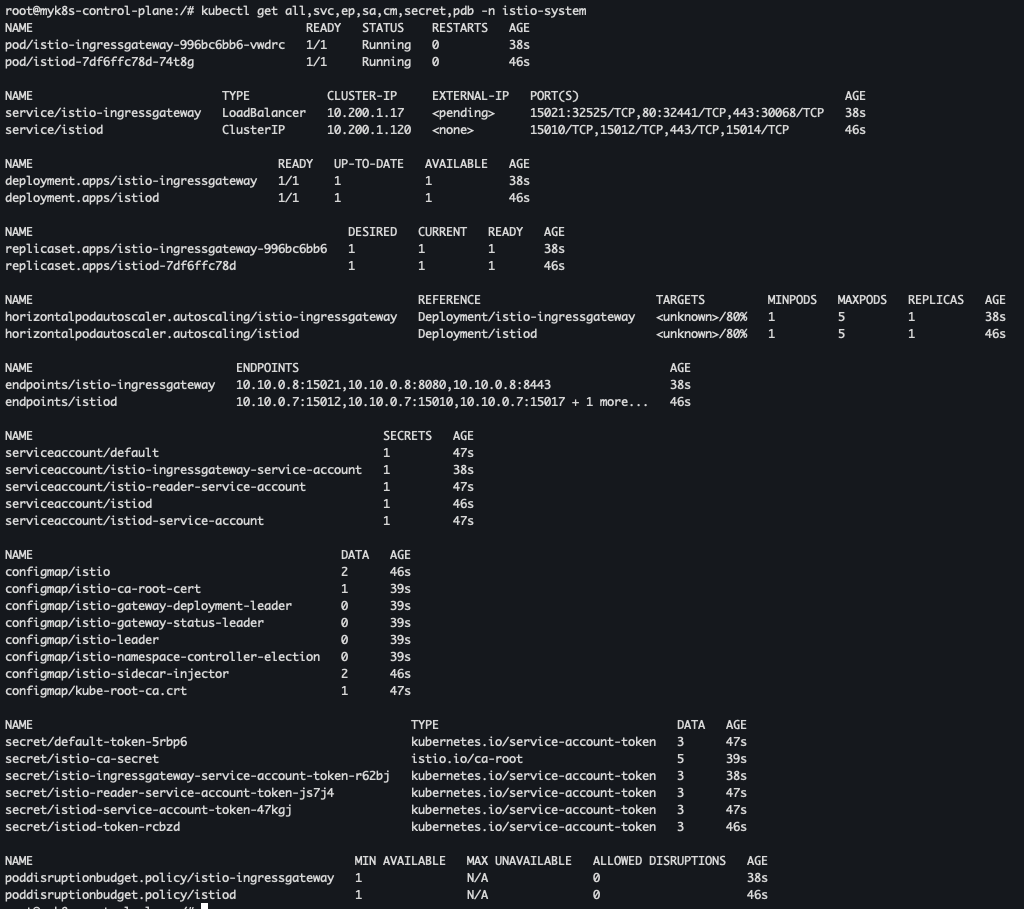
- 보조 도구 설치
kubectl apply -f istio-$ISTIOV/samples/addons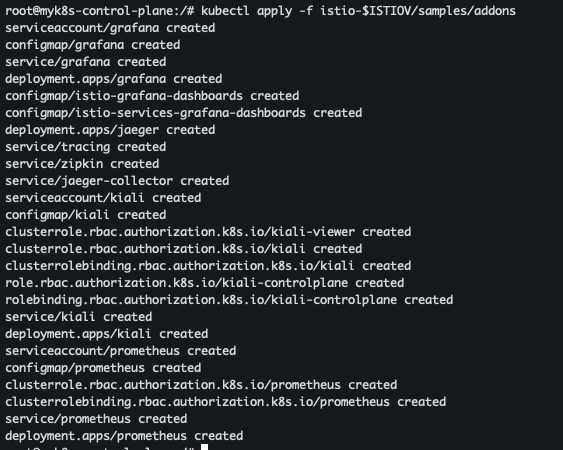
- 파드 확인
kubectl get pod -n istio-system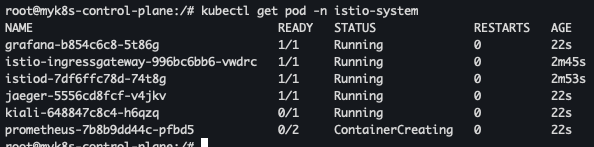
- 파드 빠져 나오기
exit
- 로컬에서 설치 확인
kubectl get cm -n istio-system istio -o yaml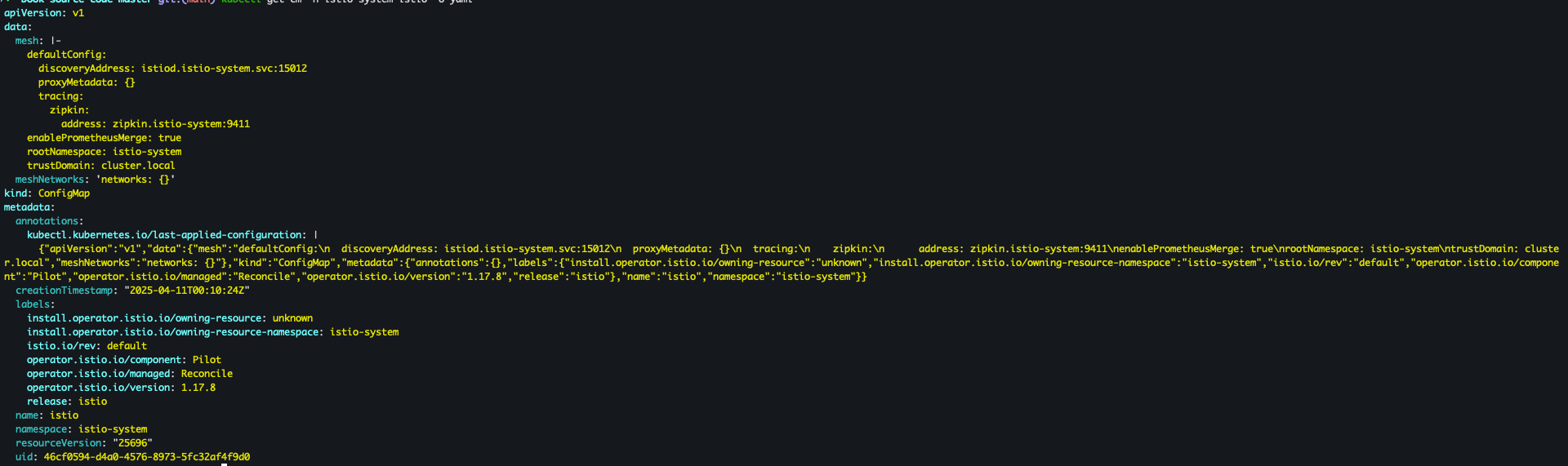
서비스 메시에 애플리케이션 배포
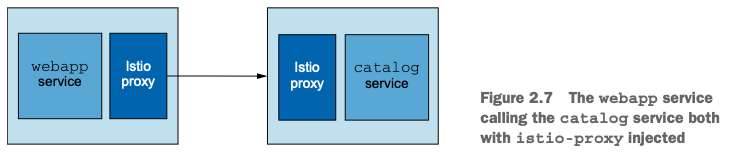 출처 : Istio Hands-on Study 1기
- namespace 생성
kubectl create ns istioinaction
- istiobook catalog 설정 및 확인
kubectl label namespace istioinaction istio-injection=enabled
kubectl get ns --show-labels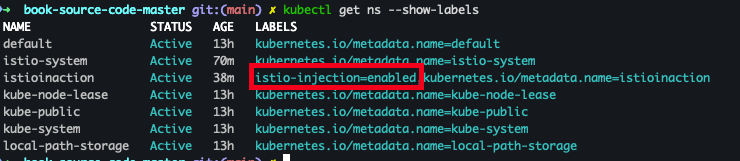
- Mutating Webhook Configuration 목록 조회
kubectl get mutatingwebhookconfiguration
- 상세 확인
kubectl get mutatingwebhookconfiguration *istio-sidecar-injector* -o yaml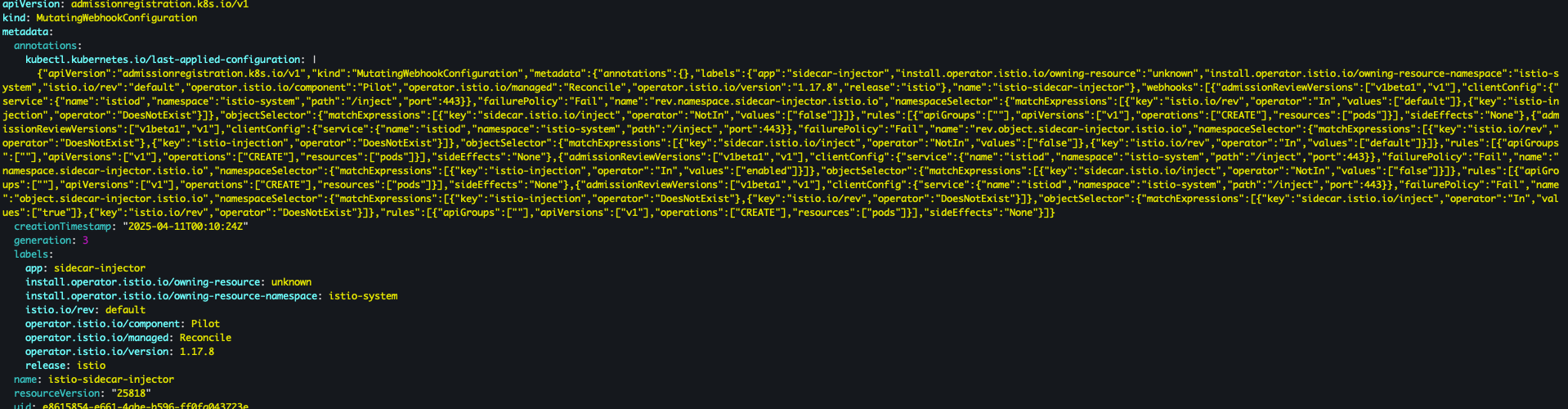
- catalog 배포
kubectl apply -f services/catalog/kubernetes/catalog.yaml -n istioinaction
- webapp 배포
kubectl apply -f services/webapp/kubernetes/webapp.yaml -n istioinaction
- 배포된 파드 확인
kubectl get pod -n istioinaction
- 접속 테스트용 netshoot 파드 배포
cat <<EOF | kubectl apply -f -
apiVersion: v1
kind: Pod
metadata:
  name: netshoot
spec:
  containers:
  - name: netshoot
    image: nicolaka/netshoot
    command: ["tail"]
    args: ["-f", "/dev/null"]
  terminationGracePeriodSeconds: 0
EOF
- catalog 접속 확인
kubectl exec -it netshoot -- curl -s http://catalog.istioinaction/items/1 | jq
- webapp 접속 확인
kubectl exec -it netshoot -- curl -s http://webapp.istioinaction/api/catalog/items/1 | jq
- (임시) 포트포워드 세팅
kubectl port-forward -n istioinaction deploy/webapp 8080:8080
- 접속 확인
open http://localhost:8080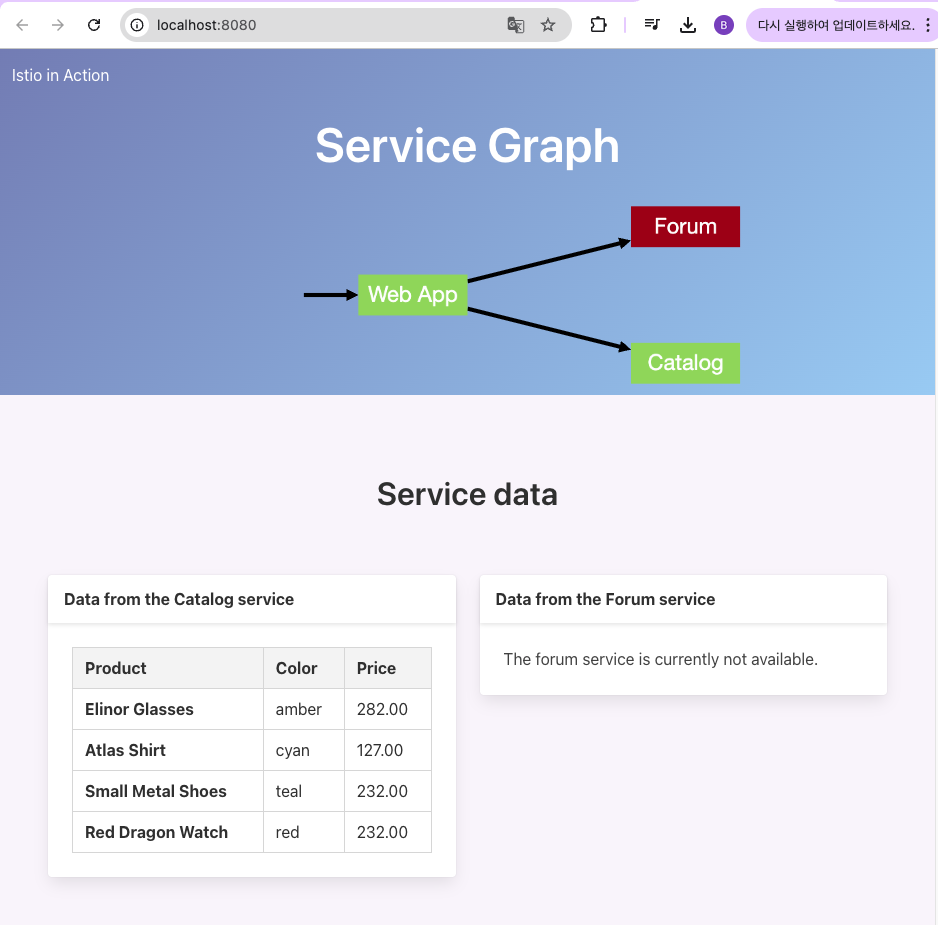
Istio 복원력, 관찰 가능성, 트래픽 제어
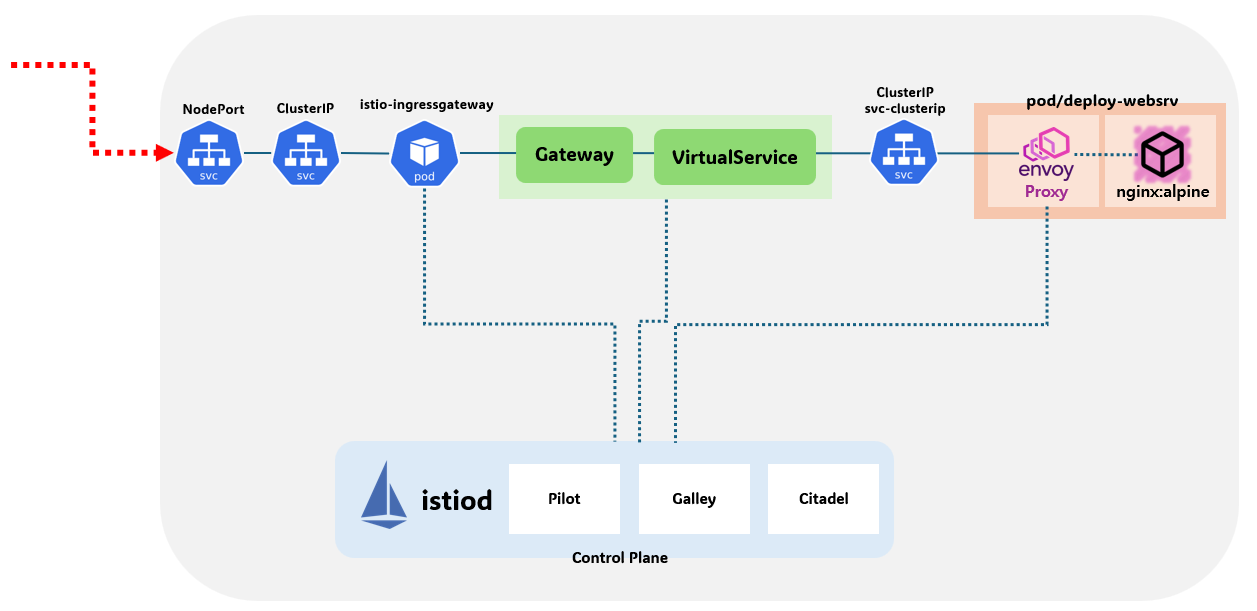 출처 : Istio Hands-on Study 1기
- istioctl proxy-status 확인
docker exec -it myk8s-control-plane istioctl proxy-status
docker exec -it myk8s-control-plane istioctl ps
- ingress-gateway.yaml 파일 확인
cat ch2/ingress-gateway.yaml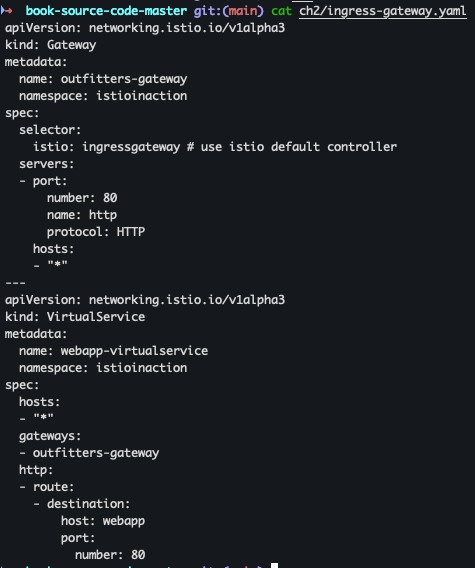
- Gateway, VirtualService 배포
kubectl -n istioinaction apply -f ch2/ingress-gateway.yaml
- Gateway, VirtualService 배포 확인
kubectl get gw,vs -n istioinaction
- istioctl proxy-status 확인
docker exec -it myk8s-control-plane istioctl proxy-status
- 환경 변수 설정
ISTIOIGW=istio-ingressgateway-996bc6bb6-vwdrc.istio-system
WEBAPP=webapp-7685bcb84-4p9hs.istioinaction
-
istioctl proxy-config 확인
docker exec -it myk8s-control-plane istioctl proxy-config all $ISTIOIGW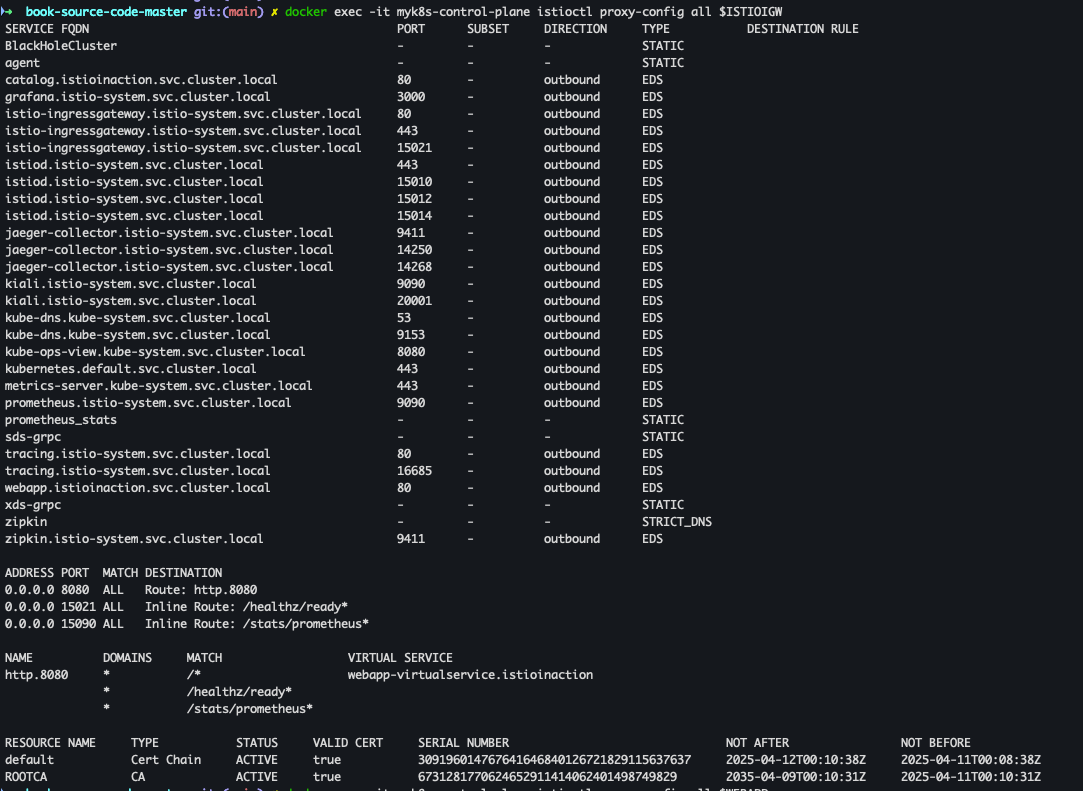
docker exec -it myk8s-control-plane istioctl proxy-config all $WEBAPP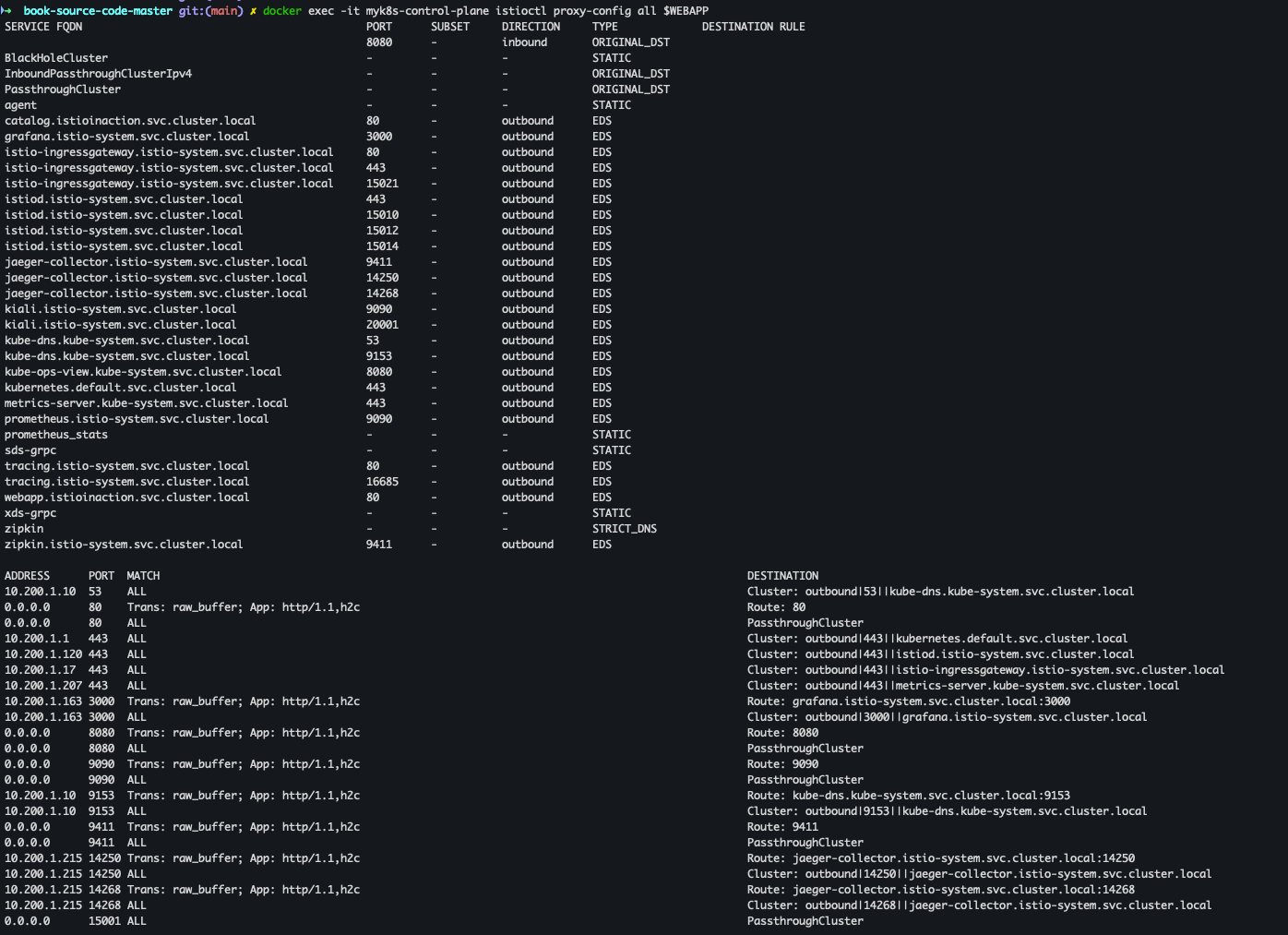
- istio-ingressgateway proxy-config 세부 확인
docker exec -it myk8s-control-plane istioctl proxy-config listener $ISTIOIGW
docker exec -it myk8s-control-plane istioctl proxy-config route $ISTIOIGW
docker exec -it myk8s-control-plane istioctl proxy-config cluster $ISTIOIGW
docker exec -it myk8s-control-plane istioctl proxy-config endpoint $ISTIOIGW
docker exec -it myk8s-control-plane istioctl proxy-config log $ISTIOIGW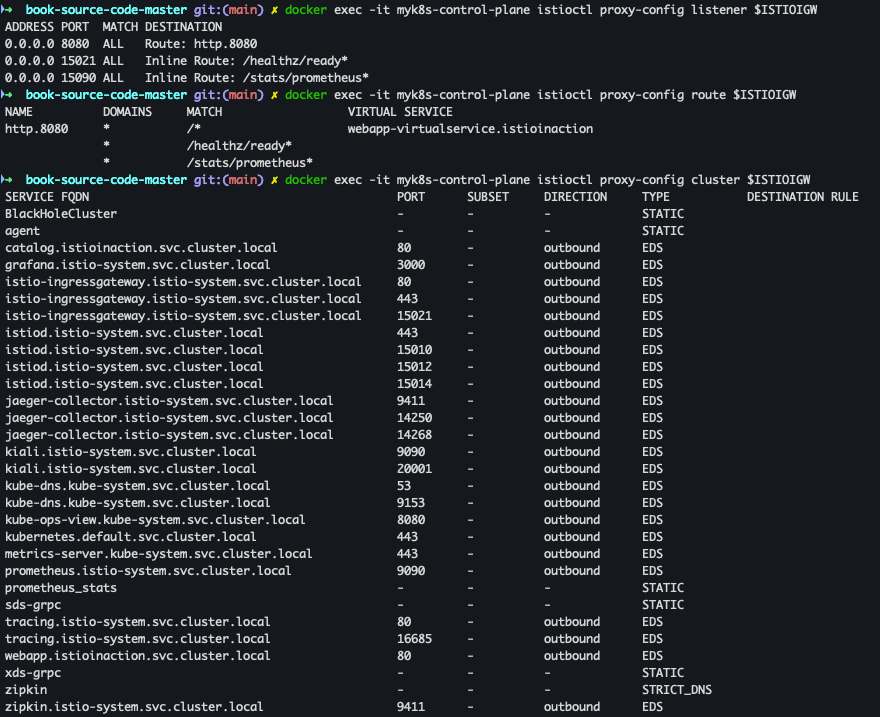
- webapp proxy-config 세부 확인
docker exec -it myk8s-control-plane istioctl proxy-config listener $WEBAPP
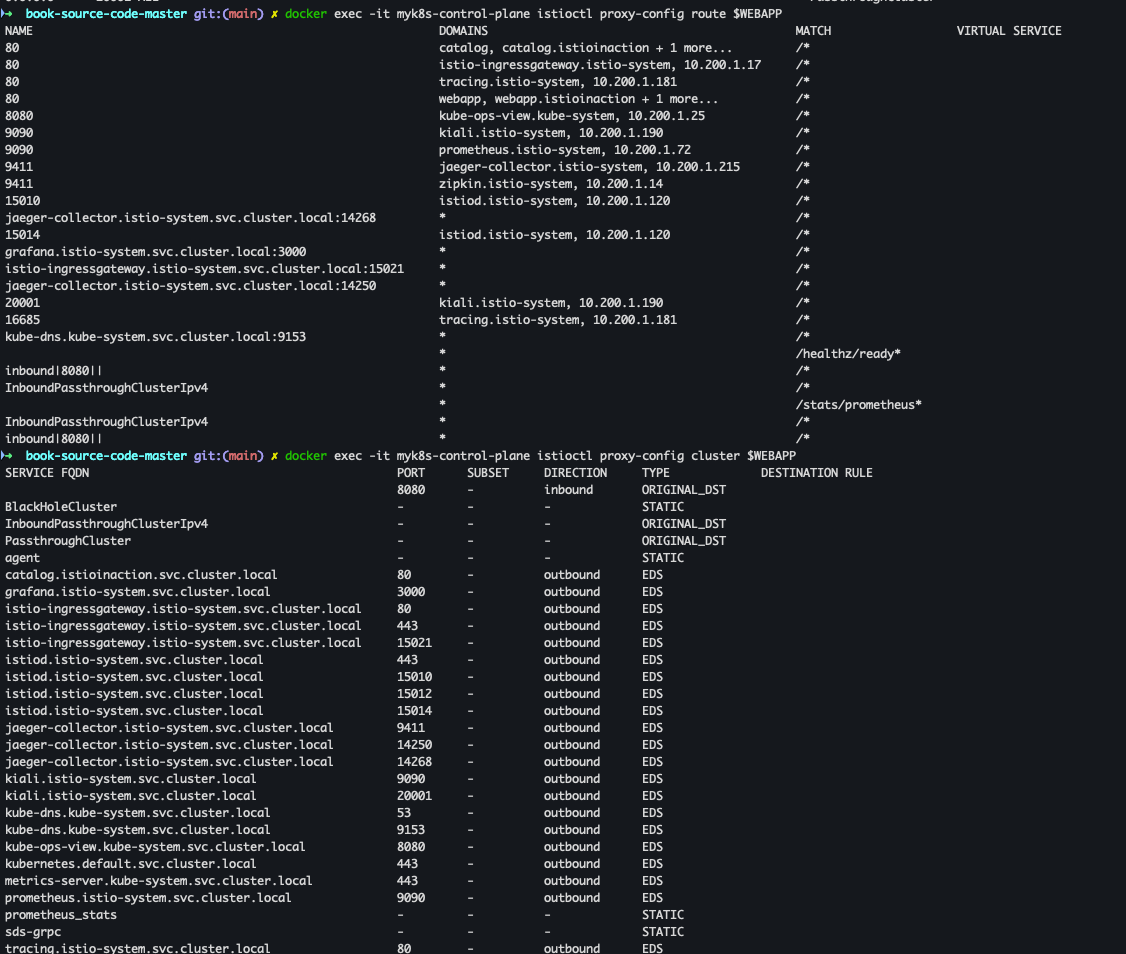
docker exec -it myk8s-control-plane istioctl proxy-config route $WEBAPP
docker exec -it myk8s-control-plane istioctl proxy-config cluster $WEBAPP
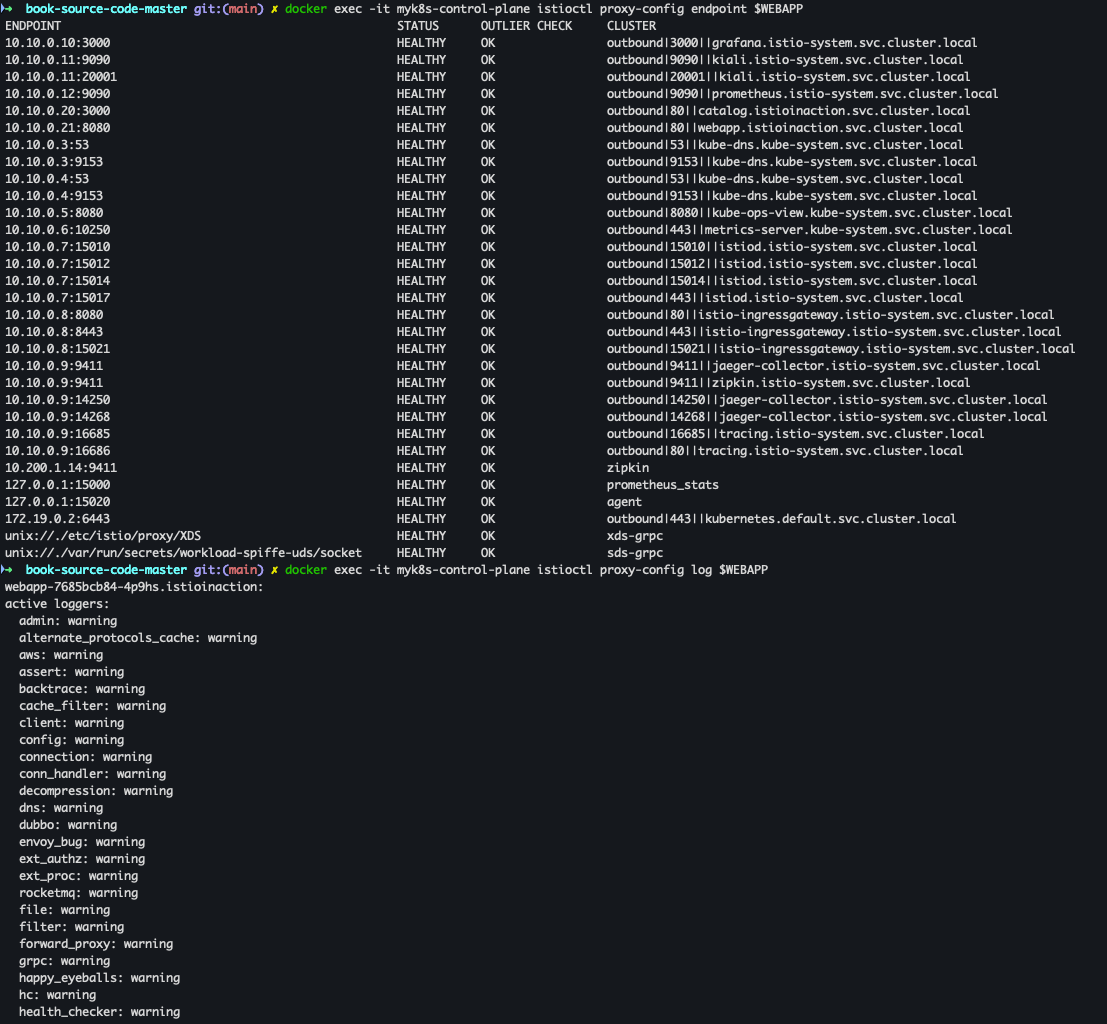
docker exec -it myk8s-control-plane istioctl proxy-config endpoint $WEBAPP
docker exec -it myk8s-control-plane istioctl proxy-config log $WEBAPP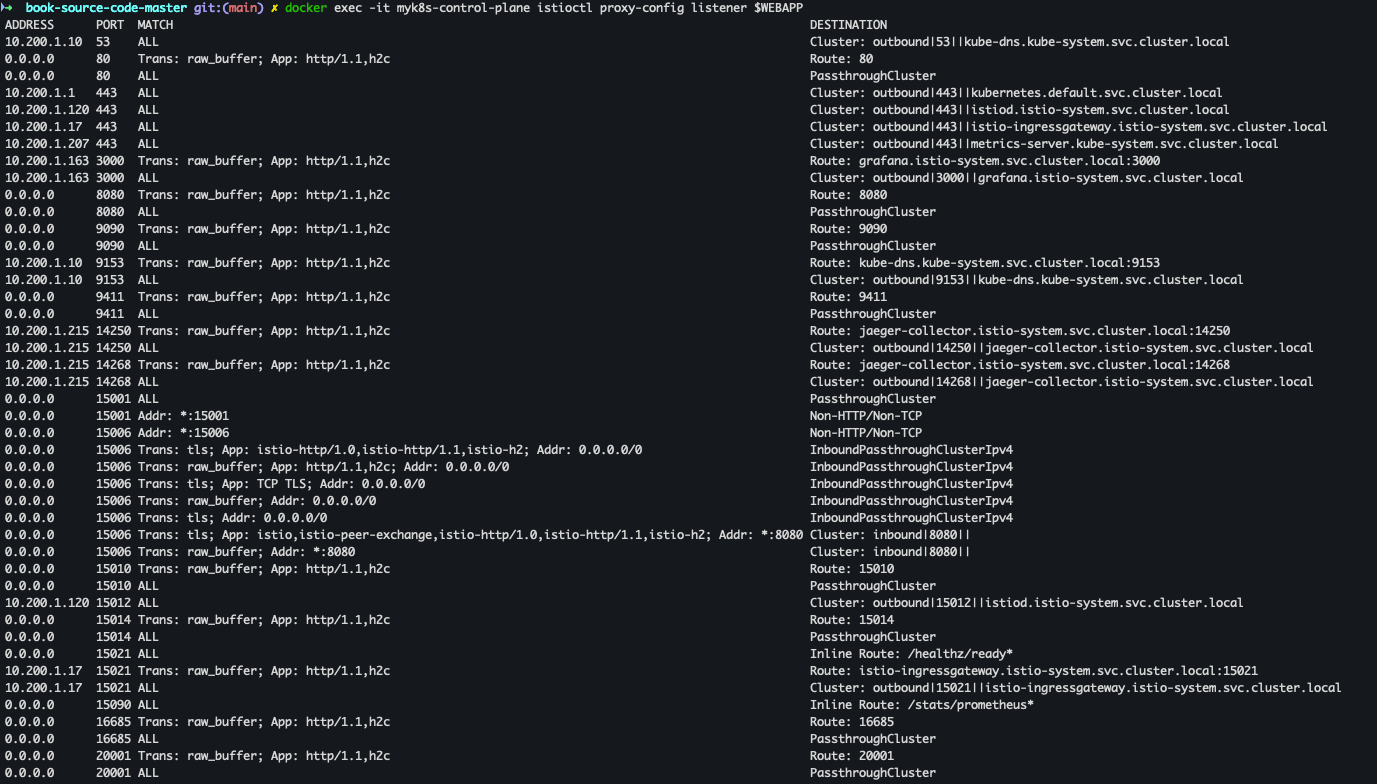
- envoy가 사용하고 있는 인증서 정보 확인
docker exec -it myk8s-control-plane istioctl proxy-config secret $ISTIOIGW
docker exec -it myk8s-control-plane istioctl proxy-config secret $WEBAPP
- Istio Ingress Gateway에 설정된 라우팅 정보 조회
docker exec -it myk8s-control-plane istioctl proxy-config routes deploy/istio-ingressgateway.istio-system
- istio-ingressgateway Service NodePort 변경 및 30000 포트 지정
kubectl get svc,ep -n istio-system istio-ingressgateway
kubectl patch svc -n istio-system istio-ingressgateway -p '{"spec": {"type": "NodePort", "ports": [{"port": 80, "targetPort": 8080, "nodePort": 30000}]}}'
kubectl get svc -n istio-system istio-ingressgateway
- istio-ingressgateway Service externalTrafficPolicy 설정
kubectl patch svc -n istio-system istio-ingressgateway -p '{"spec":{"externalTrafficPolicy": "Local"}}'
kubectl describe svc -n istio-system istio-ingressgateway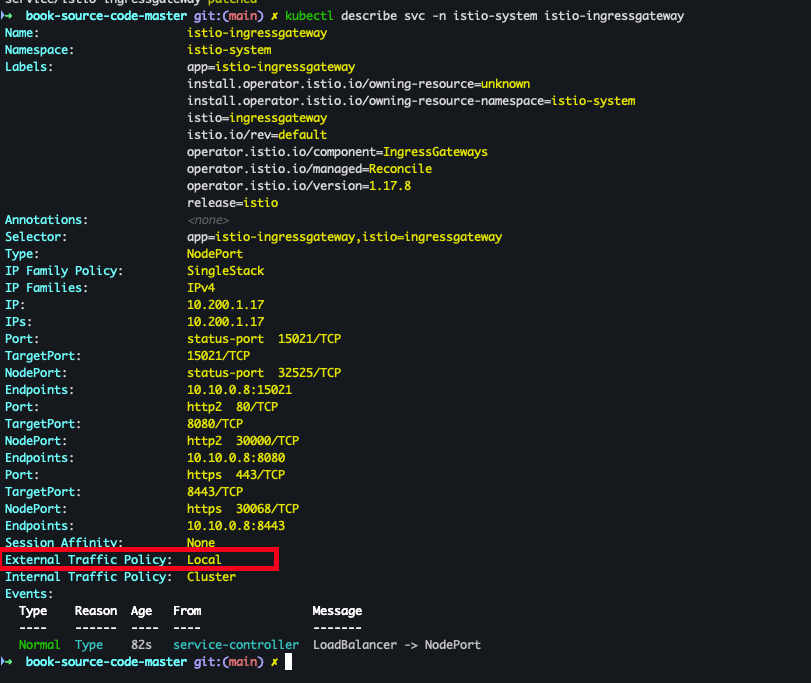
- deploymenet 로그 확인
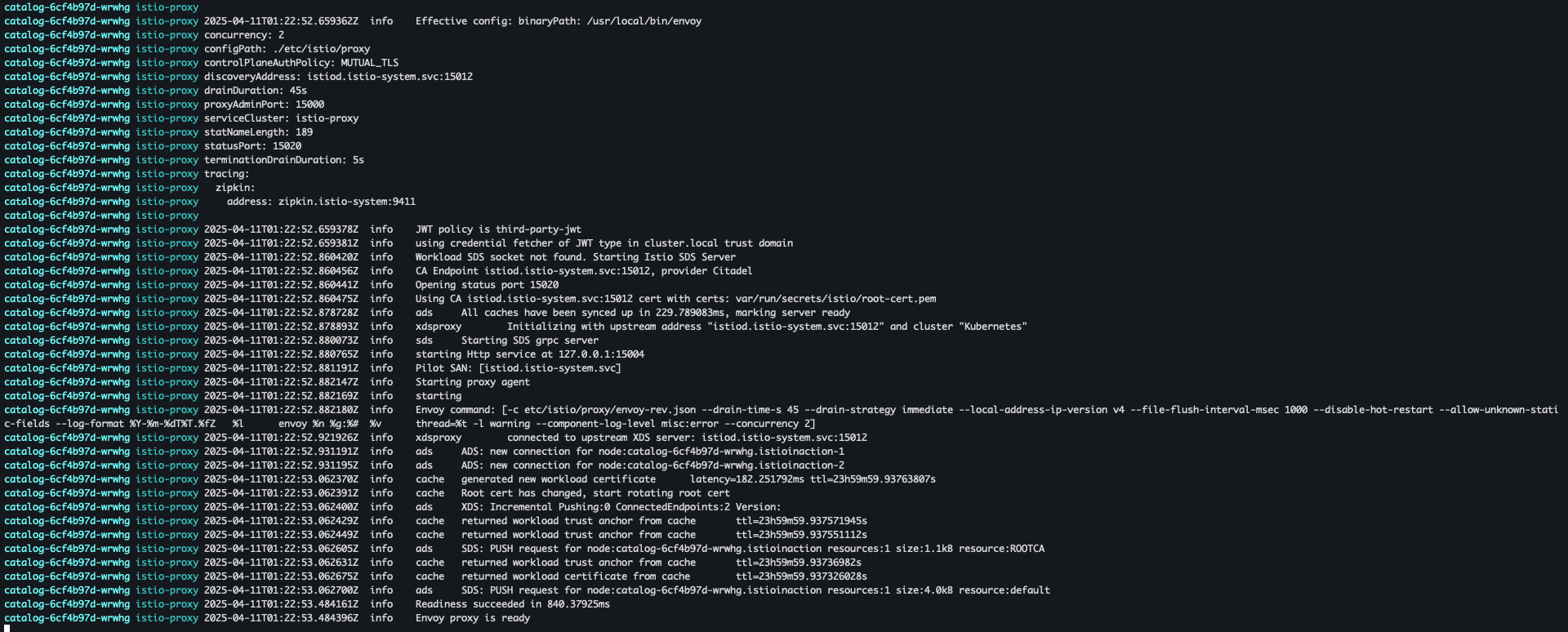
kubectl stern -l app=webapp -n istioinaction
kubectl stern -l app=catalog -n istioinaction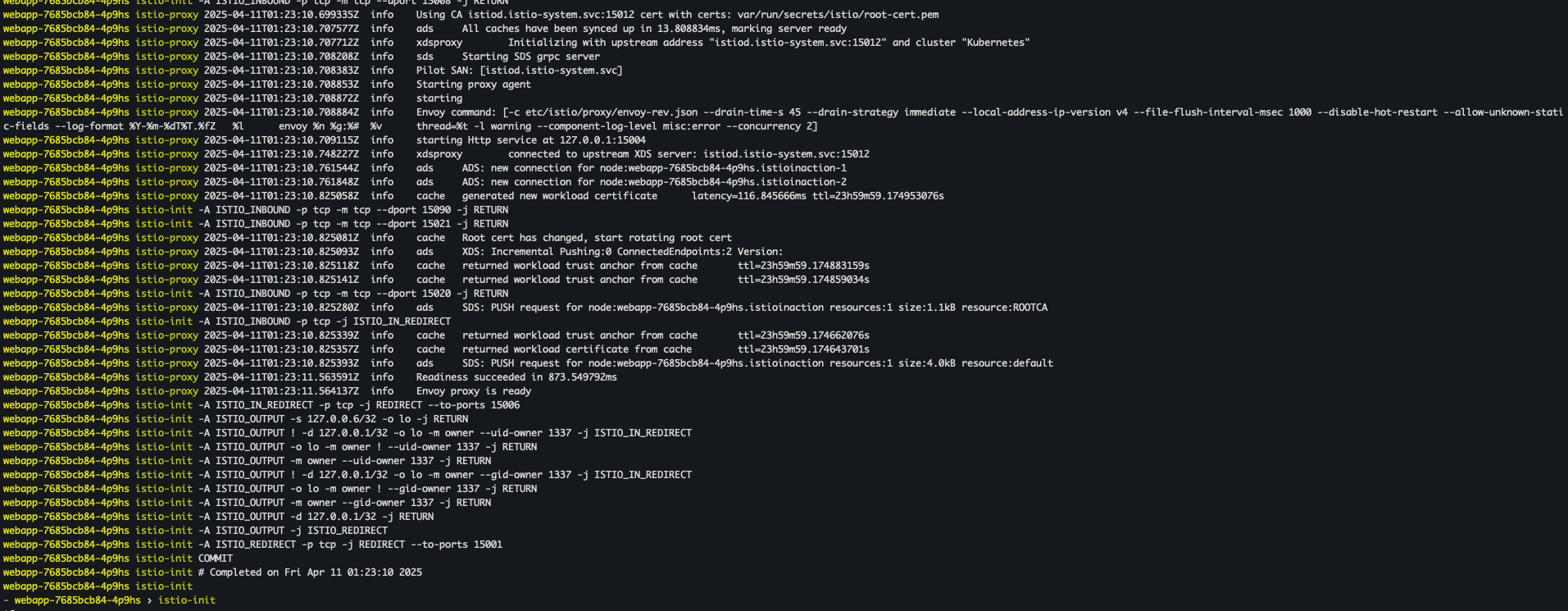
- curl 확인
curl -s http://127.0.0.1:30000/api/catalog | jq
curl -s http://127.0.0.1:30000/api/catalog/items/1 | jq
curl -s http://127.0.0.1:30000/api/catalog -I | head -n 1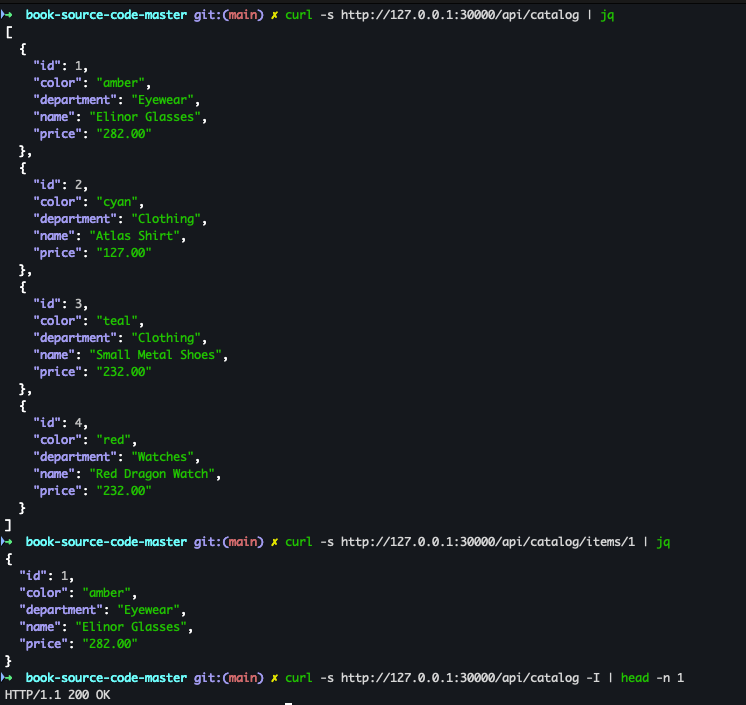
- 반복 접속 세팅
while true; do curl -s http://127.0.0.1:30000/api/catalog/items/1 ; sleep 1; echo; done
while true; do curl -s http://127.0.0.1:30000/api/catalog -I | head -n 1 ; date "+%Y-%m-%d %H:%M:%S" ; sleep 1; echo; done
while true; do curl -s http://127.0.0.1:30000/api/catalog -I | head -n 1 ; date "+%Y-%m-%d %H:%M:%S" ; sleep 0.5; echo; done
Istio Observability
- Node Port 변경 : prometheus(30001), grafana(30002), kiali(30003), tracing(30004)
kubectl patch svc -n istio-system prometheus -p '{"spec": {"type": "NodePort", "ports": [{"port": 9090, "targetPort": 9090, "nodePort": 30001}]}}'
kubectl patch svc -n istio-system grafana -p '{"spec": {"type": "NodePort", "ports": [{"port": 3000, "targetPort": 3000, "nodePort": 30002}]}}'
kubectl patch svc -n istio-system kiali -p '{"spec": {"type": "NodePort", "ports": [{"port": 20001, "targetPort": 20001, "nodePort": 30003}]}}'
kubectl patch svc -n istio-system tracing -p '{"spec": {"type": "NodePort", "ports": [{"port": 80, "targetPort": 16686, "nodePort": 30004}]}}'
- Prometheus 접속
open http://127.0.0.1:30001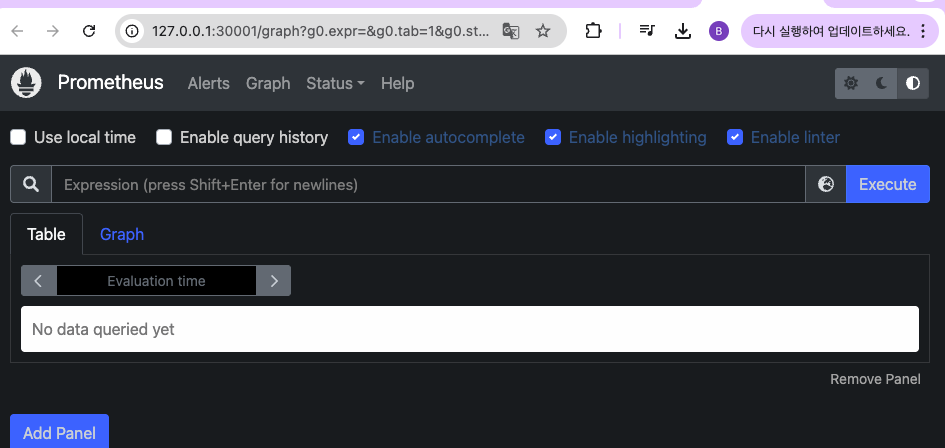
- Grafana 접속
open http://127.0.0.1:30002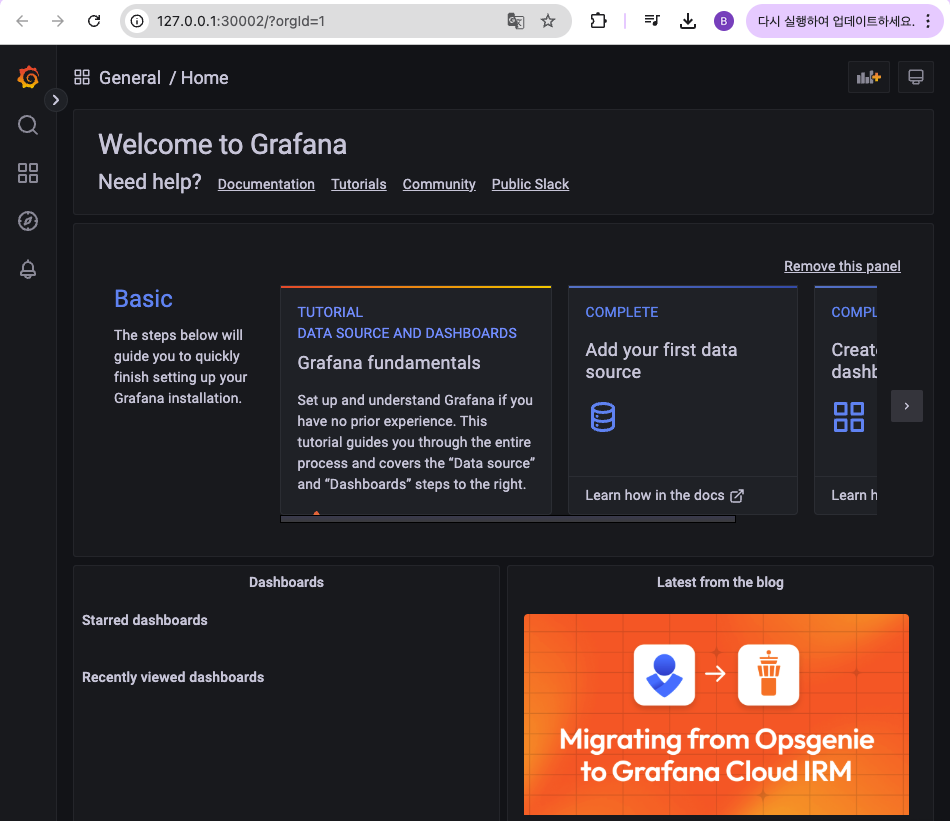
- Kiali 접속
open http://127.0.0.1:30003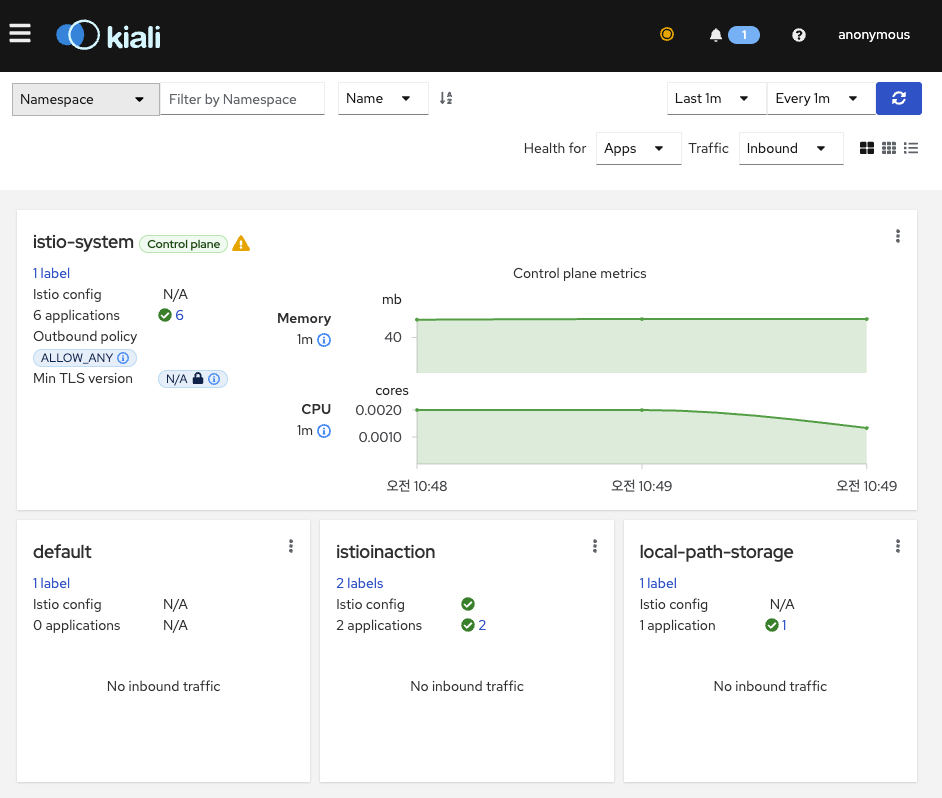
- 예거 tracing 접속
open http://127.0.0.1:30004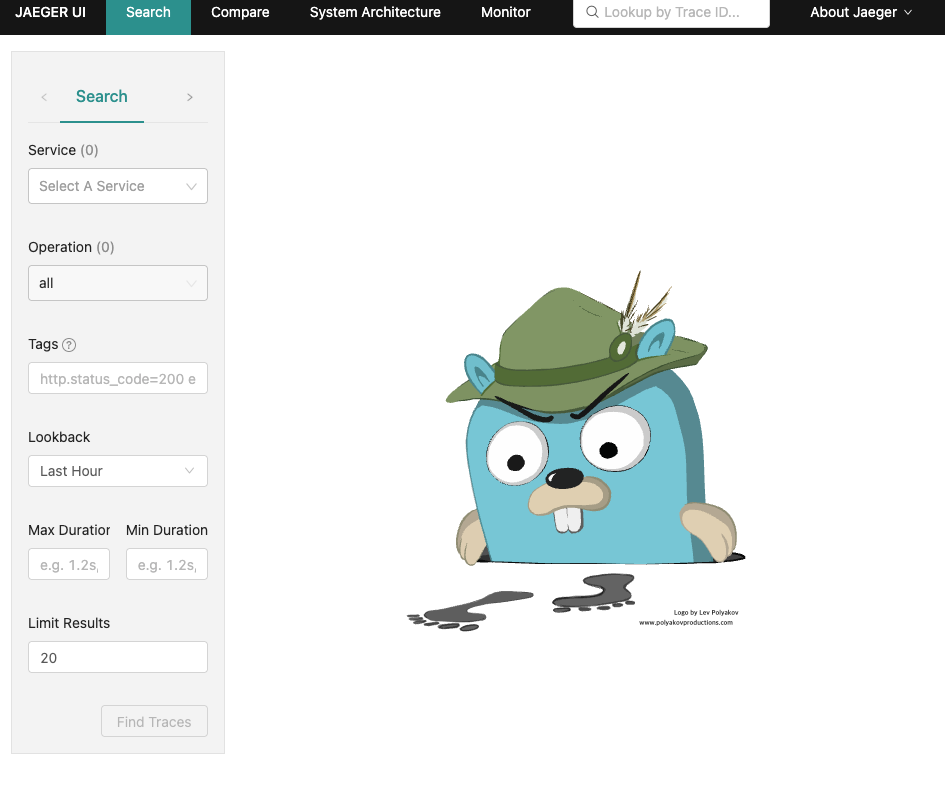
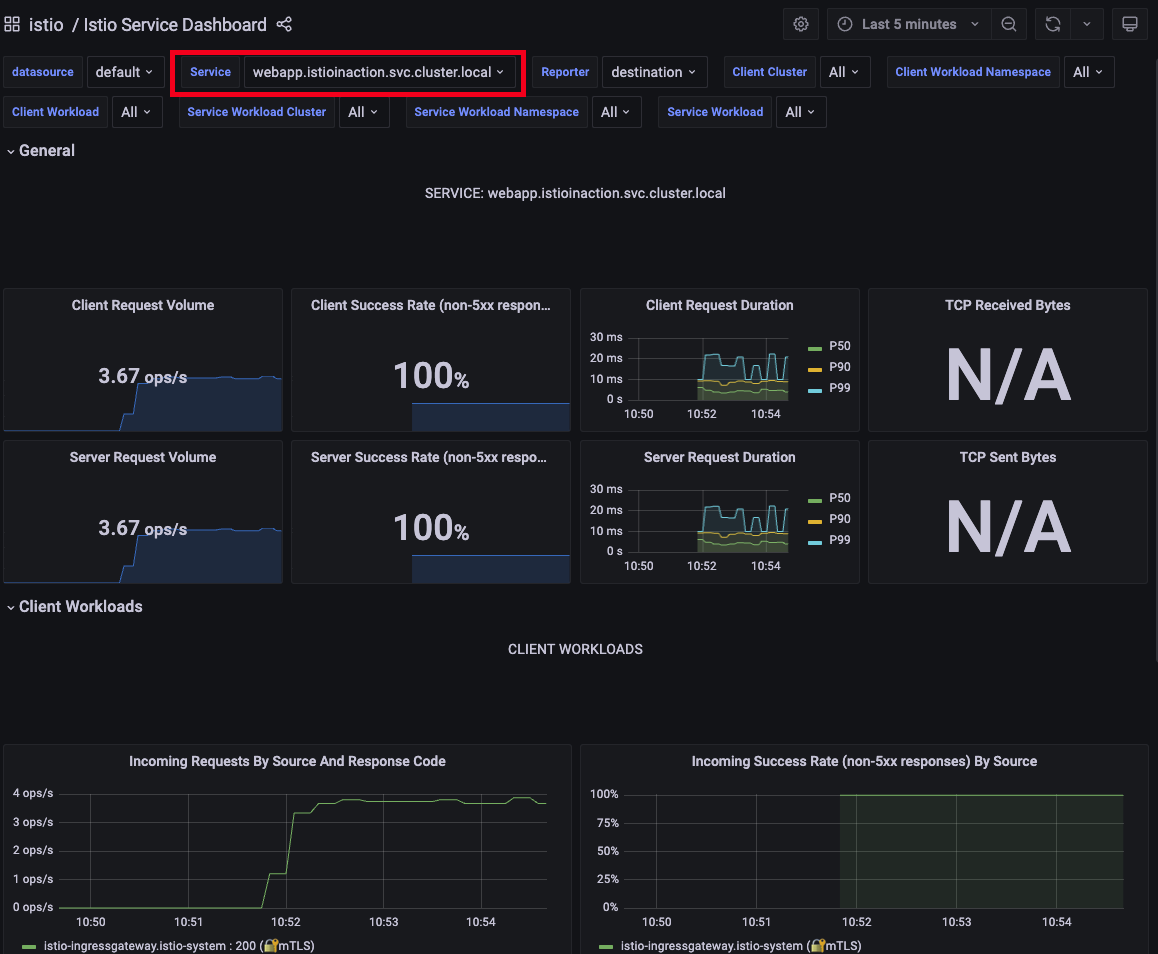
- 그라파나 대시보드 확인 : Istio / Istio Service Dashboard
-
service : webapp.istioinaction.svc.cluster.local
-
- 예거 트레이싱 대시보드 확인
- Service : istio-ingressgateway.istio-system
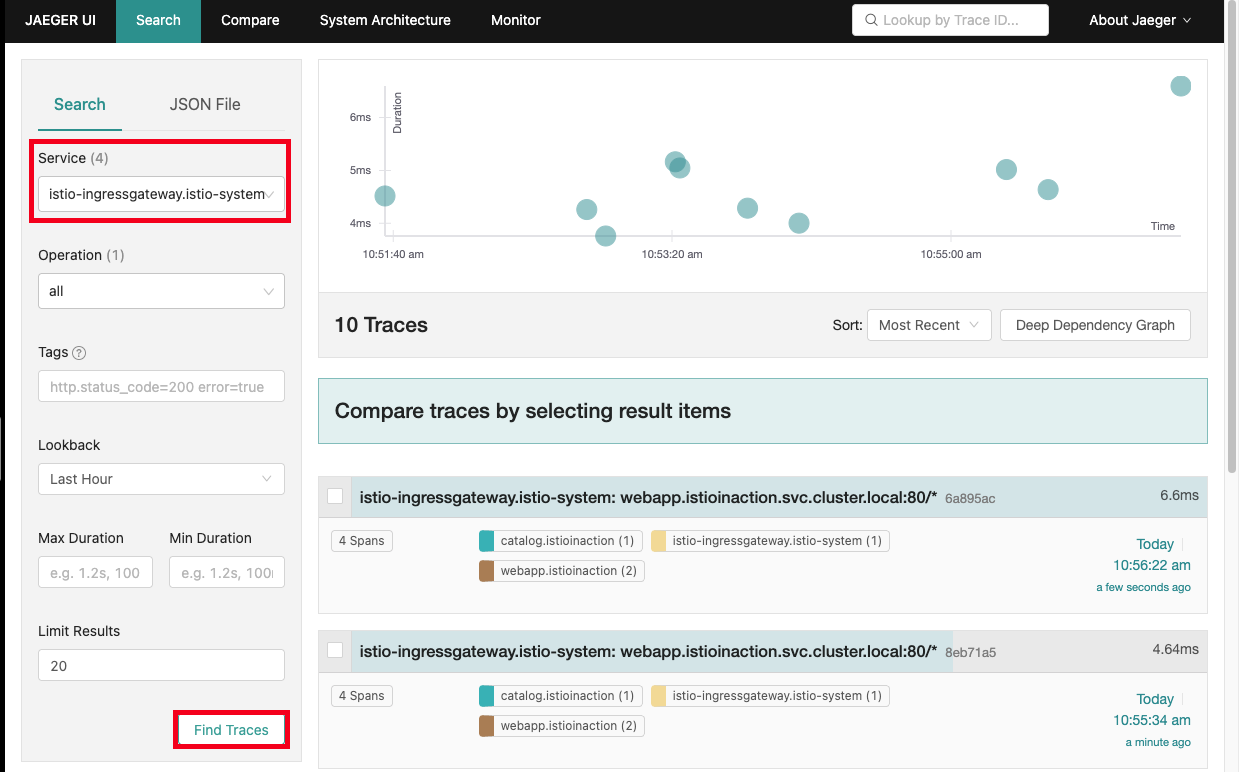
- Service : istio-ingressgateway.istio-system
- kiali 확인
-
application 클릭
-
namespace : istioinaction 선택
-
webapp Application 클릭
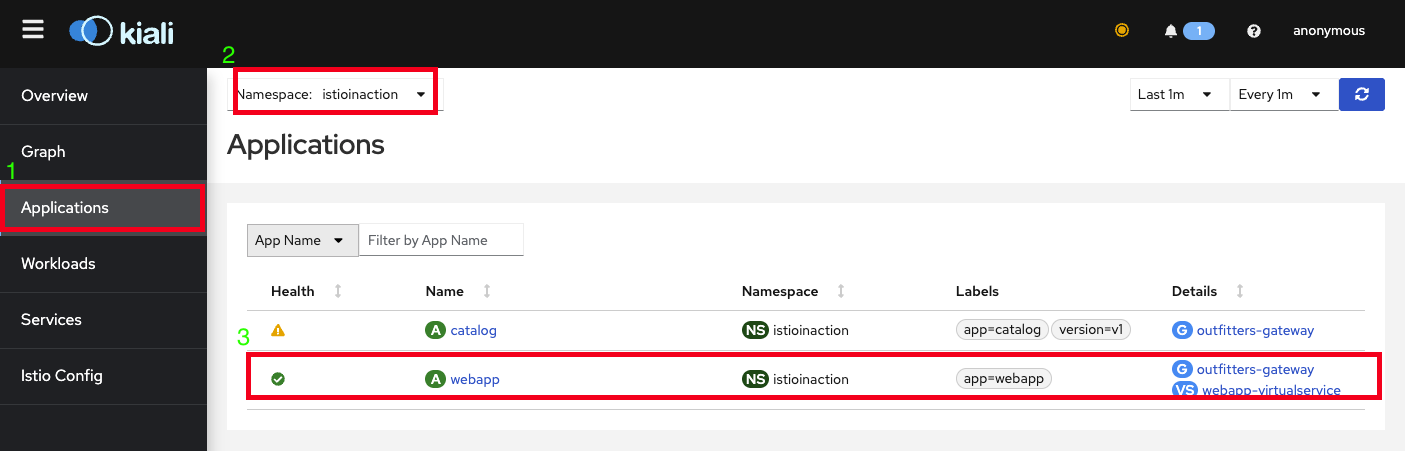
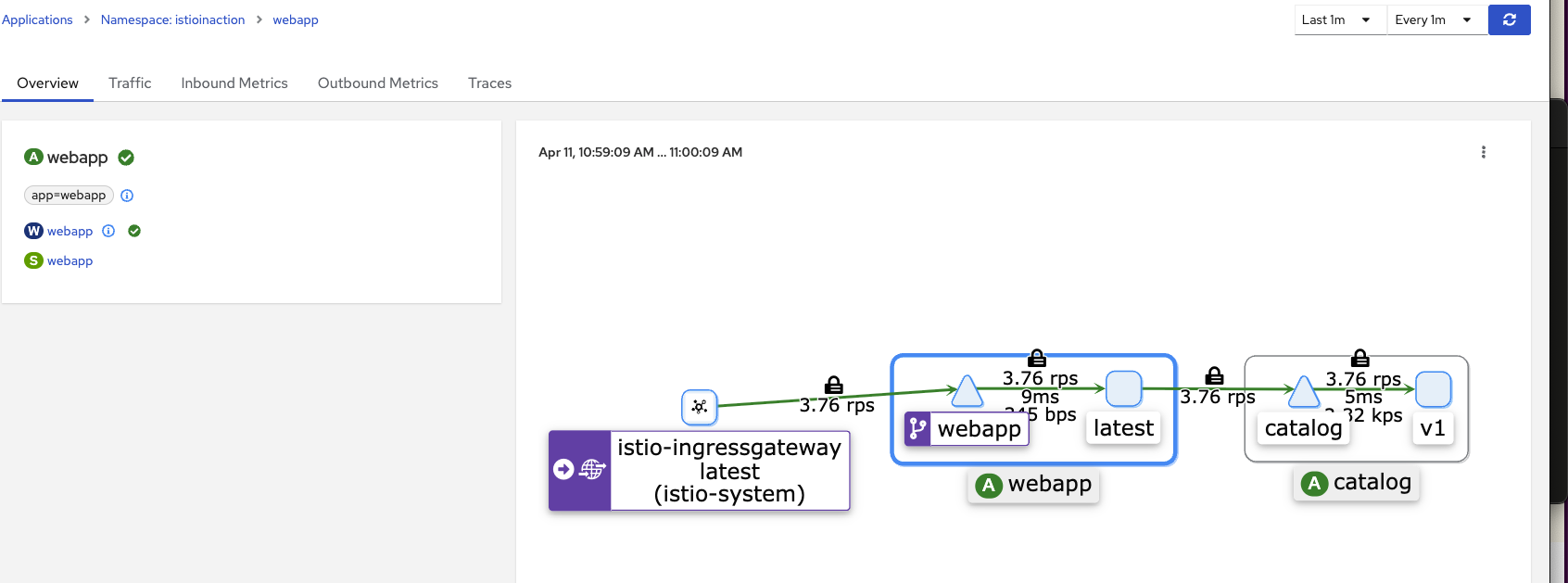
-
트러블 슈팅
Catalog에 의도적으로 500 에러를 재현하고 retry로 복원력 높이는 테스트를 진행
에러 재현
- bin/chaos.sh (에러코드) - 50% 빈도로 재현
#!/usr/bin/env bash

if [ $1 == "500" ]; then

    POD=$(kubectl get pod | grep catalog | awk '{ print $1 }')
    echo $POD

    for p in $POD; do
        if [ ${2:-"false"} == "delete" ]; then
            echo "Deleting 500 rule from $p"
            kubectl exec -c catalog -it $p -- curl  -X POST -H "Content-Type: application/json" -d '{"active":
        false,  "type": "500"}' localhost:3000/blowup
        else
            PERCENTAGE=${2:-100}
            kubectl exec -c catalog -it $p -- curl  -X POST -H "Content-Type: application/json" -d '{"active":
            true,  "type": "500",  "percentage": '"${PERCENTAGE}"'}' localhost:3000/blowup
            echo ""
        fi
    done

fi
- myk8s-control-plane 접속
docker exec -it myk8s-control-plane bash
- istioinaction 로 네임스페이스 변경
kubectl config set-context $(kubectl config current-context) --namespace=istioinaction
cat /etc/kubernetes/admin.conf
-
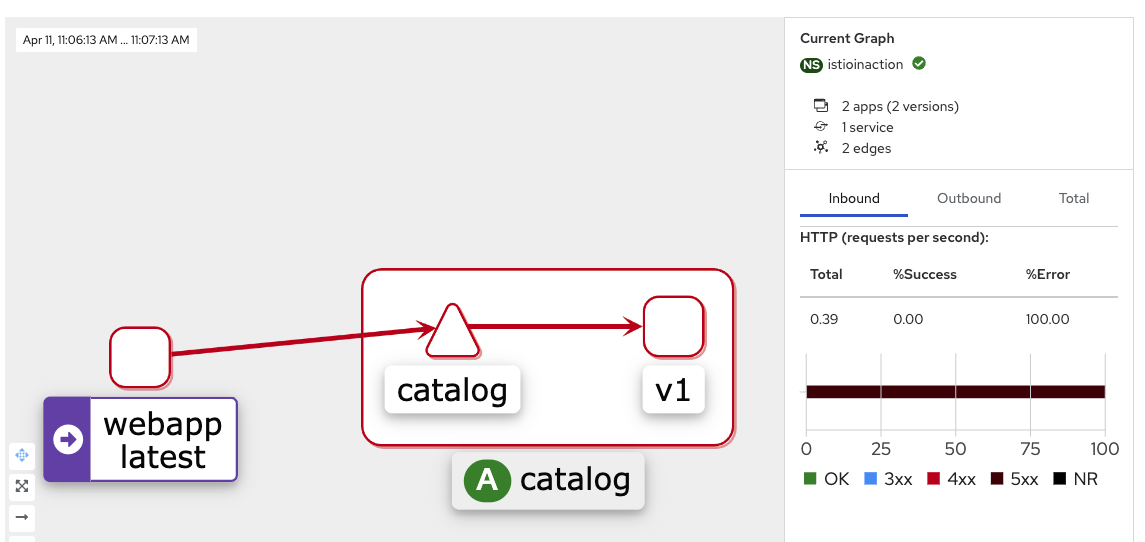
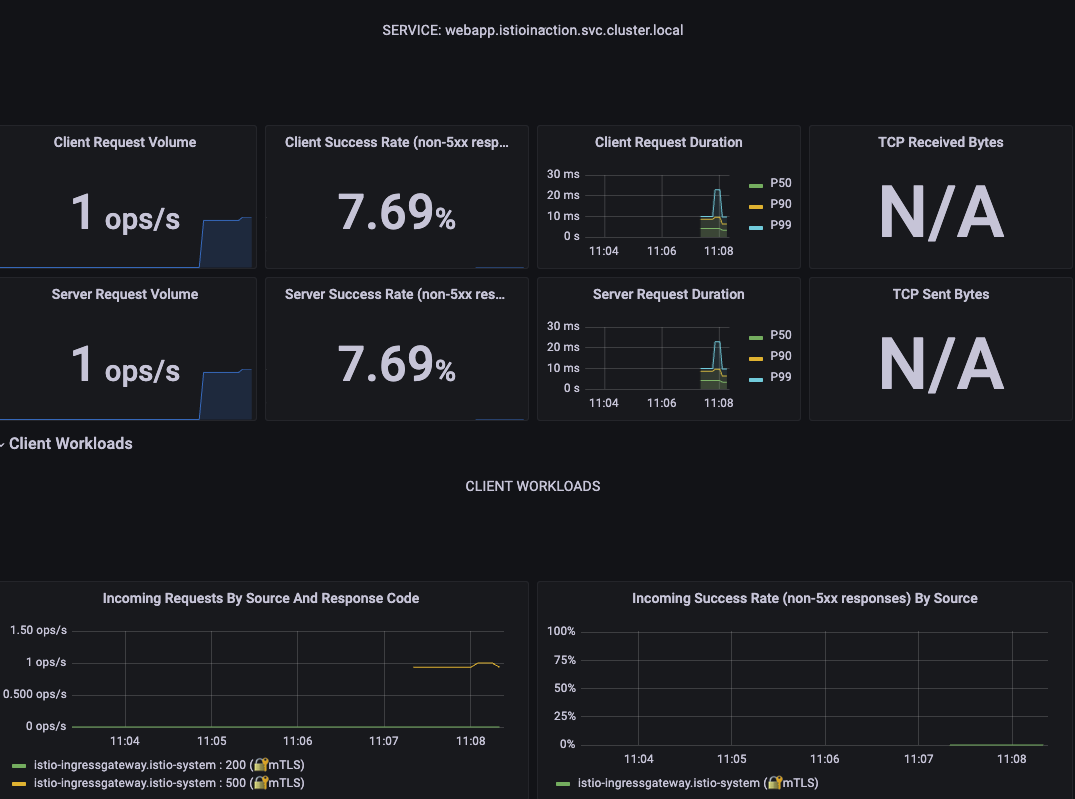
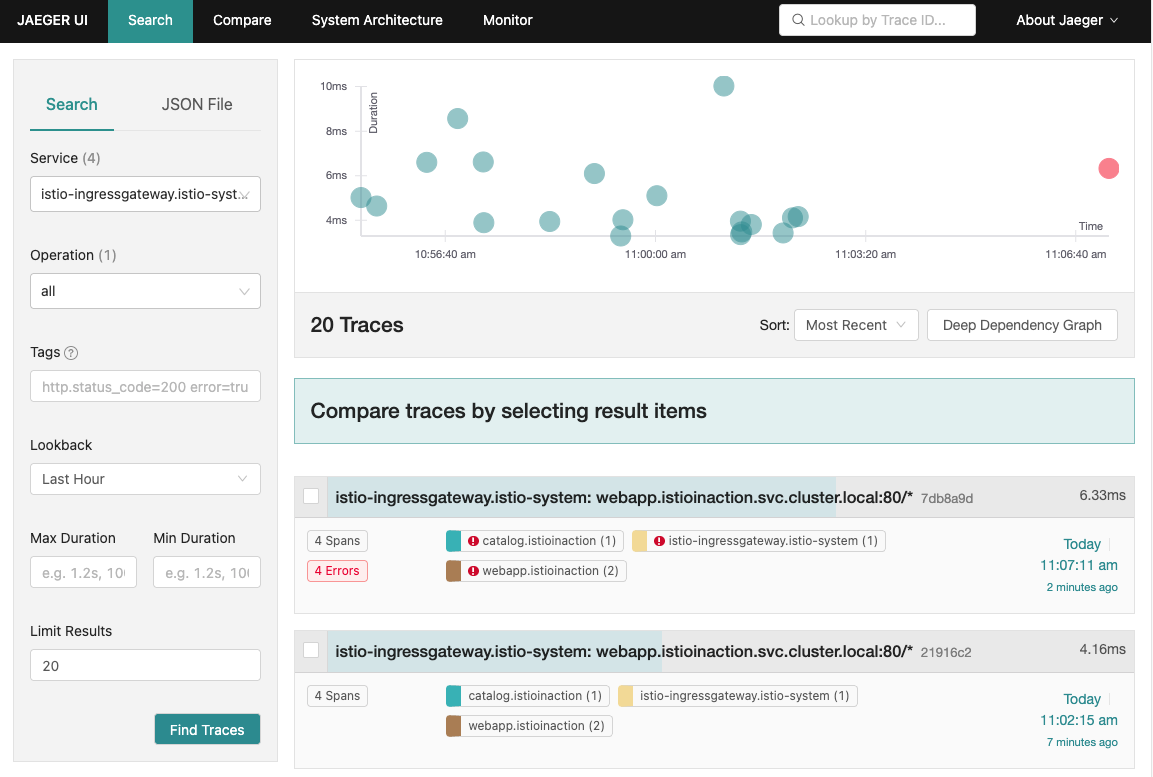
500 에러 100% 발생하도록 테스트 진행
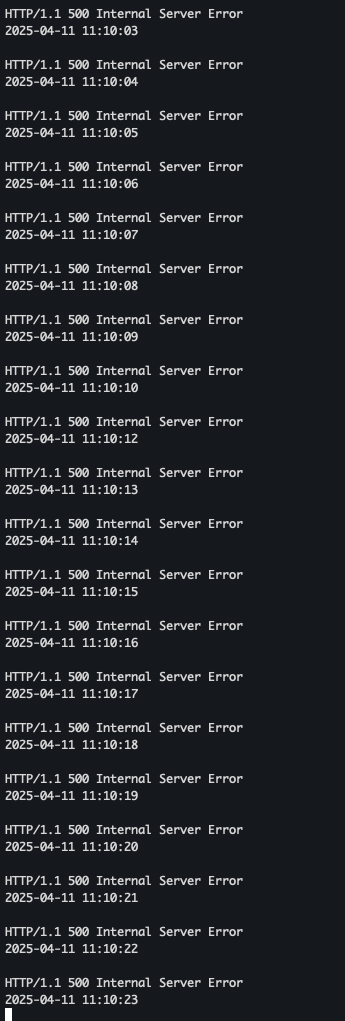
cd /istiobook/bin/ chmod +x chaos.sh ./chaos.sh 500 100- 서버 로그 확인
- kiali 확인
- grafana 확인
- 서버 로그 확인
- 예거 트레이싱 확인 - 500 에러 발생
- 500 에러 50% 확률로 발생하도록 테스트 진행
./chaos.sh 500 50
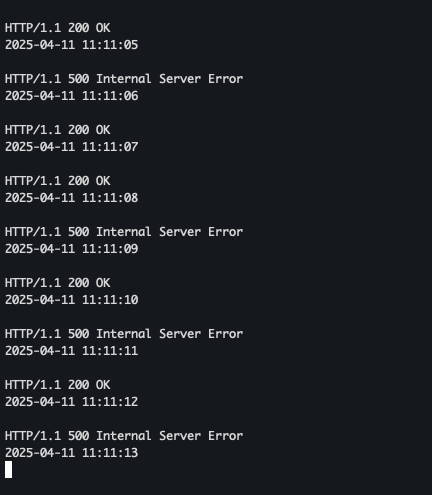
- 서버 로그 확인
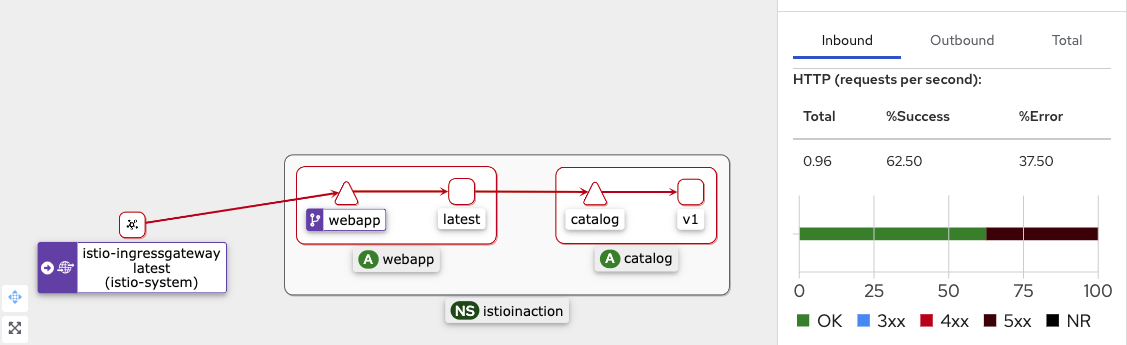
- kiali 확인
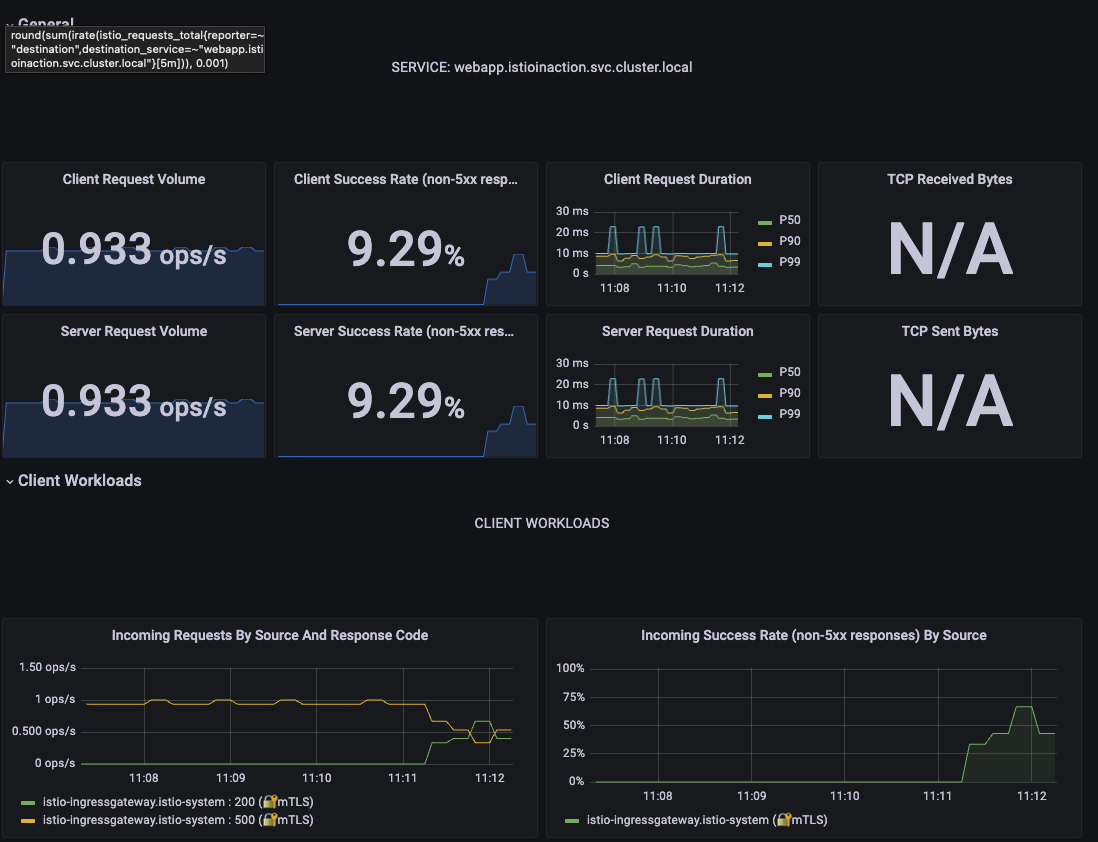
- grafana 확인
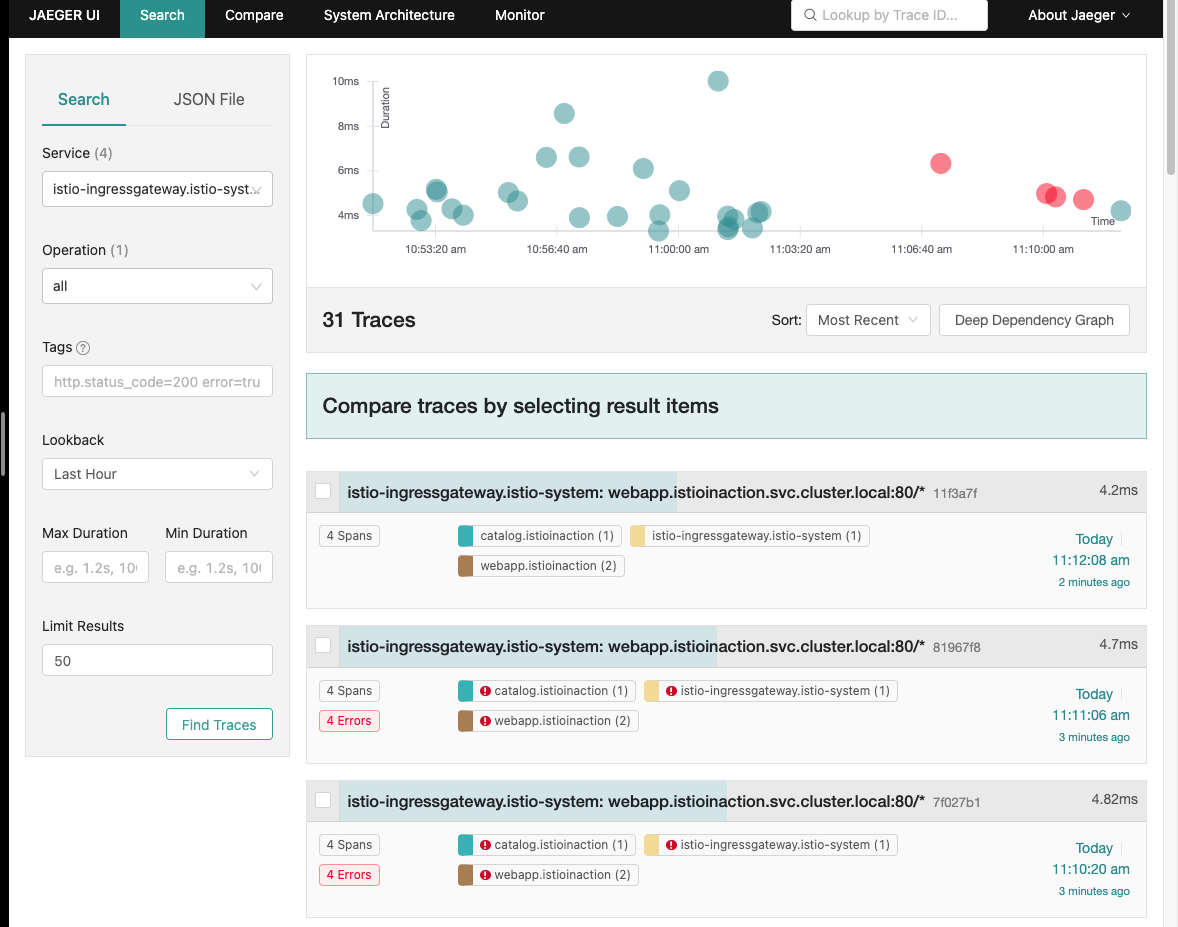
- 예거 트레이싱 확인 - failed / success 환경이 공존
Retry 설정
- proxy(envoy)에 endpoint(catalog) 5xx 에러 시 retry 적용
cat <<EOF | kubectl -n istioinaction apply -f -
apiVersion: networking.istio.io/v1alpha3
kind: VirtualService
metadata:
  name: catalog
spec:
  hosts:
  - catalog
  http:
  - route:
    - destination:
        host: catalog
    retries:
      attempts: 3
      retryOn: 5xx
      perTryTimeout: 2s
EOF
- Virtual Service 확인
kubectl get vs -n istioinaction
- kiali 확인
-
istio 자체에서 실패시 재시도 하므로 빨간색 → 노란색으로 변경
-
200 OK 전체 대비 퍼센트 증가
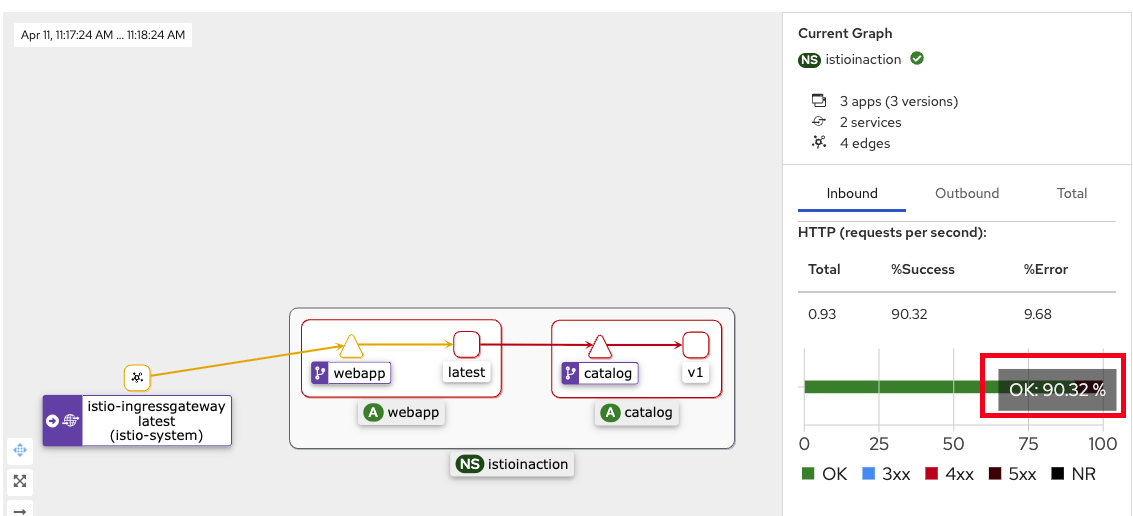
-
- Grafana - 200 OK 빈도수가 증가
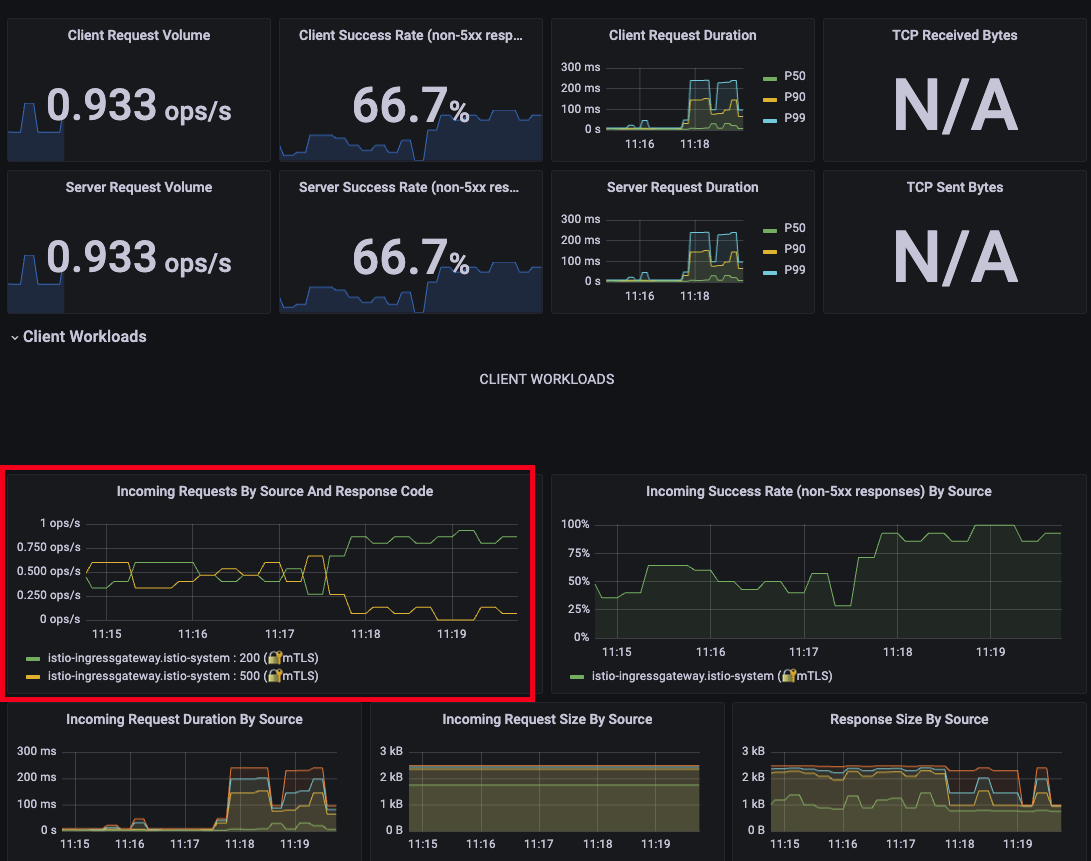
- 예거 트레이싱 - 성공 확률이 높아진것을 확인
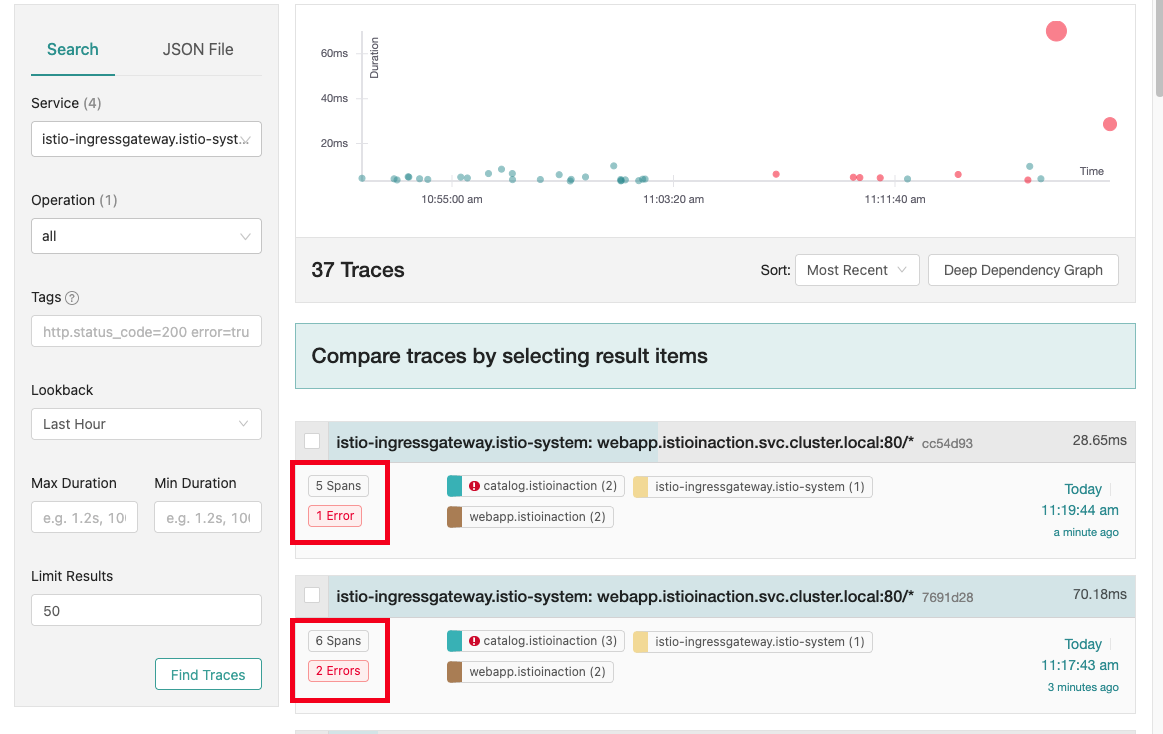
Istio for Traffic Routing
특정 사용자 집단만 새 배포된 곳으로 라우팅이 되도록, 릴리즈에 단계별로 접근 할수 있도록 세팅
- catalog v2 배포 - value
imageurl추가cat <<EOF | kubectl -n istioinaction apply -f - apiVersion: apps/v1 kind: Deployment metadata: labels: app: catalog version: v2 name: catalog-v2 spec: replicas: 1 selector: matchLabels: app: catalog version: v2 template: metadata: labels: app: catalog version: v2 spec: containers: - env: - name: KUBERNETES_NAMESPACE valueFrom: fieldRef: fieldPath: metadata.namespace - name: SHOW_IMAGE value: "true" image: istioinaction/catalog:latest imagePullPolicy: IfNotPresent name: catalog ports: - containerPort: 3000 name: http protocol: TCP securityContext: privileged: false EOF
- 500 에러 발생 종료
docker exec -it myk8s-control-plane bash
----------------------------------------
cd /istiobook/bin/
./chaos.sh 500 delete
exit
----------------------------------------
- 배포 확인
kubectl get deploy,pod,svc,ep -n istioinaction
kubectl get gw,vs -n istioinaction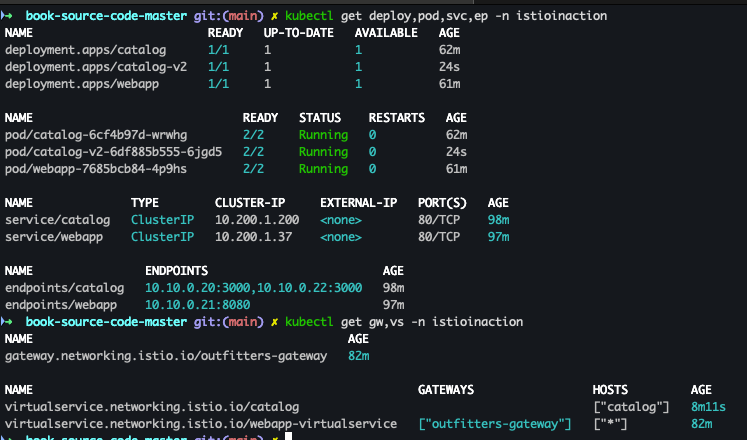
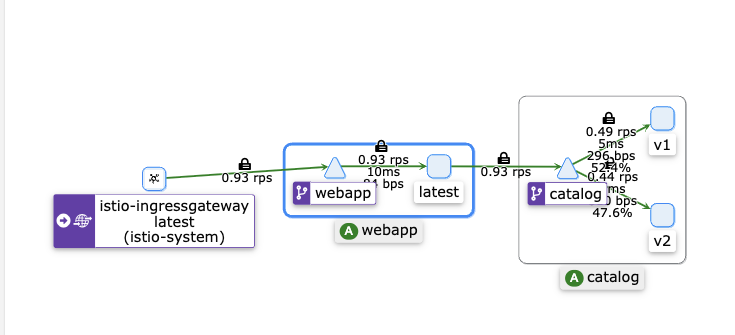
- kiali 확인
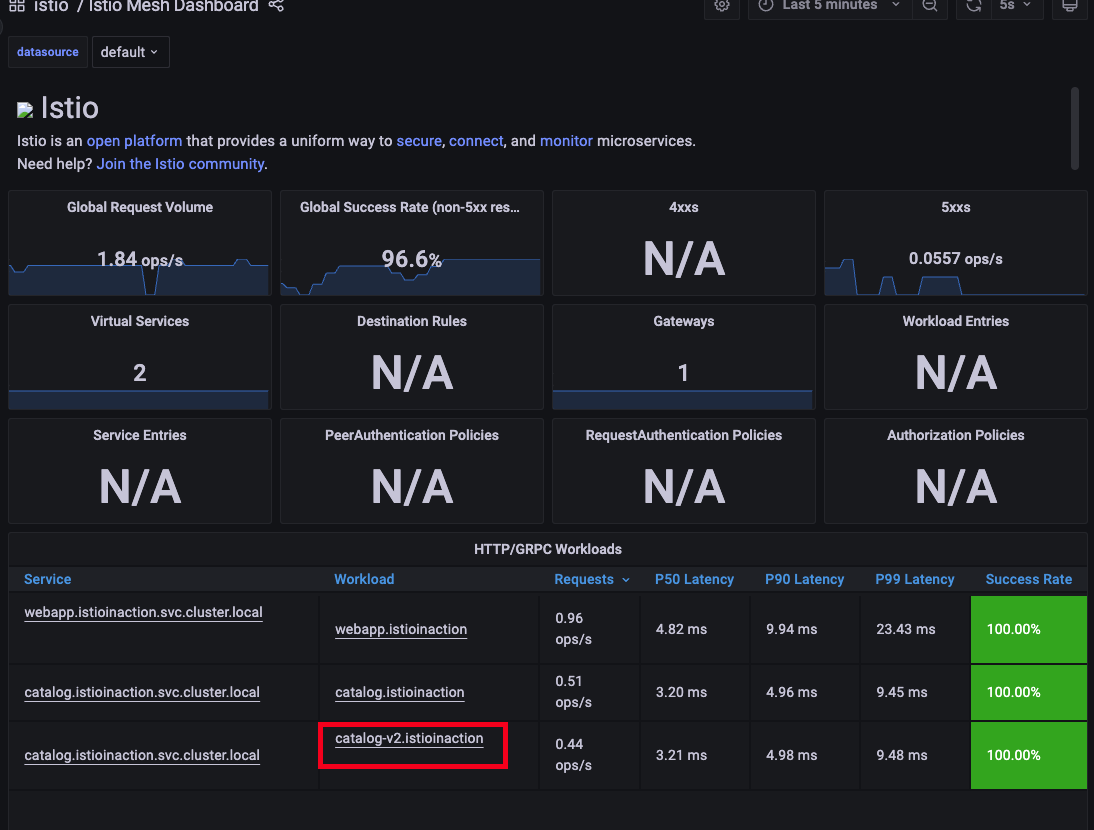
- grafana 확인 - Istio / Istio Mesh Dashboard
- v1만 접속 하도록 설정
#
cat <<EOF | kubectl -n istioinaction apply -f -
apiVersion: networking.istio.io/v1alpha3
kind: DestinationRule
metadata:
  name: catalog
spec:
  host: catalog
  subsets:
  - name: version-v1
    labels:
      version: v1
  - name: version-v2
    labels:
      version: v2
EOF
- 배포 확인
kubectl get gw,vs,dr -n istioinaction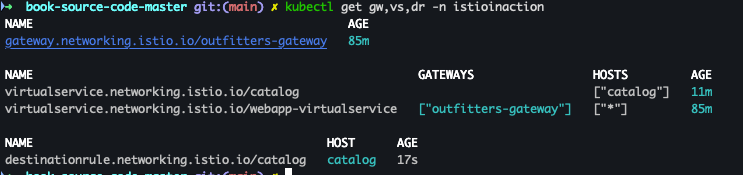
- 반복 접속 세팅
while true; do curl -s http://127.0.0.1:30000/api/catalog | jq; date "+%Y-%m-%d %H:%M:%S" ; sleep 1; echo; done
-
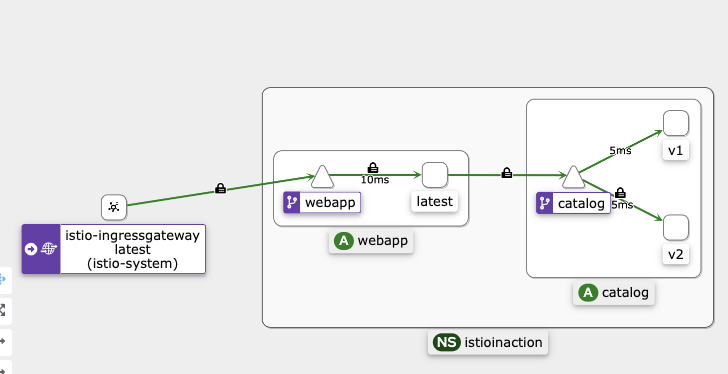
v1, v2 분산 접속 확인
- 서버 로그
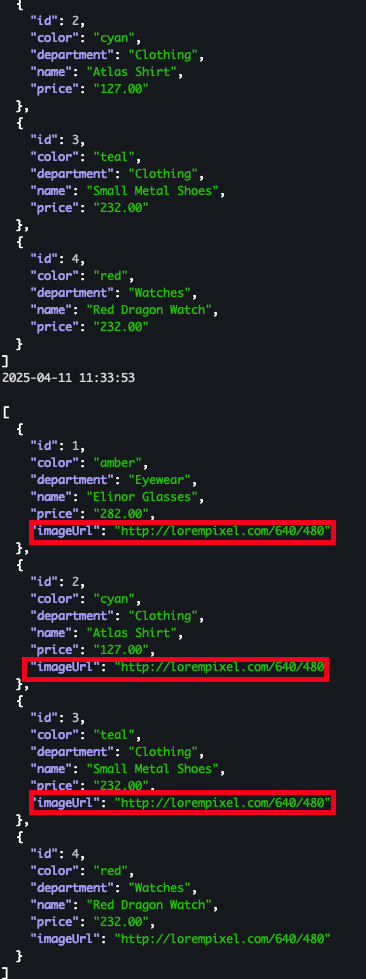
- kiali
- 서버 로그
- v1 으로만 라우팅 되도록 VS 수정
cat <<EOF | kubectl -n istioinaction apply -f -
apiVersion: networking.istio.io/v1alpha3
kind: VirtualService
metadata:
  name: catalog
spec:
  hosts:
  - catalog
  http:
  - route:
    - destination:
        host: catalog
        subset: version-v1
EOF
- 반복 접속
while true; do curl -s http://127.0.0.1:30000/api/catalog | jq; date "+%Y-%m-%d %H:%M:%S" ; sleep 1; echo; done
- 적용 확인
- 서버 로그 :
imageUrlkey 가 노출 되지 않음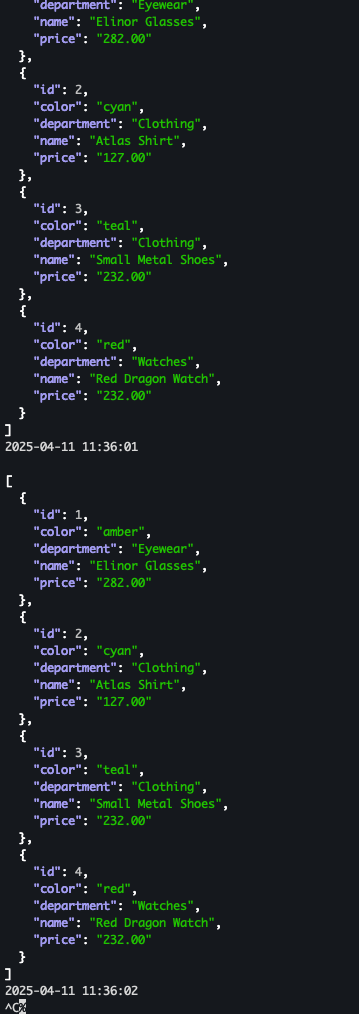
- 서버 로그 :
- kiali - v1으로만 라우팅 되는 것을 확인
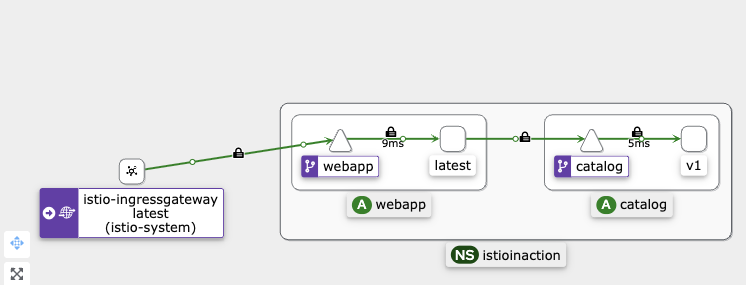
- 특정 해더는 v2, 그외에는 v1으로 접속 설정
cat <<EOF | kubectl -n istioinaction apply -f -
apiVersion: networking.istio.io/v1alpha3
kind: VirtualService
metadata:
  name: catalog
spec:
  hosts:
  - catalog
  http:
  - match:
    - headers:
        x-dark-launch:
          exact: "v2"
    route:
    - destination:
        host: catalog
        subset: version-v2
  - route:
    - destination:
        host: catalog
        subset: version-v1
EOF
- 배포 확인
kubectl get gw,vs,dr -n istioinaction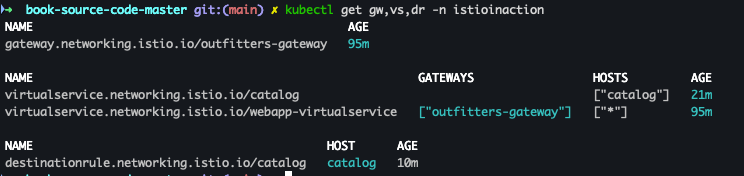
- v1 반복 접속 테스트
while true; do curl -s http://127.0.0.1:30000/api/catalog | jq; date "+%Y-%m-%d %H:%M:%S" ; sleep 1; echo; done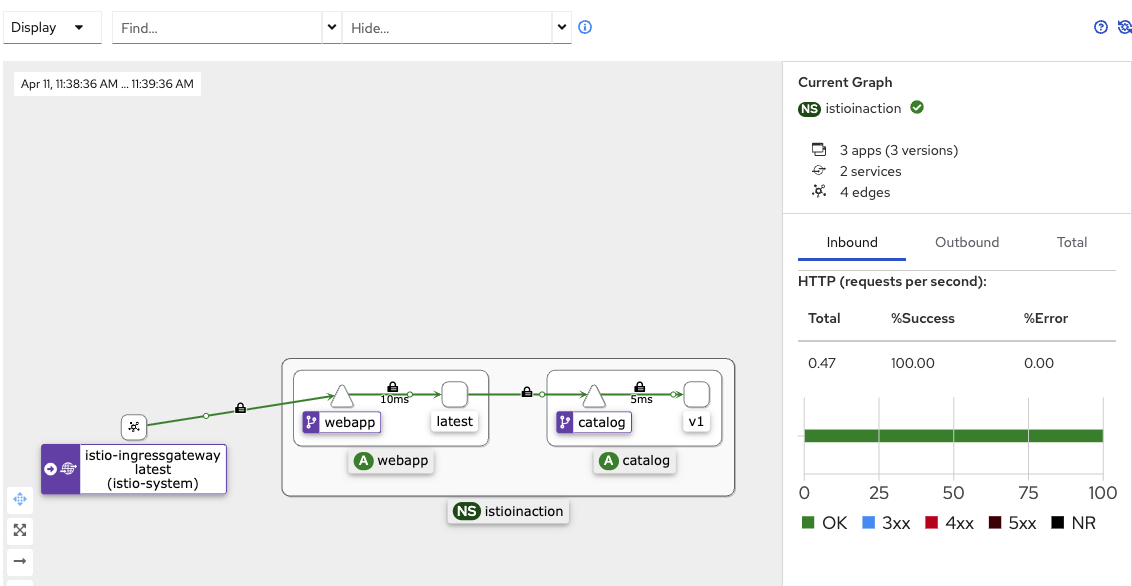
- v2 반복 접속 확인
while true; do curl -s http://127.0.0.1:30000/api/catalog -H "x-dark-launch: v2" | jq; date "+%Y-%m-%d %H:%M:%S" ; sleep 1; echo; done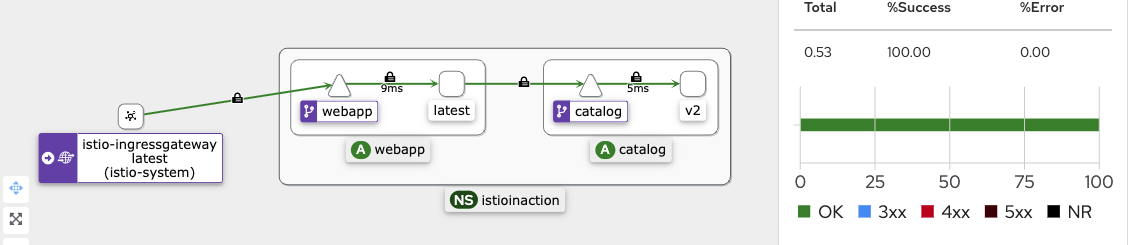
- v1 / v2 반복 테스트 진행
while true; do curl -s http://127.0.0.1:30000/api/catalog | jq; date "+%Y-%m-%d %H:%M:%S" ; sleep 1; echo; done
while true; do curl -s http://127.0.0.1:30000/api/catalog -H "x-dark-launch: v2" | jq; date "+%Y-%m-%d %H:%M:%S" ; sleep 1; echo; done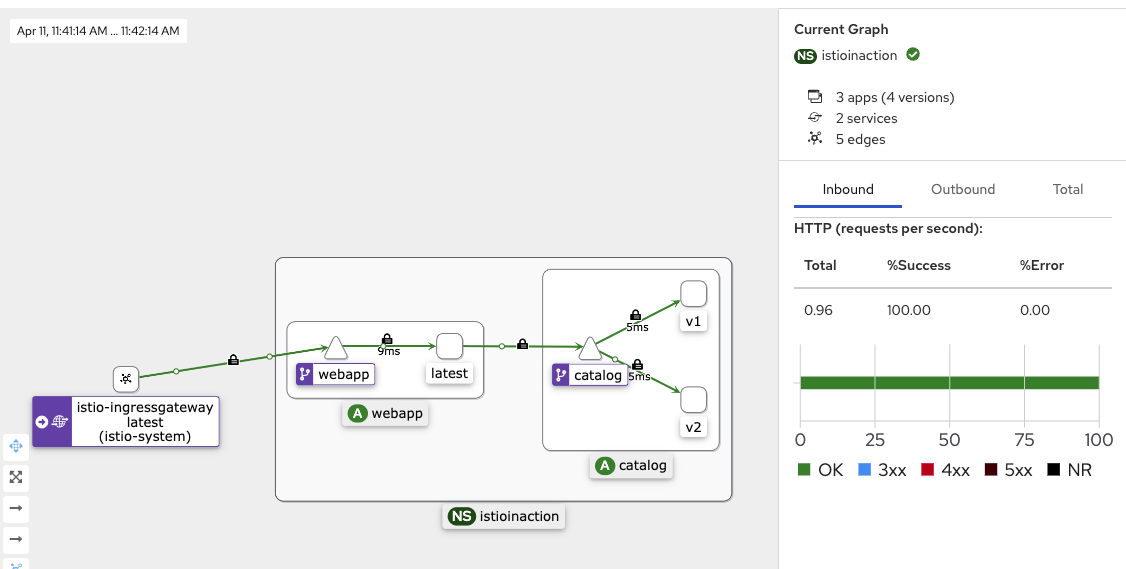
실습 완료 후 리소스 삭제 진행
kubectl delete deploy,svc,gw,vs,dr --all -n istioinaction && kind delete cluster --name myk8s
DevOps Engineer