[문제 1]
gitlab에서 작업한 팀 프로젝트를 github로 옮기려고 하는데, (커밋 히스토리 포함) 아래와 같은 오류가 발생했다.
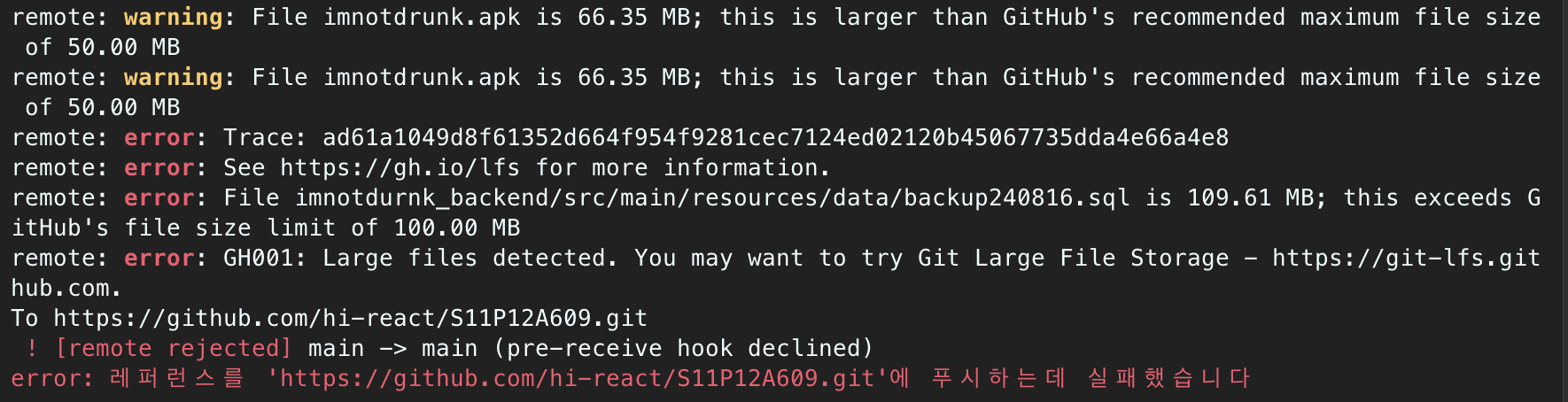
remote: warning: File imnotdrunk.apk is 66.35 MB; this is larger than GitHub's recommended maximum file size of 50.00 MB
remote: warning: File imnotdrunk.apk is 66.35 MB; this is larger than GitHub's recommended maximum file size of 50.00 MB
remote: error: Trace: ad61a1049d8f61352d664f954f9281cec7124ed02120b45067735dda4e66a4e8
remote: error: See https://gh.io/lfs for more information.
remote: error: File imnotdurnk_backend/src/main/resources/data/backup240816.sql is 109.61 MB; this exceeds GitHub's file size limit of 100.00 MB
remote: error: GH001: Large files detected. You may want to try Git Large File Storage - https://git-lfs.github.com.
To https://github.com/hi-react/S11P12A609.git
! [remote rejected] main -> main (pre-receive hook declined)
error: 레퍼런스를 'https://github.com/hi-react/S11P12A609.git'에 푸시하는데 실패했습니다
💥 원인은 GitHub의 100MB 제한 초과
-
109.61MB 크기의 backup240816.sql 파일
-
66.35MB 크기의 imnotdrunk.apk 파일도 경고 수준
Github의 권장 최대 크기는 50MB라고 한다. 이를 넘으면 경고, 100MB는 절대 제한이다.
[해결 1]
커밋 히스토리에서 대용량 파일 완전 제거 필요
최신 권장 방식인
git filter-repo를 사용해보기로 했다.
[github 공식 문서 - Removing sensitive data]
https://docs.github.com/en/authentication/keeping-your-account-and-data-secure/removing-sensitive-data-from-a-repository
1. (macOS 기준) brew를 이용해 git filter-repo를 설치해준다.
brew install git-filter-repo2. 기존 gitlab repo를 clone 하고 해당 프로젝트로 이동한다.
git clone https://lab.ssafy.com/s11-webmobile2-sub2/S11P12A609.gitcd S11P12A6093. 원격 저장소(remote origin)를 github로 변경해준다.
git remote set-url origin https://github.com/hi-react/S11P12A609.git[연결 주소 확인]
git remote -v
4. 대용량 파일을 커밋 히스토리에서 제거한다.
git-filter-repo --invert-paths --path imnotdurnk_backend/src/main/resources/data/backup240816.sql
--invert-paths
--path로 지정한 파일만 제외(삭제)하고, 나머지는 살려둠
--path some/file.txt
삭제 대상 파일의 Git 경로 지정 (디렉토리 포함한 정확한 Git 내 경로여야 함)
[문제 2]
삭제가 안 되더라.

Aborting: Refusing to destructively overwrite repo history since
this does not look like a fresh clone.
(expected at most one entry in the reflog for HEAD)
Please operate on a fresh clone instead. If you want to proceed
anyway, use --force.
현재 Git 저장소가 깨끗한 복제본(fresh clone)이 아니라고 판단해서 작업을 거부했다는데, 나 방금 새로 복제 했는데 왜..
[해결 2]
--force 명령어 넣어서 강제로 해준다.
git-filter-repo --force --invert-paths --path imnotdurnk_backend/src/main/resources/data/backup240816.sql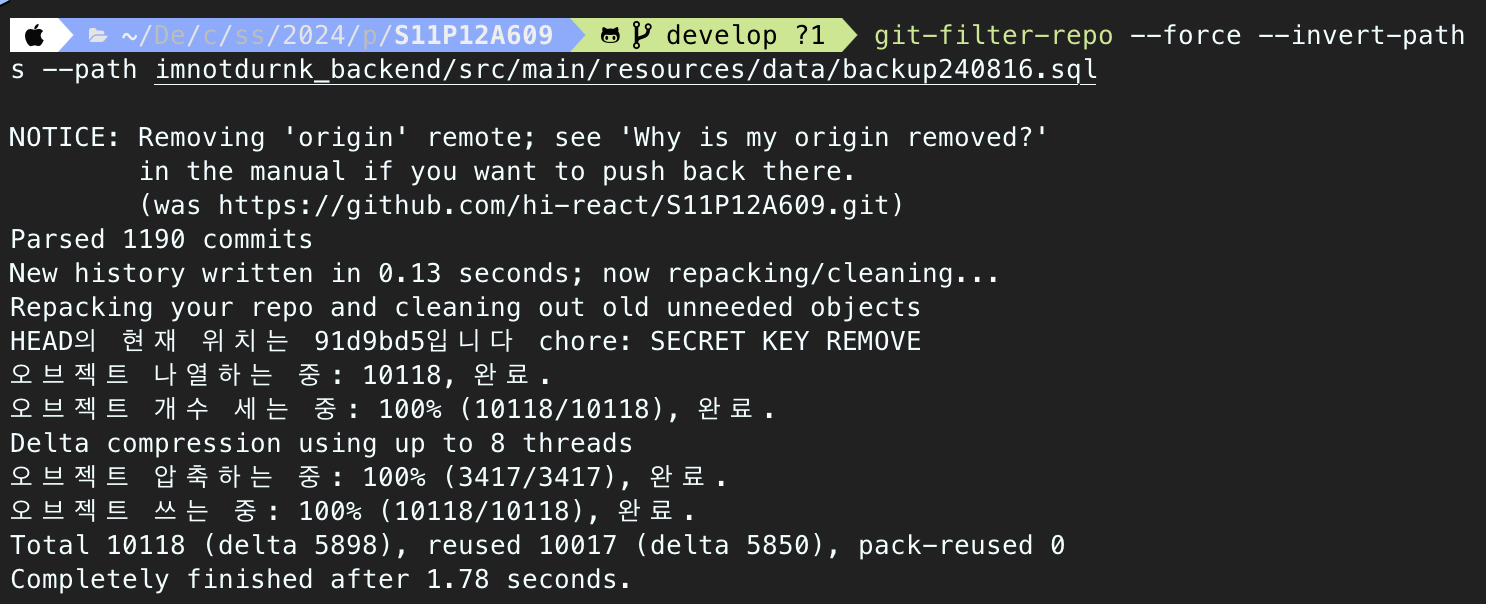
제거 성공!
1190개 커밋을 검사했고, 새 커밋 히스토리가 작성 완료되었다.
안전 상의 이유로 앞서 연결해두었던 원격 저장소와의 연결이 끊겼다(Removing origin remote)고 하니 재 연결 해주면 된다.
git remote add origin https://github.com/hi-react/S11P12A609.git그리고 완전히 바뀐 git commit 히스토리를 반영해주려면, 다시 한번 강제 push
git push --force origin main[문제 3]
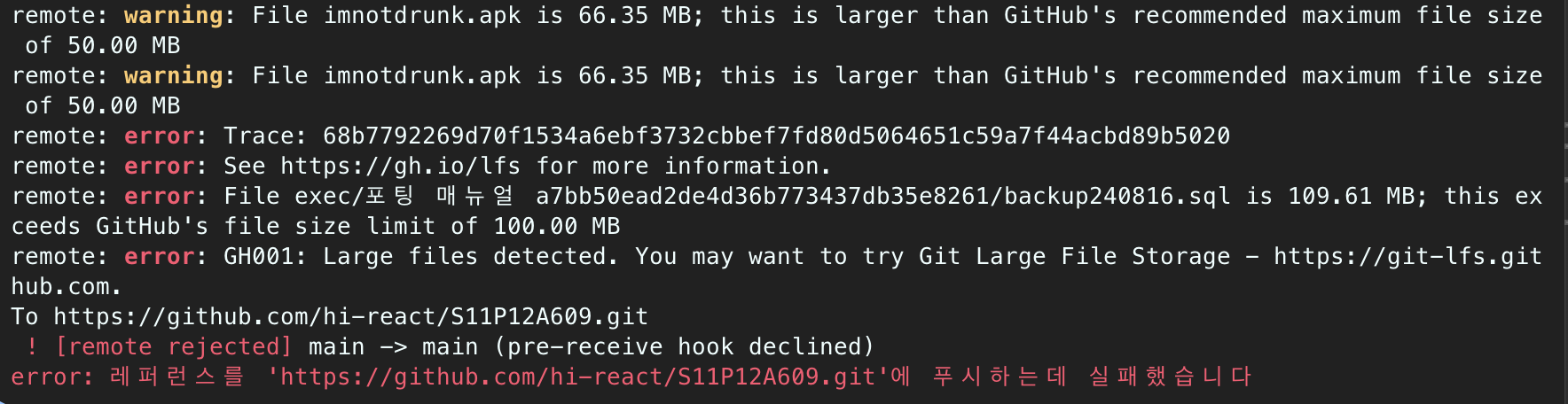
대용량 파일 하나 더 있었다.. 한 번에 알려주라고..
[해결 3]
'exec/포팅 매뉴얼 a7bb50ead2de4d36b773437db35e8261/backup240816.sql' 경로에 있는 대용량 파일을 동일한 방식으로 한 번 더 삭제한다.
git-filter-repo --force --invert-paths --path 'exec/포팅 매뉴얼 a7bb50ead2de4d36b773437db35e8261/backup240816.sql'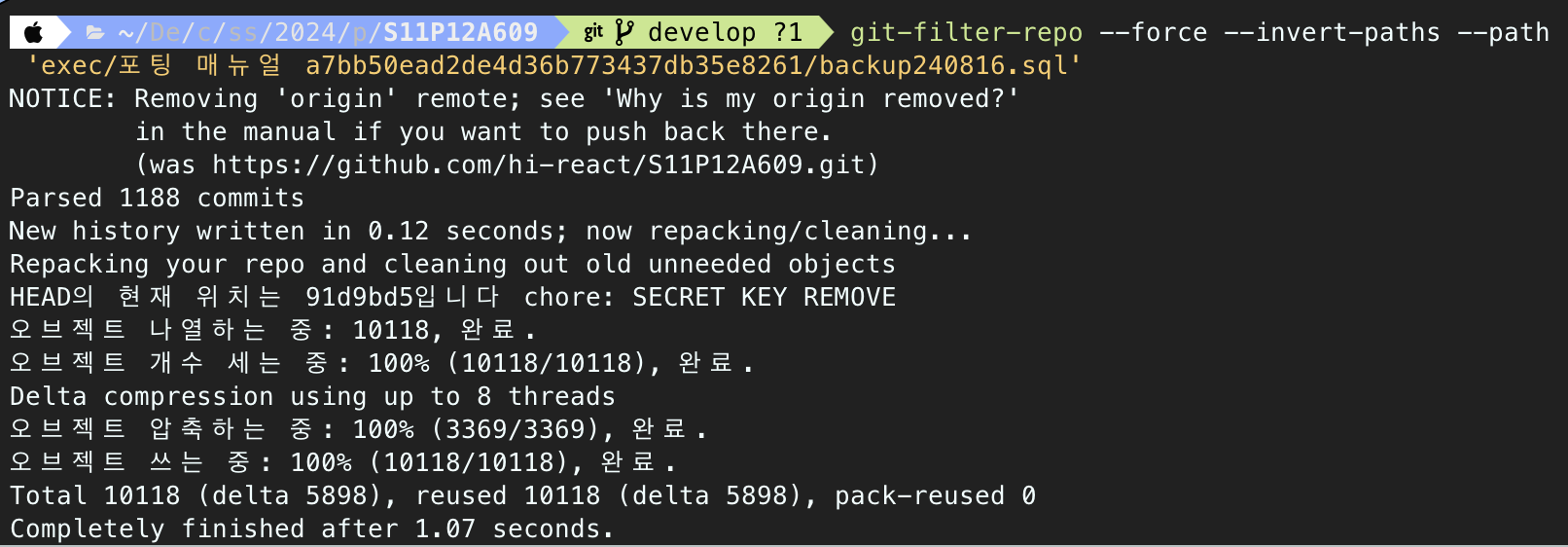
그리고 다시 원격 저장소 연결 후, 강제 push 했는데..
git remote add origin https://github.com/hi-react/S11P12A609.gitgit push --force origin main[문제 4]
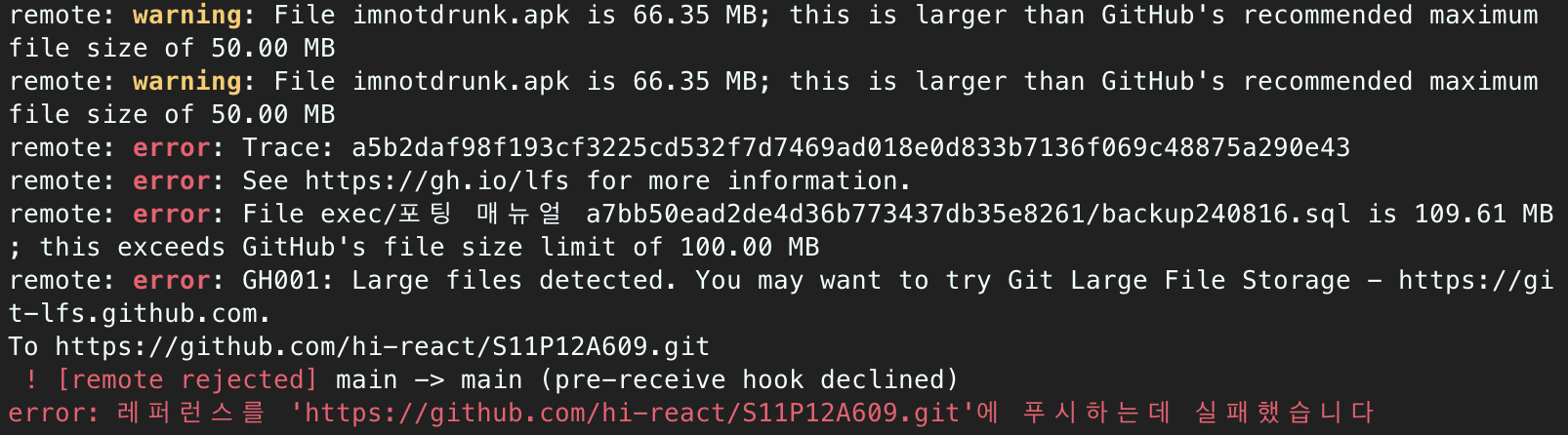
두번째로 제거 시도한 'exec/포팅 매뉴얼.../backup240816.sql'이 안지워졌다..?
new history written 했다며..
[해결 4]
한글 경로 때문인가?
한글 경로는 git 내부에서 UTF-8로 처리 되는데,
git-filter-repo가 정확히 경로를 매칭하지 못한 것 같다.그렇다면 경로가 어디든 관계 없이 파일명이 backup240816.sql인 것을 제거하도록 하겠다.
git-filter-repo --force --invert-paths --path-glob '*/backup240816.sql' 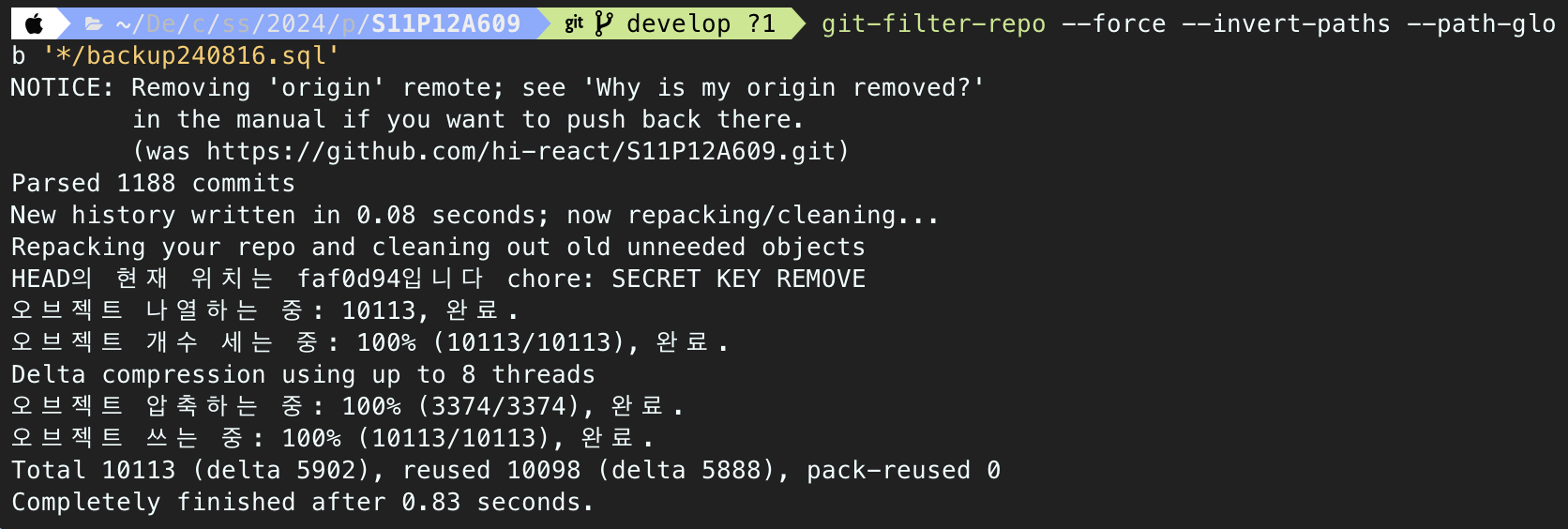
역시 git history 새로 작성했다는 문구가 뜬다.
다시 원격 재연결하고 강제 푸시한다.대용량 파일 문제는 해결!
그러나 완전히 다른 새로운 문제 직면..
GitHub 비밀 키 스캐닝(Secret Scanning) 기능이 push를 차단한 상황이다.