from requests import get
from bs4 import BeautifulSoup
from extractors.wwr import extract_wwr_jobs
from selenium import webdriver
from selenium.webdriver.chrome.options import Options

options = Options()
options.add_argument("--no-sandbox")
options.add_argument("--disable-dev-shm-usage")

browser = webdriver.Chrome(options=options)

base_url = "http://www.indeed.com/jobs?q="

browser.get("https://www.indeed.com/jobs?q=python&limit=50")

soup = BeautifulSoup(browser.page_source, "html.parser")
job_list = soup.find("ul", class_="jobsearch-ResultsList")
jobs = job_list.find_all("li", recursive=False)

results = []
for job in jobs:
  zone = job.find("div", class_="mosaic-zone")
  if zone == None:
    anchor = job.select_one("h2 a")
    title = anchor['aria-label']
    link = anchor["href"]
    company = job.find("span",class_="companyName")
    location = job.find("span",class_="companyLocation")
    job_data = {
          'link': f"https://kr.indeed.com{link}",
          'company': company.string,,
          'location': location.string,,
          'position': title
        }
    results.append(job_data)
    for result in results:
      print(result)
      print("\n/////////\n")
⦁ 21~25 줄
results = []
for job in jobs:
  zone = job.find("div", class_="mosaic-zone")
  if zone == None:
    anchor = job.select_one("h2 a")
먼저, 출력을 위해 results 라는 list를 만들어 둔다.
이제 jobs로 for loop를 돌릴건데,
저번에 학습했던, None을 이용해, mosaic-zone을 걸러준다.
anchor에서 알아두고 가야할 것이 있다.
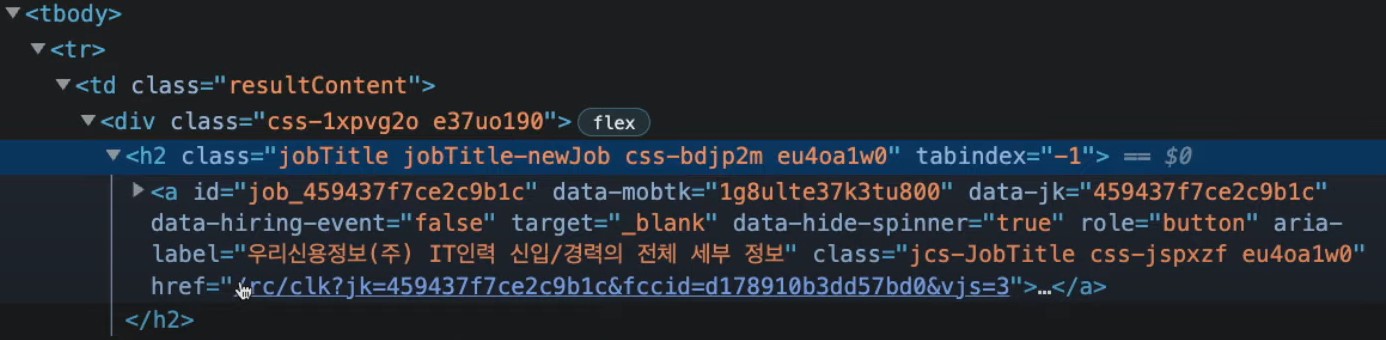
여기서 보면 jobTitle class를 가진 h2안에 anchor를 확인 할 수 있다.
div class의 이름도 있지만, 이미 사용하고 있는 이름일 가능성이 있기 때문에 가져오려는 데이터와 가장 일치하는 이름의 클래스를 가져오는 것이 매우 중요하다. (즉, 고유 이름인 것을 고르는게 좋다.)
그렇게 해서 코드를 짜면
h2 = job.find("h2", class_="jobtitle")
a = h2.find("a")
이렇게 두 줄을 쓸 수가 있는데,
위 두줄을 사용하는 것 보다 select 가 더 낫다
anchor = job.select_one("h2 a")이렇게 쓰게 되면, h2의 a를 선택한다는 뜻이고 여기에 '_one'을 추가 입력하면 하나만 찾게 해준다.
⦁ 26~29 줄
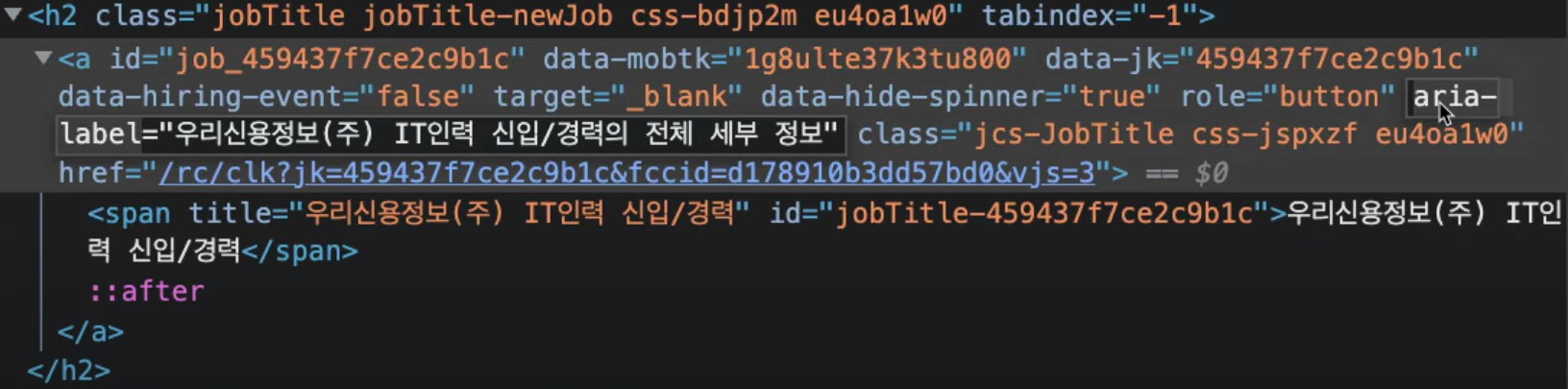
anchor에는 링크가 있고, 링크에 대한 label도 쓰여있다. 그렇게 되면 span에 들어가지 않아도 되고, label을 가져올 수 있다면, href 또한 가져올 수 있다.
aria-label attribute 란, html element에 제공되는 속성으로 화면리더기(웹사이트의 화면을 읽는 프로그램)가 읽게 하길 원하는 텍스트를 포함시켜준다.
이제 이걸 사용해 우리에게 필요한 직책 이름을 추출할 것이다.
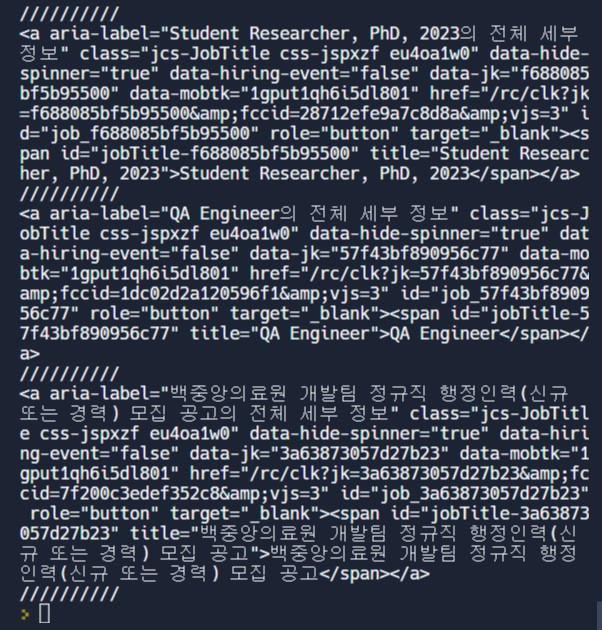
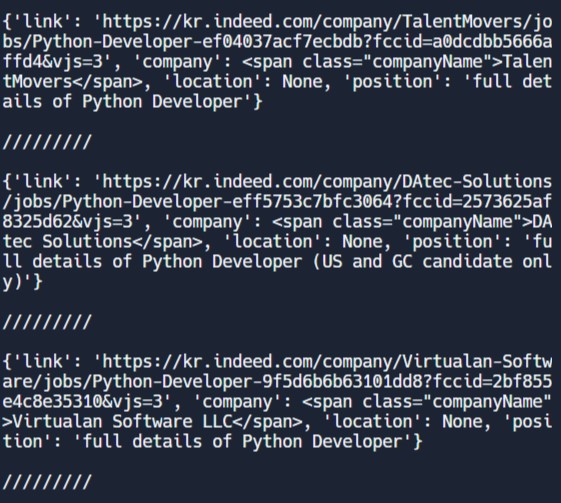
anchor를 출력해보면 이런 결과를 얻을 수 있다.
//////////로 나눠진 하나하나는 html이 아니라 하나의 dictionary다.
따라서 직업의 이름을 anchor에서 가져올 수 있다.
	title = anchor['aria-label']
    link = anchor["href"]
    company = job.find("span",class_="companyName")
    location = job.find("span",class_="companyLocation")
title과 link를 정의 해 준 뒤, div의 span에서 회사이름과 위치의 class를 찾아 정의해 준다.
⦁ 30~39 줄
job_data = {
          'link': f"https://kr.indeed.com{link}",
          'company': company.string,
          'location': location.string,,
          'position': title
        }
    results.append(job_data)
    for result in results:
      print(result)
      print("\n/////////\n")
이제 job_data를 만들어 준다.
link는 상대경로였기 때문에 앞부분을 붙여주었고, 비어 있는 results list를 만들어서 결과를 저장하는 과정을 거쳤다.