Todo-list
components
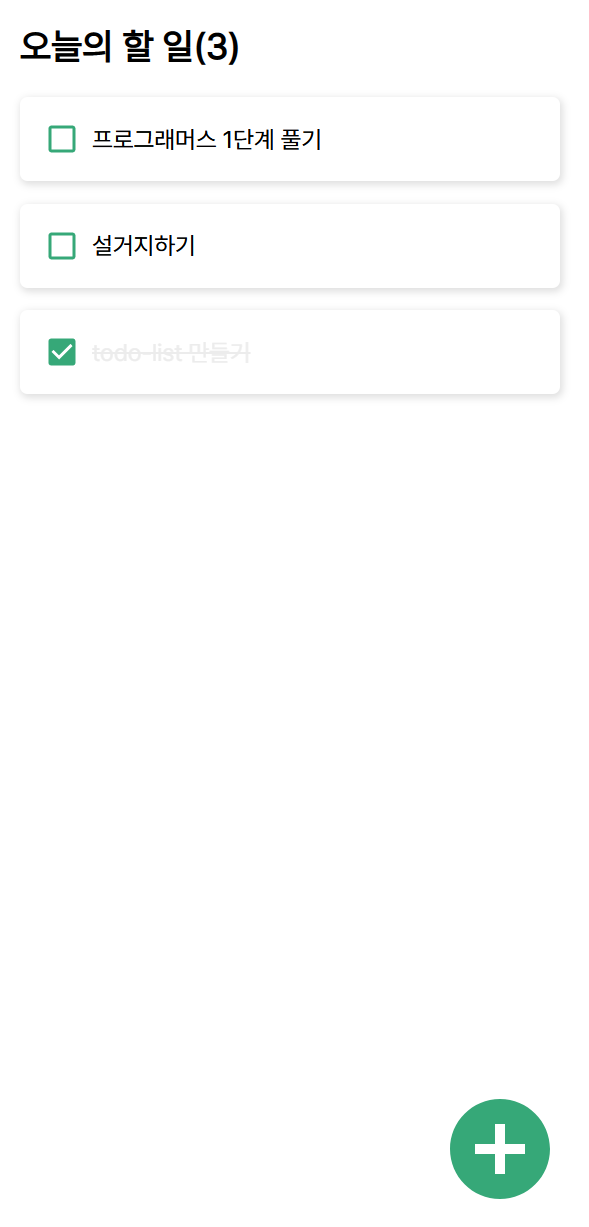
- Template.js => 어플리케이션의 구조
- TodoList.js => 할 일의 목록들을 담고있는 Todolist
- TodoItem.js => 목록 하나의 아이템을 담당하는 TodoItem
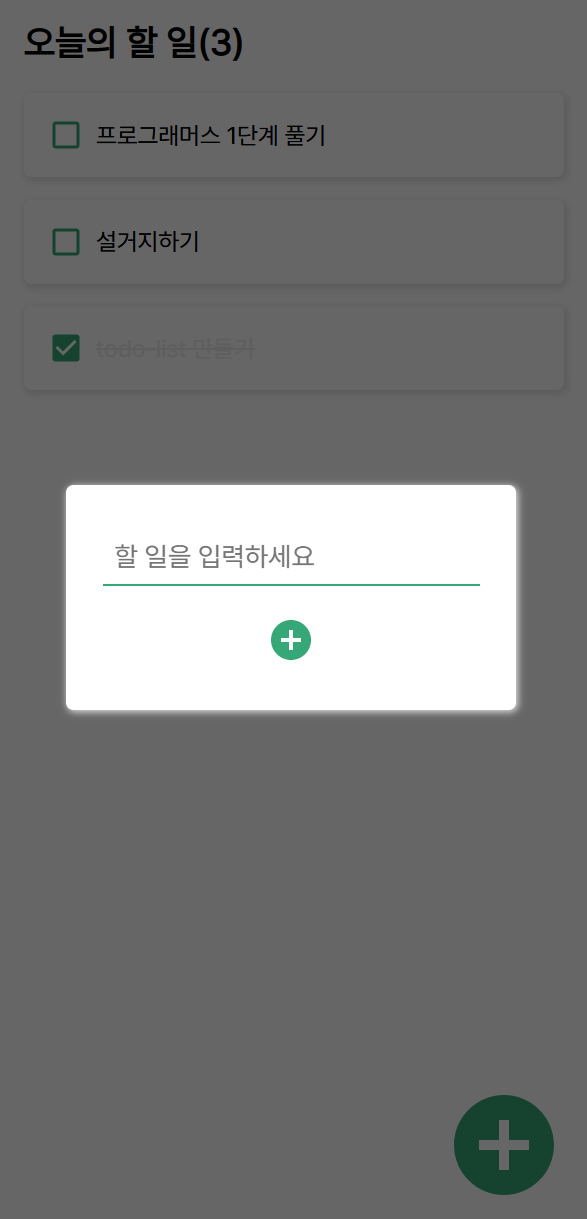
- TodoInsert.js => Todo 입력
TodoList는 App.js에서 todos라는 인자를 받아온다.
todos는 할 일 객체가 들어있는 배열이다.
Hook
- useState는 state, 상태를 함수 컴포넌트 안에서 사용할 수 있게 해준다.
함수이다.
인자로 넘겨주는 값은 state의 초기값이다.
state에 클래스 컴포넌트와 달리 반드시 객체일 필요는 없고, 숫자나 문자를 가질 수가 있다.
const [count, setCount] = useState(초기값 => useState 함수의 인자);state 변수, 해당 변수를 갱신할 수 있는 함수.
이 두가지 쌍을 반환한다.
todos는 할일 목록이고 setTodos는 할일 목록을 조작하는 함수

const [todos, setTodos] = useState();
TodoList state로 받아와서 초기값 띄우기
App.js
import './App.css';
import React, {useState} from 'react';
import Template from './components/Template';
import TodoList from './components/TodoList';

const App = () => {
  const [todos, setTodos] = useState([
    {
      id: 1,
      text: "할일 1",
      checked: true
    },
    {
      id: 2,
      text: "할일 2",
      checked: true
    },
    {
      id: 3,
      text: "할일 3",
      checked: true
    }
  ]);
  return (
    <Template>
      <TodoList todos={todos}/>
    </Template>
  );
};

export default App;
Template.js
import React from 'react';

const Template = ({children}) => {
    return (
        <div>
            <div>오늘의 할 일(0)</div>
            <div>{children}</div>
        </div>
    );
};

export default Template;
TodoList.js
import React from 'react';

const TodoList = ({todos}) => {
    return (
        <div>
            {todos.map(todo => (
                <div>{todo.text}</div>
            ))}
        </div>
    );
};

export default TodoList;
객체 구조 분해
TodoList.js
import React from 'react';
import TodoItem from './TodoItem';

const TodoList = ({todos}) => {
    return (
        <div>
            {todos.map(todo => (
                <TodoItem todo={todo} key={todo.id} />
            ))}
        </div>
    );
};

export default TodoList;
TodoItem.js
import React from 'react';

const TodoItem = ({todo}) => {
    const {text} = todo;
    return (
        <div>
            {text}
        </div>
    );
};

export default TodoItem;
TodoItem (react-icons)
https://9105lgm.tistory.com/137
import React from 'react';
import { MdCheckBox, MdCheckBoxOutlineBlank } from "react-icons/md";

const TodoItem = ({todo}) => {
    const {id, text, checked} = todo;
    return (
        <div className="TodoItem">
            <div className={`content ${checked ? "checked" : ""}`}>
                {checked ? <MdCheckBox /> : <MdCheckBoxOutlineBlank />}
                <div>{text}</div>
            </div>
        </div>
    );
};

export default TodoItem;
CSS
.Template {
    padding-top: 20px;
    /* 뷰포트 값에 맞게 전체를 보여줌 */
    max-height: 100vh;
}

.title {
    width: 90vw;
    /* width가 주어진 상태에서 가운데 정렬 */
    margin-left: auto;
    margin-right: auto;

    padding-bottom: 20px;
    font-size: 1.5rem;
    font-weight: bold;
    font-family: 'Pretendard-Regular';
}

만약 정가운데 두고싶으면
{
	display : flex;
    justify-content : center;
    align-items: center;
}
TodoItem CSS
.TodoItem {
    margin-left: auto;
    margin-right: auto;

    border-radius: 5px;
    /* offset-x | offset-y | blur-radius | color */
    box-shadow: 1px 2px 5px 1px #e0e0e0;
    padding: 1rem;
    display: flex;
    /* 세로축 센터 */
    align-items: center;
    font-family: 'Pretendard-Regular';
}

.TodoItem + .TodoItem {
    margin-top: 15px;
}

.content {
    /* 커서 올리면 클릭하듯이 변경 */
    cursor: pointer;
    /* 차지할 수 있는 영역 모두 차지 */
    flex: 1;
    display: flex;
    align-items: center;
}

.content svg {
    /* 로고 */
    font-size: 1.5rem;
    color: rgb(54, 168, 120);
}

.content .text{
    margin-left: 0.5rem;
    flex: 1;
}

/* {`content ${checked ? "checked" : ""}`} */
.content.checked .text{
    text-decoration: line-through;
    cursor: pointer;
    color: #e0e0e0;
    opacity: 0.6;
}
onRemove() => filter()
const array = [1,2,3];
const notthree = array.filter(number => number !== 3);
=> [1, 2]

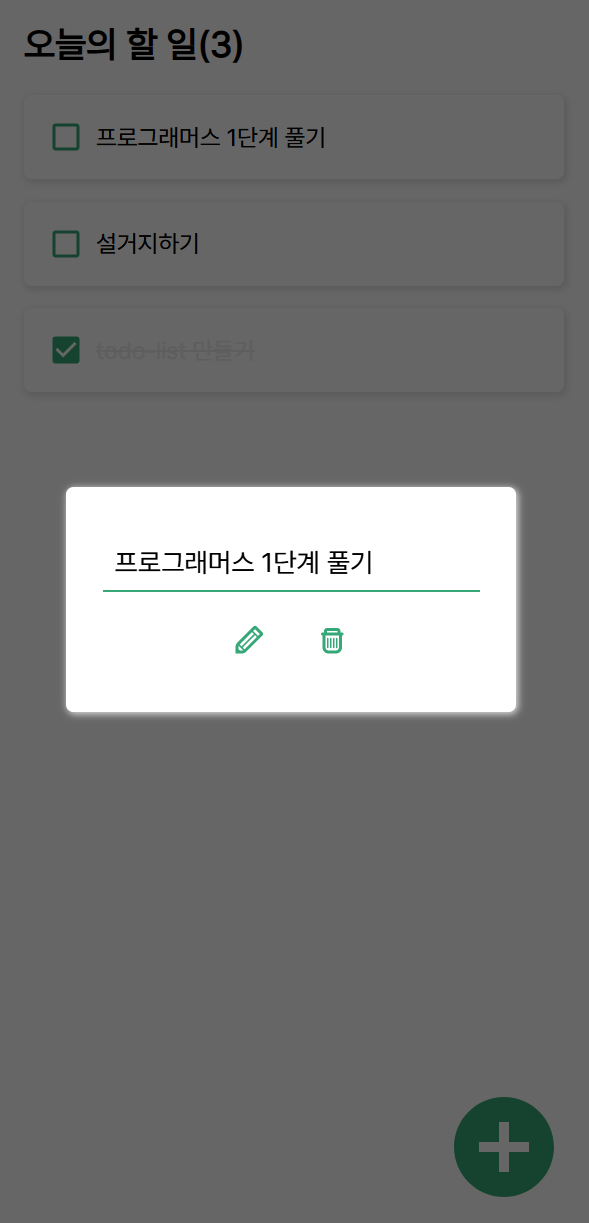
  const onRemove = (id) => {
    onInsertToggle();
    setTodos(todos => todos.filter(todo => todo.id !== id));
  }

  <TiTrash onClick={() => {
                            onRemove(selectedTodo.id);
                        }}/>
완성
Front-end Engineer, Web Developer & UX/UI Design