
스프링 시큐리티
스프링 기반 애플리케이션의 인증과 권한을 담당하는 스프링의 하위 프레임워크
- 인증(Authenticate)은 로그인을 의미
- 권한(Authorize)은 인증된 사용자가 어떠한 것을 할 수 있는지를 의미
build.gradle
 (생략)

dependencies {
	compileOnly 'org.projectlombok:lombok'
	annotationProcessor 'org.projectlombok:lombok'
	implementation 'org.springframework.boot:spring-boot-starter-web'
	implementation 'org.projectlombok:lombok:1.18.26'
	testImplementation 'org.springframework.boot:spring-boot-starter-test'
	developmentOnly 'org.springframework.boot:spring-boot-devtools'
	runtimeOnly 'com.h2database:h2'
	implementation 'org.springframework.boot:spring-boot-starter-data-jpa'
	implementation 'org.springframework.boot:spring-boot-starter-thymeleaf'
	implementation 'nz.net.ultraq.thymeleaf:thymeleaf-layout-dialect'
	implementation 'org.springframework.boot:spring-boot-starter-validation'
	👉implementation 'org.springframework.boot:spring-boot-starter-security'
	👉implementation 'org.thymeleaf.extras:thymeleaf-extras-springsecurity6:3.1.1.RELEASE'
}

tasks.named('test') {
	useJUnitPlatform()
}
thymeleaf-extras-springsecurity6
thymeleaf-extras-springsecurity6를 사용하기 위해, 3.1.1.RELEASE과 같은 버전 정보를 추가했다.
thymeleaf-extras-springsecurity6 패키지는 스프링부트가 자체적으로 관리하는 패키지이므로 버전 정보가 필요없지만, 현재 사용중인 스프링부트 버전인 3.0.0버전에서는 위와 같은 버전 정보를 입력하지 않으면 오류가 발생한다.
만약 버전 정보를 제거하고 사용하더라도 오류가 없다면 버전 정보 없이 사용하기를 바란다.
스프링 시큐리티 설정
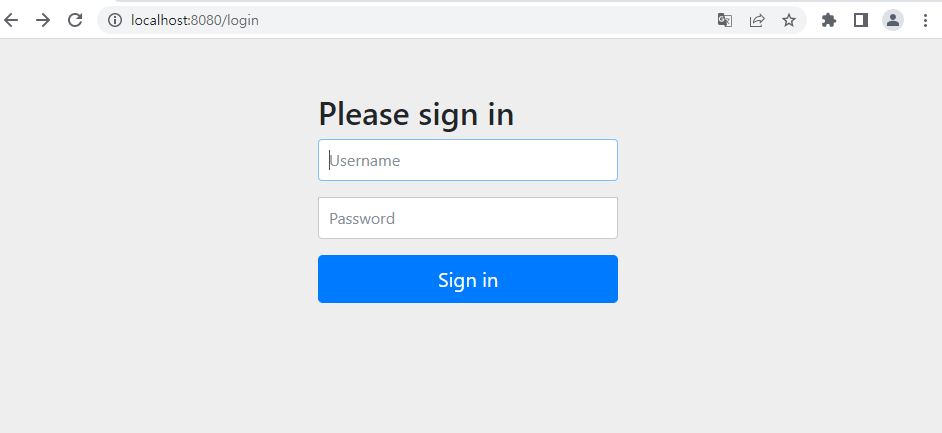
기존 화면이 아닌 이 화면이 나와서 당황했다..!
스프링 시큐리티는 기본적으로 인증되지 않은 사용자는 서비스를 사용할 수 없게끔 되어 있다.
따라서 인증을 위한 로그인 화면이 나타나는 것이다.
- SBB에 그대로 적용하기에는 곤란하므로, 시큐리티의 설정을 통해 바로 잡는다.
- SBB는 로그인 없이도 게시물을 조회할 수 있어야 한다.
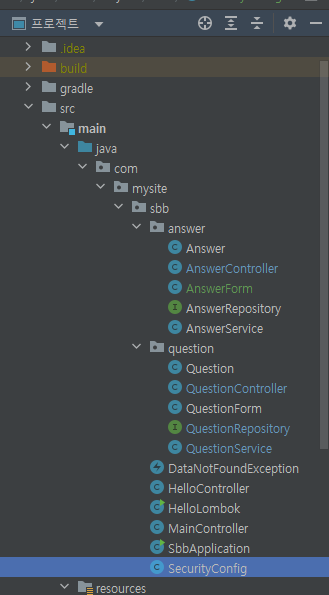
package com.mysite.sbb;

import org.springframework.context.annotation.Bean;
import org.springframework.context.annotation.Configuration;
import org.springframework.security.config.annotation.web.builders.HttpSecurity;
import org.springframework.security.config.annotation.web.configuration.EnableWebSecurity;
import org.springframework.security.web.util.matcher.AntPathRequestMatcher;
import org.springframework.security.web.SecurityFilterChain;

@Configuration ---①
@EnableWebSecurity---②
public class SecurityConfig{
    @Bean
    SecurityFilterChain filterChain(HttpSecurity http) throws Exception{
        👉http.authorizeHttpRequests().requestMatchers(new AntPathRequestMatcher("/**")).permitAll();
        return http.build();
    }
}
① - 스프링의 환경설정 파일임을 의미하는 애너테이션. 스프링 시큐리티 설정을 위해 사용됨
② - 모든 요청 URL이 스프링 시큐리티의 제어를 받도록 만드는 애너테이션
@EnableWebSecurity 애너테이션을 사용하면 내부적으로 SpringSecurityFilterChain이 동작하여 URL 필터가 적용된다.
스프링 시큐리티 세부 설정은 SecurityFilterChain 빈을 생성하여 설정할 수 있다.
👉위 문장은 모든 인증되지 않은 요청을 허락한다는 의미이다.
따라서, 로그인을 하지 않더라도 모든 페이지에 접근할 수 있다.
H2 콘솔
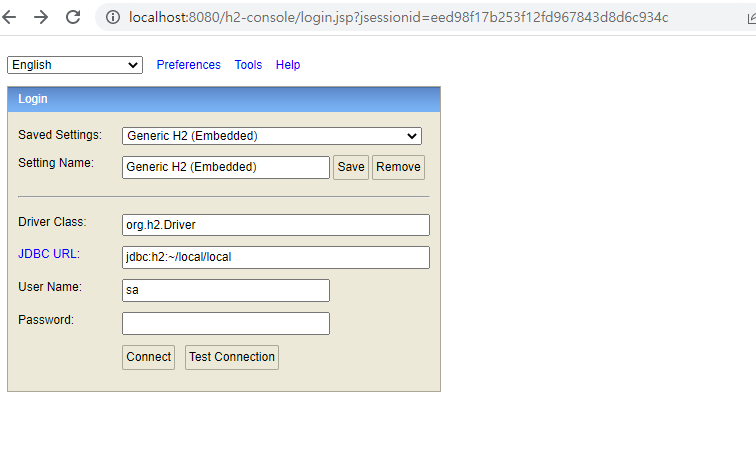
로그인을 하면 화면이
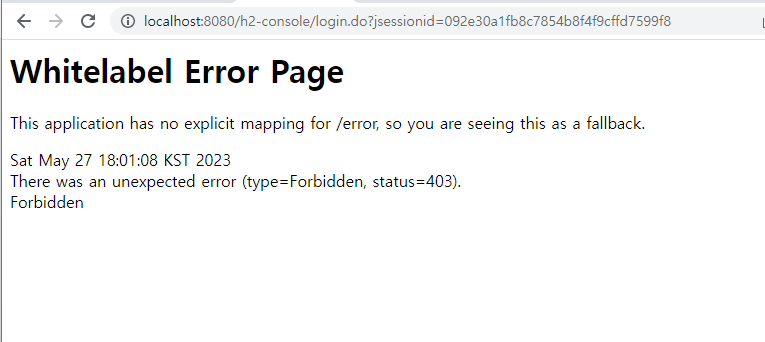
403 Forbidden 이 뜬다. 이는 스프링 시큐리티를 적용하면, CSRF 기능이 동작하기 때문이라고 한다.
CSRF
CSRF(Cross Site Request Forgery)는 웹 사이트 취약점 공격을 방지하기 위해 사용하는 기술.
스프링 시큐리티가 CSRF 토큰 값을 세션을 통해 발행하고,
웹 페이지에서는 폼 전송 시 해당 토큰을 함께 전송하여
실제 웹 페이지에서 작성된 데이터가 전달되는지를 검증하는 기술이다.
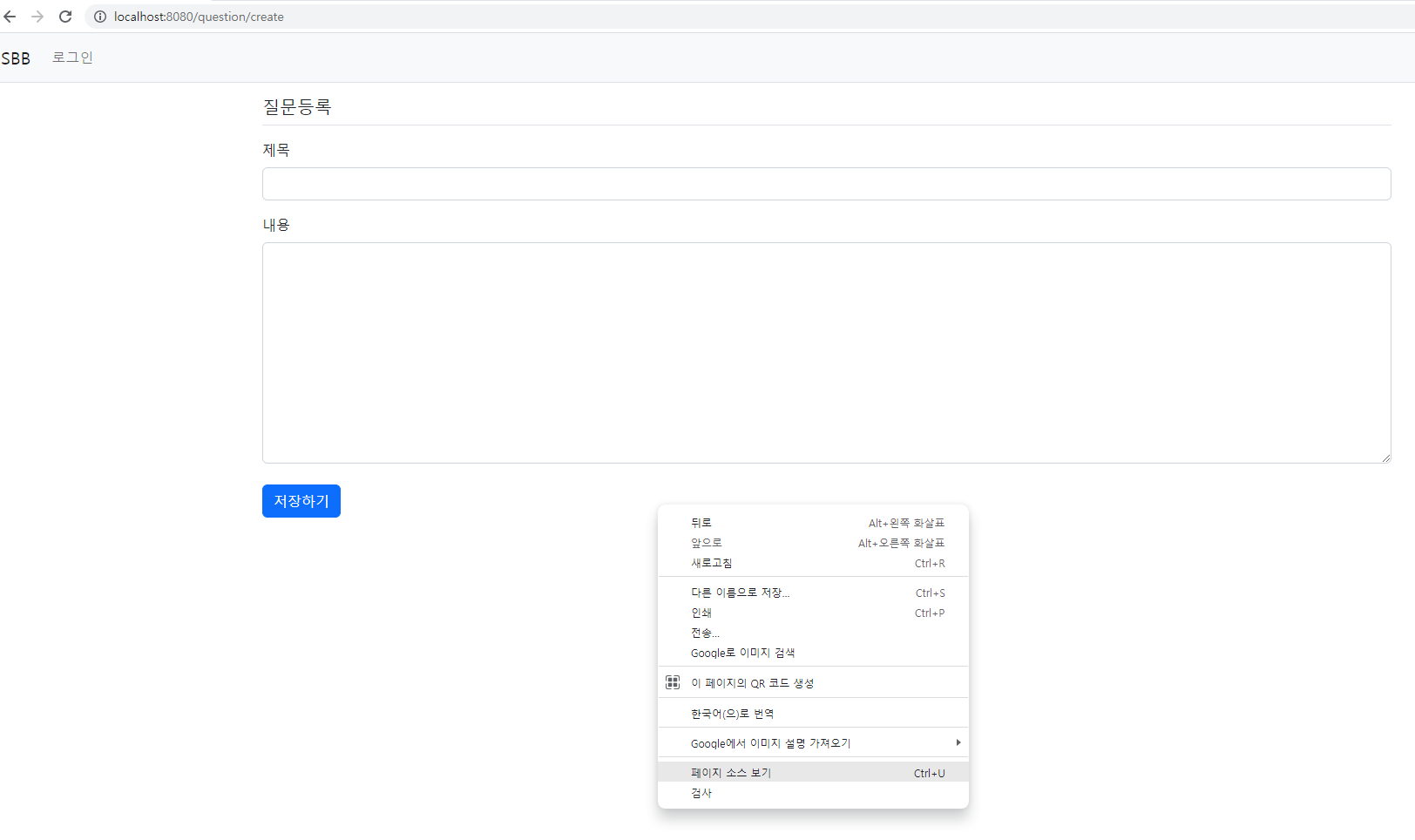
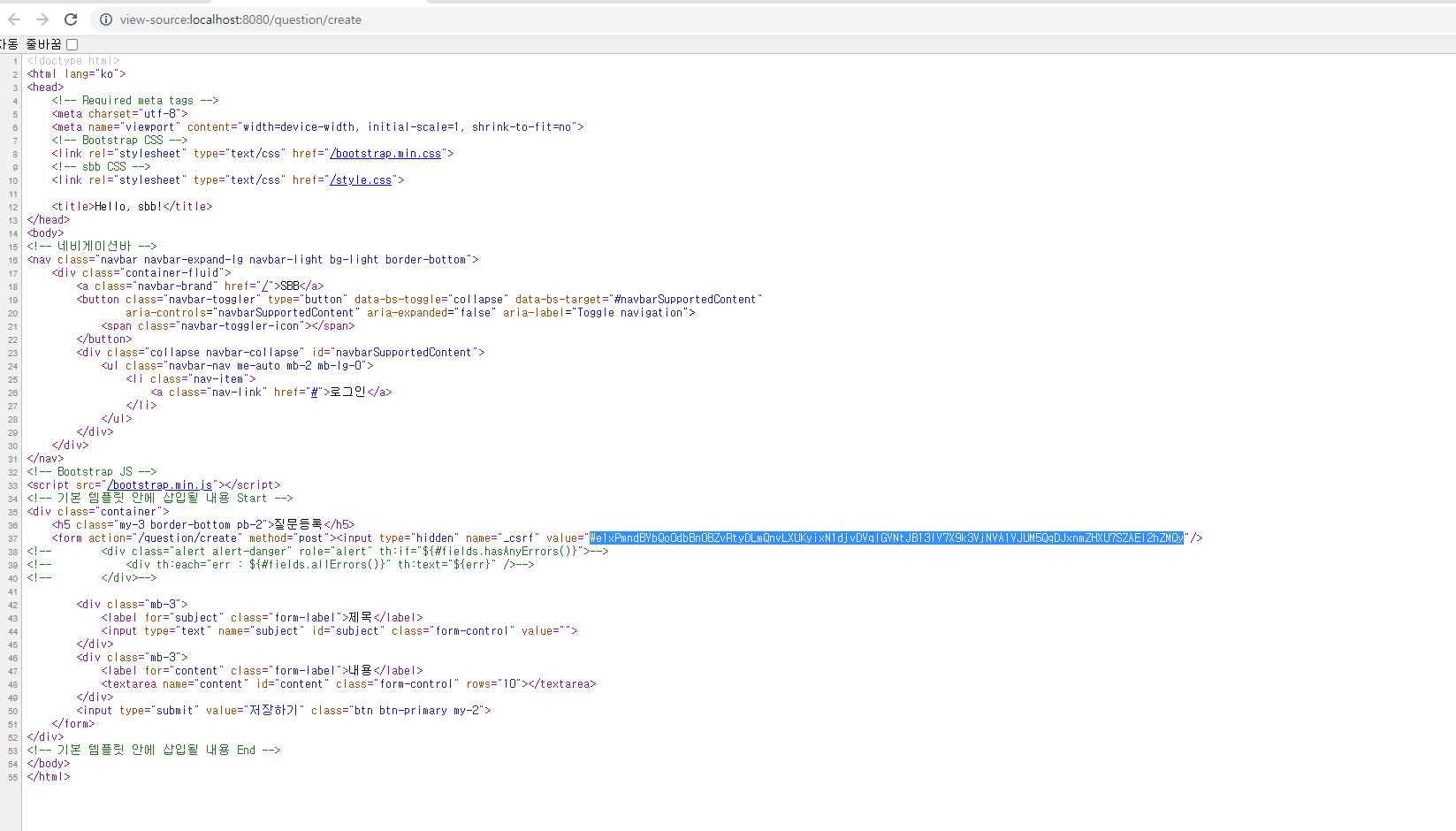
스프링 시큐리티에 의해 위와 같은 CSRF 토큰의 값이 정확한지 검증하는 과정을 거친다.
- 만약 CSRF 값이 없거나, 해커가 임의의 CSRF 값을 강제로 만들어 전송하는 악의적인 URL 요청은 스프링 시큐리티에 의해 블록킹 될 것이다.
그런데, H2 콘솔은 이와 같은 CSRF 토큰을 발행하는 기능이 없기 때문에 위와 같은 403 오류가 발생하는 것이다.
H2 콘솔은 스프링과 상관없는 일반 애플리케이션이다.
H2는 예외로 처리할 수 있도록 해주자.
package com.mysite.sbb;

import org.springframework.context.annotation.Bean;
import org.springframework.context.annotation.Configuration;
import org.springframework.security.config.annotation.web.builders.HttpSecurity;
import org.springframework.security.config.annotation.web.configuration.EnableWebSecurity;
import org.springframework.security.web.util.matcher.AntPathRequestMatcher;
import org.springframework.security.web.SecurityFilterChain;

@Configuration
@EnableWebSecurity
public class SecurityConfig{
    @Bean
    SecurityFilterChain filterChain(HttpSecurity http) throws Exception{
        http.authorizeHttpRequests().requestMatchers(new AntPathRequestMatcher("/**")).permitAll()
               ✅ .and()---①
                   ✅ .csrf().ignoringRequestMatchers(new AntPathRequestMatcher("/h2-console/**"));---②
        return http.build();
    }
}
① - http 객체의 설정을 이어서 할 수 있게 하는 메서드
② - /h2-console/로 시작하는 URL은 CSRF 검증을 하지 않겠다는 설정.
적용하고 http://localhost:8080/h2-console 다시 접속해보면,
이 원인은 H2 화면이 frame 구조로 작성되었기 때문이다.
스프링 시큐리티는 사이트의 콘텐츠가 다른 사이트에 포함되지 않도록 하기 위해,
X-Frame-Options 헤더값을 사용하여 이를 방지한다. (clickjacking 공격을 막기 위해 사용)
package com.mysite.sbb;

import org.springframework.context.annotation.Bean;
import org.springframework.context.annotation.Configuration;
import org.springframework.security.config.annotation.web.builders.HttpSecurity;
import org.springframework.security.config.annotation.web.configuration.EnableWebSecurity;
import org.springframework.security.web.header.writers.frameoptions.XFrameOptionsHeaderWriter;
import org.springframework.security.web.util.matcher.AntPathRequestMatcher;
import org.springframework.security.web.SecurityFilterChain;

@Configuration
@EnableWebSecurity
public class SecurityConfig {
    @Bean
    public SecurityFilterChain filterChain(HttpSecurity http) throws Exception {
        http.authorizeHttpRequests().requestMatchers(
                        new AntPathRequestMatcher("/**")).permitAll()
                .and()
                .csrf().ignoringRequestMatchers(
                        new AntPathRequestMatcher("/h2-console/**"))
               ✅ .and()
                .headers()
                .addHeaderWriter(new XFrameOptionsHeaderWriter(
                       XFrameOptionsHeaderWriter.XFrameOptionsMode.SAMEORIGIN))
        ;
        return http.build();
    }
}
.and()
.headers()
.addHeaderWriter(new XFrameOptionsHeaderWriter(
XFrameOptionsHeaderWriter.XFrameOptionsMode.SAMEORIGIN))
추가해준다.
그리고 다시 h2 콘솔로 로그인하면 정상 동작해준다.
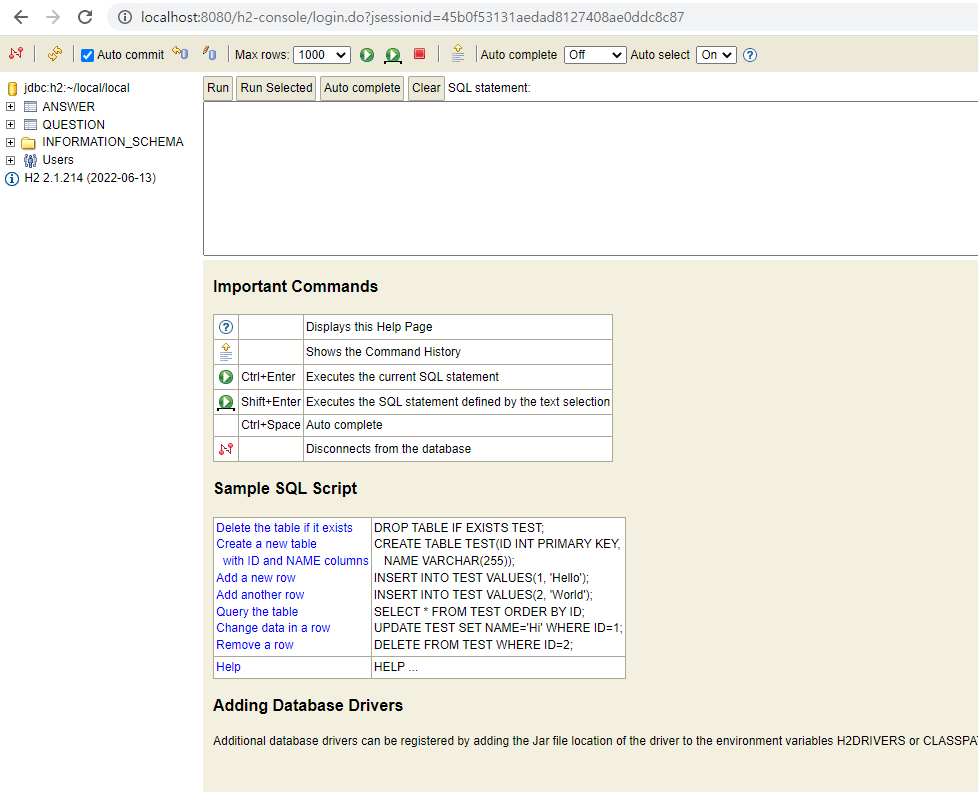
부가설명
위에서 csrf 검증을 예외처리로 해주었으나
이러한 화면이 나오는 이유는 h2-console화면이 frame 구조로 되어있기 때문이다.
스프링 시큐리티는 사이트의 콘텐츠가 다른 콘텐츠에 포함되지 않도록 하기 위해
X-Frame-Options 헤더값을 사용하여 이를 방지한다.
Clickjacking 클릭재킹이란?
뤼튼 : 클릭재킹(Clickjacking)은 사용자의 클릭행동을 부추기거나 숨기는 기술로, 공격자는 웹사이트에서 버튼이나 링크 등을 가려진 상태로 위치하며,
보이는 버튼이나 링크를 클릭하면, 사용자의 클릭 이벤트가 공격자가 작성한 요청으로 전송됩니다.
이를 통해 사용자는 자신이 몰랐던 웹사이트를 방문하거나 의도하지 않은 행동을 수행하게 됩니다.
이는 나쁜 의도를 가진 공격자가 보다 위험한 행동을 수행하는데 사용되기도 합니다. 보안에 매우 중요한 문제이므로 항상 정보와 소프트웨어를 최신 상태로 유지해 주시기 바랍니다.