2. Gameplay Ability System
언리얼 공식문서에 따르면 GAS는 RPG나 MOBA 같은 게임을 효율적으로 구현하기에 유용한 프레임워크라고 한다.
GAS에서 다룰 것들
- Ability System Component
GAS에서 가장 중요한 것은 ASC이다.
이 컴포넌트는 액터와 많은 중요한 것들을 캐릭터에 추가할 수 있게 하는 타입이다.- Granting Abilities : 스킬 부여
- Actiavting Abilities : 스킬 발동
- Handling Notificaion : 특정 이벤트감지(스킬에 피격)
- Attribute Set : Life, Mana, Damage, Critical 등
- Gameplay Ability : Play Animation, Cause Damage, Leveling System 등
- Ability Tasks : Gameplay Ability가 실행하는 비동기작업
이를 통해 작업을 시작하면 작업을 즉시 수행하거나 완료하거나 할 수 있고, 특정 능력에 대해 게임에서 무슨 일이 발생하는지에 따라 다른 작업 수행이 가능하다.
쉽게 풀어보자면 Gamepaly Ability를 위해 여러 작업을 수행한다고 보면 될 것 같다. - Gameplay Effect : Change Attribute Values
- Gameplay Cues : Particles, Sounds
- Gameplay Tags : 태그를 통해 enum과 같은 작업을 실행 가능.
실질적으로 GAS 시스템에 속하는 것은 아니지만 사용하면 유용함
GAS 대략적 모식도
Pawn 이 죽어서 월드에서 삭제되어도 PlayerState 에 ASC 와 AttributeSet 이 저장되어 있으므로 호출시에 크래시를 발생시키지 않는다.
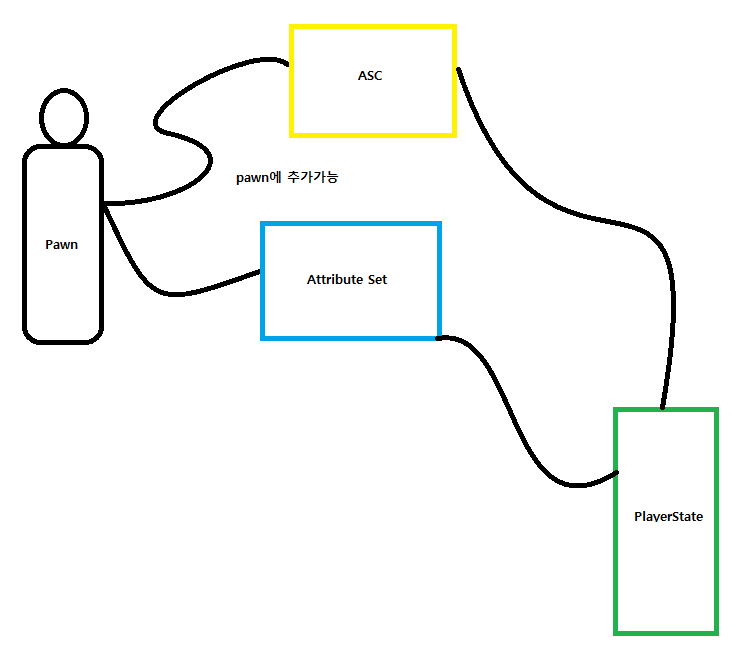
Enemy 의 경우 간단한ASC 와 AttributeSet 을 가지고 AI 를 통해 움직이기 때문에 굳이 PlayerState 로 저자해둘 필요가 없다.
하지만 플레이어캐릭터는 수많은 값들을 가지게 되므로 PlayerState 에 저장해둘 필요가 있다.
목차
- Player State 생성 및 Ability System Component와 Attribute Set 생성
- 멀티플레이어에서 GAS의 이해
- Aibility System Component와 Attribute Set 구현 + ReplicaitonMode
- Init Ability Actor Info
2.1 Player State 생성 및 Ability System Component와 Attribute Set 생성
2.1.1 Player State 생성
먼저 Player State 클래스를 생성한다.
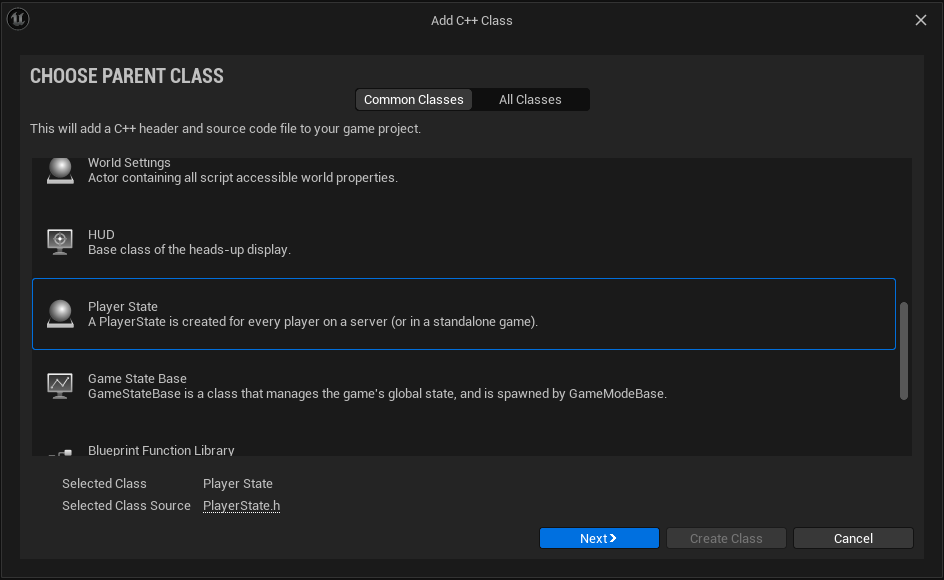
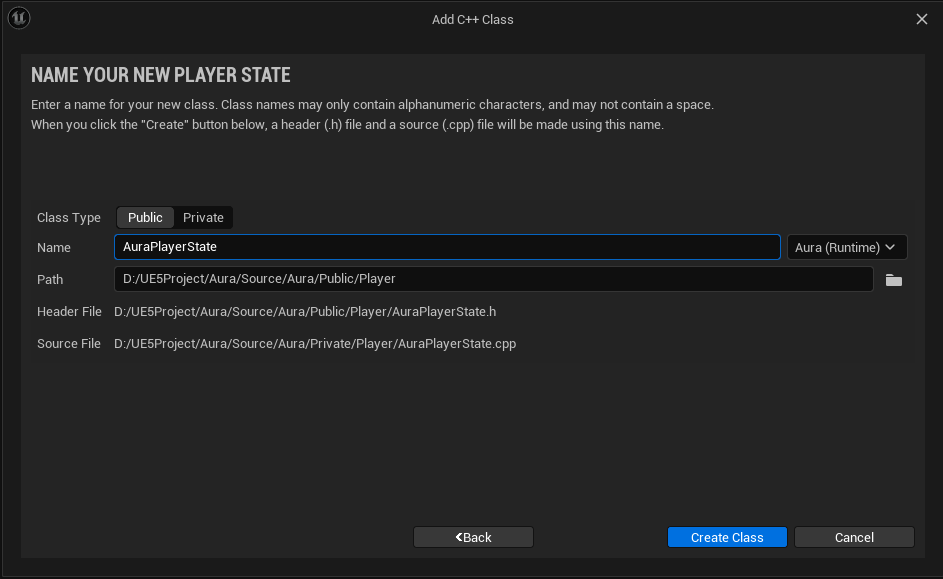
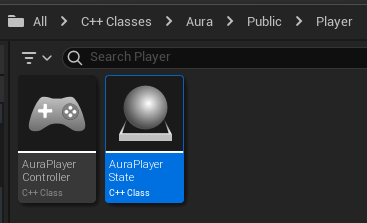
코드를 작성한후
- AuraPlayerState.h
// AuraPlayerState.h

public:
AAuraPlayerState();- AuraPlayerState.cpp
// AuraPlayerState.cpp

AAuraPlayerState::AAuraPlayerState()
{
	// 얼마나 자주 서버가 클라이언트를 업데이트할지에 대한 값
	NetUpdateFrequency = 100.f;
}
AuraPlayerState 기반 BP_AuraPlayerState 블루프린트를 생성한다.
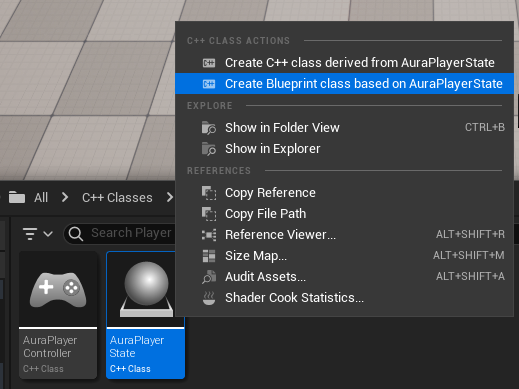
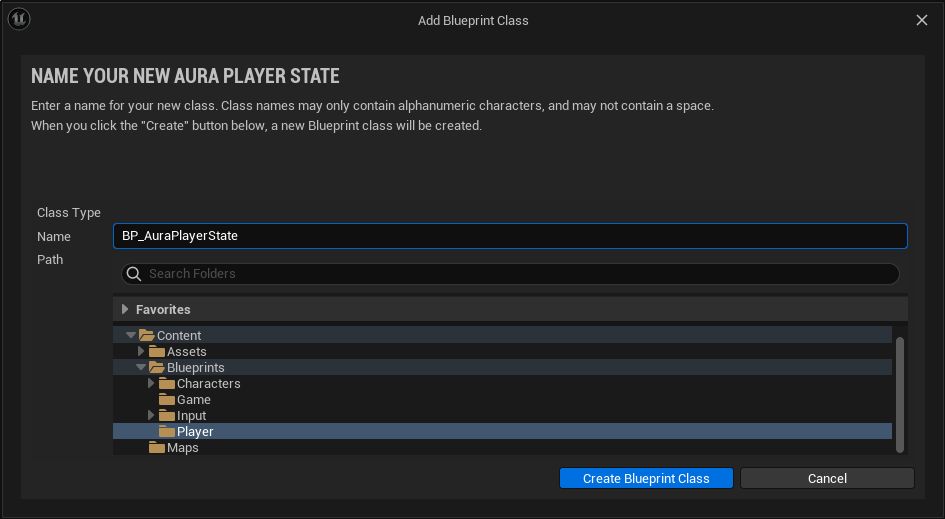
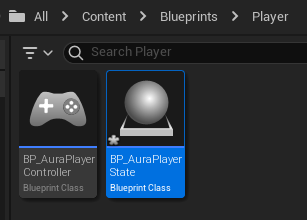
마지막으로 BP_AuraGameMode 에서 생성해둔 BP_AuraPlayerState 를 사용하도록 설정한다.
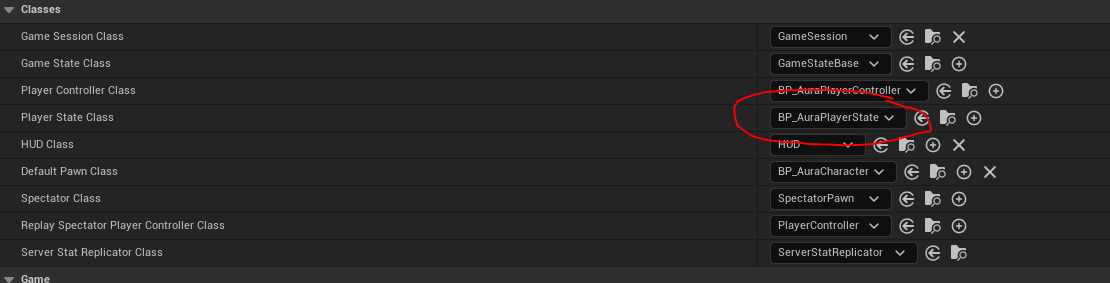
2.1.2 Ability System Component 및 Attribute Set 생성
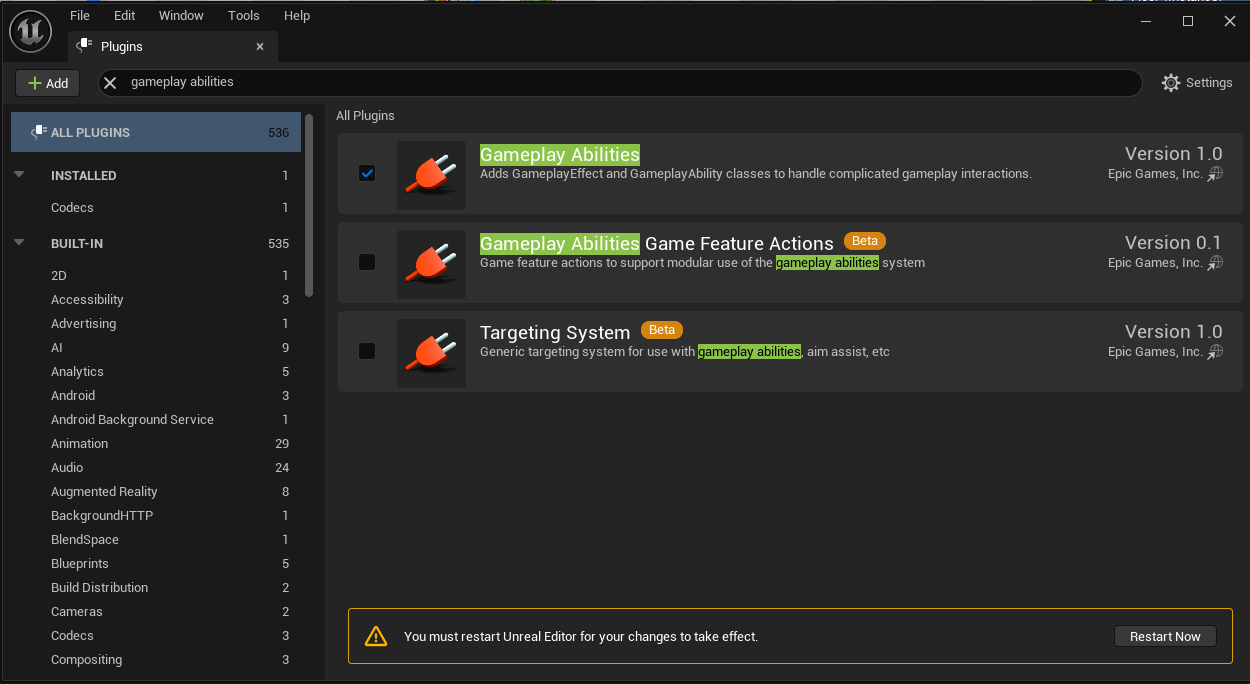
먼저 Gameplay Abilities 플러그인을 추가해주어야 한다.
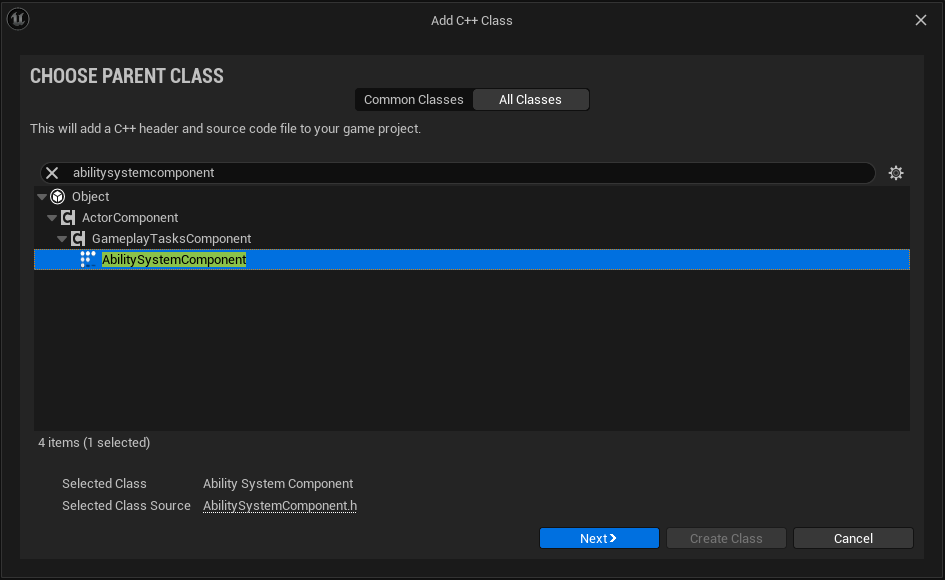
AbilitySystemComponent 클래스 기반 AuraAbiltiySystemComponent 를 생성한다.
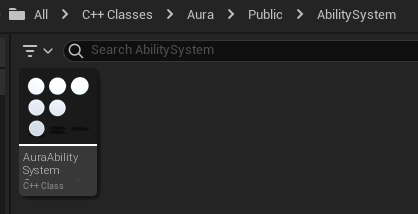
아마 라이브코딩 콘솔에 오류가 발생할텐데 모듈 3가지를 추가해줘야 한다.
PrivateDependencyModuleNames.AddRange(new string[] { "GameplayAbilities", "GameplayTags", "GameplayTasks" });
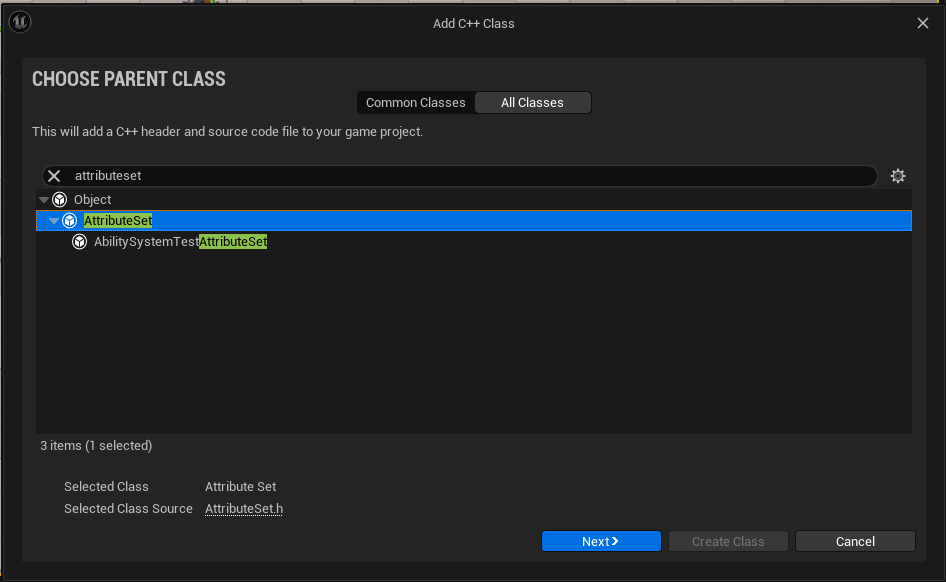
이어서 AttributeSet 클래스를 생성한다.
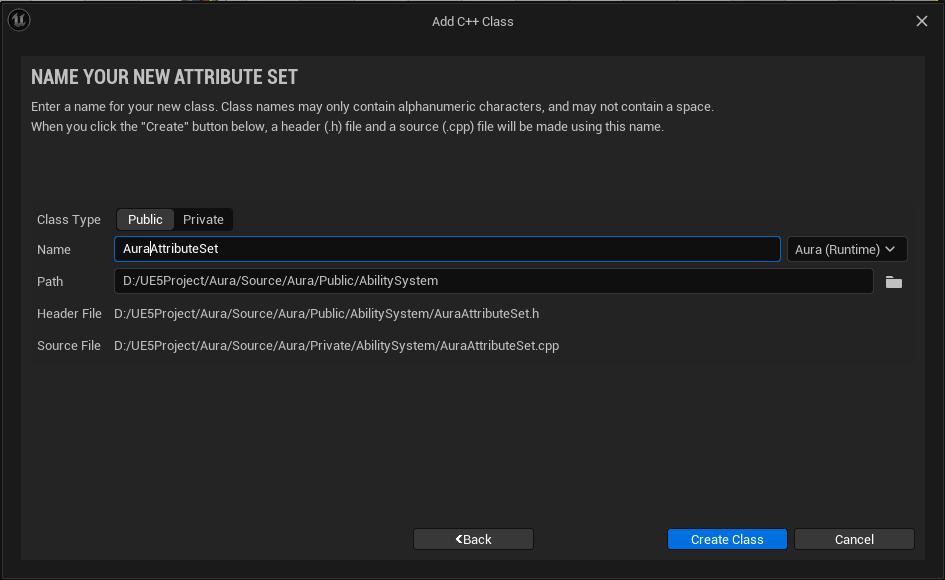
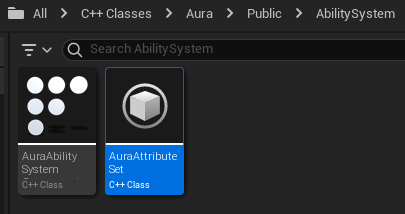
2.2 멀티플레이어에서 GAS의 이해
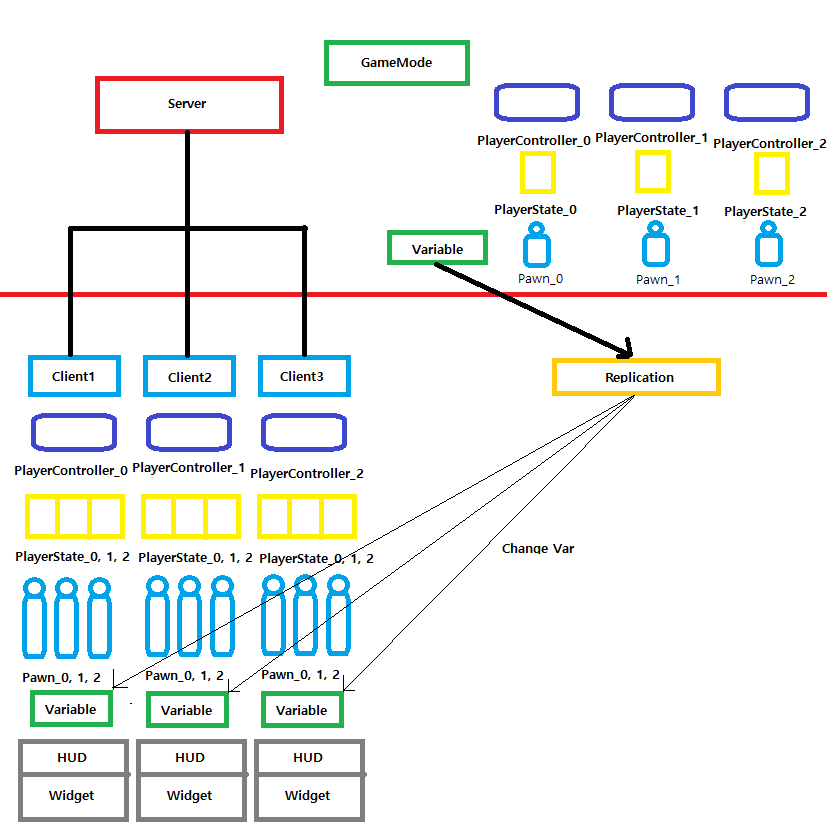
- 서버는
GameMode와 각 플레이어의PlayerController,PlayerState,Pawn,Variable에 대한 정보를 가지고 있다. - 클라이언트들은 각자의
PlayerController,Variable,HUD,Widget을 가지고 있고 게임 플레이에 필요한 타 플레이어의PlayerState,Pawn에 대한 정보를 가지고 잇다. - 서버에서 값의 변경이 이뤄지면 리플리케이션을 통해 값이 복제가 되고, 복제된 값을 클라이언트들에게 전달함으로써 체력, 마나 등의 값을 변경시킨다.
리플리케이션은 단방향이므로 서버에서 클라이언트로 진행해야 한다.(서버값이 옳은 데이터이므로) - 클라이언트에서 서버로 전달할 경우
RPC(Remote Procedure Call)를 이용한다.
2.3 Aibility System Component와 Attribute Set 기본 구현
2.3.1 AuraEnemy
먼저 ASC 와 AttributeSet 을 플레이어 캐릭터와 적이 사용하기 위해 상위 클래스인 AuraCharacterBase 에 코드를 추가한다
- AuraCharacterBase.h
// AuraCharacterBase.h

class UAbilitySystemComponent;
class UAttributeSet;

protected:
	...

    UPROPERTY()
    TObjectPtr<UAbilitySystemComponent> AbilitySystemComponent;

	UPROPERTY()
    TObjectPtr<UAttributeSet> AttributeSet;
위에서 설명했듯, 복잡하지 않은 적의 경우 PlayerState 가 아닌 Enemy 클래스 자체에서 관리해도 되므로 AuraEnemy 클래스의 생성자에서 구현부를 작성한다.
- AuraEnemy.cpp
// AuraEnemy.cpp

...
#include "AbilitySystem/AuraAbilitySystemComponent.h"
#include "AbilitySystem/AuraAttributeSet.h"
...

AAuraEnemy::AAuraEnemy()
{
	...

    // AbilitySystemComponent를 상속받은 AuraAbilitySystemComponent 사용
    AbilitySystemComponent = CreateDefaultSubobject<UAuraAbilitySystemComponent>("AbilitySystemComponent");
    AbilitySystemComponent->SetIsReplicated(true);

    AttributeSet = CreateDefaultSubobject<UAuraAttributeSet>("AttributeSet");
}
AuraCharacterBase 에 AbilitySystem 을 위한 인터페이스를 추가해주고 AbilitySystemComponent 와 AttributeSet 을 가져오기 위한 Get함수부분도 추가한다.
- AuraCharacterBase.h
// AuraCharacterBase.h

...
#include "AbilitySystemInterface.h"
...

UCLASS(Abstract)
class AURA_API AAuraCharacterBase : public ACharacter, public IAbilitySystemInterface
{
	GENERATED_BODY()

public:
	AAuraCharacterBase();
    virtual UAbilitySystemComponent* GetAbilitySystemComponent() const override;
    UAttributeSet* GetAttributeSet() const { return AttributeSet; }
...
}- AuraCharacterBase.cpp
// AuraCharacterBase.cpp

UAbilitySystemComponent* AAuraCharacterBase::GetAbilitySystemComponent() const
{
	return AbilitySystemComponent;
}
만약 문제 발생시 모듈의 GameplayAbilities 를 private에서 public으로 이동시킨다.
2.3.2 AuraCharacter
플레이어 캐릭터의 경우 PlayerState 에서 관리하므로 AuraPlayerState 클래스에서 선언과 구현부를 추가로 작성한다.
- AuraPlayerState.h
// AuraPlayerState.h

class UAbilitySystemComponent;
class UAttributeSet;

public:
	AAuraPlayerState();

protected:
	// AuraCharacterBase로부터 상속받은 클래스가 아니므로 따로 선언
    UPROPERTY()
    TObjectPtr<UAbilitySystemComponent> AbilitySystemComponent;

    // AuraCharacterBase로부터 상속받은 클래스가 아니므로 따로 선언
	UPROPERTY()
    TObjectPtr<UAttributeSet> AttributeSet;
- AuraPlayerState.cpp
// AuraPlayerState.cpp

...
#include "AbilitySystem/AuraAbilitySystemComponent.h"
#include "AbilitySystem/AuraAttributeSet.h"

AAuraPlayerState::AAuraPlayerState()
{
	// AbilitySystemComponent를 상속받은 AuraAbilitySystemComponent 사용
    AbilitySystemComponent = CreateDefaultSubobject<UAuraAbilitySystemComponent>("AbilitySystemComponent");
    AbilitySystemComponent->SetIsReplicated(true);

    AttributeSet = CreateDefaultSubobject<UAuraAttributeSet>("AttributeSet");

    NetUpdateFrequency = 100.f;
}
플레이어 캐릭터는 AuraPlayerState 에서 관리하므로 해당 클래스에도 동일하게 인터페이스와 Get함수를 추가한다.
- AuraPlayerState.h
// AuraPlaerState.h

...
#include "AbilitySystemInterface.h"
...

UCLASS()
class AURA_API AAuraPlayserState : public APlayerState , public IAbilitySystemInterface
{
	GENERATED_BODY()

public:
	AAuraPlayerState();
    virtual UAbilitySystemComponent* GetAbilitySystemComponent() const override;
    UAttributeSet* GetAttributeSet() const { return AttributeSet; }
...
}- AuraPlayerState.cpp
// AuraPlayerState.cpp

UAbilitySystemComponent* AAuraPlayerState::GetAbilitySystemComponent() const
{
	return AbilitySystemComponent;
}
2.3.3 ReplicationMode 설정
추가로 ReplicationMode 설정을 해주어야 한다.
코드를 통해 모드를 지정해줄 수 있다.
AbilitySystemComponent->SetReplicationMode(EGameplayEffectReplicationMode NewReplicaitonMode)
EGamePlayEffectReplicationMode 를 살펴보면 어떻게 GameplayEffect를 클라이언트에게 리플리케이트되는지에 대한 설정이라고 설명한다.
 리플리케이션 모드는 위와 같이
 enum 타입의 EGameplayEffectReplicationMode 를 통해 지정가능한데, 오브젝트들이 어떤방식으로 리플리케이트될지 결정하며 3가지 방식이 있다.
-
Minimal
멀티플레이,AI_Controlled에 사용됨.
GameplayEffect는 리플리케이트되지 않음.GameplayCue,GameplayTag는 모든 클라이언트에게 리플리케이트됨. -
Mixed
멀티플레이,Player-Controlled에 사용됨.
GameplayEffect는 소유 클라이언트에게만 리플리케이트되고,GameplayCue와GameplayTag는 모든 클라이언트들에게 리플리케이트됨. -
Full
싱글플레이에 사용됨.
GameplayEffect는 모든 클라이언트들에게 리플리케이트됨.
해당 캐릭터의 경우 Player-Controlled 이므로 Mixed 를 사용할 것이고, 적의 경우 AI-controlled 이므로 Minimal 을 사용할 것이다.
- AuraPlayerState.cpp
// AuraPlayerState.cpp

AAuraPlayerState::AAuraPlayerState()
{
	...
    AbilitySystemComponent->SetReplicationMode(EGameplayEffectReplicationMode::Mixed);

    ...
}- AuraEnemy.cpp
// AuraEnemy.cpp

AAuraEnemy::AAuraEnemy()
{
	...
    AbilitySystemComponent->SetReplicationMode(EGameplayEffectReplicationMode::Minimal);
	...
}
2.4 Init Ability Actor Info
2.4.1 개념 설명
Ability System Component 는 Ability Info Actor 라는 개념이 존재한다.
이러한 개념 덕분에 Ability System Component 는 누가 ASC 를 소유하는지와 같은 정보를 알 수 있다.
즉 ASC 는 어떤 액터, 폰 등의 소유물인지에 대한 정보를 가지고 있을 수도 있고, PlayerState와 같은 다른 유형의 개체에 의해 소유될 수도 있다는 개념을 가지고 있다.
이러한 이유로, ASC 에는 Owner actor 와 Avatar actor 라는 두가지 변수가 있다.
- Owner Actor
Ability System Component를 실제로 소유하는 클래스 - Avatar Actor
Ability System Component와 관련된 월드에서의 표현(번역이 다소 매끄럽지 않음)
Avatar Actor is the representation in the world associated with this AbilitySystemComponent
그림으로 표현하면 아래와 같다.
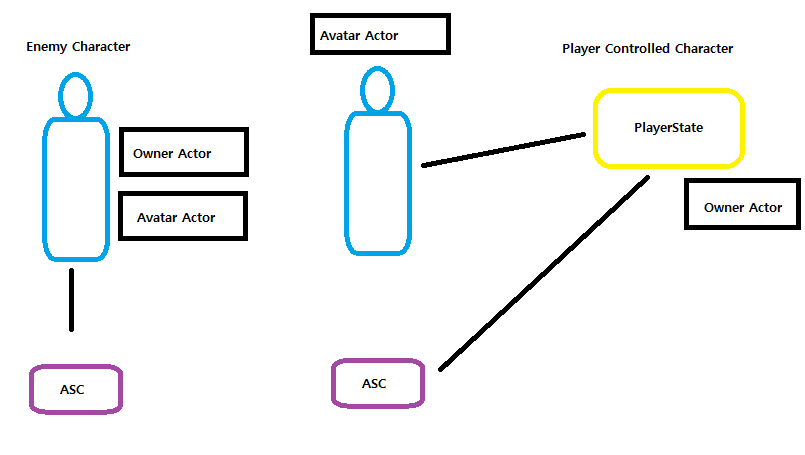
Enemy Character의 경우 Enemy 클래스 자체에 관련된 모든 코드들이 있으므로Owner Actor와Avatar Actor둘다 될 수 있다.
하지만Player Controlled Character의 경우Owner Actor는PlayerState가 담당하고Avatar Actor를Pawn이 담당한다.
이러한 Actor를 지정하기 위한 함수는 아래와 같다.
UAbilitySystemComponent::InitAbilityActorInfo(AActor* InOwnerActor, AActor* InAvatarActor);위 함수를 호출하기 위해서는 반드시 possession 이 끝난 이후여야 하는데, 이말인 즉슨 Controller가 Pawn을 위해 세팅되어야 한다.
그리고 Controller가 Pawn을 위해 세팅되는 시기는 아래와 같다.
- Player-Controlled Character
1 ) ASC가 폰에 존재할 때
서버에서PossesedBy함수를 통해 pawn을 소유하고, Client가AcknoledgePossession함수를 통해 pawn을 소유한 것을 확인할 때, 해당 함수들에서InitAbilityActorInfo함수를 호출 가능하다.
2 ) ASC가PlayerState에 존재할 때
서버에서PossessedBy함수를 통해 pawn을 소유하고, Client가OnRep_PlayerState함수를 통해 RepNotify를 호출하고 무언가 리플리케이트되었는지에 대한 결과(PlayerState의 업데이트)를 확인하였을 때, 해당 함수들에서InitAbilityActorInfo함수를 호출 가능하다. - AI-Controlled Character
1 ) ASC가 폰에 존재할 때
둘다 BeginPlay()에서InitAbilityActorInfo함수를 호출하여 소유자를 인식한다.
InitAbilityActorInfo 함수를 호출하는 이유는 올바른 소유자를 인식하기 위함이다.
2.4.2 Enemy 관련 코드 작성
- AuraEnemy.h
// AuraEnemy.h

    ...
protected:
virtual void BeginPlay() override;- AuraEnemy.cpp
// AuraEnemy.cpp

...
void AAuraEnemy::BeginPlay()
{
	Super::BeginPlay();

    // AuraEnemy의 경우 OwnerActor와 AvatarActor 둘다 자기자신
    AbilitySystemComponent->InitAbilityActorInfo(this, this);
}
2.4.3 Character 관련 코드 작성
- AuraCharacter.h
// AuraCharacter.h

public:
	...
    virtual void PossessedBy(AController* NewController) override;
    virtual void OnRep_PlayerState() override;

protected:
	...

private:
void InitAbilityActorInfo();- AuraCharacter.cpp
// AuraCharacter.cpp

...
#include "Player/AuraPlayerState.h"
#include "AbilitySystemComponent.h"
...

void AAuraCharacter::InitAbilityActorInfo()
{
	AAuraPlayerState* AuraPlayerState = GetPlayerState<AAuraPlayerState>();
	check(AuraPlayerState);
    AuraPlayerState->GetAbilitySystemComponent()->InitAbilityActorInfo(AuraPlayerState, this);
    AbilitySystemComponent = AuraPlayerState->GetAbilitySystemComponent();
    AttributeSet = AuraPlayerState->GetAttributeSet();
}

void AAuraCharacter::PossessedBy(AController* NewController)
{
	Super::PossessedBy(NewController);

    // 서버용 InitAbilityActorInfo
    InitAbilityActorInfo();

}

void AAuraCharacter::OnRep_PlayerState()
{
	Super::OnRep_PlayerState();

    // 클라이언트용 InitAbilityActorInfo
    InitAbilityActorInfo();
}
+
PlayerState의 Owner는 자동적으로 controller로 지정되지만, 만약 OwnerActor가 PlayerState가 아닐 경우이면서EGameplayEffectReplicationMode::Mixed옵션을 사용할 경우 반드시 OwnerActor 자리에SetOwner()를 호출해서 Controller를 소유하도록 해야한다.
