3. Attributes
목차
- Abttirbute에 대한 정의
- Health와 Mana 추가
- Attribute Accessor를 통한 Attribute 접근
- GameEffect 생성
3.1 Attribute에 대한 정의
3.1.1 Attribute에 대한 정의
Attribute 란 캐릭터와 같은 특정 개체와 관련된 수치적인 양을 의미한다.
예를 들자면 HP나 MP와 같은 것들도 캐릭터와 관련된 수치적인 양을 가진다.
이러한 모든 수치들은 float 타입으로 정의되어 있으며, FGameplayAttributeData 타입의 구조체에 존재한다.
Attribute 들은 AttributesSet 에 저장되고 관리된다.
AttributeSet 에 다양한 값들(HP, MP 등) 이 있고, FGameplayAttributeData 는 단일 속성(예를 들자면 HP 하나만)에 대한 값들(복수형 사용 이유는 3.1.2에)을 가진다.
캐릭터의 Attribute 가 변경되면 이에 따라, 가지고 있는 기능들로 대응할 수 있다.
예를 들자면 데미지를 받을 경우 HP 라는 Attribute 가 변경되고 캐릭터는 피격 애니메이션 출력 함수를 호출하는 것과 같은 것을 하게 된다.
Attribute 값을 변경하는 것은 코드로 직접 바로 적용시켜도 되지만, GameplayEffect 이용한 값 변경이 최우선이다.
GameplayEffect 는 Attribute 값의 변경을 예측 가능하게 하기 때문에 단순 코드로 직접 값을 조절하는 것보다 효율적이다.
여기서의 예측은 클라이언트가 서버로부터 값의 변경에 대해 허가받는 것을 기다릴 필요가 없다는 의미이다.
즉 값들이 즉시 클라이언트측에서 즉시 변경되고, 서버는 변경에 대한 정보를 얻게 된다.
만약 서버가 해당 값이 잘못된 값이라고 판단하게 된다면 롤백도 가능하므로 효율적이다.
3.1.2 FGameplayAttributeData에 대한 설명
FGameplyaAttributeData 타입은 Attribute가 존재하는 구조체이다.
해당 타입에는 두가지 Value 가 존재하는데
- Base Value
기본적으로 가지는value - Current Value
Base Value+GameplayEffect에 의해 추가되는Temporary Effects값을 가진다.
간단한 예시로, 버프와 디버프 기능은CurrentValue에 속하며 지속시간이 종료되면Base Value로 돌아가게 된다.
추가로 HP에 대한 퍼센트를 구할 때Current Value / Base Value는 잘못된 계산이 될 수도 있다. 지속시간이 있는 아이템에 의해 일시적으로 MaxHP가 증가한다면 잘못된 퍼센트를값이 나올 수 있기 때문이다.
그러므로 HP퍼센트를 구하기 위해서는AttributeSet에 있는MaxHP와Health값을 통해 퍼센트를 구해야 한다.
3.2 Health/MaxHealth, Mana/MaxMana 추가
서버에서 클라이언트로 리플리케이트 하기 위해 FGameplayAttributeData 타입의 구조체를 선언할 때는 UPROPERTY(ReplicatedUsing = OnRep_ATTRIBUTENAME) 매크로를 사용하여야 한다.
여기서 OnRep_ATTRIBUTENAME 함수인데, 네이밍 컨벤션에 따라 OnRep_ 에다가 Attribute 의 이름을 붙이는 방식으로 작성된다.
해당 프로퍼티가 복제될 때 UPROPERTY() 매크로에 있는 함수를 호출한다.
- AuraAttributeSet.h
// AuraAttributeSet.h

public:
	UAuraAttributeSet();
    // 변수를 리플리케이트하기 위해 필요한 함수
    virtual void GetLifetimeReplicatedProps(TArray<FLifetimeProperty>& OutLifetimeProps) const override;

    // REPNOTIFY를 위한 UPROPERTY 매크로 사용방법
    UPROPERTY(BlueprintReadOnly, ReplicatedUsing = OnRep_Health, Category = "Vital Attributes")
    FGameplayAttributeData Health;

    UPROPERTY(BlueprintReadOnly, ReplicatedUsing = OnRep_MaxHealth, Category = "Vital Attributes")
    FGameplayAttributeData MaxHealth;

    UPROPERTY(BlueprintReadOnly, ReplicatedUsing = OnRep_MaxHealth, Category = "Vital Attributes")
    FGameplayAttributeData Mana;

    UPROPERTY(BlueprintReadOnly, ReplicatedUsing = OnRep_MaxHealth, Category = "Vital Attributes")
    FGameplayAttributeData MaxMana;

    // REPNOTIFY를 위한 UFUNCTION 매크로 사용
    // 해당 함수가 인자를 전달받으면 해당 인자는 리플리케이트 변수 타입이 됨
    // 해당 프로퍼티가 복제되면 변경 사항을 처리하고, 이 변경을 다른 클라이언트에게 전파하여 게임 상태를 동기화함
    UFUNCTION()
    void OnRep_Health(const FGameplayAttributeData& OldHealth) const;

    UFUNCTION()
    void OnRep_MaxHealth(const FGameplayAttributeData& OldMaxHealth) const;

    UFUNCTION()
    void OnRep_Mana(const FGameplayAttributeData& OldMana) const;

    UFUNCTION()
void OnRep_MaxMana(const FGameplayAttributeData& OldMaxMana) const;- AuraAttributeSet.cpp
// AuraAttributeSet.cpp

#include "AbilitySystemComponent.h"
#include "Net/UnrealNetwork.h"

UAuraAttributeSet::UAuraAttributeSet()
{

}

void UAuraAttributeSet::GetLifetimeReplicatedProps(TArray<FLifetimeProperty>& OutLifetimeProps) const
{
	Super::GetLifetimeReplicatedProps(OutLifetimeProps);

    // 변수가 복제되는 것을 허용하고, 특정 조건에 따라 복제되도록 지정함
    // Health가 네트워크에서 복제되고, OnRep_Health()가 Health 변수의 변경을 감지할 때 호출됨
    // COND_None에 의해 특정 조건 없이 복제되도록 설정하고, REPNOTIFY_Always를 통해 상시 REPNOTIFY 함수를 호출하도록 함
    DOREPLIFETIME_CONDITION_NOTIFY(UAuraAttributeSet, Health, COND_None, REPNOTIFY_Always);
    DOREPLIFETIME_CONDITION_NOTIFY(UAuraAttributeSet, MaxHealth, COND_None, REPNOTIFY_Always);
    DOREPLIFETIME_CONDITION_NOTIFY(UAuraAttributeSet, Mana, COND_None, REPNOTIFY_Always);
    DOREPLIFETIME_CONDITION_NOTIFY(UAuraAttributeSet, MaxMana, COND_None, REPNOTIFY_Always);
}

void UAuraAttributeSet::OnRep_Health(const FGameplayAttributeData& OldHealth) const
{
	// 이 코드를 통해 REPNOTIFY가 발생되어 GAS는 Health가 복제된 것을 알게 됨
    // OldValue를 추적하여 롤백이 필요한 경우 사용
	GAMEPLAYATTRIBUTE_REPNOTIFY(UAuraAttributeSet, Health, OldHealth);
}

void UAuraAttributeSet::OnRep_MaxHealth(const FGameplayAttributeData& OldMaxHealth) const
{
	GAMEPLAYATTRIBUTE_REPNOTIFY(UAuraAttributeSet, MaxHealth, OldMaxHealth);
}

void UAuraAttributeSet::OnRep_Mana(const FGameplayAttributeData& OldMana) const
{
	GAMEPLAYATTRIBUTE_REPNOTIFY(UAuraAttributeSet, Mana, OldMana);
}

void UAuraAttributeSet::OnRep_MaxMana(const FGameplayAttributeData& OldMaxManah) const
{
	GAMEPLAYATTRIBUTE_REPNOTIFY(UAuraAttributeSet, MaxMana, OldMaxMana);
}
그림으로 요약하면 아래와 같다.
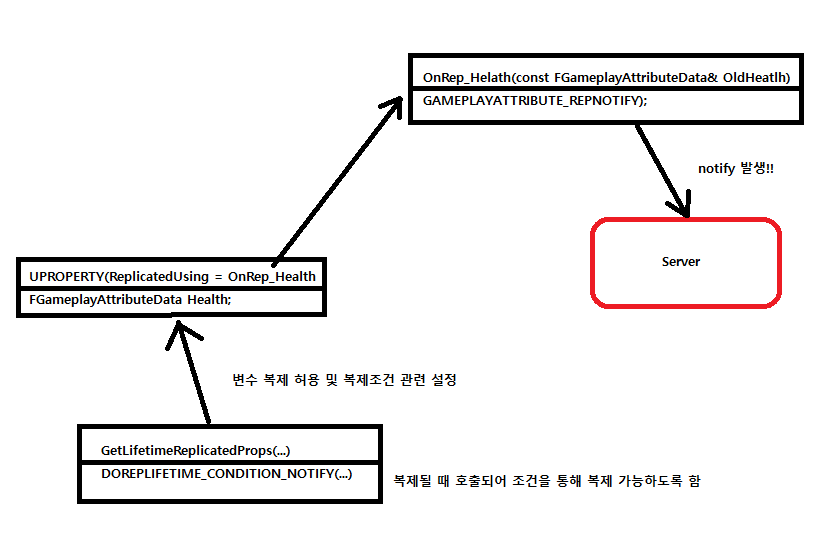
마나 추가도 동일한 과정을 거치면 된다.
3.3 Attribute Accessors 매크로를 통한 Attribute 접근
Attribute Accessor 매크로에 대한 정보를 알기 위해 아무 관련된 코드를 작성하고 정의피킹을 한다.
	UPROPERTY(BlueprintReadOnly, ReplicatedUsing = OnRep_Health, Category = "Vital Attributes")
	FGameplayAttributeData Health;
	GAMEPLAYATTRIBUTE_PROPERTY_GETTER(UAuraAttributeSet, Health);
바로 위에 아래와 같이 ATTRIBUTE_ACCESSORS 매크로가 정의되어 있다.
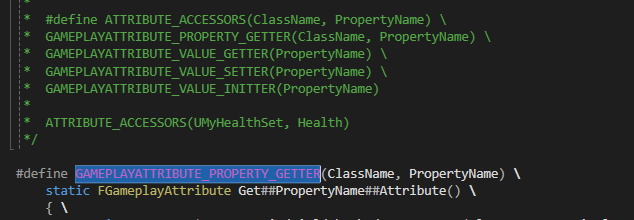
해당 매크로는 GETTER 와 SETTER 와 INITTER 매크로를 호출하는 기능을 가지고 있다.
아래의 그림을 보면 INITTER 매크로에서 BaseValue 와 CurrentValue 를 초기화하는 것을 확인할 수 있다.
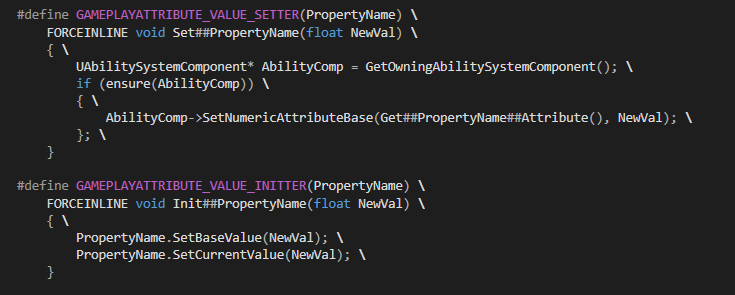
ATTRIBUTE_ACCESSORS 매크로를 복사하여 AttributeSet 클래스에 추가한 뒤 생성자에서 초기화를 진행한다.
- AttributeSet.h
// AttributeSet.h

...
#include "AbilitySystemComponent.h"
...

#define ATTRIBUTE_ACCESSORS(ClassName, PropertyName) \
	GAMEPLAYATTRIBUTE_PROPERTY_GETTER(ClassName, PropertyName) \
	GAMEPLAYATTRIBUTE_VALUE_GETTER(PropertyName) \
	GAMEPLAYATTRIBUTE_VALUE_SETTER(PropertyName) \
	GAMEPLAYATTRIBUTE_VALUE_INITTER(PropertyName)

/**
*
*/
...
public:
	...
    // GAMEPLAYATTRIBUTE_PROPERTY_GETTER(UAuraAttributeSet, Health); 를 아래로 변경
    // 해당 매크로를 사용하기 위해서는 cpp 파일의 AbilitySystemComponent.h 부분을 헤더파일로 옮겨와야함
    UPROPERTY(BlueprintReadOnly, ReplicatedUsing = OnRep_Health, Category = "Vital Attributes")
	FGameplayAttributeData Health;
	ATTRIBUTE_ACCESSORS(UAuraAttributeSet, Health);
...- AuraAttributeSet.cpp
// AuraAttributeSet.cpp

UAuraAttributeSet::UAuraAttributeSet()
{
	InitHealth(100.f);
}
제대로 초기화되었는지 확인하기 위해 에디터로 돌아와서 콘솔명령어를 입력한다.
showdebug abilitysystem
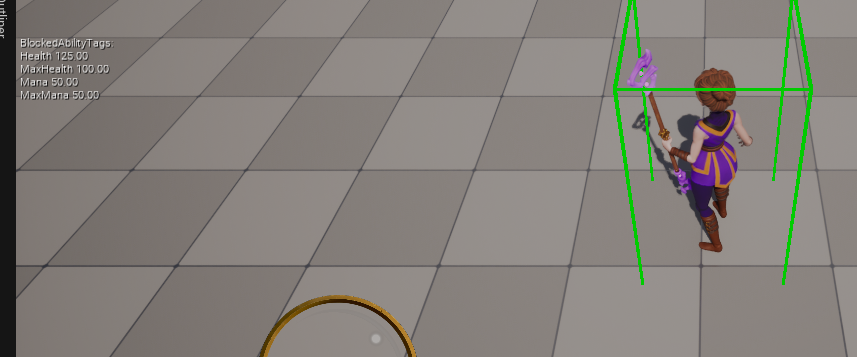
좌측 상단에 Health가 100으로 초기화된 것을 확인할 수 있다.
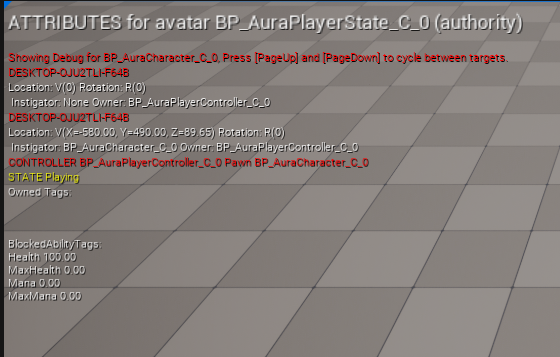
빨간색으로 표시된 내용에 따라 PageUp과 PageDown을 이용해 다른 타겟의 AbilitySystem을 보는 것도 가능하다.
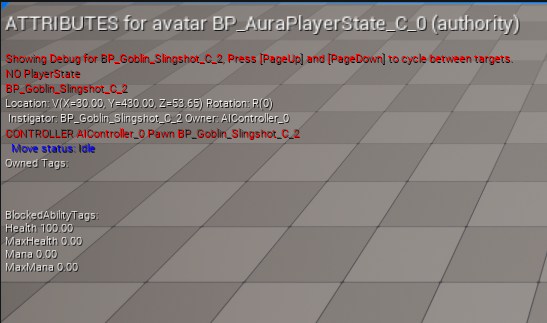
BP_Goblin_Slingshot 은 PlayerState 를 가지지 않으니 위와 같이 표시되는 것을 확인 가능하다.
3.3 의 내용을 따라 MaxHealth , Mana , MaxMana 도 동일하게 초기화를 진행한다.
( MaxHealht : 100 , Mana : 50 , MaxMana : 50 )
3.4 EffectActor 생성
TODO : 널포인터를 반환해서 생기는 오류인거같은데 유효값 확인으로도 해결 불가능한 상태
이제 Attribute 값을 변경시키기 위해 임시용으로 EffectActor를 만들 것이다.
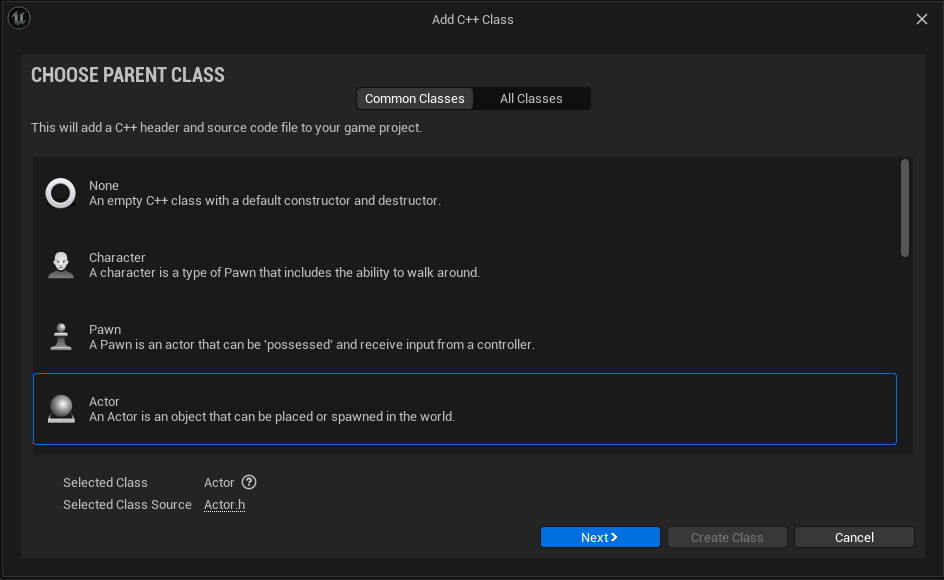
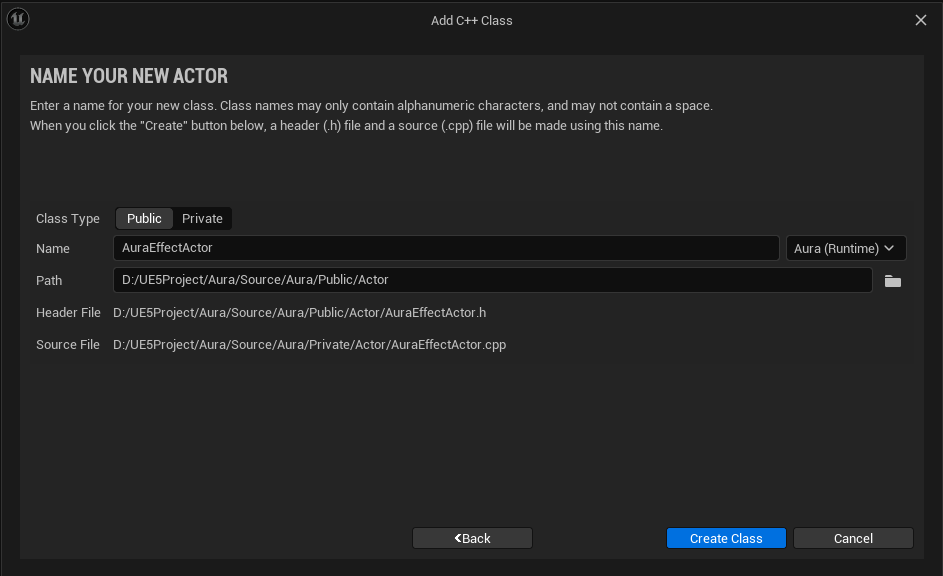
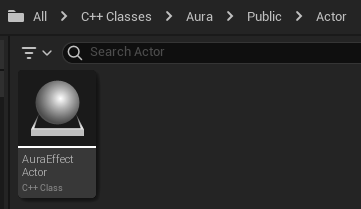
이제 Overlap 발생과 끝 시점에 Attribute 값이 변경되도록 하기 위해 델리게이트를 생성한다.
- AuraEffectAction.h
// AuraEffectAction.h
// 틱함수 필요없으므로 삭제

class USphereComponent;

public:
	...

    UFUNCTION()
    virtual void OnOverlap(UPrimitiveComponent* OverlappedComponent, AActor* OtherActor, UPrimitiveComponent* OtherComp, int32 OtherBodyIndex, bool bFromSweep, const FHitResult& SweepResult);

    UFUNCTION()
    virtual void EndOverlap(UPrimitiveComponent* OverlappedComponent, AActor* OtherActor, UPrimitiveComponent* OtherComp, int32 OtherBodyIndex);

protected:
	...
private:
	UPROPERTY(VisibleAnywhere)
    TObjectPtr<UStaticMeshComponent> Mesh;

    UPROPERTY(VisibleAnywhere)
TObjectPtr<USphereComponent> Sphere;- AuraEffectAction.cpp
// AuraEffectAction.cpp

...
#include "Components/SphereComponent.h"

AAuraEffectAction::AAuraEffectAction()
{
	// 틱함수 필요없으므로 false로 변경
	PrimaryActorTick.bCanEverTick = false;

    Mesh = CreateDefaultSubobject<UStaticMeshComponent>("Mesh");
    SetRootComponent(Mesh);

	Sphere = CreateDefaultSubobject<USphereComponent>("Sphere");
    Sphere->SetupAttachment(GetRootComponent());
}

void OnOverlap(UPrimitiveComponent* OverlappedComponent, AActor* OtherActor, UPrimitiveComponent* OtherComp, int32 OtherBodyIndex, bool bFromSweep, const FHitResult& SweepResult)
{

}

void EndOverlap(UPrimitiveComponent* OverlappedComponent, AActor* OtherActor, UPrimitiveComponent* OtherComp, int32 OtherBodyIndex)
{

}

void AAuraEffectActor::BeginPlay()
{
	Super::BeginPlay();

    Sphere->OnComponentBeginOverlap.AddDynamic(this, &AAuraEffectActor::OnOverlap);
    Sphere->OnComponentEndOverlap.AddDynamic(this, &AAuraEffectActor::EndOverlap);
overlap될 때 캐릭터의 AttributeSet 에 있는 Attribute 를 변경시켜야 한다.
!!!원래는 GameEffect 를 통해 구현해야 되지만 어떤 방식으로 작동해야 되는지 확인하기 위한 임시용으로 EffectActor 이용!!!
우선 EffectActor 에서 캐릭터의 AttributeSet , 즉 ASC 에 접근해야 한다.
기존에 PlayerState 클래스가 public IAbilitySystemInterface 로부터 파생되도록 코드를 작성하였고, virtual UAbilitySystemComponent* GetAbilitySystemComponent() const override; 를 통해 ASC에 접근하도록 구현하였다.
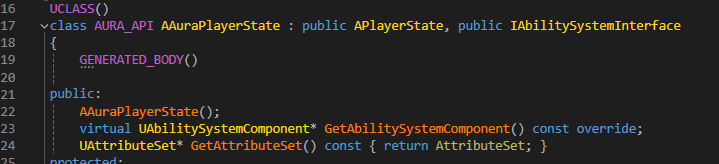
EffectActor 클래스에서 접근하기 위해서 유사한 방법을 사용한다.
- AuraEffectActor.cpp
// AuraEffectActor.cpp

...
#include "AbilitySystemInterface.h"
#include "AbilitySystem/AuraAttributeSet.h"
...
void AAuraEffectActor::OnOverlap(UPrimitiveComponent* OverlappedComponent, AActor* OtherActor, UPrimitiveComponent* OtherComp, int32 OtherBodyIndex, bool bFromSweep, const FHitResult& SweepResult)
{
	// 캐스팅을 통해 OtherActor가 IAbilitySystemInterface를 구현하고 있는지 확인
	if(IAbilitySystemInterface* ASCInterface = Cast<IAbilitySystemInterface>(OtherActor))
    {
    	// GetAttributeSet() 를 통해 UAuraAttributeSet의 Attribute에 접근 가능
        // StaticClass() 함수는 해당 클래스의 UCLASS() 객체를 반환
        // GetAttributeSet()이 const UAttributeSet을 리턴하기 때문에 const 사용
    	const UAuraAttributeSet* AuraAttributeSet = Cast<UAuraAttributeSet>(ASCInterface->GetAbilitySystemComponent()->GetAttributeSet(UAuraAttributeSet::StaticClass()));
        // const type이기 때문에 값의 변경이 불가능함으로 const_cast를 통해 잠시 해제
        UAuraAttributeSet* MutableAuraAttributeSet = const_cast<UAuraAttributeSet*>(AuraAttributeSet);
        MutableAuraAttributeSet->SetHealth(MutableAuraAttributeSet->GetHealth() + 25.f);
        // 한번 체력을 25 올리면 EffectActor 파괴
        Destroy();
    }
}
AuraEffectActor 기반 BP_HealthPotion 을 생성한다.
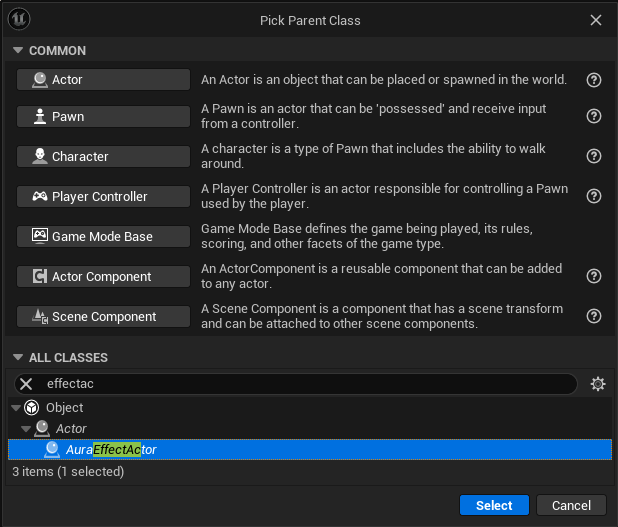
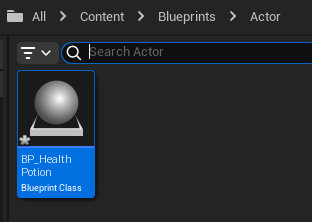
스태틱메시를 적용시키고
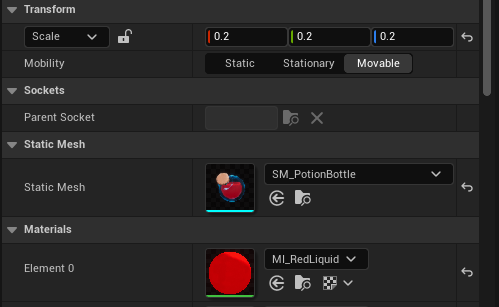
overlap에 사용할 구체의 사이즈도 알맞게 조절해준다.
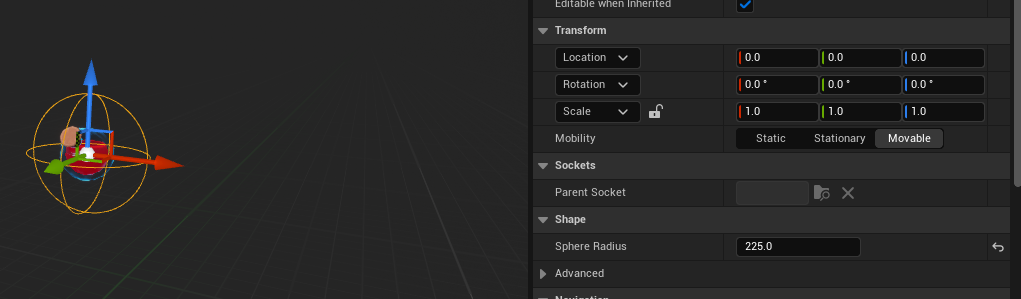
게임 실행후 콘솔명령창에 showdebug abilitysystem 을 입력하고 포션에 다가가면 Health 값이 25 증가한 것을 확인할 수 있다.