카카오 책 검색 API를 사용하여 도서 정보 검색할 수 있는 기능을 구현해보았다.
검색된 도서 정보를 PDF파일로 저장하도록 했다.
콘솔창에서 실행되며 검색할 도서의 제목을 입력 받아 검색 결과를 PDF파일로 저장하기까지 했다.
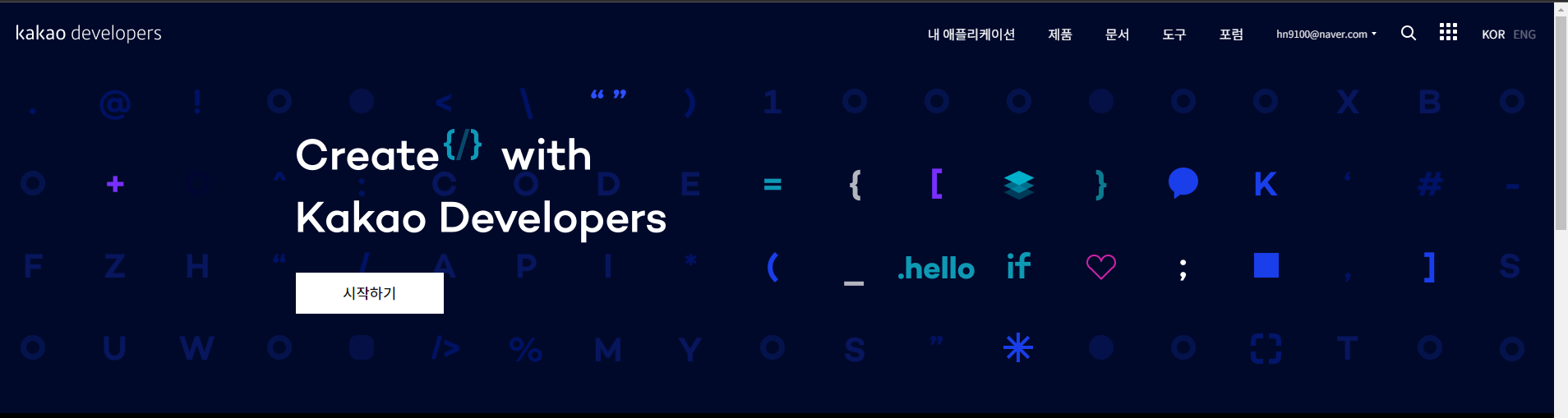
https://developers.kakao.com/ 접속
내 애플리케이션 클릭
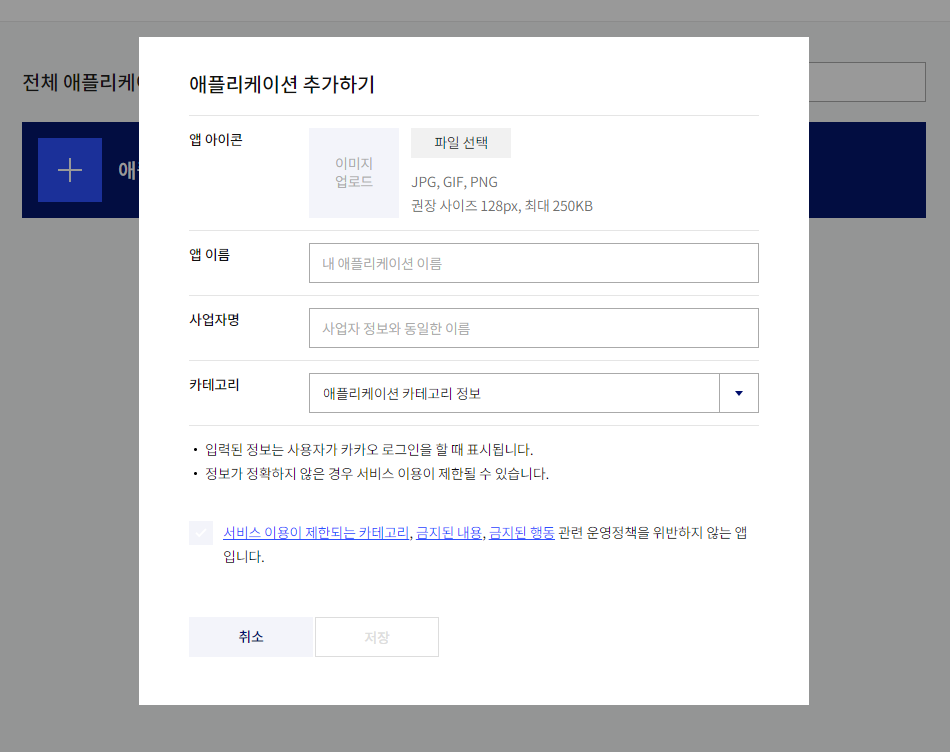
정보 입력
REST API키 복사
https://developers.kakao.com/docs/latest/ko/daum-search/dev-guide 에서
https://developers.kakao.com/docs/latest/ko/daum-search/dev-guide#search-book 참고
<?xml version="1.0" encoding="UTF-8"?>
<project xmlns="http://maven.apache.org/POM/4.0.0"
         xmlns:xsi="http://www.w3.org/2001/XMLSchema-instance"
         xsi:schemaLocation="http://maven.apache.org/POM/4.0.0 http://maven.apache.org/xsd/maven-4.0.0.xsd">
    <modelVersion>4.0.0</modelVersion>

    <groupId>org.example</groupId>
    <artifactId>JavaProject02</artifactId>
    <version>1.0-SNAPSHOT</version>

    <properties>
        <maven.compiler.source>15</maven.compiler.source>
        <maven.compiler.target>15</maven.compiler.target>
        <project.build.sourceEncoding>UTF-8</project.build.sourceEncoding>
    </properties>
<dependencies>
    <dependency>
        <groupId>org.apache.poi</groupId>
        <artifactId>poi</artifactId>
        <version>5.2.0</version>
    </dependency>
    <dependency>
        <groupId>org.apache.poi</groupId>
        <artifactId>poi-ooxml</artifactId>
        <version>5.2.0</version>
    </dependency>
    <dependency>
        <groupId>org.apache.logging.log4j</groupId>
        <artifactId>log4j-core</artifactId>
        <version>2.17.1</version>
    </dependency>
    <dependency>
        <groupId>com.itextpdf</groupId>
        <artifactId>itext7-core</artifactId>
        <version>7.1.16</version>
    </dependency>
    <dependency>
        <groupId>com.google.code.gson</groupId>
        <artifactId>gson</artifactId>
        <version>2.8.9</version>
    </dependency>
    <dependency>
        <groupId>com.squareup.okhttp3</groupId>
        <artifactId>okhttp</artifactId>
        <version>4.9.3</version>
    </dependency>
    <dependency>
        <groupId>org.apache.httpcomponents</groupId>
        <artifactId>httpclient</artifactId>
        <version>4.5.13</version>
    </dependency>
</dependencies>
</project>
package kr.book.search;
public class Book {
private String title;
private String authors;
private String publisher;
private String thumbnail;
public Book() {
}
public Book(String title, String authors, String publisher, String thumbnail) {
this.title = title;
this.authors = authors;
this.publisher = publisher;
this.thumbnail = thumbnail;
}
public String getTitle() {
return title;
}
public void setTitle(String title) {
this.title = title;
}
public String getAuthors() {
return authors;
}
public void setAuthors(String authors) {
this.authors = authors;
}
public String getPublisher() {
return publisher;
}
public void setPublisher(String publisher) {
this.publisher = publisher;
}
public String getThumbnail() {
return thumbnail;
}
public void setThumbnail(String thumbnail) {
this.thumbnail = thumbnail;
}
@Override
public String toString() {
return "Book{" +
"title='" + title + '\'' +
", authors='" + authors + '\'' +
", publisher='" + publisher + '\'' +
", thumbnail='" + thumbnail + '\'' +
'}';
}
}package kr.book.search;
import com.google.gson.*;
import okhttp3.*;
import java.io.IOException;
import java.util.ArrayList;
import java.util.List;
public class KakaoBookApi {
public static final String API_KEY = " ---- ";
private static final String API_BASE_URL = "<https://dapi.kakao.com/v3/search/book>";
private static final OkHttpClient client = new OkHttpClient();
private static final Gson gson = new Gson();
//책 검색 메서드
public static List searchBooks(String title) throws IOException {
HttpUrl.Builder urlBuilder = HttpUrl.parse(API_BASE_URL).newBuilder();
urlBuilder.addQueryParameter("query", title);
Request request = new Request.Builder()
.url(urlBuilder.build())
.addHeader("Authorization", "KakaoAK " + API_KEY)
.build();
try (Response response = client.newCall(request).execute()) {
if (!response.isSuccessful()) throw new IOException("Request failed: " + response);
JsonObject jsonResponse = gson.fromJson(response.body().charStream(), JsonObject.class);
JsonArray documents = jsonResponse.getAsJsonArray("documents");
List books = new ArrayList<>();
for (JsonElement document : documents) {
JsonObject bookJson = document.getAsJsonObject();
Book book = new Book(
bookJson.get("title").getAsString(),
bookJson.getAsJsonArray("authors").toString(), // 수정된 부분
bookJson.get("publisher").getAsString(),
bookJson.get("thumbnail").getAsString()
);
books.add(book);
}
return books;
}
}
} package kr.book.search;
import java.io.IOException;
import java.util.List;
import java.util.Scanner;
public class BookSearchMain {
public static void main(String[] args) {
try{
Scanner scanner = new Scanner(System.in);
System.out.print("도서제목을 입력하세요:");
String bookTitle = scanner.nextLine();
List<Book> books = KakaoBookApi.searchBooks(bookTitle);
if(books.isEmpty()){
System.out.println("검색 결과가 없습니다.");
}else{
for(Book book : books){
System.out.println(book);
}
}
}catch(IOException e){
System.out.println("에러가 발생했습니다.: "+e.getMessage());
}
}
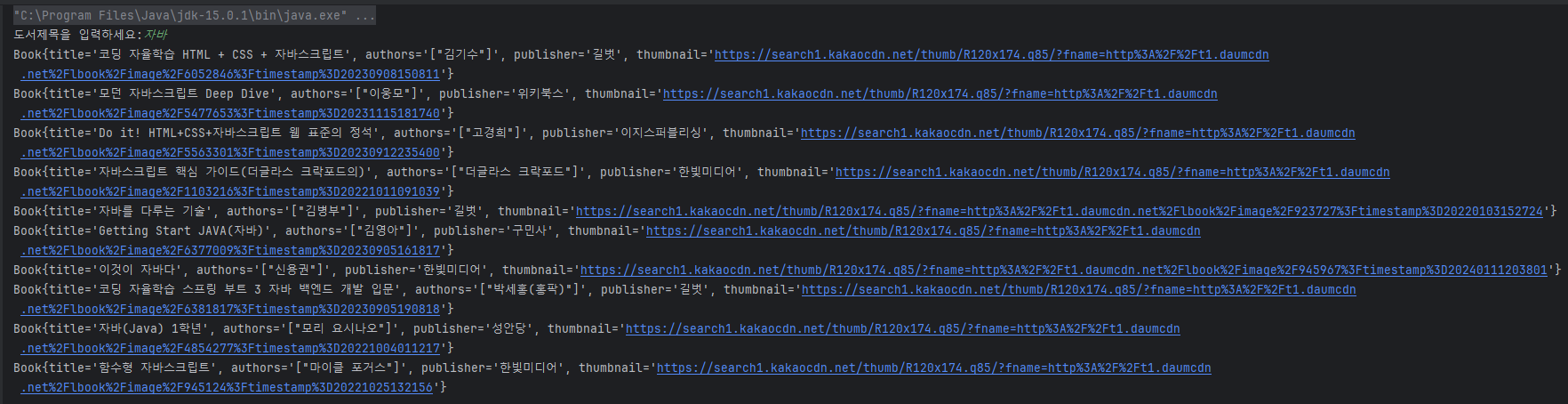
}이렇게 실행했을 때 터미널에 아래처럼 뜸
이제 Pdf파일로 저장되게 해보자
위 코드 변경
package kr.book.search;

import java.io.IOException;
import java.util.List;
import java.util.Scanner;

public class BookSearchMain {
    public static void main(String[] args) {
        try{
            Scanner scanner = new Scanner(System.in);
            System.out.print("도서제목을 입력하세요:");
            String bookTitle = scanner.nextLine();
            List<Book> books = KakaoBookApi.searchBooks(bookTitle);

            if(books.isEmpty()){
                System.out.println("검색 결과가 없습니다.");

            }else{
                for(Book book : books){
                    System.out.println(book);
                } //여기서부터 추가
                String fileName = "도서목록.pdf";
                PdfGenerator.generateBookListPdf(books,fileName);
                System.out.println(fileName + "파일이 생성되었습니다.");//여기까지
            }
        }catch(IOException e){
            System.out.println("에러가 발생했습니다.: "+e.getMessage());
        }
    }
}
package kr.book.search;
import com.itextpdf.kernel.colors.ColorConstants;
import com.itextpdf.kernel.font.PdfFont;
import com.itextpdf.kernel.font.PdfFontFactory;
import com.itextpdf.kernel.pdf.*;
import com.itextpdf.layout.Document;
import com.itextpdf.layout.element.Cell;
import com.itextpdf.layout.element.Image;
import com.itextpdf.layout.element.Paragraph;
import com.itextpdf.layout.element.Table;
import com.itextpdf.layout.property.TextAlignment;
import com.itextpdf.layout.property.UnitValue;
import com.itextpdf.io.font.PdfEncodings;
import com.itextpdf.io.image.ImageData;
import com.itextpdf.io.image.ImageDataFactory;
import javax.swing.text.StyleConstants;
import java.io.*;
import java.util.*;
import java.net.MalformedURLException;
public class PdfGenerator {
public static void generateBookListPdf(List<Book> books, String fileName) throws FileNotFoundException {
PdfWriter writer = new PdfWriter(fileName);
PdfDocument pdf = new PdfDocument(writer);
Document document = new Document(pdf);
document.setFontSize(12);
//폰트
PdfFont font = null;
try{
font = PdfFontFactory.createFont("Hancom Gothic Regular.ttf", PdfEncodings.IDENTITY_H, true);
}catch (IOException e1){
e1.printStackTrace();
}
document.setFont(font);
//타이틀추가
Paragraph titleParagraph = new Paragraph("도서 목록");
titleParagraph.setFontSize(24);
titleParagraph.setTextAlignment(TextAlignment.CENTER);
titleParagraph.setBold();
document.add(titleParagraph);
//도서정보 테이블
Table table = new Table(UnitValue.createPointArray(new float[]{2,2,2,2}));
table.setWidth(UnitValue.createPercentValue(100));
table.setMarginTop(20);
//테이블 헤더
table.addHeaderCell(createCell("제목", true));
table.addHeaderCell(createCell("저자", true));
table.addHeaderCell(createCell("출판사", true));
table.addHeaderCell(createCell("이미지", true));
//도서정보 테이블에 추가
for(Book book : books){
table.addCell(createCell(book.getTitle(), false));
table.addCell(createCell(book.getAuthors(), false));
table.addCell(createCell(book.getPublisher(), false));
try{
ImageData imageData = ImageDataFactory.create(book.getThumbnail());
Image image = new Image(imageData);
image.setAutoScale(true);
table.addCell(new Cell().add(image).setPadding(5));
}catch (MalformedURLException e){
table.addCell(createCell("이미지 불러오기 실패", false));
}
}
document.add(table);
document.close();
}
private static Cell createCell(String content, boolean isHeader){
Paragraph paragraph = new Paragraph(content);
Cell cell = new Cell().add(paragraph);
cell.setPadding(5);
if(isHeader){
cell.setBackgroundColor(ColorConstants.LIGHT_GRAY);
cell.setFontSize(14);
cell.setBold();
}
return cell;
}
}실행 결과
.
.
.
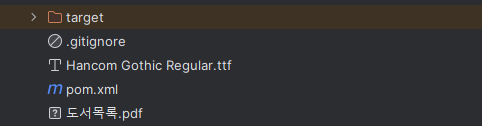
파일이 생겼다.