다운로드
STS 3 다운로드
https://github.com/spring-projects/toolsuite-distribution/wiki/Spring-Tool-Suite-3
JDK 1.8을 사용하는 경우
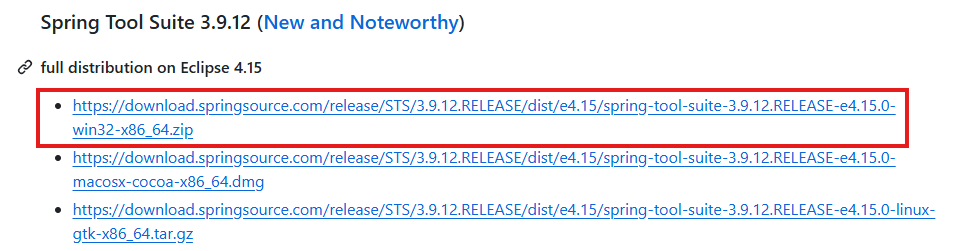
JDK 14를 사용하는 경우 - JDK 14만 가능
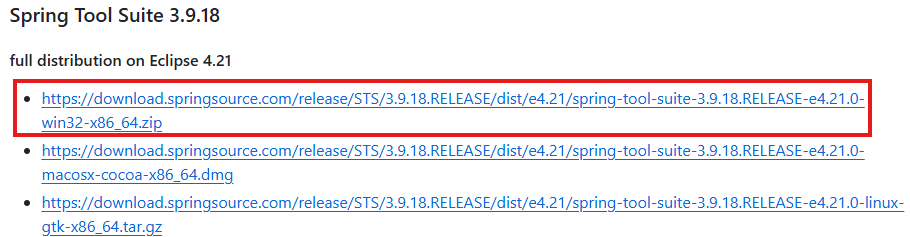
JDK 14를 이용해서 다운로드 및 설치를 진행할 예정이다.
이 글을 참고하시는 분들은 JDK 14버전으로 다운로드하여 진행하시면 됩니다.
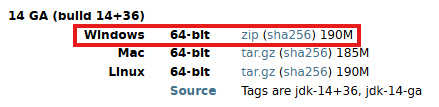
OPEN JDK 14 다운로드
다운로드
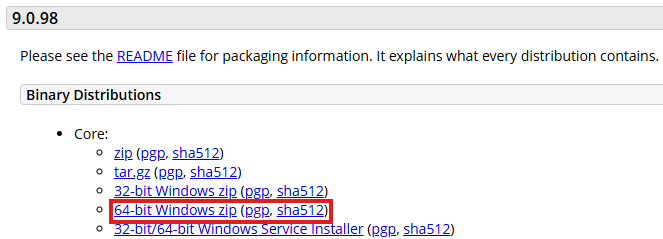
Apache Tomcat 다운로드
다운로드
설치
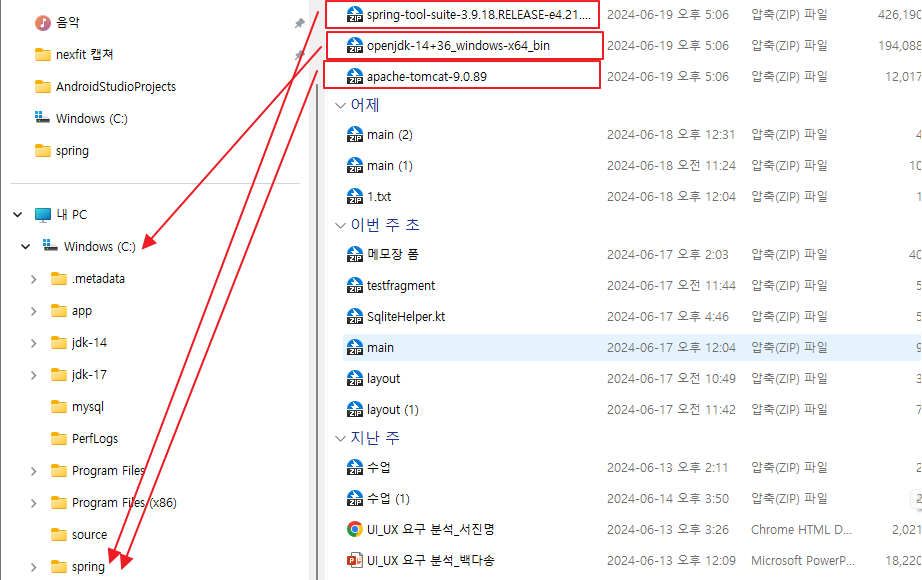
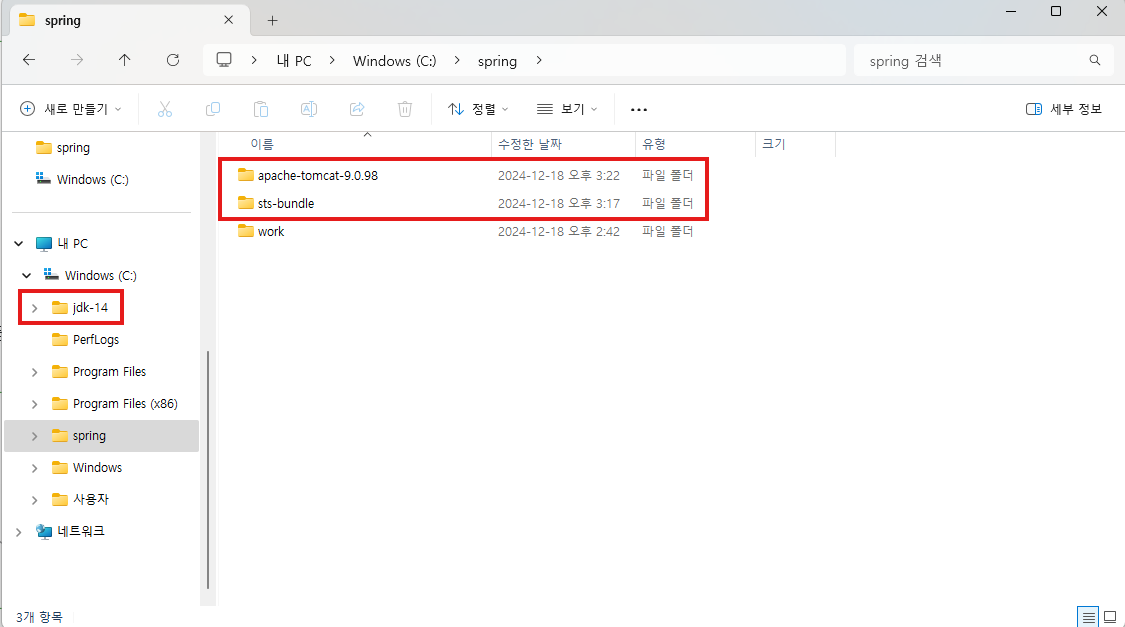
파일생성
- C:spring 생성
- C:spring:work 생성
화살표대로 압축해제
⚠️ 오류 발생 ⚠️
경로가 너무 길다는 오류 메세지
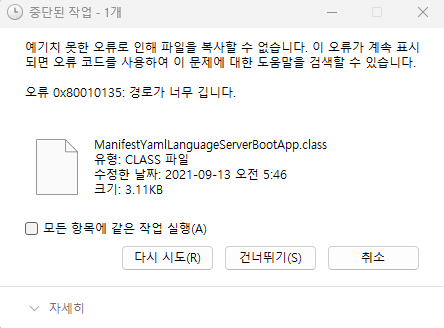
- 해결 방법
-
레지스트리 수정을 통한 긴 경로 지원 활성화
- Windows + R 키를 눌러 실행창을 열고 'regedit' 입력
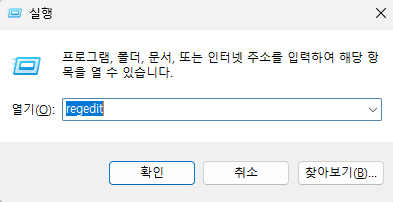
-
HKEY_LOCAL_MACHINE\SYSTEM\CurrentControlSet\Control\FileSystem 경로로 이동
-
LongPathsEnabled 값을 찾아 더블클릭하고 값을 0에서 1로 변경
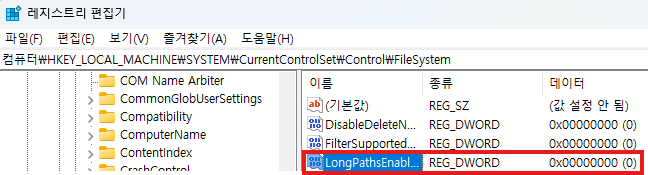
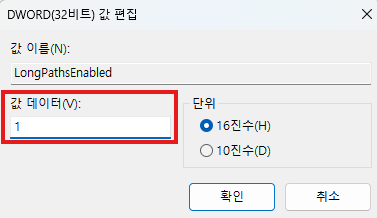
-
컴퓨터 재시작
📍 위 방법이 안되는 경우
1. C:\에다가 압축해제
2. C:\spring으로 파일 이동
✅ 32비트 or 64비트?
1. 시스템 속성 확인
- Windows 키 + Pause Break 키를 누르거나
- 내 컴퓨터(또는 이 PC)에서 우클릭 > 속성
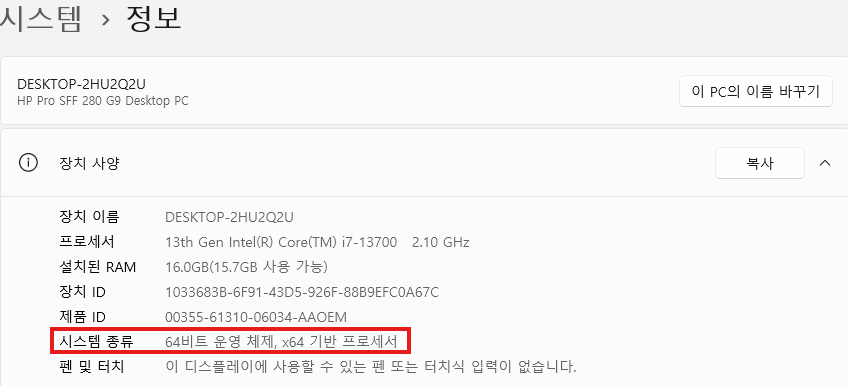
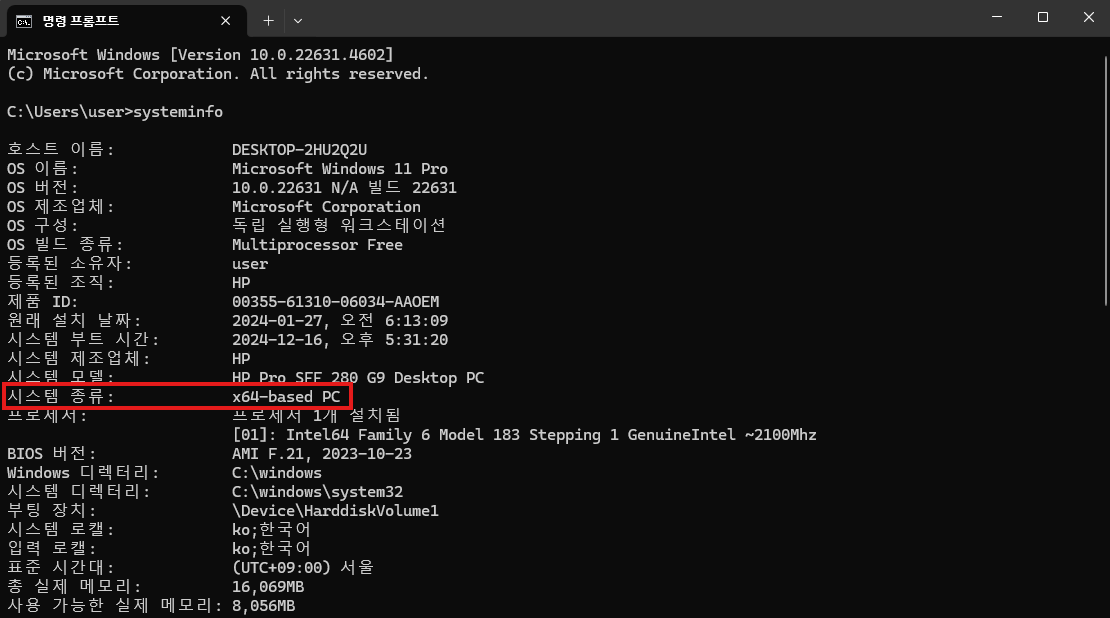
- 명령 프롬프트로 확인
systeminfo
or
wmic os get osarchitecture
압축해제한 후 완료 모습
환경변수 설정
JAVA HOME 설정
1. 제어판
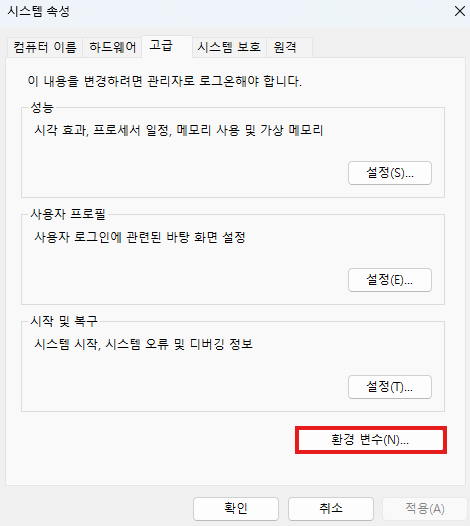
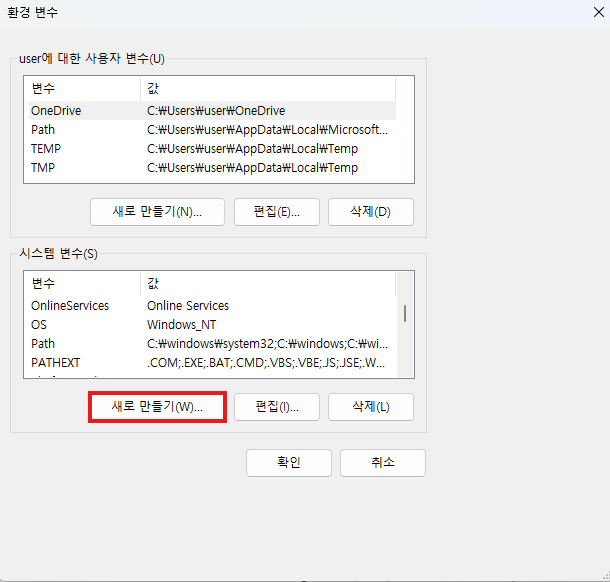
2. 시스템 변수 - 새로만들기
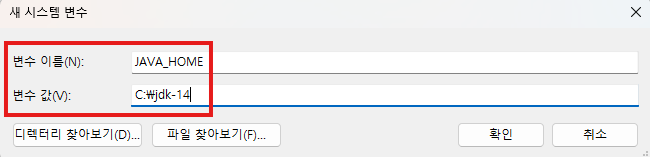
3. 변수명 및 경로 지정
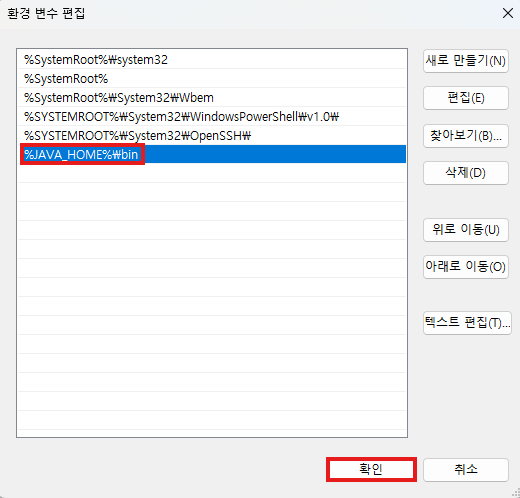
PATH 설정
%JAVA_HOME%\bin
1. 시스템 변수 - Path 편집
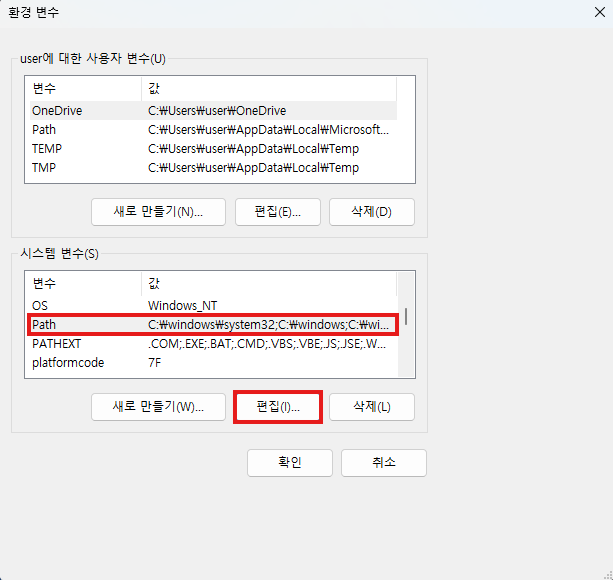
2. 새로만들기
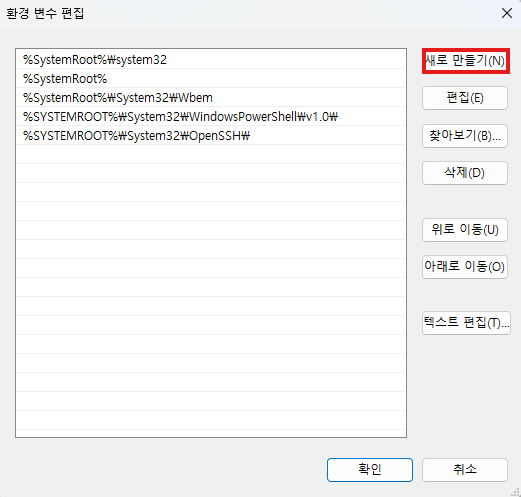
3. 경로 입력
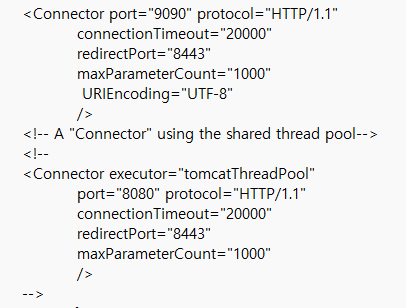
Tomcat 설정
톰캣 -> conf -> server.xml -> 69번째 라인 포트변경 8080 to 9090(오라클과 중복시만) 및 URIEncoding="UTF-8"
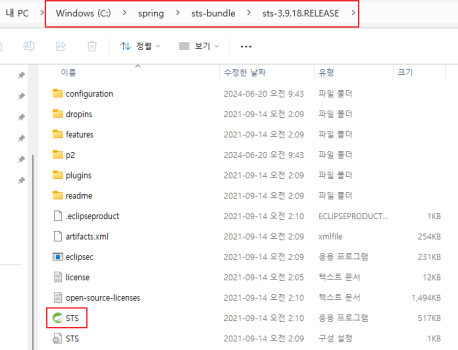
STS 환경 설정
STS 시작
workspace 경로 : C:\spring\work
apache tomcat 서버 설정
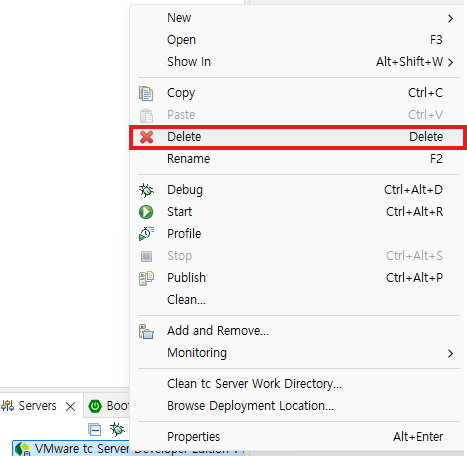
1. 기존 서버 제거
2. 서버 설정
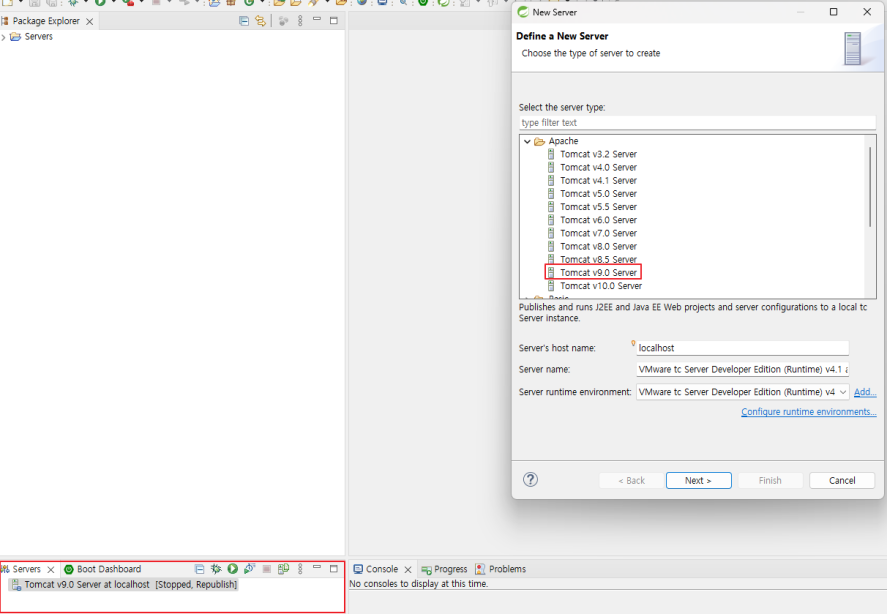
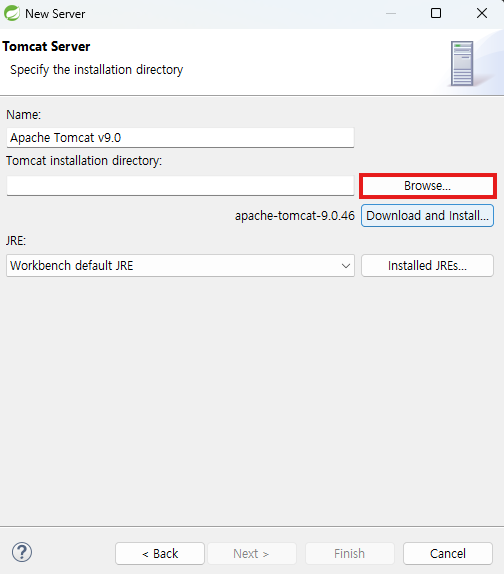
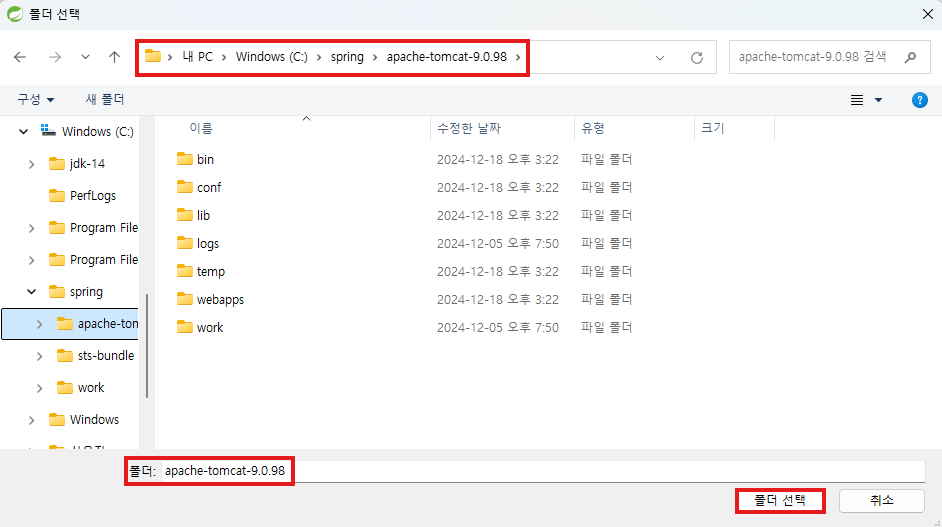
Browse 선택 후 C:\spring\apache-tomcat-9.0.98 경로로 설정

기본 설정
metadata 복사 후 붙여넣기
- 파일 복사 전 상태

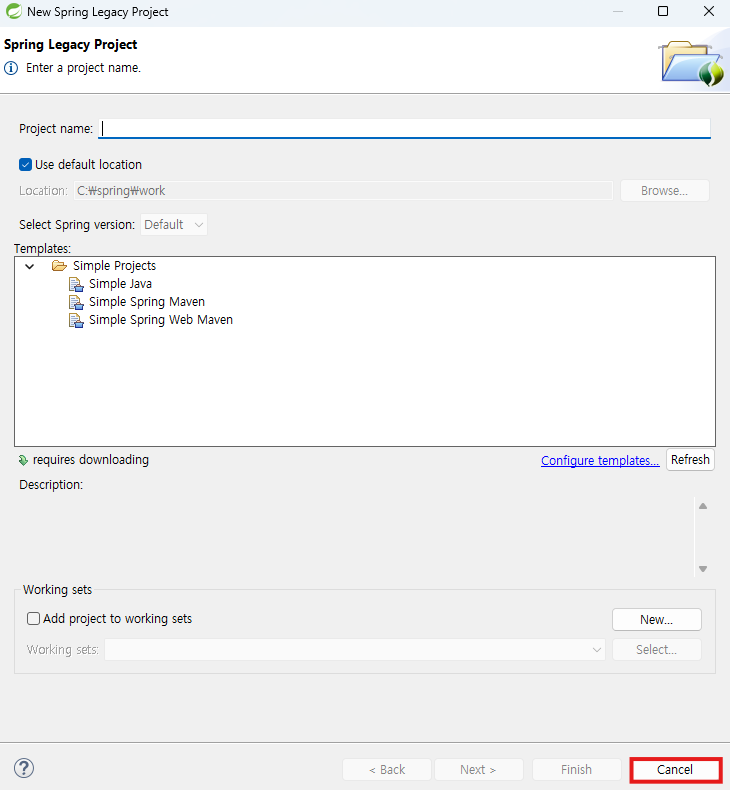
📍 파일이 없다면...
Spring Legacy Project를 클릭한 후 Cancel 누르기
➡️ org.springsource.ide.eclipse.commons.content.core 파일 자동 생성
- 위 경로를 따라가 .metadata 파일 Ctrl+C
C:\Users\user\Desktop\쌍용 최종\쌍용 자료\수업자료.zip\예제\2. Spring\0. STS 3 MVC\STS 3 MVC 프로젝트 주의사항\파일
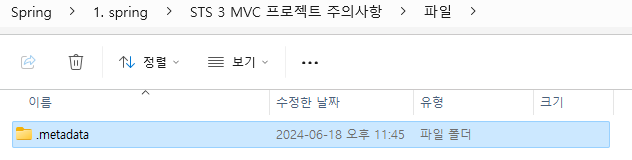
- 위 경로로 가서 Ctrl+V(*OverWrite 문구 발생 시 ok)

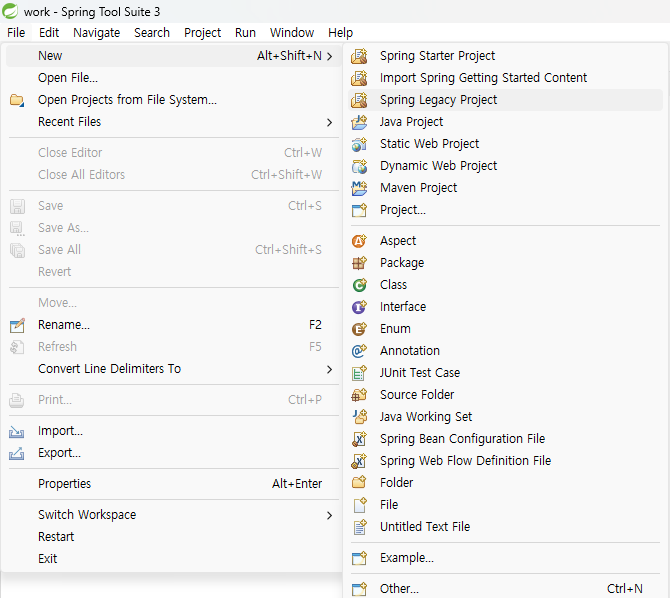
✅ 파일 생성 경로 : File > New > Spring Legacy Project
STS Preferences 설정
1. 제너럴 - 워크스페이스 - 텍스트파일 인코딩 to UTF-8
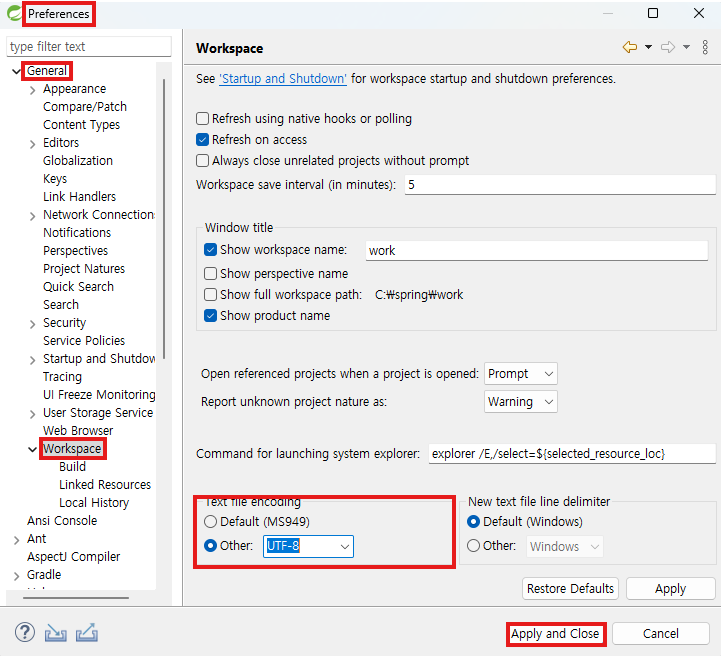
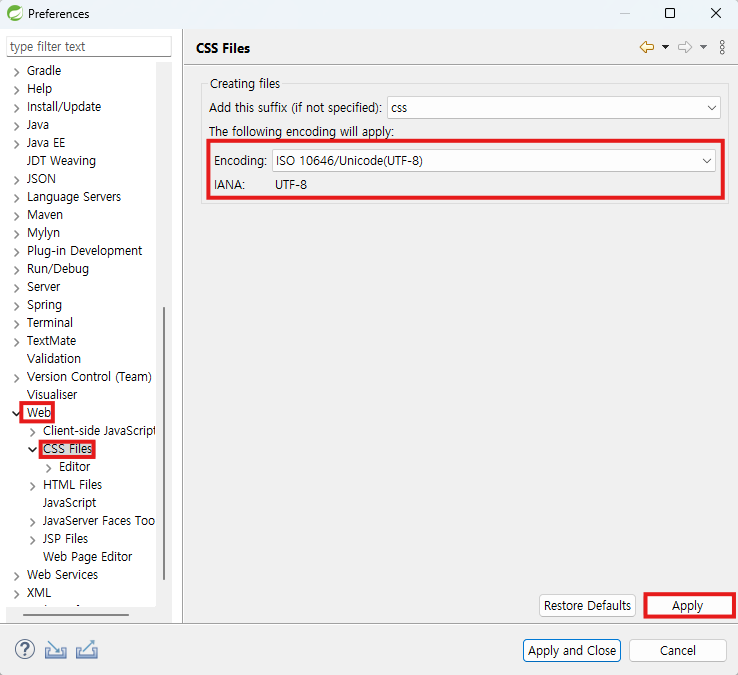
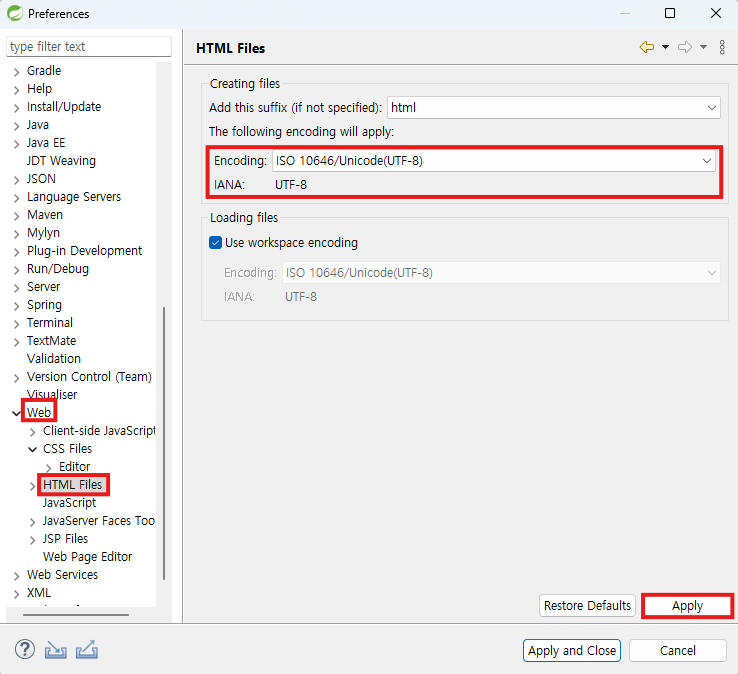
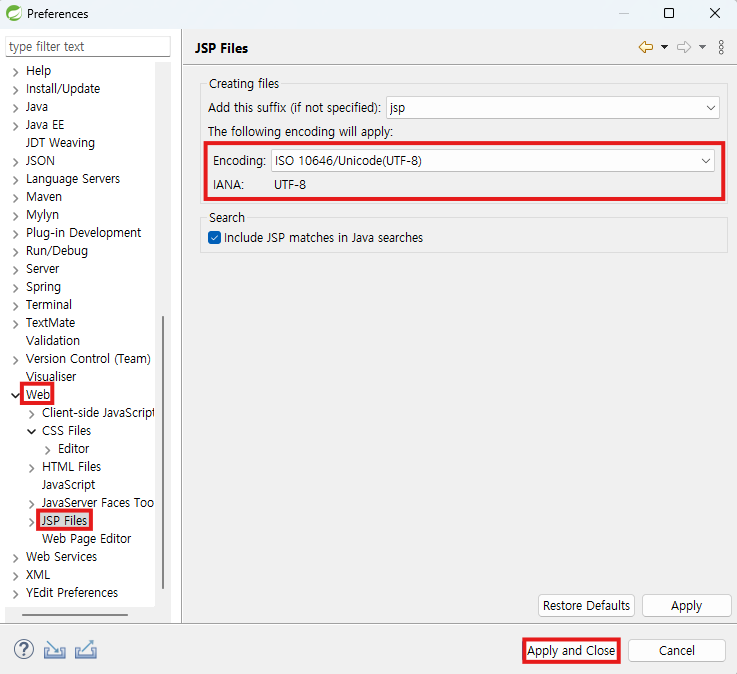
2. 웹 -CSS / HTML / JSP - UTF-8 변경
-
CSS
-
HTML
-
JSP
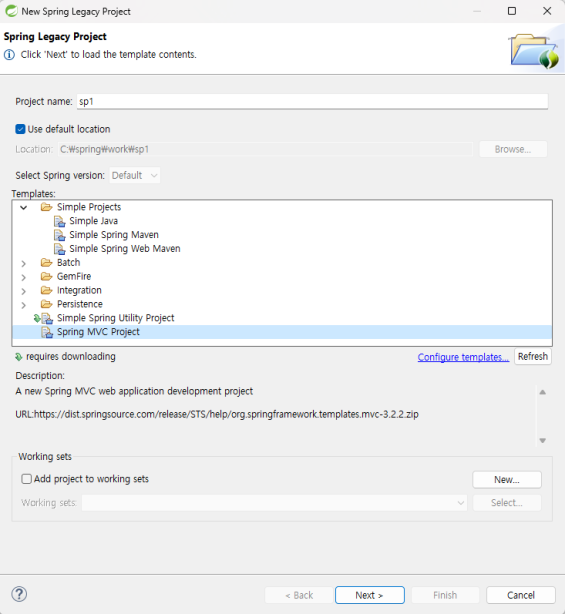
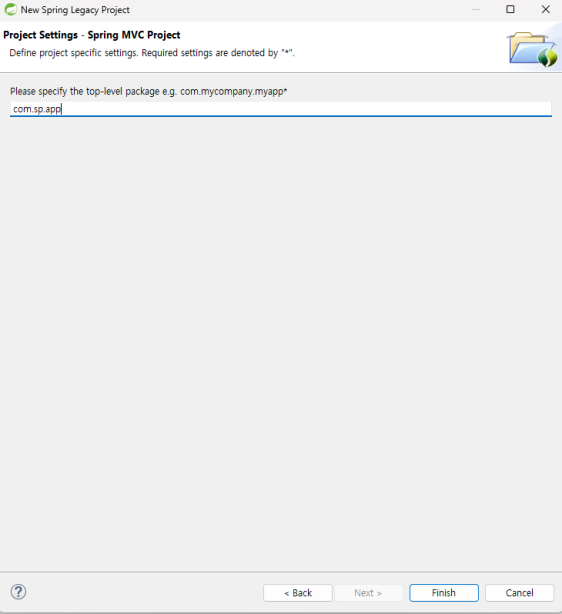
Spring MVC 프로젝트 클릭 후 Next > 패키지명 : com.sp.app
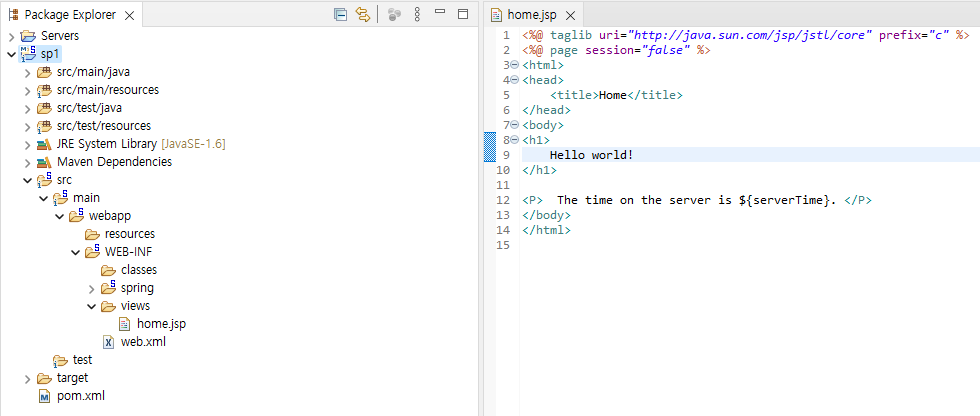
⚠️ 에러 발생 시 HelloWorld > Enter > BackSpace > 저장
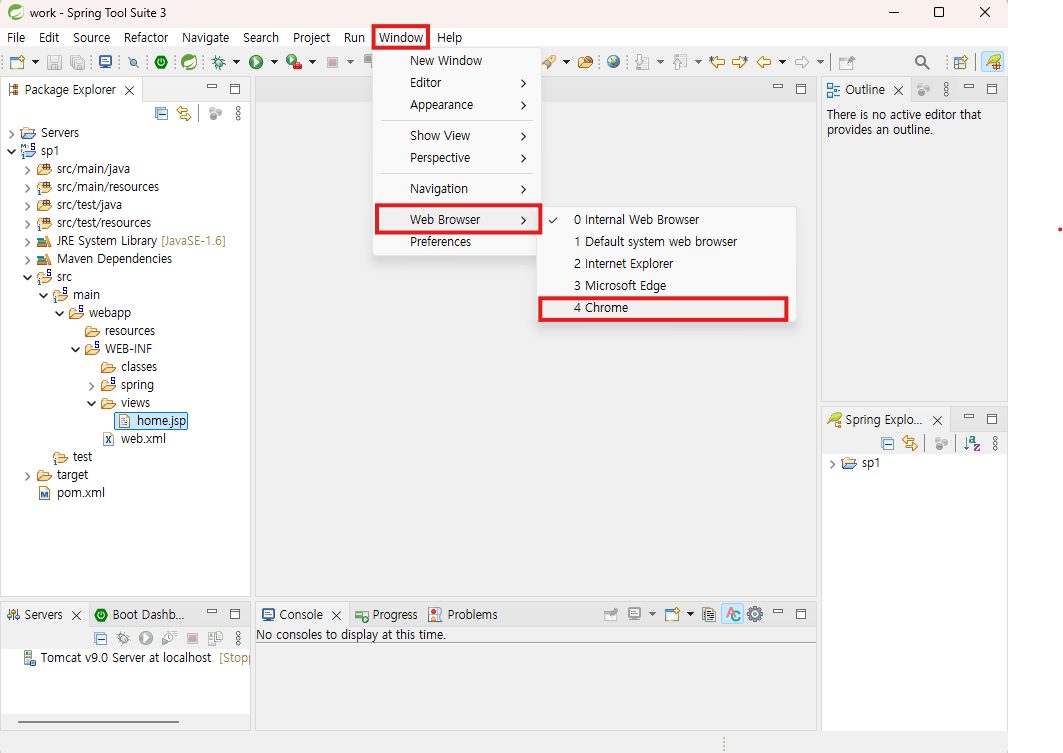
➕ Web Browser 설정
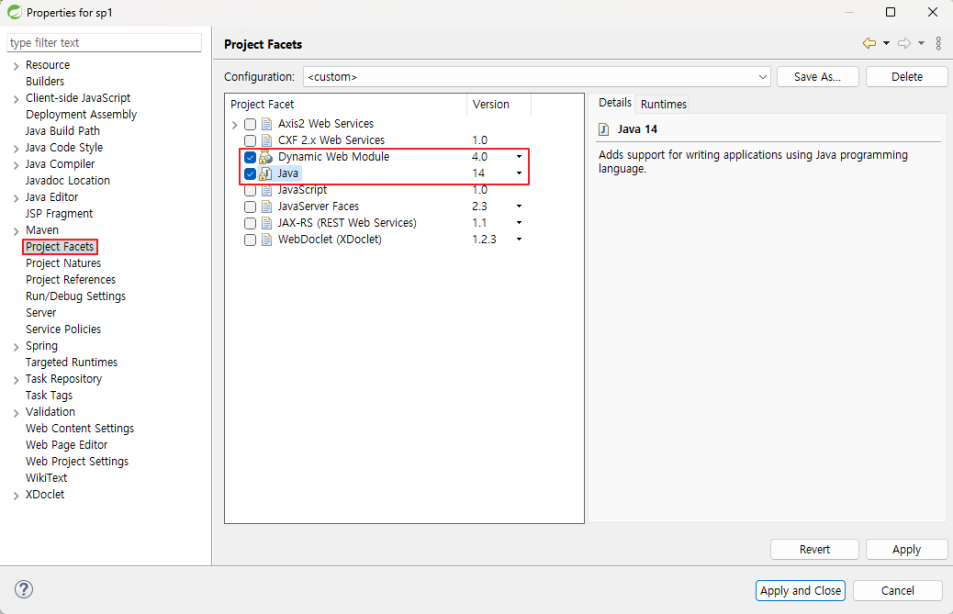
프로젝트 설정
1. sp1 오른쪽 마우스 클릭 > Properties > Project Facets > Dynamic Web Module: 4.0 / Java : 14
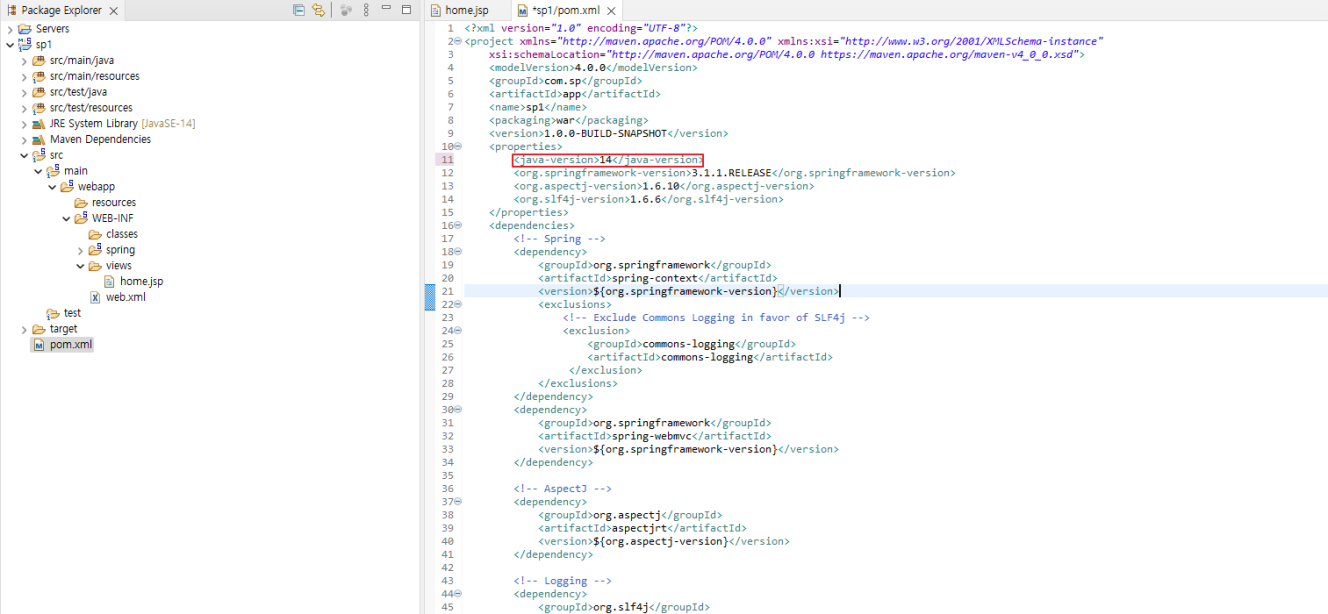
pom 설정
1. pom에 가서 Java-Version 변경
MVN Repository 사이트 방문
1. Spring 검색 > Spring Context 클릭
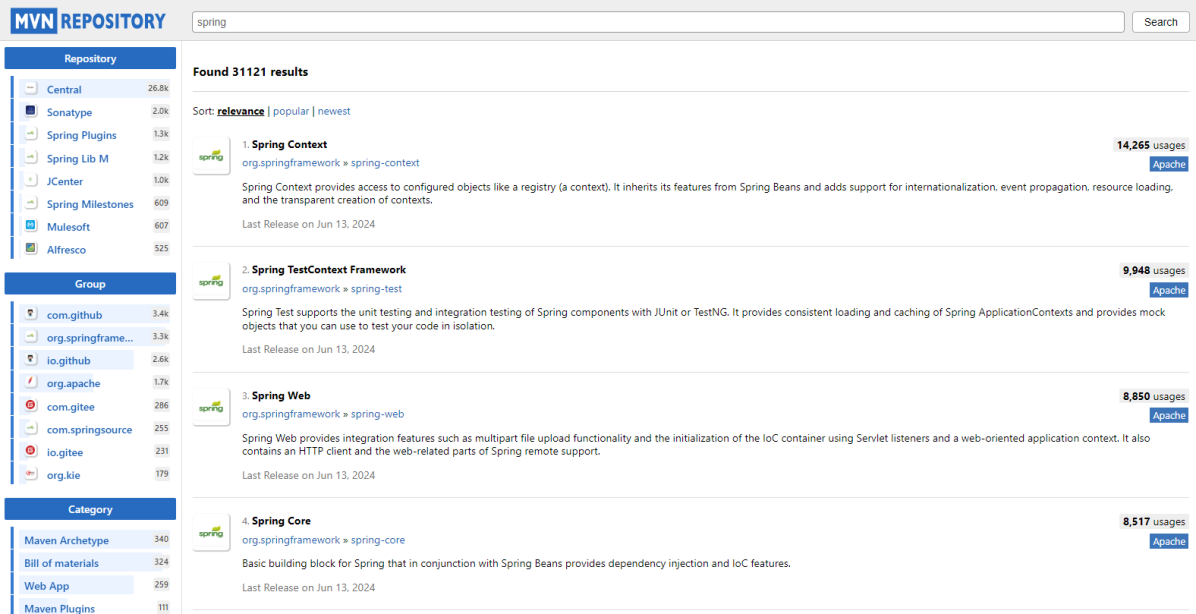
2. Spring Version 확인
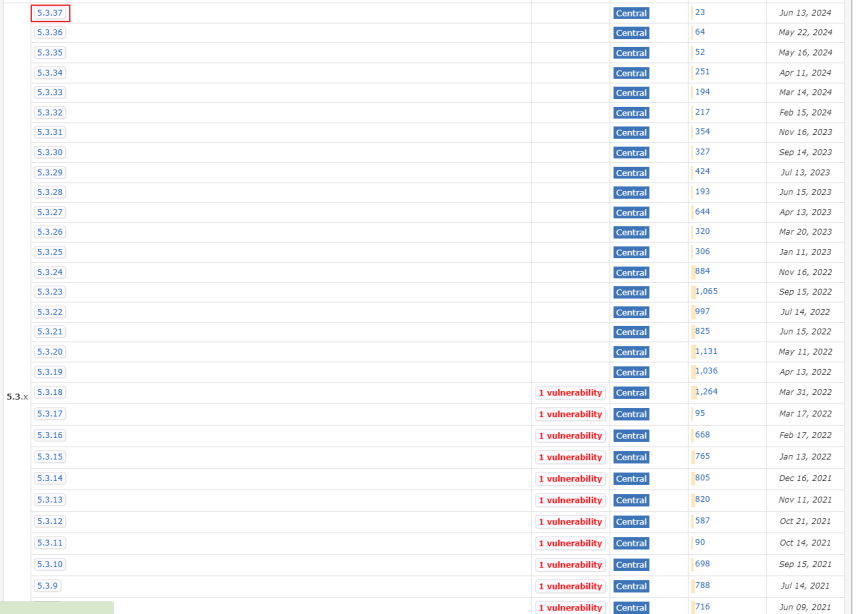
3. 5.3.37 클릭 후 디테일 확인
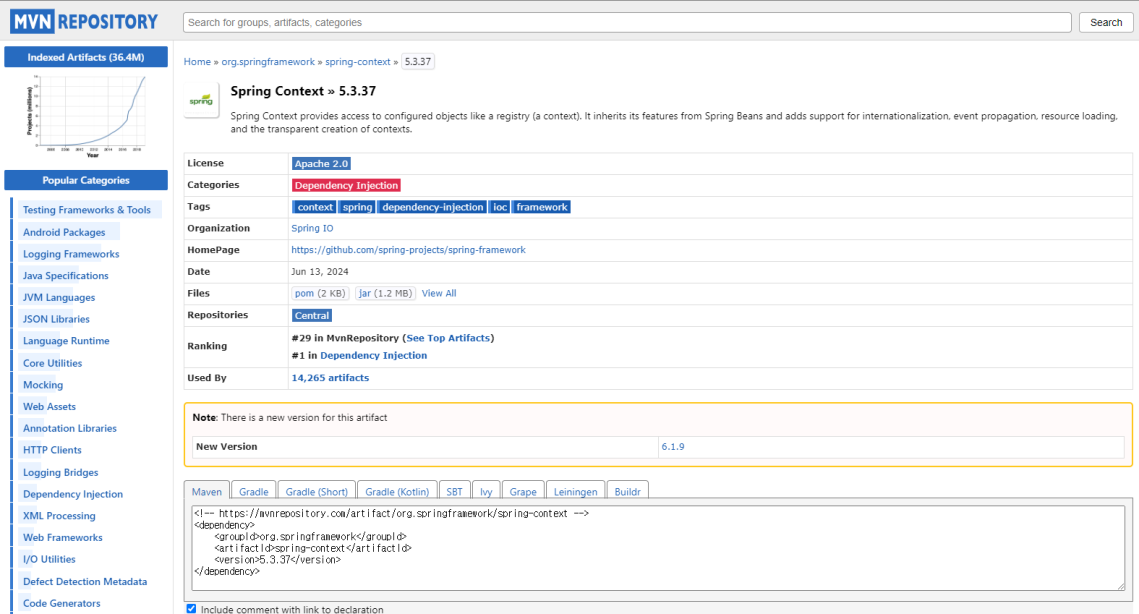
4. pom에서 spring 변경

1. aspectj 검색 후 aspectj Weaver 선택
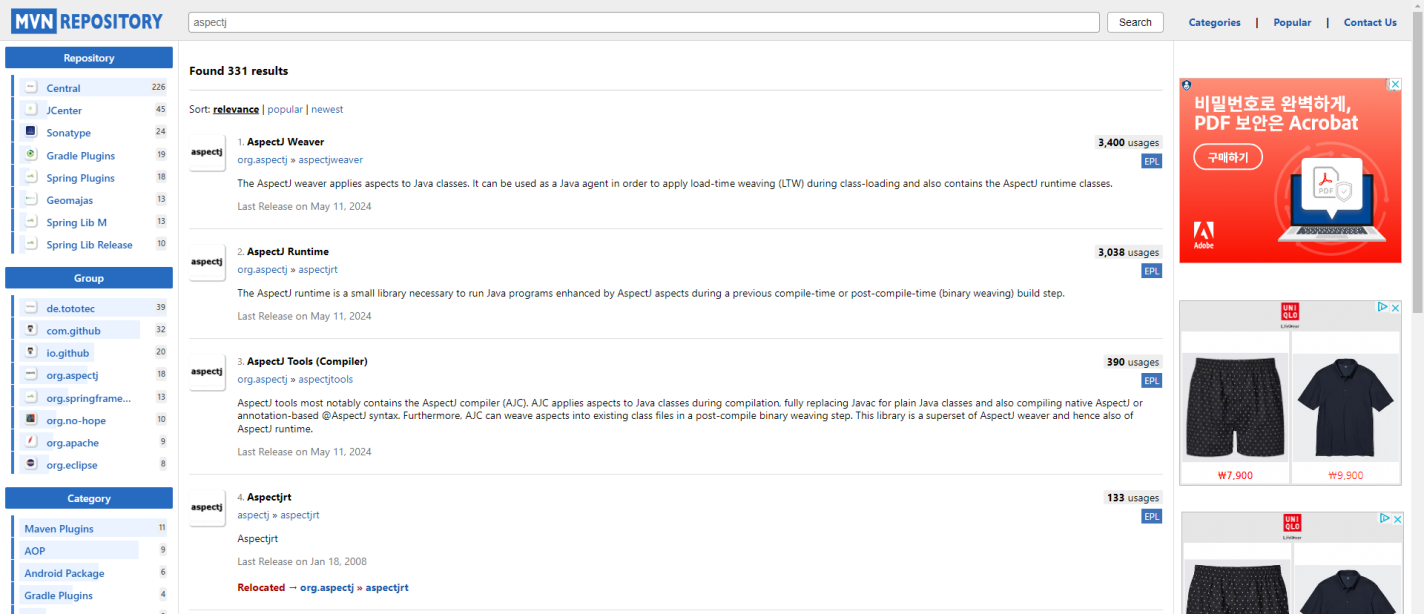
2. aspectj 버전 1.9.22.1
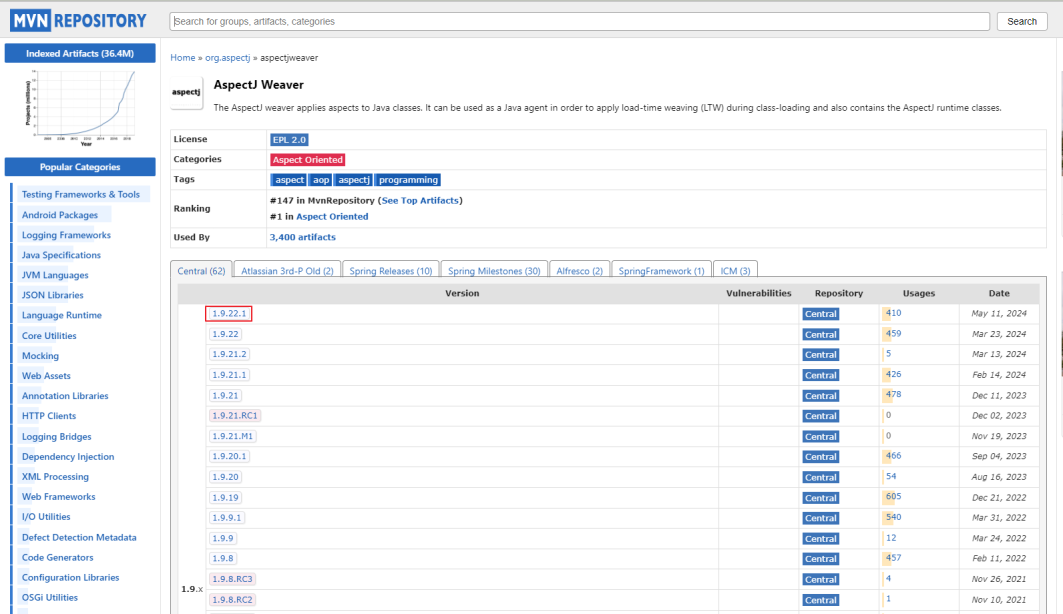
1. slf4j 검색 후 버전 확인
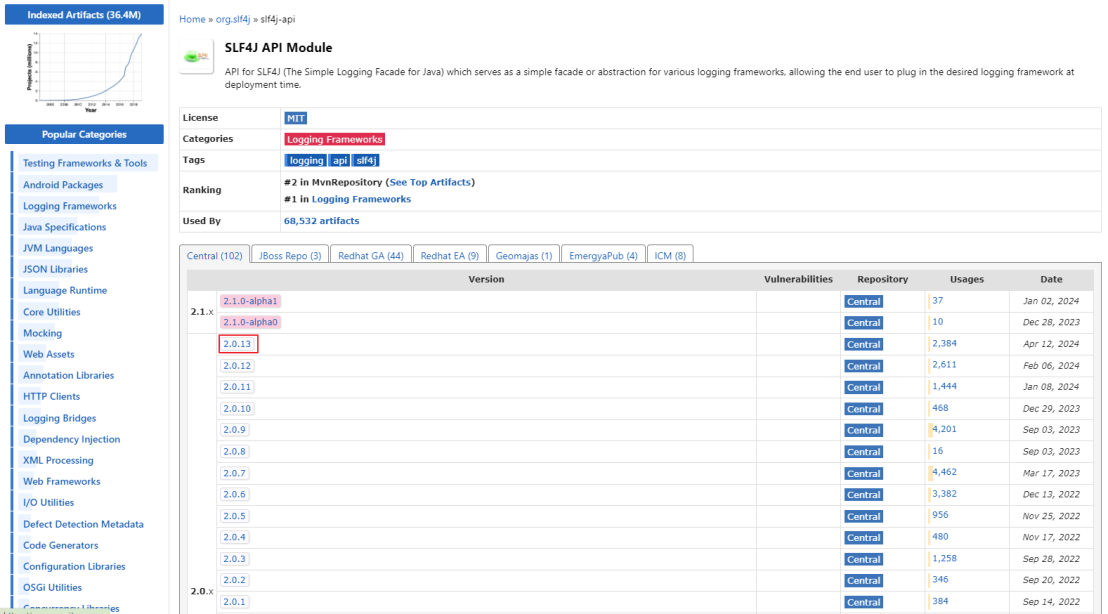
✅ pom 최종 변경 화면

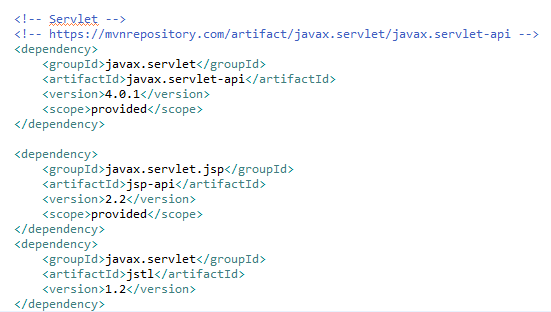
Servlet 설정
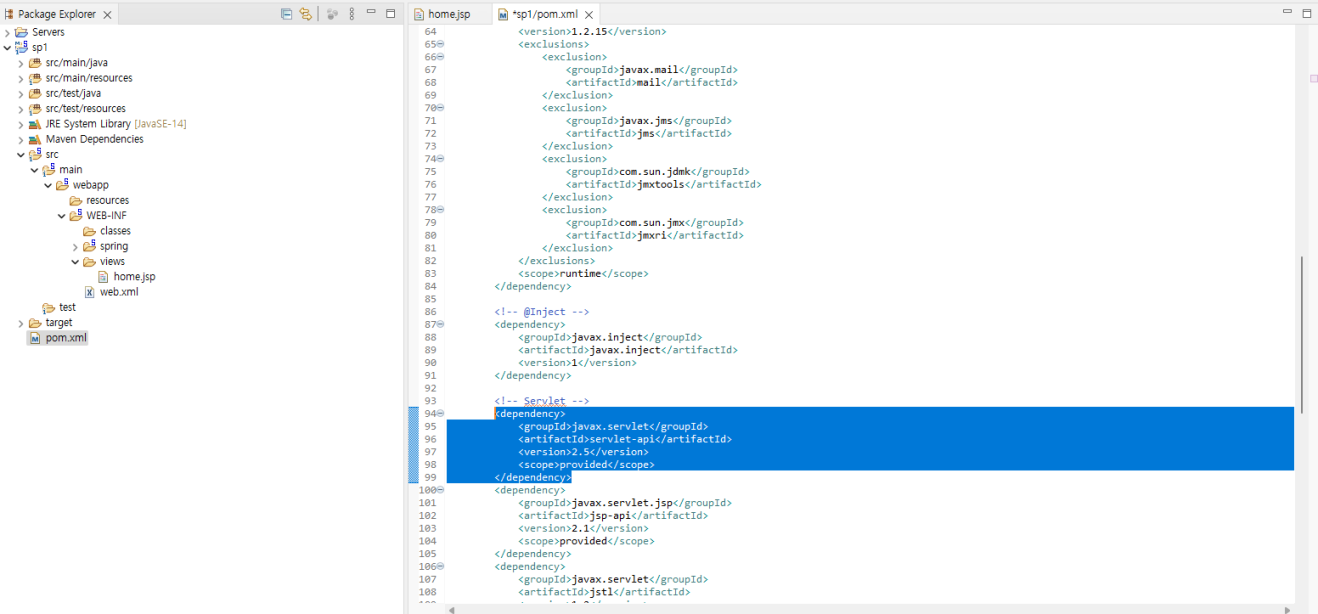
pom의 서블릿 버전 변경전 화면
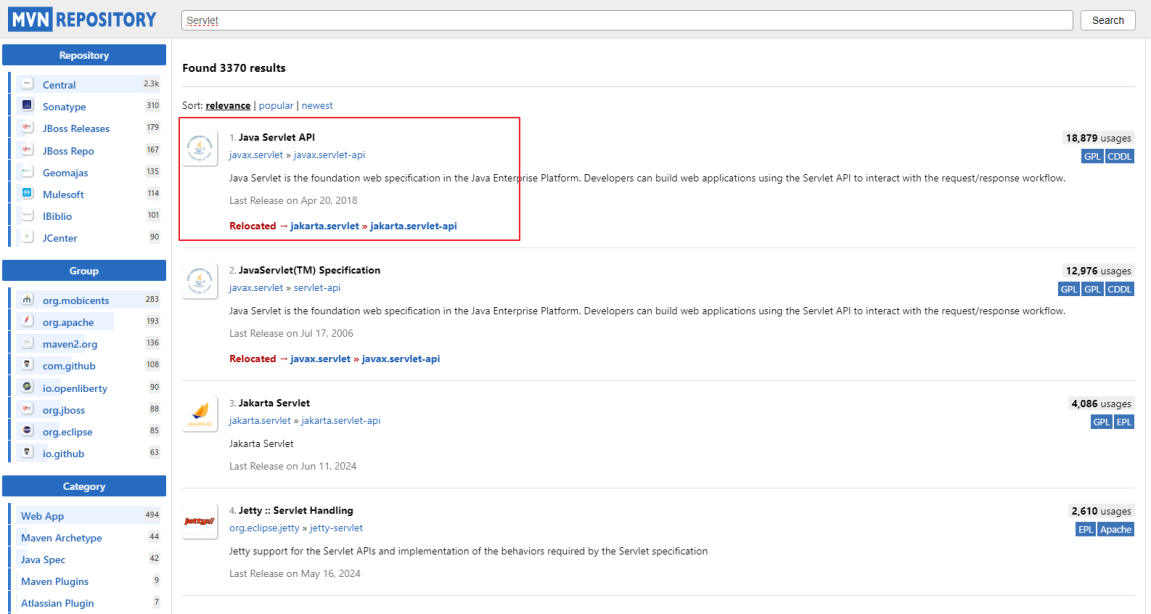
MVN Repository 사이트 방문
1. 서블릿 검색 후 Java Servlet API 선택
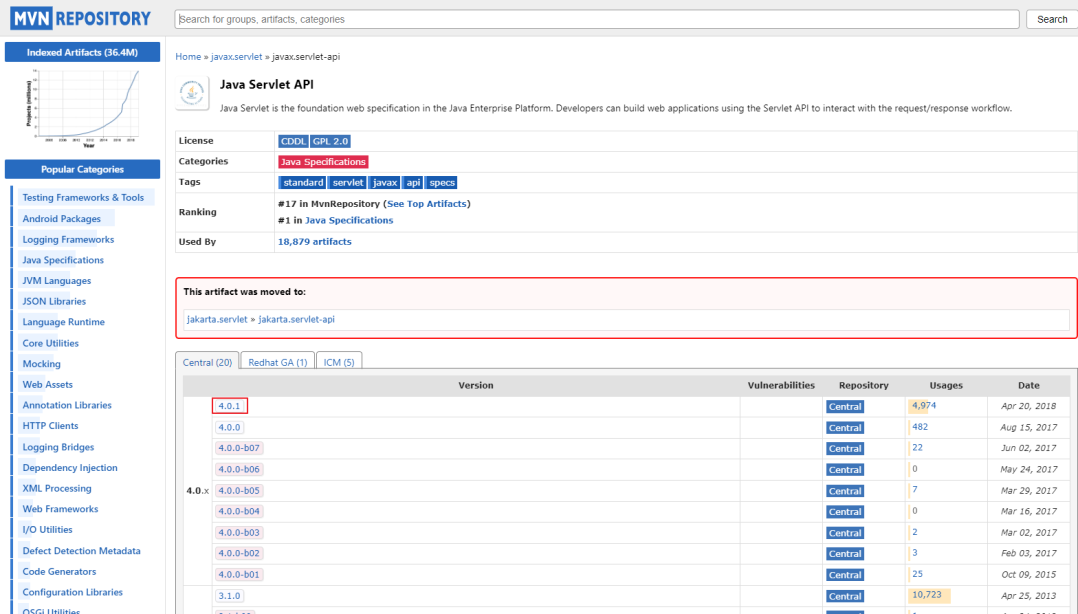
2. 서블릿 버전 확인(4.0.1) 선택
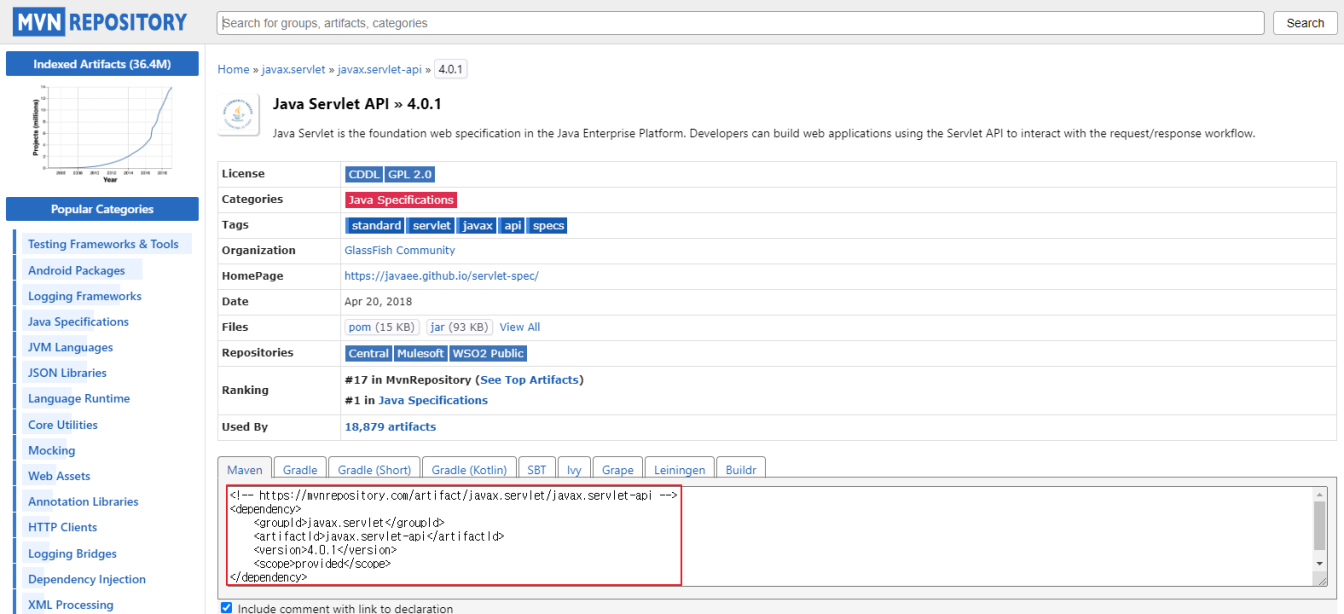
3. 서블릿 코드 복사
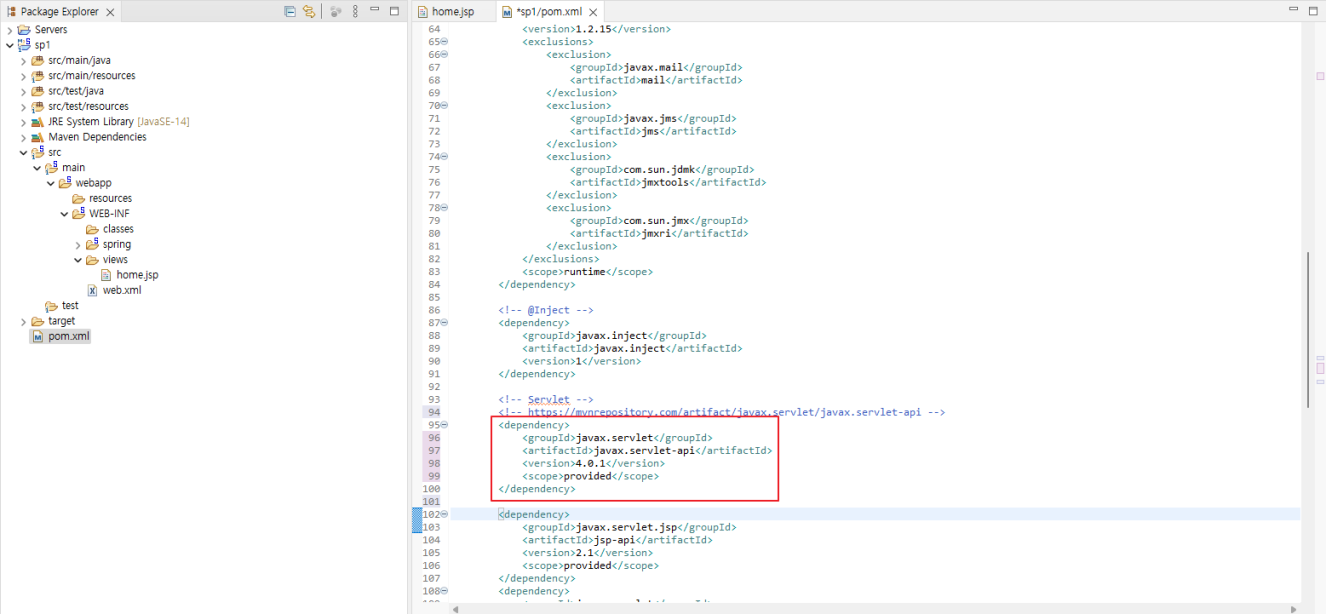
✅ pom 서블릿 버전 변경 후 화면
jsp-api 설정
MVN Repository 사이트 방문
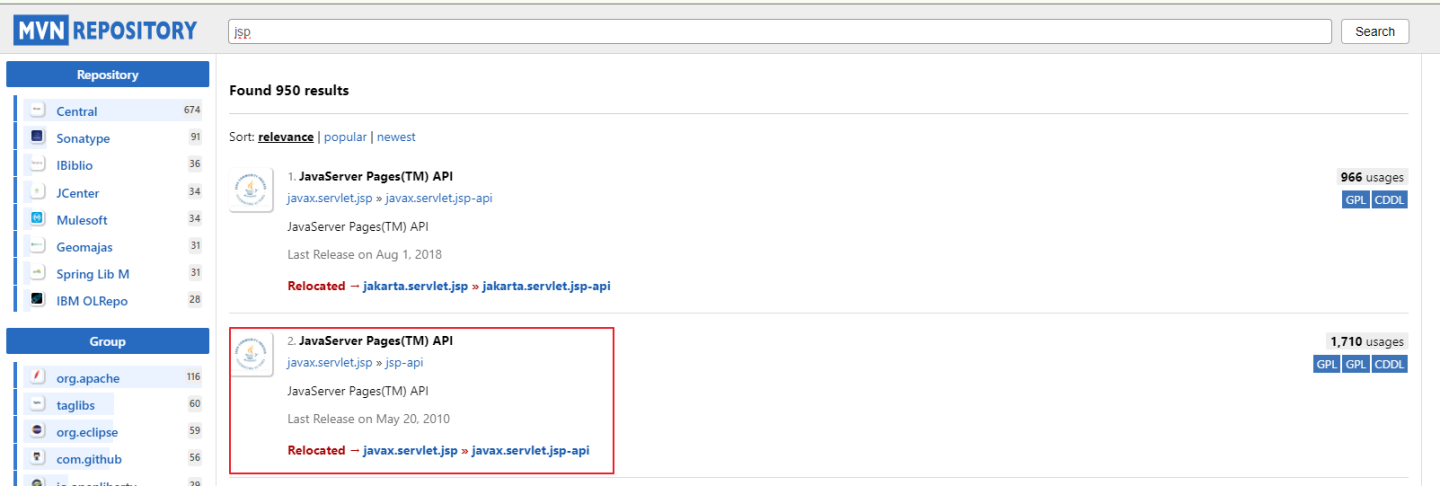
1. MVN REPOSITORY에서 jsp 검색 후 두번째 클릭
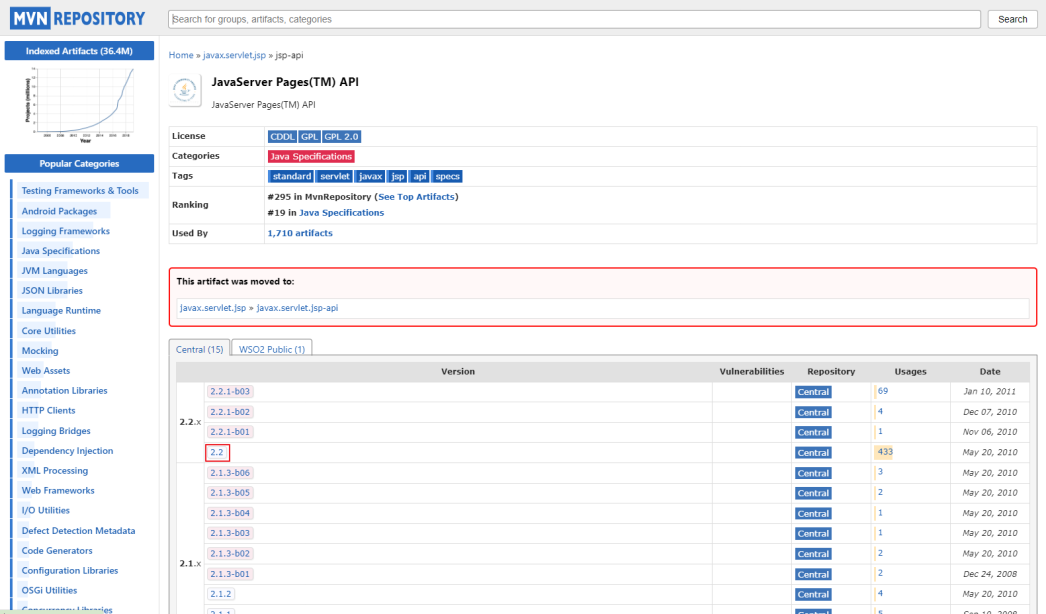
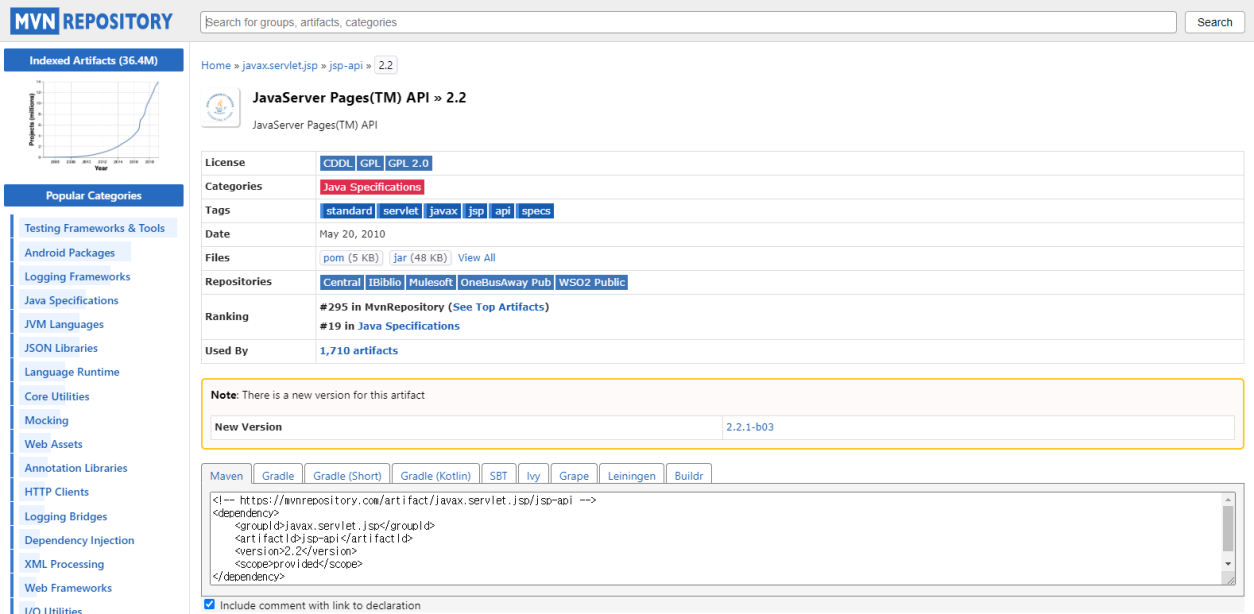
2. 버전(2.2) 클릭 후 코드 복사
3. jsp-api의 version 변경
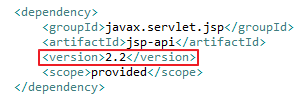
✅ pom에서의 서블릿 코드 변경 완료 화면
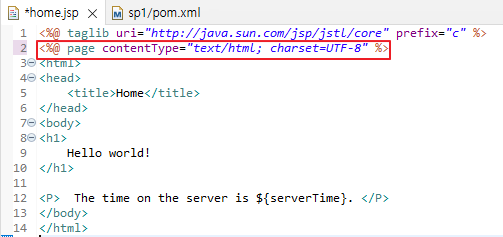
ContextType 변경
<%@ page contentType="text/html; charset=UTF-8" %>
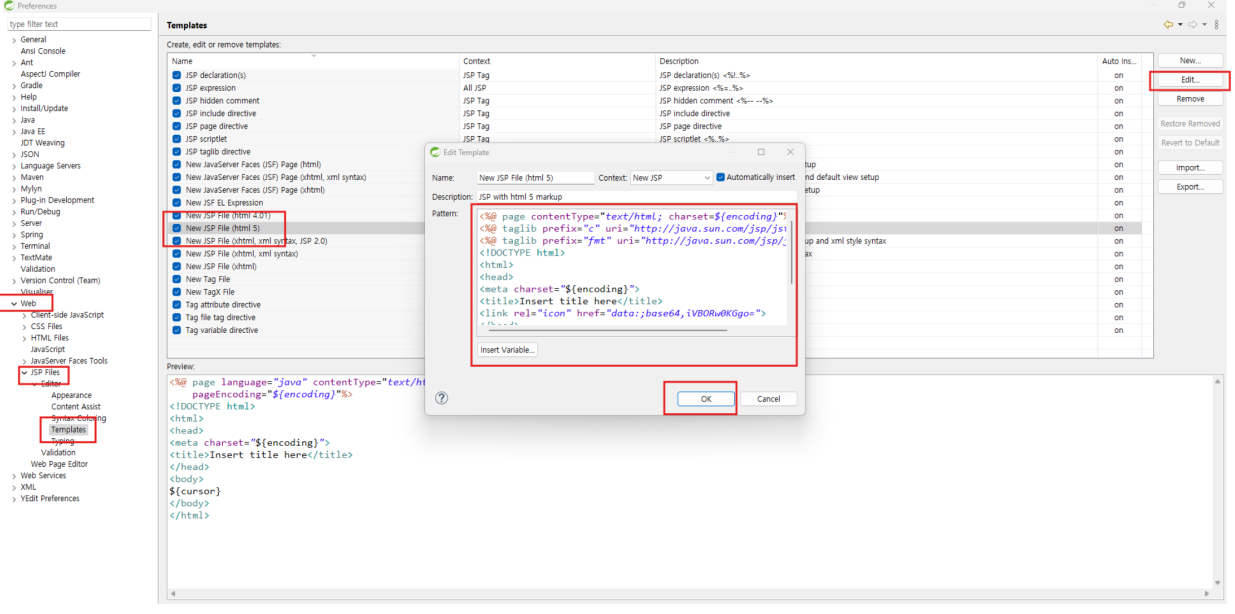
<%@ page contentType="text/html; charset=${encoding}"%>
<%@ taglib prefix="c" uri="http://java.sun.com/jsp/jstl/core"%>
<%@ taglib prefix="fmt" uri="http://java.sun.com/jsp/jstl/fmt"%>
<!DOCTYPE html>
<html>
<head>
<meta charset="${encoding}">
<title>Insert title here</title>
<link rel="icon" href="data:;base64,iVBORw0KGgo=">
</head>
<body>
${cursor}
</body>
</html>
1. 변경 전 화면
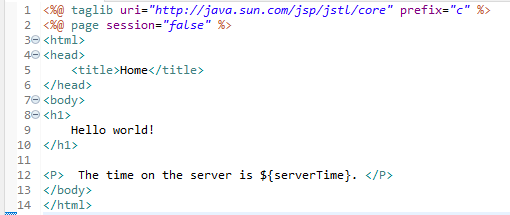
2. 변경 중
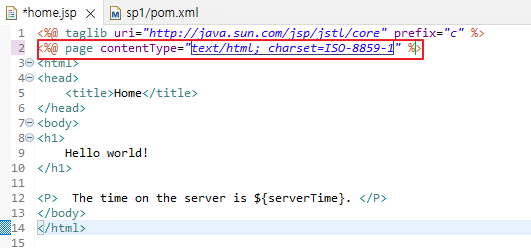
3. 변경 후 화면
실행
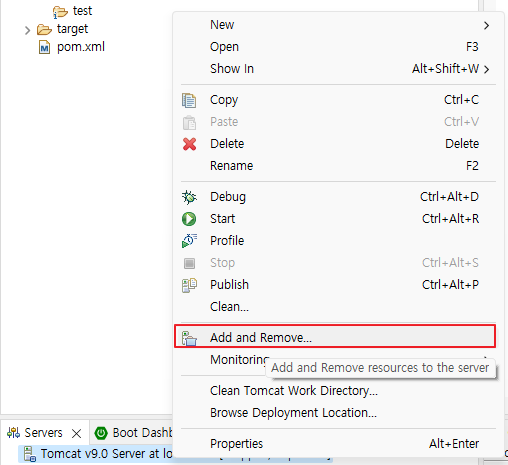
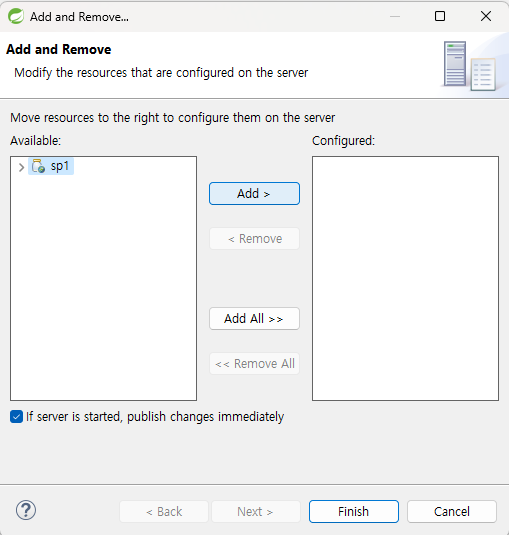
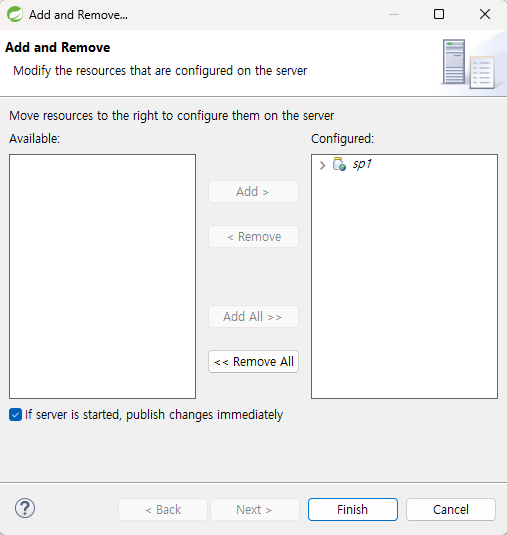
Tomcat 서버 우클릭 > Add and Remove 클릭 > sp1 오른쪽으로 이동
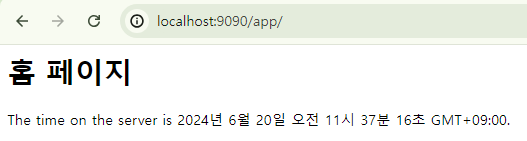
⚠️ 오류 발생
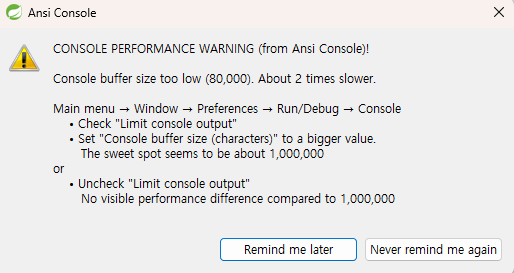
✅ 해결방법
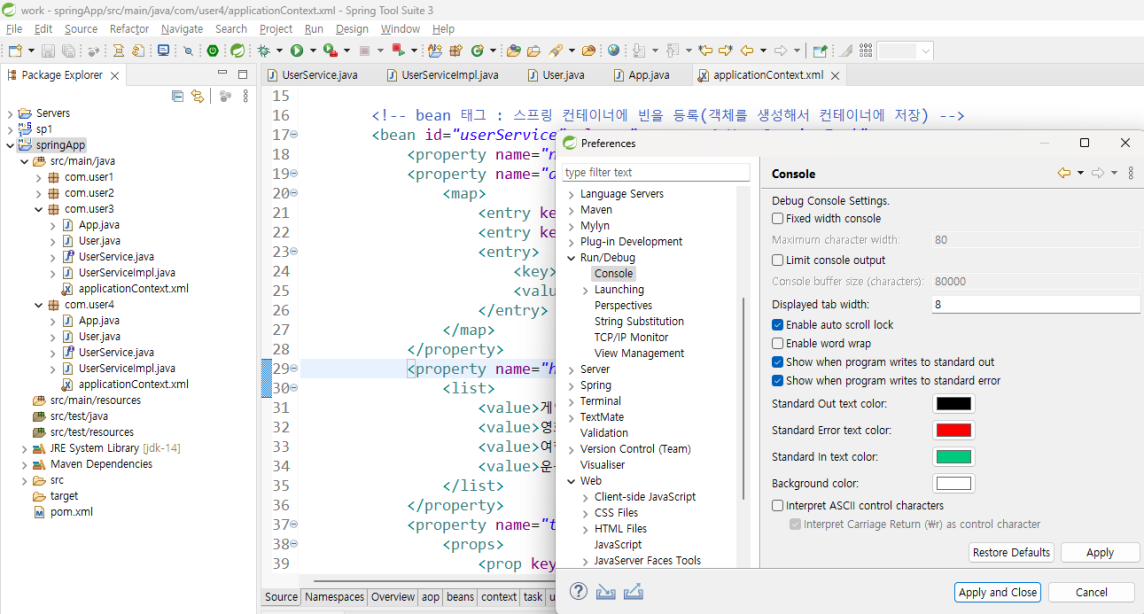
실행화면
서버 연결 주소 : localhost:9090/app/
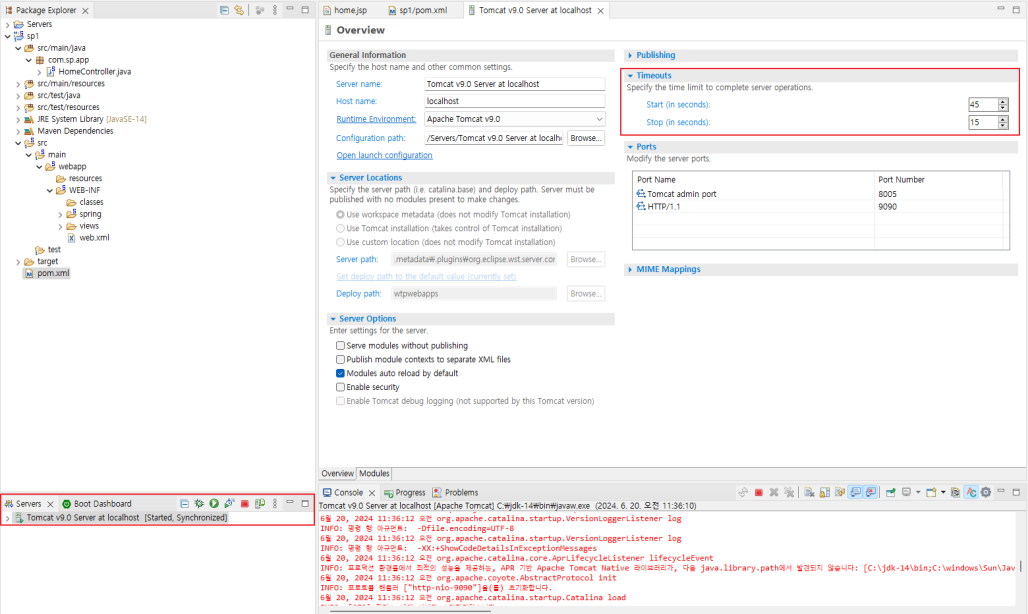
➕ 컴퓨터 성능이 안좋을 때 Timeouts 조정
web.xml 설정
1) 설정 사항
     - ContextLoaderListener 설정
        : 전역적(웹 컨텍스트)인 환경 설정
     - DispatcherServlet 에 대한 환경 설정

 2) POST 방식에서 한글 인코딩을 위한 filter를 web.xml 에 추가
<filter>
    <filter-name>encodingFilter</filter-name>
    <filter-class>org.springframework.web.filter.CharacterEncodingFilter</filter-class>
    <init-param>
        <param-name>encoding</param-name>
        <param-value>UTF-8</param-value>
    </init-param>
    <init-param>
        <param-name>forceEncoding</param-name>
        <param-value>true</param-value>
    </init-param>
</filter>
<filter-mapping>
    <filter-name>encodingFilter</filter-name>
    <url-pattern>/*</url-pattern>
</filter-mapping> 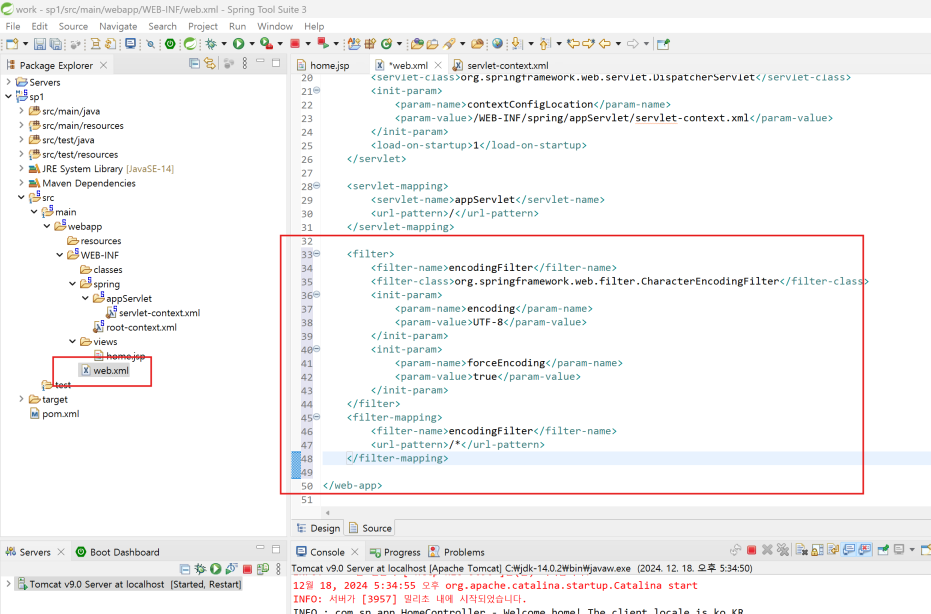
servlet-context.xml 설정
<?xml version="1.0" encoding="UTF-8"?>
<beans:beans xmlns="http://www.springframework.org/schema/mvc"
	xmlns:xsi="http://www.w3.org/2001/XMLSchema-instance"
	xmlns:beans="http://www.springframework.org/schema/beans"
	xmlns:context="http://www.springframework.org/schema/context"
	xmlns:aop="http://www.springframework.org/schema/aop"
	xsi:schemaLocation="http://www.springframework.org/schema/mvc https://www.springframework.org/schema/mvc/spring-mvc.xsd
		http://www.springframework.org/schema/beans https://www.springframework.org/schema/beans/spring-beans.xsd
		http://www.springframework.org/schema/context https://www.springframework.org/schema/context/spring-context.xsd
		http://www.springframework.org/schema/aop http://www.springframework.org/schema/aop/spring-aop-4.3.xsd">

	<!-- MVC를 사용시 필요한 빈들을 자동으로 등록 -->
	<annotation-driven />

	<!-- 매핑에서 정적 리소스(html, css, js등)를 처리할 수 있도록 설정 -->
	<!-- <resources mapping="/resources/**" location="/resources/" /> -->
	<default-servlet-handler/>

	<context:component-scan base-package="com.sp.app" />

	<!-- 타일즈 환경 설정 -->
  <beans:bean id="tilesConfigurer" class="org.springframework.web.servlet.view.tiles3.TilesConfigurer">
  	<beans:property name="definitions">
  		<beans:list>
  			<beans:value>/WEB-INF/spring/tiles-defs.xml</beans:value>
  		</beans:list>
  	</beans:property>
  </beans:bean>

	<!-- 타일즈 뷰 -->
	<!-- UrlBasedViewResolver : View 이름과 실제 view 자원과의 이름이 같을 때 사용 -->
	<beans:bean class="org.springframework.web.servlet.view.UrlBasedViewResolver">
		<beans:property name="order" value="1" />
		<beans:property name="viewClass" value="org.springframework.web.servlet.view.tiles3.TilesView" />
		<beans:property name="viewNames" value=".*" />
	</beans:bean>

	<!-- 일반 뷰 -->
	<beans:bean class="org.springframework.web.servlet.view.InternalResourceViewResolver">
		<beans:property name="order" value="2" />
		<beans:property name="viewClass" value="org.springframework.web.servlet.view.JstlView" />
		<beans:property name="prefix" value="/WEB-INF/views/" />
		<beans:property name="suffix" value=".jsp" />
	</beans:bean>

	<!-- 파일 업로드 -->
  <beans:bean id="multipartResolver" class="org.springframework.web.multipart.commons.CommonsMultipartResolver">
		<beans:property name="defaultEncoding" value="utf-8"/>
		<beans:property name="maxUploadSize" value="10485760" />
  </beans:bean>

	<!-- 트랜잭션 처리 -->
	<aop:config proxy-target-class="true">
		<aop:pointcut expression="execution(public * com.sp.app..*Controller.*(..))" id="controllerOperation"/>
	</aop:config>

</beans:beans>
root-context.xml 설정
<?xml version="1.0" encoding="UTF-8"?>
<beans xmlns="http://www.springframework.org/schema/beans"
	xmlns:xsi="http://www.w3.org/2001/XMLSchema-instance"
	xsi:schemaLocation="http://www.springframework.org/schema/beans https://www.springframework.org/schema/beans/spring-beans.xsd">

	<!-- 마이바티스 설정 파일 import -->
	<import resource="classpath:/mybatis/mybatis-context.xml"/>
</beans>
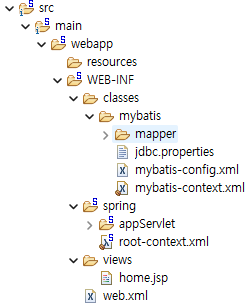
my-batis 설정
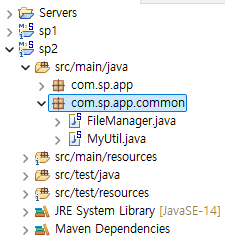
common 설정
STS 설치하는 데 많은 시간이 들었지만 다시 설치한다고 한다면 시간이 점점 줄어들 것 같다.
의미있는 시간이었다ㅎㅎ
아직 메이븐 프로젝트 생성이 남았지만 파이팅~!