1. Windows 기능 활성화
1) Linux 용 Windows 하위 시스템
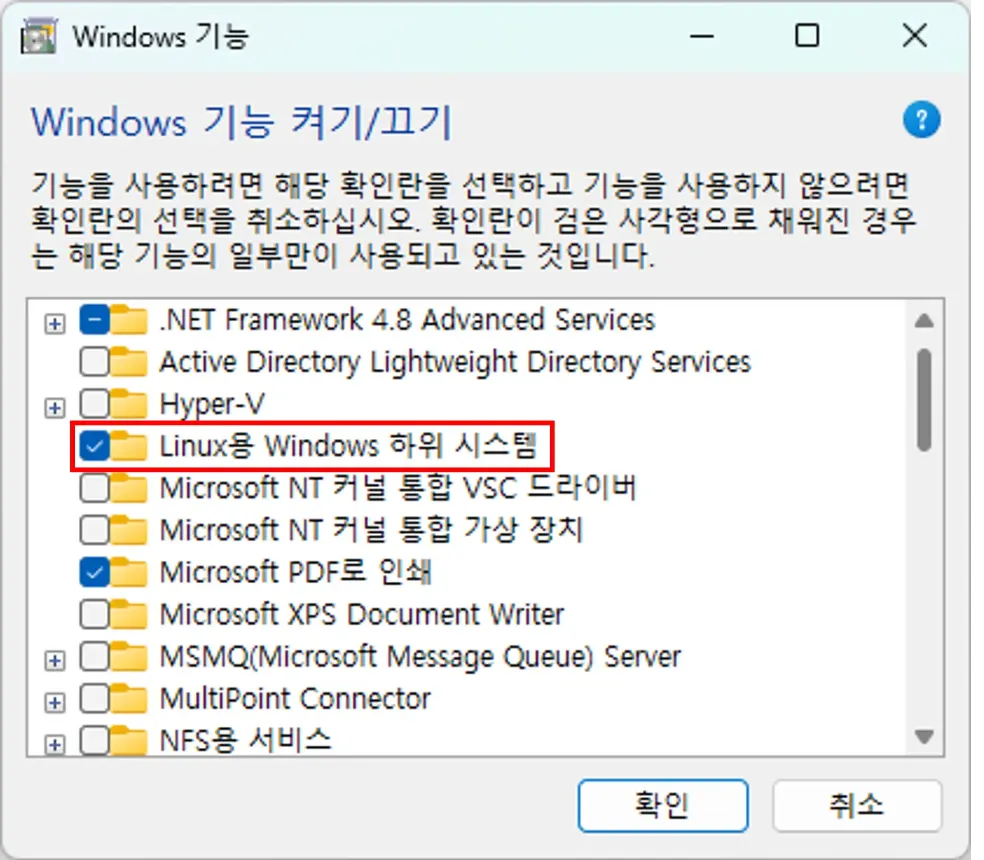
dism.exe /online /enable-feature /featurename:Microsoft-Windows-Subsystem-Linux /all /norestart2) Virtual Machine Platform
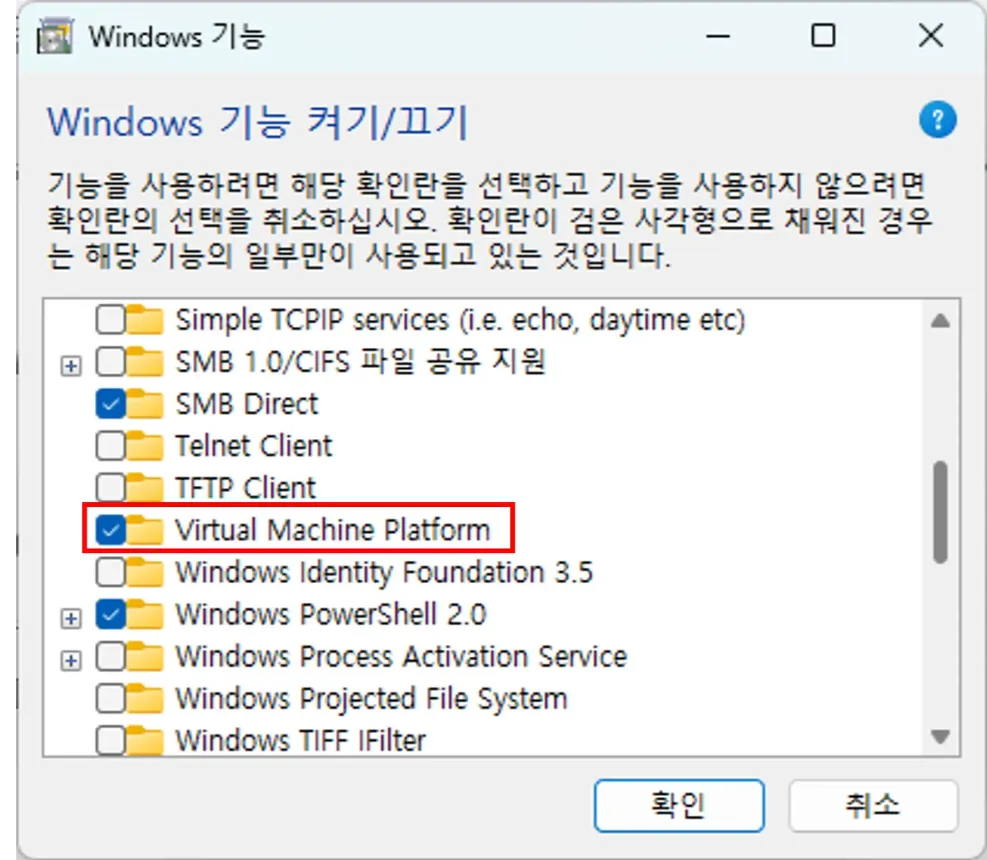
dism.exe /online /enable-feature /featurename:VirtualMachinePlatform /all /norestart3) ➡️ 시스템 재부팅
2. WSL2 설치
1) WSL 설치
▶️ Powershell을 관리자 권한으로 열고, 아래 명령어 순서대로 실행
wsl.exe --install
wsl.exe --update
wsl.exe --set-default-version 2
2) Linux 배포판 설치
1️⃣ 설치 가능한 배포판 목록 확인
wsl.exe --list --online2️⃣ 목록 확인 후 원하는 배포판 설치 ➡️ Ubuntu-24.04
wsl.exe --install Ubuntu-24.043. WSL2 와 VSCode 연동
1) Extension 설치

2) VSCode에서 WSL 연결
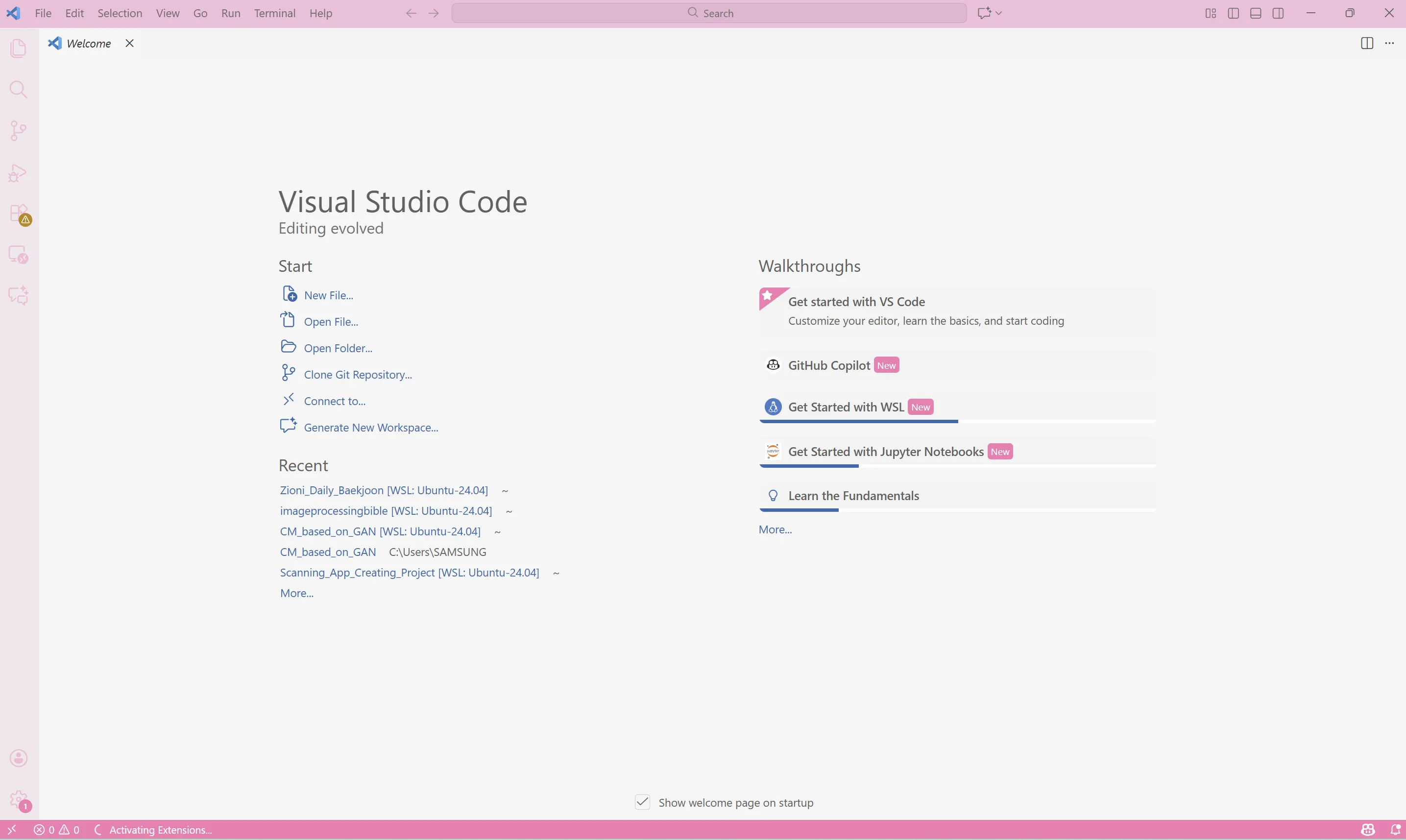
💠 좌측 하단에 있는 >< 버튼을 누르고
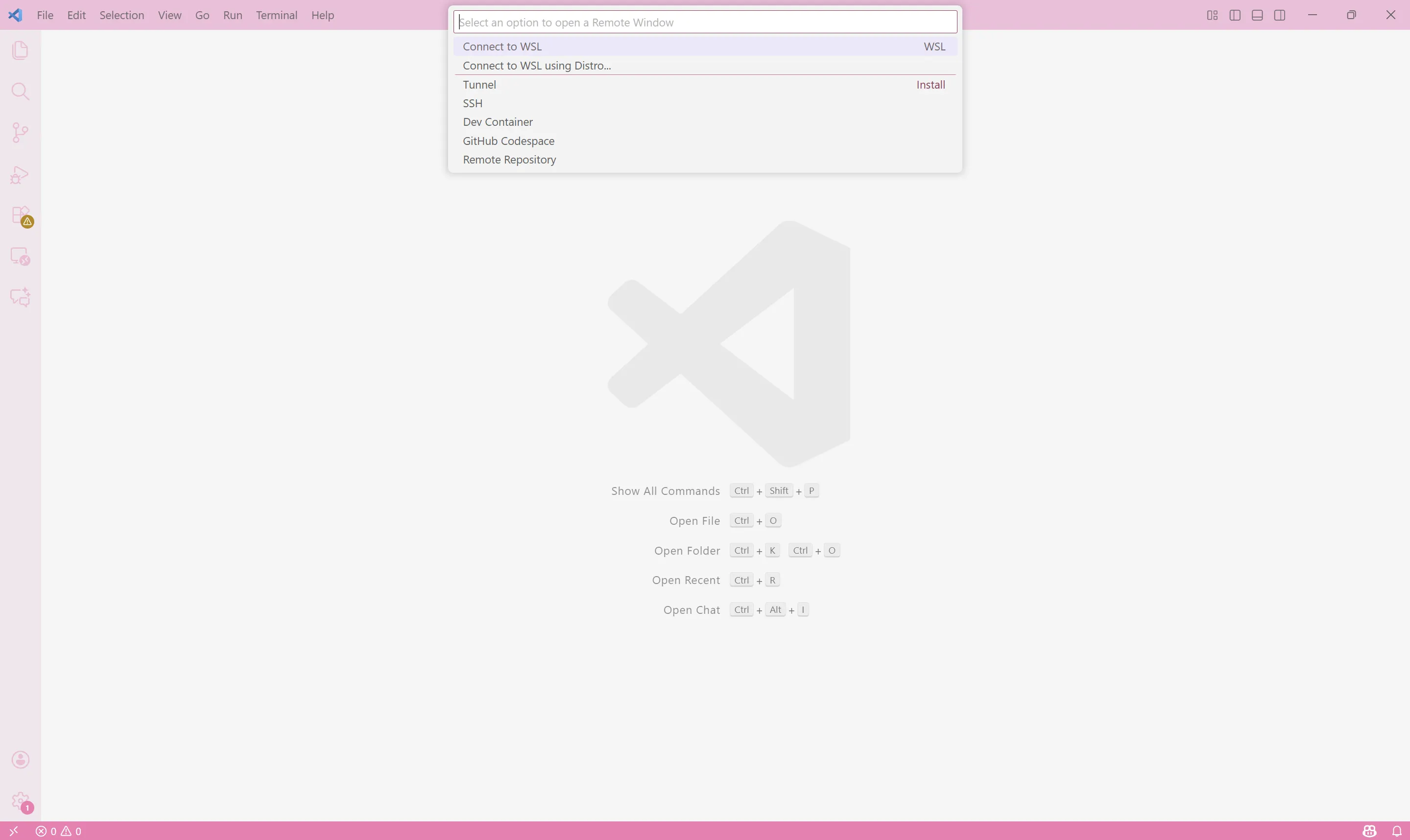
💠 WSL 연결
🍔 참고

Seoul National University of Science and Technology, Architectural Engineering (B.S.)