JQuery 효과
1)학습내용
jQuery 효과
hide/show
-hide : 선택된 태그를 사라지게함
•show : 선택된 태그를 나타나게함
•toggle : 사라지거나나타나는상태를전환
•hide(시간), show(시간), toggle(시간) : 지정된시간만큼 애니메이션 효과가 나타남
•시간은 “slow” 라는 문자열을 넣어주면적당히느린시간, “fast”를넣어주면 빠른시간으로 나타남
<html>
<head>
<meta charset="UTF-8">
<title>Insert title here</title>
<script src="https://code.jquery.com/jquery-3.6.0.min.js"></script>
<script>
function div_hide(){
//	$("#a1").hide();
	//$("#a1").hide(1000);
	$("#a1").hide("slow");
	//$("#a1").hide("fast");
}

function div_show(){
//	$("#a1").show();
	//$("#a1").show(1000);
	//$("#a1").show("slow");
	$("#a1").show("fast");
}

function div_toggle(){
	//$("#a1").toggle();
	$("#a1").toggle(1000);
	//$("#a1").toggle("slow");
	//$("#a1").toggle("fast");

}
</script>
<style>
 #a1{
 border : 12px solid black;
 background-color: yellow;
 width: 200px;
 height: 200px;

 }
</style>
</head>
<body>
	<button onclick = "div_hide()">hide</button>
	<button onclick = "div_show()">show</button>
	<button onclick = "div_toggle()">toggle</button>
	<div id="a1"></div>
</body>
</html>
결과
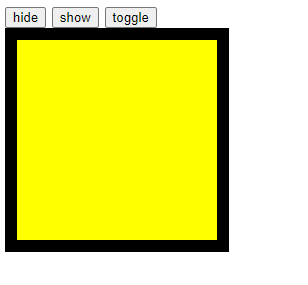
show일때
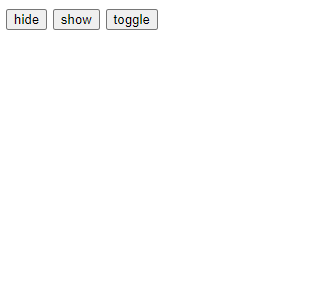
hide 일때
slidedown/slideup
•slideUp: 위로 슬라이드 되면서 사라짐
•slideDown: 아래로 슬라이드 되면서 나타난다.
•slideToggle: 슬라이드 효과를통해 사라지거나 나타나는 상태를 전환한다.
<!DOCTYPE html>
<html>
<head>
<meta charset="UTF-8">
<title>Insert title here</title>
<script src="https://code.jquery.com/jquery-3.6.0.min.js"></script>
<script>
function div_slideup(){
	$("#a1").slideUp("slow");
}

function div_slidedown(){
	$("#a1").slideDown("slow");
}

function div_slidetoggle(){
	$("#a1").slideToggle("slow");
}


</script>
<style>
 #a1{
 border : 12px solid black;
 background-color: yellow;
 width: 200px;
 height: 200px;


</style>
</head>
<body>
	<button onclick="div_slideup()">slide up</button>
	<button onclick="div_slidedown()">slide down</button>
	<button onclick="div_slidetoggle()">slide toggle</button>
	<div id="a1"></div>
</body>
</html>
Callback 함수
앞서 살펴본 효과가 종료되면 자동으로 호출되는 함수
<!DOCTYPE html>
<html>
<head>
<meta charset="UTF-8">
<title>Insert title here</title>
<script src="https://code.jquery.com/jquery-3.6.0.min.js"></script>
<script>
  function test_callback(){
	  $("#a1").hide("slow",function(){
		  alert("effect end")
	  })
  }
</script>
<style>
 #a1{
 border : 12px solid black;
 background-color: yellow;
 width: 200px;
 height: 200px;

</style>
</head>
<body>
	<button onclick="test_callback()">callback 함수 테스트</button>
	<div id="a1"></div>
</body>
</html>
결과
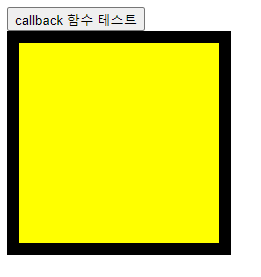
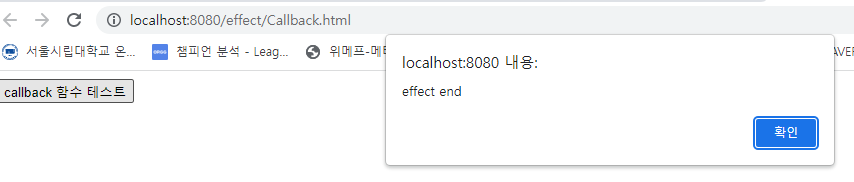
이렇게 알림창이뜨게 설정해놓았다.
애니메이션
•Animate : 지정된 css 속성을 애니메이션 효과와 함께지정
•Animate({}) : 지정된 객체의 css 속성들을 애니메이션 효과와 함께지정
2) 어려웠던점
3)해결방법
4) 소감
제이쿼리의 다양한 효과를 배워보았는데 상당히 유용한 명령어가 많았고 다만 적재적소에 쓰일수있게 명령어를 외워두는것이 조금 힘들것같다,.,, 많이해보면서 익혀야할듯

반갑습니다~