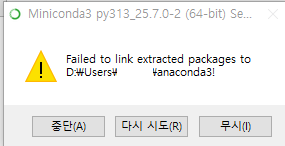
미니콘다 설치 실패
오랜만에 콘다 열어보니 패키지가 자그마치 4년전.. 업뎃하려고 하니 뭔가 꼬였는지 삭제-재설치 하려다가 자꾸 실패함
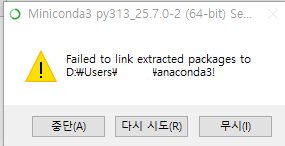
이런 메세지가 뜬다
Failed to link extracted packages to ~를 검색해보니 나온 해결책으로는 해결이 안됨...
View Details 클릭해서 로그 확인해보니 아래와 같이 나옴
Installing packages for base, creating shortcuts if necessary...
Preparing transaction: ...working... done
Executing transaction: ...working... done
ERROR conda.core.link:_execute(1029): An error occurred while installing package 'defaults::anaconda_powershell_prompt-1.1.0-haa95532_1'.
Rolling back transaction: ...working... done

LinkError: post-link script failed for package defaults::anaconda_powershell_prompt-1.1.0-haa95532_1
location of failed script: C:\miniconda\Scripts\.anaconda_powershell_prompt-post-link.bat
==> script messages <==
<None>
==> script output <==
stdout:
stderr: The system cannot find the file specified.
The system cannot find the file specified.

return code: 1

()

::error:: Failed to link extracted packages to C:\miniconda!
대충 powershell 스크립트 실행하려다가 권한 문제로 안돼서 문제?인거 같음
그리고 이때 같이 생긴 문제가 cmd 실행시 반짝이고 바로 꺼져버림. 어디선가 스크립트나 환경 변수가 꼬여서 생긴 문제로 파악함
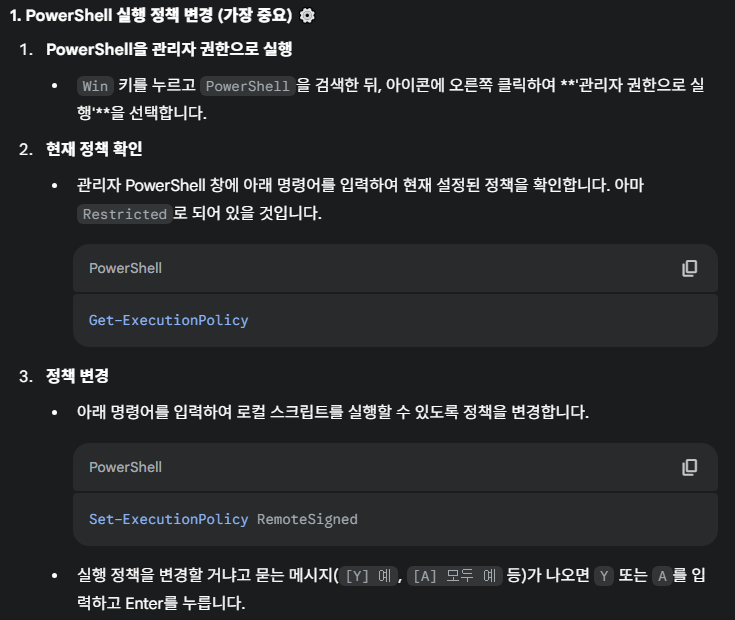
제미니는 powershell 권한 설정 변경하라는데 권한은 이미 RemoteSigned라 의미 없음
해결
키워드를 바꿔서 ERROR conda.core.link:_execute(1029), An error occurred while installing package 'defaults::anaconda_powershell_prompt-1.1.0-haa95532_1'.로 검색
비슷한 문제로 토론한 콘다 이슈를 찾았다(링크)
결론만 말하면
- regedit에서
\HKEY_CURRENT_USER\Software\Microsoft\Command Processor에 있는 AutoRun 키 삭제 - powershell에서
sfc /scannow로 무결성 검사
이렇게 하니 문제 없이 잘 재설치됐다
혹시 이래도 안되는 사람은 환경변수에서 conda, python 관련 PATH값 모두 지우고 다시 해보는걸 추천

즐겁게 개발하기