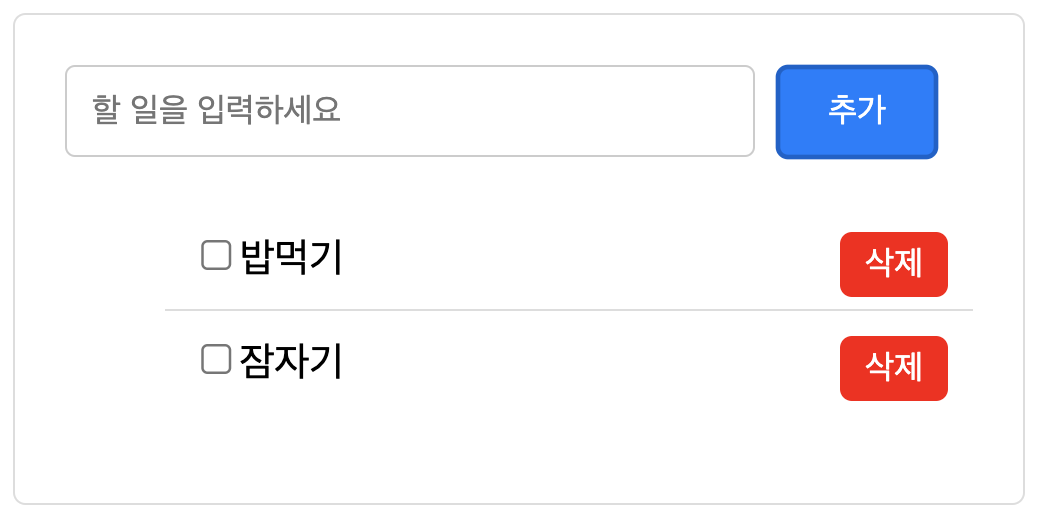
기존에 배웠던 코드들을 사용하여 간단한 투두리스트를 만들었다.
document.getElementById('add-btn').addEventListener('click', function () {
  const todoInput = document.getElementById('todo-input');
  const newTodo = todoInput.value;
  const todoList = document.getElementById('todo-list');
  const li = document.createElement('li');
  todoList.appendChild(li);
  const checkbox = document.createElement('input');
  checkbox.type = 'checkbox';
  const deleteBtn = document.createElement('button');
  deleteBtn.className = 'delete-btn';
  deleteBtn.textContent = '삭제';

  if (newTodo !== '') {
    li.textContent = newTodo; // li의 텍스트 콘텐츠 설정
    li.prepend(checkbox); // 체크박스를 텍스트 앞에 추가
    li.appendChild(deleteBtn); // 삭제 버튼을 텍스트 뒤에 추가
    todoList.appendChild(li);
    todoInput.value = '';

    deleteBtn.addEventListener('click', function () {
      todoList.removeChild(li);
    });
  } else if (newTodo === '') {
    alert(`할일을 입력해 주세요.`);
  }
});- addEventListener라는 메소드를 사용해 add-btn이라는 id를 가진 객체가 클릭되었을 경우의 로직을 만들었다.
- 필요한 엘리먼트들을 id로 불러오거나 create하여 변수로 선언했다.
- newTodo라는 input창의 value값이 빈 문자열일 경우의 조건문을 만들었다.
- textContent와 append, prepend로 todoList라는 ul태그 안에 Ii태그를 추가했다.
- removeChild를 이용해 삭제 버튼을 눌렀을 경우 지워지도록 했다.
- newTodo value값이 공백인 상태로 추가되었을 때 할일을 입력하라는 문구가 뜨도록 했다.
회고: 새로 공부하게 된 메소드들이 많았다.
addEventListener : 특정 이벤트가 발생할 경우 콜백함수를 실행할 수 있는 메소드이다. 여기서 콜백함수란 특정 이벤트나 작업이 완료되었을 때 호출되는 함수로 다른 함수의 인자로 전달될 수도 있다. 위의 코드에서는 'click'이라는 문자열로 이벤트를 받아들이고 있는 것을 볼 수 있듯이 이벤트는 일반적으로 문자열로 받는다.
prepend : 특정 엘리먼트 요소의 자식으로 추가할 때 사용되며 자식 엘리먼트가 여러개 있을 때 가장 앞에 위치시킨다.

hyohyo