session과 application 로 scope 지정하는 방법
attribute1 파일과 attribute2 파일을 살펴보자.
attribute1 파일에서 username 과 userId를 input type="text"를 통해서 입력받아, name=" " 을 통해서 저장했다.
만약, request scope 말고, session 혹은 application 으로 해당 데이터의 scope를 지정해주고자 한다면, 입력하고 이동하는 다음 페이지에서 request 를 통해 값을 받아오고, 이 값을 session.setAttribute() 혹은 application.setAttribute()를 통해서 지정해주어야 한다.
이 이후에는 어떤 jsp 페이지에서든 session.getAttribute() 혹은 application.getAttribute() 를 통해서 값을 불러와 사용할 수 있다.
⭐⭐⭐ 정리
입력을 하고 이동한 다음 페이지에서 바로 데이터를 사용하려면 request() 를 사용하면 됩니다.
request는 request.getParameter() 혹은 request.getParameterValues()의 형태로 사용됩니다.
또 다른 페이지에서도 값을 사용해야 한다면, session 혹은 application 이라는 scope를 지정해주게 되는데, 이때에도 request.getParameter() 를 이용해서 일단 값을 받아와야 합니다.
그 이후에 session.setAttribute() 혹은 application.setAttribute()를 통해서 scope를 지정해 줄 수 있습니다.
이후에 다른 페이지에서 해당 데이터를 사용하려면
session.getAttribute() 혹은 application.getAttribute()를 사용해서 값을 호출할 수 있습니다.
예시 코드
실행 결과
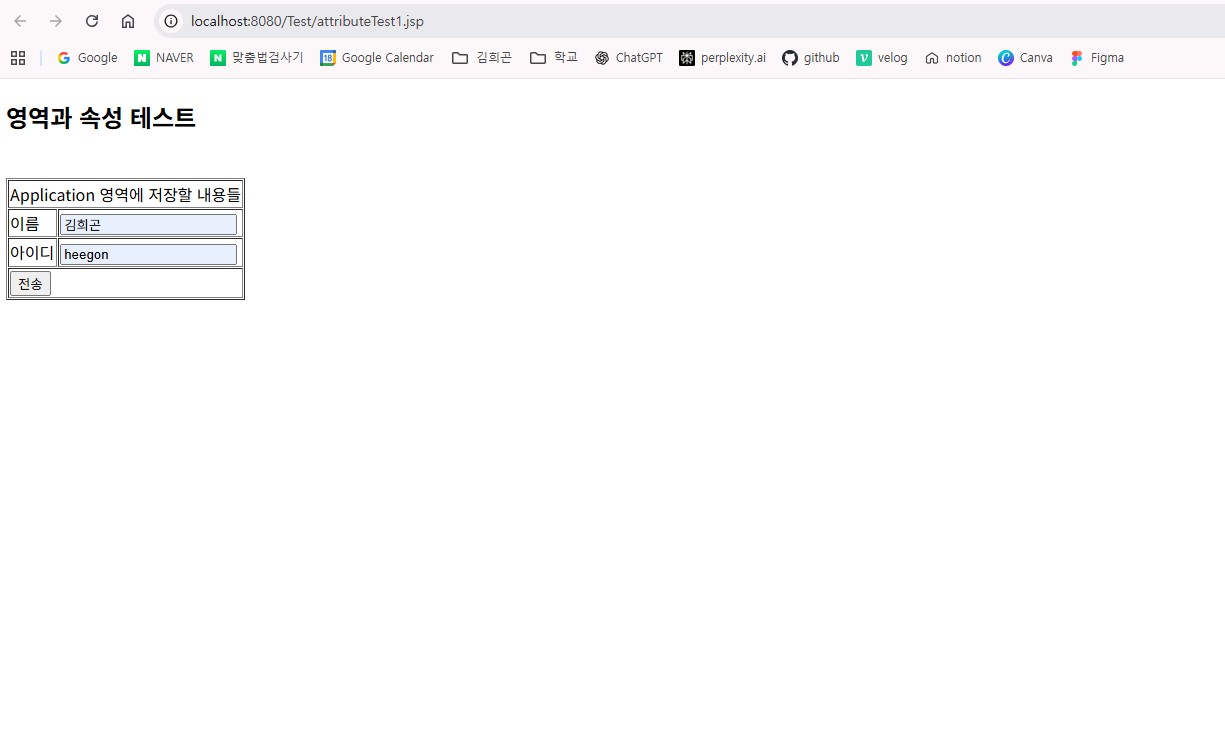
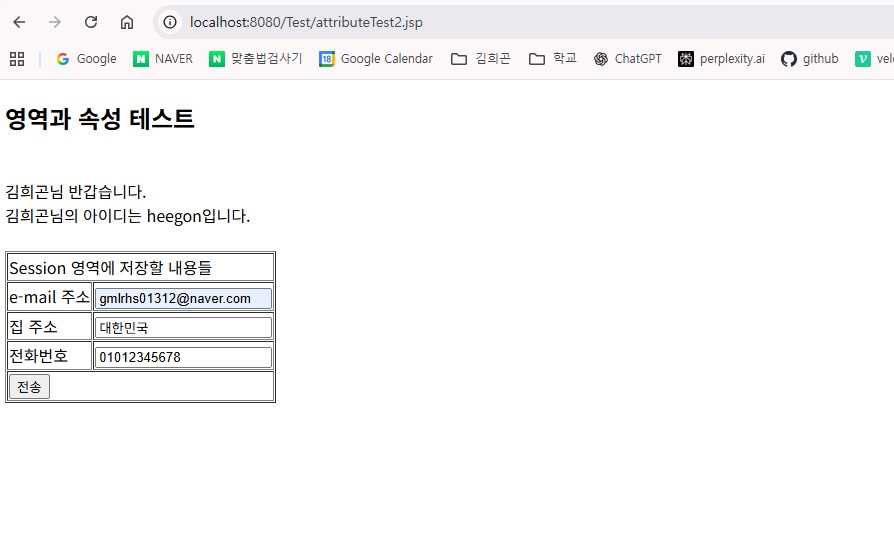
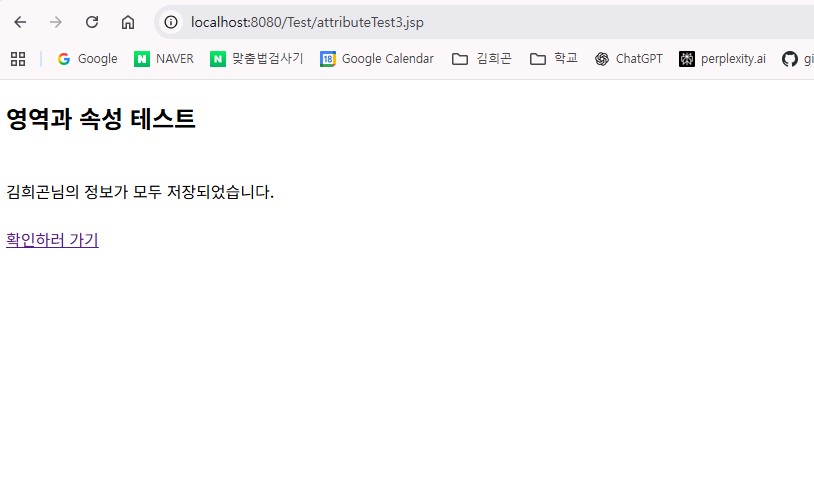
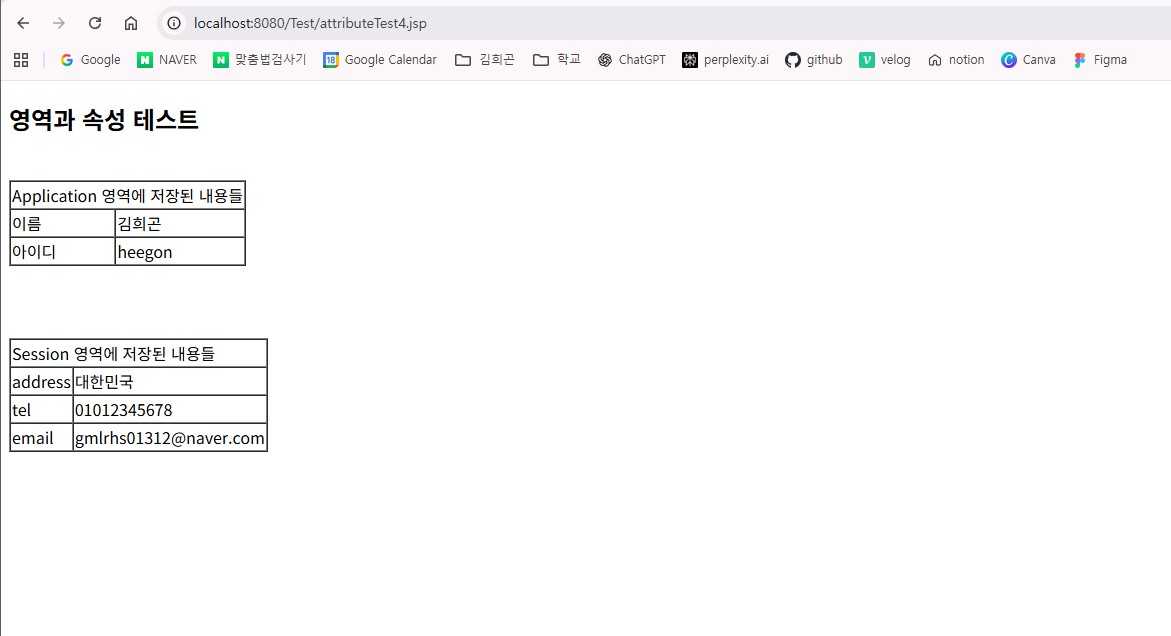
attribute1.jsp
<%@ page language="java" contentType="text/html; charset=UTF-8"
    pageEncoding="UTF-8"%>
<!DOCTYPE html>
<html>
<head>
<meta charset="UTF-8">
<title>Insert title here</title>
</head>
<body>
<h2>영역과 속성 테스트</h2>
<br>
<form method="post" action="attributeTest2.jsp">

<table cellspacing="1" border="1">
	<tr>
		<td colspan="2">Application 영역에 저장할 내용들</td>
	</tr>

	<tr>
		<td>이름</td>
		<td><input type="text" name="username"></td>
	</tr>

	<tr>
		<td>아이디</td>
		<td><input type="text" name= "userId"></td>
	</tr>

	<tr>
		<td colspan="2"><input type="submit" value="전송"></td>
	</tr>
</table>

</form>

</body>
</html>
attribute2.jsp
<%@ page language="java" contentType="text/html; charset=UTF-8"
    pageEncoding="UTF-8"%>

<% request.setCharacterEncoding("utf-8"); %>

<%
	String username = request.getParameter("username");
	String userId = request.getParameter("userId");

	application.setAttribute("username", username);
	application.setAttribute("userId", userId);
%>

<!DOCTYPE html>
<html>
<head>
<meta charset="UTF-8">
<title>Insert title here</title>
</head>
<body>
<h2>영역과 속성 테스트</h2>
<br>

<%= application.getAttribute("username") %>님 반갑습니다. <br>
<%= application.getAttribute("username") %>님의 아이디는 <%= application.getAttribute("userId") %>입니다. <br>

<br>
<form method="post" action="attributeTest3.jsp">

<table cellspacing="1" border="1">

	<tr>
		<td colspan="2">
			Session 영역에 저장할 내용들
		</td>
	</tr>

	<tr>
		<td>e-mail 주소</td>
		<td><input type="text" name= "useremail"></td>
	</tr>

	<tr>
		<td>집 주소</td>
		<td><input type="text" name="userhome"></td>
	</tr>

	<tr>
		<td>전화번호</td>
		<td><input type="text" name="userPhone"></td>
	</tr>

	<tr>
		<td colspan="2"><input type="submit" value="전송"></td>
	</tr>

</table>

</form>


</body>
</html>
attribute3.jsp
<%@ page language="java" contentType="text/html; charset=UTF-8"
    pageEncoding="UTF-8"%>

<% request.setCharacterEncoding("utf-8"); %>

<%
	String useremail = request.getParameter("useremail");
	String userhome = request.getParameter("userhome");
	String userPhone = request.getParameter("userPhone");

	session.setAttribute("useremail", useremail);
	session.setAttribute("userhome", userhome);
	session.setAttribute("userPhone", userPhone);
%>


<!DOCTYPE html>
<html>
<head>
<meta charset="UTF-8">
<title>Insert title here</title>
</head>
<body>
<h2>영역과 속성 테스트</h2>
<br>
<%= application.getAttribute("username") %>님의 정보가 모두 저장되었습니다. <br>
<br>
<a href="attributeTest4.jsp">확인하러 가기</a>
</body>
</html>
attribute4.jsp
<%@ page language="java" contentType="text/html; charset=UTF-8"
    pageEncoding="UTF-8"%>

<% request.setCharacterEncoding("utf-8"); %>

<!DOCTYPE html>
<html>
<head>
<meta charset="UTF-8">
<title>Insert title here</title>
</head>
<body>
<h2>영역과 속성 테스트</h2>
<br>

<table border="1" cellspacing="0">

<tr>
	<td colspan="2">
		Application 영역에 저장된 내용들
	</td>
</tr>

<tr>
	<td>이름</td>
	<td><%= application.getAttribute("username") %></td>
</tr>

<tr>
	<td>아이디</td>
	<td><%= application.getAttribute("userId") %></td>
</tr>


</table>

<br> <br> <br>

<table cellspacing="0" border="1">
	<tr>
		<td colspan="2">Session 영역에 저장된 내용들</td>
	</tr>

	<tr>
		<td>address</td>
		<td><%= session.getAttribute("userhome") %></td>
	</tr>

	<tr>
		<td>tel</td>
		<td><%= session.getAttribute("userPhone") %></td>
	</tr>

	<tr>
		<td>email</td>
		<td><%= session.getAttribute("useremail") %></td>
	</tr>

</table>


</body>
</html>