vscode 리눅스 서버 연결 + docker container 연결
vscode를 리눅스 서버에 연결해서 사용하는 방법
비밀번호 입력하지 않고 자동연결
- 확장(ctrl+shift+X)에서 Remote Development 다운
- F1에서 Remote-SSH:Connect to Host 선택
- 서버 정보 입력 -> root@192.168.10.218
- 연결창이 뜨고 비밀번호 입력
root@xxx.168.10.217:122
- docker container 연결
(한참멀었다. 한참..ㅜ)
매니저님 manual
ssh 설정
-
yum -y install openssh-server 설치
-
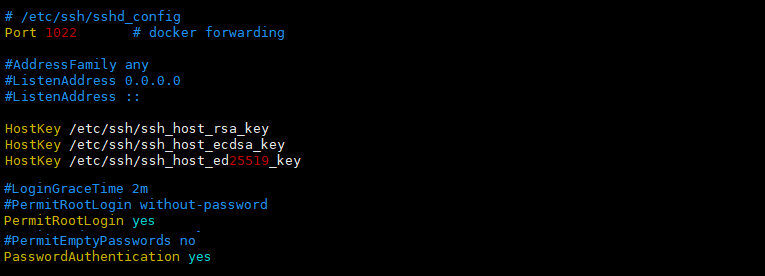
/etc/ssh/sshd_config 설정 확인 및 수정
#PermitRootLogin without-password
PermitRootLogin yes
#PasswordAuthentication no
PasswordAuthentication yes
Port 1022 #접속 포트 변경(도커 포워딩) -
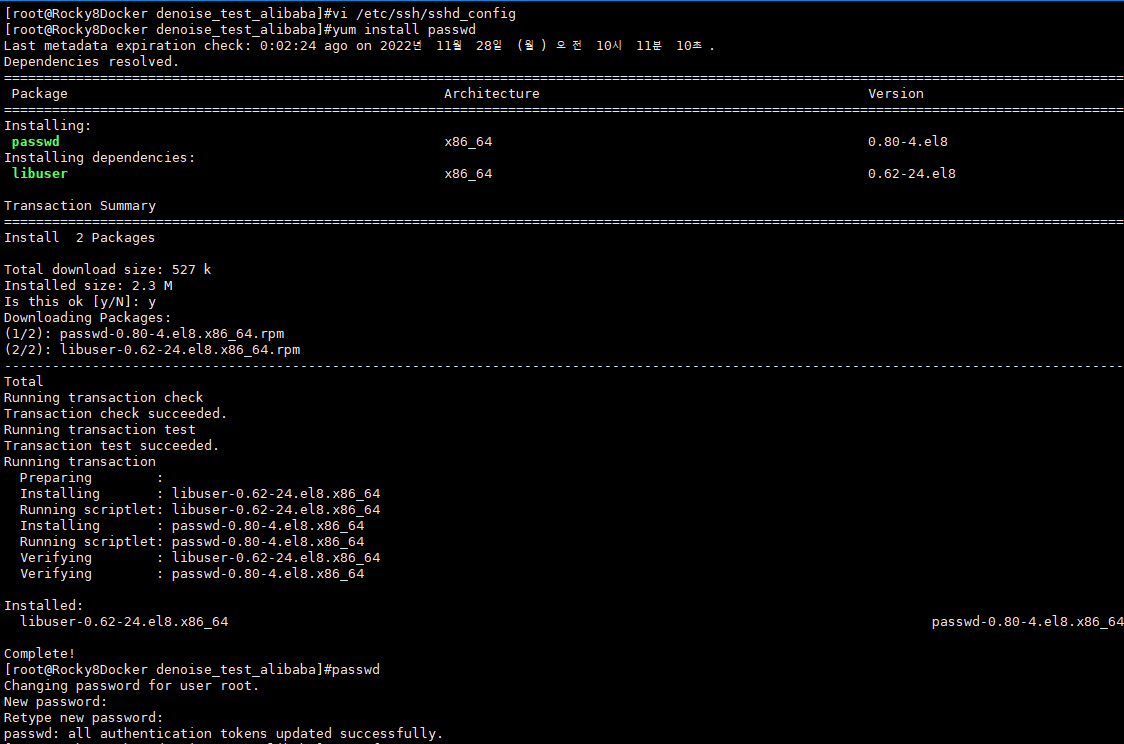
도커 passwd 생성 (ssh 외부접속용)
yum install passwd 설치
passwd 명령으로 생성 (host와 동일하게 생성)
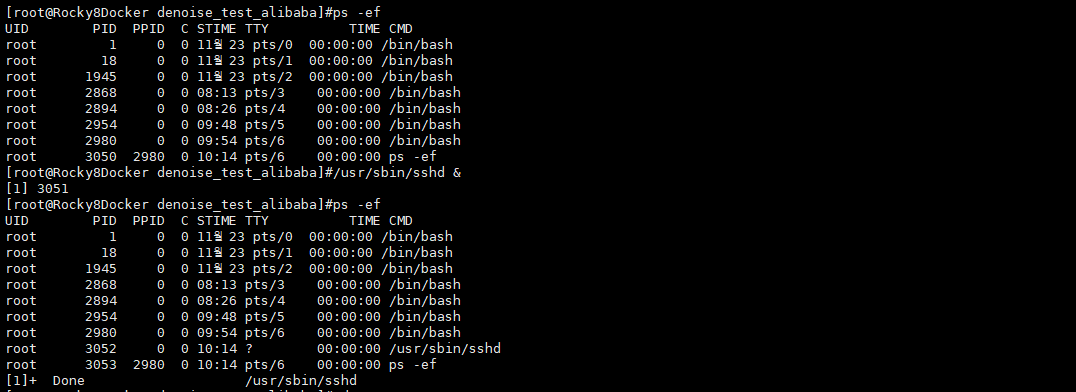
/usr/sbin/sshd & //실행
-
ssh key 생성하기 (key 없으면 /usr/sbin/sshd 데몬실행시 오류)
ssh-keygen -t rsa -f /etc/ssh/ssh_host_rsa_key
ssh-keygen -t ecdsa -f /etc/ssh/ssh_host_ecdsa_key
ssh-keygen -t ed25519 -f /etc/ssh/ssh_host_ed25519_key -
bashrc에 추가 (docker)
#ssh check
if ps ax | grep -v grep | grep sshd > /dev/null
then
echo "sshd is running."
else
/usr/sbin/sshd &
fi -
방화벽 설정
firewall-cmd --permanent --zone=public --add-port=1022/tcp
firewall-cmd --reload
firewall-cmd --permanent --list-all
install openssh-server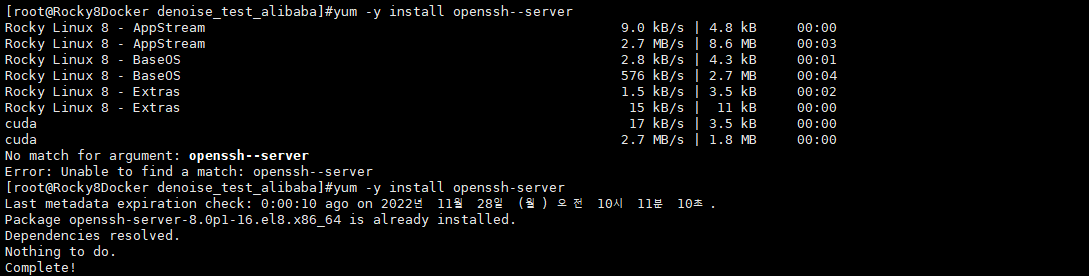
ssh-keygen
ssh-keygen
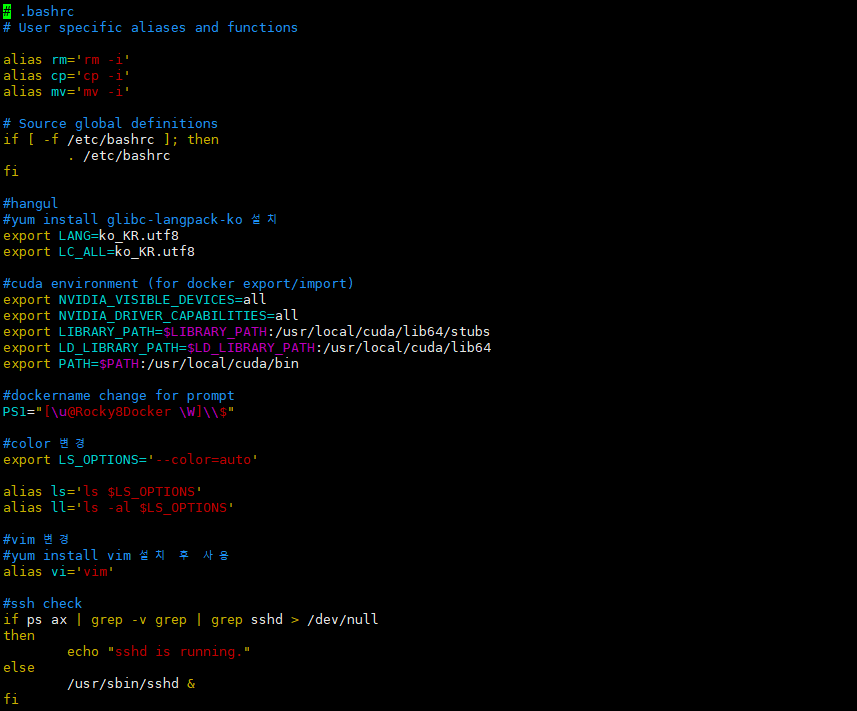
프롬프트 및 컬러 변경
#dockername change for prompt
PS1="[\u@Rocky8Docker \W]\$"
#color 변경
export LS_OPTIONS='--color=auto'
alias ls='ls $LS_OPTIONS'
alias ll='ls -al $LS_OPTIONS'
#vim 변경
#yum install vim 설치 후 사용
alias vi='vim'
한글 설정
- yum install glibc-langpack-ko 설치
- bashrc에 추가 (docker)
export LANG=ko_KR.utf8
export LC_ALL=ko_KR.utf8

