
Overview
Switch Button의 활성여부에 따른 확장 셀을 활성화 또는 비활성화 해주는 작업
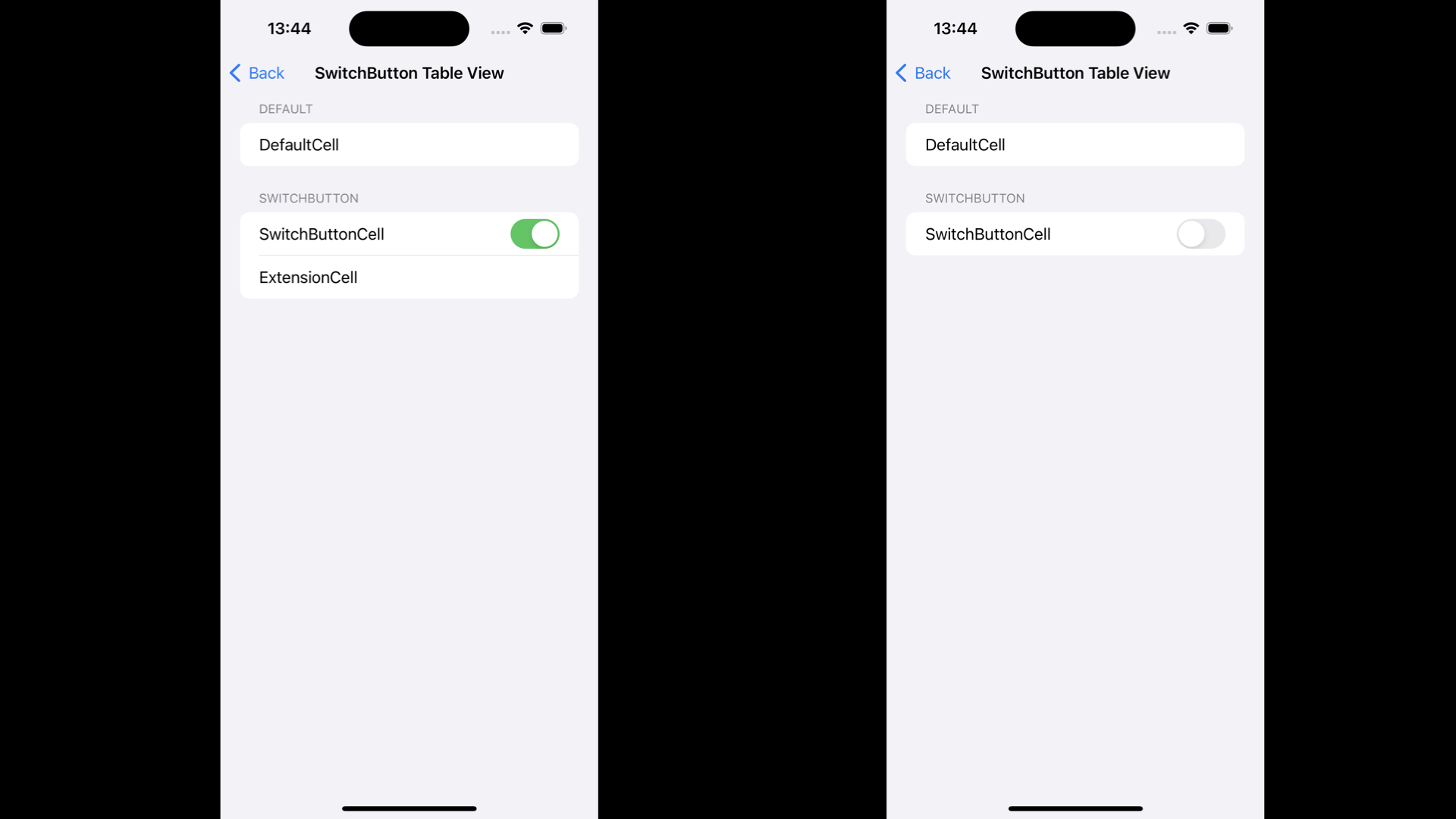
1️⃣ 기본 Table View Setting
class SwitchButtonViewController: UIViewController {
    @IBOutlet weak var tableView: UITableView!
    var pullDownOption = PullDownOption()
    var extensionCell = false
    private let sections: [Section] = [
        Section(header: "Default", footer: nil, items: [
            Item(imageName: "", title: "DefaultCell")
        ]),
        Section(header: "SwitchButton", footer: nil, items: [
            Item(imageName: "", title: "SwitchButtonCell"),
            Item(imageName: "", title: "ExtensionCell")
        ])
    ]

    override func viewDidLoad() {
        super.viewDidLoad()
        navigationItem.title = "SwitchButton Table View"
        tableView.delegate = self
        tableView.dataSource = self
    }

    private func createSwitch(isOn: Bool, action: @escaping (Bool) -> Void) -> UISwitch {
        let switchView = UISwitch()
        switchView.isOn = isOn
        switchView.addAction(
            UIAction { uiAction in
                let switchControl = uiAction.sender as! UISwitch
                action(switchControl.isOn)
            },
            for: .valueChanged
        )
        return switchView
    }
}- Section을 나누기 위해 Default Cell 생성
- Switch Button을 Accessory View로 하는 Cell 생성
- Switch Button의 활성여부에 따른 Cell 생성
- UISwitch 객체를 생성하는 함수 선언
2️⃣ Table View Detail Setting
    func numberOfSections(in tableView: UITableView) -> Int {
        return sections.count
    }

    func tableView(_ tableView: UITableView, numberOfRowsInSection section: Int) -> Int {
        switch section {
        case 0: return sections[section].items.count
        case 1: return extensionCell ? sections[section].items.count : sections[section].items.count - 1
        default: return 0
        }
    }

    func tableView(_ tableView: UITableView, cellForRowAt indexPath: IndexPath) -> UITableViewCell {
        let cell = tableView.dequeueReusableCell(withIdentifier: "Cell") ?? UITableViewCell(style: .default, reuseIdentifier: "Cell")
        switch indexPath.section {
        case 0:
            switch indexPath.row {
            case 0:
                cell.textLabel?.text = sections[indexPath.section].items[indexPath.row].title
                cell.accessoryView = nil
            default: break
            }
        case 1:
            switch indexPath.row {
            case 0:
                cell.textLabel?.text = sections[indexPath.section].items[indexPath.row].title
                cell.accessoryView = createSwitch(isOn: extensionCell) { [weak self] isOn in
                    self?.extensionCell = isOn
                    DispatchQueue.main.async {
                        self?.tableView.reloadData()
                    }
                }
            case 1:
                cell.textLabel?.text = sections[indexPath.section].items[indexPath.row].title
            default: break
            }
        default: break
        }
        return cell
    }
extensionCell ? sections[section].items.count : sections[section].items.count - 1- extensionCell Flag 변수를 두어 활성 여부 결정에 따른 셀 갯수 설정
- accessoryView를 설정해주고 활성 여부에 따른 View 업데이트
전체코드

vis ta vie