Error Log
Thread 1: "Unable to activate constraint with anchors <NSLayoutXAxisAnchor:0x60000386c080 \"UIView:0x162f04470.leading\"> and <NSLayoutXAxisAnchor:0x60000385fd80 \"UIStackView:0x162e05ae0.leading\"> because they have no common ancestor. Does the constraint or its anchors reference items in different view hierarchies? That's illegal."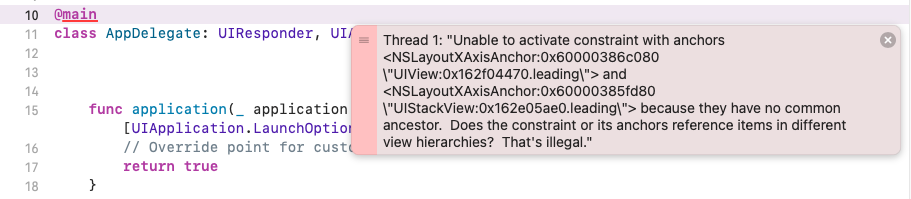
해석
앵커 스스로 제약조건을 활성화 할수없다.
계층구조에 문제가 있다.
점검
- UI를 잘 선언했는지 점검
- Layout이 잘 잡혀있는지 점검
- 그럼에도 Thread error가 뜬다?
* UI의 confige부분을 점검 (빼먹지는 않았는지)... !
import UIKit

class EditProfileViewController: UIViewController {

// MARK: UI
    let bodyContainer: UIStackView = {
        //verticalStackView의 사용방법... !
       let bodyContainer = UIStackView()
        bodyContainer.axis = .vertical
        bodyContainer.translatesAutoresizingMaskIntoConstraints = false
        bodyContainer.backgroundColor = UIColor.yellow
        bodyContainer.layer.borderColor = UIColor.gray.cgColor
        bodyContainer.layer.borderWidth = 1.0
        return bodyContainer
    }()


        userInfoView.translatesAutoresizingMaskIntoConstraints = false
        userInfoView.backgroundColor = UIColor.blue
        return userInfoView
    }()


    override func viewDidLoad() {
        super.viewDidLoad()
            configeUI()

    }
}

//MARK: configure UI
    extension EditProfileViewController{
        func configeUI(){
            self.view.addSubview(bodyContainer)
 // 문제 발생 부분 코드 추가해서 해결 ... !
			bodyContainer.addSubview(profilePictureView)

       setLayout()
        }

        func setLayout(){

            let screenWidth = UIScreen.main.bounds.width
            let screenHeight = UIScreen.main.bounds.height
            let desiredWidth = screenWidth * 0.8
            let desiredHeight = screenHeight * 0.65
           NSLayoutConstraint.activate([
                self.bodyContainer.centerXAnchor.constraint(equalTo: self.view.centerXAnchor),
                self.bodyContainer.centerYAnchor.constraint(equalTo: self.view.centerYAnchor),
                self.bodyContainer.widthAnchor.constraint(equalToConstant: desiredWidth),
                 self.bodyContainer.heightAnchor.constraint(equalToConstant: desiredHeight)
            ])


            NSLayoutConstraint.activate([
                userInfoView.leadingAnchor.constraint(equalTo: bodyContainer.leadingAnchor,constant: 0),
                userInfoView.trailingAnchor.constraint(equalTo: bodyContainer.trailingAnchor,constant: 0),
                userInfoView.centerYAnchor.constraint(equalTo: bodyContainer.centerYAnchor),
                userInfoView.heightAnchor.constraint(equalToConstant: 100)

            ])

            NSLayoutConstraint.activate([


            ])
        }
    }