Intro
tableView를 사용해보려 몇몇 youtube 영상을 따라하고 있었는데
자료와는 다르게 내가 storyborad로 만든 tableView는 화면에 출력되지 않았다.
해결방법
구글링과 주변 멘토링을 통해서 tableView는 storyborad 배치만으로는 화면에 출력되지않고, 데이터 소스와 델리게이트(대리자)의 연결이 필요하다는것을 알게되었다.
1. Storyborad 배치
TableView > TableViewCell 배치
2. 데이터 소스와 델리게이트 추가
import UIKit

class TodoListPage: UIViewController {


    @IBOutlet weak var tableView: UITableViewCell!


    override func viewDidLoad() {
        super.viewDidLoad()

        //[ADD]
        tableView.delegate = self
        tableView.dataSource = self

    }
}

   //[ADD]
extension TodoListPage: UITableViewDelegate, UITableViewDataSource {

    func tableView(_ tableView: UITableView, numberOfRowsInSection section: Int) -> Int {
        // 실제 데이터 내의 행 수를 반환합니다.
        return 1
    }

    func tableView(_ tableView: UITableView, cellForRowAt indexPath: IndexPath) -> UITableViewCell {
        let cell = tableView.dequeueReusableCell(withIdentifier: "CellIdentifier", for: indexPath)

        // 데이터로 셀을 구성합니다.
        cell.textLabel?.text = "Row \(indexPath.row)"

        return cell
    }
}
3.TableView connect
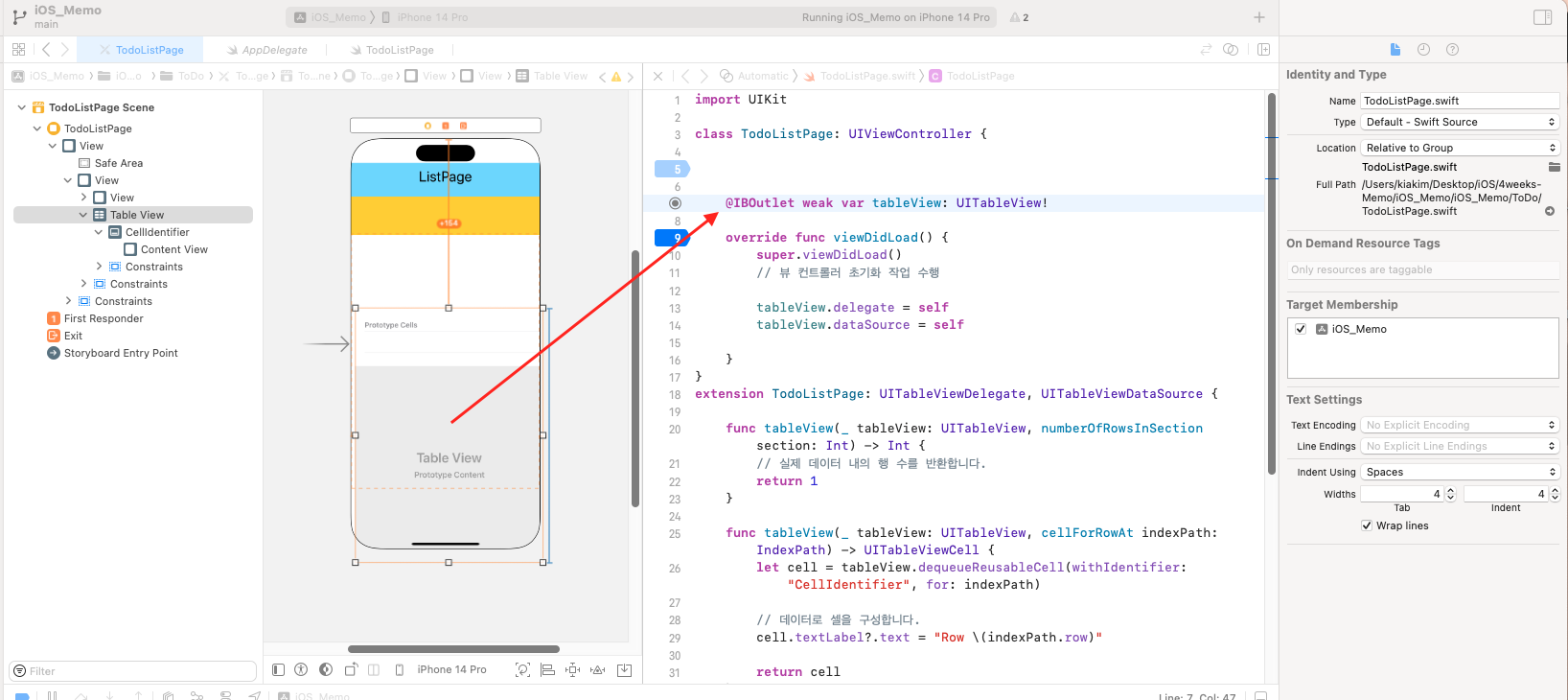
tableView와 IBoutlet이 잘 연결되어 있는지 확인하기
| ◎ | 동그라미 속이 비어있으면 No connect |
|---|---|
| ⦿ | 채워져 있으면 Connect |
(◎ 동그라미 속이 비어있으면 연결 안된상태)
4.TableView cell identitier 등록
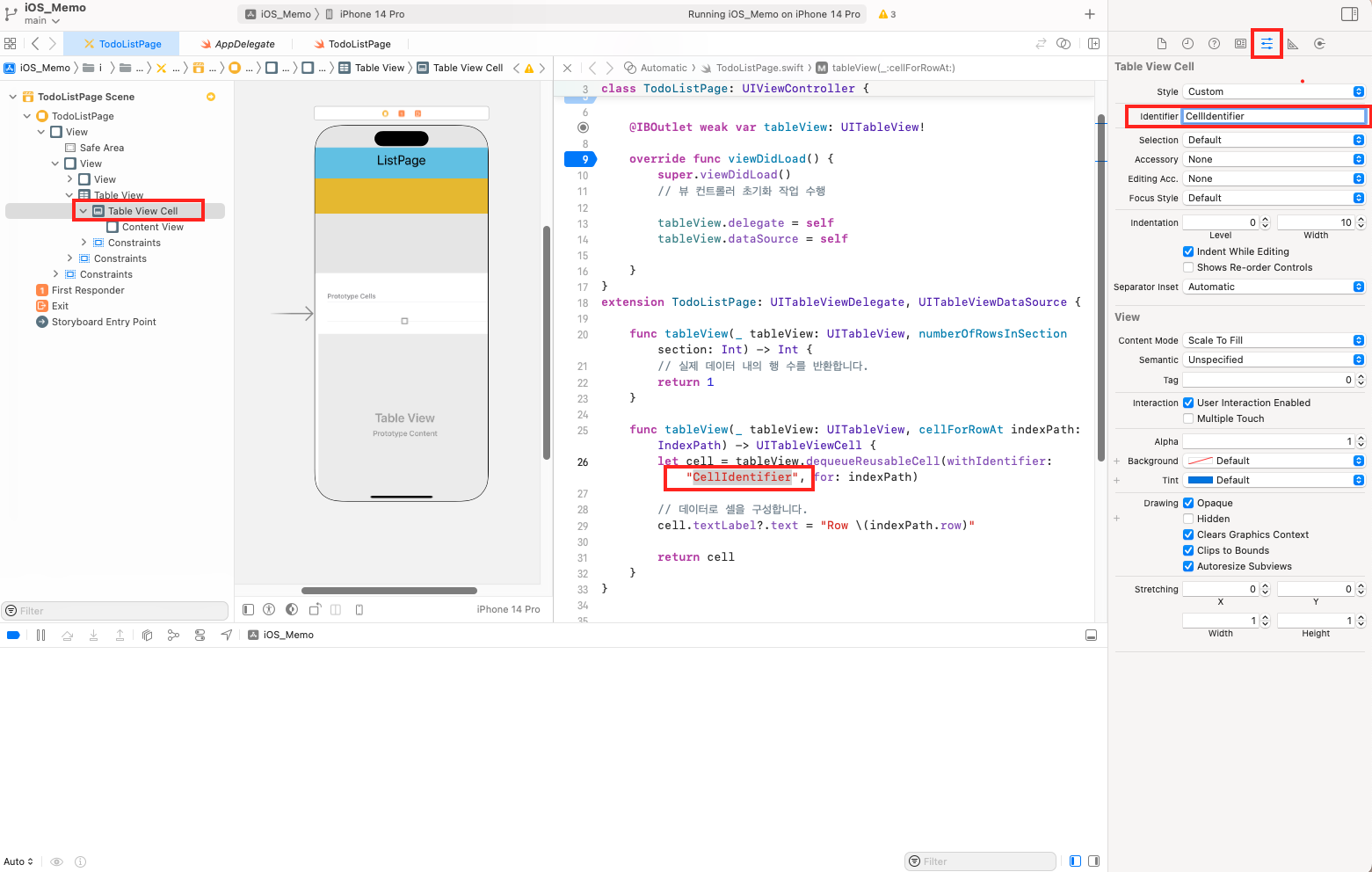
Table View Cell에 Identitier를 코드에 등록한 이름과 일치 시켜주기
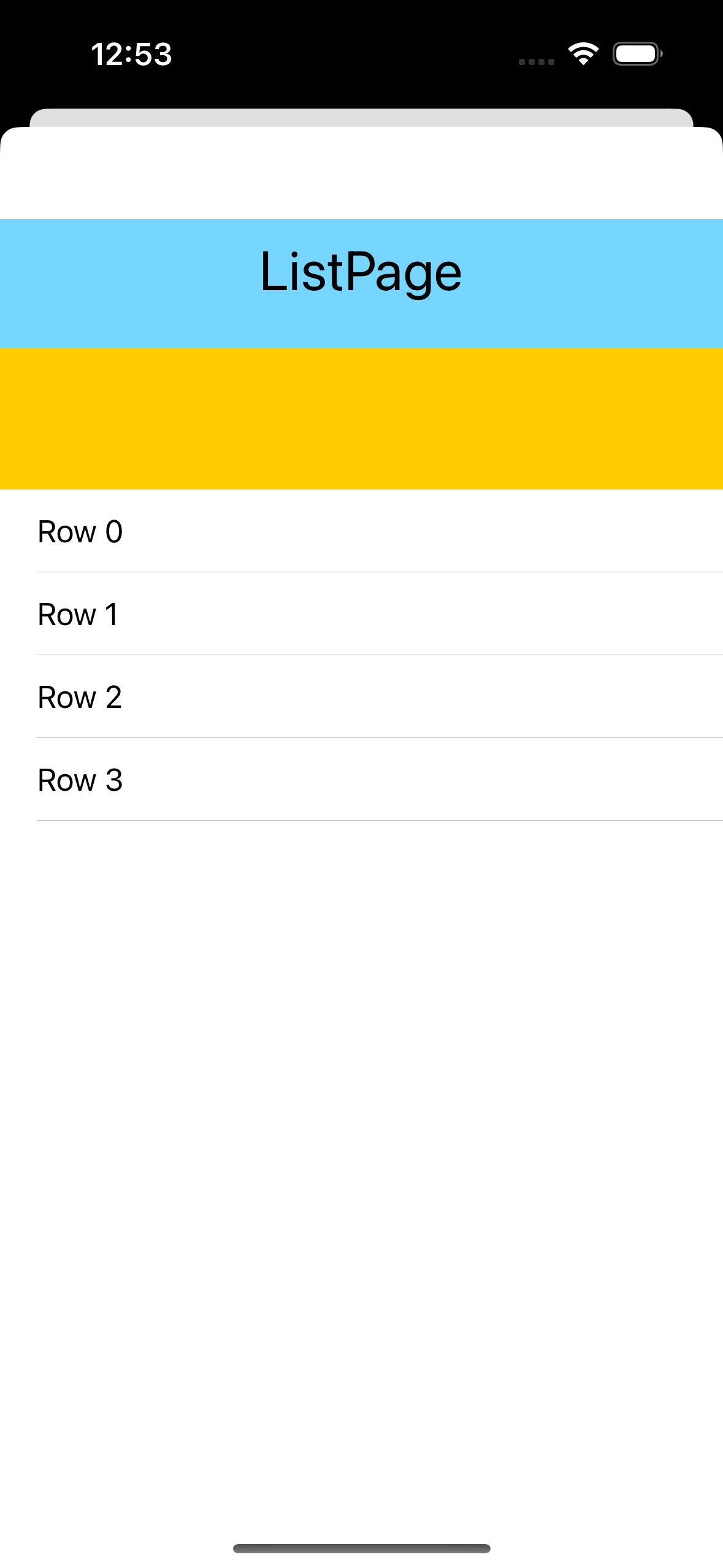
5. 완성