| Vivado Flow | Vitis Flow |
|---|---|
| 1. Create Project | 1. Create Project xsa loading |
| 2. Zynq Processor IP | 2. Coding on PS |
| 3. Generate Bitstream and xsa | 3. Serial IF |
| 4. Check Result |
General Process
- create project
- bring IP
- show diagram and eddit
- create HDL wrapper
- generate bit stream
- Export Hardware platform
1. Create Vivado Project
create lab4_hello_seungyun_world
2. Block Design 방법을 사용하여, PS영역 사용하기
Create Block Design
Diagram 에서 + 누르고 ZynQ7 Processing System 클릭
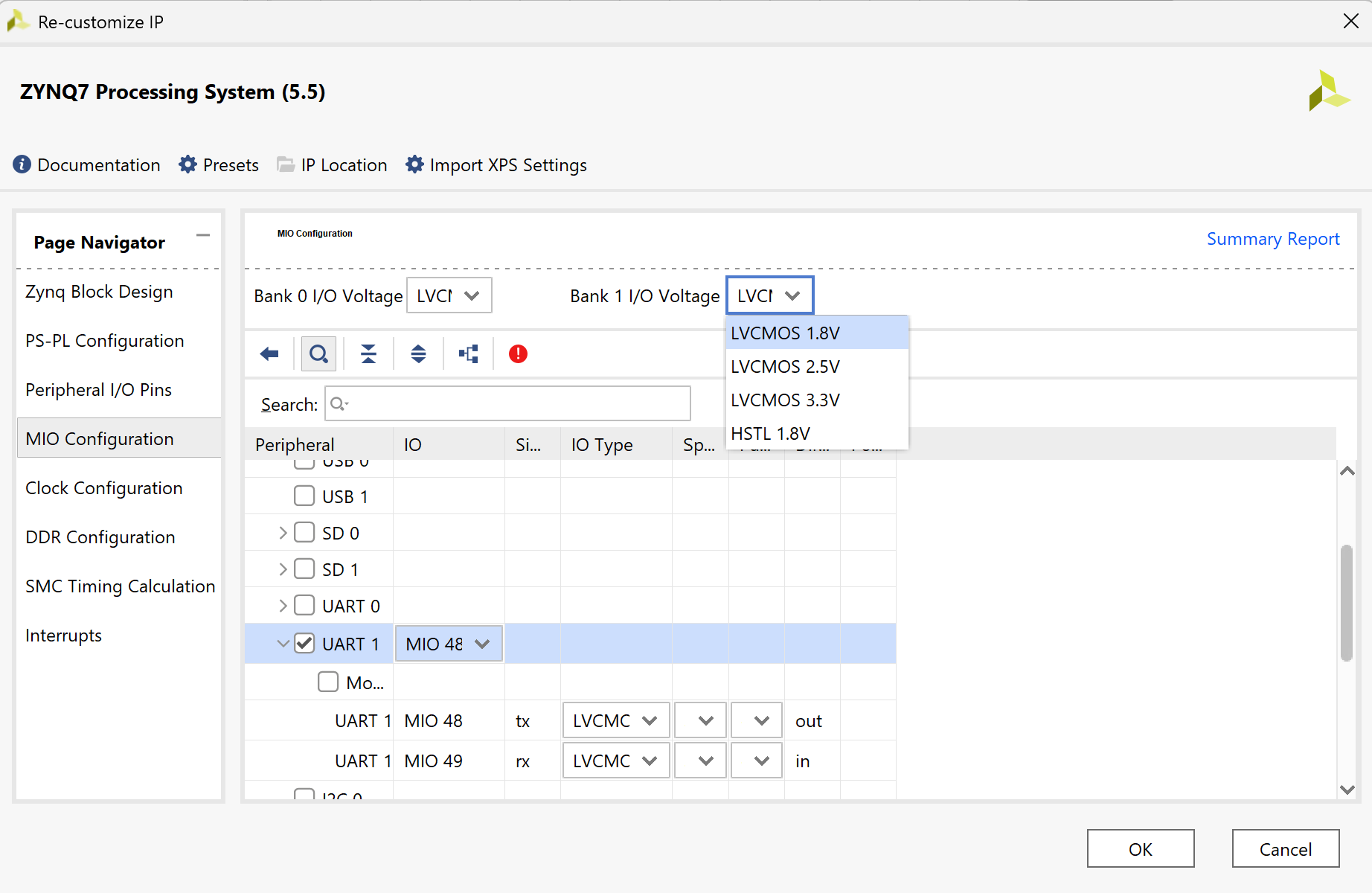
UART 1에 체크하고 Bank 1 IO에 LVCMOS 1.8V로 변경해주기
안쓰는 기능 체크 해제
Run block Automation -> F6( Validation check)
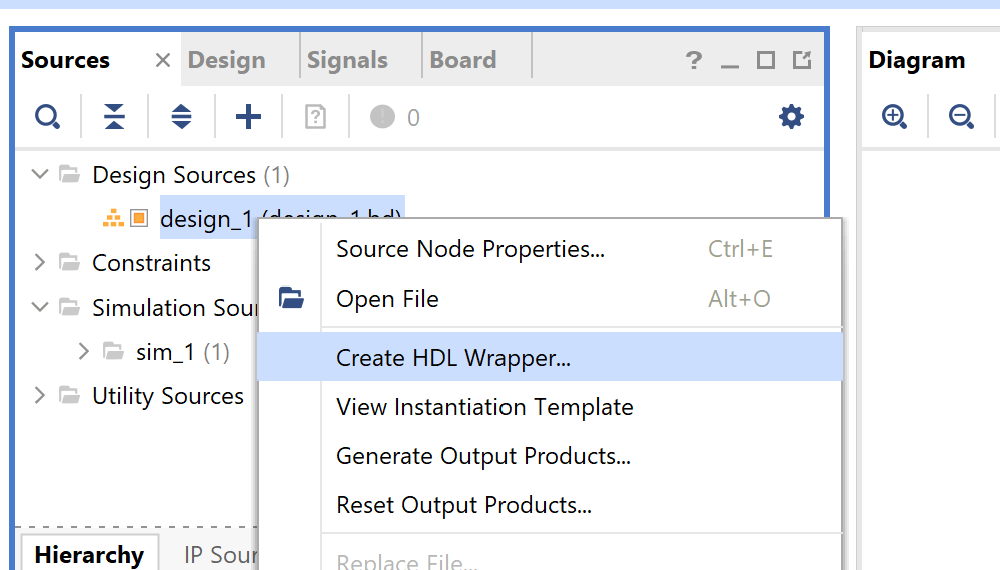
Source -> Design Source -> Create HDL Wrapper
Generate bitstream
3. Hardware Platform file 추출(.xsa)
file -> export hardware -> include vitstream
4. Vitis Project 생성
tool -> launch Vitis IDE
create application project -> hello_seungyun_world.xsa file upload
Hello world template 선택
5. Coding Hello world
helloworld.c 파일에 다음과 같이 코딩
int main() {
    init_platform();
    int val;
    scanf("%d",&val);
    while (1) {
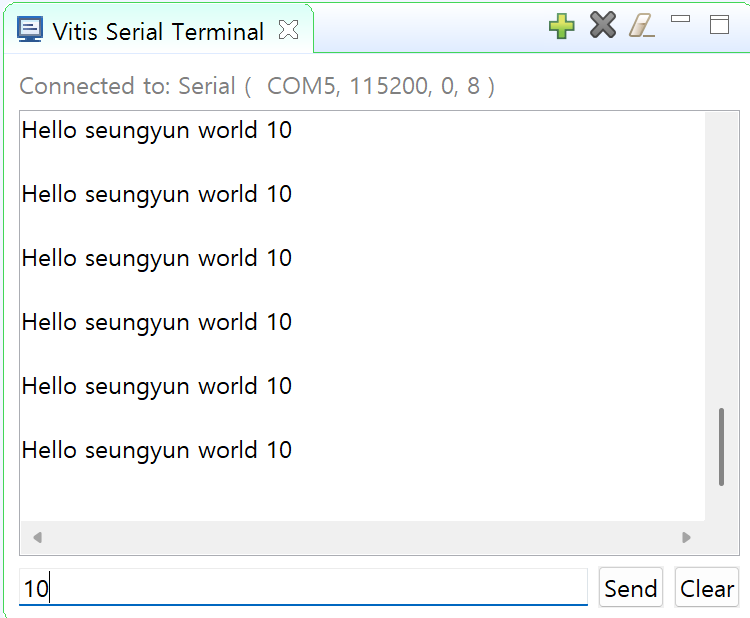
    	printf("Hello seungyun world %d \n\r", val );
    	sleep(1);
    }
    cleanup_platform();
    return 0;
}
Build Project
6. Terminal 환경 setup
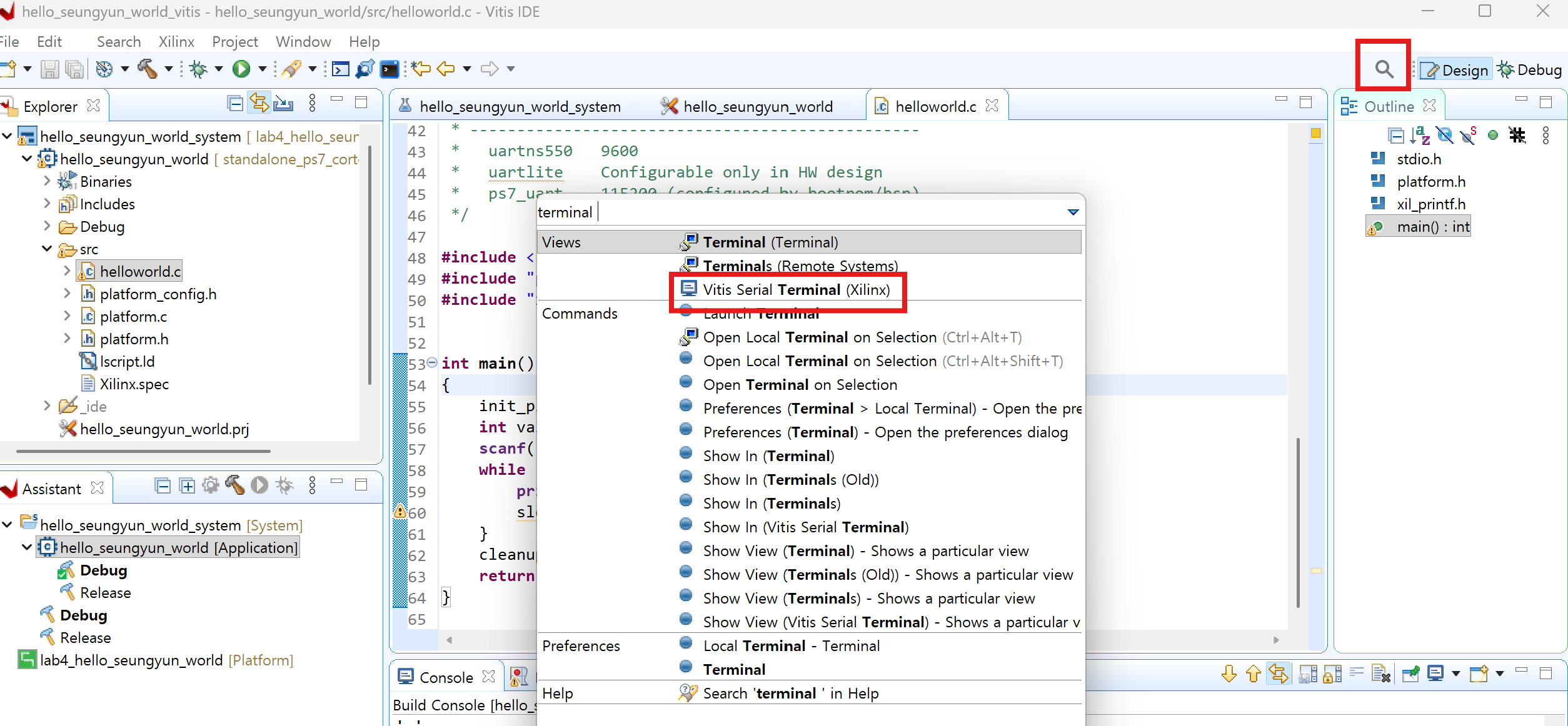
돋보기 -> vitis serial terminal 검색
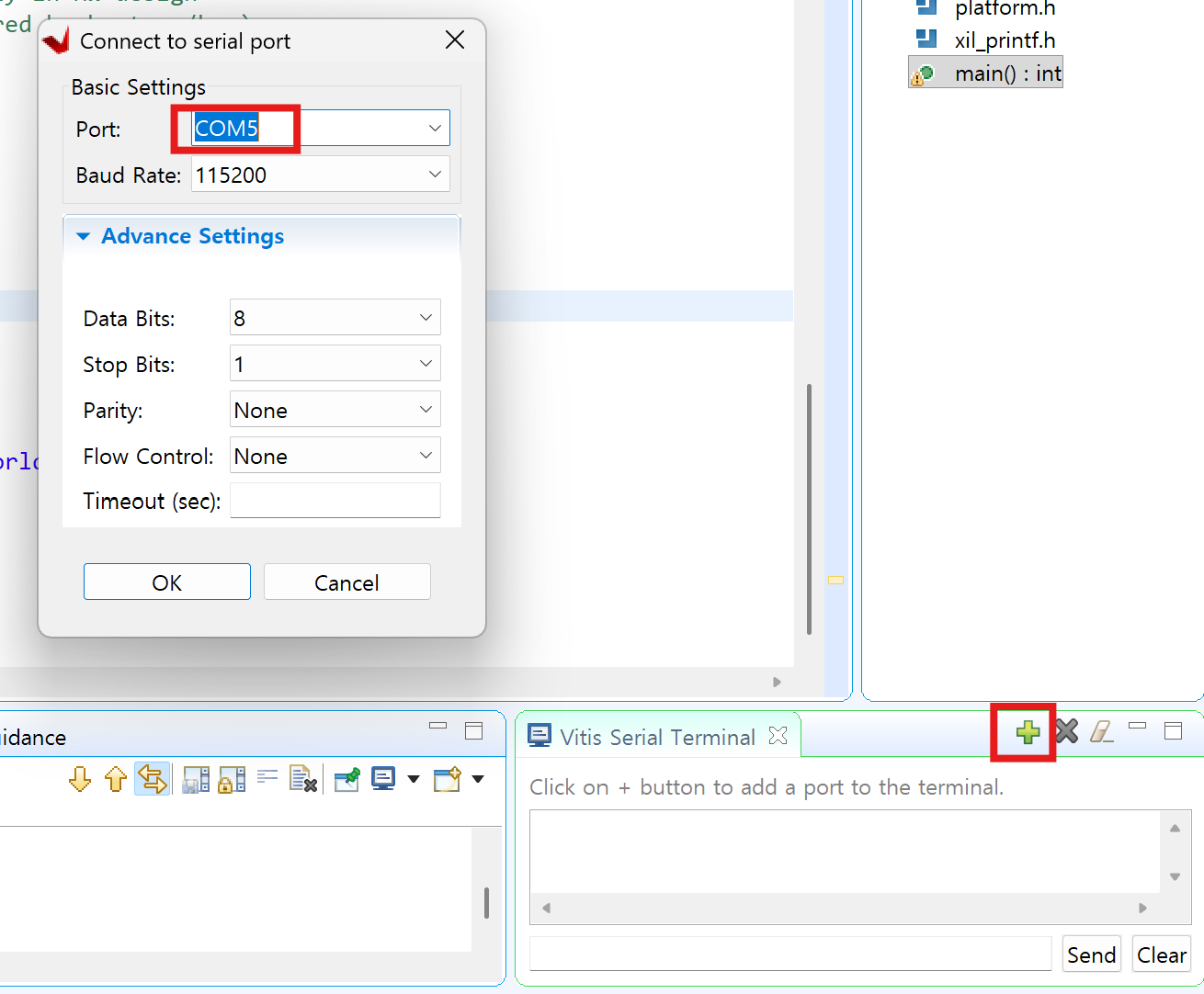
장치관리자에서 usb serial port가 com몇 쓰는지 확인하고 포트에 입력
7. FPGA에서 실행
run as -> launch on hardware
Design Verification engineer