Attach EFS to AWS Lambda
https://www.youtube.com/watch?v=rVy458rTSxs
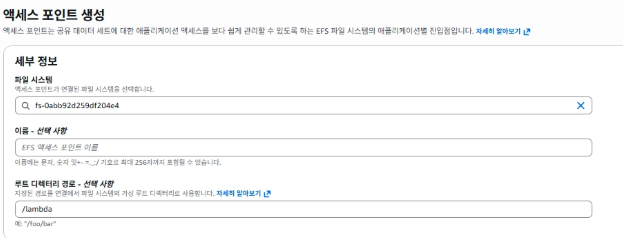
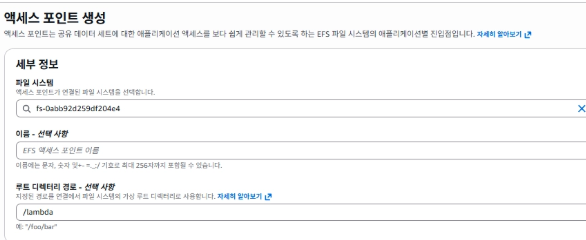
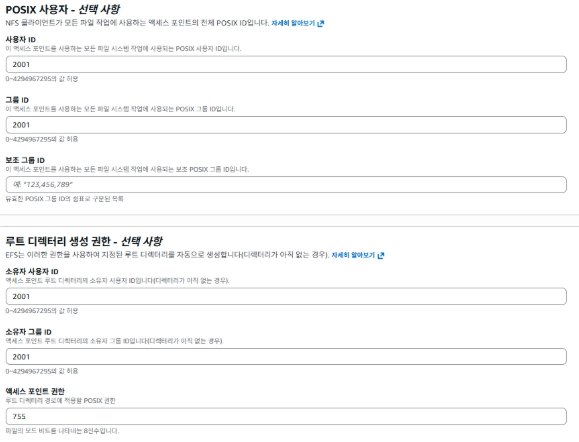
EFS AccessPoint를 생성해준다.
WebServer를 실행해준다.
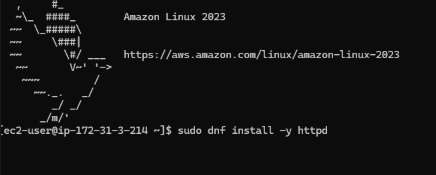
sudo dnf install -y httpd
sudo systemctl enable --now httpd
EFS를 마운트해준다.
sudo dnf install -y amazon-efs-utils
sudo mkdir -p /mnt/efs/html
sudo mount -t efs -o tls fs-0abb92d259df204e4:/ /mnt/efs/html
# 재시작 시 자동 mount
sudo vi /etc/fstab
fs-0abb92d259df204e4:/ /mnt/efs/html efs _netdev,tls,nofail 0 0mount된 경로로 웹페이지를 바꿔준다.
sudo vi /etc/httpd/conf/httpd.conf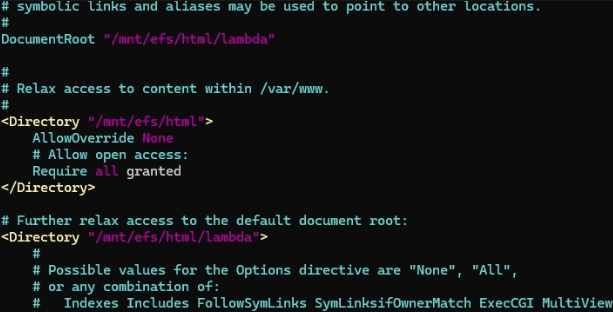
#
DocumentRoot "/mnt/efs/html/lambda"

#
# Relax access to content within /var/www.
#
<Directory "/mnt/efs/html">
    AllowOverride None
    # Allow open access:
    Require all granted
</Directory>

# Further relax access to the default document root:
<Directory "/mnt/efs/html/lambda">
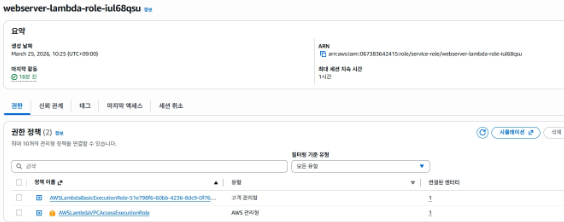
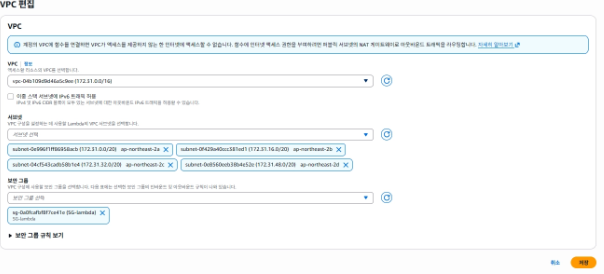
Lambda를 생성한다.

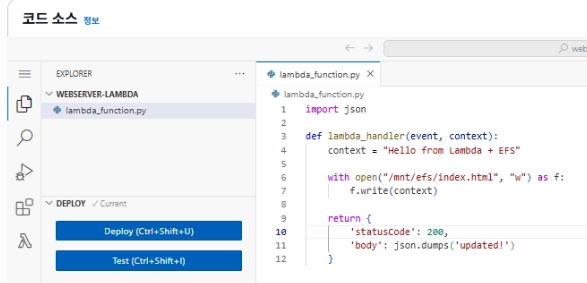
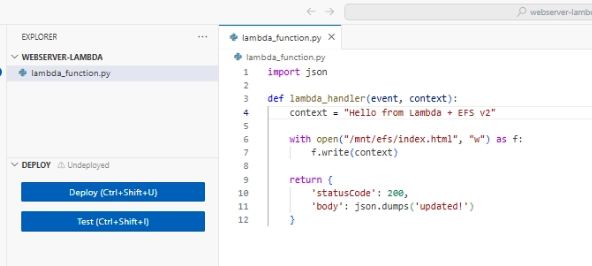
def lambda_handler(event, context);
	context = "Hello from Lambda + EFS"

    with open("/mnt/efs/index.html", "w") as f:
    	f.write(context)
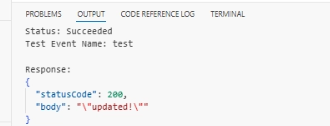
Test
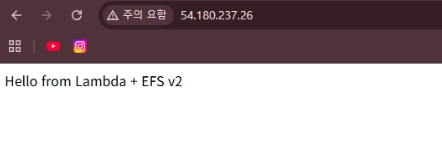
- context 내용을 바꿔주고 Deploy한 후 Test를 해본다.
- 바뀐거를 확인할 수 있다.

안녕하세요